The demand for faster home and business networking has increased significantly in recent years, driven by bandwidth-intensive applications such as 4K streaming, cloud computing, online gaming, and WiFi 6/6E access points. As internet service providers continue to offer multi-gigabit plans, many users are now re-evaluating whether their existing Ethernet infrastructure can keep up with modern speed requirements.
One of the most common questions in this transition is whether existing CAT5E cabling can support 2.5Gb Ethernet without requiring a full infrastructure upgrade. Since CAT5E is one of the most widely deployed Ethernet cable standards in homes and offices, understanding its real-world capability for multi-gig speeds like 2.5GbE has become an important technical consideration for network planning and performance optimization.
This article breaks down the practical performance of CAT5E in 2.5Gb Ethernet environments and explains everything needed to evaluate its suitability, including:
- official standard support and compatibility with 2.5GBASE-T
- real-world speed and distance performance under different conditions
- key factors such as cable quality, installation, and interference impact
By the end of this guide, you will have a clear understanding of whether CAT5E can reliably support 2.5Gb Ethernet and how it fits into modern network upgrade paths, helping make more informed decisions for both home and enterprise networking scenarios.
🔆 What Does 2.5Gb Ethernet Mean?
2.5Gb Ethernet refers to a wired networking standard that delivers a data transfer rate of 2.5 gigabits per second over standard twisted-pair Ethernet cabling. In simple terms, it is a faster version of traditional 1Gb Ethernet, designed to improve network throughput without requiring a complete overhaul of existing copper cabling infrastructure. It is widely used in modern home and business networks where higher bandwidth is needed for WiFi access points, NAS systems, and multi-device environments.
Understanding 2.5 Gigabit Ethernet
2.5Gb Ethernet (2.5GBASE-T) is a multi-gigabit standard that increases network speed while maintaining compatibility with widely deployed Ethernet infrastructure. It is considered a cost-efficient performance upgrade over 1GbE because it delivers higher throughput without the strict cabling requirements associated with 10GbE.
Key characteristics include:
- Provides 2.5Gbps theoretical link speed over RJ45 copper connections
- Bridges the performance gap between 1GbE and 10GbE
- Commonly used in WiFi 6/6E access point uplinks and NAS systems
- Often operates over existing CAT5E or CAT6 cabling depending on installation quality
This makes it a practical solution for environments where bandwidth demand has outgrown 1Gb Ethernet but full 10Gb upgrades are not yet necessary.
Why 2.5Gb Ethernet Was Developed
2.5Gb Ethernet was introduced to address the growing performance limitations of 1Gb Ethernet in modern network environments. As internet speeds, wireless standards, and local data workloads increased, 1GbE became a bottleneck for many users.
Its development focuses on solving several key networking challenges:
- Eliminating performance bottlenecks in gigabit-limited networks
- Providing a cost-effective alternative to 10Gb Ethernet upgrades
- Maximizing reuse of existing copper cabling infrastructure
- Supporting higher-speed wireless access points without congestion
By offering a balanced upgrade path, 2.5GbE helps extend the useful life of existing network deployments while improving overall data flow efficiency.
Key Standards Behind 2.5Gb Ethernet
2.5Gb Ethernet is defined under the IEEE 802.3bz standard, which also includes 5Gb Ethernet specifications. This standard enables higher-speed transmission over traditional twisted-pair copper cabling while maintaining backward compatibility with older Ethernet technologies.
Core technical elements include:
- IEEE 802.3bz standard for 2.5GBASE-T and 5GBASE-T
- Optimized signaling to achieve higher speeds over existing cabling
- Compatibility with legacy 10/100/1000 Mbps Ethernet devices
- Designed for efficient deployment in enterprise and residential networks
This standard plays a critical role in enabling smooth network upgrades without requiring immediate infrastructure replacement.
🔆 Can CAT5E Do 2.5 GB?
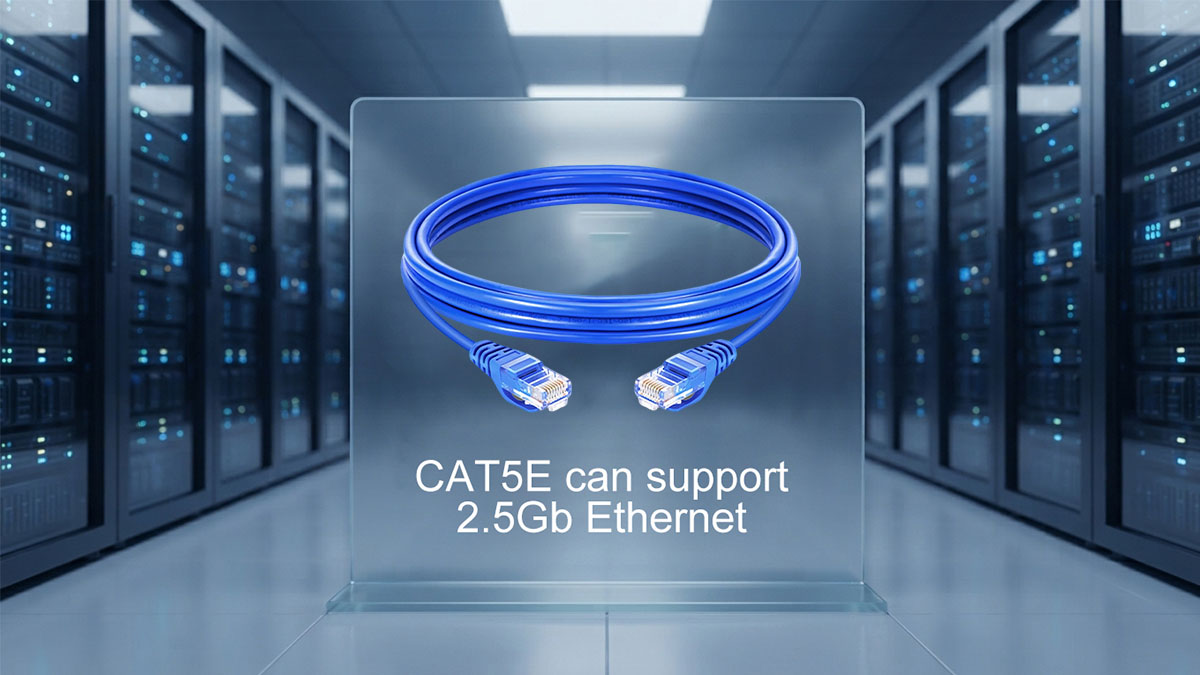
CAT5E can support 2.5Gb Ethernet in most real-world scenarios because the 2.5GBASE-T standard was specifically designed to operate over existing CAT5E cabling. In practical terms, this means many properly installed CAT5E networks can achieve 2.5Gbps link speeds without requiring immediate cable replacement, as long as the cable quality and installation conditions are within acceptable limits.
The Short Answer
CAT5E is generally capable of running 2.5Gb Ethernet, and it is officially recognized as a supported cabling type for 2.5GBASE-T under IEEE 802.3bz. This makes it one of the most important legacy cable categories that can be reused in multi-gig network upgrades.
Key points include:
- CAT5E is compatible with 2.5GbE under IEEE 802.3bz standards
- Most existing CAT5E installations can negotiate 2.5Gb link speeds
- Performance depends heavily on cable condition and installation quality
- Shorter and well-terminated runs typically perform more reliably
In most home and office environments, CAT5E is sufficient for achieving stable 2.5Gbps connectivity when paired with compatible networking equipment.
Official Cable Requirements for 2.5GBASE-T
The 2.5GBASE-T standard was intentionally engineered to work over existing twisted-pair cabling, including CAT5E, to reduce upgrade costs and infrastructure disruption. Unlike 10Gb Ethernet, which often requires CAT6A for full distance performance, 2.5GbE is far more forgiving.
From a standards perspective:
- CAT5E is considered compliant for 2.5GBASE-T operation
- Maximum channel distance is typically up to 100 meters under ideal conditions
- Performance assumes proper structured cabling practices
- Compliance does not guarantee performance in poor-quality installations
This means that while CAT5E is officially supported, actual performance still depends on real-world deployment conditions rather than just cable category labeling.
Real-World Performance Expectations
In practical deployments, CAT5E often performs well at 2.5Gbps, especially in residential and small business networks where cable runs are relatively short and interference is minimal.
Typical real-world behavior includes:
- Stable 2.5Gbps links in home networks and office environments
- Reliable performance for WiFi 6 access point uplinks
- Occasional instability in older or poorly terminated cabling
- Better results on shorter cable runs and cleaner installations
Performance is generally sufficient for most users upgrading from 1GbE, making CAT5E a viable transitional medium for multi-gig networking without immediate infrastructure replacement.
🔆 How Far Can CAT5E Run at 2.5Gb Ethernet Speeds?
CAT5E can typically support 2.5Gb Ethernet up to the standard Ethernet channel limit of 100 meters under ideal conditions. In practice, however, achieving stable 2.5Gbps performance depends not only on distance but also on cable quality, installation environment, and electromagnetic interference levels. Shorter runs usually provide more reliable and consistent multi-gig performance.
Maximum Supported Distance
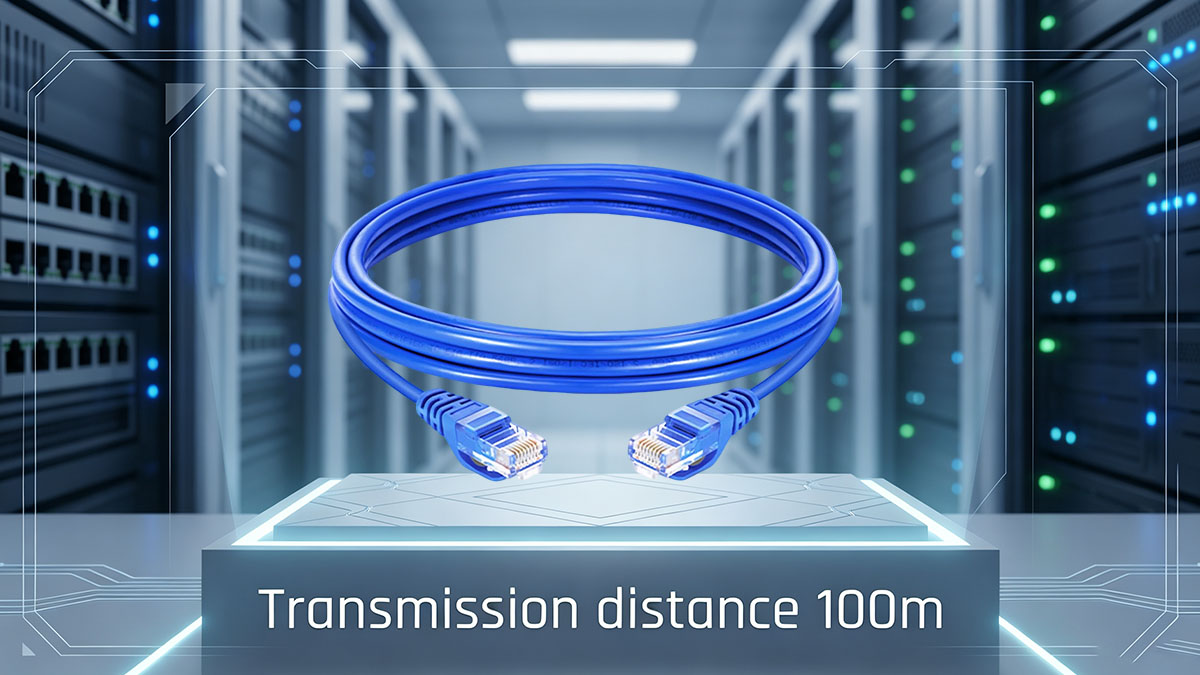
The maximum theoretical distance for CAT5E at 2.5GbE is 100 meters, which follows standard Ethernet channel specifications. This limit applies when the entire link—including patch cables, wall outlets, and horizontal cabling—is properly installed and compliant.
Key distance considerations include:
- Up to 100m supported under IEEE Ethernet channel standards
- Includes total channel length (permanent link + patch cords)
- Shorter runs (under 50m) generally offer higher stability margins
- Performance may degrade near the upper distance limit depending on cable quality
In real-world deployments, many networks operate well below 100 meters, which helps CAT5E maintain stable 2.5Gbps connectivity.
Distance and Signal Quality Relationship
As cable length increases, signal degradation becomes more significant, which can impact 2.5GbE stability over CAT5E. While the standard is designed to tolerate this, physical conditions still play a major role in performance consistency.
Key signal-related factors include:
- Attenuation increases with longer cable runs
- Crosstalk between wire pairs becomes more noticeable over distance
- Return loss can affect link stability at higher speeds
- Poor-quality or aging CAT5E cable reduces effective performance margin
These factors explain why two CAT5E links of the same length can perform differently depending on installation quality and environment.
Common Deployment Scenarios
CAT5E running 2.5Gb Ethernet is most commonly found in real-world environments where distances are moderate and infrastructure is already in place. In these scenarios, it often delivers reliable performance without requiring cabling replacement.
Typical use cases include:
- Home networks with short-to-medium cable runs between rooms
- Small office setups with structured cabling under 100 meters
- WiFi access point uplinks where runs are usually less than 50 meters
- NAS and desktop connections within localized network closets
In these environments, CAT5E is generally capable of sustaining 2.5Gbps links effectively when installed and maintained properly.
🔆 Factors That Determine Whether CAT5E Can Achieve 2.5Gb Speeds
CAT5E can often support 2.5Gb Ethernet, but real-world success depends on multiple physical and environmental factors rather than cable category alone. In practice, achieving stable 2.5Gbps performance is the result of overall link quality, including installation standards, cable condition, and interference levels.
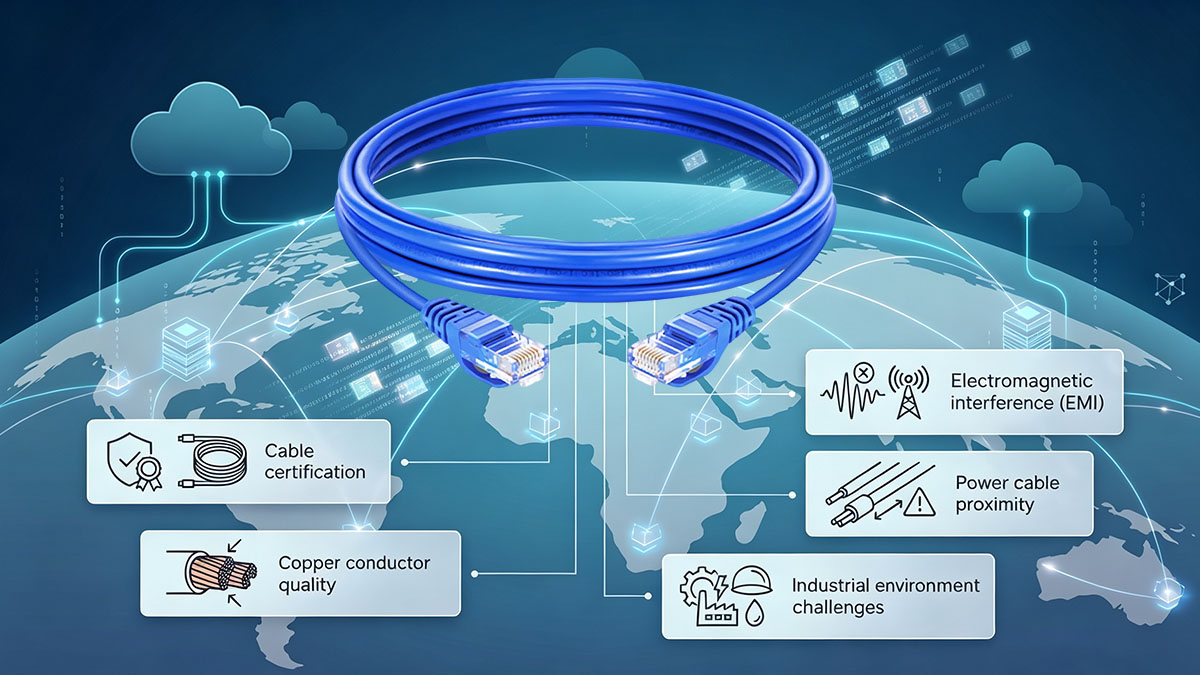
Cable Quality and Manufacturing Standards
CAT5E cables are not all identical in performance, even if they meet the same category rating. Manufacturing quality plays a major role in whether a link can consistently handle 2.5Gb speeds.
Key quality-related factors include:
- Pure copper conductors vs copper-clad aluminum (CCA)
- Consistency of twisted pair geometry
- Compliance with CAT5E certification standards
- Overall shielding quality in higher-noise environments
Higher-quality CAT5E cables typically provide more stable signal integrity, especially for multi-gigabit transmission.
Installation Quality
Even high-quality CAT5E can underperform if it is installed improperly. Physical handling and termination practices directly influence signal stability at 2.5GbE speeds.
Important installation factors include:
- Excessive bending or sharp cable turns that damage pair structure
- Poorly terminated RJ45 connectors causing signal reflection
- Over-tight cable bundling increasing internal crosstalk
- Physical stress from pulling or stretching during installation
A well-installed CAT5E run often performs significantly better than a poorly installed newer cable category.
Environmental Interference
External electrical noise is another key factor that can impact whether CAT5E maintains stable 2.5Gbps performance, especially in dense wiring environments.
Common interference sources include:
- Nearby power cables running parallel to Ethernet lines
- High-voltage equipment or industrial machinery
- Dense cable bundles in network closets
- Poor grounding in structured cabling systems
In environments with higher EMI (electromagnetic interference), signal degradation becomes more noticeable, potentially affecting link stability.
Connector and Patch Panel Quality
The performance of the full Ethernet channel depends not only on the cable itself but also on every connection point along the link. Weak points often occur at connectors and patch panels.
Key considerations include:
- Quality and precision of RJ45 connectors
- Properly installed keystone jacks in wall outlets
- Condition of patch panels and punch-down terminations
- Use of consistent, category-rated patch cords
A single low-quality connection point can reduce the overall ability of CAT5E to reliably support 2.5Gb Ethernet, even if the cable itself is capable.
🔆 CAT5E vs CAT6 vs CAT6A for 2.5Gb Ethernet
CAT5E, CAT6, and CAT6A can all support 2.5Gb Ethernet, but they differ in signal margin, interference resistance, and future scalability. In practical network deployments, the main difference is not whether they can run 2.5GbE, but how reliably they maintain performance under different installation and environmental conditions.
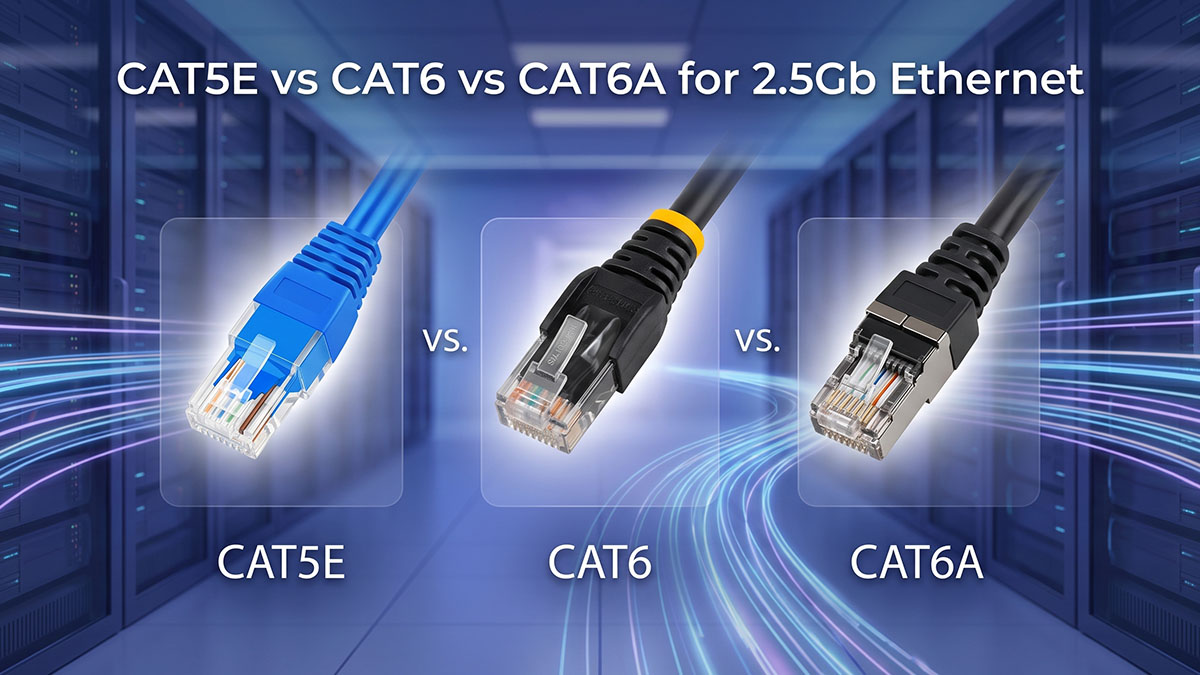
Technical Comparison Overview
CAT5E, CAT6, and CAT6A all support 2.5Gb Ethernet under the 2.5GBASE-T standard, but their performance headroom varies significantly. In general, higher-category cables provide better noise resistance and longer-term stability, especially in dense or electrically noisy environments.
Before reviewing the detailed comparison, it is important to understand that all three cable types can achieve 2.5Gbps under proper conditions, but their design targets differ in bandwidth capacity and interference tolerance.
The table below highlights key technical differences relevant to 2.5Gb Ethernet performance:
| Cable Type | Max Bandwidth | 2.5GbE Support | 10GbE Support | Typical Use Case |
|---|---|---|---|---|
| CAT5E | 100MHz | Yes (up to 100m) | Limited / not recommended | Home networks, basic office setups |
| CAT6 | 250MHz | Yes (up to 100m) | Up to ~55m | Small business, higher interference environments |
| CAT6A | 500MHz | Yes (up to 100m) | Yes (up to 100m) | Enterprise, future-proof installations |
After reviewing this comparison, it is clear that while all three cable types support 2.5Gb Ethernet, CAT6 and CAT6A provide stronger performance margins and better long-term scalability compared to CAT5E.
Advantages of Using Existing CAT5E
CAT5E remains widely used for 2.5Gb Ethernet because it offers a strong balance between performance and infrastructure reuse. In many real-world environments, upgrading cables is unnecessary if the existing CAT5E installation is in good condition.
Key advantages include:
- Existing infrastructure can often be reused without rewiring
- Fully capable of supporting 2.5GbE under standard conditions
- Lower deployment disruption compared to full cable replacement
- Sufficient performance for WiFi 6/6E access point uplinks and NAS connections
After considering these benefits, CAT5E is often the most cost-efficient path for enabling multi-gig networking in established buildings where cabling is already in place.
When CAT6 or CAT6A Makes More Sense
CAT6 and CAT6A become more relevant when network requirements go beyond stable 2.5Gb Ethernet or when installation environments introduce higher signal risks. These cables provide additional performance headroom that CAT5E cannot always guarantee.
Key scenarios where CAT6 or CAT6A is preferred include:
- Planning for future upgrades to 5Gb or 10Gb Ethernet
- Installing new structured cabling in commercial buildings
- Operating in high-density cable environments with higher EMI risk
- Requiring long-term infrastructure stability with minimal upgrades
In these cases, higher-category cabling reduces performance uncertainty and provides a more future-proof foundation for evolving network demands.
🔆 How to Verify Whether Your CAT5E Network Supports 2.5Gb Ethernet
Whether CAT5E can reliably support 2.5Gb Ethernet depends on both the cabling itself and the surrounding network ecosystem. The most accurate way to confirm compatibility is to validate three layers: network hardware capability, cable condition, and actual link performance under real operating conditions.
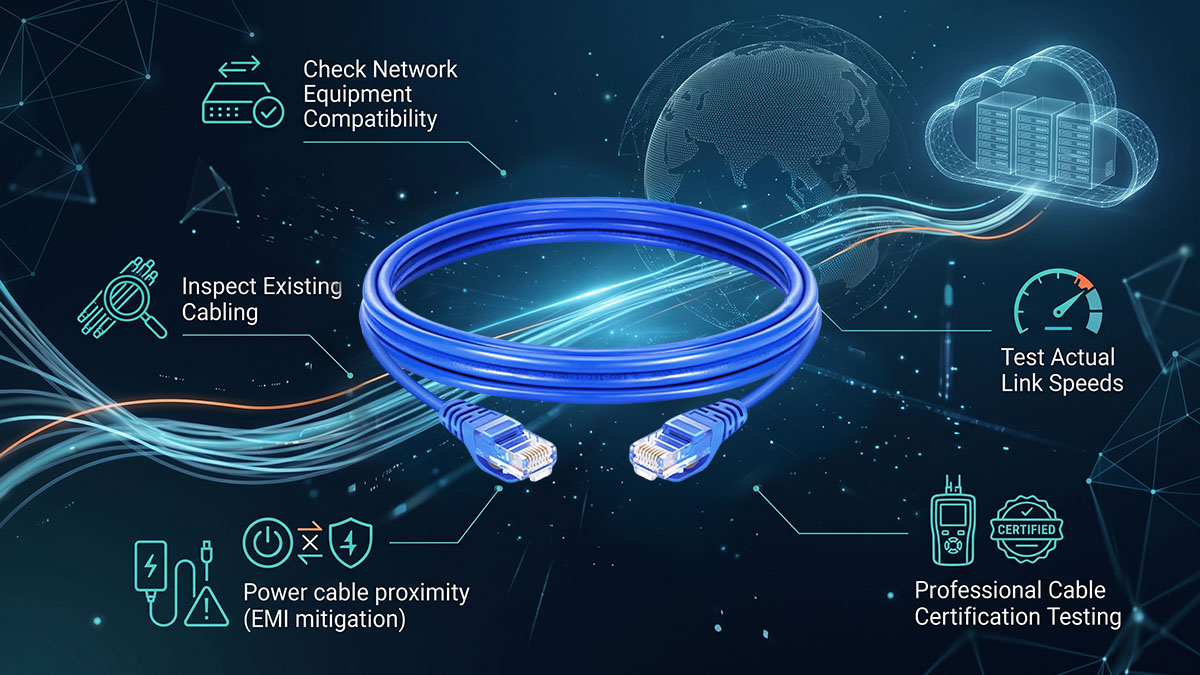
Check Network Equipment Compatibility
Before testing cabling, it is essential to confirm that all active network devices support 2.5Gb Ethernet. Even perfectly good CAT5E cabling cannot achieve 2.5Gb speeds if the hardware is limited to 1GbE.
Key compatibility points include:
- Switch ports must support 2.5GBASE-T (multi-gig switches)
- Routers or gateways must include 2.5GbE LAN/WAN interfaces
- Network interface cards (NICs) must support 2.5Gbps link negotiation
- All devices in the path must support auto-negotiation at multi-gig speeds
If any single device is limited to 1GbE, the entire link will be capped at that speed regardless of cable quality.
Inspect Existing Cabling
After confirming hardware compatibility, the next step is to evaluate the physical condition and specification of the existing CAT5E cabling. Cable quality degradation or incorrect installation can significantly impact 2.5Gb performance.
Important inspection steps include:
- Reading cable jacket markings to confirm CAT5E rating
- Checking for physical damage such as cuts, bends, or crushed sections
- Identifying whether copper-clad aluminum (CCA) is used instead of pure copper
- Verifying termination quality at RJ45 connectors and wall jacks
Well-maintained, pure copper CAT5E cabling has a much higher likelihood of supporting stable 2.5Gb Ethernet connections.
Test Actual Link Speeds
The most reliable way to confirm 2.5Gb capability is to test the actual negotiated link speed and throughput under real usage conditions. This provides direct evidence of whether CAT5E is performing as expected.
Common testing methods include:
- Checking link speed in operating system network settings (Windows, macOS, Linux)
- Reviewing switch management interface for negotiated port speed
- Running file transfer tests between two high-speed devices on the same network
- Using throughput benchmarking tools such as iPerf
If the link consistently negotiates at 2.5Gbps and maintains stable throughput, the CAT5E cabling is performing adequately for multi-gig use.
Professional Cable Certification Testing
For environments requiring higher reliability assurance, professional certification tools can be used to validate CAT5E performance more precisely. These tools evaluate signal integrity beyond simple speed tests.
Key certification methods include:
- Cable analyzers that measure attenuation, crosstalk, and return loss
- Structured cabling certification reports for compliance validation
- Diagnostic testing to identify marginal or failing cable segments
- Verification of end-to-end channel performance under load conditions
This level of testing is especially useful in office buildings or structured cabling systems where multiple hidden factors may affect 2.5Gb Ethernet stability.
🔆 Common Reasons CAT5E Fails to Reach 2.5Gb Ethernet Speeds
Although CAT5E is generally capable of supporting 2.5Gb Ethernet, not every installation achieves stable multi-gig performance. In real-world deployments, failures are usually caused by installation quality issues, degraded cabling conditions, or network configuration limitations rather than the cable category itself.

Legacy Network Hardware Limitations
One of the most common reasons CAT5E networks fail to reach 2.5Gb speeds is the presence of older network hardware that only supports Gigabit Ethernet. Even if the cabling is fully capable, the link will be capped by the slowest device in the path.
Typical hardware-related limitations include:
- Switch ports limited to 10/100/1000 Mbps only
- Routers without 2.5GbE LAN or WAN interfaces
- Network interface cards (NICs) lacking multi-gig support
- Intermediate devices forcing fallback to 1GbE negotiation
In these cases, upgrading cabling will not improve speed until hardware bottlenecks are resolved.
Poor Cable Condition
Physical degradation of CAT5E cabling is another major factor preventing 2.5Gb Ethernet from performing correctly. Even small defects can significantly reduce signal integrity at higher speeds.
Common cable-related issues include:
- Aging insulation or deteriorated copper conductors
- Physical damage such as cuts, kinks, or compression
- Use of copper-clad aluminum (CCA) instead of solid copper
- Poor-quality patch cords introducing signal instability
When cable integrity is compromised, the link may still connect but fail to sustain stable 2.5Gbps throughput.
Excessive Crosstalk and Interference
Electromagnetic interference (EMI) and crosstalk can have a noticeable impact on CAT5E performance, especially in dense cabling environments or near electrical equipment. Higher data rates are more sensitive to noise conditions.
Key interference sources include:
- Parallel routing alongside power cables
- Dense cable bundles in network racks or ceilings
- Nearby motors, transformers, or industrial equipment
- Insufficient separation between data and power lines
When noise levels are too high, the network may automatically reduce link speed to maintain stability.
Incorrect Auto-Negotiation Settings
2.5Gb Ethernet relies on proper auto-negotiation between devices to establish the correct link speed. Misconfiguration or driver issues can prevent the network from reaching full performance even when the cabling is capable.
Typical configuration-related problems include:
- Network adapters locked at 1Gbps manually or by default settings
- Outdated or incompatible network drivers
- Firmware limitations on switches or routers
- Auto-negotiation failures causing fallback to lower speeds
Ensuring that all devices are configured for multi-gig auto-negotiation is essential for achieving full 2.5GbE performance over CAT5E.
🔆 Is Upgrading from CAT5E Necessary for 2.5Gb Ethernet?
Upgrading from CAT5E is not strictly necessary for 2.5Gb Ethernet in most cases. CAT5E can already support 2.5GBASE-T under standard conditions, so many users can achieve multi-gig speeds without replacing existing cabling. However, whether an upgrade is worthwhile depends on future bandwidth needs, installation quality, and long-term network planning.
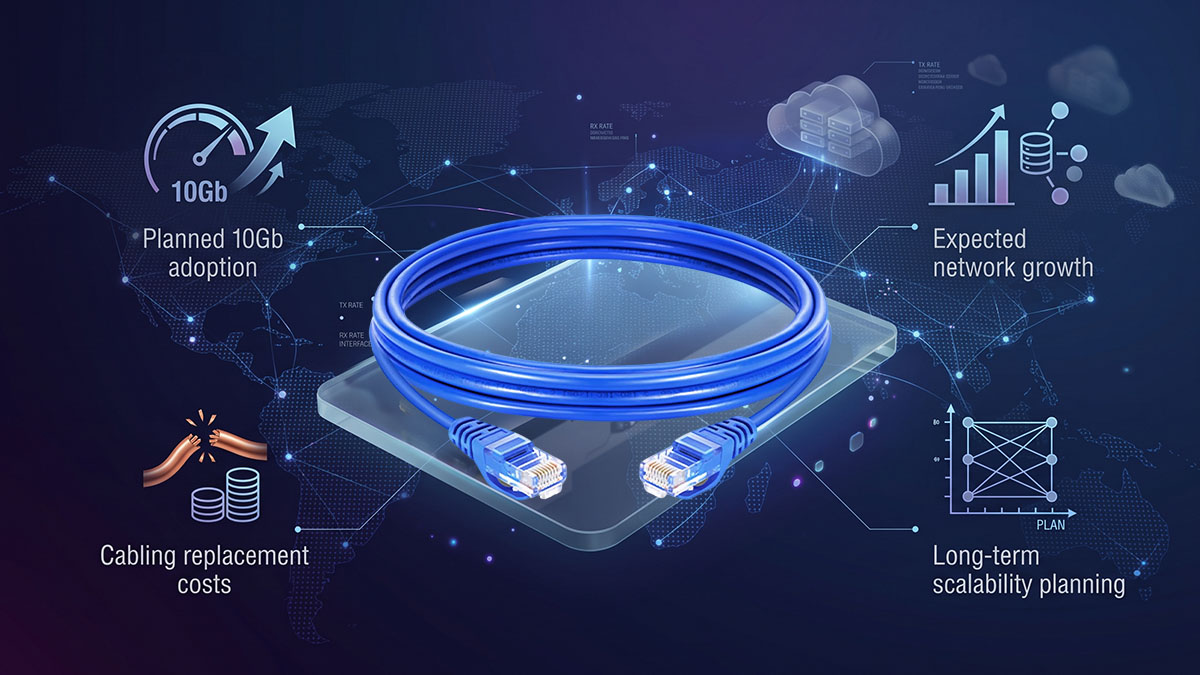
Situations Where CAT5E Is Sufficient
In many real-world environments, CAT5E performs adequately for 2.5Gb Ethernet when the installation is in good condition and cable runs are within normal distance limits. For these scenarios, keeping existing cabling is often the most practical approach.
CAT5E is generally sufficient in the following cases:
- Residential networks with short to medium cable runs
- WiFi 6/6E access point uplinks requiring higher backhaul speeds
- Small office environments with stable structured cabling
- NAS or desktop connections within localized network segments
In these situations, CAT5E can reliably deliver 2.5Gbps performance without requiring infrastructure changes.
Situations Where an Upgrade May Be Beneficial
While CAT5E can support 2.5Gb Ethernet, upgrading to CAT6 or CAT6A may be beneficial in environments where performance headroom, stability, or future scalability is a priority. The goal here is not immediate speed gain, but long-term network reliability.
Upgrade considerations include:
- Planning for future adoption of 5Gb or 10Gb Ethernet
- Deploying new structured cabling in construction or renovation projects
- Operating in high-interference or high-density cable environments
- Supporting enterprise workloads with higher sustained bandwidth demand
In these cases, higher-category cabling reduces risk of performance limitations as network requirements grow.
Cost vs Performance Considerations
The decision to upgrade from CAT5E often comes down to balancing installation cost against expected network growth. Since cabling replacement can be labor-intensive, it is typically evaluated as a long-term infrastructure decision rather than a short-term speed upgrade.
Key factors in this decision include:
- Cost of rewiring compared to expected performance gain
- Remaining lifespan of existing CAT5E infrastructure
- Likelihood of future upgrades beyond 2.5GbE
- Disruption caused by physical cable replacement
When CAT5E is already performing well, upgrading purely for 2.5Gb Ethernet is often unnecessary. However, when planning for future multi-gig expansion, upgrading during early infrastructure changes can be more efficient in the long run.
🔆 Best Practices for Running 2.5Gb Ethernet on CAT5E
Running 2.5Gb Ethernet over CAT5E is generally reliable, but performance stability depends heavily on how the cabling system is installed and maintained. Following proper structured cabling practices helps ensure consistent multi-gig speeds and reduces the risk of link drops or speed negotiation issues.
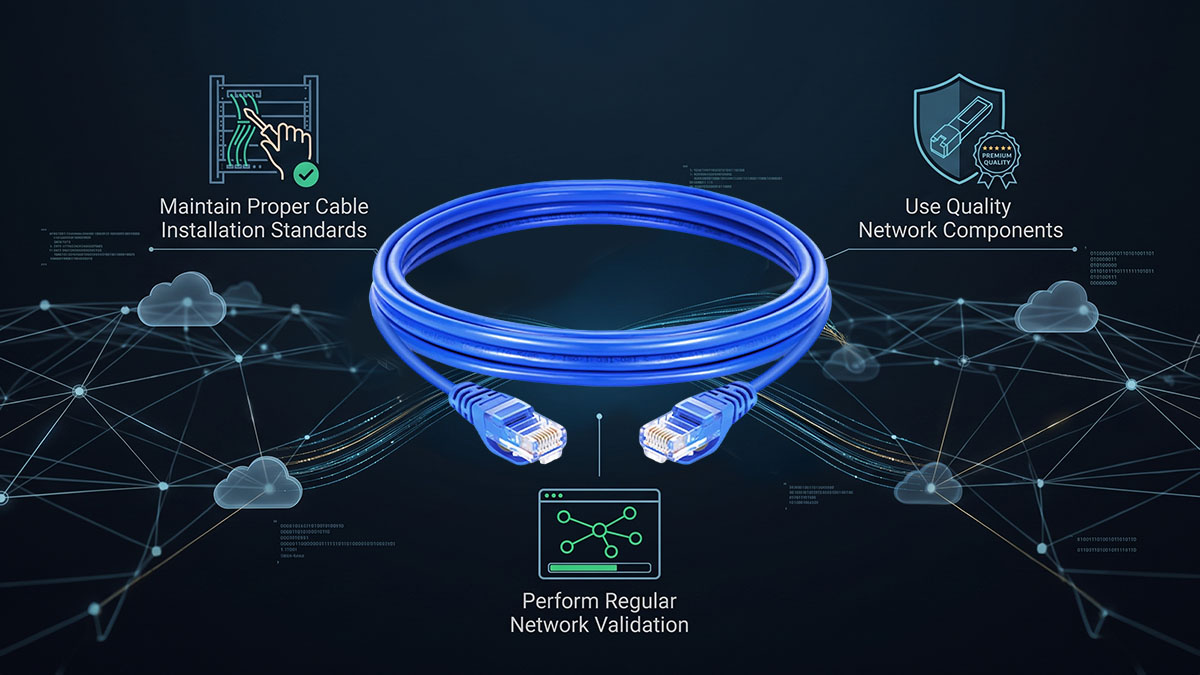
Maintain Proper Cable Installation Standards
Proper installation is the foundation of stable 2.5Gb Ethernet performance on CAT5E. Even high-quality cable can underperform if physical installation guidelines are ignored.
Key installation best practices include:
- Respect minimum bend radius to avoid damaging internal wire pairs
- Avoid stretching or pulling cables during installation
- Keep cable runs as straight and clean as possible
- Prevent tight bundling that increases internal crosstalk
After following these practices, CAT5E cabling is far more likely to maintain stable multi-gig performance over time, especially in longer runs.
Use Quality Network Components
The performance of a CAT5E-based 2.5Gb network is only as strong as its weakest component. Ensuring all connectors and network devices meet quality standards is essential for maintaining signal integrity.
Recommended practices include:
- Use solid copper, certified CAT5E patch cords
- Select high-quality RJ45 connectors and keystone jacks
- Ensure switches and routers support stable 2.5GBASE-T operation
- Avoid mixing low-quality or non-certified cabling components
After standardizing network components, link stability improves significantly, especially in environments with multiple connection points.
Perform Regular Network Validation
Ongoing validation helps detect performance issues early and ensures that CAT5E continues to support 2.5Gb Ethernet reliably over time. This is especially important in networks that experience frequent changes or expansions.
Key validation methods include:
- Periodic link speed verification in network device settings
- Throughput testing between endpoints using file transfers or benchmarking tools
- Monitoring switch port negotiation status for unexpected fallback to 1GbE
- Checking for intermittent packet loss or retransmission issues
When these checks are performed regularly, it becomes easier to identify degradation in cabling or configuration before it impacts network performance.
🔆 Conclusion
Can CAT5E Do 2.5 GB? The answer is yes—CAT5E can support 2.5Gb Ethernet (2.5GBASE-T) in most modern network environments when it is properly installed and in good condition. As a widely deployed Ethernet cable type, CAT5E remains a practical and cost-efficient option for achieving multi-gig performance without requiring immediate infrastructure replacement. However, real-world stability still depends on cable quality, installation standards, and network hardware compatibility.
To clearly summarize the essential points covered in this guide:
- CAT5E is officially supported for 2.5Gb Ethernet under IEEE 802.3bz standards
- Most existing CAT5E installations can achieve stable 2.5Gbps performance under proper conditions
- Cable quality, termination quality, and EMI environment strongly affect real-world results
- Network hardware (switches, routers, NICs) must support 2.5GBASE-T to enable full speed
- CAT6 and CAT6A provide greater performance headroom, but are not strictly required for 2.5GbE
These points highlight that CAT5E remains a viable solution for many 2.5Gb Ethernet deployments, especially in home and small business environments.
For users planning or optimizing a multi-gig network, the key is not only understanding cable capability, but also ensuring the entire link—from cabling to active devices—is properly aligned for stable performance. Evaluating existing infrastructure before making upgrades can help avoid unnecessary costs while still achieving significant speed improvements.
For high-quality Ethernet connectivity solutions, including CAT5E, CAT6, and multi-gig networking components, you can explore the LINK-PP Official Store to find reliable options designed for stable and efficient network performance across different deployment scenarios.