As enterprise networks transition toward higher bandwidth requirements, the demand for flexible, cost-efficient interconnectivity has never been higher. The JNP-SFPP-10GE-T represents a pivotal bridge in this evolution, enabling high-speed 10Gbps data transmission over traditional copper infrastructure. For network administrators managing high-density data centers, this module eliminates the complexity of fiber optics while maintaining the robust performance standards expected of Juniper Networks hardware.
Integrating the JNP-SFPP-10GE-T into a modern fabric requires a strategic understanding of both its physical limitations and its interoperability within the Junos OS environment. While copper deployment offers significant advantages in terms of cost and ease of installation via RJ45 interfaces, optimizing these links involves careful consideration of cabling categories and thermal management. This guide explores the technical foundations and deployment best practices necessary to maximize the efficiency of your 10GBASE-T copper architecture.
#️⃣ Introduction to JNP-SFPP-10GE-T Transceiver Module
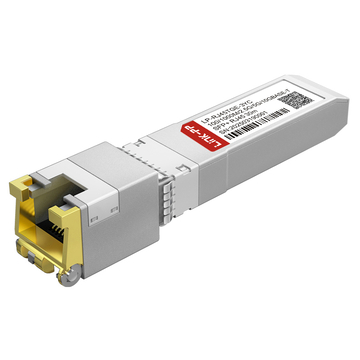
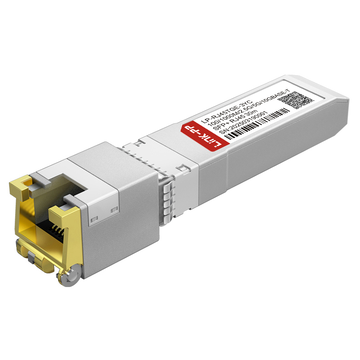
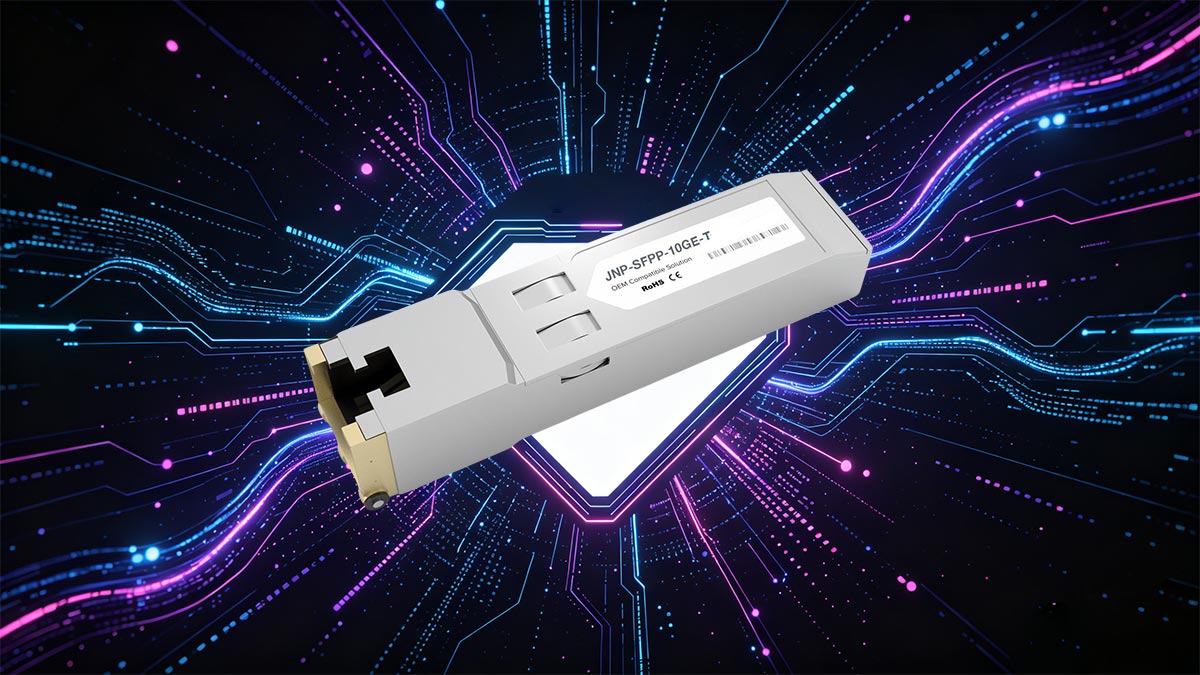
The JNP-SFPP-10GE-T is a high-performance 10G SFP+ transceiver module specifically engineered for 10GBASE-T communication over copper media. It provides a seamless transition from legacy Gigabit Ethernet to high-speed 10Gbps connectivity using standard RJ45 connectors. This module is an essential building block for modern network architectures that prioritize cost-efficiency and reliable copper-based link aggregation.
Overview of Juniper Networks Interoperability
The JNP-SFPP-10GE-T is meticulously programmed to ensure full interoperability with Juniper Networks' extensive portfolio of switching and routing platforms. By adhering to the Multi-Source Agreement (MSA) standards and incorporating Juniper-specific EEPROM coding, the module guarantees "plug-and-play" functionality within the Junos OS environment.
This deep integration allows for real-time monitoring through standard Command Line Interface (CLI) tools, providing administrators with critical diagnostic data such as link status and port speed. Its design ensures that there are no hardware conflicts or software warnings when deployed in native Juniper slots, maintaining the integrity of the network fabric.
Role in High-Density Data Center Switching
In high-density data center environments, the JNP-SFPP-10GE-T plays a crucial role by enabling Top-of-Rack (ToR) and End-of-Row (EoR) switches to connect to servers using existing copper patches. This capability is vital for managing the massive influx of data in virtualized environments where space and port density are at a premium.
By supporting 10Gbps speeds over copper, the module allows for a more flexible and scalable cabling layout, reducing the complexity of cable management systems. Its compact SFP+ form factor ensures that switches can maintain maximum port density without compromising on thermal performance or signal reliability.
Benefits of Copper vs. Optical Deployment
Choosing copper deployment via the JNP-SFPP-10GE-T offers significant economic and operational advantages over optical fiber, particularly for short-range links within the same rack or across adjacent rows. Copper infrastructure leverages existing Cat6a/7 investments, eliminating the need for expensive specialized optical cleaning tools and fragile patch cords.
The following table summarizes the key differences and strategic benefits of opting for a 10GBASE-T copper SFP module over regular 10G SFP+ fiber optic module solutions:
| Feature | 10GBASE-T Copper SFP Module | 10G SFP+ Fiber Optic Module |
| Cost Efficiency | Lower overall cost due to cheaper cabling (Cat6a). | Higher cost due to fiber patch cords and transceivers. |
| Installation | Durable RJ45 connectors; easy to crimp and deploy. | Fragile fiber cores; requires specialized cleaning/handling. |
| Backward Compatibility | Supports auto-negotiation (100M/1G/10G). | Fixed speed; no backward compatibility with copper. |
| Reach/Distance | Limited to 30m - 100m (depending on cable). | Supports up to 300m (SR) or 10km+ (LR). |
| Power Management | Higher heat dissipation per port. | Lower power consumption and heat generation. |
Understanding the RJ45 Interface Design
The RJ45 interface design of the JNP-SFPP-10GE-T is the cornerstone of its versatility, utilizing the standard 8-position, 8-contact (8P8C) layout that is ubiquitous in networking. This familiar interface allows for easy field termination and testing, making it accessible for technicians without the need for specialized fiber-optic training.
Furthermore, the physical design is optimized for electrical shielding to mitigate Electromagnetic Interference (EMI) and Radio Frequency Interference (RFI). The robust locking mechanism ensures a secure physical connection, preventing accidental disconnects in high-vibration environments such as server rooms and active data center floors.
#️⃣ Detailed Hardware Specs of JNP-SFPP-10GE-T
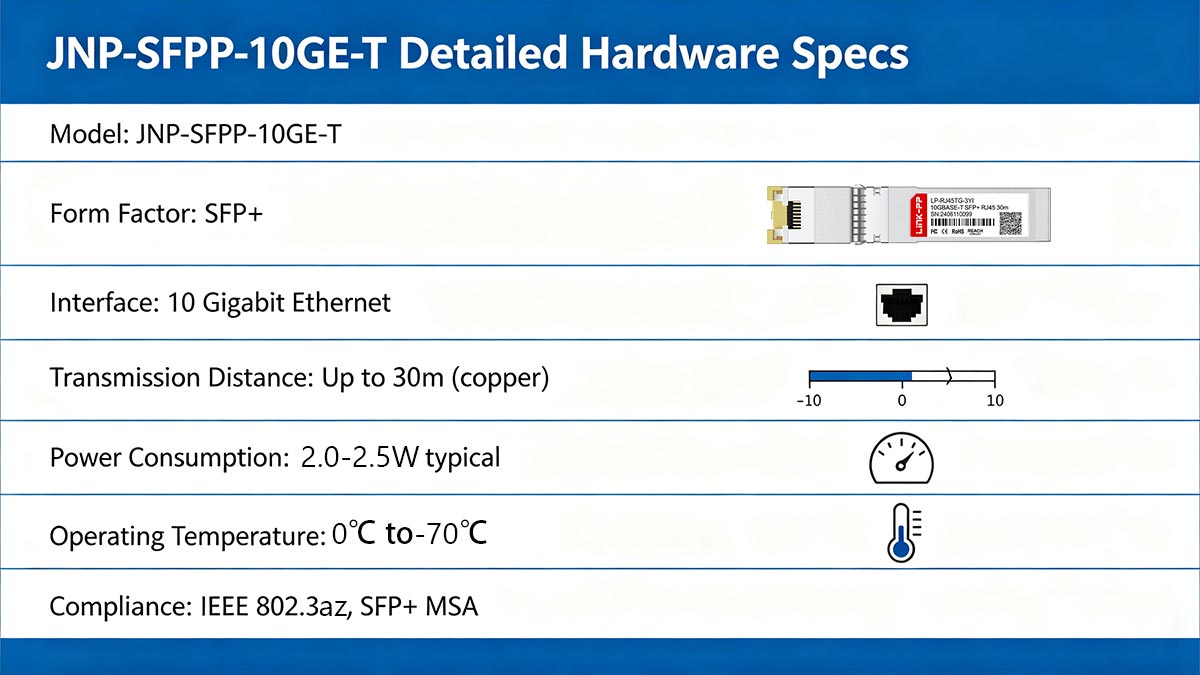
Underpinning the JNP-SFPP-10GE-T is a robust hardware design optimized for the rigorous thermal and electrical demands of 10GBASE-T deployments. This module integrates advanced PHY circuitry within a compact SFP+ form factor, delivering the high-speed data integrity and power efficiency necessary for stable operation across Juniper’s networking portfolio.
Power Consumption and Heat Dissipation
One of the primary technical hurdles for 10G copper transceivers is power management. The JNP-SFPP-10GE-T is designed with an advanced PHY chip that balances high-speed data processing with energy efficiency, typically consuming between 2.0W and 2.5W depending on the link length. This is significantly higher than optical modules, necessitating a hardware design that prioritizes thermal efficiency.
To combat the heat generated during high-speed transmission, the module features a high-thermal-conductivity metallic housing. This casing acts as a heat sink, facilitating efficient thermal transfer to the switch's airflow system. Proper rack cooling and airflow management are essential when populating adjacent SFP+ ports with these modules to prevent localized overheating.
Operating Temperature and Environment
The JNP-SFPP-10GE-T is built to operate reliably within a commercial temperature range, typically rated from 0°C to 70°C (32°F to 158°F). This rating ensures that the module can withstand the ambient heat levels found in high-density data center racks and enterprise wiring closets without signal degradation or hardware failure.
Environmental stability is further enhanced by integrated temperature sensors that provide digital diagnostics to the host switch. This allows the Junos OS to monitor the module's "health" in real-time, triggering system alerts if environmental conditions exceed safe operating thresholds, thereby protecting the internal circuitry from long-term thermal stress.
Physical Interface and RJ45 Connector
The physical interface of the JNP-SFPP-10GE-T utilizes a reinforced RJ45 connector, the global standard for Ethernet connectivity. Unlike standard plastic ports found on consumer gear, the connector on this transceiver is shielded with high-quality metal to ensure a consistent ground path and to provide a "snap-lock" mechanism that prevents mechanical disconnection under tension.
Internally, the gold-plated contact pins are designed to minimize insertion loss and maintain high signal integrity over thousands of mating cycles. This robust physical design is critical for maintaining the tight tolerances required by the 10Gbps PAM16 signaling used in 10GBASE-T technology, where even minor physical misalignment can lead to increased bit error rates.
Voltage Requirements and Power Supply
The module operates on a standard 3.3V power supply provided directly through the host switch's SFP+ slot. Its internal power management unit (PMU) is engineered to handle slight voltage fluctuations while providing a clean, low-noise power rail to the sensitive analog-to-digital converters (ADCs) responsible for processing high-frequency copper signals.
To ensure stability during "hot-swapping," the hardware includes inrush current protection. This prevents sudden voltage drops on the switch's backplane when the module is inserted, ensuring that neighboring ports remain unaffected. This precision in power delivery is a hallmark of the JNP-SFPP-10GE-T’s reliability in mission-critical Juniper environments.
#️⃣ Data Rate and Distance Capabilities of JNP-SFPP-10GE-T
Maximizing the potential of 10GBASE-T technology requires a precise balance between signal frequency and physical distance. The JNP-SFPP-10GE-T is specifically tuned to overcome the attenuation and noise challenges inherent in high-speed copper links, providing a reliable 10Gbps connection over various cabling categories. This capability allows for high-performance networking within the strict distance constraints of the modern data center.
Supported 10Gbps Throughput Standards
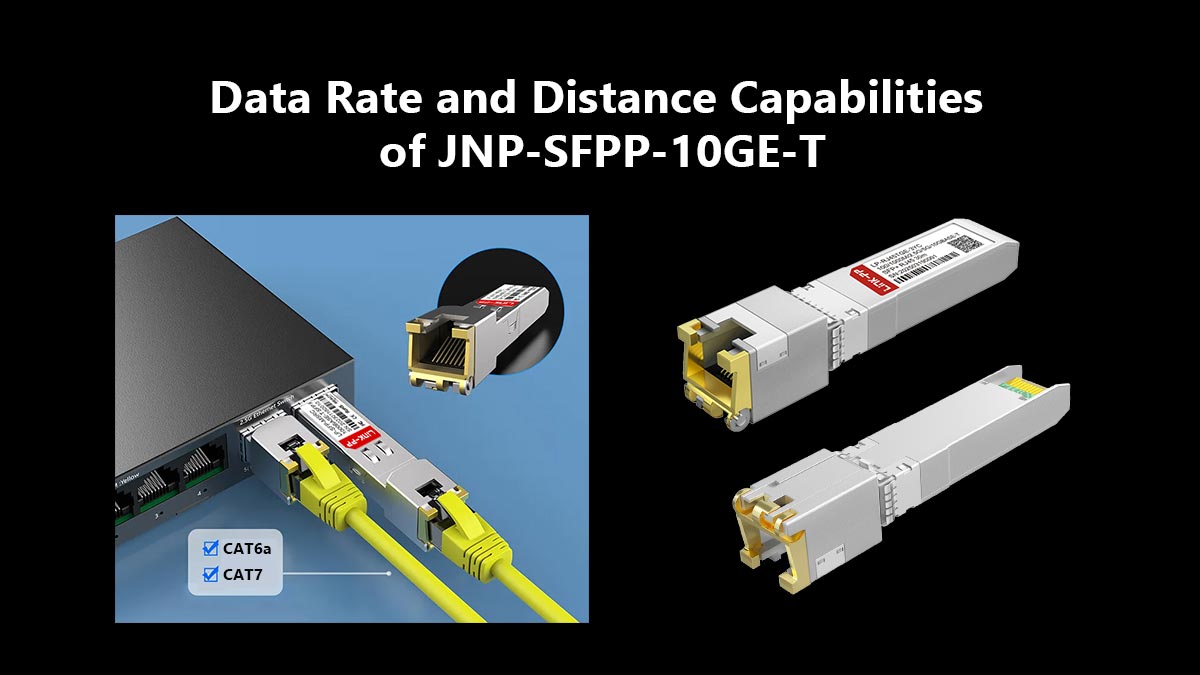
The JNP-SFPP-10GE-T fully complies with the IEEE 802.3an 10GBASE-T standard, providing a full-duplex 10Gbps throughput. It utilizes advanced Pulse Amplitude Modulation (PAM16) to encode data, allowing it to transmit high-frequency signals over twisted-pair copper wiring. This ensures that the module can handle the bandwidth-intensive demands of modern data centers, such as high-definition video streaming and large-scale virtualization.
Beyond basic connectivity, the module supports standard Ethernet frame sizes and Jumbo Frames, which are essential for optimizing throughput in storage area networks (SANs). By adhering to these global standards, the transceiver ensures that data packets are processed with minimal latency, maintaining the high-speed performance expected of Juniper-based infrastructure.
Transmission Reach Over Cat6a and Cat7 Cabling
Distance is a defining factor for 10GBASE-T technology, and the JNP-SFPP-10GE-T is optimized for short-to-medium reach applications. When paired with Category 6a (Cat6a) or Category 7 (Cat7) shielded cabling, the module typically supports link lengths of up to 30m at full 10Gbps speed. This reach is ideal for Top-of-Rack (ToR) and middle-of-row deployments where devices are located within the same or adjacent racks.
It is important to note that using lower-grade cabling like Cat6 may significantly reduce the effective distance due to increased signal attenuation and crosstalk. For maximum reliability at 30m, using high-quality augmented cabling is mandatory to ensure the signal remains within the required decibel (dB) loss margins.
Auto-Negotiation: 100M/1G/10G Compatibility
One of the most versatile features of the JNP-SFPP-10GE-T is its "triple-speed" auto-negotiation capability. The module can automatically detect the speed of the linked device and adjust its throughput to 100Mbps, 1Gbps, or 10Gbps. This backward compatibility makes it an excellent choice for phased network upgrades, allowing 10G-ready switches to communicate with legacy servers or management consoles.
This multi-rate support simplifies inventory management, as a single module can serve multiple roles across different network tiers. The negotiation process happens at the hardware level during the initial "handshake," ensuring that the link is established at the highest possible mutually supported speed without requiring manual configuration in the Junos OS.
Bit Error Rate (BER) and Signal Integrity Benchmarks
Maintaining a low Bit Error Rate (BER) is critical for 10GBASE-T, as copper is naturally more susceptible to electromagnetic noise than fiber. The JNP-SFPP-10GE-T is designed to achieve a BER of better than 10⁻¹², ensuring that data remains intact even in electrically "noisy" environments. This high standard of signal integrity is achieved through advanced Forward Error Correction (FEC) algorithms integrated into the module’s PHY chip.
To further safeguard signal quality, the module features sophisticated echo cancellation and line equalization. These technologies work in tandem to compensate for signal reflections and frequency-dependent losses inherent in copper cabling. By maintaining these benchmarks, the JNP-SFPP-10GE-T prevents packet retransmissions and ensures a stable, low-latency connection for mission-critical applications.
#️⃣ JNP-SFPP-10GE-T Cabling Requirements for Copper Deployment
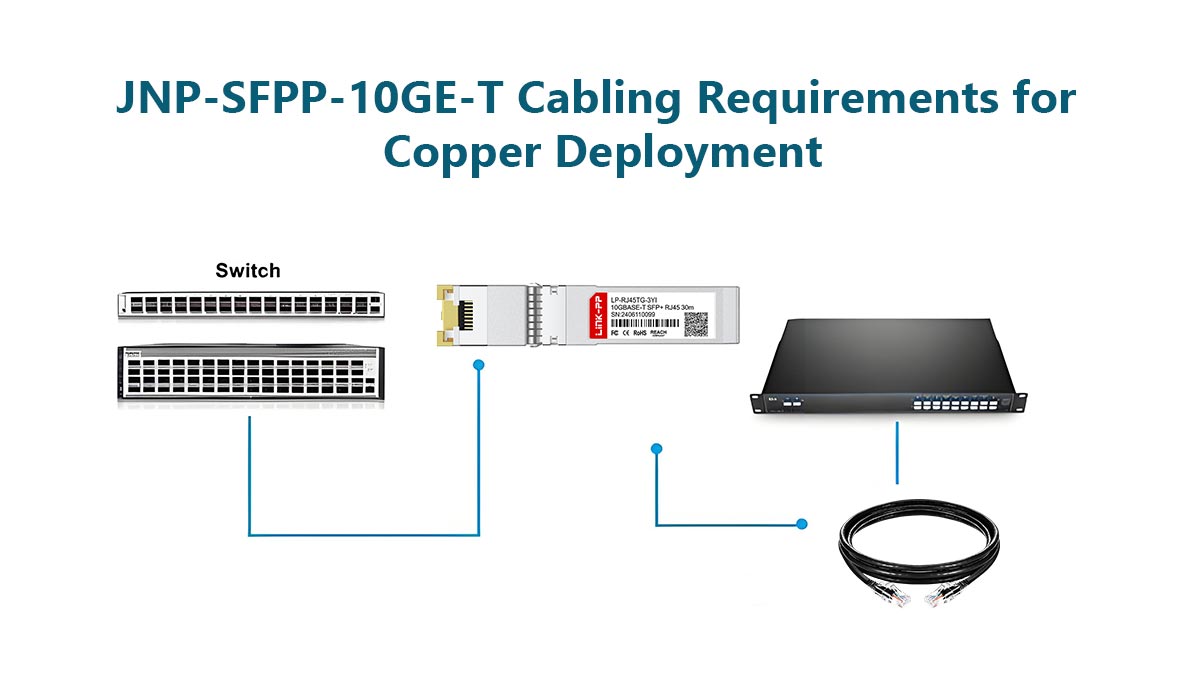
Achieving reliable 10Gbps performance over copper requires more than just high-quality hardware; it necessitates a cabling infrastructure that meets stringent electrical standards. The JNP-SFPP-10GE-T is highly sensitive to the physical medium, making the choice of cable category and installation quality the deciding factors in link stability.
Cat6a vs. Cat7 Performance Comparison
When deploying the JNP-SFPP-10GE-T, selecting the appropriate cable category is the first step toward ensuring signal integrity. While both Cat6a and Cat7 are designed for 10GBASE-T, they offer different overheads for performance and future-proofing:
- Cat6a (Augmented Category 6): This is the industry standard for 10G copper deployments. It operates at frequencies up to 500MHz and is specifically designed to reduce alien crosstalk, making it sufficient for most 30-meter runs supported by the module.
- Cat7 (Category 7): Operating at up to 600MHz, Cat7 offers even tighter shielding (S/FTP). This provides a higher signal-to-noise ratio, which can be beneficial in high-interference environments.
Maximum Distance and Reach Limits
The effective transmission distance of the JNP-SFPP-10GE-T depends on cable quality and environmental conditions. While Ethernet standards may define longer theoretical limits, SFP+ copper modules typically support shorter distances due to power and thermal constraints.
To ensure reliable performance, consider the following:
- Up to 30 meters: Recommended for stable 10Gbps operation with Cat6a cables.
- Shorter distances (≤20 meters): Provide better signal quality and lower latency.
- Exceeding limits: May result in link instability, reduced throughput, or failure to establish a 10G link.
Careful planning of cable runs and adherence to recommended limits are essential to avoid performance degradation.
Shielding Standards for EMI Protection
Electromagnetic Interference (EMI) is the primary enemy of high-speed copper data transmission. To maintain the low bit-error rate required by Juniper switches, the cabling used with the JNP-SFPP-10GE-T should adhere to strict shielding standards:
- F/UTP (Foiled Unshielded Twisted Pair): Features an overall foil shield that protects against external EMI, essential for maintaining signal clarity in dense equipment racks.
- S/FTP (Shielded Foiled Twisted Pair): Offers the best protection by shielding each individual pair in addition to an overall braid. This is highly recommended for environments with significant electrical noise from power cables or cooling systems.
Managing Alien Crosstalk in Bundles
Alien crosstalk occurs when signals from adjacent cables interfere with each other, a common issue in high-density cable bundles. This can degrade performance and increase error rates in 10Gbps transmission.
To mitigate alien crosstalk, consider these best practices:
- Maintain proper cable spacing and avoid tightly packed bundles.
- Use high-quality, certified Cat6a or higher cables designed for 10GBASE-T.
- Prefer shielded cables (e.g., F/UTP or S/FTP) in dense deployments.
- Implement structured cable management systems to reduce interference.
By proactively managing cable layout and quality, network operators can significantly reduce interference-related issues.
Patch Panel and Connector Integrity
The physical connection points between the JNP-SFPP-10GE-T and the infrastructure are often the weakest links in the signal chain. Maintaining high-quality termination at the patch panel is critical for preventing return loss and signal reflections.
Every connector used must be rated for Category 6a or higher; using a Cat5e-rated keystone jack will create a bottleneck that triggers interface alarms in the Junos OS. Furthermore, ensure that the twist of the copper pairs is maintained as close to the termination point as possible to prevent impedance mismatches that could destabilize the 10G link.
#️⃣ Host Device Compatibility for JNP-SFPP-10GE-T
The versatility of the JNP-SFPP-10GE-T compatible module is defined by its extensive compatibility across Juniper Networks' hardware portfolio. Ensuring that the module is correctly matched with the host switch’s physical port characteristics and software version is vital for achieving stable 10Gbps copper connectivity.
Support for Juniper EX Series Switches
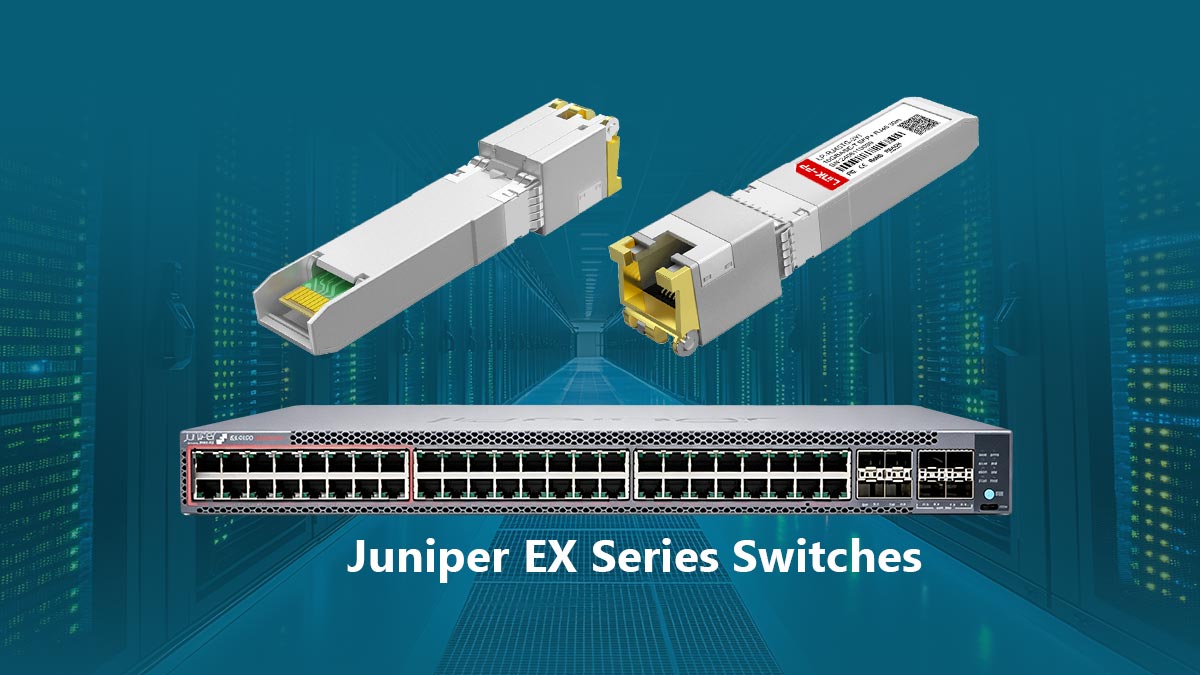
The JNP-SFPP-10GE-T compatible module is a popular choice for Juniper EX Series switches, particularly models like the EX4400, EX4600, and EX4650. In these enterprise-grade platforms, the module is typically used in uplink ports to provide high-speed connections to core switches or to aggregate data from high-performance workstations using existing copper wall jacks.
Because EX series switches often operate in wiring closets with varying airflow, the module's compatibility ensures that the switch's power budget and thermal management systems can accommodate the 10GBASE-T requirements. When inserted, the switch recognizes the module immediately, allowing for rapid deployment in campus or branch office networks.
Deployment in QFX Series High-Performance Fabrics
In data center environments, the JNP-SFPP-10GE-T compatible module is frequently deployed within the QFX Series, such as the QFX5100 and QFX5110 lines. These high-performance fabrics require low-latency interconnects, and this module provides the necessary 10Gbps bridge for Top-of-Rack (ToR) switches to connect to copper-based servers and storage arrays.
The high port density of QFX switches makes the module's thermal efficiency critical. Juniper’s compatibility testing ensures that these modules can be populated in adjacent ports without exceeding the switch's aggregate heat threshold. This allows network architects to design flexible, high-capacity leaf-and-spine architectures that utilize cost-effective copper cabling.
Multi-Vendor Interoperability Testing (EEPROM Coding)
While the JNP-SFPP-10GE-T compatible module (such as LINK-PP LP-RJ45TGE-3YC 10GBASE-T SFP) is specifically optimized for Juniper hardware, it adheres to the SFP+ Multi-Source Agreement (MSA). The module features specialized EEPROM coding that contains the "Juniper Signature," which prevents the "unsupported transceiver" errors often encountered with generic third-party modules.
This precise coding allows the module to communicate its operational parameters — such as voltage, temperature, and speed — directly to the host device. While primarily intended for Juniper ecosystems, its MSA-compliant design also facilitates better interoperability in multi-vendor environments where strict adherence to industry-standard signaling is required for link establishment.
Firmware and Software OS Requirements (Junos OS)
To fully utilize the diagnostic and monitoring features of the JNP-SFPP-10GE-T compatible module, the host device must be running a compatible version of Junos OS. Most modern iterations of Junos (19.3 and later) provide native support, enabling the system to report Digital Optical Monitoring (DOM) equivalent data through the CLI even though the medium is copper.
It is highly recommended to verify that the switch firmware is up to date before deployment. Updated software ensures that the latest signal processing algorithms and power management tweaks are applied, which can resolve minor link-up issues and ensure the "Auto-Negotiation" feature functions correctly across various cable lengths and qualities.
#️⃣ Troubleshooting JNP-SFPP-10GE-T Connectivity Issues
Even with high-quality hardware like the JNP-SFPP-10GE-T, copper-based 10Gbps links can be sensitive to environmental and physical factors. Effective troubleshooting requires a systematic approach to isolate whether the issue lies within the transceiver hardware, the host switch configuration, or the physical cabling plant.
Diagnosing Link-Down Status on Copper Ports
When a JNP-SFPP-10GE-T fails to establish a link, the first step is to determine if the issue is physical or logical. A "Link-Down" status in Junos OS often indicates a failure in the initial handshake between the module and the remote device.
- Physical Verification: Ensure the RJ45 connector is fully seated and the "click" lock is engaged. Even a slight misalignment can prevent the PHY chip from receiving enough power or signal to initialize.
- Auto-Negotiation Mismatch: In many cases, a link stays down because one side is forced to 10G while the other is set to auto-negotiate. Ensure both ends of the copper link are set to "auto" to allow the JNP-SFPP-10GE-T to properly sense the line speed.
Interpreting LED Indicators and Interface Alarms
The LED indicators on the Juniper host switch provide the most immediate diagnostic feedback for the JNP-SFPP-10GE-T. A steady green light typically signifies a valid 10G link, while amber or blinking patterns often point toward specific hardware faults or speed mismatches.
Beyond the physical lights, administrators should use the show interfaces diagnostics optic (or equivalent copper diagnostic command) in Junos OS. This will reveal critical interface alarms such as "Module Not Recognized" or "High Temperature Alarm." If the switch reports a "Loss of Signal" (LOS), it usually confirms that the module is powered on but is not receiving any incoming electrical pulses from the remote end.
Common Causes of Packet Loss in 10GBASE-T
Packet loss in 10G copper deployments is frequently subtle and related to signal quality rather than a total hardware failure. Because 10GBASE-T uses complex modulation, it is highly susceptible to external noise that might not have affected slower 1G links.
- Electromagnetic Interference (EMI): Running 10G copper cables too close to high-voltage power lines or heavy machinery can induce noise, leading to CRC errors and dropped frames.
- Excessive Bending Radii: If the copper patch cords are bent too sharply behind the switch, the internal geometry of the twisted pairs is compromised. This causes signal reflections that the JNP-SFPP-10GE-T may struggle to filter out, resulting in intermittent packet loss.
Cable Length Verification and Signal Weakness
The JNP-SFPP-10GE-T is strictly rated for 30m on Cat6a/7; exceeding this limit is a leading cause of signal weakness. As the cable length increases, the signal amplitude drops, and the signal-to-noise ratio (SNR) decreases until the PHY can no longer distinguish data from background noise.
To troubleshoot signal weakness, use a dedicated cable certifier to measure the actual "channel length." It is a common mistake to overlook the length of patch cords in the total calculation; for example, a 25-meter horizontal run plus two 5-meter patch cords exceeds the 30-meter limit. If the signal is weak, the JNP-SFPP-10GE-T may downgrade the link to 1Gbps or 100Mbps via auto-negotiation as a fail-safe measure.
#️⃣ Installing and Removing the JNP-SFPP-10GE-T Module
Proper handling and physical installation are paramount to maintaining the long-term reliability of the JNP-SFPP-10GE-T module and the host switch. While the SFP+ form factor is designed for ease of use, following standardized mechanical procedures prevents electrical damage and ensures a secure physical connection within the high-speed port.
ESD Protection Best Practices
Electrostatic Discharge (ESD) is a silent threat that can cause immediate failure or latent defects in the JNP-SFPP-10GE-T’s sensitive PHY circuitry. Because these modules process high-frequency electrical signals, even a small static shock can compromise the internal components.
To mitigate this risk, always wear a properly grounded ESD wrist strap connected to the switch chassis before touching the module. When the transceiver is not in use, it should be stored in an antistatic bag. Furthermore, avoid touching the gold-plated contact pins on the rear of the module, as oils from the skin or static buildup can lead to poor connectivity or permanent hardware damage.
Hot-Swappable Functionality Explained
The JNP-SFPP-10GE-T is fully hot-swappable, meaning it can be installed or removed without powering down the Juniper switch or affecting the operation of other ports. This feature is essential for high-availability environments where network downtime must be eliminated during upgrades or maintenance.
The module’s circuitry is designed to manage the "inrush" of current that occurs when it first makes contact with the switch's backplane. This ensures that the 3.3V power supply remains stable and does not cause a voltage dip that might disrupt neighboring transceivers. However, while the hardware supports hot-swapping, it is best practice to administratively disable the port in the Junos OS before physical removal to prevent unexpected software logs or interface flapping.
Step-by-Step Mechanical Insertion Guide
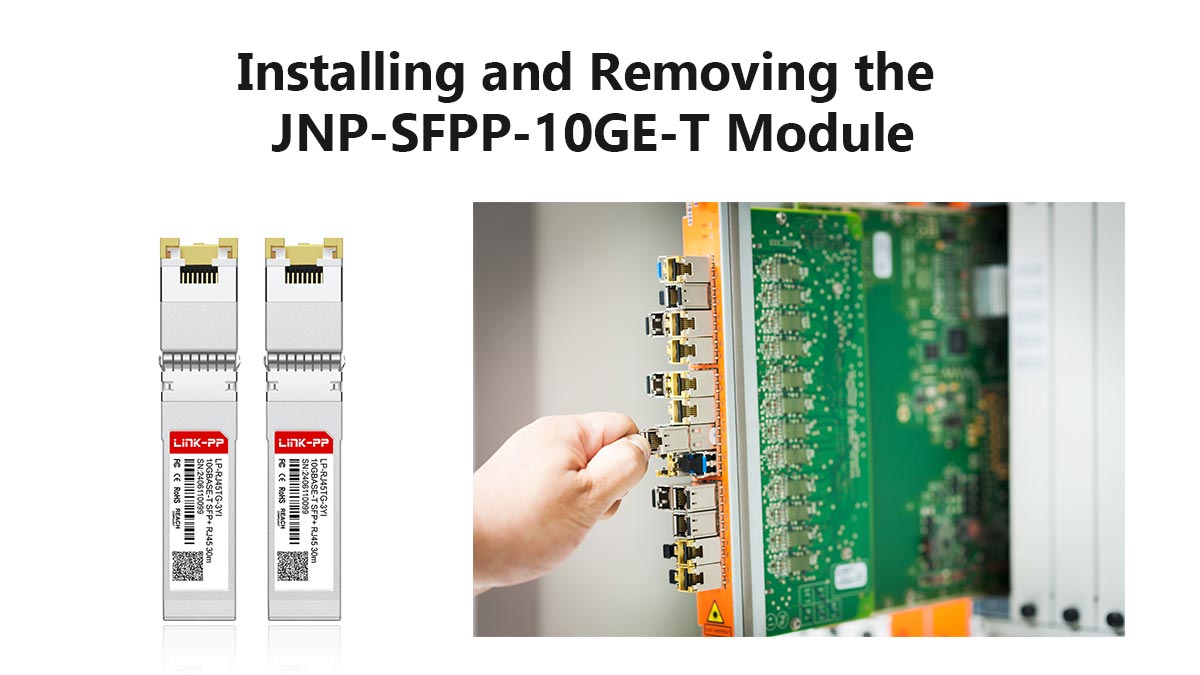
Installing the JNP-SFPP-10GE-T requires a careful, steady hand to ensure the internal connectors align perfectly with the SFP+ slot. Following a structured mechanical approach ensures the transceiver is locked and ready for data transmission:
- Alignment and Insertion: Close the bail latch (the wire handle) before insertion. Align the module with the port opening and slide it into the slot until you feel it engage with the backplane connector.
- Securing the Link: Apply firm, even pressure with your thumb to seat the module fully. You should hear or feel a slight "click," indicating the locking mechanism has engaged. Once seated, gently tug on the module to verify it is securely locked before plugging in the RJ45 copper cable.
Proper Extraction Techniques to Avoid Port Damage
Removing a 10GBASE-T module requires more care than standard optical transceivers because the copper circuitry often makes the housing run hotter. To avoid damaging the internal springs of the SFP+ cage or the module's bail latch, follow these extraction steps:
- Cable Disconnection: Always remove the RJ45 Ethernet cable first. This reduces the weight and tension on the transceiver, making it easier to manipulate the release mechanism.
- Latching Mechanism: Pull the bail latch down to a horizontal position (typically a 90-degree angle). This action retracts the locking pin that holds the module in the switch. Once the latch is released, grasp the sides of the module and pull it straight out of the slot. Avoid pulling by the bail latch itself with excessive force, as this can bend the handle or snap the internal locking arm.
#️⃣ Summary of JNP-SFPP-10GE-T Technical Advantages and Best Practices
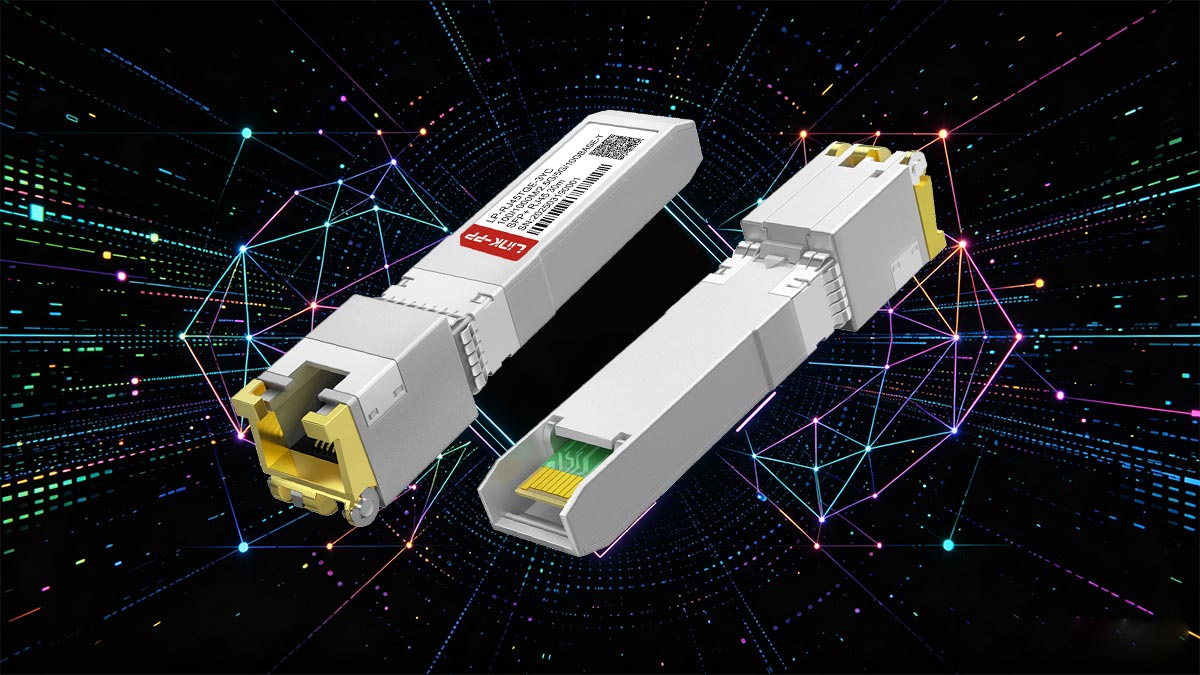
The JNP-SFPP-10GE-T serves as a vital component for enterprises seeking to bridge the gap between high-speed 10Gbps requirements and cost-effective copper infrastructure. By integrating seamless Juniper interoperability with the flexibility of the RJ45 interface, this module allows for efficient Top-of-Rack connectivity and simplified cable management. To ensure peak performance, it is essential to adhere to best practices: always utilize high-quality Cat6a or Cat7 shielded cabling, respect the 30-meter distance limitation, and maintain adequate airflow to manage the higher thermal output characteristic of 10GBASE-T technology.
Ultimately, successful deployment hinges on selecting hardware that guarantees signal integrity and full compatibility with Junos OS. Whether you are upgrading legacy links or expanding a high-density data center fabric, choosing reliable, pre-tested modules will minimize troubleshooting time and prevent costly network downtime. For those looking to optimize their network budget without sacrificing quality, we highly recommend exploring the high-performance compatible alternatives available at the LINK-PP Official Store, where you can find fully compatible 10G copper SFP transceiver solutions engineered to meet the same rigorous standards as the original Juniper hardware.