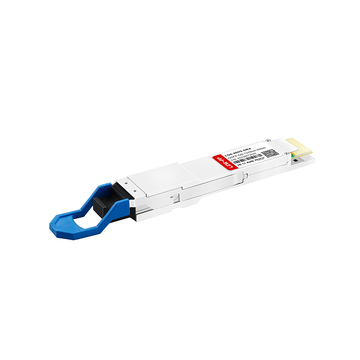
In the world of networking, the Gigabit SFP Port is often the quiet powerhouse that gives a switch its true versatility. While standard Ethernet ports are reliable for everyday connections, the SFP port acts as a modular gateway, allowing you to tailor your network’s reach and medium — whether that’s over a few meters of copper or tens of kilometers of fiber. It is the key to moving beyond "one-size-fits-all" hardware, providing the adaptability needed to handle modern data demands.
Integrating a Gigabit SFP Port into your infrastructure is about more than just adding a connection; it’s about building a foundation for growth and high-speed stability. By choosing the right modules and understanding how these ports bridge the gap between different network environments, you can significantly boost your system's scalability and performance. This post will break down everything you need to know to fully leverage SFP technology, from choosing the right components to securing your network connections.
⚡ What Is a Gigabit SFP Port
At its core, a Gigabit SFP Port is a modular interface on a network switch designed to support SFP transceiver modules. Unlike fixed ports, it offers a "plug-and-play" slot that allows the switch to connect to different types of optical fiber or copper cables. This modularity makes it the primary tool for extending network reach and ensuring hardware remains adaptable to changing infrastructure needs.
Definition and Core Functionality
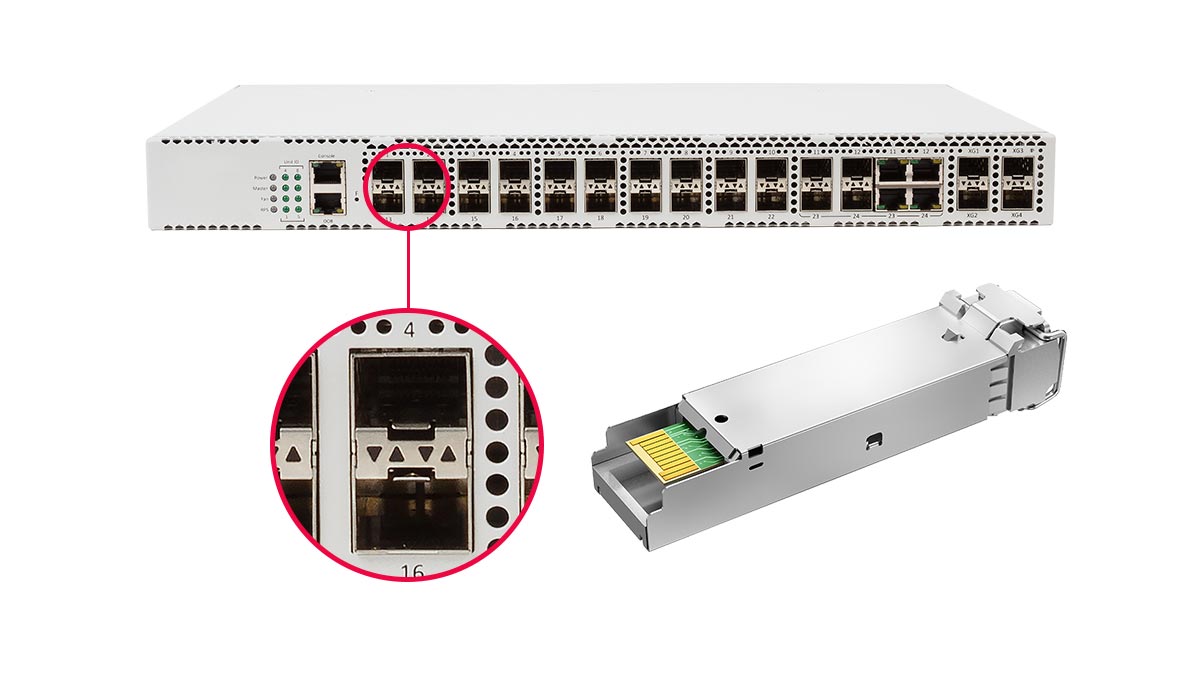
A Gigabit SFP Port is a hot-swappable input/output (I/O) slot used in network switches and routers to facilitate data communication at speeds of up to 1Gbps. Its primary purpose is to convert electrical signals from the switch into optical or electrical signals suitable for transmission over specific media. Because the port itself is "empty," it provides a blank canvas for administrators to choose the exact connection type required for a specific link.
Functionally, these ports serve as the backbone for high-speed uplinks and long-range transmissions. By inserting a compatible SFP module, the port can communicate across a variety of protocols and physical layers. This versatility ensures that a single switch can support a mix of short-range copper patches and long-haul fiber runs simultaneously, maximizing the utility of the existing hardware.
Key Components of SFP Technology
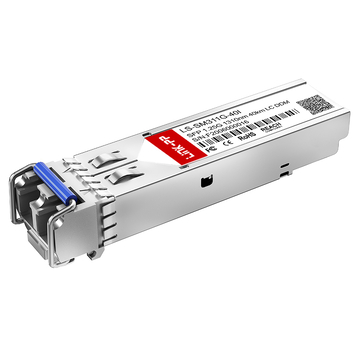
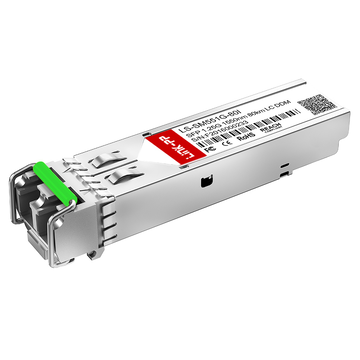
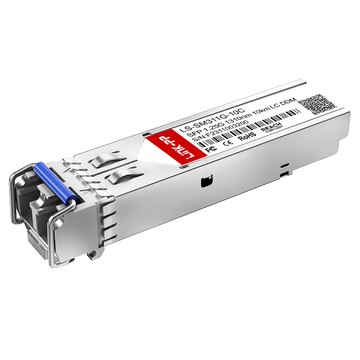
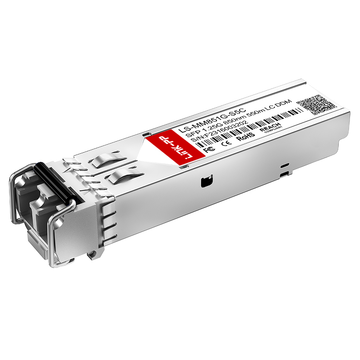
The SFP ecosystem relies on two main components: the physical SFP cage (the port) integrated into the switch and the removable SFP transceiver module. The module contains a laser transmitter and a photodetector (for fiber) or specialized circuitry (for copper) that handles the signal conversion. These modules are designed to be "hot-pluggable," meaning they can be inserted or removed without powering down the device, ensuring zero downtime during upgrades.
Another critical element is the EEPROM chip located within the SFP module, which contains identification data such as the manufacturer’s name, serial number, and supported wavelength. This allows the switch to automatically recognize the module’s capabilities and configure the port settings accordingly. High-quality SFP technology also often includes Digital Optical Monitoring (DOM), which provides real-time data on the module’s temperature, laser power, and voltage.
Differences Between SFP and Traditional Ethernet Ports
The most significant difference lies in flexibility. Traditional Ethernet ports (RJ45) are fixed "copper-only" interfaces, limited by the physics of twisted-pair cabling to a maximum distance of 100 meters. In contrast, a Gigabit SFP Port is media-independent; by simply swapping the transceiver, the same port can support multi-mode fiber for building-to-building links or single-mode fiber for distances reaching tens of kilometers.
Furthermore, while RJ45 ports are ubiquitous for connecting end-user devices like PCs and printers, SFP ports are typically reserved for critical "uplink" or "backbone" duties. They offer better protection against electromagnetic interference (EMI) when used with fiber and provide a much higher degree of future-proofing. If your network needs to migrate from copper to fiber, an SFP-equipped switch only requires a new module, whereas an RJ45-only switch would require a complete hardware replacement.
⚡ Key Benefits of Using a Gigabit SFP Port in Switches
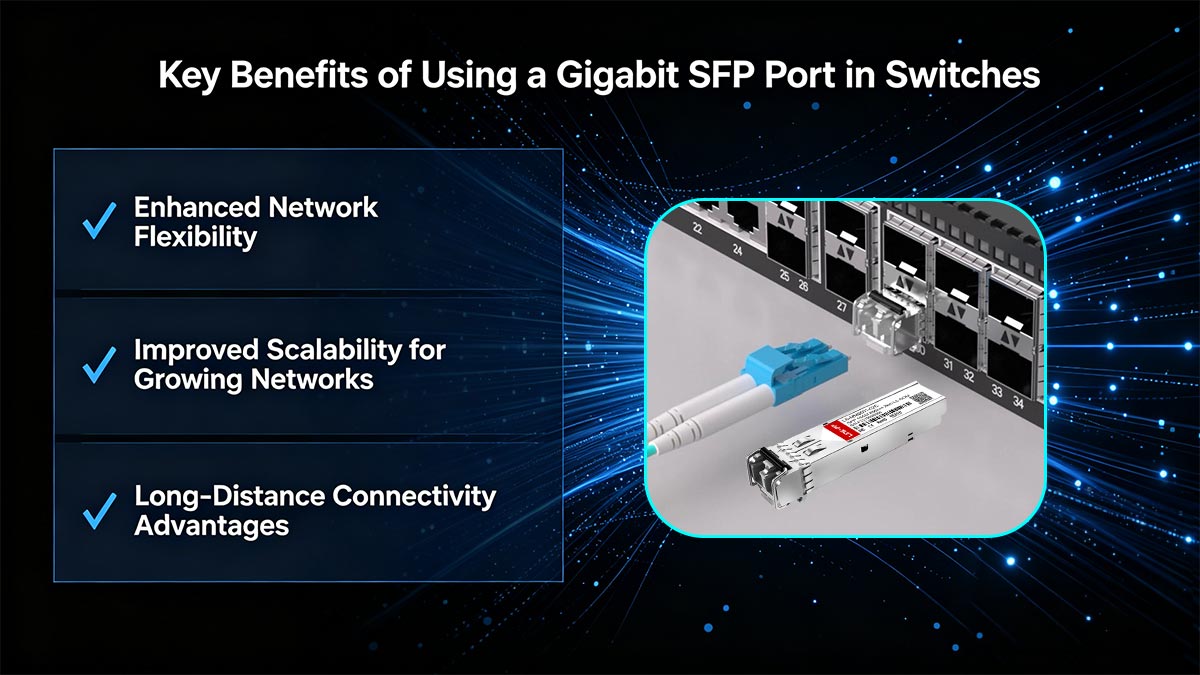
A Gigabit SFP Port offers several practical advantages that make it a preferred choice in modern switch deployments. Its modular design allows networks to adapt quickly to changing requirements without replacing entire devices. As a result, organizations can achieve better performance, flexibility, and long-term cost efficiency.
Enhanced Network Flexibility
One of the biggest advantages of a Gigabit SFP Port is its ability to support multiple connection types through interchangeable modules. Network administrators can easily switch between fiber and copper connections depending on the specific application, without modifying the switch hardware itself. This makes it easier to tailor the network to different environments and use cases.
In addition, the hot-swappable nature of SFP modules allows changes or upgrades to be made without downtime. This flexibility is especially valuable in environments where continuous operation is critical, such as data centers and enterprise networks.
Improved Scalability for Growing Networks
As networks expand, the need for scalable infrastructure becomes more important. A Gigabit SFP Port enables gradual upgrades by allowing new modules to be added or replaced as bandwidth and connectivity needs grow. This eliminates the need for costly hardware overhauls and supports a more incremental approach to network expansion.
Furthermore, SFP ports are commonly used for uplinks between switches, making it easier to scale network capacity while maintaining efficient traffic flow. This ensures that the network can grow smoothly without creating bottlenecks or performance issues.
Long-Distance Connectivity Advantages
Unlike standard Ethernet ports, a Gigabit SFP Port can support long-distance communication when paired with the appropriate optical transceiver. Depending on the type of fiber and transceiver used, connections can span from a few hundred meters to tens of kilometers, making it ideal for large campuses or geographically distributed networks.
This capability is particularly useful for backbone connections and inter-building links, where reliability and signal integrity over distance are essential. By leveraging fiber SFP modules, organizations can achieve stable, high-speed connectivity across extended ranges.
⚡ Gigabit SFP Port vs RJ45 Port: Understanding the Differences
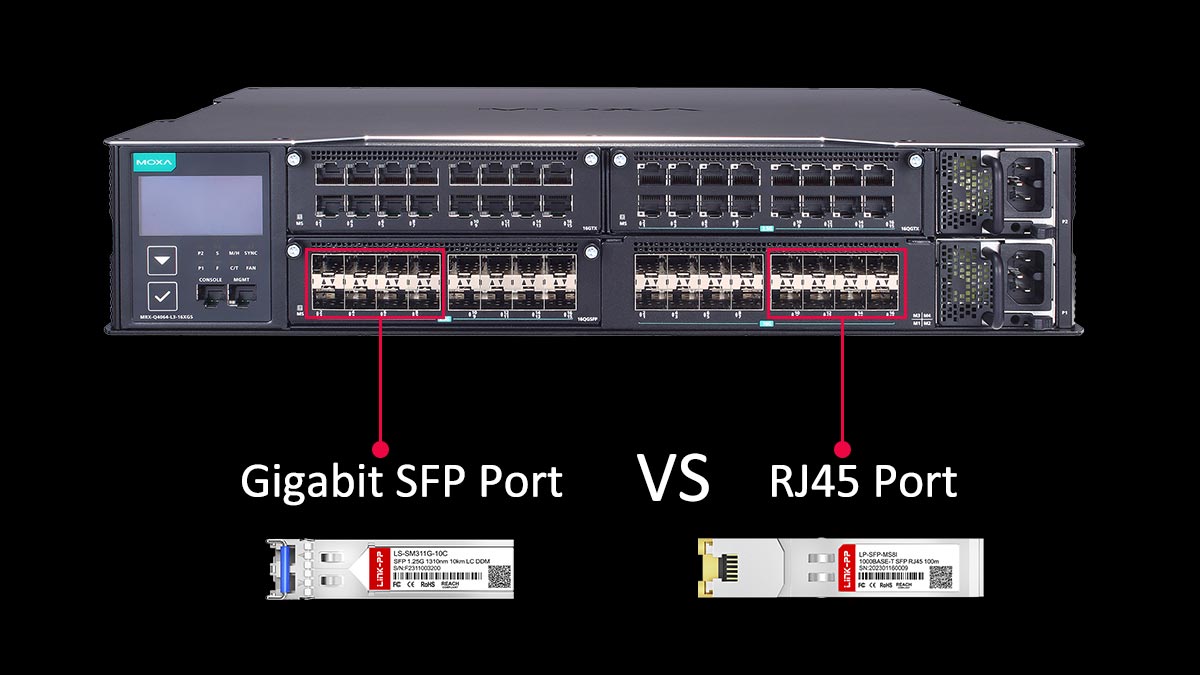
Both Gigabit SFP Ports and RJ45 ports are widely used in network switches, but they serve different purposes and offer distinct advantages. While RJ45 ports are known for their simplicity and widespread compatibility, SFP ports provide greater flexibility and support for diverse connection types. Choosing between them depends on factors such as distance, scalability, and network design requirements.
To better understand their differences, the following table highlights key comparisons:
| Feature | Gigabit SFP Port | RJ45 Port |
| Connection Type | Modular (fiber or copper via SFP modules) | Fixed copper (Ethernet cable) |
| Maximum Distance | Up to tens of kilometers (fiber) | Typically up to 100m |
| Flexibility | High (interchangeable modules) | Low (fixed interface) |
| Installation | Requires SFP module | Plug-and-play |
| Typical Use | Uplinks, backbone, long-distance links | End-device connections (PCs, printers) |
| Scalability | Easily adaptable | Limited by port type |
Performance and Speed Comparison
In terms of speed, both Gigabit SFP Ports and RJ45 ports can support up to 1Gbps in standard configurations. However, SFP ports offer more flexibility in performance optimization, as different modules can be selected to match specific transmission needs, including better signal integrity over longer distances.
Additionally, SFP-based fiber connections are less susceptible to electromagnetic interference, which can result in more stable performance in environments with high electrical noise. This makes SFP ports more reliable in demanding enterprise or industrial settings.
Cable Types and Distance Limitations
RJ45 ports rely on copper Ethernet cables, such as Cat5e or Cat6, which typically support distances up to 100m. This makes them suitable for local connections within offices or server rooms but limits their use in larger-scale deployments.
In contrast, a Gigabit SFP Port can use either copper or optical modules, with fiber options supporting much longer distances — ranging from several hundred meters to tens of kilometers. This makes SFP ports ideal for backbone links, inter-building connections, and wide-area network extensions.
Power Consumption Considerations
RJ45 ports generally consume less power for short-distance connections, especially when using standard copper cabling. Their simple design and direct connectivity make them energy-efficient for everyday access-layer usage.
SFP ports, on the other hand, may consume slightly more power depending on the type of module used, particularly with long-range transceivers. However, this increase is often justified by the extended reach and improved performance they provide in larger networks.
Use Case Scenarios for Each Port Type
RJ45 ports are best suited for connecting end devices such as computers, IP phones, and printers within a local network. Their ease of use and compatibility make them the default choice for access-layer connectivity.
A Gigabit SFP Port is more commonly used for uplinks, switch-to-switch connections, and long-distance communication. It is particularly valuable in data centers, campus networks, and enterprise environments where flexibility, scalability, and extended reach are essential.
⚡ Common Use Cases for Gigabit SFP Port in Enterprise Networks
A Gigabit SFP Port is widely used in enterprise environments due to its flexibility and ability to support both short- and long-distance connections. It plays a critical role in building efficient, scalable, and high-performance network infrastructures. From core network links to server connectivity, SFP ports are essential in many real-world deployment scenarios.
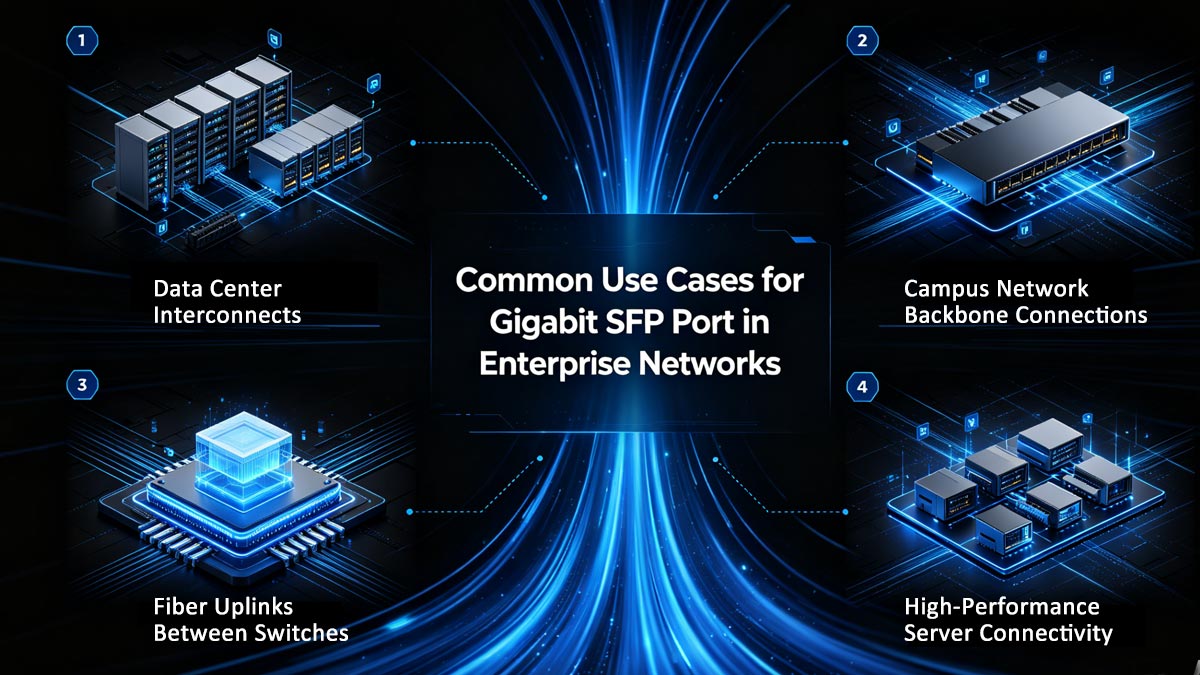
Data Center Interconnects
In data centers, Gigabit SFP Ports are commonly used to connect switches, storage systems, and networking equipment across racks or even between separate facilities. Fiber-based SFP modules enable high-speed, low-latency communication, which is crucial for handling large volumes of data traffic.
They also support reliable connections over longer distances compared to traditional copper links. This makes them ideal for interconnecting multiple data halls or extending connectivity between primary and backup data centers.
Campus Network Backbone Connections
For campus networks that span multiple buildings, a Gigabit SFP Port is often used to establish backbone connections. Fiber modules allow network traffic to travel efficiently over long distances while maintaining signal integrity and performance.
This setup ensures stable communication between different parts of the campus, such as administrative offices, classrooms, and data centers. It also provides a scalable foundation for future network expansion.
Fiber Uplinks Between Switches
SFP ports are frequently used for uplinks between access, aggregation, and core switches. By using fiber uplinks through a Gigabit SFP Port, networks can handle higher traffic loads and reduce congestion compared to standard copper connections.
These uplinks improve overall network efficiency and help maintain consistent performance, especially in environments with heavy data usage. They also simplify network design by enabling clean, high-capacity connections between switching layers.
High-Performance Server Connectivity
In scenarios where servers require stable and high-speed connections, Gigabit SFP Ports provide a reliable solution. They are often used to connect critical servers to switches using fiber, ensuring minimal interference and consistent throughput.
This is particularly important for applications such as virtualization, database systems, and cloud services, where performance and reliability directly impact business operations. Using SFP-based connections helps maintain optimal server communication and reduces the risk of network bottlenecks.
⚡ How to Choose the Right Gigabit SFP Port Module
Selecting the ideal SFP module is critical to ensuring your network operates at peak efficiency while maintaining hardware longevity. The choice depends on a careful evaluation of your existing infrastructure, the physical distance between connection points, and your specific budgetary constraints.
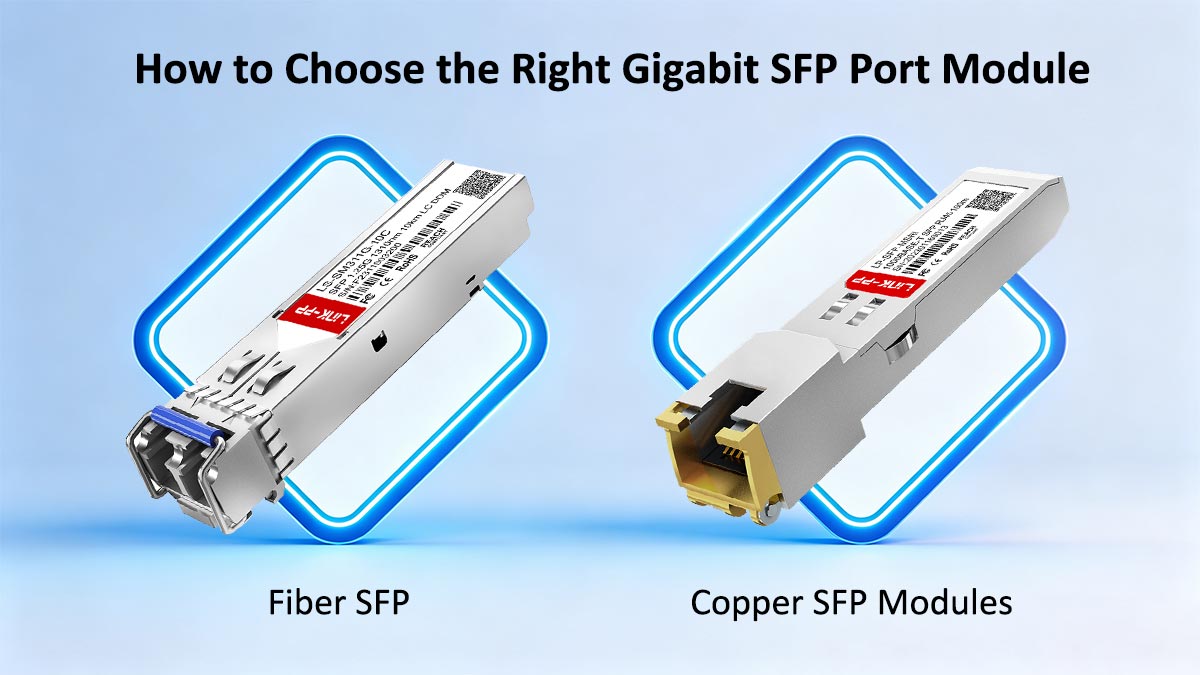
Fiber SFP vs Copper SFP Modules
The first step in choosing a module is determining the transmission medium required for your specific application. While both types provide gigabit speeds, they serve very different environmental needs.
Copper (RJ45) SFPs: These are typically used for short-range connections, generally up to 100 meters. They are the go-to choice for connecting switches within the same rack or adjacent cabinets using standard Cat5e or Cat6 cabling, offering a cost-effective solution for localized networking.
Fiber Optic SFPs: These are designed for scenarios where distance or electromagnetic interference is a factor. Fiber modules are essential for linking different floors or buildings, providing much higher bandwidth potential over long spans without the signal degradation seen in copper.
Compatibility with Network Switches
Compatibility is perhaps the most frequent pain point when deploying SFP modules. A module must be electrically and logically compatible with the host switch to function correctly.
Before purchasing, you must verify the Multi-Source Agreement (MSA) standards. Most modern switches follow these industry standards, allowing them to accept a wide range of modules. However, some high-end switches are programmed with "vendor lock-in" software that recognizes only specific EEPROM code. Always check your switch’s data sheet or compatibility matrix to ensure the module’s serial encoding will be accepted by the port’s firmware.
Distance and Wavelength Requirements
Matching the module to the physical characteristics of your fiber plant is vital for signal integrity. Choosing the wrong wavelength can result in a complete lack of connectivity or permanent hardware damage.
- Short-Range (Multi-mode): Typically using an 850nm wavelength, these modules (like SFP-1G-SX) are used with Multi-mode Fiber (MMF) for distances up to 550m. They are common in enterprise LAN environments.
- Long-Range (Single-mode): Using 1310nm or 1550nm wavelengths, Single-mode Fiber (SMF) modules (like SFP-1G-LX/GLC-EX-SMD/GLC-ZX-SM-RGD) can reach distances from 10km up to 80km or more.
- Optical Power Budget: It is also important to consider the "light budget." If you use a high-power long-reach module for a very short distance without an attenuator, you risk "blinding" or damaging the receiving optical sensor.
Vendor vs Third-Party Compatible Modules
The debate between original equipment manufacturer (OEM) modules and third-party compatible alternatives often comes down to a balance of risk versus cost-efficiency.
- Vendor-Branded Modules: These are sold by the switch manufacturer (e.g., Cisco, Juniper, HP). While they offer guaranteed compatibility and streamlined support, they often come with a significant price premium that can strain IT budgets.
- Third-Party Compatible Transceivers: High-quality third-party modules are built to the same MSA specifications as OEM versions but at a fraction of the cost. When sourced from reputable suppliers who perform rigorous testing and custom coding, these modules offer identical performance, allowing you to scale your network infrastructure more affordably without sacrificing reliability.
⚡ Best Practices for Configuring a Gigabit SFP Port
Properly configuring a Gigabit SFP port is essential for maintaining a stable and high-performing network backbone. By following standardized installation procedures and proactive monitoring routines, you can minimize downtime and ensure that your hardware operates within its optimal parameters.
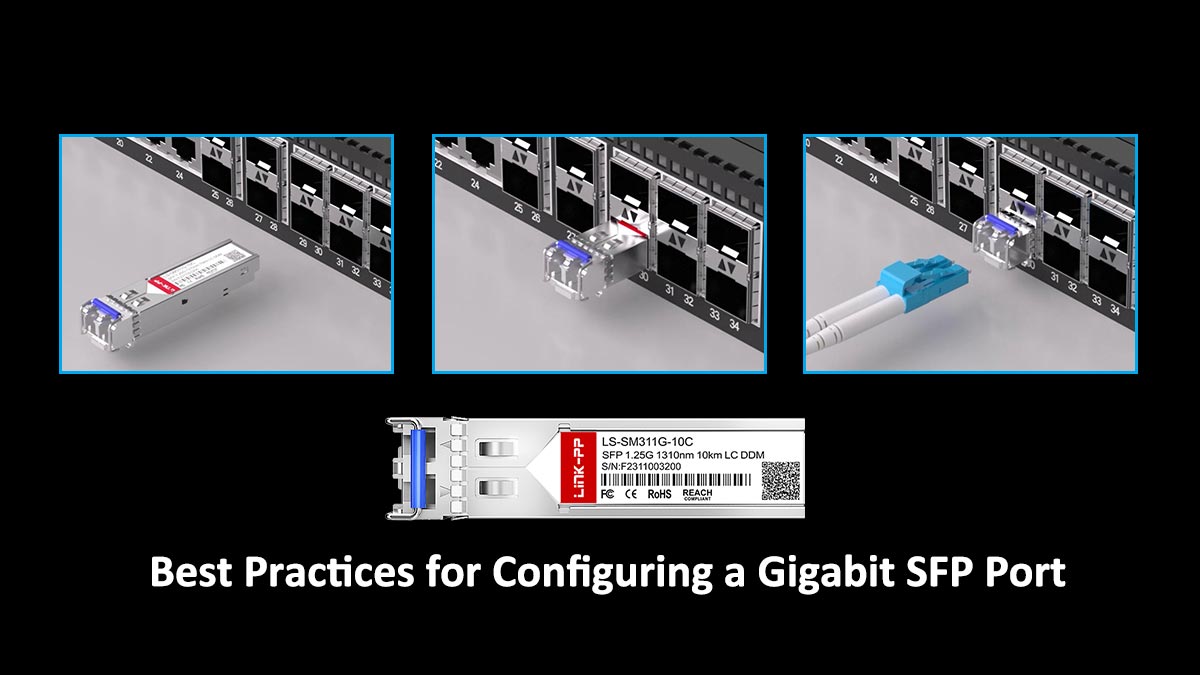
Initial Setup and Installation Steps
The physical installation and initial software activation of an SFP module require a delicate touch and a systematic approach. Because optical components are sensitive to dust and static, the "cleanliness-first" rule is paramount during this stage.
- Physical Insertion: Always wear an ESD (Electrostatic Discharge) wrist strap when handling modules. Remove the dust plugs only immediately before insertion, and gently push the SFP module into the slot until you hear a "click," indicating the locking mechanism has engaged.
- Port Enabling: Most managed switches have SFP ports disabled by default for security. Use the Command Line Interface (CLI) or Web GUI to navigate to the specific interface and issue the no shutdown command (or its equivalent) to administrative-enable the port.
- Verification: Once inserted, use commands like show inventory or show interfaces transceiver to confirm that the switch correctly identifies the module's manufacturer, serial number, and type.
Configuring Speed and Duplex Settings
For Gigabit SFP ports, the negotiation of speed and duplex is generally more straightforward than with traditional copper ports, but it still requires careful attention to avoid "link flapping" or total connectivity loss.
- Auto-Negotiation vs. Hardcoding: While auto-negotiation is the standard for 1000Mbps, some older or specialized fiber equipment may require manual configuration. If the link does not come up automatically, ensure that both ends of the connection are set to the same speed (1000Mbps) and duplex mode (typically Full-Duplex for fiber).
- Consistency is Key: A common mistake is "mismatched negotiation," where one side is set to auto and the other is hardcoded. This often results in a functional but extremely slow and error-prone link. Always ensure the configuration logic is mirrored on both connected devices.
Monitoring Port Performance
Configuration doesn't end once the link light turns green; ongoing performance monitoring is vital to catch degradation before it leads to a network outage.
- Digital Optical Monitoring (DOM): Most modern Gigabit SFP modules support DOM or DDM (Digital Diagnostic Monitoring). This feature allows you to monitor real-time parameters such as optical output power, input power (receive levels), temperature, and transceiver voltage.
- Error Statistics: Regularly check the interface counters for CRC errors, input errors, or collisions. An accumulation of these errors often points to a dirty fiber connector, a failing module, or a cable bent beyond its minimum bend radius. Using a centralized SNMP (Simple Network Management Protocol) tool can help automate this oversight.
Troubleshooting Common Configuration Issues
When a Gigabit SFP port fails to initialize or experiences intermittent drops, a structured troubleshooting process can quickly isolate the root cause between hardware and configuration.
- Physical Layer Check: Start by inspecting the fiber patch cables and cleaning the connectors with specialized fiber cleaning pens. Many "configuration" issues are actually physical layer failures caused by microscopic dust particles.
- Loopback Testing: If the software shows the port is "up" but no data is passing, a loopback test can help determine if the SFP module itself is faulty. By connecting the transmit (TX) and receive (RX) ports of the same module, you can verify if the port can "see" itself.
- Compatibility Flags: If the switch refuses to recognize a third-party module, you may need to enter specific service commands to bypass vendor-specific locks and allow the port to initialize.
⚡ Tips for Maximizing the Performance of a Gigabit SFP Port
To extract the full potential of a Gigabit SFP port, one must look beyond basic connectivity and focus on long-term stability and efficiency. Maximizing performance requires a holistic approach that combines high-tier hardware selection with rigorous environmental maintenance and strategic network design.
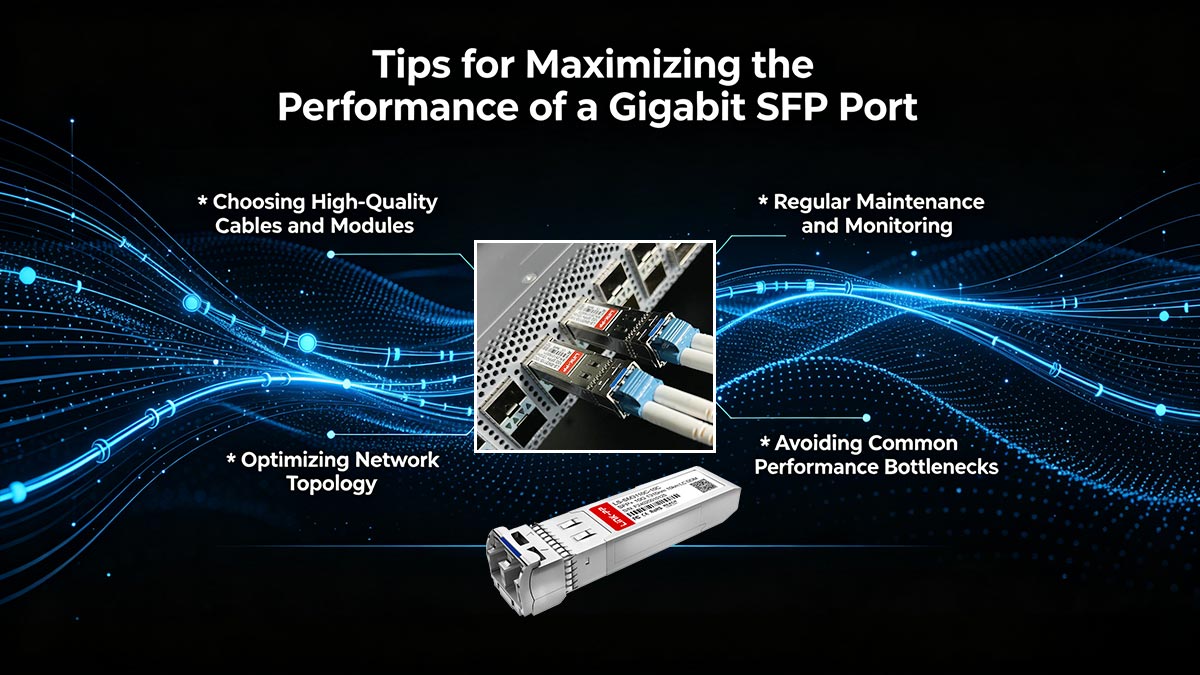
Choosing High-Quality Cables and Modules
The physical layer is the foundation of SFP performance, and using sub-par components is the most common cause of signal degradation. High-quality modules and cables ensure that the "optical budget" remains within the intended range, preventing packet loss.
- Premium Transceivers: Invest in modules that offer robust EMI (Electromagnetic Interference) shielding and high-grade laser components. This ensures a stable signal even in high-density environments where electronic noise is prevalent.
- Certified Patch Cords: Use cables that meet or exceed industry standards (like OM3/OM4 for multi-mode). Quality cables feature precision-polished connectors that minimize Insertion Loss and Back Reflection, which are critical for maintaining a "clean" gigabit stream.
Regular Maintenance and Monitoring
Fiber optic connections are notoriously sensitive to environmental contaminants. A proactive maintenance schedule can prevent the gradual "performance creep" where a network slowly loses speed over time due to hardware fatigue or dirt.
- Cleanliness Protocols: Dust is the enemy of fiber. Regularly use specialized fiber cleaning kits to wipe down connectors and port interfaces. Even a single speck of dust can block the laser path or cause signal scattering.
- Real-time Analytics: Utilize the Digital Diagnostic Monitoring (DDM) functions of your SFP modules to track temperature and optical power levels. By establishing a performance baseline, you can set alerts that notify you the moment a module begins to deviate from its normal operating range, allowing for replacement before a total failure occurs.
Optimizing Network Topology
How you physically and logically arrange your SFP-connected switches can significantly impact latency and throughput. Optimizing the topology ensures that the Gigabit SFP ports are utilized where they provide the most value — high-speed backbones and uplinks.
- Eliminating Redundant Hops: Design your network to minimize the number of switch-to-switch "hops" a data packet must take. Using SFP ports for direct, high-speed uplinks to a core switch reduces latency and prevents the "daisy-chain" effect that can slow down enterprise traffic.
- Link Aggregation (LACP): If a single Gigabit SFP port becomes a bottleneck, use Link Aggregation to combine multiple SFP ports into a single logical "trunk." This increases total bandwidth and provides redundancy, ensuring that if one module fails, the traffic seamlessly shifts to the remaining active links.
Avoiding Common Performance Bottlenecks
Even the fastest SFP port can be throttled by external factors or poor configuration choices. Identifying and removing these bottlenecks is essential for maintaining consistent gigabit throughput.
- Managing Cable Bend Radii: Fiber optic cables have a strict minimum bend radius. Over-bending or tightly cinching cables with zip-ties can cause "micro-bends," which lead to significant signal loss and intermittent connectivity issues. Use proper cable management loops to maintain gentle curves.
- Matching Port Speeds: Ensure that the SFP port isn't being bottlenecked by a slower connecting device. For example, plugging a Gigabit SFP into a port that is auto-negotiating down to 100Mbps due to an old patch panel will waste the port's potential. Always verify that the entire path supports the full 1000Mbps capacity.
⚡ Conclusion: Achieving Reliable Connectivity with Gigabit SFP Port
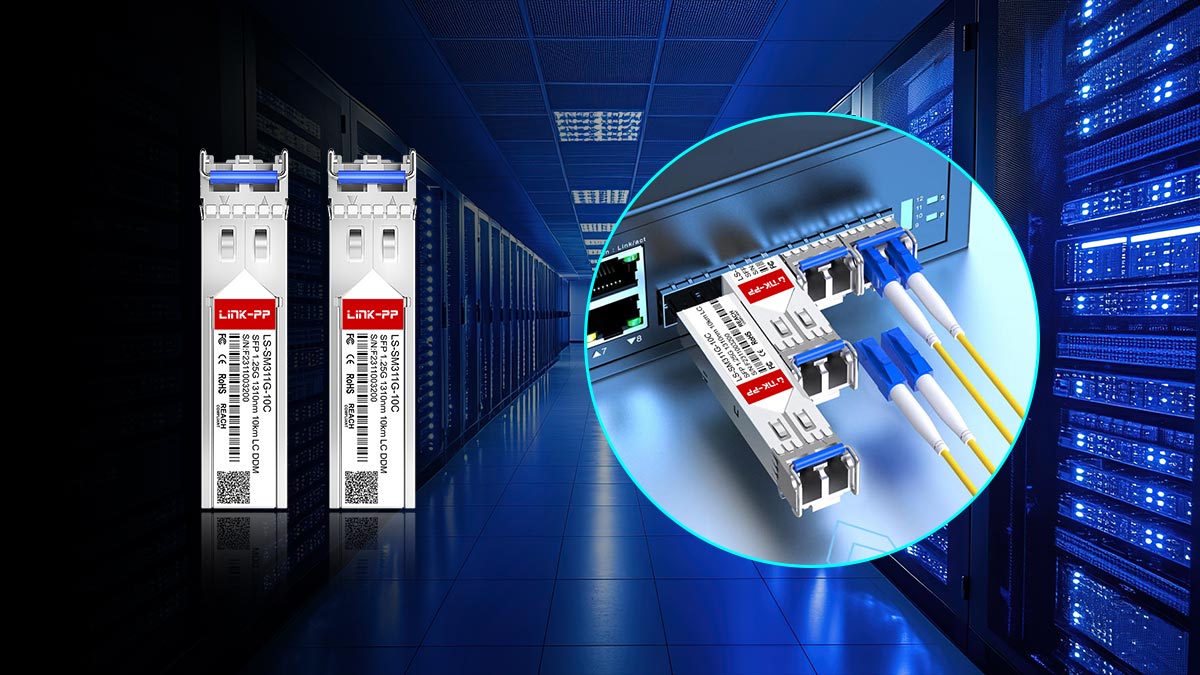
A Gigabit SFP Port plays a vital role in modern network infrastructure by offering the flexibility, scalability, and performance required for today’s growing demands. From understanding its core functionality to comparing it with RJ45 ports and exploring real-world use cases, it is clear that SFP technology enables more efficient and adaptable network design. When combined with proper module selection, configuration, and optimization practices, it can significantly enhance overall network reliability and long-term efficiency.
To fully leverage these benefits, choosing high-quality and compatible SFP modules is essential. If you are looking for reliable and cost-effective solutions, consider exploring the options available at the LINK-PP Official Store, where a range of SFP modules is designed to meet diverse networking needs. Investing in the right components will help ensure stable, high-performance connectivity for your network.