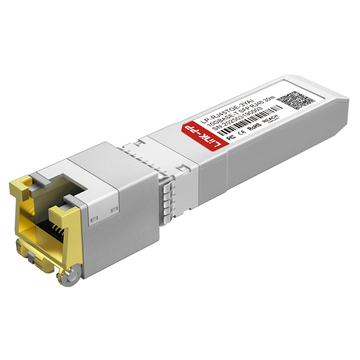
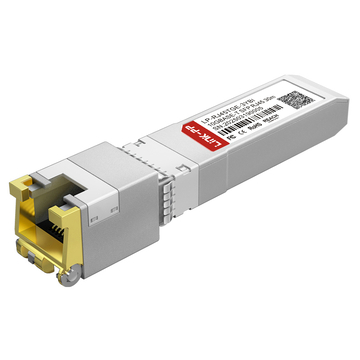
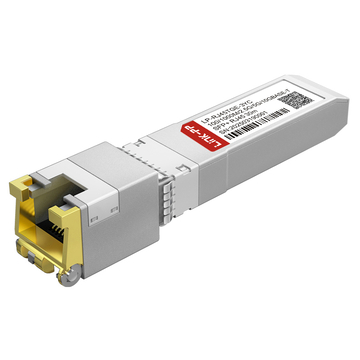
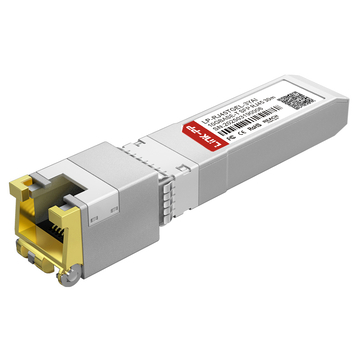
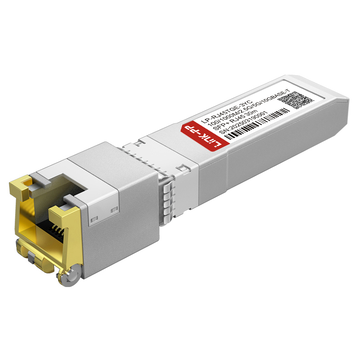
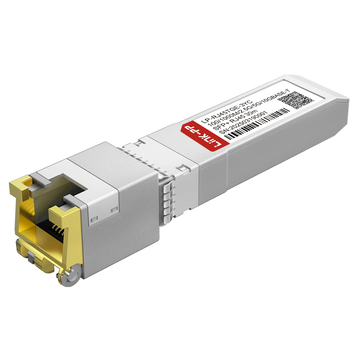
The Ubiquiti UACC-CM-RJ45-10G (recently updated to the UACC-CM-RJ45-MG SKU) is a 10GBASE-T copper transceiver designed to convert an SFP+ slot into an RJ45 port. It is predominantly deployed by network engineers to bridge multi-gigabit (2.5G/5G) ISP modems to the 10G SFP+ WAN port of a UniFi Dream Machine Pro (UDM-Pro). Operating under IEEE 802.3bz standards, it seamlessly handles speed auto-negotiation but requires strict thermal management due to the inherent ~3W power draw of 10G copper PHY chips.

Integrating multi-gigabit internet service into an existing enterprise or prosumer network frequently presents a physical layer bottleneck. Today, major Internet Service Providers (ISPs) such as Xfinity and AT&T regularly provision downstream speeds exceeding 1 Gbps, delivering this bandwidth via modems equipped with 2.5 Gbps or 5 Gbps RJ45 copper ports. However, core routing hardware in the Ubiquiti ecosystem—specifically the UniFi Dream Machine Pro (UDM-Pro) and UDM-SE—utilizes 10 Gbps SFP+ slots for high-capacity WAN uplinks. Bridging this interface gap requires a highly specific hardware translator: an SFP+ to RJ45 transceiver.
The Ubiquiti UACC-CM-RJ45-10G serves as the official OEM solution to this architectural challenge. By utilizing an onboard PHY (Physical Layer) chip, this module converts the serial electrical interface of an SFP+ port into the complex signal encoding required for twisted-pair copper Ethernet. While it excels at multi-gigabit auto-negotiation, deploying optical-to-copper transceivers introduces strict physical constraints. Converting 10 Gbps data to copper requires significant computational power, resulting in a module that draws up to 3W of energy and routinely reaches surface temperatures of 65°C (149°F).
In this engineering and procurement review, we will benchmark the UACC-CM-RJ45-10G. We will analyze its speed negotiation capabilities (1G/2.5G/5G/10G), address the community's concerns regarding thermal throttling, and compare its performance against popular generic Multi-Source Agreement (MSA) alternatives to determine the most stable and cost-effective approach for your UniFi network architecture.
🟠 What Is the Ubiquiti UACC-CM-RJ45-10G?
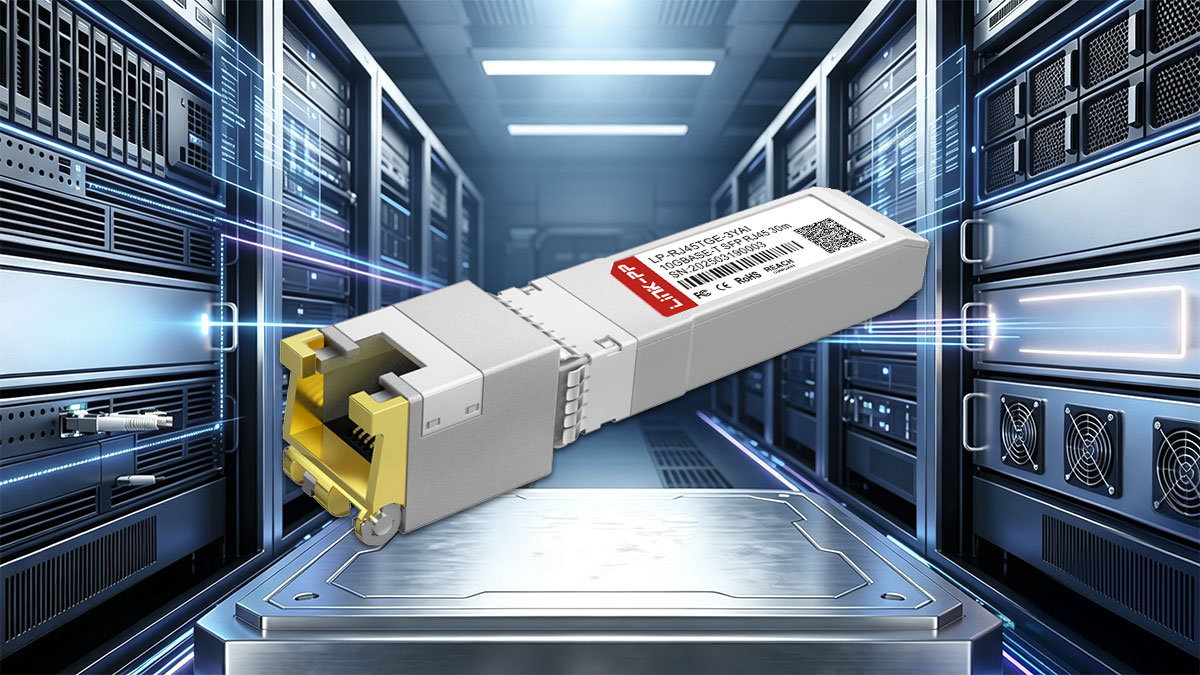
The Ubiquiti UACC-CM-RJ45-10G is a hot-swappable SFP+ to RJ45 transceiver. It translates high-speed serial data from an SFP+ slot into standard twisted-pair copper Ethernet. Utilizing an internal PHY chip, it supports IEEE 802.3bz multi-gigabit speeds (1/2.5/5/10 Gbps), allowing UniFi gateways and aggregation switches to interface with standard Cat5e, Cat6, and Cat6A cabling infrastructures.
To understand where this module fits into a UniFi network, it is necessary to examine the physical layer mechanics of enterprise switching. SFP+ (Small Form-factor Pluggable) ports are natively designed to output low-voltage serial data intended for Direct Attach Copper (DAC) cables or fiber optic transceivers. These native mediums are highly efficient, typically consuming less than 1W of power.
However, many network topologies require interfacing with legacy copper hardware or ISP modems that only offer RJ45 ports. To push 10 Gigabits over unshielded or shielded twisted-pair copper, the UACC-CM-RJ45-10G utilizes a miniaturized internal PHY (Physical Layer) chip. This chip performs the heavy digital signal processing (DSP) required for IEEE 802.3an (10GBASE-T) encoding. Because of this active signal conversion, the module acts as a localized bridge between the fiber-centric SFP+ ecosystem and traditional copper networks.
The Naming Ambiguity: UACC-CM-RJ45-10G vs. UACC-CM-RJ45-MG
For IT procurement teams and network architects, there is frequent confusion regarding Ubiquiti's official SKUs. Historically, the module was sold as the UACC-CM-RJ45-10G. However, early hardware revisions of 10GBASE-T transceivers across the industry often lacked intermediate speed support, meaning they could only link at exactly 1 Gbps or 10 Gbps, failing to connect with emerging 2.5G devices.
To explicitly resolve this, Ubiquiti updated the silicon to ensure strict compliance with the IEEE 802.3bz (NBASE-T) standard and rebranded the active store listing to the UACC-CM-RJ45-MG (Multi-Gig). Both search terms refer to the same generational product line, but the "MG" designation serves as an architectural guarantee that the module will successfully auto-negotiate at 1 Gbps, 2.5 Gbps, 5 Gbps, and 10 Gbps.
Core Technical Specifications
For deployment planning, the physical constraints of the module must be strictly observed. Unlike fiber optics, copper transceivers are heavily limited by distance and power draw.
| Parameter | Specification |
|---|---|
| Form Factor | SFP+ to RJ45 |
| Supported Standards | IEEE 802.3an (10GBASE-T), IEEE 802.3bz (NBASE-T) |
| Supported Data Rates | 1 / 2.5 / 5 / 10 Gbps (Auto-negotiating) |
| Max Distance (10 Gbps) | Up to 30 meters (Strictly requires Cat6A) |
| Max Distance (1G / 2.5G / 5G) | Up to 100 meters (Cat5e or Cat6) |
| Power Consumption | 1.9W (Idle/Low Speed) to 3W (Max 10G Load) |
🟠 UACC-CM-RJ45-10G Compatibility Bench: Which UniFi Devices Work Best?
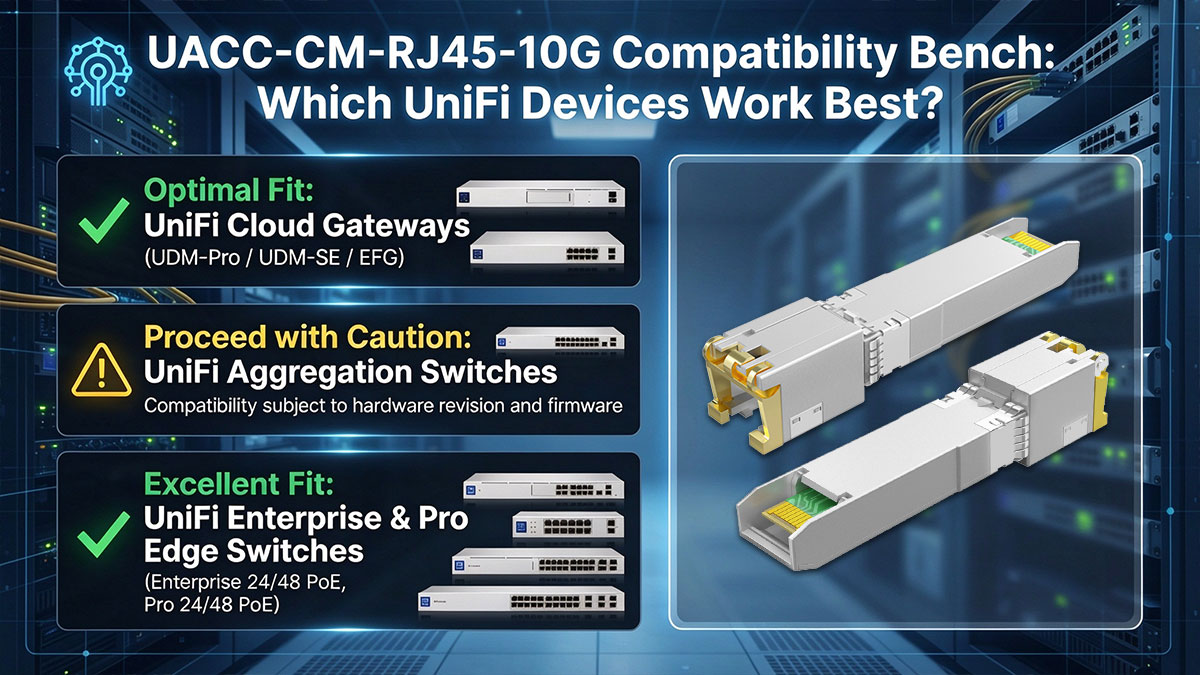
The UACC-CM-RJ45-10G is universally compatible with UniFi OS, natively populating telemetry in the UniFi Controller. Its "best-fit" deployment is in the SFP+ WAN port (Port 10) of a UDM-Pro or UDM-SE. However, utilizing these modules in high-density aggregation switches (like the USW-Aggregation) requires strict spacing; populating adjacent ports will exceed the switch's hardware power limits and cause thermal shutdown.
A common misconception in network engineering is that an SFP+ port is a universal receptacle. In reality, the host switch must be architecturally designed to supply the necessary power and dissipate the resulting heat. Because the UACC-CM-RJ45-10G draws up to 3W of power—nearly three times the power of a standard optical transceiver—compatibility is dictated by the thermal envelope of the host device.
Based on hardware limitations and community deployment feedback, here is a definitive compatibility benchmark for integrating the RJ45 module across the UniFi ecosystem.
Optimal Fit: UniFi Cloud Gateways (UDM-Pro / UDM-SE / EFG)
The absolute best use case for this module is as a WAN bridge. The UniFi Dream Machine Pro (UDM-Pro) features an SFP+ WAN interface (Port 10) designed specifically for high-speed uplinks. Because the UDM-Pro chassis is actively cooled and the SFP+ ports are isolated, inserting a single 3W RJ45 transceiver presents zero thermal risk.
- Deployment Scenario: Bridging a 2.5G or 5G ISP cable modem (such as an Arris S33 or Motorola MB8611) directly to the UDM-Pro, bypassing the internal 1 Gbps RJ45 WAN port.
- Controller Behavior: The UniFi Controller will seamlessly recognize the module, displaying the auto-negotiated link speed (e.g., 2.5 GbE) on the physical interface while internally routing traffic at the full line rate.
Proceed with Caution: UniFi Aggregation Switches
The USW-Aggregation and USW-Pro-Aggregation are purpose-built for low-power Direct Attach Copper (DAC) and fiber optics. Ubiquiti engineering documentation explicitly warns against fully populating these switches with RJ45 copper transceivers.
- The Power Constraint: The 8-port USW-Aggregation has a maximum internal power supply capacity of 30W. If you install eight UACC-CM-RJ45-10G modules (drawing 3W each), you consume 24W just on transceivers, leaving insufficient power for the core switching fabric.
- The Spacing Rule: If you must use RJ45 modules in an aggregation switch to connect legacy copper servers, you must not populate adjacent ports. Leave at least one empty SFP+ slot (or insert a cool-running DAC cable) between RJ45 modules to allow for adequate thermal dissipation.
Excellent Fit: UniFi Enterprise & Pro Edge Switches
For edge deployments, the USW-Enterprise-24-PoE and USW-Pro-Max lines feature 10G SFP+ uplink ports. These switches are engineered with robust power supplies designed to handle heavy PoE+ loads, meaning the addition of a 3W transceiver is easily absorbed.
- Deployment Scenario: Utilizing the SFP+ uplink port to connect a high-speed NAS (Network Attached Storage) device—like a QNAP or Synology equipped with a 10GBASE-T PCIe card—directly to the edge switch using Cat6A cabling.
🟠 Speed Negotiation Explained: 1G, 2.5G, 5G, or 10G?
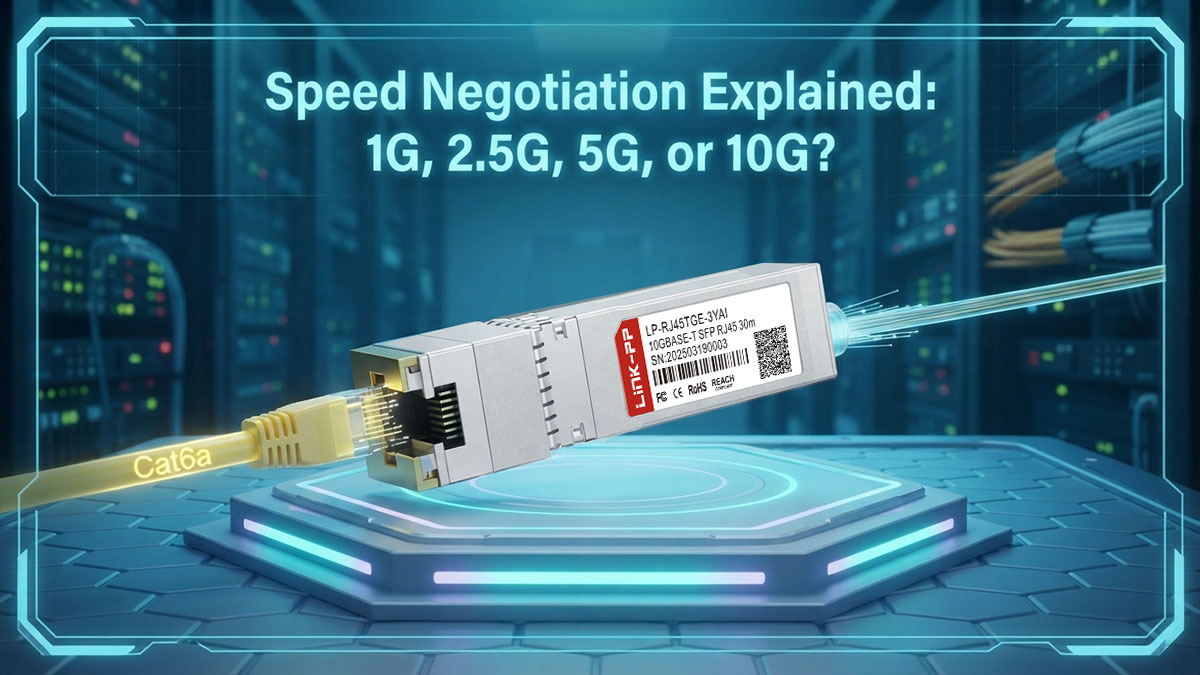
Standard SFP+ ports only operate at exactly 1 Gbps or 10 Gbps. To support intermediate ISP speeds (like 2.5G or 5G), the UACC-CM-RJ45-10G utilizes NBASE-T technology. The module’s internal PHY chip negotiates the 2.5G/5G link over the copper cable with the modem, while simultaneously presenting a fixed 10 Gbps link to the UniFi switch’s backplane, utilizing flow control to prevent packet loss.
The primary reason network engineers and prosumers actively search for the UACC-CM-RJ45-10G is to solve a fundamental speed mismatch between modern ISP modems and enterprise routing hardware. Understanding how this module handles speed negotiation is critical to preventing misconfigurations and maximizing WAN throughput.
The SFP+ Multi-Gigabit Bottleneck
In the physical layer (PHY) architecture of enterprise networking, SFP+ slots are binary by design: the silicon expects to clock data at either 1 Gigabit per second or 10 Gigabits per second. There is no native hardware provision in older SFP+ switch fabrics to clock data at 2.5 Gbps or 5 Gbps.
Consequently, if you connect a 2.5G ISP cable modem directly into a standard 10G SFP+ port using a legacy, non-multi-gig transceiver, the link will fail to negotiate at 2.5G. The port will forcefully step down to the lowest common denominator: 1 Gbps. This completely negates the value of paying for a multi-gigabit internet tier.
How NBASE-T (IEEE 802.3bz) Solves the Problem
The UACC-CM-RJ45-10G (and the newer UACC-CM-RJ45-MG SKU) integrates an advanced PHY chip that complies with the IEEE 802.3bz (NBASE-T) standard. This turns the transceiver into an active, intelligent bridge rather than a simple pass-through connector.
When deployed in a UDM-Pro WAN port, the negotiation process happens in two distinct stages:
- The Copper Side (Front-End): The module queries the connected ISP modem over the Cat6 cable. If the modem is a 2.5G device, the module's PHY chip successfully negotiates and locks a 2.5 Gbps connection over the twisted-pair copper.
- The Switch Side (Back-End): Simultaneously, the module communicates with the UDM-Pro's internal SFP+ bus at a fixed rate of 10 Gbps.
Flow Control and Asymmetric Routing
Because the transceiver is ingesting data from the switch at 10 Gbps but can only output it to the modem at 2.5 Gbps, it must handle the speed disparity. The module utilizes internal buffer memory and IEEE 802.3x Flow Control (Pause Frames). If the UniFi router sends data faster than the 2.5G copper link can handle, the transceiver sends a microscopic "pause" signal to the router, preventing buffer overruns and dropped packets.
Engineering Note: In the UniFi Network Controller UI, you may see the SFP+ port (e.g., Port 10) report its link speed as "10,000 FDX" (10 Gbps Full Duplex), even though you are only connected to a 2.5G modem. This is normal behavior. The UDM-Pro is reporting the speed of the back-end connection to the transceiver, while the transceiver silently manages the 2.5G front-end connection.
🟠 Thermal Benchmarks: Why Does the UACC-CM-RJ45-10G Run Hot?
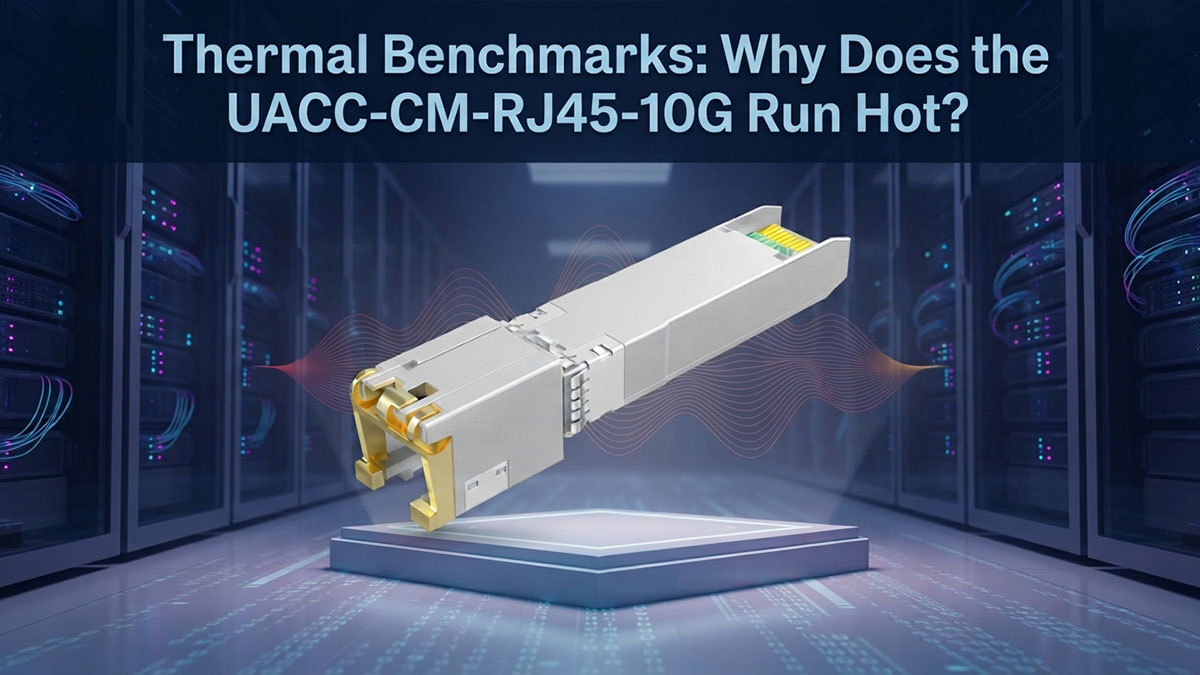
The UACC-CM-RJ45-10G runs exceptionally hot because 10GBASE-T encoding requires massive digital signal processing (DSP) to push 10 Gigabits over copper wire. This process consumes up to 3 Watts of power. Because SFP+ modules lack active cooling fans, this energy is dissipated entirely as heat through the metallic casing, routinely pushing surface temperatures to 65°C (149°F).
The most pervasive and debated topic surrounding the UACC-CM-RJ45-10G in networking communities is its operating temperature. Users frequently post thermal imaging on forums showing the transceiver casing glowing at alarming temperatures. For IT administrators accustomed to fiber optic modules that remain cool to the touch, this thermal output often triggers concerns about hardware defects or impending network failure.
However, this heat is not a defect—it is a strict limitation of physical physics. Understanding the thermal dynamics of 10 Gigabit copper is crucial for preventing hardware degradation and maintaining network stability.
The Physics of 10GBASE-T Heat Generation
To understand the heat, we must compare copper to fiber. A standard Ubiquiti 10G Single-Mode Fiber module (UACC-OM-SM-10G-S) simply pulses an infrared laser on and off. This requires very little computational power, resulting in a maximum power draw of less than 1W.
Conversely, pushing 10 Gigabits of data across twisted-pair copper cable (which is highly susceptible to electromagnetic interference and crosstalk) requires complex mathematical encoding. The PHY chip inside the UACC-CM-RJ45-10G must constantly perform echo cancellation, crosstalk processing, and signal equalization. This immense computational workload draws between 2.5W and 3W of power under a full 10G load.
Because the SFP+ form factor is completely sealed and lacks internal cooling fans, 100% of that 3W energy is converted into heat and radiated out through the zinc-alloy housing into the switch chassis.
Thermal Throttling and Network Instability
If the heat is not properly managed, the module will initiate self-preservation protocols. The UACC-CM-RJ45-10G is rated for an ambient operating temperature of 0 to 70° C (32 to 158° F). If the internal silicon exceeds this thermal envelope, one of two things will happen:
- Thermal Throttling: The module will forcefully drop the link speed from 10 Gbps down to 1 Gbps to reduce the computational load and shed heat. This manifests as sudden, unexplained network slowdowns.
- Thermal Shutdown: The module will cut the link entirely to prevent permanent silicon degradation, resulting in a complete port failure until the unit cools down.
Engineering Best Practices for Thermal Management
To ensure carrier-grade stability when deploying the UACC-CM-RJ45-10G, network architects must strictly adhere to the following thermal deployment rules:
| Deployment Rule | Engineering Justification |
|---|---|
| Never Populate Adjacent Ports | If placing multiple RJ45 modules in a USW-Aggregation switch, leave at least one empty SFP+ slot (or a cool DAC cable) between them to allow ambient chassis airflow to dissipate the heat. |
| Ensure Rack Ventilation | Do not deploy RJ45 modules in sealed, unventilated network closets. Active rack exhaust fans are required to move the 65°C ambient air away from the switch chassis. |
| Minimize Cable Distance | The PHY chip works harder (generates more heat) to push a signal 30 meters than it does to push it 5 meters. Keep RJ45 copper runs as short as physically possible. |
🟠 Ubiquiti UACC-CM-RJ45-10G Power and Stability Review
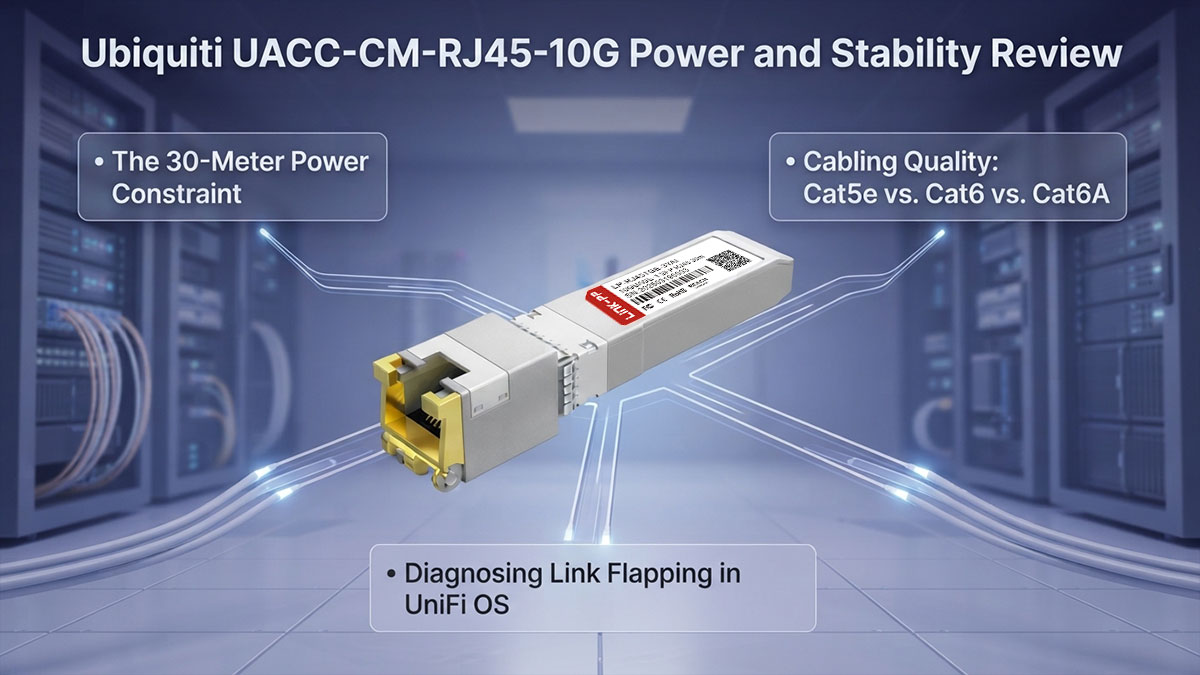
The stability of the UACC-CM-RJ45-10G is completely dependent on the quality of your physical cabling infrastructure. When deployed within its strict 30-meter limit using shielded Cat6A cable, the module delivers carrier-grade 10 Gbps stability. However, pushing the module beyond its power constraints over unshielded Cat5e will result in high Bit Error Rates (BER), intermittent link flapping, and dropped packets.
When evaluating the performance of optical-to-copper transceivers, "stability" is not inherently determined by the module's firmware. Instead, stability is a direct reflection of how efficiently the module's 3W power budget interacts with the physical copper cable attached to it. The UACC-CM-RJ45-10G is an exceptionally stable piece of hardware, provided network engineers respect the strict limitations of the 10GBASE-T standard.
The 30-Meter Power Constraint
Unlike standard RJ45 switches (which have massive internal power supplies capable of pushing a 10G signal a full 100 meters), the UACC-CM-RJ45-10G is constrained by the SFP+ port's power delivery specifications. Because the SFP+ slot can only safely supply roughly 3W of power to the transceiver, the internal PHY chip does not have the voltage required to push a 10 Gbps signal the standard 100-meter Ethernet distance.
As a result, Ubiquiti strictly rates the UACC-CM-RJ45-10G for a maximum distance of 30 meters (98 feet) at 10 Gbps. If you attempt to run a 50-meter cable to a server in another room, the module will suffer from signal attenuation. The link will either drop entirely or forcefully auto-negotiate down to 5 Gbps or 1 Gbps to maintain stability.
Cabling Quality: Cat5e vs. Cat6 vs. Cat6A
To achieve zero packet loss and a low Bit Error Rate (BER) at multi-gigabit speeds, the physical medium must be pristine. The module's stability scales directly with the category of cabling utilized:
- Cat6A (Shielded): Required for 10 Gbps. Cat6A is manufactured with tighter twists and thicker shielding, drastically reducing Alien Crosstalk (AXT). When paired with the UACC-CM-RJ45-10G, Cat6A guarantees a stable 10G link up to the 30-meter hard limit.
- Cat6 (Unshielded): Acceptable for Short Runs. You can achieve 10 Gbps on standard Cat6 if the run is very short (under 15 meters) and isolated from electrical interference. However, it is primarily recommended for 2.5G/5G connections up to 100 meters.
- Cat5e: Not Recommended for 10G. While the module's NBASE-T capabilities allow it to push 2.5 Gbps over legacy Cat5e up to 100 meters, attempting to force a 10 Gbps link over Cat5e will immediately cause port flapping (the link rapidly disconnecting and reconnecting) due to massive signal degradation.
Diagnosing Link Flapping in UniFi OS
If you have deployed the UACC-CM-RJ45-10G and notice your UDM-Pro logging frequent "WAN 2 Disconnected / Connected" alerts, you are experiencing link flapping. This instability is rarely a defective module. It is almost always caused by one of three deployment errors:
- Thermal Overload: The module has exceeded 70°C and is shutting down to protect the silicon.
- Distance Exceeded: The 10G run exceeds the 30-meter power budget of the transceiver.
- Cable Termination Issues: The RJ45 keystones or crimped ends are poorly terminated, introducing too much near-end crosstalk (NEXT) for the module's PHY chip to filter out.
🟠 UACC-CM-RJ45-10G vs. UACC-CM-RJ45-MG vs. Third-Party Alternatives Review
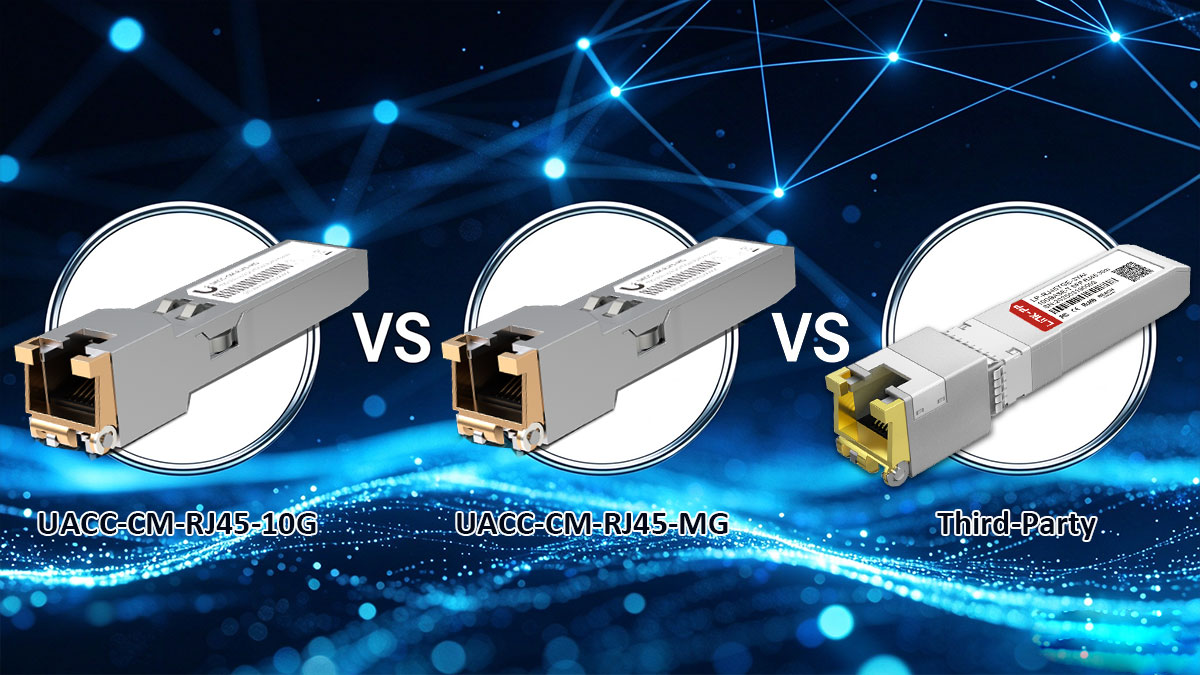
The official Ubiquiti UACC-CM-RJ45-MG ($65 MSRP) is the most reliable option for native UniFi Controller integration and guaranteed multi-gig (1/2.5/5/10G) auto-negotiation. However, due to frequent OEM stock shortages, third-party Multi-Source Agreement (MSA) transceivers from MikroTik ($45) and Wiitek ($40) serve as excellent, highly-validated alternatives that offer identical speed negotiation at a significantly lower cost.
When procuring optical-to-copper transceivers for a UniFi network, IT administrators often encounter two major friction points: confusing OEM naming conventions and frequent supply chain shortages on the official Ubiquiti store. Because Ubiquiti does not enforce aggressive vendor lock-in on their SFP+ ports, evaluating third-party alternatives is a standard and necessary practice for enterprise deployments.
Clarifying the OEM SKUs: 10G vs. MG
As previously noted, buyers searching for the UACC-CM-RJ45-10G will likely receive the UACC-CM-RJ45-MG. The "10G" SKU represents older silicon revisions that occasionally struggled with IEEE 802.3bz auto-negotiation, meaning they would fail to link at 2.5G or 5G, defaulting strictly to 1G or 10G. Ubiquiti released the "MG" (Multi-Gig) SKU to explicitly guarantee support for intermediate speeds (1 / 2.5 / 5 / 10 Gbps). If you are buying OEM, ensure the box specifies the "MG" revision to guarantee compatibility with modern 2.5G ISP modems.
Comparing the Top Alternatives
If the official UACC-CM-RJ45-MG is out of stock—or if you need to optimize procurement costs across a large network rollout—several third-party transceivers have been rigorously stress-tested by the networking community. Below is a definitive comparison based on thermal behavior, cost, and UniFi compatibility.
| Transceiver Model | Est. MSRP | Speed Support | Pros & Cons |
|---|---|---|---|
| Ubiquiti UACC-CM-RJ45-MG | $65.00 | 1/2.5/5/10G | Pros: Native UniFi OS telemetry, zero warranty issues. Cons: Highest cost, frequently out of stock, high thermal output. |
| MikroTik S+RJ10 | $45.00 | 1/2.5/5/10G | Pros: Highly respected carrier-grade silicon, excellent multi-gig stability. Cons: Runs just as hot as the Ubiquiti OEM module. |
| Wiitek 10GBASE-T | $40.00 | 1/2.5/5/10G | Pros: Lowest CAPEX, widely reported by users to run slightly cooler than OEM. Cons: May show as "Unknown Vendor" in UniFi Controller logs. |
The Risk of Third-Party Optics
While generic MSA-compliant modules like those from Wiitek or 10Gtek will successfully pass 10 Gbps line-rate traffic, using non-OEM transceivers carries a minor administrative risk.
Because the EEPROM (the chip that identifies the module to the switch) lacks the proprietary Ubiquiti cryptographic signature, the UniFi Controller may fail to display advanced telemetry data (such as internal module temperature). Furthermore, if you experience a severe network fault, Ubiquiti’s Tier 2 technical support may require you to replicate the issue using an official UACC-CM-RJ45-MG before processing a hardware RMA for your switch or UDM-Pro.
🟠 Architecture Review: DAC vs. Fiber vs. RJ45 Copper
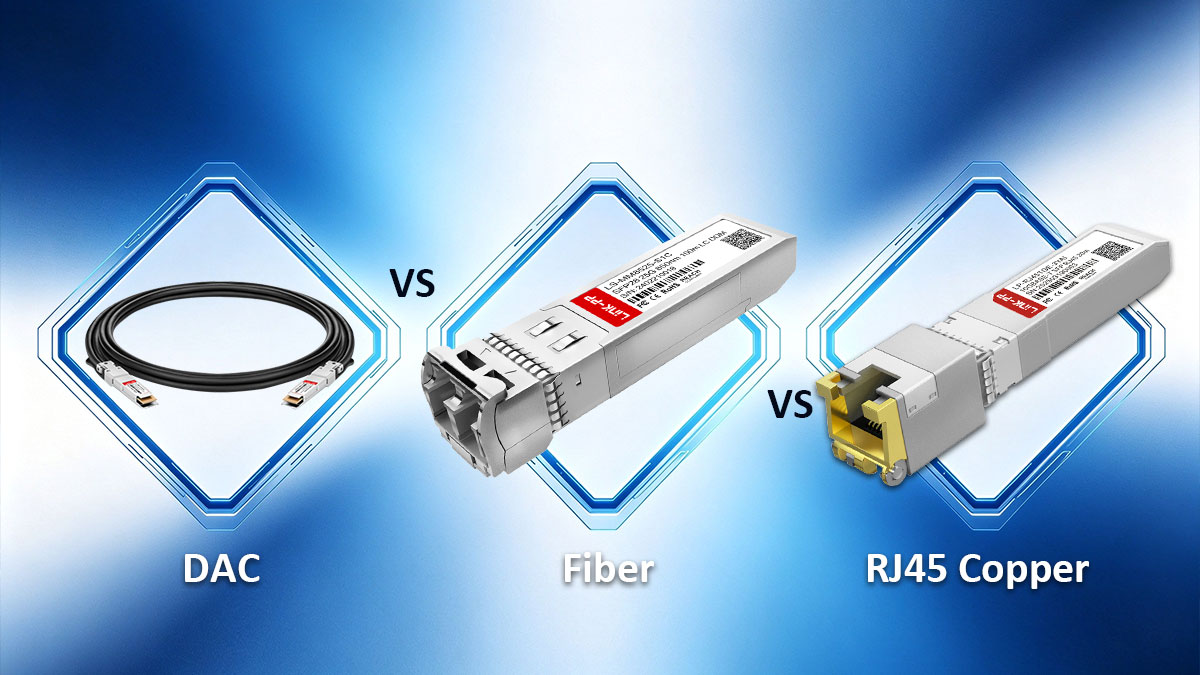
10GBASE-T (RJ45) is the most power-hungry and thermally inefficient method for 10 Gbps networking and should be restricted to legacy copper integration. For intra-rack connections (under 3 meters), Direct Attach Copper (DAC) is superior, consuming ~0.1W with zero heat. For inter-rack or long-distance runs (up to 10 km), Single-Mode Fiber (OS2) is the enterprise standard, offering total immunity to electromagnetic interference at under 1W of power.
When designing a 10 Gigabit network topology, the UACC-CM-RJ45-10G should be viewed as a specialized problem-solver rather than a foundational building block. From an enterprise architecture perspective, converting a fiber-native SFP+ port to twisted-pair copper is inherently inefficient. To optimize network stability, thermal management, and procurement costs, network engineers must deploy the correct physical medium for the specific distance and use case.
When NOT to Use the UACC-CM-RJ45-10G
The most common architectural mistake made by prosumers is attempting to use RJ45 transceivers to connect a UniFi switch to a router or server located within the exact same server rack. Doing so introduces unnecessary latency, consumes 3W of power per port, and dumps up to 65°C of heat into the rack enclosure. If your devices are physically adjacent, RJ45 is the incorrect choice.
The Architecture Hierarchy
Adhere to the following E-E-A-T engineering guidelines when provisioning 10 Gbps links within your UniFi ecosystem:
- 1. Intra-Rack (0 to 3 meters): Direct Attach Copper (DAC)
If you are uplinking a UDM-Pro to a USW-Pro-Aggregation located inches away in the same rack, use a DAC cable (e.g., Ubiquiti UACC-DAC-SFP10). A DAC is a twinax copper cable with SFP+ transceivers permanently fused to both ends.- Pros: Lowest latency, consumes virtually zero power (~0.1W), generates no heat, and costs roughly $15 to $20.
- Cons: Thick, inflexible cabling; strictly limited to short distances.
- 2. Inter-Rack & Long Runs (3 to 10,000 meters): Fiber Optics
If you are running a 10G link between different floors of an office, or connecting two buildings across a campus, use Single-Mode Fiber (OS2) paired with optical transceivers (like the UACC-OM-SM-10G-S).- Pros: Immune to electromagnetic interference (EMI) and crosstalk. Consumes less than 1W of power. Capable of pushing 10 Gbps up to 10 kilometers.
- Cons: Requires careful handling; fiber ends must be kept meticulously clean to prevent insertion loss.
- 3. Legacy Integration & ISP Modems: 10GBASE-T RJ45
Reserve the UACC-CM-RJ45-10G strictly for bridging environments where you have no control over the physical interface.- Pros: The only way to ingest a 2.5G/5G connection from an ISP cable modem or connect to a legacy NAS equipped only with a 10GBASE-T PCIe card.
- Cons: High power draw (3W), massive heat generation, and strictly limited to 30 meters at 10 Gbps over Cat6A.
By restricting 10GBASE-T transceivers to their niche applications, network administrators can drastically reduce the Total Cost of Ownership (TCO) of their switching fabric, extend the lifespan of their hardware by lowering ambient chassis temperatures, and ensure maximum throughput across the backbone.
🟠 Final Verdict: Is the Official UniFi RJ45 Transceiver Worth It?

Yes, the official Ubiquiti UACC-CM-RJ45-10G (MG) is absolutely worth the $65 investment when utilized as a multi-gigabit WAN bridge for ISP modems on a UDM-Pro. However, due to its 3W power consumption and severe 65°C thermal output, it must be used sparingly. It is not a scalable solution for high-density core switching or full-rack aggregation.
The UACC-CM-RJ45-10G solves a highly specific architectural bottleneck. It successfully bridges the physical layer gap between fiber-native SFP+ ports and twisted-pair copper networks. For IT administrators and prosumers looking to unlock the full throughput of their 2.5G or 5G internet plans, this module provides flawless IEEE 802.3bz speed negotiation and guarantees native telemetry visibility within the UniFi Controller.
Yet, network engineers must respect the physics of 10GBASE-T. Converting digital signals to copper requires massive computational power. If you attempt to populate multiple adjacent ports in a USW-Aggregation switch with these transceivers, you will inevitably trigger thermal throttling and hardware shutdowns. For short-range intra-rack connections, always default to Direct Attach Copper (DAC) cables. Reserve the RJ45 transceiver strictly for edge cases: ISP modems and legacy copper servers.
Optimizing Your Procurement Strategy
Supply chain reliability is the final hurdle in network deployment. Ubiquiti's official UI store frequently experiences prolonged stock shortages for this specific multi-gig SKU. When OEM optics are unavailable—or when outfitting a large deployment requires strict CAPEX optimization—procuring high-quality, MSA-compliant third-party alternatives is a standard and safe industry practice.
Source Reliable Third-Party Alternatives
To ensure seamless network integration without the OEM price premium or availability delays, explore the LINK-PP Official Store. As a trusted manufacturer of carrier-grade networking components, LINK-PP provides rigorously tested 10GBASE-T RJ45 transceivers, low-power DAC cables, and precision fiber optics. Secure identical multi-gigabit auto-negotiation and broad compatibility across your UniFi, MikroTik, and Cisco hardware deployments.