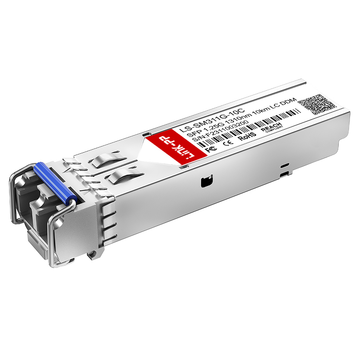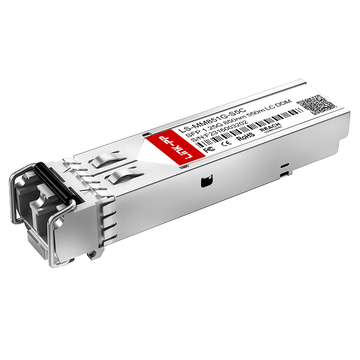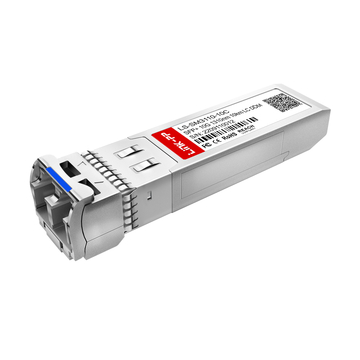
As organizations continue to generate larger volumes of data, network performance has become a critical factor in storage infrastructure design. Synology NAS platforms are widely deployed in business environments for file sharing, backup, virtualization, and centralized data management. To support higher bandwidth requirements and longer transmission distances, many deployments rely on fiber connectivity through Synology SFP and SFP+ interfaces rather than traditional copper networking.
However, selecting a suitable Synology SFP module is not always straightforward. Compatibility can vary depending on the NAS model, network interface card, switch platform, firmware version, and optical specifications. In addition to official transceivers, many organizations also evaluate compatible third-party optics, DAC cables, and Active Optical Cables (AOCs) to meet different deployment requirements. Understanding compatibility considerations is essential for achieving reliable and stable network performance.
This guide explores the most important aspects of Synology SFP compatibility and alternative connectivity options, including:
- The fundamentals of Synology SFP and SFP+ modules
- Key compatibility requirements and verification methods
- Supported speed standards, fiber types, and interoperability factors
- Alternative solutions such as compatible transceivers, DACs, and AOCs
- Common compatibility challenges and troubleshooting approaches
- Best practices for selecting and deploying optical connectivity solutions
- Emerging trends in Synology fiber networking environments
By understanding these topics, administrators can make informed decisions when planning, upgrading, or maintaining Synology-based network infrastructures.
🗜 Understanding Synology SFP Modules
Synology SFP modules provide fiber-based network connectivity for supported Synology devices, enabling higher bandwidth, longer transmission distances, and greater deployment flexibility than many traditional copper connections. Understanding the different module types, supported interfaces, and deployment scenarios is the first step in evaluating Synology SFP compatibility and selecting the most suitable connectivity solution for a specific network environment.
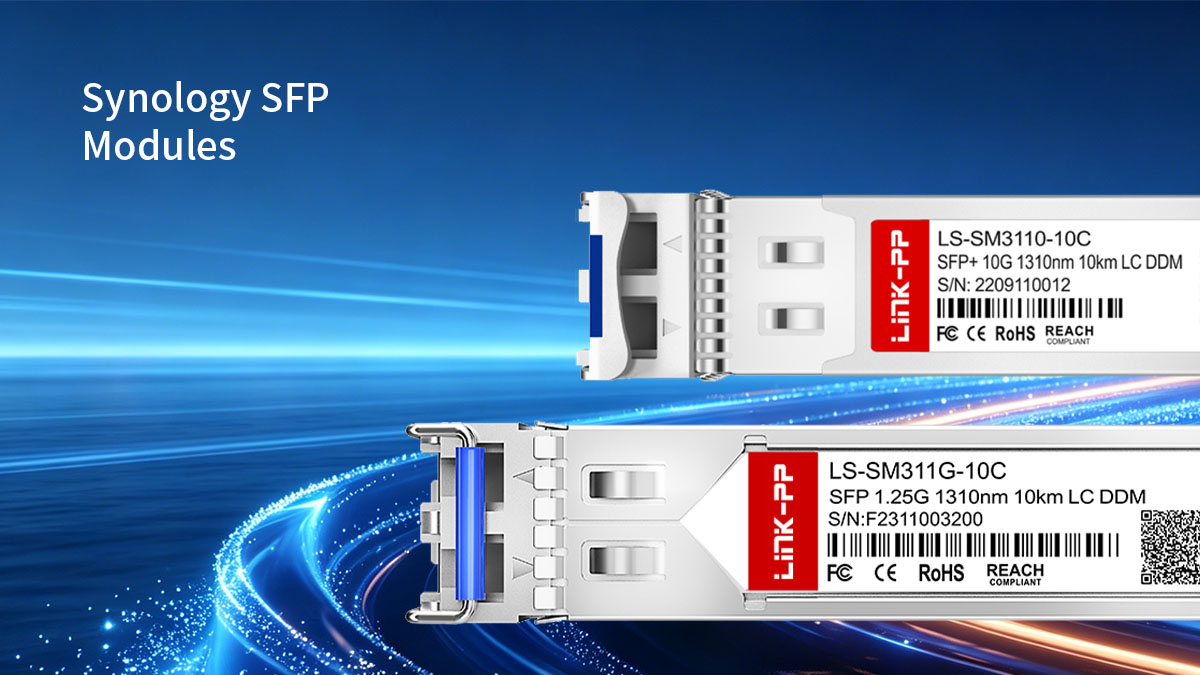
What Is a Synology SFP Module?
A Synology SFP module is a hot-swappable transceiver that allows a Synology device to communicate over optical fiber or copper-based network links. These modules convert electrical signals from the network interface into optical signals for transmission and then convert incoming optical signals back into electrical signals.
A Synology SFP solution typically consists of several key components:
- A compatible Synology NAS, expansion card, or network device
- An SFP or SFP+ transceiver module
- Fiber optic cabling or copper cabling
- A connected switch, server, or storage platform
- Appropriate network management and monitoring tools
Together, these components create a high-speed network connection capable of supporting data-intensive workloads.
Types of Synology-Compatible Optical Modules
Synology-compatible optical modules are available in several categories, each designed for different bandwidth, distance, and infrastructure requirements.
The most commonly used options are summarized below.
| Module Type | Speed | Fiber Type | Typical Reach | Common Use Case |
|---|---|---|---|---|
| SFP | 1Gbps | MMF/SMF | Up to 10km | General network connectivity |
| SFP+ SR | 10Gbps | MMF | Up to 300m–400m | Data center and enterprise LAN |
| SFP+ LR | 10Gbps | SMF | Up to 10km | Campus and long-distance links |
| Copper SFP | 1Gbps | Cat5e/Cat6 | Up to 100m | RJ45 network connections |
| DAC Cable | 10Gbps | Twinax Copper | Up to 7m | Rack-level connectivity |
Actual reach depends on fiber grade and network design.
Common Synology Devices That Support SFP Connectivity
Many Synology products support fiber connectivity either through integrated ports or optional network expansion cards. The exact compatibility depends on the hardware platform and installed network adapters.
Typical Synology platforms that may utilize SFP or SFP+ connectivity include:
- RackStation series
- FlashStation series
- SA Series enterprise storage systems
- Selected DiskStation models with expansion card support
- Synology network interface expansion cards
- Synology business networking products
These devices are often deployed in environments such as:
- Enterprise storage networks
- Virtual machine clusters
- Surveillance storage systems
- Backup repositories
- Hybrid cloud infrastructures
- Departmental data centers
When planning a deployment, administrators should verify three key areas before selecting a Synology SFP module:
- Hardware port compatibility
- Supported transceiver specifications
- Network speed requirements
A thorough understanding of these factors helps ensure that the selected optical module aligns with both current infrastructure needs and future network growth plans.
🗜 Why Synology SFP Compatibility Matters
Synology SFP compatibility is a critical factor in achieving stable, high-performance network connectivity. Even when a transceiver appears to match the required speed and connector type, differences in firmware recognition, coding, optical specifications, and interoperability can affect how the module operates within a Synology environment. Verifying compatibility before deployment helps reduce operational risks, simplifies maintenance, and ensures consistent performance for storage-intensive applications.
Performance and Stability Considerations
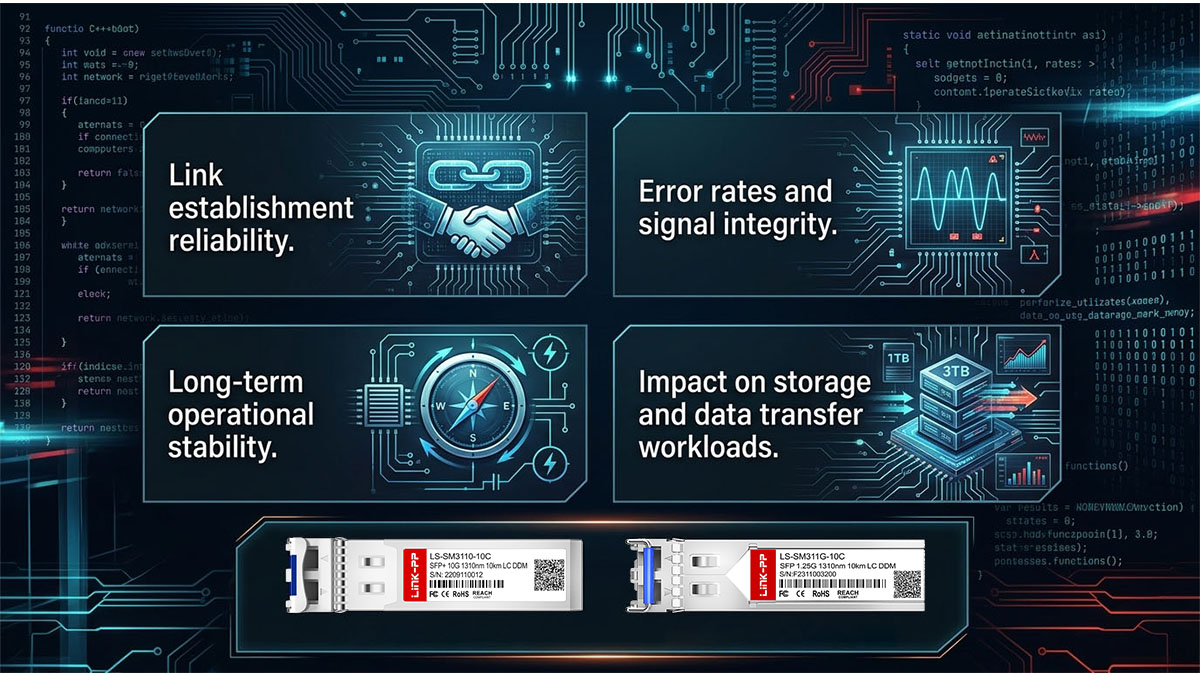
A compatible Synology SFP module should deliver reliable connectivity while maintaining consistent throughput and low error rates. Compatibility issues can negatively impact both network performance and storage operations, especially in environments handling large data transfers or latency-sensitive workloads.
Several performance factors are directly influenced by module compatibility:
- Link establishment reliability during device startup
- Consistent bandwidth utilization at the rated port speed
- Low bit error rates during sustained data transmission
- Stable operation under varying temperature conditions
- Predictable latency characteristics
- Reduced packet loss and retransmissions
These factors become increasingly important in environments such as virtualization clusters, backup platforms, and shared storage systems where network interruptions can affect multiple services simultaneously.
Firmware Recognition and Validation
One of the most common compatibility considerations involves firmware recognition. Many network devices read identification data stored within a transceiver's EEPROM to determine whether the module meets expected requirements.
A Synology device may evaluate several parameters during module initialization:
- Vendor identification information
- Module type and speed capabilities
- Optical specifications
- Diagnostic monitoring support
- Compliance with supported standards
Proper validation helps ensure that the device can correctly identify and communicate with the installed transceiver.
Common areas that influence recognition include:
- Vendor-specific coding
- EEPROM programming accuracy
- Hardware compatibility with network interface cards
- Firmware version alignment
- Support for Digital Optical Monitoring (DOM)
Even when two modules share identical optical specifications, differences in coding or firmware interpretation may affect how they are recognized by the host system.
For this reason, compatibility testing should include both physical connectivity verification and device-level recognition checks.
Operational Risks of Incompatible Modules
Using an incompatible SFP module can introduce a range of operational challenges that may not always appear immediately after installation. Some issues become visible only under sustained workloads or after firmware updates.
The most common risks include:
- Failure to establish a network link
- Intermittent disconnections
- Unexpected port shutdowns
- Reduced transmission performance
- Increased packet errors
- Limited diagnostic visibility
- Inconsistent behavior after system upgrades
These risks can affect critical services that depend on continuous access to storage resources.
The following table summarizes common compatibility-related issues and their potential impact.
| Compatibility Issue | Potential Impact | Operational Consequence |
|---|---|---|
| Module not recognized | Port remains inactive | No network connectivity |
| Incorrect EEPROM coding | Recognition failure | Deployment delays |
| Optical specification mismatch | Unstable link | Increased troubleshooting |
| Unsupported firmware interaction | Intermittent operation | Reduced reliability |
| Fiber-type mismatch | Signal degradation | Performance issues |
| Distance limitation exceeded | Link instability | Data transmission errors |
Understanding these risks allows administrators to take proactive measures during the planning phase rather than troubleshooting problems after deployment.
🗜 Synology SFP Compatibility Matrix Overview
Synology SFP compatibility depends on multiple factors, including port speed, transceiver type, fiber infrastructure, and interoperability with connected network equipment. While many optical modules follow industry-standard specifications, successful deployment requires matching the transceiver to both the Synology platform and the broader network environment. Understanding the main compatibility categories helps administrators avoid common deployment issues and select appropriate connectivity solutions for current and future requirements.
Supported Speed Standards
The first compatibility factor to verify is port speed. A Synology device can only operate at speeds supported by its network interface hardware, regardless of the capabilities of the installed transceiver.
The following table provides a general overview of common speed standards used in Synology networking environments.
| Speed Standard | Module Type | Typical Applications |
|---|---|---|
| 1Gbps | SFP | General NAS connectivity, branch offices, backup networks |
| 10Gbps | SFP+ | High-performance storage, virtualization, media workflows |
| 25Gbps* | SFP28 | Enterprise-scale storage and advanced data center deployments |
Support depends on the specific hardware platform and network adapter.
Understanding speed compatibility is important because not all optical modules support automatic speed negotiation across different standards.
Fiber Type Compatibility
Selecting the correct fiber type is equally important because the optical transceiver, cabling infrastructure, and transmission distance must all work together as a complete system.
The following table summarizes the most common fiber options used with Synology SFP deployments.
| Fiber Type | Typical Reach | Common Optical Modules |
|---|---|---|
| Multimode Fiber (MMF) | Up to several hundred meters | SFP SX, SFP+ SR |
| Single-Mode Fiber (SMF) | Several kilometers to tens of kilometers | SFP LX, SFP+ LR |
Fiber selection directly influences network design, deployment cost, and transmission distance.
Network Equipment Interoperability
A Synology SFP deployment rarely operates in isolation. In most environments, the transceiver must communicate successfully with switches, routers, servers, storage systems, and other network devices from multiple vendors.
Interoperability is therefore a major component of compatibility planning.
Common connection scenarios include:
- Synology NAS to enterprise switch
- Synology NAS to top-of-rack switch
- Synology storage to virtualization host
- Synology backup server to core network infrastructure
- Synology systems within multi-vendor data centers
Several interoperability factors should be reviewed before installation:
- Supported optical standards on both devices
- Matching speed configurations
- Vendor coding requirements
- DOM support expectations
- Auto-negotiation behavior where applicable
- Firmware compatibility between connected platforms
The table below outlines some typical interoperability considerations.
| Connection Type | Primary Compatibility Focus | Key Verification Area |
|---|---|---|
| Synology to Switch | Module recognition | Vendor coding support |
| Synology to Server | Speed matching | Interface compatibility |
| Synology to Storage Platform | Signal integrity | Optical specification alignment |
| Multi-Vendor Environment | Cross-platform operation | Interoperability testing |
Successful interoperability depends on more than simply matching connector types. Administrators should verify that both ends of the link support the same optical standards, speed requirements, and operational parameters.
🗜 How to Verify Synology SFP Compatibility
Verifying Synology SFP compatibility requires more than checking whether a transceiver physically fits into a port. Administrators should confirm hardware support, optical specifications, firmware recognition, and real-world interoperability before deployment. A systematic validation process helps prevent connectivity issues, reduces troubleshooting time, and ensures that the selected module performs reliably within the intended network environment.
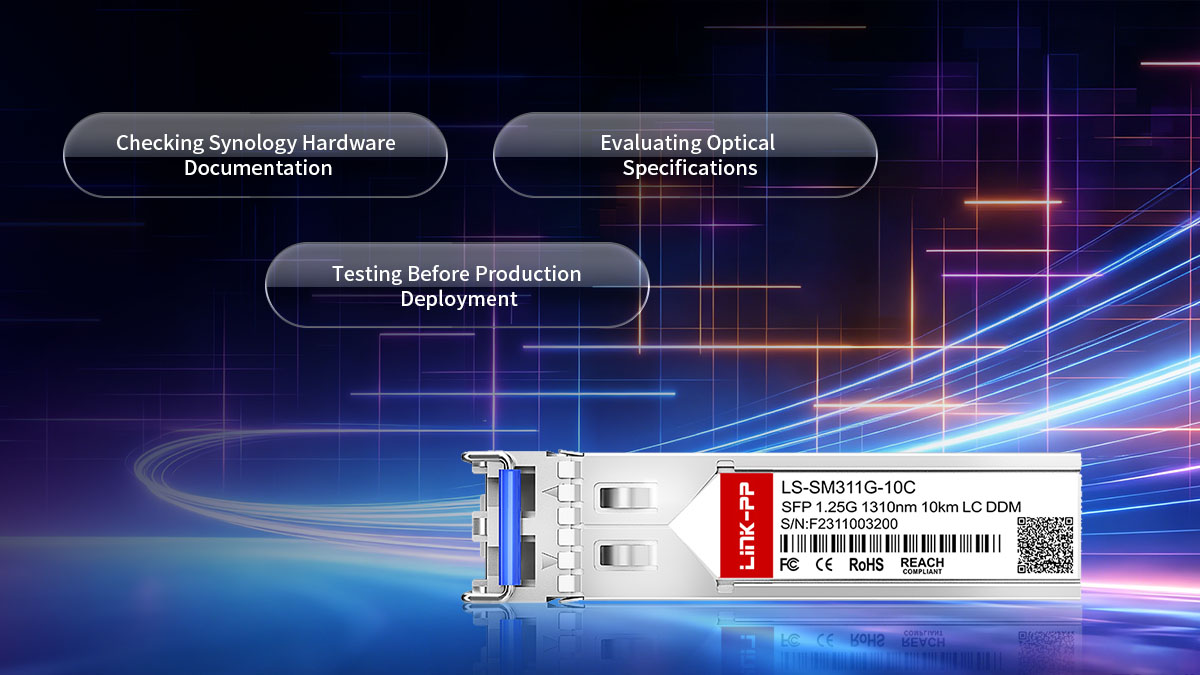
Checking Synology Hardware Documentation
The most reliable starting point for compatibility verification is the official hardware documentation associated with the Synology device and any installed network expansion cards. These resources typically define supported interface types, speed capabilities, and recommended transceiver specifications.
Before selecting a Synology SFP module, administrators should review the following documentation sources:
- Product datasheets
- Hardware installation guides
- Network interface card specifications
- Compatibility lists
- Firmware release notes
- Technical support documentation
The table below highlights the key information typically found in each resource.
| Documentation Source | Information Provided | Verification Purpose |
|---|---|---|
| Product Datasheet | Port types and supported speeds | Confirm hardware capabilities |
| Hardware Guide | Installation requirements | Verify physical compatibility |
| Compatibility List | Supported transceivers | Reduce deployment risk |
| Firmware Release Notes | Module support updates | Identify compatibility changes |
| Network Card Documentation | Adapter-specific requirements | Validate expansion card support |
Documentation review should focus on three critical questions:
- Does the device support SFP, SFP+, or both?
- What network speeds are officially supported?
- Are there specific transceiver requirements or restrictions?
Answering these questions early in the planning process helps eliminate unsuitable module options before procurement or deployment.
Evaluating Optical Specifications
Once hardware compatibility is confirmed, the next step is to verify that the optical characteristics of the transceiver match the network infrastructure.
Several optical parameters must align correctly for a stable connection.
Key specifications to evaluate include:
- Operating wavelength
- Supported transmission distance
- Fiber type compatibility
- Connector type
- Optical power budget
- Speed rating
The following table summarizes common optical characteristics used in Synology SFP environments.
| Module Type | Wavelength | Fiber Type | Typical Reach |
|---|---|---|---|
| SFP 1G SX | 850nm | MMF | Up to 550m |
| SFP 1G LX | 1310nm | SMF/MMF* | Up to 10km |
| SFP+ 10G SR | 850nm | MMF | Up to 300m–400m |
| SFP+ 10G LR | 1310nm | SMF | Up to 10km |
Distance may vary depending on fiber infrastructure and deployment conditions.
Testing Before Production Deployment
The most effective way to confirm Synology SFP compatibility is through practical testing before moving equipment into production. Laboratory validation or pilot deployment testing can identify issues that may not be apparent from specifications alone.
A comprehensive testing process should include both hardware recognition and operational performance validation.
Recommended validation steps include:
- Install the transceiver and confirm device recognition.
- Verify successful link establishment.
- Check negotiated speed and interface status.
- Perform sustained throughput testing.
- Monitor link stability over time.
- Review error counters and diagnostic data.
- Validate interoperability with connected equipment.
The following table outlines common test categories and their objectives.
| Test Category | Purpose | Expected Result |
|---|---|---|
| Recognition Test | Verify module detection | Module identified correctly |
| Link Test | Confirm connectivity | Stable active link |
| Throughput Test | Measure performance | Expected bandwidth achieved |
| Stability Test | Validate long-term operation | No unexpected disconnects |
| Error Analysis | Detect signal issues | Minimal or zero transmission errors |
| Interoperability Test | Confirm multi-vendor operation | Consistent communication |
Testing should ideally be conducted under conditions similar to the intended production environment. This includes using the same switch models, fiber infrastructure, firmware versions, and workload patterns whenever possible.
🗜 Popular Alternatives to Official Synology SFP Modules
Synology environments are not limited to official optical transceivers. In many deployments, administrators evaluate alternative connectivity options to meet requirements such as cost efficiency, multi-vendor interoperability, flexible cabling, and different distance or speed scenarios. These alternatives include third-party compatible SFP modules, DAC cables, and Active Optical Cables (AOCs), each serving distinct roles in Synology-based network architectures.
Third-Party Compatible Optical Transceivers
Third-party compatible SFP modules are widely used alternatives to official Synology-branded optics. These modules are designed to match IEEE and MSA standards while using compatible EEPROM coding so that Synology devices can recognize and operate them correctly.
In practice, these modules are often used in enterprise environments where multi-vendor networking is common and flexibility is required across different switch and storage platforms.
Key characteristics of third-party compatible transceivers include:
- Standard-based optical design aligned with industry specifications
- Compatibility with Synology SFP and SFP+ ports when properly coded
- Availability across multiple speed and distance options
- Support for multimode and single-mode fiber infrastructures
- Broad interoperability across networking vendors
Before deployment, several validation points should be considered:
- Ensure correct coding for Synology device recognition
- Confirm support for required speed (1Gbps or 10Gbps)
- Match optical wavelength with existing fiber infrastructure
- Verify DOM (Digital Optical Monitoring) support if required
- Test interoperability with connected switches
A properly validated third-party transceiver can provide performance equivalent to official modules while offering greater flexibility in sourcing and deployment planning.
DAC Cables as an Alternative
Direct Attach Copper (DAC) cables are a practical alternative for short-distance Synology SFP connections, particularly in rack-mounted or data center environments. Instead of using separate transceivers and fiber cables, DAC solutions integrate both ends into a single fixed assembly.
DAC cables are commonly used in:
- Rack-to-rack server connections
- Top-of-rack switch to NAS links
- High-density storage clusters
- Short-range 10Gbps interconnects
Their primary advantages include:
- Lower latency compared to optical solutions
- Reduced power consumption
- Simplified installation with fewer components
- Cost efficiency for short-range links
- High reliability in controlled environments
Typical DAC deployment parameters can be summarized as follows:
| Cable Type | Speed | Maximum Reach | Use Case |
|---|---|---|---|
| Passive DAC | 10Gbps | Up to 3–7m | Short rack connections |
| Active DAC | 10Gbps | Up to 10m | Extended rack or adjacent racks |
While DAC cables offer strong performance for short distances, they are not suitable for long-range connectivity or environments requiring flexible fiber routing.
Active Optical Cables (AOC)
Active Optical Cables combine optical transceivers and fiber cabling into a single integrated unit. Unlike DAC cables, AOCs convert electrical signals to optical signals, enabling longer reach while maintaining a simplified deployment model.
AOCs are typically used in:
- Medium-distance data center connections
- High-bandwidth storage networking
- Inter-rack Synology deployments
- Environments requiring lightweight fiber management
Key benefits of AOCs include:
- Longer reach compared to DAC solutions
- Lightweight and flexible cabling design
- Built-in transceiver optimization
- Reduced risk of connector contamination
- Consistent optical performance across the cable
A comparison of typical short-to-medium range alternatives is shown below:
| Solution Type | Medium | Typical Reach | Key Strength |
|---|---|---|---|
| DAC Cable | Copper | Up to 7–10m | Low latency, cost efficiency |
| AOC | Optical | Up to 100m+ | Flexible distance and lightweight design |
| SFP + Fiber | Optical | Up to 10km+ | Maximum scalability and reach |
Each alternative serves a specific deployment scenario, and selection depends on balancing distance requirements, installation complexity, and infrastructure design.
🗜 Synology SFP vs Third-Party Compatible Transceivers
Choosing between official Synology SFP modules and third-party compatible transceivers is a common decision point in Synology-based network design. Both options can operate in similar hardware environments, but they differ in validation behavior, interoperability flexibility, and deployment strategy. Understanding these differences helps ensure stable performance while aligning with infrastructure requirements and operational preferences.

Feature Comparison
Official Synology SFP modules are designed to work seamlessly within Synology ecosystems, while third-party compatible transceivers are engineered to follow industry standards and extend compatibility across multi-vendor environments.
The key differences can be summarized as follows:
| Feature | Official Synology SFP | Third-Party Compatible Transceiver |
|---|---|---|
| Device Recognition | Fully validated for Synology platforms | Depends on coding and compatibility |
| Interoperability | Optimized within Synology ecosystem | Broad multi-vendor compatibility |
| Optical Standards | Strictly defined configurations | IEEE/MSA standard-based flexibility |
| Model Availability | Limited selection | Wide range of speeds and formats |
| Deployment Flexibility | Synology-focused environments | Mixed infrastructure environments |
Official modules prioritize predictable behavior within Synology systems, while compatible transceivers offer broader deployment flexibility across different network architectures.
Performance Comparison
From a performance perspective, both official and compatible transceivers can deliver similar results when properly matched to network requirements. Performance differences typically arise not from optical design itself, but from implementation quality, firmware recognition, and interoperability consistency.
Key performance factors include:
- Signal integrity over distance
- Link stability under sustained workloads
- Error rate behavior during peak traffic
- Thermal performance in dense deployments
- Consistency across firmware versions
A comparative overview is shown below:
| Performance Aspect | Official Synology SFP | Third-Party Compatible Transceiver |
|---|---|---|
| Link Stability | Highly consistent in Synology systems | Stable when properly validated |
| Throughput Performance | Predictable under supported configs | Comparable with correct specifications |
| Error Handling | Fully aligned with firmware behavior | Depends on implementation quality |
| Environmental Tolerance | Tested within Synology specs | Varies by manufacturer |
In real-world deployments, properly validated third-party modules often achieve performance levels comparable to official options, particularly in standard enterprise workloads such as file sharing, backup, and virtualization storage traffic.
Long-Term Maintenance Considerations
Beyond initial deployment, long-term operational factors play a significant role in deciding between official and compatible transceivers. These factors affect lifecycle management, scalability, and infrastructure consistency.
Important considerations include:
- Firmware updates and system upgrades
- Inventory standardization across multiple sites
- Replacement and spare part availability
- Multi-vendor lifecycle alignment
- Troubleshooting complexity in mixed environments
Maintenance implications can be summarized as follows:
- Official modules offer simpler lifecycle alignment within Synology ecosystems.
- Third-party compatible modules provide broader sourcing options and flexibility.
- Mixed deployments may require additional validation during firmware upgrades.
- Standardization decisions can reduce long-term operational overhead.
Administrators often evaluate these factors during infrastructure planning rather than during initial installation, since long-term maintainability has a greater impact on operational efficiency than short-term deployment convenience.
🗜 Common Compatibility Challenges and Solutions
Synology SFP deployments generally follow industry standards, but real-world environments often introduce compatibility challenges that are not immediately obvious during planning. These issues typically arise from mismatched specifications, firmware behavior, fiber infrastructure conditions, or cross-vendor interoperability differences. Understanding common problems and their corresponding solutions helps ensure stable and predictable network performance.
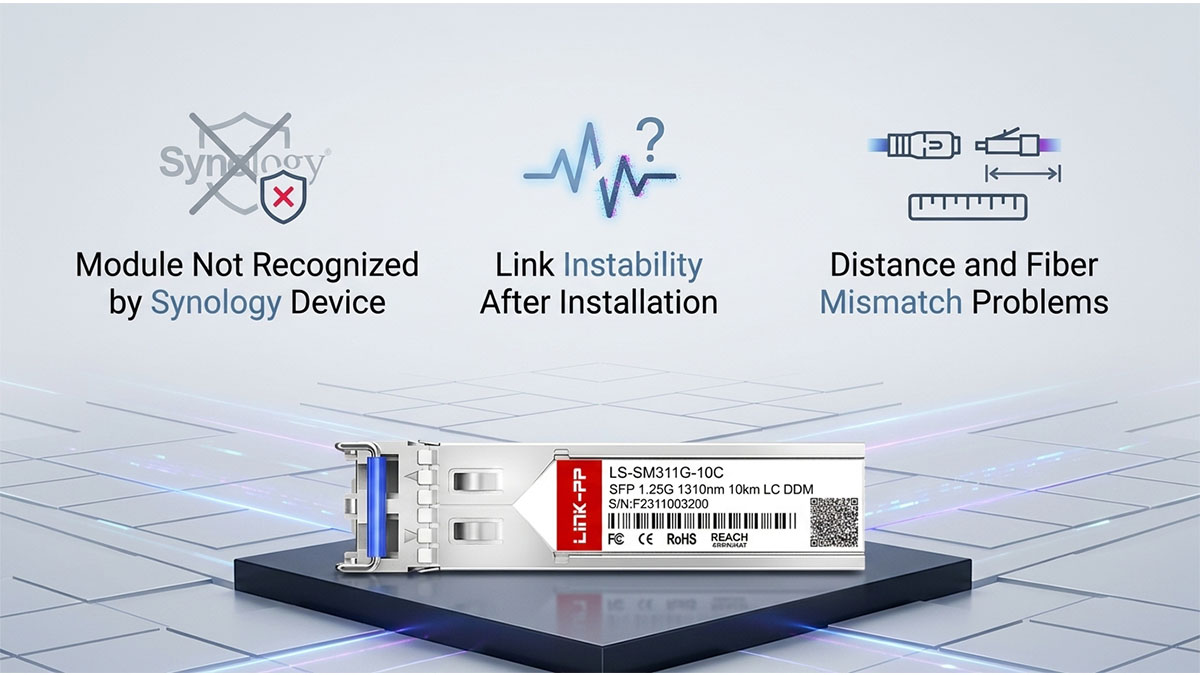
Module Not Recognized by Synology Device
One of the most frequently encountered issues is when a Synology system fails to recognize an installed SFP module. In this situation, the port may remain inactive, or the system may report an unsupported transceiver warning.
This issue is usually related to identification and firmware-level validation rather than physical incompatibility.
Common causes include:
- Incorrect EEPROM coding in the transceiver
- Unsupported vendor identification string
- Firmware restrictions on certain module types
- Outdated Synology system firmware
- Incompatibility with specific network expansion cards
A structured troubleshooting approach is typically required to resolve recognition failures.
Key resolution steps include:
- Verify module coding matches Synology-supported profiles
- Update Synology DSM and device firmware to the latest stable version
- Re-seat the transceiver and restart the network interface
- Test the module in an alternative compatible device
- Replace with a validated compatible model if necessary
After applying these steps, most recognition issues can be isolated to either coding mismatches or firmware limitations.
Link Instability After Installation
Another common challenge is unstable network connectivity after successful initial link establishment. The connection may fluctuate, drop intermittently, or degrade under load, even though the module appears to be functioning correctly.
This type of issue is often related to physical layer or signal quality conditions.
Typical contributing factors include:
- Dirty or improperly seated fiber connectors
- Excessive optical attenuation over distance
- Poor quality or damaged fiber cabling
- Mismatch between transceiver and fiber type
- Inconsistent optical power levels between endpoints
To address link instability, the following corrective actions are recommended:
- Inspect and clean all fiber connectors using proper cleaning tools
- Verify correct fiber type alignment (MMF vs SMF)
- Check cable distance against transceiver specifications
- Replace damaged or low-quality fiber cables
- Monitor optical power levels using DOM data if available
Once physical layer issues are corrected, link stability typically improves significantly without requiring hardware replacement.
Distance and Fiber Mismatch Problems
Distance and fiber mismatches occur when the optical transceiver specifications do not align with the physical cabling infrastructure. This issue is particularly common in environments where legacy fiber systems are reused or mixed with newer equipment.
Typical mismatch scenarios include:
- Using single-mode transceivers on multimode fiber
- Exceeding maximum supported transmission distance
- Incorrect wavelength pairing between endpoints
- Mixing incompatible optical modules in the same link
The following table summarizes common mismatch types and their operational impact:
| Mismatch Type | Cause | Impact |
|---|---|---|
| Fiber Type Mismatch | MMF vs SMF misalignment | Signal loss or no link |
| Distance Exceeded | Over-length cabling | Intermittent connectivity |
| Wavelength Mismatch | Incompatible optics pairing | Link failure |
| Mixed Module Types | Different optical standards | Unstable performance |
Addressing these issues requires careful validation of both infrastructure and transceiver specifications before deployment.
🗜 Best Practices for Selecting Synology SFP Alternatives
Selecting suitable alternatives to official Synology SFP modules requires careful planning across performance, compatibility, and long-term operational requirements. While third-party transceivers, DAC cables, and AOCs can all function effectively in Synology environments, successful deployment depends on aligning technical specifications with real network conditions rather than focusing on a single component in isolation.
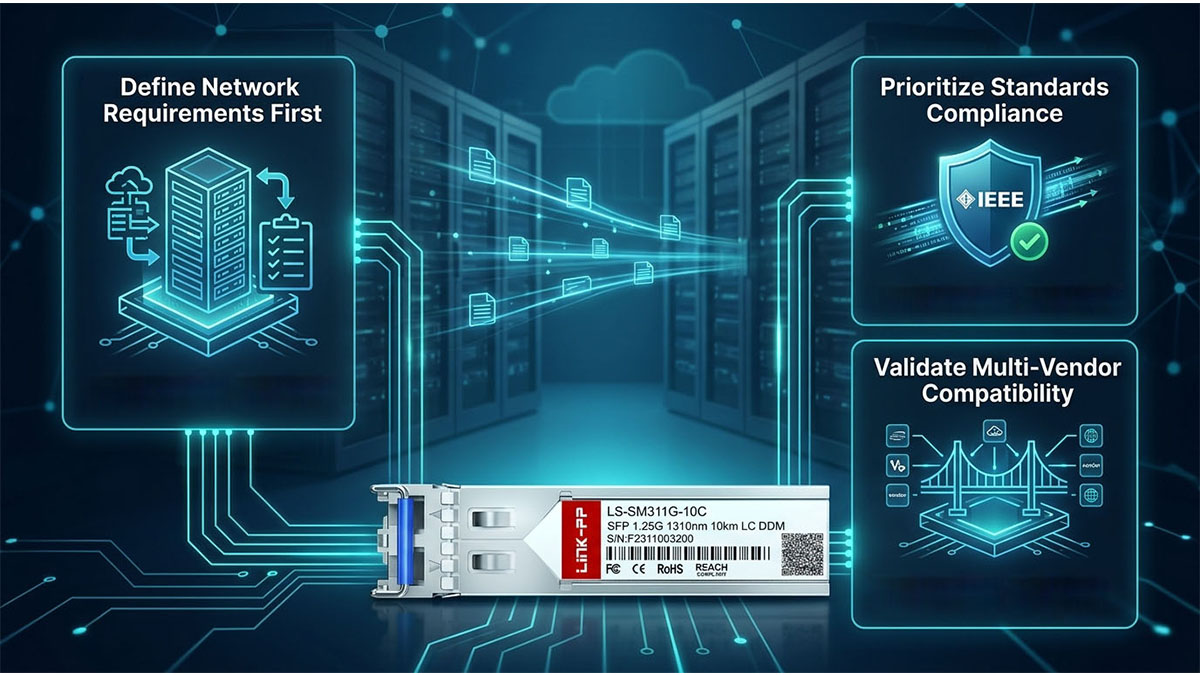
Define Network Requirements First
A clear understanding of network requirements is the foundation for selecting any Synology SFP alternative. Without defining performance and architecture needs in advance, it becomes difficult to choose a solution that remains stable under real workloads.
Key requirements to define include:
- Required link speed (1Gbps, 10Gbps, or higher)
- Expected transmission distance between endpoints
- Network topology (rack-level, campus, or cross-site)
- Application type (backup, virtualization, file services, media workflows)
- Growth expectations for future bandwidth expansion
These requirements directly influence whether a solution such as DAC, AOC, or fiber-based SFP is appropriate.
Prioritize Standards Compliance
Standards compliance plays a central role in ensuring Synology SFP alternatives operate reliably across different environments. Even when using non-official modules, adherence to industry standards significantly improves interoperability and stability.
Key standards-related factors include:
- IEEE Ethernet specifications for speed and signaling
- MSA (Multi-Source Agreement) compliance for SFP form factors
- Optical wavelength alignment with fiber infrastructure
- Power budget compatibility for transmission distance
- Mechanical and electrical interface conformity
A typical compliance-focused evaluation process includes:
- Verifying that transceivers follow SFP or SFP+ specifications
- Confirming optical parameters match deployment requirements
- Ensuring compatibility with existing switches and routers
- Reviewing manufacturer datasheets for certification details
Modules that adhere strictly to established standards are generally easier to integrate into mixed-vendor environments and reduce unexpected interoperability issues.
Validate Multi-Vendor Compatibility
In many real-world deployments, Synology devices operate within heterogeneous networks that include switches, routers, servers, and storage systems from multiple vendors. Ensuring compatibility across these platforms is essential when selecting alternative SFP solutions.
Key validation steps include:
- Testing transceivers with both Synology and switch platforms
- Confirming consistent link behavior across different vendors
- Verifying support for auto-negotiation and link detection
- Checking firmware behavior under cross-platform operation
- Conducting pilot deployment in representative environments
The following table summarizes key validation focus areas:
| Validation Area | Purpose | Expected Outcome |
|---|---|---|
| Cross-device testing | Confirm interoperability | Stable link across platforms |
| Firmware behavior check | Identify compatibility issues | No unexpected disconnects |
| Speed consistency test | Verify performance alignment | Stable throughput |
| Multi-switch validation | Ensure network scalability | Uniform behavior across switches |
When multi-vendor compatibility is validated properly, administrators can deploy alternative SFP solutions with greater confidence in large-scale or distributed network environments.
🗜 Conclusion
Synology SFP connectivity plays a foundational role in building reliable, high-speed storage and networking infrastructures. From basic 1G SFP links to advanced 10Gbps and higher-speed deployments, the choice of optical modules, cabling methods, and compatible alternatives directly influences performance, stability, and long-term scalability. Understanding how compatibility works across hardware, firmware, optical specifications, and multi-vendor environments is essential for avoiding deployment risks and ensuring consistent network behavior.
Across all sections of this guide, several key takeaways consistently emerge:
- Compatibility is determined by more than physical interface matching; firmware recognition and coding also matter
- Optical parameters such as wavelength, distance, and fiber type must align with infrastructure design
- Third-party compatible transceivers, DAC cables, and AOCs can serve as effective alternatives when properly validated
- Interoperability testing across Synology and network equipment reduces long-term operational issues
- Structured verification and planning significantly improve deployment success rates
A practical selection mindset typically involves balancing performance requirements, infrastructure constraints, and long-term maintenance considerations rather than focusing on a single component type.
In real-world deployments, many organizations evaluate standardized and compatible optical solutions from established manufacturers to support consistent performance across mixed networking environments. For example, resources such as the LINK-PP Official Store provide a wide range of optical transceivers and connectivity components designed for multi-vendor interoperability and enterprise networking scenarios. These solutions can help support deployment flexibility while maintaining alignment with common industry standards.