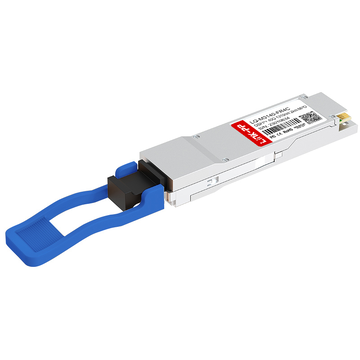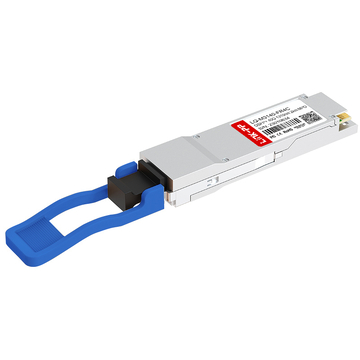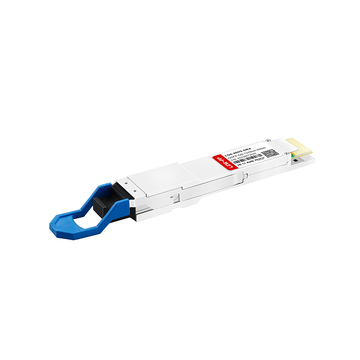
Modern data centers often face the challenge of upgrading network capacity without disrupting existing 10G infrastructure. The QSFPP-4X10GE-LR module provides a straightforward solution by converting one 40G port into four separate 10G connections over long-distance single-mode fiber. This makes it a practical choice for organizations that need higher bandwidth while continuing to rely on established 10G deployments.
The QSFPP-4X10GE-LR is commonly used in networks built with Juniper switches, where 40G to 4x10G breakout helps improve port utilization and reduce hardware costs. By enabling flexible connectivity and efficient scaling, this module supports gradual network upgrades and simplifies the transition from legacy architectures to higher-speed environments.
✳️ Why Is QSFPP-4X10GE-LR Still Popular for 40G to 4x10G Breakout
The QSFPP-4X10GE-LR module remains a popular choice for organizations seeking to break out a 40G port into four separate 10G links due to its cost-efficiency, scalability, and compatibility with Juniper switches. This module facilitates the continued use of existing 10G infrastructure while supporting high-speed 40G connections, making it a practical solution for modern networking environments.

Why Enterprises Still Use 4x10G Instead of Native 40G
Many enterprises continue to use 4x10G setups instead of directly upgrading to native 40G because 10G interfaces are often sufficient for most workloads and applications. This is especially true for organizations with substantial existing 10G infrastructure, where adding 10G connections provides a cost-effective way to meet growing bandwidth demands without needing to replace older equipment. Additionally, 4x10G offers better flexibility for distributing traffic across multiple devices or ports, allowing for more granular control over network resources.
Another reason is the cost difference. 40G hardware and optical transceiver modules can be significantly more expensive compared to 10G solutions, both in terms of initial purchase costs and ongoing maintenance. By using QSFPP-4X10GE-LR, enterprises can benefit from a more budget-friendly approach that still enables them to scale network performance as required, without the need for a complete overhaul of their existing equipment.
Typical Scenarios for 40G to 4x10G Migration
A common scenario for 40G to 4x10G migration occurs in data centers where high-density connections are required, but budget constraints prevent a full shift to 40G. In such cases, the QSFPP-4X10GE-LR allows organizations to use their existing 10G infrastructure while supporting faster 40G connections on a single port. This transition is ideal for network aggregation points, where multiple 10G connections are needed to distribute traffic efficiently across the network.
Another typical scenario involves service providers or enterprises looking to optimize network costs while scaling their operations. In this case, using QSFPP-4X10GE-LR for a breakout solution helps maximize the use of available port resources and improve network bandwidth without requiring the costly investment of additional hardware for 40G. This approach allows for more efficient growth, especially in environments with a need for high port density.
Where Breakout Ports Save Rack Space and Cost
One of the primary advantages of using breakout ports with the QSFPP-4X10GE-LR is the reduction in rack space usage. Rather than installing multiple 10G ports to handle the same amount of traffic, a single 40G port can be split into four 10G ports, which saves valuable space in data center racks. This is particularly important for organizations that are looking to maximize their data center’s capacity without expanding their physical footprint.
Cost savings are also a major factor. Implementing 4x10G breakout solutions using the QSFPP-4X10GE-LR module helps to reduce the number of required 10G modules and cables, leading to lower hardware and maintenance costs. Additionally, using fewer physical devices reduces power consumption and cooling requirements, contributing to overall operational cost savings while maintaining high network performance.
✳️ Which Juniper Switches Support QSFPP-4X10GE-LR
The QSFPP-4X10GE-LR module is compatible with several Juniper switch platforms, including the EX, QFX, and MX series. These platforms allow for efficient 40G to 4x10G breakout, supporting both high-performance environments and cost-effective network upgrades.
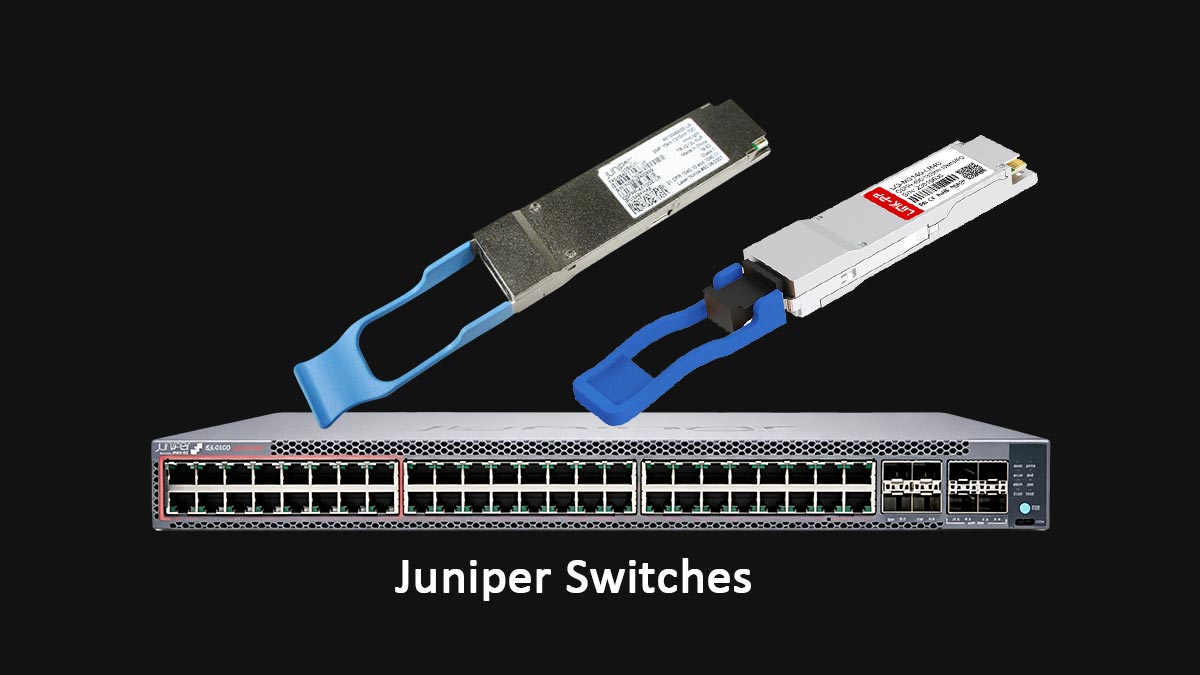
Supported EX, QFX, and MX Series Platforms
Juniper’s EX, QFX, and MX families each include models that recognize and fully utilize the QSFPP-4X10GE-LR optical module. Support depends on the physical port capability and the installed Junos version.
- EX Series: Models such as EX4400, EX4650, and EX9204 are widely used for 4x10G breakout deployments. These switches enable cost-effective aggregation with flexible uplink options.
- QFX Series: Core and spine switches, including QFX5230 and QFX10002, support 40G-to-4x10G breakout, making them ideal for high-density leaf–spine topologies.
- MX Series: Select service routers such as MX240, MX480, and MX960 support QSFPP-4X10GE-LR on their 40G MIC or MPC line cards, particularly useful for carrier and metro aggregation layers.
How to Check Compatibility Before Purchase
Before purchasing a QSFPP-4X10GE-LR module, it is important to confirm that your Juniper switch model supports it. Compatibility can be checked through several methods:
- Consulting the Juniper Documentation: Always refer to the official product documentation to ensure your switch model is listed as compatible with the QSFPP-4X10GE-LR. This is the most reliable source for compatibility information.
- Checking the Hardware Compatibility Matrix: Juniper provides a detailed hardware compatibility matrix on their website, where you can search for the specific switch model and confirm whether the module is supported.
- Using Junos OS Version Requirements: Compatibility may depend on the Junos OS version your switch is running. Ensure that your switch's OS version is up to date to avoid any compatibility issues with the module.
Which Junos Versions Recognize the Module
Not all Junos releases treat breakout configurations the same way. QSFPP-4X10GE-LR functionality generally requires a minimum Junos version that includes enhanced optical transceiver support:
- EX and QFX: Junos OS 18.2R1 or later typically includes full breakout and QSFP+ recognition support.
- MX Routers: Junos OS 15.1F5 and above improve compatibility for MPC-based 40G interfaces and add flexible PIC provisioning for 4x10G split ports.
Upgrading to the recommended Junos release ensures stable module detection, complete CLI configuration access, and accurate optical monitoring through commands like show interfaces diagnostics optics.
✳️ How to Configure QSFPP-4X10GE-LR for 4x10G Breakout on Juniper Devices
Configuring the QSFPP-4X10GE-LR for 40G to 4x10G breakout on Juniper switches involves several steps in the Junos CLI to enable port splitting and mapping. These steps are crucial for ensuring that the switch recognizes the breakout module and configures the associated interfaces correctly.
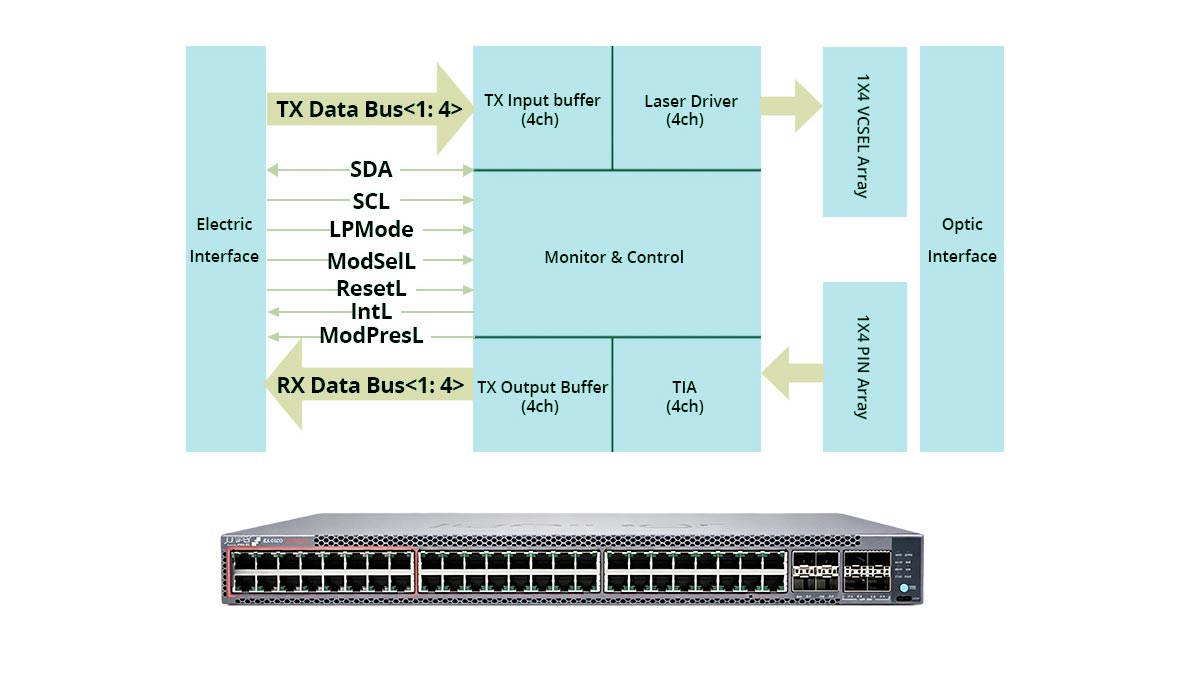
Required CLI Commands for Port Splitting
Before starting, ensure the QSFP+ port supports breakout configuration. The CLI commands below are used to split one 40G port into four 10G links under Junos. You first enable the port-split feature and then commit changes so the system recognizes each sub-interface.
Here’s an example of typical command usage and what each one does:
| CLI Command | Function Description |
| set chassis fpc 0 pic 0 port 1 channel-speed 10g | Sets the port (for example, port 1 on FPC0/PIC0) to 10G channel mode. |
| set chassis fpc 0 pic 0 port 1 port-split 4x10g | Activates the 4x10G breakout configuration on the defined QSFP+ port. |
| commit | Applies configuration and triggers the system to enumerate four logical interfaces. |
| show interfaces terse | match xe | Verifies that four 10G logical ports (xe-0/0/0:0–3) are created. |
How to Convert One 40G Port into Four 10G Interfaces
After enabling port splitting, the Junos operating system registers four individual interfaces under the main QSFP+ port. Each sub-interface behaves like a standalone 10G physical port, which can be configured for access or trunk modes.
For example, if the original port is et-0/0/0, Junos will generate xe-0/0/0:0 through xe-0/0/0:3. Each can be independently assigned IP addresses, VLANs, or LACP links. This conversion provides precise control over network segmentation while maintaining a compact physical footprint.
Recommended Port Naming and Interface Mapping
Proper port naming and mapping help prevent confusion during maintenance and troubleshooting.
Best practices include:
- Use the default Junos naming format (such as xe-0/0/0:0). Avoid custom renaming unless necessary for automation scripts.
- Record port mappings in documentation that matches fiber patch labels and rack layout.
- Group breakout ports logically in configuration templates — for example, maintaining all 4x10G ports within the same VLAN or bundle for easy identification.
Doing so ensures consistent deployment and simplifies monitoring across multiple racks or devices.
How to Verify Breakout Status After Configuration
Once the configuration is applied, it’s crucial to confirm that all interfaces are active and recognized. Administrators typically run the following checks:
- “show interfaces terse” confirms that each sub-interface is up and operational.
- “show interfaces diagnostics optics” displays power levels and confirms the correct optical link status.
- “show chassis hardware” verifies module recognition and firmware-level initialization.
Successful breakout verification ensures that data flows properly across all four 10G lanes.
Typical Errors During Breakout Setup
Breakout errors can occur if the port, module, or Junos version doesn’t fully support the configuration. Common issues include:
- Unsupported Port or FPC: Certain platforms only allow breakout on specific slots or port ranges.
- Incompatible Firmware: Outdated Junos releases may fail to recognize 4x10G sub-interfaces.
- Cable Mismatch: Using a non-MPO or incompatible 4xLC breakout cable can cause link flapping or signal loss.
- Commit Failure: Misconfigured port-split commands may require a full reboot or rollback.
Reviewing hardware guides and verifying compatibility before setup minimizes these risks and ensures smooth deployment in production environments.
✳️ What Fiber and Cabling Does QSFPP-4X10GE-LR Require
To achieve stable 4x10G connectivity with the QSFPP-4X10GE-LR module, proper fiber and cabling selection is critical. This LR (Long Reach) optical transceiver is designed for long-distance, single-mode transmission using MPO-to-LC breakout cables. Choosing the correct fiber type and connector structure ensures signal integrity and maximizes link reliability.
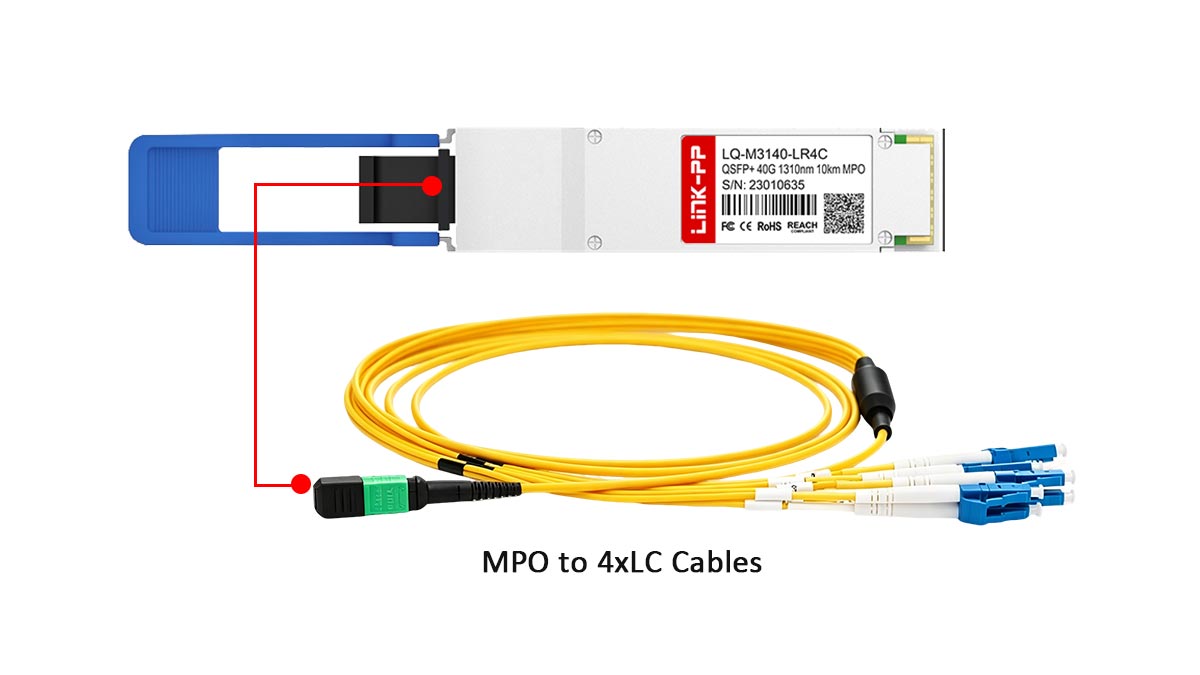
Single-Mode Fiber vs Multimode Fiber
The QSFPP-4X10GE-LR is designed specifically for single-mode fiber (SMF) rather than multimode fiber (MMF). This is because LR optics operate at a wavelength suitable for long-distance transmission, typically around 1310nm, which is optimized for single-mode environments.
Using multimode fiber with this module is not supported and will result in signal loss or link failure. Single-mode fiber allows each of the four 10G channels to transmit over much longer distances with minimal attenuation, making it the only suitable choice for LR deployments.
Why MPO to 4xLC Cables Are Required
The QSFPP-4X10GE-LR uses an MPO interface on the module side, which must be broken out into four separate LC duplex connectors to match standard 10G interfaces. This is why an MPO to 4xLC breakout cable is required.
Each LC connector corresponds to one 10G channel, enabling the 40G port to distribute traffic across four independent links. Without the correct breakout cable, the module cannot properly map optical lanes to individual 10G interfaces, resulting in connectivity issues.
Maximum Distance for Each 10G Channel
Each of the four 10G channels supported by the QSFPP-4X10GE-LR can typically reach distances of up to 10km over single-mode fiber. This makes the module suitable for campus networks, metro links, and data center interconnects where longer reach is required.
It is important to note that all four channels share the same physical module, but each operates independently at 10G. The actual achievable distance may vary depending on fiber quality, connector loss, and overall link design, so proper planning is necessary to maintain stable performance.
How to Avoid Cabling Mistakes in LR Deployments
Cabling errors are a common cause of deployment issues with breakout transceiver modules like the QSFPP-4X10GE-LR. To avoid problems, it is important to ensure correct polarity, proper fiber type, and accurate lane mapping between MPO and LC connectors.
Common best practices include:
- Verify MPO polarity (Type A/B/C) matches both ends of the link.
- Ensure all connections use single-mode fiber, not mixed fiber types.
- Label each LC branch clearly to match the corresponding 10G interface.
- Test each channel individually before full deployment.
By following these practices, network engineers can minimize troubleshooting time and ensure reliable operation of all four 10G links.
✳️ Is Third-Party QSFPP-4X10GE-LR as Reliable as the Original Juniper Module
Third-party QSFPP-4X10GE-LR compatible optical modules have matured significantly in recent years, offering performance and reliability that closely align with OEM standards. When sourced from reputable vendors, these compatible optics can deliver stable operation, seamless interoperability, and long-term durability comparable to original Juniper modules.
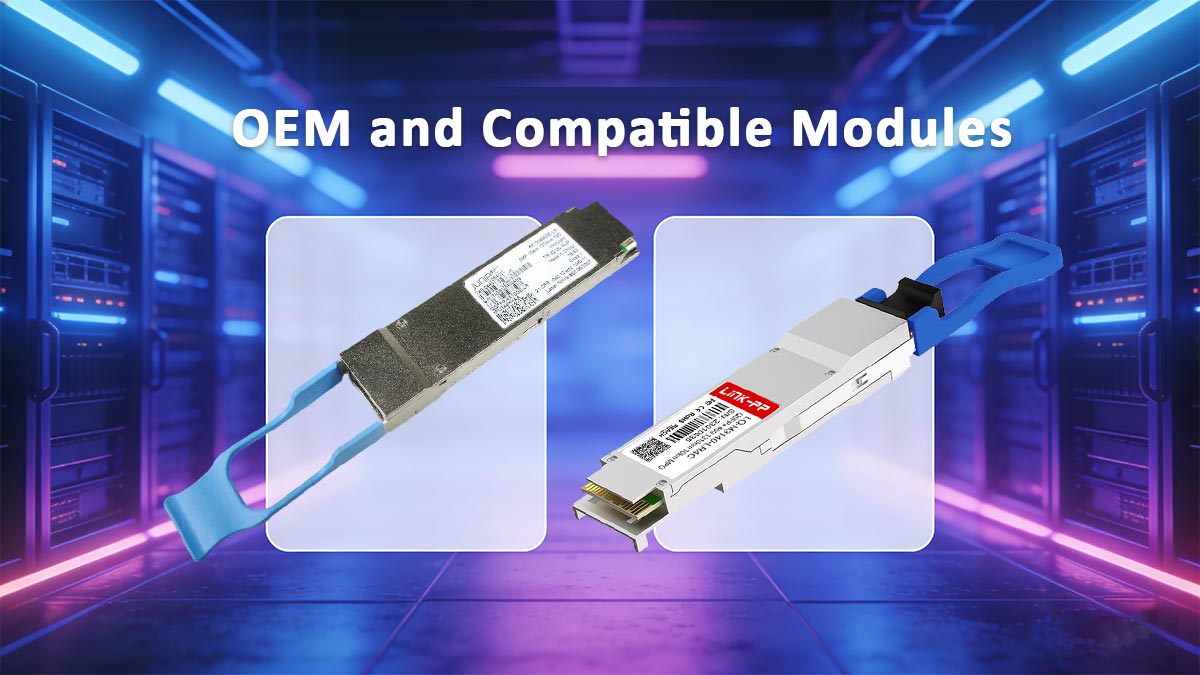
Performance Differences Between OEM and Compatible Modules
High-quality compatible modules today are engineered to meet IEEE and MSA standards, ensuring identical optical and electrical performance to OEM parts. For example, third-party solutions such as the LINK-PP LQ-M3140-LR4C 4x10GBASE-LR offer consistent 10G breakout performance with stable long-range transmission, perfect for data centers and enterprise backbone networks. Many users report no measurable difference in link stability or throughput compared to Juniper-original optics.
Risks of Using Non-Coded Optics
One of the main concerns with third-party QSFP modules lies in compatibility coding. Non-coded or improperly coded optics may not be recognized by Juniper devices, leading to interface errors or unsupported module warnings. However, this risk can be effectively avoided by selecting vendors that provide vendor-specific EEPROM programming, ensuring full compatibility with Juniper switches and routers.
Why Pre-Tested Compatible Modules Matter
Pre-tested modules offer productivity and assurance. Reliable providers perform interoperability testing across Juniper EX, QFX, and MX platforms, confirming plug-and-play operation. This minimizes risk during deployment and ensures that each module works flawlessly under network stress conditions such as high temperature or heavy traffic. The LINK-PP LQ-M3140-LR4C 4x10GBASE-LR transceiver module is pre-tested for multi-platform compatibility, making it ideal for enterprises expanding 40G infrastructure via 4x10G breakout.
How Third-Party Modules Reduce Network Upgrade Costs
Cost efficiency is one of the biggest advantages of third-party optics. Compatible QSFPP-4X10GE-LR modules can significantly lower capital expenditure while maintaining enterprise-grade performance. This makes them especially attractive for large-scale deployments or network expansions, where multiple breakout ports are required. By choosing a trusted solution such as LINK-PP, organizations can achieve a balance between performance, reliability, and budget optimization without compromising network stability.
✳️ Which QSFPP-4X10GE-LR Compatible Module Is the Best Alternative to Juniper OEM
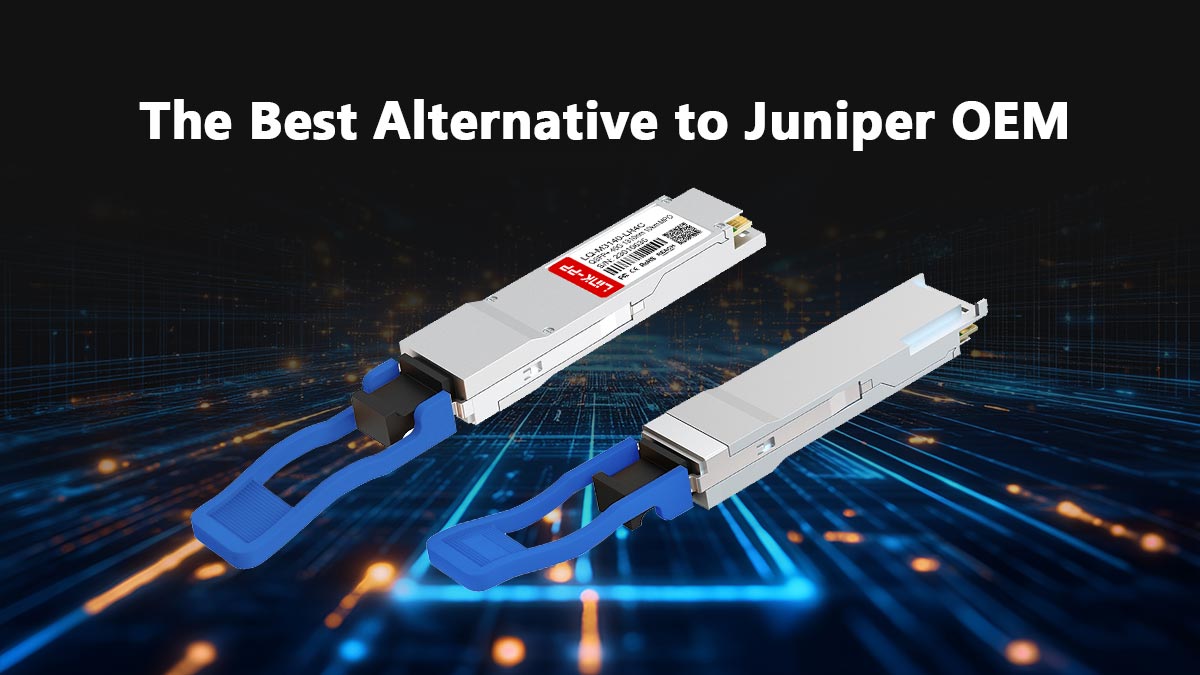
Selecting the right compatible QSFPP-4X10GE-LR module requires more than just price comparison — it’s about ensuring performance, compatibility, and long-term reliability. A carefully chosen third-party module can deliver the same operational confidence as the Juniper OEM while offering cost savings and broader availability.
Key Features to Compare Before Buying
When evaluating different QSFPP-4X10GE-LR compatible modules, it’s important to look beyond price. Several performance and build factors define real-world reliability:
- Optical Reach and Precision: Verify that the module supports 10km transmission over single-mode fiber using standard 1310nm wavelength lasers.
- Material and Build Quality: Metal housings and high-grade PCBs help with heat dissipation and signal integrity.
- Digital Diagnostic Monitoring (DDM/DOM): Ensure the module supports real-time monitoring of optical power and temperature through Junos.
- Compliance Standards: Check for adherence to MSA specifications for QSFP+ modules to guarantee interoperability with Juniper switches.
- Vendor Validation and Warranty: Trusted manufacturers typically conduct multi-platform validation and offer replacement guarantees.
Why Coding and EEPROM Compatibility Matter
EEPROM coding is essential because Juniper devices read module information to validate its type, speed, and vendor compliance. Key points to consider include:
- Correct Vendor ID: Modules with properly coded vendor IDs prevent unnecessary alarms or unsupported module warnings.
- Full EEPROM Programming: Pre-programmed EEPROM ensures that all relevant fields — like wavelength, serial number, and operational limits — are recognized by the Junos OS.
- Plug-and-Play Readiness: Modules with accurate coding reduce configuration time and avoid manual workarounds during installation.
Ensuring coding and EEPROM alignment is critical for a seamless deployment and reliable day-to-day operation.
How to Evaluate Real-World Interoperability
While datasheets reveal technical specs, true reliability emerges in live environments. To measure interoperability, enterprises should focus on three aspects:
- Integration Across Platforms: Test the module on multiple Juniper models (EX, QFX, MX) to verify uniform behavior.
- Performance Stability: Monitor link error rates and optical power margins under continuous traffic for 24 - 48 hours.
- Firmware and Future-Proofing: Confirm that the module performs normally after Junos upgrades or in mixed 40G/10G deployments.
✳️ Where to Buy a Tested QSFPP-4X10GE-LR Compatible Module
Finding the right supplier is just as important as selecting the module itself. A trusted vendor ensures not only product quality but also proper compatibility, testing, and after-sales support. By choosing a reliable source, you can avoid deployment issues and ensure smooth integration into your Juniper network.
What to Look for in a Trusted Supplier
Looking for a trusted supplier goes beyond product listings — it’s about verifying reputation, technical validation, and after-sales reliability. Leading optical suppliers should demonstrate proven experience with Juniper-compatible modules.
When evaluating supplier credibility, consider:
- Compatibility Certification: Vendors should confirm Junos recognition and performance across EX, QFX, and MX switches.
- Test Reports and Batch Validation: Ask for pre-shipment test data confirming signal strength, power levels, and breakout detection.
- Warranty and Support: A strong warranty (often 1 - 3 years) with fast replacement options reflects confidence in product quality.
- Technical Consultation: Reputable companies offer engineering support for breakout configuration and cabling selection.
By focusing on these factors, you can confidently select a supplier that delivers both product quality and service reliability.
Why LINK-PP Is a Reliable Supplier for Juniper-Compatible Modules
Among trusted suppliers, LINK-PP stands out for precise manufacturing and verified interoperability with Juniper equipment. The company’s engineering focus and batch-level inspection process ensure stability under demanding conditions such as data center upgrades and high port density breakout setups.
LINK-PP’s advantages include:
- Certified testing across EX, QFX, and MX Juniper series.
- Advanced EEPROM coding that supports full DOM and error-free port recognition.
- Durable construction rated for long operational life and thermal stability.
- Direct technical support for integration and troubleshooting during installation.
These strengths make LINK-PP a frequently chosen partner for projects requiring dependable optical infrastructure without OEM pricing.
Recommended QSFPP-4X10GE-LR Compatible Module
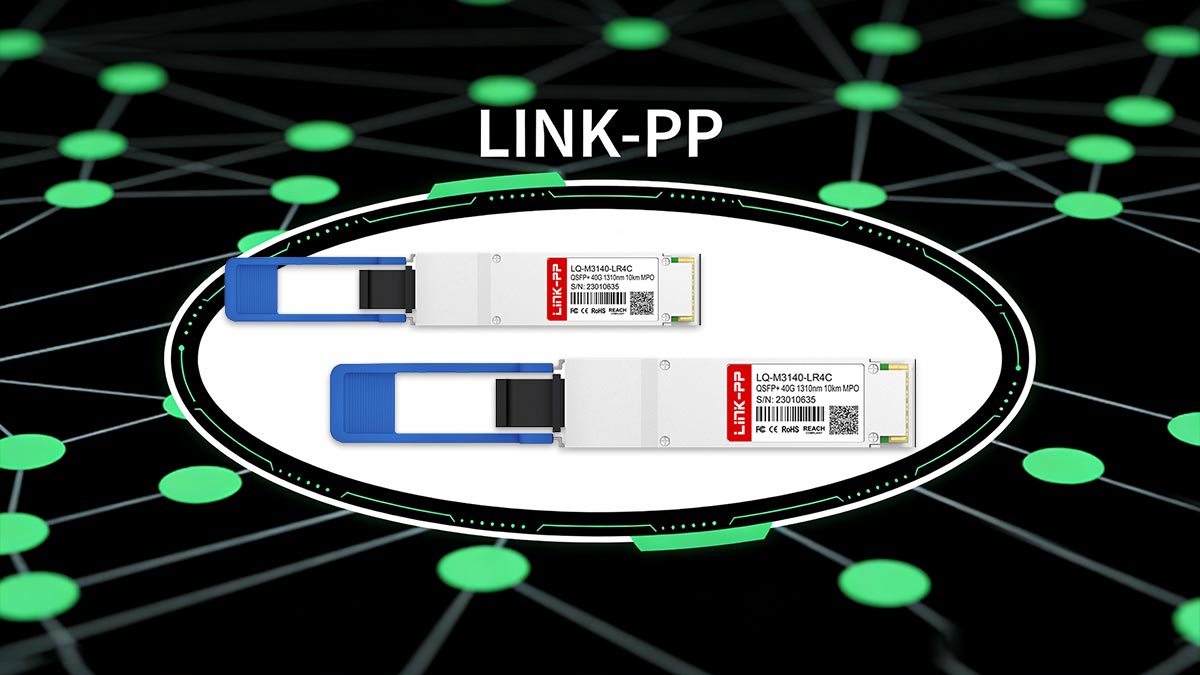
For deployments requiring stable 40G to 4x10G breakout, the LINK-PP LQ-M3140-LR4C 4x10GBASE-LR is a well-suited option. It is designed to support long-distance single-mode transmission while maintaining consistent performance across all four channels.
This module is typically pre-coded for Juniper compatibility and undergoes thorough validation before shipment, enabling plug-and-play installation. Whether used in data centers, enterprise aggregation layers, or network upgrades, it provides a reliable and cost-effective alternative to OEM optics without compromising operational efficiency.
✳️ Building Reliable Infrastructure with Tested QSFPP-4X10GE-LR Compatible Module
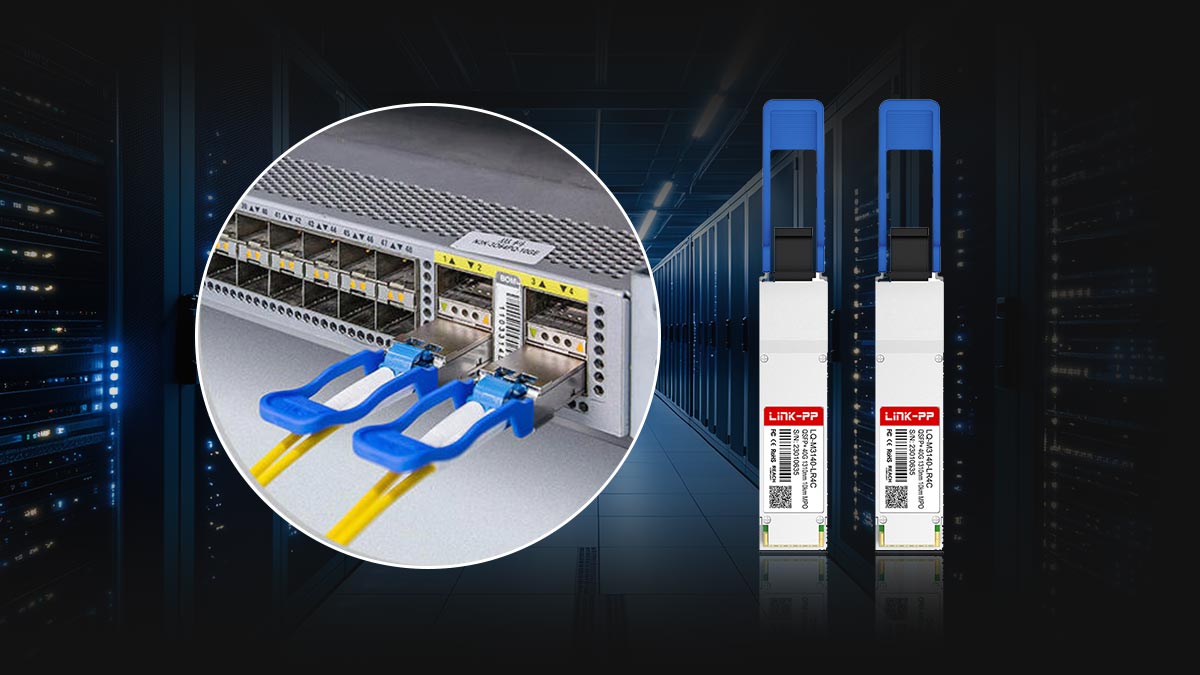
A resilient network is often the result of thoughtful component selection and consistent validation rather than simply choosing between OEM and compatible options. When QSFPP-4X10GE-LR modules are properly tested, accurately coded, and aligned with deployment requirements, they can support stable breakout performance while keeping infrastructure flexible for future scaling. This makes them a practical choice for environments that demand both efficiency and reliability across evolving network architectures.
For organizations looking to streamline procurement without compromising operational consistency, sourcing from experienced vendors becomes a key step in the process. Exploring the LINK-PP Official Store can help you access thoroughly tested QSFPP-4X10GE-LR compatible modules designed to integrate smoothly into Juniper networks, supporting long-term performance and cost-effective expansion.