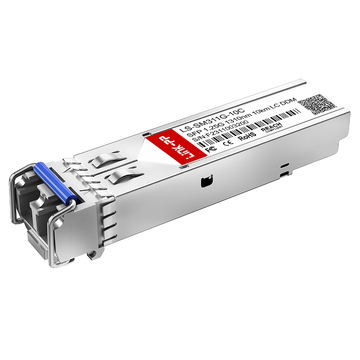
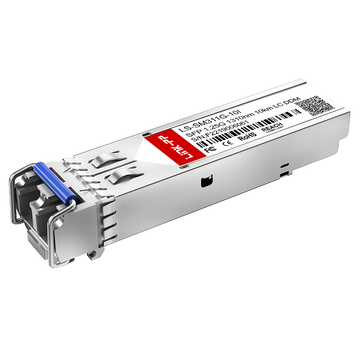
When searching for a reliable 1G fiber uplink solution for Dell switches, the part number Dell 320-2879 is one of the most frequently encountered—and most commonly misunderstood—options. As a 1000BASE-LX SFP transceiver, it is designed to deliver stable Gigabit Ethernet connectivity over fiber, but many buyers still hesitate at the procurement stage due to uncertainty around fiber type (single-mode vs. multimode), switch compatibility, and whether a mode-conditioning patch cord (MCP) is required.
In real-world deployments, these questions are not theoretical—they directly impact whether your link will work reliably or fail during installation. Discussions across IT forums and engineering communities consistently show that users are not just looking for specifications; they want clear, deployment-ready answers:
- Will Dell 320-2879 work with my specific Dell switch?
- Can I use existing multimode fiber infrastructure?
- Is it worth buying the Dell OEM fiber optic SFP module, or should I consider a compatible alternative?
This procurement guide is designed to answer those exact questions with precision. Instead of repeating generic SFP definitions, we focus on practical decision-making—helping network engineers, IT buyers, and system integrators quickly determine whether Dell 320-2879 is the right choice for their environment.
What You’ll Learn in This Guide
By the end of this article, you will clearly understand:
- What the Dell 320-2879 1000BASE-LX SFP transceiver is and where it is used
- Whether it requires single-mode fiber (SMF) or can operate on multimode fiber (MMF)
- How to verify compatibility with Dell switches
- When a mode-conditioning patch cable is necessary
- How to choose between Dell OEM optics and third-party compatible optical modules
If your goal is to avoid compatibility issues, reduce procurement risk, and ensure stable fiber connectivity, this guide will give you the clarity needed to make a confident decision.
🟦 What Is Dell 320-2879?
The Dell 320-2879 is a 1000BASE-LX 1G SFP (Small Form-Factor Pluggable) optical transceiver designed for fiber-based Ethernet connectivity in Dell networking equipment. In practical terms, it is a plug-in optical module that allows a Dell switch or router to transmit data over fiber instead of copper, enabling longer distances, higher signal stability, and reduced electromagnetic interference.
From a technical standpoint, this module operates at a 1310 nm wavelength, uses a duplex LC connector, and supports transmission distances of up to 10 km over single-mode fiber (SMF). It follows the IEEE 802.3z 1000BASE-LX standard, making it interoperable with other compliant Gigabit Ethernet optical interfaces.

How to Understand Dell 320-2879 in Procurement Terms
For procurement teams and network planners, the Dell 320-2879 is not just a spec—it is a deployment decision point. It is typically selected when:
- You need a reliable 1G fiber uplink between switches (e.g., access-to-aggregation or aggregation-to-core)
- Your infrastructure requires medium-distance connectivity (up to 10 km)
- You are working in environments where fiber is preferred over copper due to distance, interference, or existing cabling
- You are maintaining or expanding a Dell-based network ecosystem
In purchasing scenarios, this part number is often used as a reference SKU when:
- Replacing a failed optical module
- Standardizing transceivers across Dell switch deployments
- Comparing OEM Dell optics vs. third-party compatible alternatives
Why This Specific Model Matters
Unlike generic SFP modules, Dell 320-2879 is associated with Dell’s compatibility ecosystem, meaning buyers often prioritize it for assured interoperability and vendor support. However, this also introduces common procurement questions around cost, flexibility, and compatibility with non-Dell-coded optics—topics we will explore later in this guide.
In short, Dell 320-2879 serves as a baseline 1G single-mode optical solution for Dell networks, making it a common and important component in enterprise and data center fiber deployments.
🟦 Dell 320-2879 Specifications and Key Features
Understanding the technical specifications of Dell 320-2879 is critical for making the right procurement decision. This module follows the 1000BASE-LX standard, meaning it is optimized for single-mode fiber transmission over medium distances, while maintaining full compatibility with standard SFP ports.
From a deployment perspective, these specifications directly determine whether the module will work in your environment—especially in terms of fiber type, link distance, and interface compatibility.

Key Features Explained
- 1310 nm Wavelength
The Dell 320-2879 operates at a 1310 nm optical wavelength, which is standard for single-mode fiber (SMF) transmission and enables stable long-distance communication. - 1 Gbps Data Rate (1000BASE-LX)
Supports Gigabit Ethernet (1.25 Gbps line rate), making it ideal for 1G uplinks, aggregation links, and enterprise network backbones. - Duplex LC Connector
Uses a dual LC interface, requiring two fiber strands (Tx/Rx) for full-duplex communication—standard across most enterprise fiber deployments. - Up to 10 km Reach (SMF)
Designed for longer-distance connections up to 10 km over 9/125 µm single-mode fiber, which is significantly beyond copper Ethernet limitations. - Hot-Pluggable SFP Form Factor
Built in a standard SFP (Small Form-Factor Pluggable) format, allowing installation or replacement without powering down the switch, which is essential for maintaining uptime in production networks. - Digital Optical Monitoring (DOM/DDM)
Many compatible versions support real-time diagnostics, such as temperature, voltage, and optical power levels—helpful for troubleshooting and proactive maintenance. - Standards Compliance
Fully compliant with IEEE 802.3z (1000BASE-LX) and SFP MSA, ensuring interoperability across compliant networking equipment.
Dell 320-2879 Specifications Table
| Parameter | Specification |
|---|---|
| Form Factor | SFP (Small Form-Factor Pluggable) |
| Ethernet Standard | 1000BASE-LX (IEEE 802.3z) |
| Data Rate | 1 Gbps (1.25 Gbps line rate) |
| Wavelength | 1310 nm |
| Fiber Type | Single-Mode Fiber (SMF) |
| Max Distance | Up to 10 km |
| Connector Type | Duplex LC |
| Transmission Type | Dual fiber (Tx/Rx) |
| Hot-Pluggable | Yes |
| Digital Diagnostics | Supported (DOM/DDM) |
| Operating Temperature | Typically 0°C to 70°C |
| Compliance | SFP MSA, SFF-8472 |
Why These Specs Matter for Buyers
From a procurement standpoint, these specifications are not just technical details—they are decision criteria:
- If your link distance exceeds 100–300 meters, this module becomes a strong candidate over copper or multimode optics
- If your infrastructure is single-mode fiber-based, this is the correct LX-class transceiver
- If your network requires high availability, the hot-pluggable design minimizes downtime
- If you need monitoring and diagnostics, DOM support adds operational visibility
In short, the Dell 320-2879 is engineered for stable, medium-distance 1G fiber links, making it a standard choice for enterprise and campus network deployments.
🟦 Is Dell 320-2879 Single-Mode or Multimode?
The short and direct answer is: Dell 320-2879 is a single-mode (SMF) transceiver by default.
It is based on the 1000BASE-LX specification, which is designed for long-distance transmission over single-mode fiber (SMF) using a 1310 nm wavelength. In standard deployments, this means the module is intended to run on 9/125 µm SMF with distances of up to 10 km.

Can Dell 320-2879 Work on Multimode Fiber (MMF)?
Yes—but only under specific conditions.
The Dell 320-2879 can operate on multimode fiber (MMF), but this is not its primary design purpose. When used on legacy MMF types such as OM1 or OM2, you typically need a Mode-Conditioning Patch Cord (MCP) to ensure stable signal transmission.
This requirement exists because:
- LX optics use a laser source optimized for SMF, which can cause signal distortion when injected directly into MMF
- Older MMF cables have modal dispersion issues, especially over longer distances
- An MCP cable offsets the laser launch, reducing signal distortion and improving link reliability
Use a mode-conditioning patch cord if:
- You are connecting the Dell 320-2879 to OM1 (62.5 µm) or OM2 (50 µm) multimode fiber
- Your link distance is more than a very short patch (typically >100–200 meters)
- You experience unstable links, high error rates, or link flapping
Practical Procurement Insight
From a buying perspective, this is one of the most critical decision points:
- If your infrastructure is single-mode fiber → Dell 320-2879 is the correct and simplest choice
- If your infrastructure is multimode fiber → you must factor in MCP cables or consider SX optics instead
This is why many deployment issues reported in forums and communities are not caused by the module itself, but by mismatched fiber types or missing MCP cables.
Bottom Line
- Primary use: Single-mode fiber (SMF)
- MMF support: Possible, but requires MCP in most cases
- Best practice: Use SMF whenever possible for predictable performance
Understanding this distinction helps avoid one of the most common and costly mistakes in fiber optic deployments.
🟦 Dell 320-2879 Compatibility Guide for Dell Switches
One of the most important questions during procurement is not just what the module does, but whether it will work reliably in your specific Dell switch. The Dell 320-2879 is designed for Dell networking platforms, but compatibility can be understood on two levels: official (vendor-documented) and field-tested (real-world usage).

Official Compatibility: Dell-Supported Switch Families
According to Dell’s networking transceiver listings, 1000BASE-LX fiber SFP modules like the Dell 320-2879 are supported across a wide range of Dell switch families, including:
- PowerConnect Series
Examples: 27xx, 28xx, 35xx, 54xx, 62xx - PowerConnect 7000 Series
Examples: 7024, 7048, 7024F - PowerConnect 8000 Series
Examples: 8024, 8132 - Force10 / Dell Networking S-Series
Examples: S25, S50, S60 - Dell PowerSwitch N-Series
Examples: N2000, N3000, N4000 - Dell PowerSwitch S-Series (modern)
Examples: S3048-ON, S4048-ON
These platforms are designed to recognize Dell-coded optics, ensuring:
- Seamless plug-and-play operation
- Full Digital Optical Monitoring (DOM) visibility
- Vendor-backed support and firmware compatibility
How to Confirm Compatibility (Before You Deploy)
Even within supported families, it’s critical to validate compatibility at the model and firmware level. Here’s a practical checklist:
- Check Dell’s official transceiver compatibility matrix
Look for 1000BASE-LX or equivalent part numbers (such as updated Dell SKUs replacing 320-2879). - Verify the switch datasheet
Confirm that the SFP ports support 1G SFP modules (not SFP+ modules only). - Review firmware release notes
Some firmware versions may introduce or restrict optic recognition. - Match interface type
Ensure the port is a standard SFP slot, not QSFP28/SFP28. - Check DOM support (if required)
For monitoring environments, confirm that diagnostics are enabled and supported.
Field-Tested Compatibility (Real-World Usage)
In addition to official support, many network engineers report successful deployment of Dell 320-2879 or compatible LX optics in:
- Mixed-vendor environments (Dell + Cisco / HPE / MikroTik)
- Older Dell switches no longer listed in current documentation
- Lab, homelab, and cost-optimized enterprise setups
However, this introduces some variability:
- Some switches may show non-Dell optic warnings
- Certain firmware versions may limit third-party modules
- DOM data may be partially unavailable or inaccurate
OEM vs. Compatible Optics: Compatibility Impact
From a procurement standpoint, compatibility decisions often come down to:
Dell OEM (320-2879):
- Guaranteed compatibility
- Full vendor support
- Higher cost
Third-Party Compatible Modules:
- Lower cost (often significantly)
- Widely used in practice
- Potential risks:
- Warning messages
- Firmware restrictions
- No official Dell support
Common Compatibility Pitfalls to Avoid
- ❌ Using SFP+ ports that do not support 1G fallback
- ❌ Assuming all Dell switches behave the same across firmware versions
- ❌ Ignoring fiber type mismatch (SMF vs MMF)
- ❌ Mixing coded and non-coded optics without testing
Practical Takeaway
- If your priority is stability and support → choose Dell 320-2879 OEM
- If your priority is cost optimization → validated compatible optics are a viable option
- Always verify switch model + firmware + port type before purchasing
By clearly separating official compatibility from field-tested reality, you can make a more informed procurement decision—and avoid costly deployment issues later.
🟦 When Do You Need a Mode-Conditioning Patch Cord?
For many deployments, the biggest hidden risk when using Dell 320-2879 is not the module itself—it’s the fiber type. This is where a Mode-Conditioning Patch Cord (MCP) becomes critical.

Why MCP Exists (The Real Problem)
The Dell 320-2879 is a 1000BASE-LX laser-based transceiver, optimized for single-mode fiber (SMF). When you plug it directly into multimode fiber (MMF)—especially older cabling—the optical signal can behave unpredictably.
This happens because:
- LX modules use a laser (not LED) with a narrow beam
- Legacy MMF (OM1/OM2) has multiple light paths (modes)
- Direct laser injection causes differential mode delay (DMD)
- Result: signal distortion, high bit error rates, or unstable links
An MCP solves this by offsetting the laser launch into the fiber, effectively “conditioning” the signal to behave more like it would in SMF.
When You MUST Use an MCP
You should use a mode-conditioning patch cord if:
- You are connecting Dell 320-2879 to OM1 (62.5 µm) multimode fiber
- You are using OM2 (50 µm) MMF over longer distances
- Your link distance exceeds ~100–200 meters on MMF
- You are deploying in production environments where stability is critical
In these cases, not using an MCP is one of the most common causes of link failure.
When You MIGHT Not Need an MCP
There are limited scenarios where an MCP may not be required:
- Very short MMF links (e.g., in-rack or patch panel connections)
- Newer fiber types such as OM3 or OM4
- Lab or test environments where occasional errors are acceptable
However, even in these cases:
- Performance is not guaranteed
- Results can vary by switch, cable quality, and distance
Real-World Insight from Deployments
Across engineering forums and community discussions, this is one of the most frequently misunderstood issues:
- Many users assume “fiber is fiber” and skip MCP → link instability occurs
- Others switch to MCP → issues are immediately resolved
- Some avoid the problem entirely by choosing SX optics instead of LX for MMF
This makes MCP not just an accessory—but often a deployment requirement.
Procurement Decision Guide
When evaluating Dell 320-2879 for your network:
- Using SMF (9/125 µm)? → No MCP needed (recommended setup)
- Using OM1/OM2 MMF? → MCP required
- Using OM3/OM4 MMF? → Test carefully or consider SX optics
- Not sure about your fiber type? → Verify before purchase
The need for a mode-conditioning patch cord is not optional in many cases—it is a key factor that determines whether your link works at all.
If you remember one rule:
Dell 320-2879 + SMF = simple and reliable
Dell 320-2879 + MMF = requires careful design (often MCP)
Understanding this upfront can save hours of troubleshooting and prevent costly deployment mistakes.
🟦 Dell OEM vs. Compatible Third-Party Alternatives
When procuring the Dell 320-2879, one of the most important decisions is whether to choose the Dell OEM module or a third-party compatible transceiver. This is not just a pricing question—it’s a balance between cost, supportability, and operational risk.

Cost Comparison: Why Third-Party Exists
The most obvious difference is price.
- Dell OEM optics are typically sold at a premium
- Compatible modules can cost 50–90% less, depending on vendor and volume
For example, third-party 320-2879-compatible modules are widely available in the $50–$70 range, while OEM pricing is often significantly higher in enterprise procurement channels.
This price gap is the primary reason many organizations evaluate alternatives—especially when deploying dozens or hundreds of SFPs.
Compatibility and Support: The Real Trade-Off
Dell OEM (Official Modules)
- Guaranteed compatibility with Dell switches
- Full firmware recognition (no warnings)
- Supported by Dell TAC (technical support)
- Higher upfront cost
Dell explicitly designs its switches to recognize and validate certified optics, meaning OEM modules provide the most predictable behavior.
Third-Party Compatible Optics
- Much lower cost
- Often built to MSA standards and tested for Dell compatibility
- May trigger warnings or limited diagnostics
- Not officially supported by Dell
Many third-party modules are pre-programmed to emulate Dell coding and are designed to “initialize and perform identically” to OEM optics in most environments.
Real-World Feedback (Reddit & Community Insights)
Across Reddit and engineering forums, the consensus is nuanced—not black and white.
1. Third-party optics often work reliably
“I use fs.com transceivers in 95% of my gear. No issues.”
“Been using third-party transceivers for years… they just work.”
This reflects a common industry reality: most optics are built on the same underlying hardware ecosystem, regardless of branding.
2. But compatibility can be platform- and firmware-dependent
“Dell only guarantees compatibility with their certified optics… anything else can be hit or miss.”
“Newer Dell switches… trouble regarding compatibility with third-party transceivers.”
This highlights a key risk: newer firmware (especially OS10) may enforce stricter validation rules.
3. Support considerations matter in enterprise environments
“We keep some OEM optics… for TAC reasons.”
If a network issue occurs, vendors may require OEM optics during troubleshooting, even if the root cause is unrelated.
Procurement Risk Breakdown
| Factor | Dell OEM 320-2879 | Third-Party Compatible |
|---|---|---|
| Cost | High | Low |
| Compatibility | Guaranteed | High (but not guaranteed) |
| Firmware Behavior | Fully supported | May vary |
| Vendor Support | Full (Dell TAC) | Limited / none |
| Deployment Risk | Low | Medium |
| Scalability (large deployments) | Expensive | Cost-efficient |
When to Choose OEM vs. Compatible
Choose Dell OEM if:
- You require zero compatibility risk
- Your environment is mission-critical
- You depend on vendor support (TAC cases, SLAs)
- You are using newer Dell switches with strict firmware validation
Choose Third-Party if:
- You need to reduce CapEx significantly
- You are deploying at scale (labs, campuses, ISPs)
- You have validated compatibility in your environment
- You can tolerate minor risks or perform testing
Practical Strategy Used by Many Engineers
A common hybrid approach seen in real deployments:
- Use OEM optics for core/critical links
- Use compatible optics for access or non-critical layers
- Keep a small stock of OEM modules for troubleshooting
This balances cost efficiency with operational safety.
Bottom Line
The decision is not about “OEM vs compatible is better”—it’s about risk tolerance and deployment context:
- OEM = maximum reliability + support
- Compatible = maximum cost efficiency + flexibility
For most buyers of Dell 320-2879, the right answer lies somewhere in between.
🟦 FAQs About Dell 320-2879

1. What connector type does Dell 320-2879 use?
The Dell 320-2879 uses a duplex LC connector, which requires two fiber strands—one for transmit (Tx) and one for receive (Rx).
2. What wavelength does Dell 320-2879 operate at?
It operates at 1310 nm, which is standard for 1000BASE-LX single-mode fiber transmission.
3. What is the maximum supported distance?
The module supports up to 10 km over single-mode fiber (SMF) under standard conditions.
4. Is Dell 320-2879 hot-swappable?
Yes. It uses a hot-pluggable SFP form factor, allowing installation or replacement without powering down the switch.
5. Does Dell 320-2879 support Digital Optical Monitoring (DOM)?
Most Dell OEM and high-quality compatible versions support DOM/DDM, enabling real-time monitoring of parameters like temperature, voltage, and optical power.
6. What is the difference between 1000BASE-LX and 1000BASE-SX?
- 1000BASE-LX (like Dell 320-2879): Uses 1310 nm and is designed for long-distance SMF links (up to 10 km)
- 1000BASE-SX: Uses 850 nm and is optimized for short-distance MMF links (typically up to 550 m)
7. Can Dell 320-2879 be used for data center interconnects (DCI)?
Yes, it is suitable for short to medium-range DCI within campuses or metro environments, especially where 1G bandwidth is sufficient.
8. What should I check before installing Dell 320-2879?
Before installation, verify:
- The port supports 1G SFP modules
- Fiber connectors are clean and properly matched (LC/LC)
- The link budget (distance + loss) is within 10 km specification
9. Is Dell 320-2879 still relevant today?
Yes. While other high-speed transceivers are common, 1G LX modules remain widely used in:
- Legacy network upgrades
- Enterprise access layers
- Industrial and campus networks
10. What is a direct replacement for Dell 320-2879?
Any 1000BASE-LX SFP transceiver (1310 nm, LC, 10 km) that is Dell-compatible coded can serve as a replacement, provided it matches your switch requirements.
🟦 How to Choose the Right Dell 320-2879 Replacement or Equivalent
Selecting the correct replacement for Dell 320-2879 is not just about matching a part number—it’s about ensuring the optical, electrical, and compatibility parameters align with your actual network environment. A mismatch in any one of these factors can lead to link instability, failed deployments, or unnecessary troubleshooting.
Below is a practical procurement checklist used by network engineers and sourcing teams to confidently select the right equivalent module.

Procurement Checklist for Dell 320-2879 Equivalent
1. Wavelength (Critical Matching Parameter)
- Required: 1310 nm
- Why it matters: This defines the optical transmission type and must match the 1000BASE-LX standard
- Avoid mixing with 850 nm (SX) modules unless redesigning the link
2. Transmission Distance (Link Budget)
- Required: Up to 10 km over SMF
- Check: Total fiber length + connector loss + patch panels
- Tip: Always allow margin (1–2 dB) for stable operation
3. Fiber Type (Most Common Failure Point)
- Recommended: Single-Mode Fiber (SMF, 9/125 µm)
- If using MMF:
- Confirm fiber type (OM1/OM2/OM3/OM4)
- Determine if a mode-conditioning patch cord (MCP) is required
- Mismatched fiber = #1 cause of deployment issues
4. Connector Type (Physical Compatibility)
- Required: Duplex LC connector
- Ensure:
- Patch cords are LC-LC
- Proper Tx/Rx polarity is maintained
5. Form Factor and Port Type
6. Vendor Coding (Compatibility Layer)
- Recommended: Dell-compatible coded SFP
- Why it matters:
- Ensures proper initialization in Dell switches
- Avoids warning messages or port shutdowns
- Especially important for newer Dell OS versions (e.g., OS10)
7. Digital Diagnostics (Optional but Valuable)
- Look for: DOM/DDM support
- Benefit: Enables monitoring of optical power, temperature, and voltage
Quick Decision Summary
If your goal is a drop-in replacement for Dell 320-2879, the module must match:
1310 nm + 1G + 10 km + SMF + Duplex LC + Dell-compatible coding
Anything outside this combination increases deployment risk.
Pro Tip for Procurement Teams
When sourcing at scale, always:
- Validate one sample unit before bulk purchase
- Test in your actual switch + fiber environment
- Keep a reference OEM module for benchmarking
This reduces uncertainty and ensures consistency across deployments.
Where to Source a Reliable Compatible Alternative
👉 If you are looking for a cost-effective and deployment-ready alternative to Dell 320-2879, you can explore the LINK-PP Official Store.
LINK-PP provides Dell-compatible 1000BASE-LX SFP transceivers that align with the required specifications, offering a balance between performance, compatibility, and cost efficiency for enterprise and industrial networks.
Final Takeaway
Choosing the right equivalent is not complicated—if you follow a structured checklist.
- ✔ Match the optical standard (1000BASE-LX)
- ✔ Confirm fiber type and distance
- ✔ Ensure Dell compatibility coding
By focusing on these fundamentals, you can confidently deploy a Dell 320-2879 replacement that delivers stable, predictable performance—without unnecessary risk or overspending.