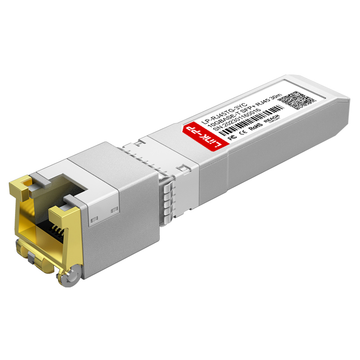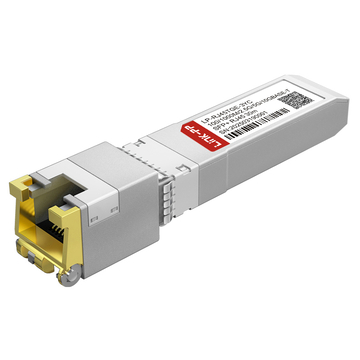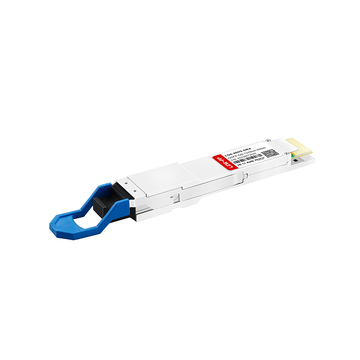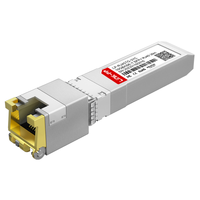
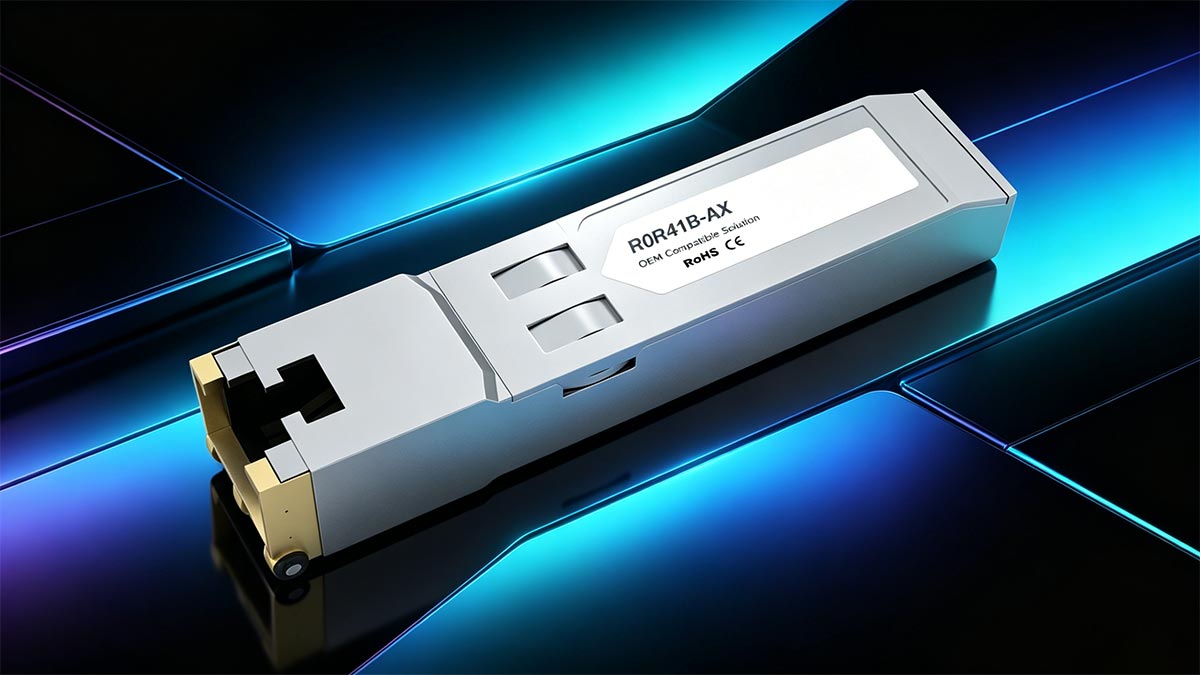
The R0R41B is an official HPE Aruba 10GBASE-T SFP+ to RJ45 transceiver. It is used to convert an optical 10G SFP+ port into a standard copper Ethernet port.
- Distance Limit: Supports a maximum physical distance of 30 meters (98 feet) strictly over Cat6A or Cat7 cabling.
- Thermal Rules: Due to high power consumption (typically ~2.5W), these modules must be spaced out in MSA switch ports. Populating adjacent ports can lead to switch overheating and hardware failure.
- Version Compatibility: It is the direct, 100% compatible replacement for the discontinued R0R41A hardware revision.
For network engineers managing enterprise campuses, data centers, or remote branch offices, bridging the gap between high-speed fiber aggregation switches and copper-based endpoints is a daily reality. Whether you are connecting legacy 10G copper servers, NAS storage arrays, or deploying multi-gigabit Wi-Fi 6/6E access points, the R0R41B 10GBASE-T SFP+ RJ45 Module is often the critical piece of hardware needed to make that connection happen.
However, deploying 10-Gigabit Ethernet over copper via an optical cage is not as simple as plug-and-play. While inserting a transceiver into an MSA (Multi-Source Agreement) switch port seems straightforward, 10GBASE-T modules draw significantly more electrical power than standard fiber optic lasers. Misunderstanding the strict physical limitations of this specific HPE Aruba SKU—particularly its heavy thermal output and hard distance caps—frequently leads to switch temperature panics, intermittently dropped links, and frustrating network downtime.
This comprehensive guide is built on real-world IT engineering experience. Below, we cover everything you need to know about successfully deploying the R0R41B. From mastering the 30-meter Cat6A limitation and managing port density restrictions, to clarifying the exact differences between the R0R41A and R0R41B, this article will ensure your next network upgrade is stable, safe, and fully optimized.
🔴 What is the R0R41B 10GBASE-T SFP+ RJ45 Module?
The R0R41B is a hot-swappable, Multi-Source Agreement (MSA) compliant 10GBASE-T SFP+ to RJ45 transceiver manufactured by HPE Aruba Networking. In simple terms, it is an enterprise-grade adapter engineered to convert an empty optical SFP+ cage on a network switch into a fully functional 10-Gigabit Ethernet copper port.
Its Role in 10GbE Copper Networking
In modern enterprise network architectures, core and aggregation switches are primarily populated with fiber-optic SFP+ interfaces to facilitate low-latency, long-haul data transmission. However, edge and endpoint devices—such as legacy rackmount servers, Network-Attached Storage (NAS) arrays, and high-throughput Wi-Fi 6/6E access points—frequently rely on standard RJ45 copper Network Interface Cards (NICs).
The R0R41B bridges this exact hardware gap. By utilizing the IEEE 802.3an 10GBASE-T standard, it allows these copper endpoints to negotiate a 10Gbps link over standard unshielded or shielded twisted-pair (UTP/STP) cabling. Furthermore, in supported Aruba CX switches, the internal PHY chip of the R0R41B supports multi-gigabit auto-negotiation (NBASE-T), allowing it to step down to 1Gbps, 2.5Gbps, or 5Gbps depending on the endpoint's requirements.
Why is it Used in SFP+ Ports?
From a network design perspective, deploying the R0R41B provides immense topology flexibility. Instead of provisioning an entirely separate, costly 10GBASE-T copper switch just to accommodate a handful of RJ45 endpoints, network engineers can leverage their existing SFP+ infrastructure. By strategically inserting this module into available SFP+ uplink or downlink ports, IT teams can achieve high-bandwidth copper connectivity exactly where it is needed, optimizing both rack space and capital expenditure (CapEx).
Core Specifications of the R0R41B 10GBASE-T SFP+ Module
To ensure seamless integration, network engineers must strictly adhere to the module's physical layer (PHY) limitations. Below are the verified core specifications of the HPE Aruba R0R41B:
| Specification | Technical Detail |
|---|---|
| Product Number (SKU) | R0R41B (Direct replacement for R0R41A) |
| Form Factor | SFP+ (Small Form-factor Pluggable Plus) |
| Protocol / Standard | IEEE 802.3an (10GBASE-T), MSA Compliant |
| Connector Interface | Standard RJ-45 (Copper) |
| Cabling Requirement | Cat6A or Cat7 (Shielded STP highly recommended) |
| Maximum Transmission Distance | 30 meters (98.4 feet) strictly enforced |
| Typical Power Consumption | ~2.5W (High power draw requiring thermal management) |
| Multi-Gigabit Support | Yes (Auto-negotiates to 1G / 2.5G / 5G / 10G, switch dependent) |
| Hot-Pluggable | Yes (Can be inserted/removed without powering down the switch) |
🔴 Compatibility with Aruba CX and MSA Switch Ports
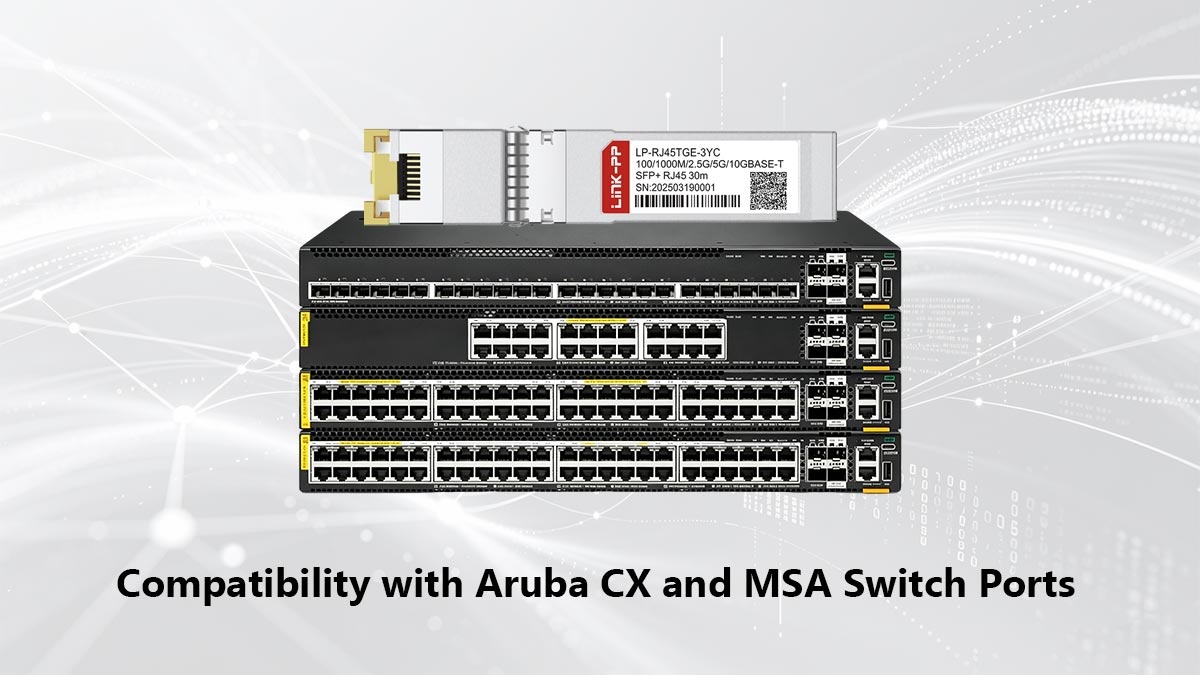
Because the R0R41B 10GBASE-T SFP+ RJ45 module is an official HPE Aruba SKU, it is engineered for native, seamless integration within the Aruba OS-CX (AOS-CX) ecosystem. When plugged into Aruba CX series switches (such as the CX 6200, 6300, 6400, or 8300 lines), the switch OS immediately reads the transceiver's EEPROM. This native handshake enables full support for Digital Optical Monitoring (DOM), allowing the switch to accurately track the module's voltage and temperature, and proactively adjust chassis fan speeds to manage the high thermal output.
Beyond the HPE ecosystem, the R0R41B strictly adheres to the Multi-Source Agreement (MSA) standard. Physically and electrically, it will fit into any MSA-compliant SFP+ cage across the industry. However, if deployed in non-Aruba switches (such as Cisco, Juniper, or Arista), network admins may encounter "unsupported transceiver" system logs. While the physical layer (PHY) will likely establish a link, OEM-specific telemetry features may be disabled by the third-party vendor's operating system.
How to Install R0R41B in an MSA Switch Port
Deploying a 10GBASE-T module requires more caution than installing a standard low-power fiber transceiver. To ensure hardware safety and a stable Layer 1 link, network engineers should follow this standard deployment workflow:
- Port Check and Thermal Spacing (Critical Step): Before installation, consult the switch’s hardware installation guide regarding port density. Because the R0R41B draws approximately 2.5W, populating adjacent SFP+ ports can lead to thermal overload. Best practice dictates staggering the modules—leaving at least one empty SFP+ cage, or inserting a low-power Direct Attach Copper (DAC) or fiber optic module, between two R0R41B units to allow for adequate heat dissipation.
- Physical Insertion: The R0R41B is completely hot-swappable. You do not need to power down the switch or administratively disable the port prior to installation.
- Ensure the module's bale clasp (the locking handle) is closed.
- Align the transceiver with the SFP+ cage and slide it in firmly until you feel and hear a distinct mechanical "click," confirming it is locked into the chassis receptacle.
- Cabling the Interface: Connect your endpoint device using a high-quality Cat6A or Cat7 copper patch cable. Ensure the RJ45 connector clicks securely into the module. Always verify that the total cable run from the switch to the endpoint strictly adheres to the 30-meter (98-foot) distance limitation to prevent link flapping.
- Link Verification (Layer 1): Once the cable is connected to an active endpoint, observe the LED status indicators on the switch port. A solid green LED typically indicates that physical layer synchronization has been achieved and the link is up. A flashing green LED indicates active data transmission.
- Basic Configuration Expectations (Layer 2): Because the R0R41B is an official HPE Aruba module, no special override commands (such as
allow-unsupported-transceiver) are required on Aruba switches. The port will default to auto-negotiation. To verify the module's operational status and telemetry data via the Command Line Interface (CLI), execute the following commands:show interface [port-number] transceiver(Confirms the switch recognizes the HPE SKU and part number).show interface [port-number] dom(Displays real-time temperature and power consumption metrics).
🔴 R0R41A vs. R0R41B: What is the Exact Difference?
When processing procurement orders or upgrading network infrastructure, IT directors and network engineers frequently encounter both the R0R41A and R0R41B SKUs in vendor catalogs, leading to a critical question: Is there a performance difference, and can these modules be mixed?
The definitive answer is that there is no functional, electrical, or performance difference between the two transceivers.
The R0R41A is simply the older, now End-of-Life (EOL) hardware revision. The R0R41B is its direct, active replacement. The transition from the "A" to the "B" suffix was driven entirely by internal supply chain dynamics and routine Bill of Materials (BOM) updates. To maintain production volume, the manufacturer updated the internal PHY chipset and micro-components to align with modern component availability.
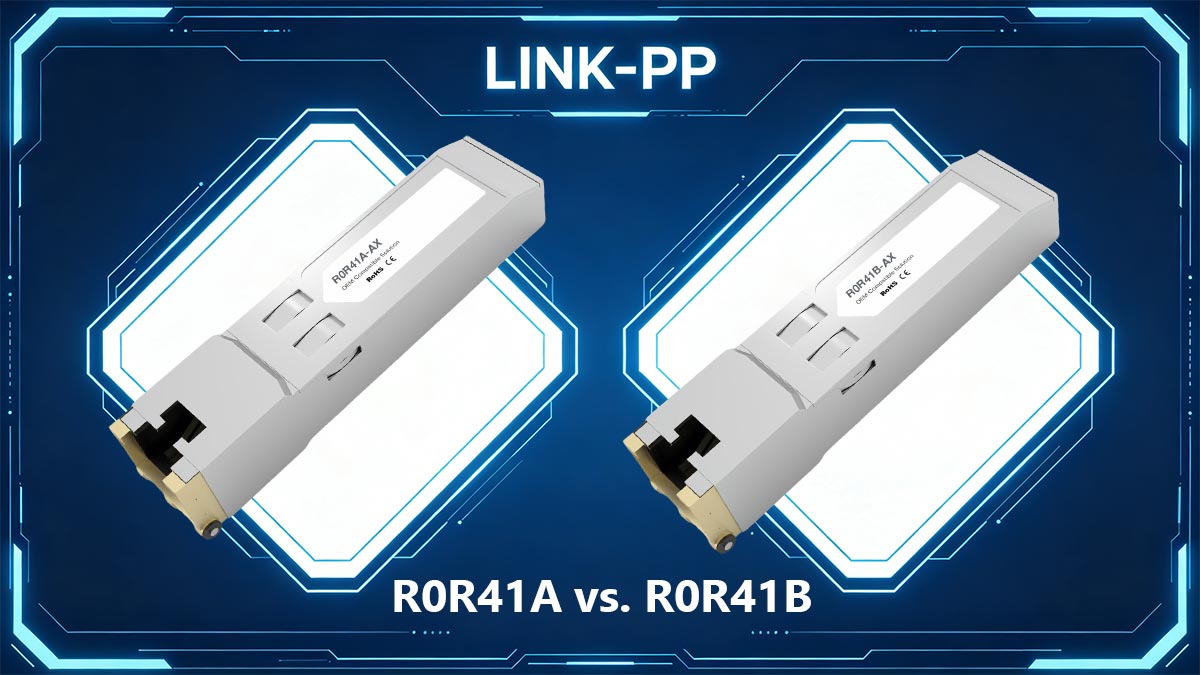
Key Interoperability and Deployment Facts
For network engineers deploying these modules, the revision change carries zero negative impact.
- Firmware Compatibility: You do not need to upgrade your switch's operating system to recognize the newer module. If your current version of Aruba-OS CX (AOS-CX) supports the R0R41A, it will natively recognize and initialize the R0R41B without any supplementary patches.
- Chassis Mixing: The modules are 100% interoperable. You can safely populate a single Aruba switch chassis with a mixture of both R0R41A and R0R41B modules side-by-side. The switch OS will seamlessly manage the telemetry and Layer 1 handshakes for both revisions simultaneously.
R0R41A vs. R0R41B Comparison Summary
To clarify the exact specifications for procurement and engineering teams, the table below highlights the identical operational parameters alongside the distinct lifecycle statuses:
| Feature / Specification | HPE Aruba R0R41A | HPE Aruba R0R41B |
|---|---|---|
| Lifecycle Status | End-of-Life (Discontinued) | Active / Current Generation |
| Data Rate Supported | 10 Gbps (Auto-negotiates) | 10 Gbps |
| Max Distance (Cat6A) | 30 Meters | 30 Meters |
| Power Consumption | ~2.5W | ~2.5W |
| Aruba OS-CX Support | Native Plug-and-Play | Native Plug-and-Play |
| Mix in Same Switch? | Yes | Yes |
Ultimately, if you are sourcing hardware for a new deployment or replacing a failed unit, you should specify the R0R41B to ensure you are receiving the latest, fully supported hardware from the manufacturer.
🔴 The 30-Meter Cat6A Limitation: Why 10G over SFP+ Can't Reach 100m
One of the most frequent causes of network support tickets when deploying the R0R41B is link flapping or complete link failure. In almost all these cases, the root cause is a fundamental misunderstanding of the hardware's distance capabilities.
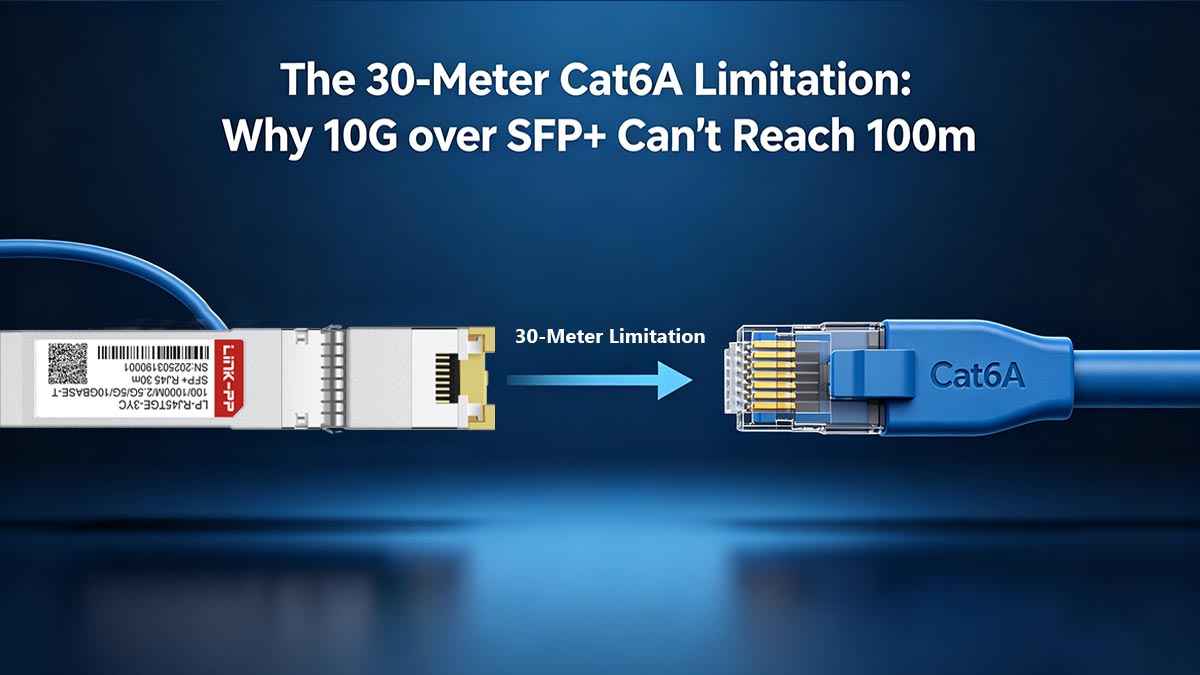
Junior engineers often assume that because a native 10GBASE-T switch port (a built-in RJ45 port on a switch chassis) can push a 10Gbps signal up to 100 meters over copper, the R0R41B module should do the same. This is factually incorrect. The R0R41B has a strict, hardcoded physical distance limit of 30 meters (approximately 98.4 feet).
Understanding why this limitation exists requires a look at the physics of the SFP+ standard and electrical engineering.
The SFP+ MSA Power Envelope vs. Copper Physics
The standard SFP+ cage on a network switch was originally designed by the Multi-Source Agreement (MSA) committee specifically for optical transceivers (fiber optic lasers). Transmitting data via light is highly efficient; a typical 10G SR or LR fiber module consumes less than 1.0W to 1.5W of power. Consequently, switch manufacturers engineer their SFP+ cages to supply a maximum power envelope tailored to those low-wattage optics.
Conversely, pushing a 10-Gigabit electrical signal over twisted-pair copper wire requires massive computational power. To mitigate Near-End Crosstalk (NEXT), Alien Crosstalk (AXT), and signal attenuation, 10GBASE-T relies on complex Digital Signal Processing (DSP). Driving a DSP hard enough to push a 10G signal 100 meters over copper requires 4 to 5 Watts of power.
The 30-Meter Engineering Compromise
An SFP+ port simply cannot supply 5W of power, nor can the tiny metal housing of an SFP+ transceiver dissipate the heat generated by 5W without melting the internal components or damaging the switch ASIC.
To solve this, hardware engineers created a compromise. The DSP chip inside the R0R41B is electronically throttled to consume only about 2.5W to 3.0W. At this reduced power level, the transceiver operates safely within the thermal limits of the switch chassis, but its signal strength is drastically reduced. At 2.5W, the DSP can only guarantee data integrity and IEEE 802.3an compliance up to 30 meters. Any cable run exceeding this distance will result in severe packet loss, auto-negotiation failure, or a dead link.
Why Cat6A Cabling is Non-Negotiable
Even within this shortened 30-meter radius, the quality of the physical medium is paramount.
- Cat5e / Cat6: While these cables can physically plug into the R0R41B, they are only rated for 100MHz and 250MHz respectively. Using them will force the module to auto-negotiate down to 1Gbps or result in an unstable link.
- Cat6A / Cat7: The R0R41B strictly requires Cat6A cabling. Cat6A operates at 500MHz and features tighter twists and better shielding (if using STP), which is absolutely necessary to handle the high-frequency electrical signals required for 10Gbps throughput, even for a short 10-meter rack-to-rack connection.
🔴 Troubleshooting R0R41B in MSA Switch Ports
Even with meticulous planning, deploying 10GBASE-T transceivers can occasionally result in Layer 1 physical link issues or environmental alarms. Because the R0R41B operates at the extreme edge of the SFP+ power and thermal envelope, troubleshooting requires a targeted approach, focusing primarily on heat dissipation and cable integrity.
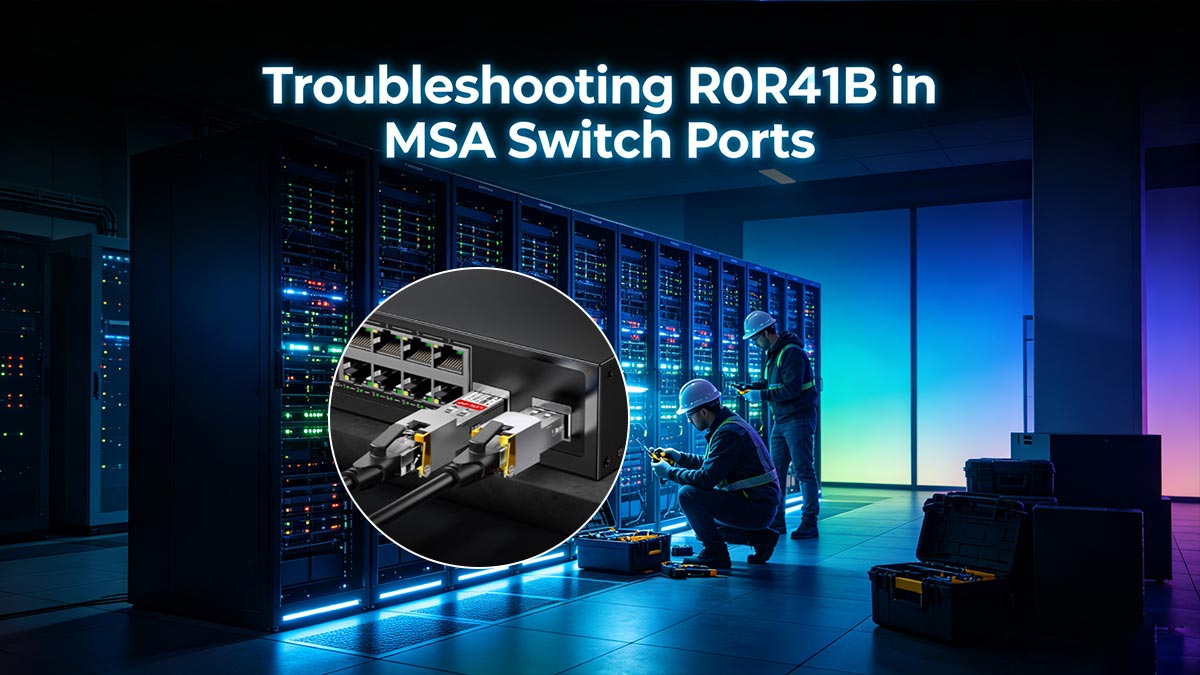
Below are the most common issues encountered when deploying the R0R41B and the engineering steps to resolve them.
Managing Thermal Warnings and Port Density Restrictions
The single most prevalent issue reported by network engineers after installing multiple R0R41B modules is the sudden, aggressive ramping up of chassis fans (often described as sounding like a "jet engine"). This is followed by critical syslog alerts regarding transceiver temperatures.
As established earlier, the R0R41B draws approximately 2.5W to 3.0W. Confining multiple high-draw modules within the tight, adjacent metal cages of a switch front-panel generates localized heat pockets that the switch's internal airflow struggles to cool.
Symptoms of Thermal Overload:
- Switch fans persistently operating at 80% to 100% RPM.
- AOS-CX syslog generating
transceiver over-temporthermal warningalerts. - In extreme cases, the switch operating system will proactively place the port into an
admin-down(err-disable) state to prevent physical melting or damage to the underlying ASIC.
How to Resolve and Prevent Thermal Issues:
- Enforce Strict Port Spacing: Never populate adjacent SFP+ ports with R0R41B modules. Utilize a "checkerboard" deployment pattern. Always leave at least one empty SFP+ cage—or insert a low-power 10G DAC (Direct Attach Copper) or standard fiber optic module—between two RJ45 modules.
- Adhere to Hardware Density Limits: Consult your specific Aruba switch hardware installation guide. Most 1U top-of-rack (ToR) switches strictly limit 10GBASE-T modules to a maximum of 2 to 6 units per chassis, regardless of how many empty ports are available.
- Monitor via CLI: Do not rely on touching the module (they will naturally feel dangerously hot). Instead, rely on telemetry. Use the
show environment temperaturecommand to check the overall chassis health, andshow interface [port-number] domto monitor the specific real-time temperature of the module's internal sensors.
Resolving Link Flapping and Negotiation Failures
If the module is running within safe temperature limits but the connection is constantly dropping (link flapping) or failing to establish, the issue almost certainly lies in the physical copper medium.
- Verify the 30-Meter Limit: If the link is unstable, use a professional Fluke network tester to certify the exact length of the cable run. A cable that measures 32 meters may occasionally link up but will inevitably drop packets under heavy payload.
- Check for Alien Crosstalk (AXT): In dense server racks, tightly bundled unshielded (UTP) Cat6A cables can interfere with one another. If link flapping occurs during peak traffic times, replace the UTP patch cords with Shielded Twisted Pair (STP) Cat6A cables to isolate the electromagnetic interference.
- Speed and Duplex Mismatches: While the R0R41B supports multi-gigabit auto-negotiation, some legacy endpoint NICs struggle to negotiate correctly. Ensure that both the switch port and the endpoint server are set to
auto-negotiate. If the endpoint is a strict 1Gbps device, verify that the switch port hasn't been manually hardcoded to force 10Gbps full-duplex.
🔴 OEM vs. Third-Party: Do You Need the Official Aruba Module?
One of the most heavily debated topics in networking communities (such as Reddit’s r/ArubaNetworks or the HPE Airheads forum) is the cost-to-benefit ratio of official OEM transceivers versus third-party alternatives.
The official HPE Aruba R0R41B carries a premium enterprise price tag, often retailing for $300 to $500 per unit depending on vendor agreements. Meanwhile, third-party "Aruba-compatible" 10GBASE-T modules from vendors like FS.com or 10Gtek can be sourced for under $80. Given the massive price discrepancy, IT directors and network engineers must ask: Do we really need the official Aruba module?
The answer depends entirely on your deployment environment, risk tolerance, and Service Level Agreements (SLAs).
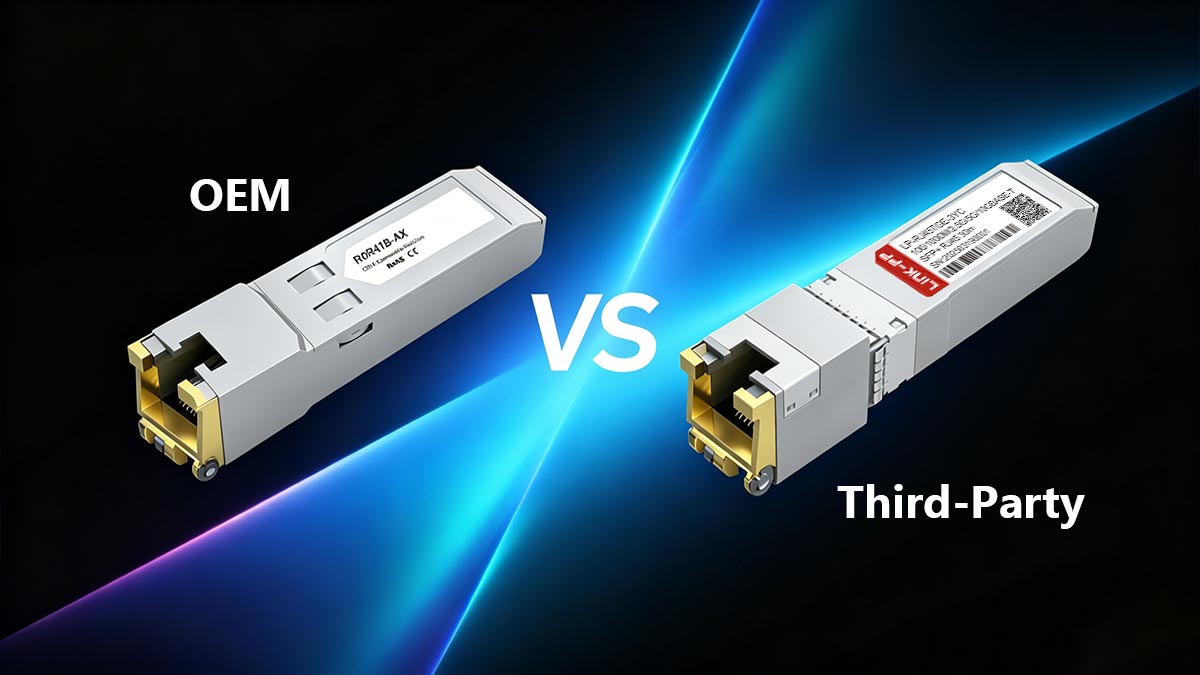
The Case for the Official HPE Aruba R0R41B (OEM)
For core enterprise infrastructure, data centers, and mission-critical branch networks, purchasing the official R0R41B is almost always the correct engineering and business decision.
- Guaranteed TAC Support: The most significant advantage of OEM optics is the warranty and support umbrella. If a switch port behaves erratically or fails, the first thing the HPE Technical Assistance Center (TAC) will ask for is the
show tech transceiveroutput. If they detect a third-party module, TAC may refuse to troubleshoot the Layer 1 issue until an official module is swapped in. - Accurate Thermal Telemetry (DOM): As discussed, 10GBASE-T modules run exceptionally hot. The official R0R41B is firmware-optimized to pass highly accurate Digital Optical Monitoring (DOM) data back to the Aruba-OS CX chassis. The switch relies on this exact telemetry to regulate its fan speeds. Cheap third-party modules often spoof this data, reporting a static "safe" temperature, which can lead to the switch failing to spin up its fans, ultimately causing the port or the ASIC to overheat and burn out.
- Plug-and-Play Reliability: The R0R41B works natively without requiring configuration overrides. It is guaranteed to survive major switch firmware upgrades without suddenly being blacklisted by the OS.
The Case for Third-Party Modules
Third-party transceivers are highly popular, but they come with caveats. They are best suited for:
- Homelabs and Testing Environments: Where budget is the primary constraint and network downtime does not equal lost revenue.
- Non-Critical Edge Deployments: Where an isolated port failure will not cause a major outage.
Important Note for Aruba OS-CX Users: If you choose to deploy third-party 10GBASE-T modules in an Aruba CX switch, they will likely be blocked by default. You must access the global configuration CLI and enter the allow-unsupported-transceiver command. This command acknowledges a system warning stating that HPE will not be held liable for hardware damage (such as thermal melting) caused by the unverified module.
The Final Verdict
While third-party transceivers are excellent for fiber optics (which run cool), copper 10GBASE-T modules are a different story due to their extreme power draw. For peace of mind, accurate thermal management, and guaranteed TAC support, investing in the official R0R41B for production environments is a necessary insurance policy against hardware failure.
🔴 FAQ About R0R41B 10GBASE-T SFP+ RJ45 Module
Below are the most frequently asked questions from network engineers and procurement teams regarding the HPE Aruba R0R41B transceiver, answered concisely for quick reference.
Q: What is the maximum distance the R0R41B can transmit 10G data?
A: The maximum supported distance is strictly 30 meters (98.4 feet). Unlike native 10GBASE-T switch ports that can reach 100 meters, SFP+ to RJ45 modules are physically limited by the power constraints of the SFP+ cage (~2.5W).
Q: Can I use Cat5e or standard Cat6 cables with the R0R41B?
A: No, not for 10Gbps speeds. To achieve a stable 10G link up to 30 meters, you must use Cat6A or Cat7 cabling. Using Cat5e or Cat6 will result in link flapping, packet loss, or force the module to auto-negotiate down to 1Gbps. Shielded Twisted Pair (STP) is highly recommended.
Q: Does the R0R41B support multi-gigabit speeds (NBASE-T)?
A: Yes. Depending on the capabilities of your specific Aruba switch chassis, the R0R41B supports multi-gigabit auto-negotiation. It can step down to 1Gbps, 2.5Gbps, or 5Gbps, making it ideal for connecting modern Wi-Fi 6/6E access points.
Q: Why is my Aruba switch fan running so loudly after installing the R0R41B?
A: This is expected behavior. The R0R41B draws significant power (~2.5W) and generates considerable heat. The switch uses Digital Optical Monitoring (DOM) to detect this heat and proactively increases fan RPM to prevent thermal overload. Always ensure you are not installing these modules in adjacent ports.
Q: Is the R0R41B completely interchangeable with the older R0R41A?
A: Yes. The R0R41B is the direct hardware replacement for the discontinued R0R41A. They have identical performance specifications, require no special firmware updates to transition between them, and can be mixed within the same switch chassis.
Q: Do I need to use the allow-unsupported-transceiver command for the R0R41B?
A: No. Because the R0R41B is an official HPE Aruba SKU, it is natively recognized by Aruba-OS CX as a supported OEM module. It is plug-and-play and requires no bypass commands.
🔴 Best Practices for Deploying R0R41B Modules in Aruba Switches
Successfully integrating 10-Gigabit copper endpoints into a high-speed fiber infrastructure requires more than just plugging in a module. To ensure long-term network stability, avoid thermal degradation, and eliminate Layer 1 troubleshooting tickets, network engineers should adhere to the following deployment best practices:
- Implement a Checkerboard Patching Strategy: Never cluster multiple R0R41B modules together. Distribute them evenly across the switch's ASIC groups. Always leave empty SFP+ cages (or populate them with low-heat fiber optics) between your 10GBASE-T modules to allow the chassis fans to effectively dissipate the ~2.5W of heat generated by each unit.
- Standardize on Shielded Cat6A (STP): While unshielded (UTP) Cat6A can work in isolated environments, dense server racks generate massive electromagnetic interference. Using Shielded Twisted Pair (STP) Cat6A eliminates Alien Crosstalk (AXT) and guarantees a stable 10Gbps link right up to the maximum 30-meter boundary.
- Physically Label the Distance Limit: Human error is the leading cause of SFP+ copper link failures. Physically label the switch port or patch panel with a warning: "10G Copper SFP+ - Max 30m Limit." This prevents future technicians from accidentally patching a 50-meter datacenter run into the module and spending hours troubleshooting a dead link.
- Keep AOS-CX Firmware Updated: Always run a modern, stable release of Aruba-OS CX. Manufacturer firmware updates frequently include refined thermal management algorithms that optimize how the switch's fans react to the Digital Optical Monitoring (DOM) data provided by the R0R41B.
Optimizing Your Hardware Budget
While deploying the official HPE Aruba R0R41B is the gold standard for core enterprise networks requiring strict TAC support, real-world IT budgets often demand flexibility.
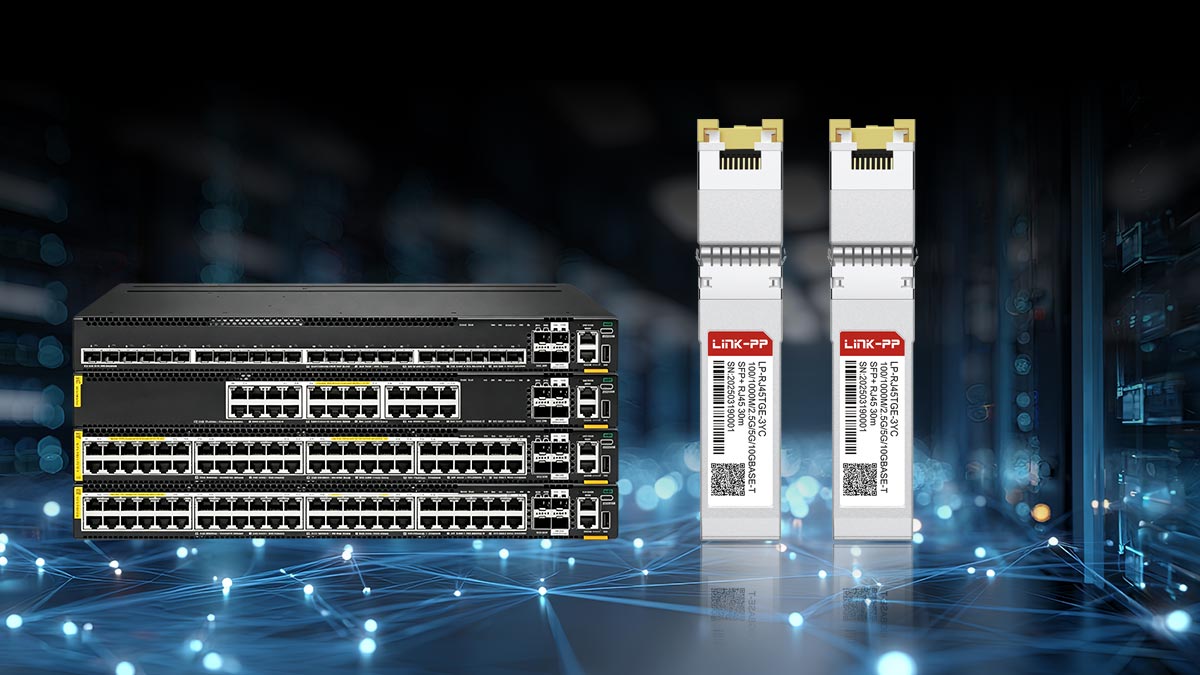
If you are outfitting a non-critical edge network, building out a testing lab, or simply need to scale your 10GBASE-T connectivity without exhausting your CapEx budget, high-quality MSA-compliant alternatives are highly viable. For reliable, cost-effective transceivers that deliver plug-and-play performance, you can browse the LINK-PP Official Store for Third-Party 10GBASE-T Modules. Their rigorously tested copper SFP+ modules are engineered to meet strict IEEE 802.3an standards, providing excellent thermal stability and multi-gigabit compatibility at a fraction of the OEM cost.
By balancing your deployment strategy—using OEM modules for the core and trusted third-party modules for the edge—you can achieve a robust, high-speed network that satisfies both engineering requirements and budget constraints.