Free shipping over $600, If you need a more favorable price, please contact us directly.
Need Help?
Chat live with us
Live Chat
Want to call?

+ 86-752-3386717

Language: English
  1. English
  2. Русский
  3. Português
  4. Español
  5. Nederlands
  6. Français
  7. Italiano
  8. Deutsch
  9. العربية
  10. Ελληνικά
  11. にほんご
  12. 한국어
  13. Tiếng Việt
  14. Indonesian
  15. Thai
Currency: USD
USD - US Dollar
EUR - Euro
GBP - British Pound
CAD - Canadian Dollar
AUD - Australian Dollar
JPY - Japanese Yen
SEK - Swedish Krona
NOK - Norwegian Krone
IDR - Indonesia Rupiahs
BRL - Brazilian Real
THB - Thailand Baht
  • Mind your business with a variety of trusted payment options.

  • Use order number or tracking number to check shipping status.

  • Get your quote fast and offer you more professional service.

  • Help manage your budget & expenditure better.

  • Meet us and know our mission, belief, service and more.

  • Find our locations and get connected with us closely.

  • Explore how we care about the quality.

  • Find out the latest news and events around l-p.com

  • Deep dive into technical guides, industry standards, and SFP compatibility insights.

  • Detailed product benchmarks and side-by-side comparisons to help you choose the right module.

  • Explore real-world connectivity solutions for data centers, enterprises, and telecom networks.

  • Essential tips on choosing data rates, transmission distances, and connector types.

Language
  1. English
  2. Русский
  3. Português
  4. Español
  5. Français
  6. Italiano
  7. Deutsch
  8. العربية
  9. にほんご
  10. Tiếng Việt
  11. Indonesian
  12. Thai
Select Currency
USD - US Dollar
EUR - Euro
GBP - British Pound
CAD - Canadian Dollar
AUD - Australian Dollar
JPY - Japanese Yen
SEK - Swedish Krona
NOK - Norwegian Krone
IDR - Indonesia Rupiahs
BRL - Brazilian Real
THB - Thailand Baht
Blog / Aruba SFP Switch Deployment in Enterprise Fiber Networks

Aruba SFP Switch Deployment in Enterprise Fiber Networks

May 18, 2026 LINK-PP-Joy Use Cases & Solutions

Aruba SFP Switch Deployment in Enterprise Fiber Networks

Modern enterprise networks are no longer built around simple copper-only switching. As bandwidth demands increase across Wi-Fi 6/6E, virtualization, IP surveillance, cloud workloads, and campus aggregation, fiber uplinks have become a standard requirement rather than an optional upgrade. This is where the Aruba SFP Switch platform plays an important role in enterprise infrastructure design.

An Aruba SFP switch is not just a network switch with fiber ports. In real-world deployments, it acts as the connection layer between access switches, aggregation switches, servers, storage devices, and long-distance backbone links. Depending on the deployment model, Aruba switches may use 1G SFP, 10G SFP+, 25G SFP56, DAC cables, or optical transceivers to support scalable enterprise uplinks and low-latency traffic forwarding.

However, most users searching for “Aruba SFP Switch” are not only looking for hardware specifications. Actual search behavior shows that IT administrators and network engineers are usually trying to answer more practical questions:

  • Which Aruba switches support SFP or SFP+ uplinks?
  • Can Aruba switches use third-party SFP modules?
  • Why does an Aruba switch show an unsupported transceiver warning?
  • Which fiber module should be used for short-range or long-range deployment?
  • How can enterprise networks avoid compatibility and link stability issues?

These questions have become increasingly important because enterprise fiber deployments now involve mixed-vendor environments, higher uplink speeds, and tighter operational budgets. Many organizations want to reduce optic costs by using compatible third-party transceivers, while still maintaining reliable network performance and long-term scalability.

At the same time, Aruba’s enterprise switch portfolio has expanded significantly. Platforms such as the Aruba 2930F, Aruba CX 6300, and Aruba CX 8320 support different generations of SFP technologies and deployment architectures. Choosing the wrong optic, cable type, or uplink strategy can create interoperability problems, unstable links, or unsupported transceiver errors that are difficult to troubleshoot in production networks.

This guide focuses on the real deployment intent behind Aruba SFP switch searches. Instead of repeating generic product specifications, the article explains:

  • How Aruba SFP switches are used in enterprise fiber networks
  • Which Aruba switch families support different SFP standards
  • How to select compatible SFP modules and DAC cables
  • The reality of third-party transceiver compatibility
  • Common Aruba SFP troubleshooting scenarios and deployment best practices

By the end of this guide, enterprise IT teams, system integrators, and network engineers will have a clearer framework for selecting, deploying, and maintaining Aruba SFP switch infrastructure in modern fiber-based enterprise environments.


🟧 What Is an Aruba SFP Switch?

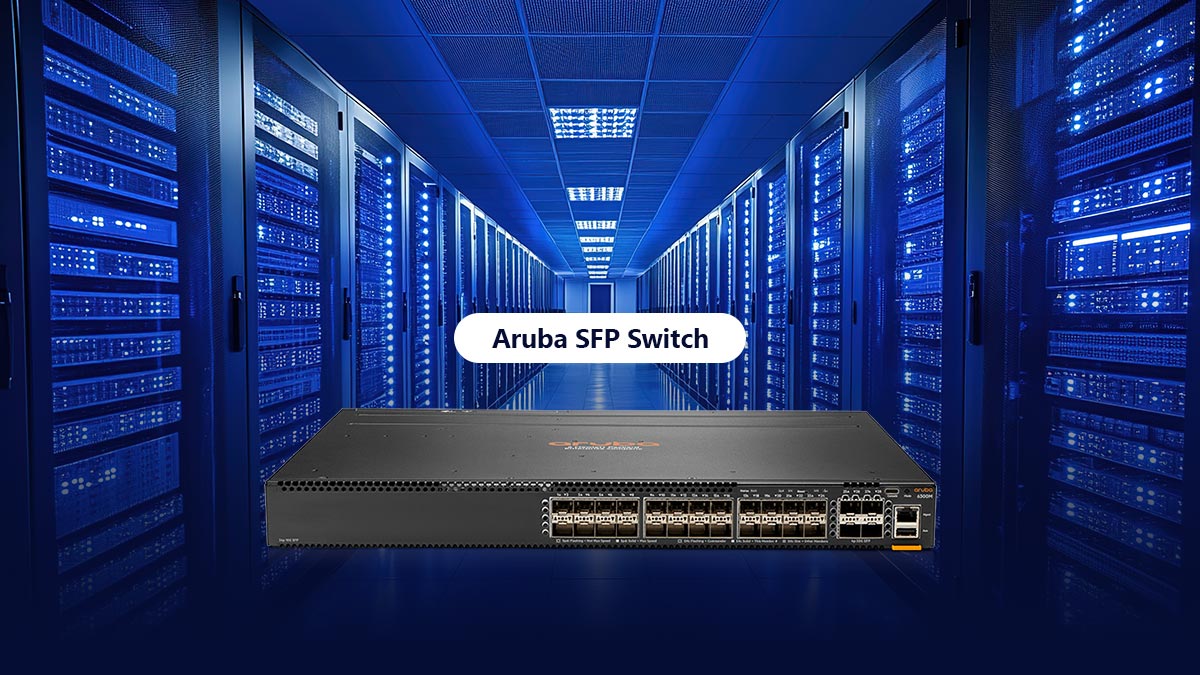
An Aruba SFP Switch is an enterprise network switch equipped with SFP-based uplink ports for fiber or high-speed Ethernet connectivity. These ports allow organizations to connect switches, servers, storage systems, and backbone networks using removable optical transceivers or DAC cables instead of fixed copper interfaces.
What Is an Aruba SFP Switch?

In enterprise environments, Aruba SFP switches are commonly used for:

  • Fiber uplinks between access and aggregation switches
  • Building-to-building network connections
  • High-speed server and storage networking
  • Campus backbone infrastructure
  • Scalable enterprise fiber deployments

Compared with RJ45-only switches, Aruba SFP switches provide greater flexibility because administrators can choose different optics and cable types based on speed, distance, and network architecture requirements.

SFP vs. SFP+ vs. SFP56 in Aruba Networks

Although SFP, SFP+, and SFP56 modules look similar, they support different Ethernet speeds and deployment scenarios.

Interface Speed Common Aruba Usage
SFP 1Gbps Standard enterprise fiber uplinks
SFP+ 10Gbps Aggregation, server, and Wi-Fi uplinks
SFP56 25Gbps Data center and high-density networks

SFP (1G)

1G SFP modules are widely used for standard enterprise fiber links, including:

  • 1000BASE-SX
  • 1000BASE-LX
  • 1000BASE-T RJ45 SFP

They remain common in access-layer and legacy enterprise deployments.

SFP+ (10G)

SFP+ supports 10 Gigabit Ethernet and is the most common Aruba uplink technology in modern enterprise networks.

Typical use cases include:

  • Wi-Fi 6/6E aggregation
  • Virtualization platforms
  • Storage networking
  • Enterprise backbone uplinks

Common module types include 10GBASE-SR, 10GBASE-LR, DAC, and AOC cables.

SFP56 (25G)

SFP56 supports 25Gb Ethernet and is mainly used in Aruba CX data center and high-performance enterprise deployments.

It provides:

  • Higher bandwidth density
  • Better virtualization scalability
  • Lower cost-per-gigabit compared with older architectures

Where Aruba Uses SFP Ports in Enterprise Designs

Aruba SFP ports are typically deployed where fiber connectivity and higher bandwidth are required.

Access-to-Aggregation Uplinks

Many enterprises use SFP+ uplinks to connect access switches to aggregation switches for centralized traffic management and scalable campus networking.

Building-to-Building Fiber Links

Single-mode SFP modules allow Aruba switches to connect separate buildings across long distances in campuses, hospitals, factories, and office parks.

Server and Storage Connectivity

SFP+ and SFP56 ports are commonly used for virtualization clusters, NAS systems, SAN storage, and backup infrastructure.

Core and Data Center Networks

In Aruba CX environments, high-speed SFP uplinks support core switching, spine-leaf architectures, cloud workloads, and high-density east-west traffic.


🟧 Deploying Aruba SFP Switch Optics

Modern enterprise networks require high bandwidth, stable latency, and reliable fiber connectivity. When deploying an Aruba SFP Switch infrastructure, network engineers often face challenges related to optic compatibility, vendor coding restrictions, and transceiver configuration.

To maximize network stability and long-term ROI, it is important to understand how ArubaOS-Switch (AOS-S) and ArubaOS-CX platforms manage SFP, SFP+, and SFP28 optical modules. Incorrect optic selection can lead to unsupported transceiver warnings, unstable links, or failed uplinks in production environments.
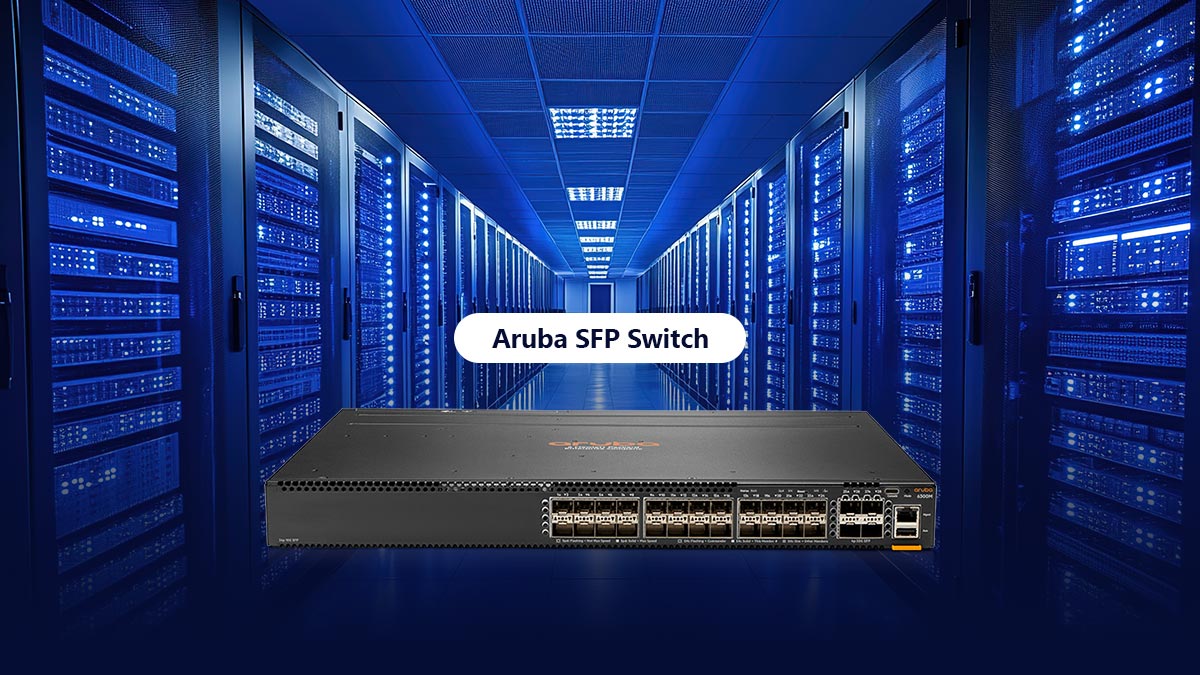
Deploying Aruba SFP Switch Optics

This section explains the key deployment considerations for Aruba fiber infrastructures, including:

  • Aruba-compatible SFP, SFP+, and SFP28 modules
  • Third-party transceiver compatibility
  • Vendor lock and unsupported optic behavior
  • DAC vs. fiber optic deployment decisions
  • Common enterprise uplink architectures
  • Real-world deployment and troubleshooting best practices

By understanding these factors before deployment, enterprise IT teams can reduce compatibility risks, simplify maintenance, and build scalable Aruba fiber networks that support future bandwidth growth.


Mastering Transceiver Compatibility on the Aruba SFP Switch

One of the most common deployment challenges in Aruba fiber networks is transceiver compatibility validation. By default, Aruba switches perform strict verification checks on the EEPROM information stored inside SFP, SFP+, and SFP28 optical modules.

When a third-party, improperly coded, or unsupported optic is inserted, the switch may automatically disable the port and generate system warnings such as:

  • “Unknown Transceiver”
  • “Unsupported Transceiver”
  • “Hardware Not Supported”

This behavior is designed to protect hardware stability and maintain validated interoperability within Aruba enterprise environments.

In practice, compatibility issues usually occur because of:

  • Incorrect EEPROM vendor coding
  • Non-MSA-compliant transceivers
  • Firmware interoperability mismatches
  • Unsupported DAC or AOC cable profiles
  • Inconsistent optical parameters

Modern ArubaOS-CX platforms generally provide better flexibility for third-party optics than older ProCurve-based systems, but compatibility validation still plays a critical role in production deployments.

To reduce deployment risk, enterprise network engineers should verify:

Validation Area Why It Matters
Port speed compatibility Prevents negotiation failures
EEPROM coding Avoids unsupported transceiver errors
Fiber type Ensures optical signal integrity
Firmware support Prevents link instability
Optical power budget Maintains stable long-distance transmission

Many organizations successfully deploy compatible third-party optics in Aruba switches to reduce infrastructure costs. However, unsupported modules may limit official vendor support during troubleshooting or warranty claims.

For mission-critical enterprise networks, best practice typically includes:

  • Testing optics before large-scale rollout
  • Standardizing approved transceiver vendors
  • Maintaining spare Aruba-certified optics
  • Documenting firmware and compatibility matrices
  • Validating DAC and AOC interoperability in staging environments

A structured transceiver validation strategy significantly reduces link failures, unstable uplinks, and emergency maintenance events in Aruba SFP switch deployments.


🟧 How to Choose the Right SFP Module for Aruba SFP Switch

Choosing the correct SFP module is critical for achieving stable performance, long-term scalability, and compatibility in Aruba enterprise networks. A mismatch between switch ports, optics, fiber type, or transmission distance can lead to unstable links, negotiation failures, or unsupported transceiver errors.

How to Choose the Right SFP Module for Aruba SFP Switch

When selecting optics for an Aruba SFP switch, network engineers should evaluate four key factors:

  • Port speed compatibility
  • Transmission distance
  • Fiber infrastructure type
  • Deployment cost and scalability

The correct module choice depends not only on bandwidth requirements, but also on how the Aruba switch will function within the enterprise architecture.

1G SFP, 10G SFP+, and Higher-Speed Optics

Different Aruba switch platforms support different generations of SFP technology. Selecting the appropriate speed class is the first step in optic planning.

Module Type Typical Speed Common Aruba Deployment
SFP 1Gbps Access-layer uplinks
SFP+ 10Gbps Aggregation and server connectivity
SFP28 / SFP56 25Gbps Data center and high-density infrastructure

1G SFP Modules

1G SFP optics are commonly used in:

  • Legacy enterprise networks
  • Small office deployments
  • Building-to-building fiber links
  • Standard access-layer uplinks

Common module types include:

  • 1000BASE-SX
  • 1000BASE-LX
  • 1000BASE-T

These optics remain cost-effective for organizations that do not require high-density 10G aggregation.

10G SFP+ Modules

10G SFP+ optics are now the most widely deployed Aruba uplink solution in enterprise environments.

Typical use cases include:

  • Wi-Fi 6/6E aggregation
  • VMware clusters
  • NAS and storage traffic
  • Campus aggregation layers
  • Enterprise backbone connectivity

Common Aruba-compatible 10G optics include:

  • 10GBASE-SR
  • 10GBASE-LR
  • 10G DAC cables
  • Active Optical Cables (AOC)

For most modern enterprise networks, 10G SFP+ provides the best balance between performance, scalability, and cost.

25G and Higher-Speed Optics

Higher-speed interfaces such as SFP28 and SFP56 are increasingly used in:

  • Data centers
  • Cloud infrastructure
  • AI workloads
  • Hyperconverged systems
  • High-density virtualization

These platforms deliver:

  • Greater bandwidth density
  • Lower latency
  • Improved east-west traffic handling
  • Better long-term scalability

Organizations planning future network expansion often deploy Aruba CX switches with 25G-ready uplink capabilities to avoid bandwidth bottlenecks later.

DAC, AOC, and Fiber Transceiver Use Cases

Aruba SFP switch deployments may use several different connection technologies depending on distance, power consumption, and budget requirements.

Connection Type Best Use Case Advantages
DAC Short-distance rack connections Low cost, low latency
AOC Medium-distance high-speed links Lightweight and flexible
Optical Transceiver Long-distance fiber infrastructure Maximum scalability

DAC (Direct Attach Copper)

DAC cables integrate fixed transceivers with twinax copper cabling and are commonly used for:

  • Top-of-rack switching
  • Server-to-switch connections
  • Short-range data center links

Advantages include:

  • Lower cost
  • Minimal power consumption
  • Reduced latency

However, DAC cables typically support shorter distances than optical fiber.

AOC (Active Optical Cable)

AOCs combine optical fiber with permanently attached transceivers.

They are often used for:

  • Medium-range data center interconnects
  • High-density switch environments
  • Cable management optimization

Compared with DACs, AOCs provide longer transmission distances while remaining easier to manage than separate transceiver-and-fiber combinations.

Optical Transceivers

Traditional removable optical modules remain the most flexible solution for enterprise Aruba deployments.

They support:

  • Multimode fiber (MMF)
  • Single-mode fiber (SMF)
  • Long-distance campus links
  • Scalable backbone infrastructure

Because transceivers are modular, they allow easier upgrades and infrastructure changes over time.

Short-Range vs. Long-Range Link Decisions

One of the most important design decisions in Aruba fiber deployments is selecting optics based on transmission distance.

Short-Range Deployments

Short-range optics are typically used inside:

  • Data centers
  • Equipment rooms
  • Office floors
  • Server racks

Common short-range modules include:

  • 1000BASE-SX
  • 10GBASE-SR

These optics use multimode fiber and provide lower deployment cost for shorter distances.

Long-Range Deployments

Long-range optics are designed for:

  • Campus backbones
  • Building-to-building connectivity
  • Metropolitan enterprise networks
  • Industrial facilities

Common long-range modules include:

  • 1000BASE-LX
  • 10GBASE-LR

These modules use single-mode fiber and support significantly longer transmission distances.

Key Planning Considerations

Before selecting Aruba-compatible optics, engineers should validate:

  • Fiber type (MMF or SMF)
  • Required transmission distance
  • Switch port speed
  • Future bandwidth growth
  • Environmental conditions
  • Vendor compatibility requirements

A properly planned Aruba SFP deployment improves network reliability, reduces maintenance costs, and simplifies future infrastructure upgrades.


🟧 Common Aruba SFP Switch Problems and How to Fix Them

Even in well-designed enterprise networks, Aruba SFP switch deployments can experience compatibility issues, unstable links, or optic-related failures. Most problems are caused by transceiver coding mismatches, incorrect fiber selection, unsupported DAC cables, or speed negotiation conflicts.

Common Aruba SFP Switch Problems and How to Fix Them

Understanding the root causes behind these failures helps network engineers reduce downtime and simplify troubleshooting during deployment and maintenance.

Unsupported Transceiver Warnings

One of the most common Aruba SFP switch issues is the appearance of warnings such as:

  • “Unsupported Transceiver”
  • “Unknown XCVR”
  • “Hardware Not Supported”

These errors occur when the switch cannot validate the EEPROM information stored inside the inserted optic or cable.

Common causes include:

Cause Description
Incorrect EEPROM coding The optic is not coded for Aruba compatibility
Unsupported vendor profile Aruba firmware rejects unknown transceiver identifiers
Non-MSA-compliant modules The optic does not fully follow MSA standards
Firmware mismatch Older ArubaOS versions may lack compatibility updates
How to Fix Unsupported Transceiver Errors

Network engineers typically resolve these issues by:

  • Using Aruba-compatible coded optics
  • Updating ArubaOS firmware
  • Enabling allow-unsupported-transceiver
  • Re-inserting the optic after CLI configuration
  • Testing with Aruba-certified modules

In enterprise production environments, validating optics before large-scale deployment significantly reduces compatibility-related outages.

Link Down, No Light, and Speed Mismatch Issues

Another frequent Aruba SFP deployment problem is a port that remains down even though the optic appears recognized by the switch.

Typical symptoms include:

  • No link light
  • Interface stays administratively up but operationally down
  • Intermittent packet loss
  • Port flapping
  • Negotiation failures

These problems are usually related to physical-layer mismatches rather than switch hardware failure.

Common Root Causes

Problem Area Typical Issue
Fiber polarity TX/RX fibers reversed
Fiber type mismatch MMF optic connected to SMF
Speed mismatch 1G optic connected to 10G-only port
Dirty connectors Dust causing optical signal loss
Unsupported DAC Passive DAC not recognized
Optical power budget Signal loss exceeds supported range
 
Best-Practice Solutions

To stabilize Aruba SFP links:

  • Verify both ends use matching speeds
  • Confirm MMF or SMF compatibility
  • Clean fiber connectors properly
  • Validate DAC/AOC support lists
  • Check DOM optical power readings
  • Use known-good transceivers during testing

Many “hardware failures” are actually caused by fiber-layer configuration errors or incompatible optics.

Fiber, DAC, and EEPROM Troubleshooting Checklist

Before replacing hardware, enterprise engineers should perform a structured troubleshooting process to isolate the actual failure point.

Aruba SFP Troubleshooting Checklist

Validation Step Purpose
Check switch logs Identify transceiver-related errors
Verify EEPROM recognition Confirm optic is detected correctly
Confirm port speed Prevent negotiation conflicts
Test with certified optic Eliminate compatibility uncertainty
Inspect fiber polarity Verify TX/RX orientation
Clean optical connectors Remove contamination
Validate DAC/AOC support Prevent unsupported cable issues
Update ArubaOS firmware Improve compatibility database
Review DOM statistics Detect optical power abnormalities

Recommended Enterprise Workflow

A reliable enterprise troubleshooting workflow usually follows this order:

  1. Verify physical connectivity
  2. Confirm optic compatibility
  3. Validate ArubaOS firmware support
  4. Check fiber specifications and distance
  5. Test with Aruba-certified optics
  6. Review switch logs and DOM values
  7. Replace suspected faulty modules only after validation

This method reduces unnecessary hardware replacement and shortens outage recovery time.

In large Aruba deployments, maintaining standardized optics, firmware consistency, and validated compatibility lists is one of the most effective ways to minimize SFP-related operational issues.


🟧 FAQ About Aruba SFP Switches

FAQ About Aruba SFP Switches

1. Can Aruba switches use third-party SFPs?

Yes. Many Aruba switches can operate with third-party compatible SFP, SFP+, and DAC modules. However, Aruba platforms may validate EEPROM vendor coding and display warnings such as “Unsupported Transceiver” or “Unknown XCVR” when non-certified optics are detected.

In many enterprise deployments, administrators enable compatibility mode using the allow-unsupported-transceiver CLI command. Although this allows unsupported optics to function, Aruba may limit official support coverage for issues directly related to third-party transceivers.

For production environments, best practice usually includes:

  • Testing optics before deployment
  • Using MSA-compliant modules
  • Verifying Aruba-compatible coding
  • Maintaining spare Aruba-certified optics for troubleshooting

2. Which Aruba models support 10G SFP+?

Many Aruba enterprise switches support 10G SFP+ uplinks, especially within the Aruba CX and Aruba 2930 series.

Common Aruba platforms with 10G SFP+ support include:

Aruba Switch Series 10G SFP+ Support
Aruba 2930F Yes
Aruba 3810M Yes
Aruba CX 6100 Selected models
Aruba CX 6200 Yes
Aruba CX 6300 / 6300M Yes
Aruba CX 8320 Yes
Aruba CX 8360 Yes

The number of available SFP+ ports depends on the specific hardware model and switch configuration.

Before purchasing optics, engineers should verify:

  • Port speed capability
  • Supported transceiver type
  • ArubaOS firmware compatibility
  • DAC and AOC support requirements

3. How do I identify the right optic for my port?

Selecting the correct Aruba-compatible optic depends on several factors:

Validation Area What to Check
Port speed 1G, 10G, or 25G
Fiber type Multimode (MMF) or single-mode (SMF)
Transmission distance Short-range or long-range
Connector type LC, MPO, or RJ45
Switch compatibility ArubaOS-S or ArubaOS-CX support

For example:

  • 1000BASE-SX is commonly used for short-range multimode fiber
  • 10GBASE-LR is used for longer-distance single-mode fiber
  • DAC cables are preferred for short rack-level connections

Using the wrong optic type may result in unstable links, unsupported transceiver warnings, or complete link failure.

4. What should I do when Aruba shows an unsupported transceiver error?

An unsupported transceiver warning usually indicates that the switch cannot validate the inserted optic’s EEPROM vendor information.

Typical error messages include:

  • “Unsupported Transceiver”
  • “Unknown XCVR”
  • “Hardware Not Supported”

To resolve the issue, network engineers commonly:

  1. Verify the optic is MSA-compliant
  2. Check Aruba-compatible EEPROM coding
  3. Update ArubaOS firmware
  4. Enable allow-unsupported-transceiver in CLI
  5. Reinsert the optic after configuration
  6. Test with a certified Aruba transceiver

If the issue persists, engineers should also inspect:

  • Fiber polarity
  • Port speed mismatches
  • Optical power levels
  • DAC or AOC compatibility
  • Physical connector contamination

In enterprise deployments, maintaining a validated compatibility list is one of the most effective ways to reduce recurring SFP-related issues.


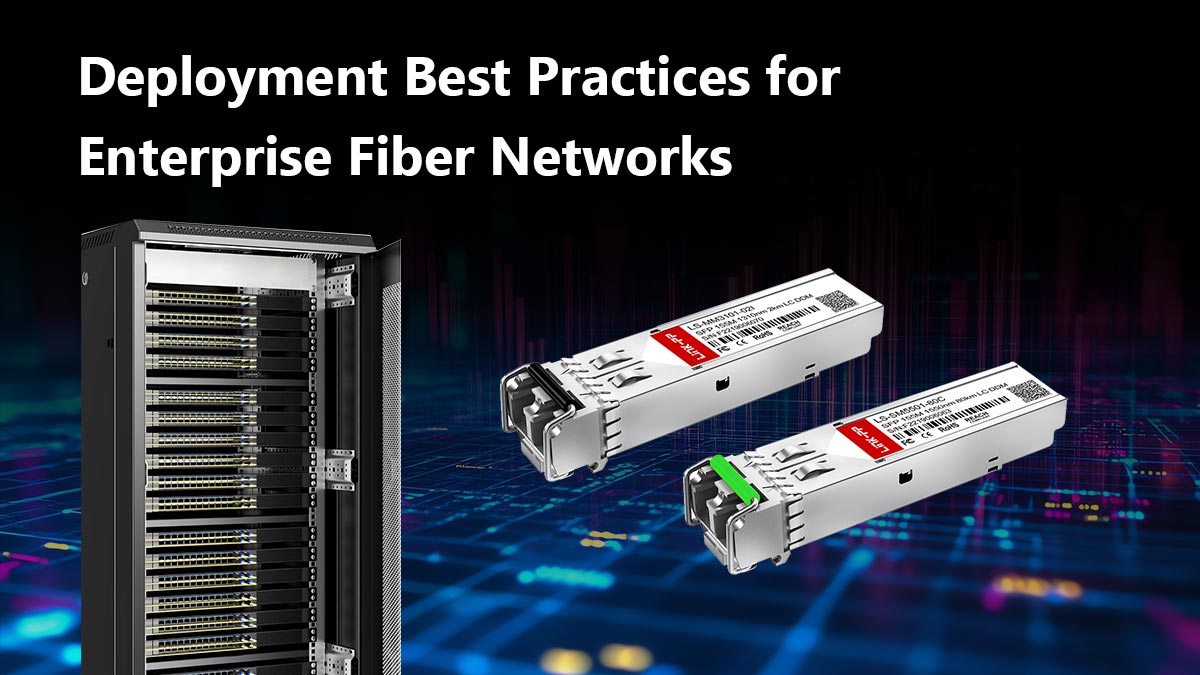
🟧 Deployment Best Practices for Enterprise Fiber Networks

Successful Aruba SFP switch deployments depend not only on switch hardware, but also on long-term fiber planning, optic standardization, and scalable uplink design. Poor transceiver planning can create bandwidth bottlenecks, interoperability issues, and higher maintenance costs as enterprise networks expand.

A structured deployment strategy helps organizations improve uptime, simplify troubleshooting, and prepare for future bandwidth growth.

Deployment Best Practices for Enterprise Fiber Networks

Uplink Planning for Access, Aggregation, and Core

Enterprise Aruba networks are typically designed in three layers:

Network Layer Typical Aruba Deployment Common Uplink Speed
Access Layer User and edge connectivity 1G / 10G
Aggregation Layer Traffic consolidation 10G / 25G
Core Layer High-speed backbone 25G / 40G / 100G

When planning Aruba SFP uplinks, engineers should evaluate:

  • Current bandwidth utilization
  • Future traffic growth
  • Wi-Fi 6/6E expansion
  • Virtualization workloads
  • Redundancy requirements
  • Fiber infrastructure limitations

For most enterprise environments, 10G SFP+ remains the standard uplink choice between access and aggregation layers, while Aruba CX core deployments increasingly adopt 25G and higher-speed architectures.

A scalable uplink design prevents future network congestion and reduces the need for expensive infrastructure redesigns later.

Migration Strategy for Mixed-Speed Networks

Many organizations operate hybrid environments where legacy 1G infrastructure coexists with newer 10G or 25G Aruba deployments.

Common migration challenges include:

  • Mixed fiber standards
  • Legacy switch limitations
  • Incompatible optics
  • Uneven uplink speeds
  • Firmware interoperability issues

To simplify migration, enterprise IT teams typically:

  1. Standardize optic vendors and coding
  2. Upgrade aggregation layers first
  3. Maintain backward-compatible uplinks during transition
  4. Separate legacy and high-speed workloads where possible
  5. Validate optics in staging environments before rollout

Gradual migration strategies help minimize downtime while allowing organizations to modernize network infrastructure in phases.

Inventory, Spare Modules, and Standardization

One of the most overlooked enterprise networking practices is transceiver inventory management.

Without standardized optics and spare modules, troubleshooting becomes slower and operational costs increase significantly.

Best practices for Aruba SFP deployments include:

Best Practice Operational Benefit
Standardize optic models Simplifies compatibility management
Keep spare transceivers Reduces outage recovery time
Maintain firmware consistency Prevents interoperability problems
Document compatibility lists Improves troubleshooting efficiency
Validate third-party optics Minimizes deployment risk

Many enterprise teams now maintain separate inventories for:

  • Production-certified optics
  • Testing and staging modules
  • Emergency replacement stock
  • DAC and AOC cable assemblies

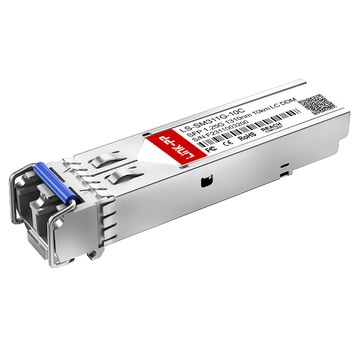
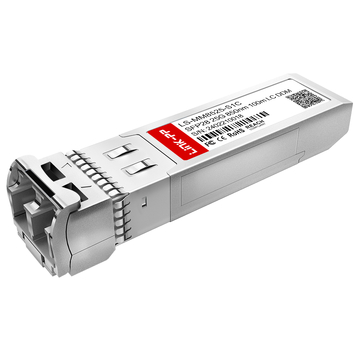
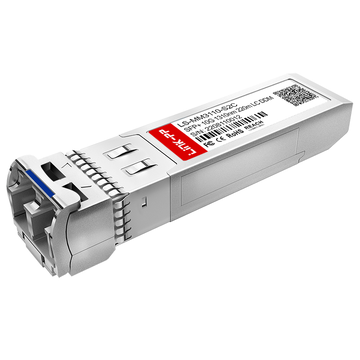
For organizations seeking cost-effective Aruba-compatible optics, many engineers deploy validated third-party SFP modules after compatibility testing. Reliable suppliers with Aruba-compatible EEPROM coding and enterprise-grade manufacturing standards can significantly reduce optical infrastructure costs while maintaining stable network performance.

For enterprise deployments requiring Aruba-compatible SFP, SFP+, DAC, and fiber transceiver solutions, the LINK-PP Official Store offers compatible optical modules designed for enterprise switching environments, including Aruba CX and ArubaOS-Switch platforms.

Video

View all
video cover image
01:11
Global Delivery Service | LINK-PP
Jun 26, 2024
1.2k
888