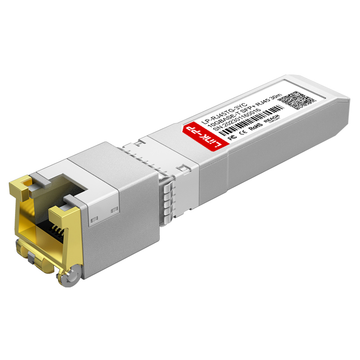
If you're searching for SonicWall 02-SSC-1874 third-party alternatives, you're likely trying to solve a very specific problem: how to achieve reliable multi-gig (1G / 2.5G / 5G / 10G) copper connectivity on your SonicWall firewall without overpaying or risking incompatibility.
The SonicWall 02-SSC-1874 is an SFP+ 10GBASE-T RJ45 transceiver, designed to convert an SFP+ port into a standard Ethernet copper interface using Cat6A/7 cabling. It’s commonly used in TZ, NSa, and NSsp series firewalls where fiber is not practical, but higher-than-1G speeds are still required.
However, real-world users consistently run into three key challenges:
- High cost of official SonicWall modules
- Uncertainty around compatibility across different firewall models
- Risk of unsupported third-party modules being rejected by SonicOS
This is why the search for alternatives is so common.
In many deployments—especially with models like TZ470, TZ570, or TZ670—network engineers are not just asking “what is 02-SSC-1874?”, but rather:
- Will a third-party module actually work on my SonicWall device?
- Can I get 2.5G or 5G speeds using a non-OEM transceiver?
- Is there a reliable, cost-effective replacement without firmware issues?
What you’ll learn in this guide
By reading this article, you’ll gain:
- A clear understanding of how 02-SSC-1874 works and where it fits
- Verified insights into SonicWall compatibility limitations
- A breakdown of third-party alternatives and when they are safe to use
- Practical tips to avoid common deployment and negotiation issues
- A decision framework to help you choose the right module with confidence
Whether you're upgrading your network, troubleshooting a link issue, or trying to reduce hardware costs, this guide is designed to give you practical, deployment-level clarity—not just specs.
🔴 What Is SonicWall 02-SSC-1874?
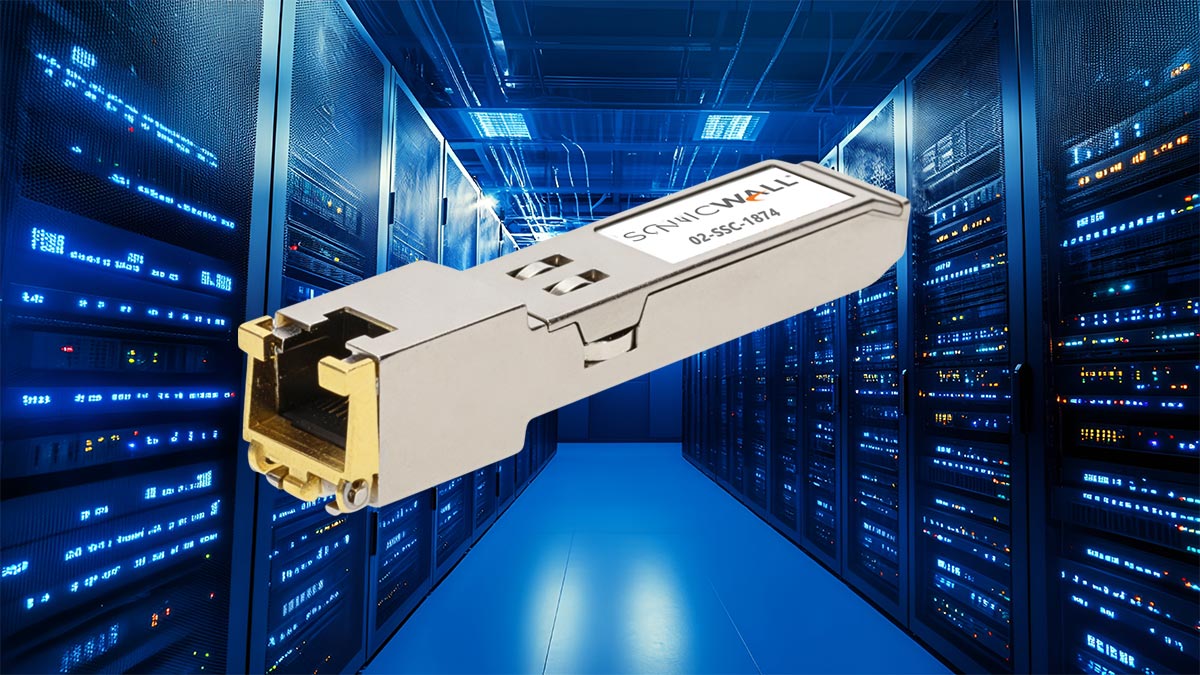
The SonicWall 02-SSC-1874 is a copper-based SFP+ transceiver module that allows SonicWall firewalls and switches to connect to standard Ethernet networks using RJ45 cabling instead of fiber. It is specifically designed for environments where flexibility, backward compatibility, and multi-gig speeds are required over short distances.
Unlike traditional fiber SFP+ modules, this transceiver converts an SFP+ port into a 10GBASE-T copper interface, making it ideal for connecting to switches, servers, or ISP handoffs that use twisted-pair Ethernet (Cat6A / Cat7).
Key Specifications and Technical Overview
Here are the core specifications that define how 02-SSC-1874 performs in real-world deployments:
- Form Factor: SFP+ (hot-swappable)
- Connector Type: RJ45 (copper Ethernet)
- Cable Type: Cat6A / Cat7 (backward compatible with Cat5e for lower speeds)
- Supported Data Rates:
- 1 Gbps (1000BASE-T)
- 2.5 Gbps / 5 Gbps (multi-gig, depending on device support)
- 10 Gbps (10GBASE-T)
- Maximum Distance: Up to 30 meters
- Power Supply: +3.3V
- Operating Temperature: 0°C to 70°C (commercial range)
- Standards Compliance: IEEE 802.3an, IEEE 802.3ae, SFP+ MSA
Key takeaway: This is not just a “10G module”—it’s a multi-rate copper transceiver, which is why it’s frequently used in mixed-speed environments.
What Makes 02-SSC-1874 Different from Fiber SFP+ Modules?
The biggest distinction is media type and deployment flexibility.
| Feature | 02-SSC-1874 (Copper) | Fiber SFP+ (SR/LR) |
|---|---|---|
| Medium | RJ45 (Ethernet cable) | Fiber (MMF/SMF) |
| Distance | Up to 30m | 300m–10km+ |
| Installation | Simple, plug-and-play | Requires fiber infrastructure |
| Power Consumption | Higher | Lower |
| Flexibility | High (multi-speed) | Typically fixed speed |
In practical terms:
- Use 02-SSC-1874 when:
- You already have copper cabling installed
- You need multi-gig (1G–10G) negotiation
- Distance is short (≤30m)
- Use optical modules when:
- You need long-distance links
- You want lower latency and power consumption
- Your network is already fiber-based
Typical Use Cases in SonicWall Deployments
The 02-SSC-1874 is widely used in scenarios where fiber is unnecessary or impractical, but performance still matters.
Common deployment examples include:
- ISP handoff conversion
Converting a multi-gig Ethernet WAN (2.5G/5G/10G) into an SFP+ port on a SonicWall firewall - Switch uplink via copper
Connecting a firewall to a nearby switch without needing optical transceiver - Data center short-range connections
Linking racks within the same cabinet or row using existing RJ45 infrastructure - Network upgrades without rewiring
Enabling 10G capability over existing Cat6A/Cat7 cabling
Why This Module Creates So Much Confusion
Despite being straightforward on paper, the 02-SSC-1874 often causes confusion due to real-world compatibility behavior:
- Some SonicWall models limit supported speeds (e.g., 1G or 5G caps)
- Certain firmware versions may reject unsupported or unrecognized modules
- Multi-gig negotiation (2.5G/5G) is not always automatic
- Documentation across models (TZ vs NSa) can be inconsistent
This is exactly why many users begin searching for:
- “02-SSC-1874 compatibility”
- “SonicWall SFP+ RJ45 not working”
- “third-party alternative to 02-SSC-1874”
Bottom Line
The SonicWall 02-SSC-1874 is a highly practical but environment-sensitive module:
- ✔ Excellent for short-range, high-speed copper networking
- ✔ Supports multi-gig speeds across different network setups
- ❗ Requires careful attention to device compatibility and firmware behavior
Understanding these fundamentals is critical before moving on to third-party alternatives, where compatibility becomes even more important.
🔴 Why Consider Third-Party Alternatives to 02-SSC-1874?
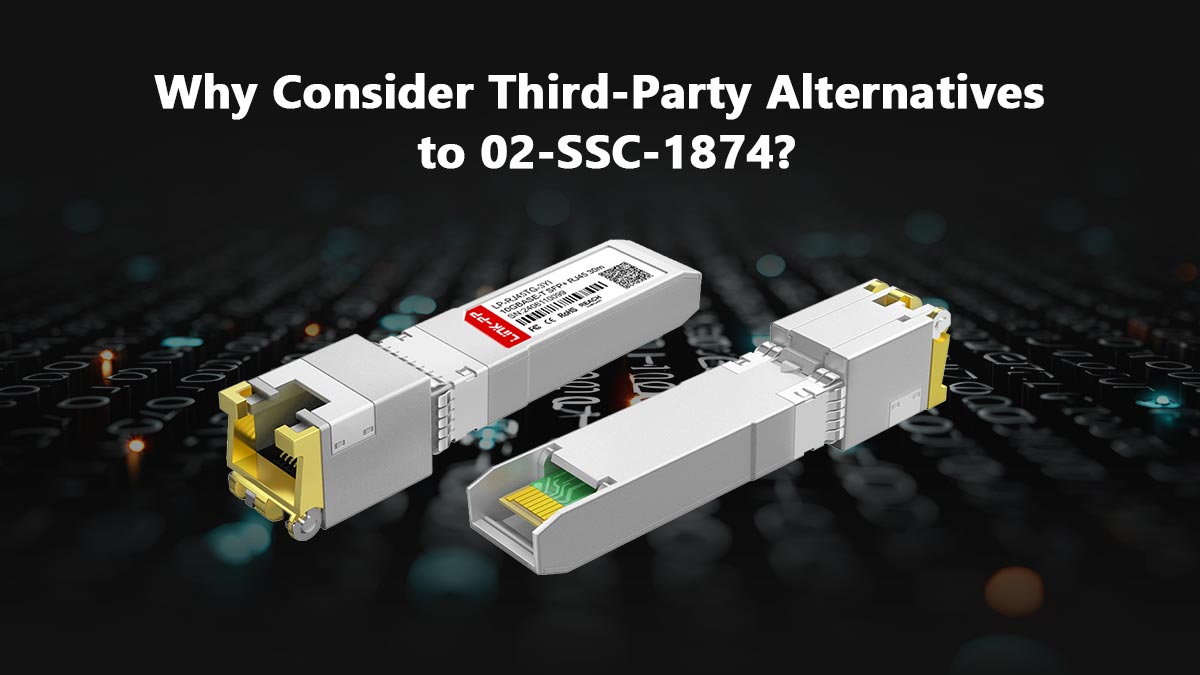
While the SonicWall 02-SSC-1874 is a reliable, officially supported module, many network engineers actively look for third-party alternatives—and not just for cost reasons. The decision is usually driven by a combination of budget constraints, deployment flexibility, and real-world compatibility needs.
Understanding why users explore alternatives helps you determine whether it’s the right move for your specific network.
High Cost of OEM SonicWall Transceivers
One of the most common pain points is pricing.
Official SonicWall-branded modules like 02-SSC-1874 are often significantly more expensive than equivalent third-party options. In many cases:
- OEM modules can cost 2–5× more than compatible transceivers
- Large deployments (multiple firewalls or ports) quickly multiply the cost
- Budget-sensitive projects (SMBs, MSPs) feel the impact the most
This is why users frequently search for:
- “SonicWall compatible SFP+ cheaper”
- “02-SSC-1874 alternative RJ45 module”
For many organizations, the question becomes:
“Can I achieve the same functionality at a lower cost without breaking compatibility?”
Demand for Multi-Vendor Network Flexibility
Modern networks are rarely single-vendor environments.
You may be connecting your SonicWall firewall to:
- Cisco or Aruba switches
- White-box or OEM servers
- ISP-provided Ethernet handoffs
In these scenarios, third-party transceivers are often preferred because they can be:
- Pre-coded for multiple vendors
- Reprogrammable for cross-platform compatibility
- Easier to standardize across mixed environments
OEM modules like 02-SSC-1874 are optimized for SonicWall, but third-party modules can be more flexible in multi-vendor deployments.
Limited Availability or Procurement Delays
Another practical issue is availability.
Depending on your region or supplier:
- OEM SonicWall modules may have long lead times
- Local distributors may have limited stock
- Urgent deployments may require immediate alternatives
In contrast, third-party modules are often:
- Widely available from multiple vendors
- Easier to source locally or online
- Faster to deploy in time-sensitive projects
For IT teams under pressure, availability can outweigh brand preference.
Need for Specific Features or Customization
Some third-party manufacturers offer features that go beyond standard OEM offerings:
- Custom EEPROM coding for specific firmware environments
- Lower power consumption variants (important for dense deployments)
- Better thermal performance in high-temperature racks
- Compatibility with non-standard multi-gig negotiation scenarios
While the SonicWall 02-SSC-1874 supports multi-rate speeds, real-world negotiation behavior can vary, and advanced users may look for modules tuned to their exact setup.
Real-World User Behavior: Cost vs. Risk Trade-Off
From actual deployment feedback (especially in forums and Reddit discussions), a consistent pattern emerges:
- Many users try third-party modules first to reduce cost
- Some encounter SonicOS compatibility restrictions
- Others successfully deploy alternatives with proper coding and testing
This creates a classic trade-off:
| Factor | OEM (02-SSC-1874) | Third-Party Alternative |
|---|---|---|
| Compatibility | Guaranteed | Varies (model/firmware dependent) |
| Cost | High | Low–Moderate |
| Availability | Limited in some regions | Widely available |
| Risk | Minimal | Requires validation |
The key question is not “OEM vs third-party”, but: “How much compatibility risk are you willing to accept to reduce cost?”
When Choosing an Alternative Makes Sense
You should consider third-party alternatives if:
- You are deploying at scale and need to reduce hardware costs
- You operate in a multi-vendor network environment
- You have the ability to test modules before full deployment
- Your SonicWall model is known to accept compatible transceivers
However, sticking with the SonicWall 02-SSC-1874 is often the safer choice if:
- You need guaranteed compatibility with no troubleshooting
- You are working in mission-critical environments
- You cannot risk downtime or firmware-related issues
Bottom Line
The growing demand for third-party alternatives is not just about saving money—it reflects real operational needs in modern networks.
- ✔ Lower cost and wider availability drive adoption
- ✔ Multi-vendor environments benefit from flexibility
- ❗ Compatibility and firmware support remain the biggest risks
Understanding these trade-offs sets the foundation for the next step: evaluating compatibility requirements before choosing any alternative.
🔴 SonicWall 02-SSC-1874 Compatibility: What You Need to Check
Before choosing the SonicWall 02-SSC-1874 or any third-party alternative, compatibility is the single most critical factor. Unlike standard Ethernet modules, SonicWall environments introduce model-specific limitations, firmware restrictions, and speed negotiation constraints that can directly impact whether the module works—or fails completely.
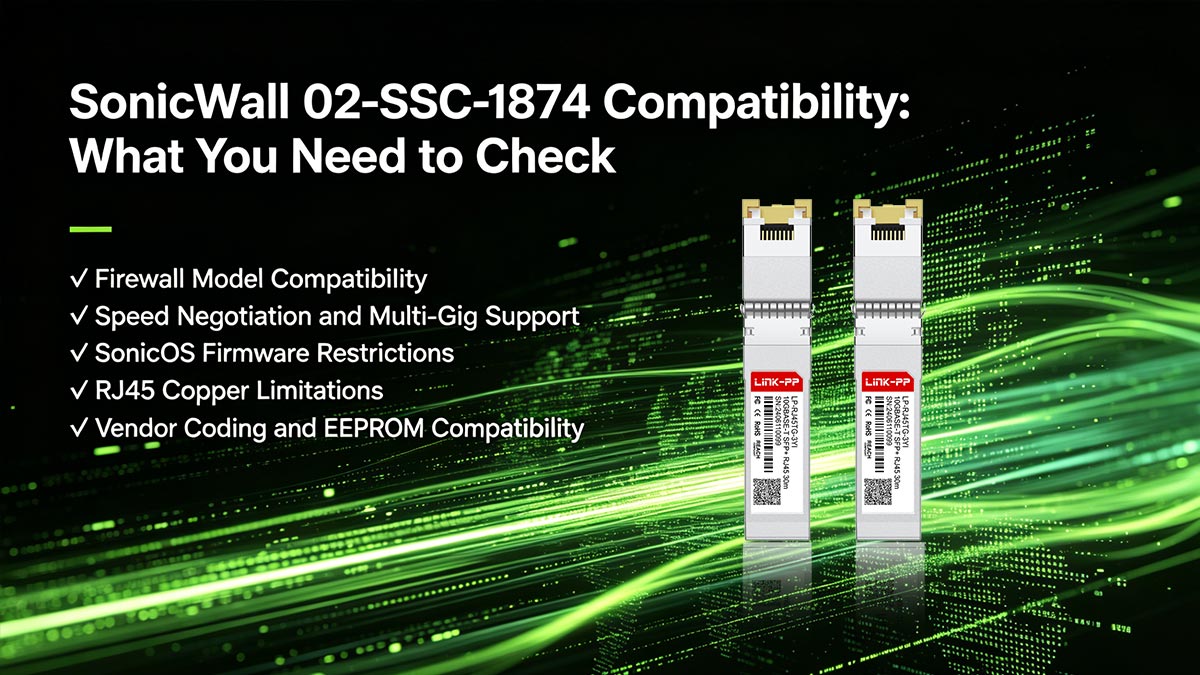
This section breaks down exactly what you need to verify to avoid costly mistakes.
Firewall Model Compatibility (TZ vs. NSa vs. NSsp)
Not all SonicWall devices behave the same—even if they have SFP+ ports.
Key differences by product line:
- TZ Series (e.g., TZ470 / TZ570 / TZ670)
- Often support multi-gig speeds (1G / 2.5G / 5G / 10G)
- May have speed caps depending on model
- More sensitive to module recognition and firmware restrictions
- NSa / NSsp Series
- Typically designed for enterprise-grade 10G environments
- Better support for full 10GBASE-T operation
- Generally more stable with certified modules
What to check:
- Your exact firewall model
- Official supported module list (if available)
- Whether your device supports multi-gig negotiation or only fixed speeds
Speed Negotiation and Multi-Gig Support
Although the SonicWall 02-SSC-1874 supports 1G to 10G, your firewall may not.
Common real-world scenarios:
- Some TZ models:
- Support 5Gbps max, even with a 10G module
- Others:
- Drop to 1Gbps if auto-negotiation fails
- Multi-gig speeds (2.5G / 5G):
- May require manual configuration
👉 What to check:
- Maximum supported port speed on your device
- Whether 2.5G / 5G is officially supported
- If auto-negotiation works properly with your switch or ISP
SonicOS Firmware Restrictions
One of the biggest pain points with third-party modules is firmware-level enforcement.
SonicWall’s operating system (SonicOS) may:
- Reject unsupported modules
- Display warnings like “Unsupported SFP inserted”
- Disable the port entirely in some cases
This behavior varies by:
- Firmware version
- Device model
- Module EEPROM coding
What to check:
- Your current SonicOS version
- Whether your firmware is known to block third-party optics
- If your supplier offers SonicWall-compatible coding
RJ45 Copper Limitations (Distance & Heat)
Because the SonicWall 02-SSC-1874 is a 10GBASE-T copper module, it has physical limitations that can affect compatibility:
- Maximum distance: typically up to 30 meters
- Higher power consumption than fiber modules
- Heat generation in dense or poorly ventilated environments
In some cases, excessive heat can cause:
- Link instability
- Module shutdown
- Reduced lifespan
What to check:
- Cable type (Cat6A or higher recommended)
- Cable length (stay within 30m for 10G stability)
- Device airflow and thermal conditions
Vendor Coding and EEPROM Compatibility
Third-party modules rely heavily on correct EEPROM coding to be recognized by SonicWall devices.
If the module is not properly coded:
- The firewall may not detect it
- The link may fail to establish
- Speed negotiation may not function correctly
High-quality third-party vendors typically offer:
- SonicWall-compatible coding profiles
- Reprogrammable modules
- Pre-tested compatibility with specific firewall models
What to check:
- Does the vendor guarantee SonicWall compatibility?
- Is the module tested on your specific model (e.g., TZ570)?
- Can the module be re-coded if needed?
Real-World Compatibility Checklist
Before purchasing, run through this quick checklist:
- ✔ Confirm your SonicWall model supports SFP+ copper modules
- ✔ Verify maximum supported speed (1G / 2.5G / 5G / 10G)
- ✔ Check SonicOS behavior with third-party transceivers
- ✔ Ensure your cabling meets Cat6A/7 requirements
- ✔ Choose a vendor with proven SonicWall compatibility coding
Bottom Line
Compatibility is not just about whether the module “fits”—it’s about whether it will work reliably under real conditions.
- ✔ The SonicWall 02-SSC-1874 is optimized for SonicWall environments
- ✔ Third-party alternatives can work—but only with proper validation
- ❗ Most failures come from overlooking model, firmware, or speed limitations
Getting these checks right ensures you avoid the most common issues—and sets you up to confidently evaluate the best alternative options, which we’ll cover next.
🔴 02-SSC-1874 vs. Third-Party Copper SFP+ Modules
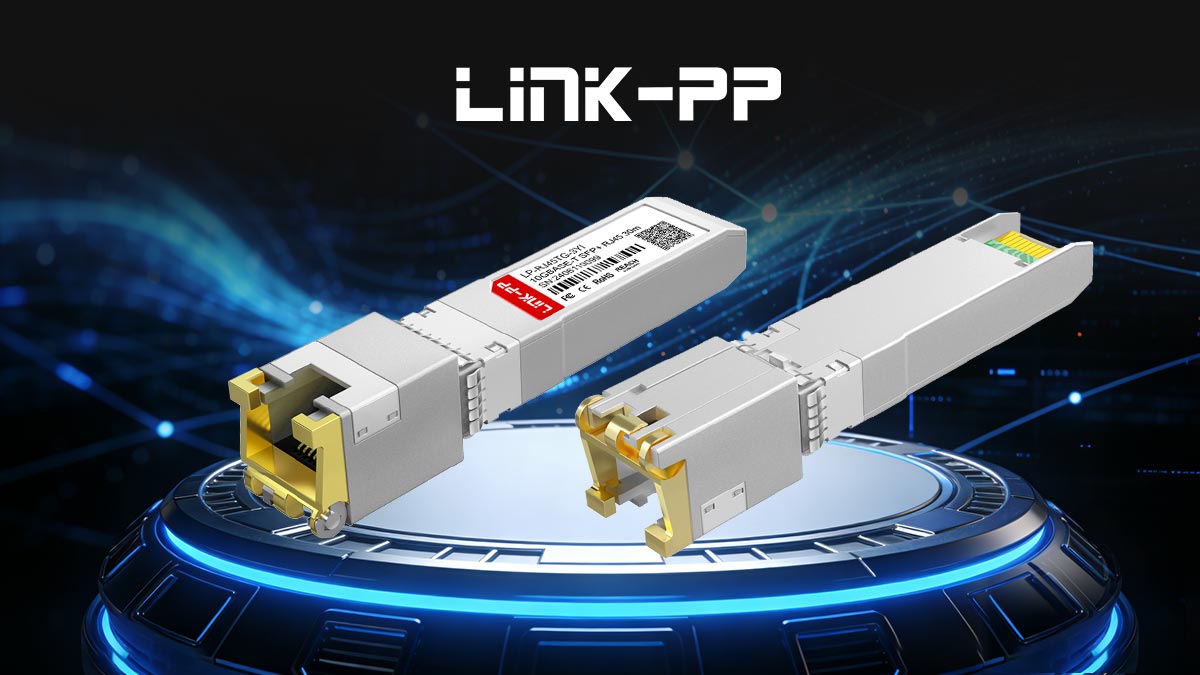
To make a confident decision, you need to compare the OEM module vs real third-party options used in deployments today—including industrial-grade solutions like LINK-PP.
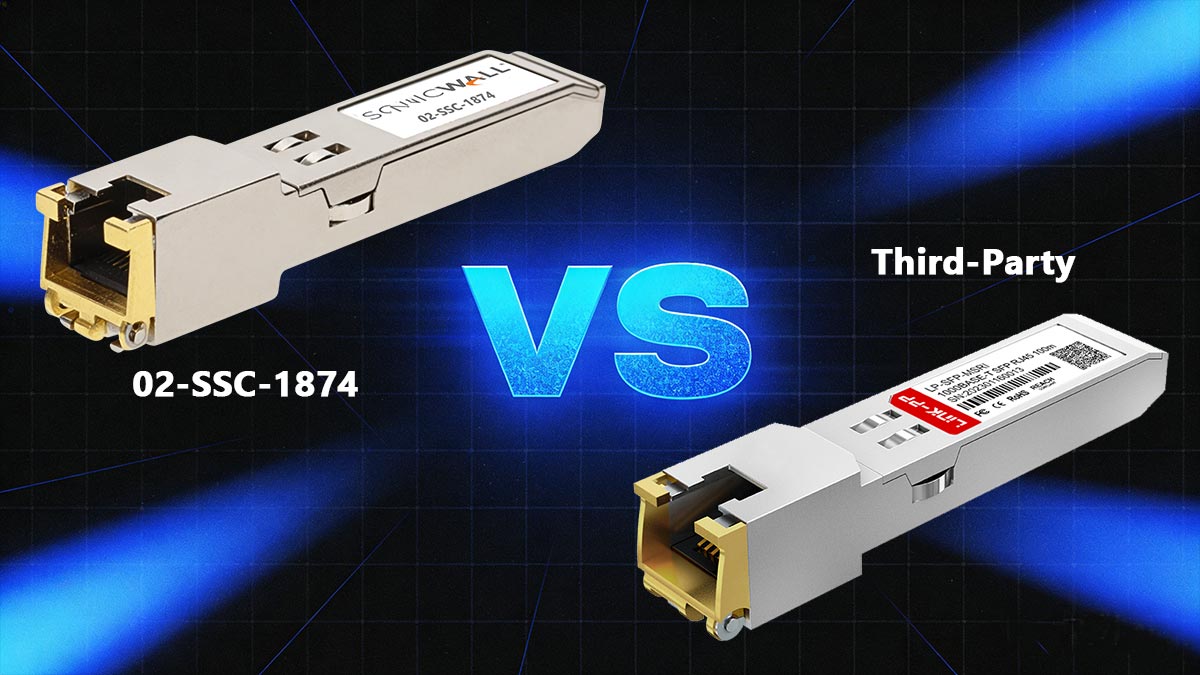
Below is a practical, deployment-focused comparison based on performance, compatibility, and real-world behavior.
Product Comparision Table
Low
| Attribute | SonicWall 02-SSC-1874 | LINK-PP LP-RJ45TGE-3YAI | FS 10GBASE-T SFP+ | ATGBICS SFP-10G-T-C | Wiitek 10G RJ45 SFP+ | 10Gtek 10GBASE-T SFP+ |
|---|---|---|---|---|---|---|
| Vendor Type | OEM (SonicWall) | Industrial compatible | Compatible (coded) | Branded compatible | Generic | Generic |
| Speed Support | 1G–10G multi-gig | 10M–10G multi-gig | 1G–10G | 1G–10G | 1G–10G | 1G–10G |
| Compatibility | Guaranteed | High (with proper coding) | High (if coded) | High | Medium | Medium |
| SonicOS Acceptance | Native | Usually accepted (project-dependent) | Usually accepted | Usually accepted | May fail | May fail |
| Max Distance | 30m | 30m | 30m | 30m | 30m | 30m |
| Connector | RJ45 | RJ45 | RJ45 | RJ45 | RJ45 | RJ45 |
| Cable Type | Cat6A/7 | Cat6A/7 | Cat6A/7 | Cat6A/7 | Cat6A/7 | Cat6A/7 |
| Power / Heat | High | Optimized for harsh environments | Medium–High | Medium | Medium | Medium |
| Temperature Range | 0–70°C | 0–70°C | 0–70°C | 0–70°C | 0–70°C | 0–70°C |
| Price Level | Very High | Medium | Medium | Medium | Low | |
| Best Use Case | Enterprise / critical | Industrial / telecom | Production networks | Business deployment | Lab / SMB | Budget setups |
Performance: Similar Specs, Different Stability
All modules—including OEM and third-party—share nearly identical specs:
- 10GBASE-T over RJ45
- Up to 30m over Cat6A/7
- Multi-rate support (1G–10G)
However, real-world performance diverges in:
- Multi-gig negotiation (2.5G / 5G stability)
- Heat handling under sustained load
- Link consistency across different switches
OEM modules are optimized for SonicWall hardware, while third-party modules depend heavily on chipset quality and firmware coding.
Compatibility: OEM Advantage vs. Third-Party Flexibility
This is the most important difference:
- OEM (02-SSC-1874):
- Fully supported by SonicWall
- No warnings, no negotiation issues
- Works across supported TZ / NSa models
- Third-party modules:
- Require correct EEPROM coding
- May trigger:
- “Unsupported SFP” warnings
- Link failures
- Speed fallback to 1G
Real-world feedback confirms this: “SonicOS rejects anything not on its allow list.”
Cost Difference: The Main Driver
- OEM module: typically $300–$400+ range
- Third-party modules: often $40–$150
This creates a clear trade-off:
- ✔ OEM = certainty
- ✔ Third-party = cost savings
- ❗ Risk = compatibility + troubleshooting time
Industrial vs. Commercial Modules (Important Insight)
Most comparisons ignore a key category: Industrial-grade copper SFP+ modules
Key advantages:
- Wider temperature range (industrial environments)
- Better stability in:
- Outdoor cabinets
- Factory networks
- Telecom edge deployments
- Same multi-gig support (10M–10G)
This makes industrial modules a strong alternative where reliability > cost, especially in non-office environments.
When to Choose Each Option
Choose OEM (02-SSC-1874) if:
- You need guaranteed compatibility
- You cannot risk downtime
- You are deploying in enterprise or critical infrastructure
Choose high-quality third-party (FS / ATGBICS) if:
- You want lower cost with low risk
- You can ensure SonicWall-compatible coding
- You are deploying in production but cost-sensitive environments
Choose industrial modules (e.g., LINK-PP) if:
- You operate in harsh environments
- You need higher durability and thermal stability
Avoid ultra-generic modules if:
- You cannot test beforehand
- Your SonicWall model is known to be restrictive
Bottom Line
The difference between OEM and third-party modules is not about specifications—it’s about real-world behavior under SonicOS:
- ✔ 02-SSC-1874 = maximum compatibility, zero risk
- ✔ High-quality third-party = best balance of cost and performance
- ✔ Industrial modules = niche but critical use-case advantage
- ❗ Cheap generic modules = highest failure probability
The smartest strategy is not “OEM vs third-party”—it’s choosing the option that matches your environment, risk tolerance, and deployment scale.
🔴 Common 02-SSC-1874 Compatibility Problems and How to Avoid Them
Even though the SonicWall 02-SSC-1874 is designed for seamless integration, real-world deployments—especially with third-party alternatives—often encounter compatibility and performance issues.
Most problems are predictable and avoidable if you understand the root causes. This section covers the most common issues seen in practice and how to fix or prevent them.
“Unsupported SFP” Error in SonicOS
Problem:
After inserting the module, SonicWall displays warnings like:
- “Unsupported SFP inserted”
- Port remains down or disabled
Why it happens:
- The module is not recognized by SonicOS
- EEPROM is not coded for SonicWall
- Firmware enforces a vendor allow list
How to avoid it:
- Use the original SonicWall 02-SSC-1874
- Or choose third-party modules with SonicWall-compatible coding
- Verify compatibility with your exact firewall model + firmware version
Link Not Coming Up (No Connectivity)
Problem:
The module is detected, but:
- No link light
- Interface stays down
Common causes:
- Cable type mismatch (e.g., Cat5e at 10G)
- Port configuration mismatch
- Incompatible switch or ISP device
How to fix it:
- Use Cat6A or Cat7 cables for 10G stability
- Manually set speed/duplex if auto-negotiation fails
- Test with another known-working device
Speed Drops to 1Gbps Instead of Multi-Gig
Problem:
You expect 2.5G / 5G / 10G, but the link only runs at 1Gbps.
Why it happens:
- SonicWall model has speed limitations
- Auto-negotiation fails between devices
- Third-party module does not fully support multi-gig negotiation
How to avoid it:
- Confirm your firewall supports:
- 2.5G / 5G / 10G (model-dependent)
- Check the peer device (switch/ISP) also supports multi-gig
- Use high-quality modules tested for multi-rate stability
Intermittent Link Drops or Instability
Problem:
The connection works—but randomly drops or fluctuates.
Typical causes:
- Overheating (common with copper SFP+ modules)
- Poor cable quality
- Firmware or compatibility instability
How to fix it:
- Ensure proper airflow and cooling around the firewall
- Avoid using multiple copper SFP+ modules in tightly packed ports
- Upgrade firmware if stability issues are known
For demanding environments, consider industrial-grade modules (e.g., LINK-PP LP-RJ45TGE-3YAI), which are designed for better thermal tolerance.
Module Works at 10G but Fails at 2.5G / 5G
Problem:
10G works, but lower multi-gig speeds (2.5G / 5G) fail or are unstable.
Why this is common:
- Multi-gig (NBASE-T) support is less consistent than standard 1G/10G
- Some modules prioritize 10G performance only
- Firmware negotiation between devices may be inconsistent
How to avoid it:
- Choose modules explicitly supporting 10M–10G full range
- Verify real-world testing for 2.5G / 5G scenarios
- Avoid generic modules lacking proper chipset support
Excessive Heat and Port Shutdown
Problem:
The module becomes very hot, leading to:
- Reduced performance
- Port shutdown
- Long-term hardware stress
Why it happens:
- 10GBASE-T copper modules inherently consume more power than fiber
- Dense deployments amplify heat buildup
How to avoid it:
- Limit the number of copper SFP+ modules per device
- Ensure adequate ventilation
- Consider alternatives if heat is a concern:
- Fiber SFP+ modules (lower power)
- Industrial-grade copper modules (better thermal design)
Third-Party Module Works on One Device but Not Another
Problem:
A module works on one SonicWall firewall but fails on another.
Why it happens:
- Different models have different compatibility rules
- Firmware versions behave differently
- EEPROM coding may match one model but not another
How to avoid it:
- Always validate compatibility per:
- Exact model (e.g., TZ470 vs TZ570)
- Firmware version
- Request vendor confirmation for specific device support
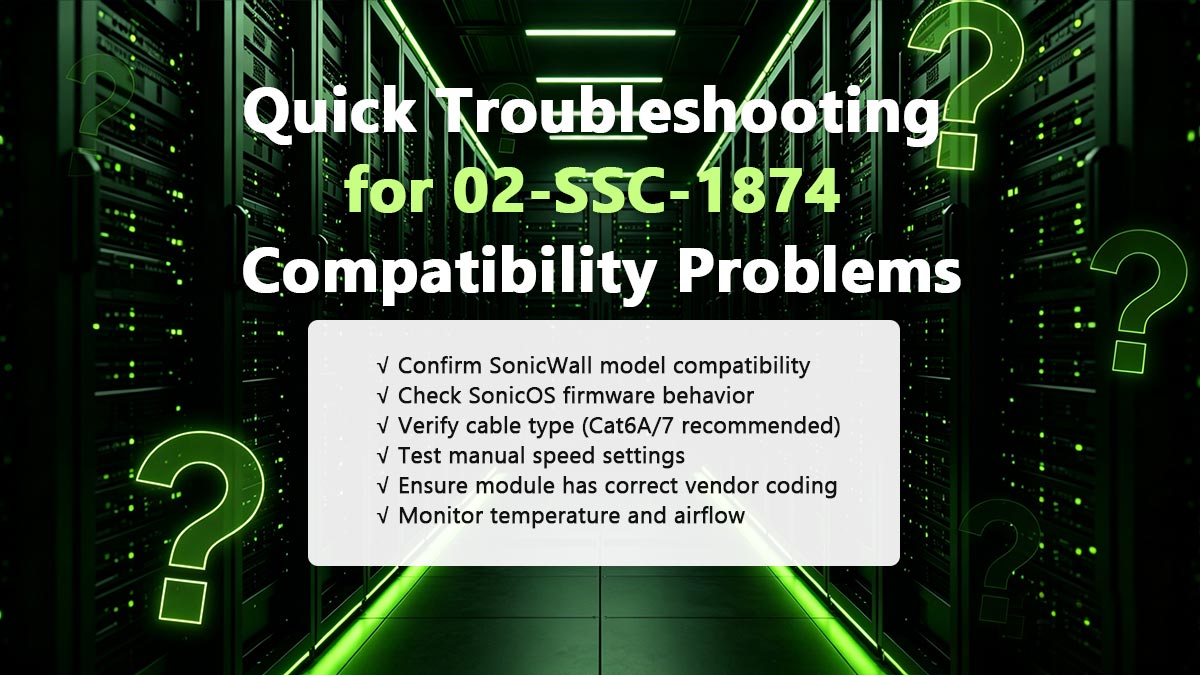
Quick Troubleshooting Checklist
Before replacing your module, run this checklist:
- ✔ Confirm SonicWall model compatibility
- ✔ Check SonicOS firmware behavior
- ✔ Verify cable type (Cat6A/7 recommended)
- ✔ Test manual speed settings
- ✔ Ensure module has correct vendor coding
- ✔ Monitor temperature and airflow
Bottom Line
Most 02-SSC-1874 issues are not hardware defects—they are compatibility mismatches.
- ✔ OEM modules minimize risk
- ✔ Third-party modules require validation
- ❗ The biggest failures come from:
- Wrong assumptions about compatibility
- Ignoring firmware behavior
- Using low-quality or untested modules
If you proactively check these factors, you can avoid 90% of real-world deployment issues and confidently move forward with either OEM or alternative solutions.
🔴 FAQ About SonicWall 02-SSC-1874 Third-Party Alternatives

1. Are third-party alternatives to 02-SSC-1874 legal and safe to use?
Yes, third-party SFP+ modules are legal and widely used in networking environments.
They are manufactured based on open industry standards (SFP+ MSA), meaning vendors can produce compatible modules. However, “safe to use” depends on:
- Proper vendor coding for SonicWall
- Verified compatibility with your specific device
In practice, reputable third-party modules are commonly deployed in enterprise, ISP, and MSP environments.
2. Do third-party modules void SonicWall warranty?
Using a third-party module typically does not void the entire device warranty, but:
- SonicWall may deny support for issues related to unsupported transceivers
- Troubleshooting may require switching back to an official module like SonicWall 02-SSC-1874
Best practice: Keep at least one OEM module available for support and diagnostics.
3. Can I mix OEM and third-party SFP+ modules in the same device?
Yes, in most cases you can mix:
- OEM modules (like SonicWall 02-SSC-1874)
- Third-party compatible modules
within the same firewall or switch.
However:
- Behavior may differ per port
- Some firmware versions may handle mixed modules inconsistently
For critical deployments, consistency (same vendor/type) is recommended.
4. Are there performance differences between brands of third-party modules?
Yes—but not always obvious.
While most modules share the same specifications, differences can appear in:
- Chipset quality
- Thermal design
- Multi-gig stability (2.5G / 5G)
Higher-quality vendors typically offer:
- Better long-term stability
- Lower failure rates under load
5. How do I identify a high-quality third-party module?
Look for the following indicators:
- Vendor provides compatibility testing reports
- Module supports full 10M–10G multi-rate range
- Clear warranty and support policy
- Positive real-world deployment feedback
Avoid modules that:
- Do not specify chipset or compatibility
- Are significantly cheaper without documentation
6. Can I use 02-SSC-1874 alternatives for WAN (ISP) connections?
Yes, this is actually one of the most common use cases.
Third-party alternatives are frequently used for:
- Multi-gig ISP handoffs (2.5G / 5G / 10G)
- Converting RJ45 WAN into SFP+ ports
Just ensure:
- Your ISP equipment supports the same speeds
- The module handles stable negotiation with the ISP device
7. Are industrial-grade alternatives worth it?
In standard office environments, not always.
But industrial modules (like LINK-PP LP-RJ45TGE-3YAI) are worth considering if you need:
- Wider temperature tolerance
- Higher durability
- Deployment in:
- Outdoor cabinets
- Factories
- Edge/telecom environments
For these scenarios, industrial-grade modules can significantly improve reliability.
8. What is the best strategy for testing third-party modules?
To minimize risk:
- Start with a small batch (1–2 units)
- Test on your exact SonicWall model and firmware
- Validate:
- Link stability
- Speed negotiation
- Long-duration performance
Only scale deployment after successful validation.
🔴 How to Choose the Right Alternative for Your SonicWall Device
Choosing the right alternative to the SonicWall 02-SSC-1874 is not about picking the cheapest module—it’s about selecting the option that matches your firewall model, network environment, and risk tolerance.
After reviewing compatibility, performance, and real-world behavior, you can simplify your decision using the framework below.
Step 1: Identify Your SonicWall Model and Speed Requirements
Start with the fundamentals:
- What is your exact SonicWall model (TZ, NSa, NSsp)?
- What speed do you actually need?
- 1G (basic connectivity)
- 2.5G / 5G (multi-gig ISP or LAN)
- 10G (high-performance uplinks)
Key insight: Not all SonicWall devices fully support 10G or multi-gig speeds—even if the port is SFP+.
Step 2: Define Your Deployment Scenario
Your environment determines the type of module you should choose:
- Office / enterprise network
- Prioritize stability and compatibility
- SMB / cost-sensitive deployment
- Balance cost and performance
- Industrial / outdoor / telecom
- Require extended temperature and durability
This is where industrial-grade modules (like LINK-PP LP-RJ45TGE-3YAI) become a strong choice.
Step 3: Decide Your Risk vs Cost Strategy
Use this simple decision model:
- Low risk (recommended for critical environments):
- Use OEM (02-SSC-1874)
- Balanced approach (most common):
- Use high-quality, SonicWall-coded third-party modules
- Cost-first approach:
- Use generic modules (only if testing is possible)
Remember: Lower cost always comes with higher validation requirements.
Step 4: Verify Compatibility Before Deployment
Before scaling, always test:
- ✔ Module recognition (no “unsupported SFP” errors)
- ✔ Stable link establishment
- ✔ Correct speed negotiation (1G / 2.5G / 5G / 10G)
- ✔ Thermal stability over time
A small test upfront can prevent large-scale deployment failures.
Quick Decision Guide
| Scenario | Recommended Option |
|---|---|
| Mission-critical network | OEM (02-SSC-1874) |
| Business deployment (cost + reliability) | Branded compatible (FS / ATGBICS) |
| Budget / lab use | Generic modules (with testing) |
| Harsh / industrial environment | LINK-PP industrial modules |
Final Recommendation
There is no one-size-fits-all answer—but there is a right answer for your scenario:
- ✔ Choose OEM if you need zero risk
- ✔ Choose high-quality third-party for cost-effective production deployments
- ✔ Choose industrial-grade solutions when reliability under harsh conditions matters
For users looking for a reliable, industrial-grade alternative with full multi-gig support (10M–10G), you can explore tested solutions through the LINK-PP Official Store, where compatibility-focused transceiver options are designed for both standard and demanding network environments.
The best alternative to the SonicWall 02-SSC-1874 is not defined by price or brand—but by how well it performs in your specific deployment.
- ✔ Compatibility first
- ✔ Performance second
- ✔ Cost last
Follow this order, and you’ll make a decision that is not only cost-effective—but also stable, scalable, and future-proof.