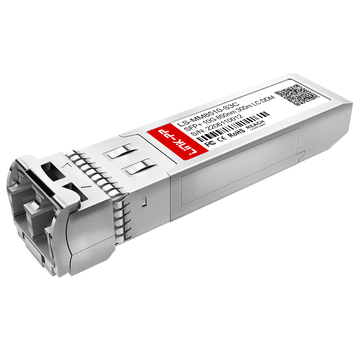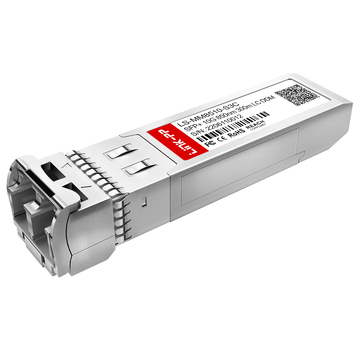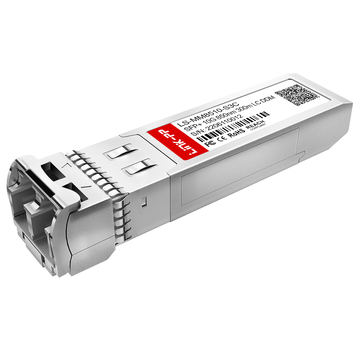
When sourcing high-speed network components, few decisions impact both performance and budget as directly as choosing the right SFP+ module. The SonicWall 01-SSC-9785—a 10GBASE-SR SFP+ transceiver designed for multimode fiber (MMF) deployments—has become a common requirement for IT teams upgrading to 10Gb connectivity within data centers, enterprise LANs, and security appliance uplinks.
However, most buyers searching for this exact SKU are not looking for basic specifications—they are trying to answer critical procurement questions:
- Is this module compatible with my SonicWall device?
- Should I buy the OEM version or a third-party alternative?
- What hidden costs should I consider before purchasing?
- Why is the common mistakes When Purchasing 01-SSC-9785?
This guide is designed to address those real-world concerns. Instead of repeating generic datasheet information, it focuses on procurement strategy, pricing insights, and risk reduction, helping you make a confident and cost-effective purchasing decision.
Whether you are a network engineer planning a 10G upgrade, a procurement manager comparing supplier quotes, or a system integrator optimizing project costs, this article will help you:
- Understand where and how to source SonicWall 01-SSC-9785
- Compare OEM vs compatible module pricing and value
- Avoid common purchasing mistakes that lead to deployment issues
- Optimize your total cost of ownership (TCO), not just unit price
By the end of this guide, you will have a clear, practical framework to decide which version of the 01-SSC-9785 to choose, from whom, and at what price point—without compromising compatibility or reliability.
🔵 What is SonicWall 01-SSC-9785 and Why It Matters
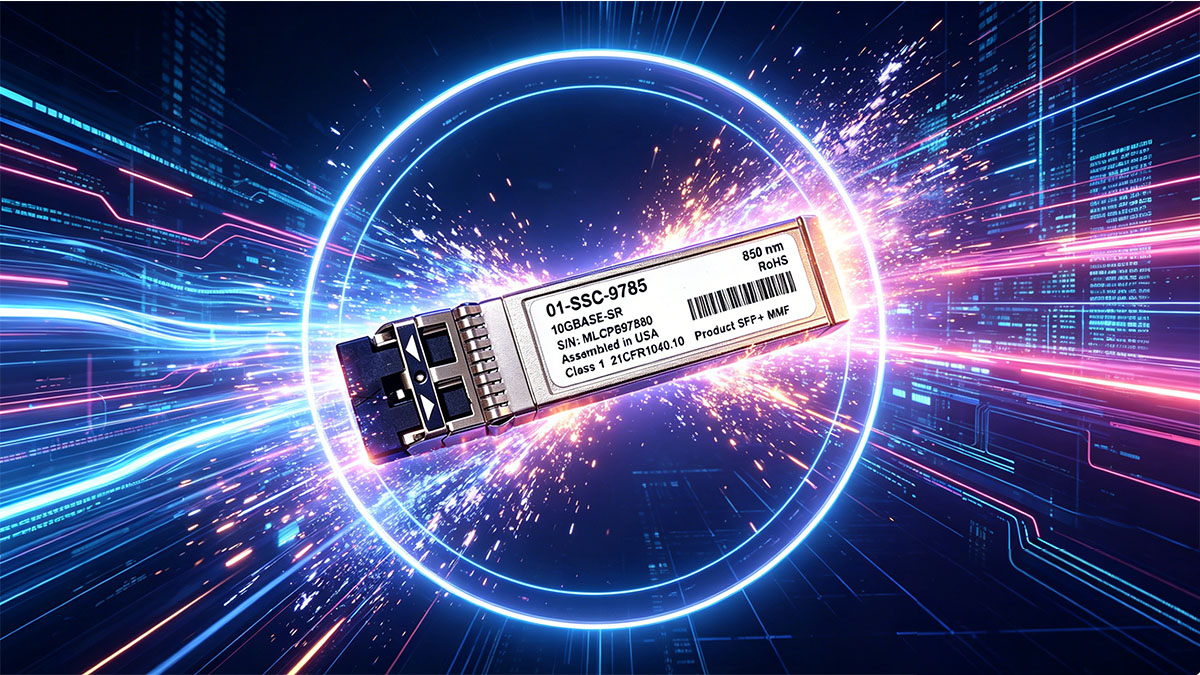
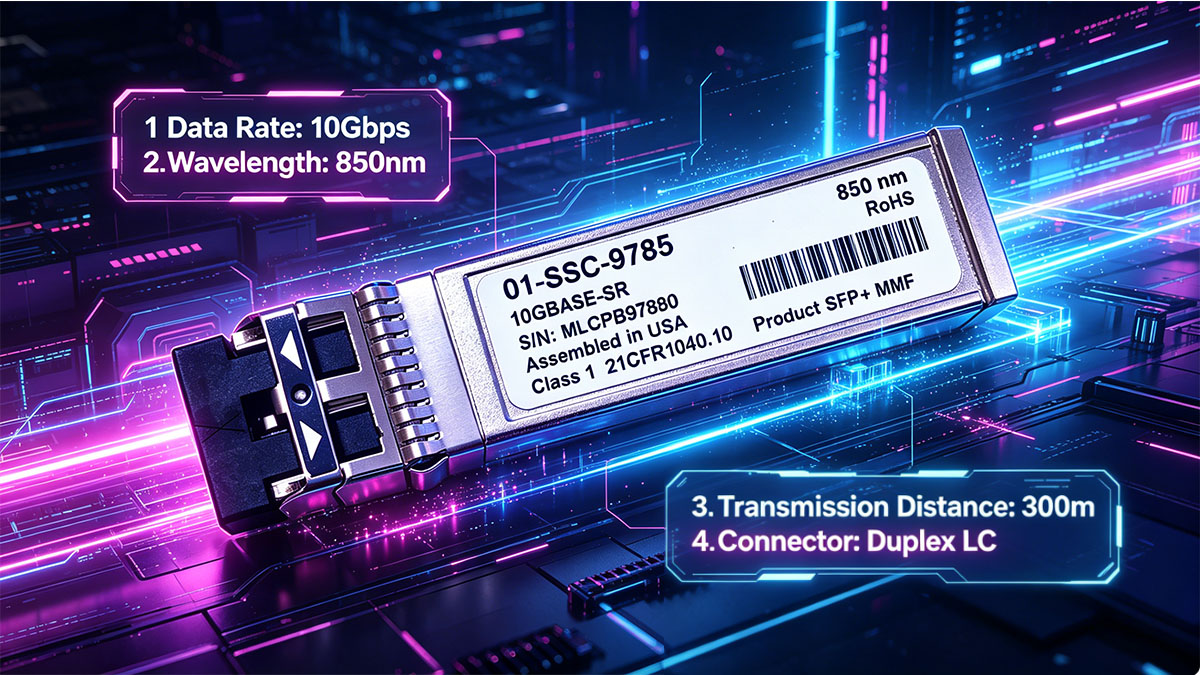
The SonicWall 01-SSC-9785 is a 10GBASE-SR SFP+ transceiver module designed for high-speed data transmission over multimode fiber (MMF). It uses an LC duplex interface and operates at 850nm wavelength, supporting transmission distances of up to 300 meters (typically on OM3 fiber, longer on OM4).
In simple terms, this module enables 10 Gigabit Ethernet (10GbE) connectivity between SonicWall devices—such as firewalls or switches—and other network equipment within short-range environments.
Why 01-SSC-9785 Module Matters in Real-World Procurement
At first glance, the 01-SSC-9785 may seem like just another optical transceiver—but in procurement scenarios, it plays a critical role in both network performance and cost control.
1. Backbone for 10G Network Upgrades
As enterprises transition from SFP 1G to SFP+ 10G infrastructure, this module is often used to:
- Upgrade firewall uplinks
- Connect core switches
- Enable high bandwidth aggregation links
Without the correct SFP+ module, even the most advanced network hardware cannot deliver its full performance.
2. Optimized for Short-Reach, High-Density Environments
The 10GBASE-SR standard is specifically designed for short-distance communication, making the 01-SSC-9785 ideal for:
- Data centers
- Server rooms
- Campus network distribution layers
Compared to long-range transceiver modules (like LR), SR modules are:
- More cost-effective
- Lower power consumption
- Easier to deploy with existing MMF infrastructure
3. Direct Impact on Compatibility and Stability
Unlike generic components, SFP+ optical modules can directly affect:
- Device recognition (supported vs unsupported modules)
- Link stability and error rates
- Thermal performance in high-density environments
This is why many buyers specifically search for the exact SKU “SonicWall 01-SSC-9785”—to ensure compatibility with their SonicWall hardware.
Typical Enterprise Use Cases
🔹 Firewall Uplink Connectivity
Used to connect SonicWall firewalls (e.g., TZ, NSa, NSsp series) to:
- Core switches
- Aggregation layers
- ISP handoff points (within short distance)
🔹 Data Center Interconnects
Ideal for:
- Switch-to-switch connections
- Top-of-Rack (ToR) to End-of-Row (EoR) links
- Server-to-switch high-speed connections
🔹 Campus Network Backbone
Supports:
- Building-to-building fiber links (within 300m)
- High-speed distribution layer connections
- Network segmentation with 10G throughput
Bottom Line
The SonicWall 01-SSC-9785 is not just a transceiver—it is a key enabler of 10G network performance in short-range environments.
🔵 SonicWall 01-SSC-9785 Specifications and Key Features
Before making a purchase decision, most buyers want a quick, scannable overview of the technical specifications. Below is a clear breakdown of the SonicWall 01-SSC-9785, optimized for fast evaluation and easy comparison.
Core Specifications
| Parameter | Specification |
|---|---|
| Form Factor | SFP+ (Small Form-Factor Pluggable Plus) |
| Data Rate | 10 Gbps (10 Gigabit Ethernet) |
| Standard | 10GBASE-SR |
| Fiber Type | Multimode Fiber (MMF) |
| Wavelength | 850 nm |
| Connector Type | LC Duplex |
| Maximum Distance | 300 meters (OM3) / 400 meters (OM4) |
| Interface | 1 × 10G Ethernet Optical Port |
| Media Type | Optical Fiber |
Key Features Explained
1. High-Speed 10Gb Connectivity
The module supports 10 Gbps data transmission, making it suitable for:
- High-throughput firewall uplinks
- Core and aggregation switching
- Data-intensive enterprise applications
2. Optimized for Multimode Fiber (MMF)
Operating at 850nm wavelength, the module is designed for MMF infrastructure, which is:
- More cost-effective than single-mode fiber (SMF)
- Commonly deployed in data centers and campus networks
- Ideal for short-distance, high-density environments
3. Short-Reach (SR) Deployment up to 300m
As a 10GBASE-SR module, it is optimized for short-distance links:
- Up to 300m on OM3 fiber
- Up to 400m on OM4 fiber
This makes it perfect for:
- Rack-to-rack connections
- In-building fiber runs
- Switch-to-firewall links
4. LC Duplex Interface (Industry Standard)
The LC connector is widely used in enterprise networks due to:
- Compact size (high port density)
- Easy cable management
- Broad compatibility with existing fiber infrastructure
5. Plug-and-Play SFP+ Form Factor
The SFP+ design ensures:
- Hot-swappable installation
- Minimal downtime during upgrades
- Compatibility with standard SFP+ ports on SonicWall devices
Why These Specs Matter for Buyers
From a procurement perspective, these specifications directly impact:
- Cost: MMF + SR modules are significantly cheaper than long-range alternatives
- Compatibility: Matching fiber type and connector prevents deployment failures
- Performance: Ensures stable 10G throughput without bottlenecks
- Scalability: Supports future network upgrades without replacing infrastructure
Quick Takeaway
The SonicWall 01-SSC-9785 is one of cost-efficient, 10G SFP+ short-range optics built for multimode fiber environments, offering a balance of performance, compatibility, and affordability for enterprise networks.
🔵 How to Choose SonicWall 01-SSC-9785: OEM Module vs. Compatible Alternative?
When procuring the SonicWall 01-SSC-9785, the most important decision is not the specification—it’s whether to buy the OEM (original SonicWall-branded module) or a third-party compatible alternative.
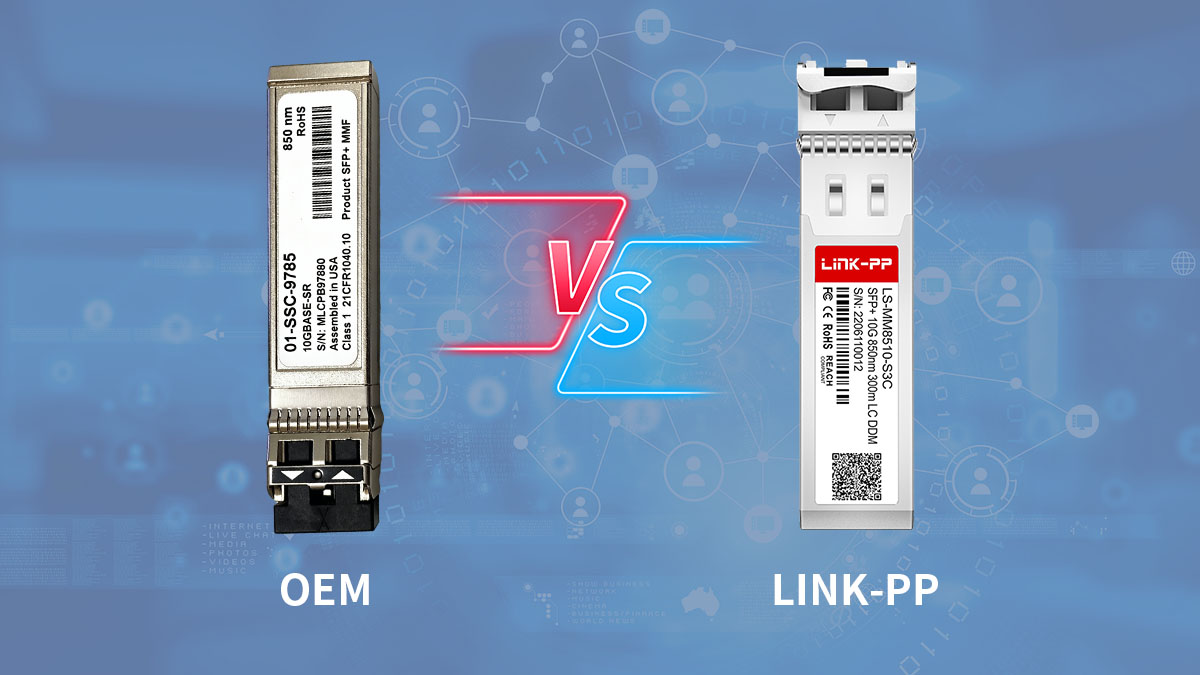
This choice directly impacts cost, compatibility, support, and deployment risk.
OEM vs. Compatible: What’s the Real Difference?
OEM (Original SonicWall Module)
- Branded and sold by SonicWall
- Fully validated for SonicWall devices
- Guaranteed compatibility and vendor support
- Typically bundled with official warranty/support contracts
✅ Best for:
- Enterprise environments with strict compliance
- Projects requiring vendor-backed support
- Zero-risk deployments
Compatible (Third-Party Module)
- Manufactured by third-party vendors (MSA compliant)
- Pre-programmed to match SonicWall EEPROM/vendor ID
- Tested for interoperability with SonicWall hardware
Most reputable vendors claim:
- “100% compatibility”
- Same performance as OEM
- Support for standards like IEEE 802.3ae and SFP+ MSA
Best for:
- Cost-sensitive deployments
- Large-scale rollouts
- System integrators and MSPs
Cost Comparison: Real Procurement Scenarios
The price gap between OEM and compatible transceivers is not small—it’s often dramatic.
Typical Market Pricing (2025–2026)
| Type | Price Range |
|---|---|
| OEM SonicWall 01-SSC-9785 | $200–$500+ (varies by region/vendor) |
| Compatible Module (MSA-based) | $7–$40 |
- Example compatible modules are available for as low as ~$7–$8 per unit
- Mid-tier compatible brands range around €40 (~$40) depending on warranty and origin
Real-world impact:
- Small deployment (10 units):
- OEM: ~$3,000
- Compatible: ~$100–$400
- Large deployment (100+ units):
- Savings can exceed $20,000+
Why Price Differences Are So Significant
1. Brand Premium & Vendor Lock-In
OEM modules include:
- SonicWall branding
- Official support eligibility
- Compatibility assurance
You are paying for risk elimination + vendor ecosystem, not just hardware.
2. Identical Hardware, Different Coding
Most compatible modules:
- Use the same optical components
- Follow Multi-Source Agreement (MSA) standards
- Are reprogrammed with SonicWall-compatible EEPROM
This is why many vendors claim their modules “perform identically” to OEM versions
3. Testing & Certification Costs
OEM:
- Extensive validation across firmware and devices
Compatible vendors:
- Vary widely:
- High-quality vendors perform real-device testing
- Low-cost vendors may skip validation
This creates price tiers within compatible modules.
4. Support & Warranty Differences
- OEM: bundled with enterprise-grade support
- Compatible:
- Some offer lifetime warranty
- Others offer minimal or no support
Real-World Risk: Compatibility Is Not Guaranteed
Reddit discussions highlight a key concern:
“Tried multiple brands… SonicWall says ‘no link’”
And another insight:
“Better to use modules listed as compatible… comes with guarantee it will work”
What this means:
- Not all “compatible” modules actually work
- SonicWall devices may:
- Reject unsupported modules
- Show “invalid SFP” errors
- Fail to establish link
Practical Buying Decision Framework
Choose OEM if:
- You need zero compatibility risk
- Your environment requires official vendor support
- Budget is less of a concern
Choose Compatible if:
- You want to reduce cost significantly
- You are buying in volume
- You can validate vendor reliability
Pro Procurement Tip
The best strategy is often not OEM vs cheapest alternative, but:
🔄 “OEM vs. high-quality compatible vendor”
Look for:
- Proven compatibility testing
- Warranty (3–5 years or lifetime)
- Vendor reputation in enterprise networking
Bottom Line
The decision between OEM and compatible SonicWall 01-SSC-9785 modules is a trade-off between:
- Cost savings (up to 90%+)
- Compatibility assurance
- Support and risk tolerance
🔵 SonicWall 01-SSC-9785 Procurement: Supplier Options Compared
Choosing the right supplier for SonicWall 01-SSC-9785 is just as important as choosing the module itself. In real procurement scenarios, buyers typically evaluate three main sourcing channels, each with different trade-offs in price, risk, lead time, and support.
1. Authorized Distributors vs. Third-Party Vendors
Authorized Distributors (OEM Channel)
These include official resellers and certified partners offering genuine SonicWall-branded modules.
Advantages:
- Guaranteed compatibility and authenticity
- Full access to SonicWall support
- Suitable for compliance-driven environments
Disadvantages:
- Significantly higher pricing (often $150–$300+)
- Longer procurement cycles (especially through enterprise procurement processes)
Best for:
- Government, finance, or regulated industries
- Projects requiring vendor-backed SLAs
Third-Party Compatible Vendors
These suppliers provide MSA-compliant, pre-coded modules compatible with SonicWall devices.
Advantages:
- Much lower pricing (as low as ~$8–$65 depending on vendor)
- Faster availability and flexible ordering
- Often include extended warranties (lifetime or 5-year)
Disadvantages:
- Compatibility varies by vendor quality
- Limited or no official SonicWall support
- Risk of “unsupported transceiver” errors
Best for:
- Cost-sensitive deployments
- System integrators and MSPs
- Bulk purchasing scenarios
2. Online Marketplaces vs. Direct Manufacturers
Online Marketplaces (Distributors & E-commerce)
Examples include IT resellers, B2B platforms, and regional suppliers.
Pros:
- Easy price comparison across multiple vendors
- Fast checkout and global shipping
- Availability of refurbished or discounted stock (~€55–€70 range)
Cons:
- Quality inconsistency (especially unknown brands)
- Risk of counterfeit or improperly coded modules
- Warranty and support may vary significantly
Direct Manufacturers (Factory / OEM-Compatible Brands)
These are companies that produce and program compatible modules directly.
Pros:
- Lowest unit cost (especially for bulk orders)
- Custom coding/testing for specific devices
- Better pricing negotiation opportunities
Cons:
- Minimum order quantities (MOQs) may apply
- Longer international shipping times
- Requires technical validation by buyer
3. Key Procurement Factors to Evaluate
▶ Lead Time
- Compatible vendors: often next-day or same-day shipping
- OEM distributors: may require longer sourcing cycles
Critical for:
- Urgent network upgrades
- Replacement during downtime
▶ Stock Availability
- Popular SKUs like 01-SSC-9785 are usually in stock across vendors
- However:
- OEM stock may be limited in some regions
- Bulk orders may require pre-ordering
▶ Warranty & Return Policy
- OEM: standard enterprise warranty via SonicWall
- Compatible vendors:
- Lifetime warranty (common among premium suppliers)
- Risk-free return policies (important for compatibility testing)
⚠️ Always verify:
- Replacement policy
- DOA (dead-on-arrival) handling
- Technical support availability
4. Practical Procurement Strategy
For most real-world buyers, the optimal approach is:
- Small deployment / high risk → Authorized distributor (OEM)
- Large deployment / cost optimization → Trusted compatible vendor
- Urgent need → Marketplace with local stock
- Bulk project → Direct manufacturer negotiation
Bottom Line
There is no single “best” supplier for SonicWall 01-SSC-9785—only the best fit for your budget, timeline, and risk tolerance.
- OEM channels provide maximum reliability and support
- Third-party vendors offer massive cost savings and flexibility
- Marketplaces and manufacturers each serve different procurement strategies
🔵 Hidden Costs in 01-SSC-9785 SFP+ Deployment (What Buyers Often Miss)
When evaluating the SonicWall 01-SSC-9785, many buyers focus only on the unit price of the transceiver. However, in real-world deployments, the total cost of ownership (TCO) often includes several hidden factors that can significantly impact your budget—and even delay your project.
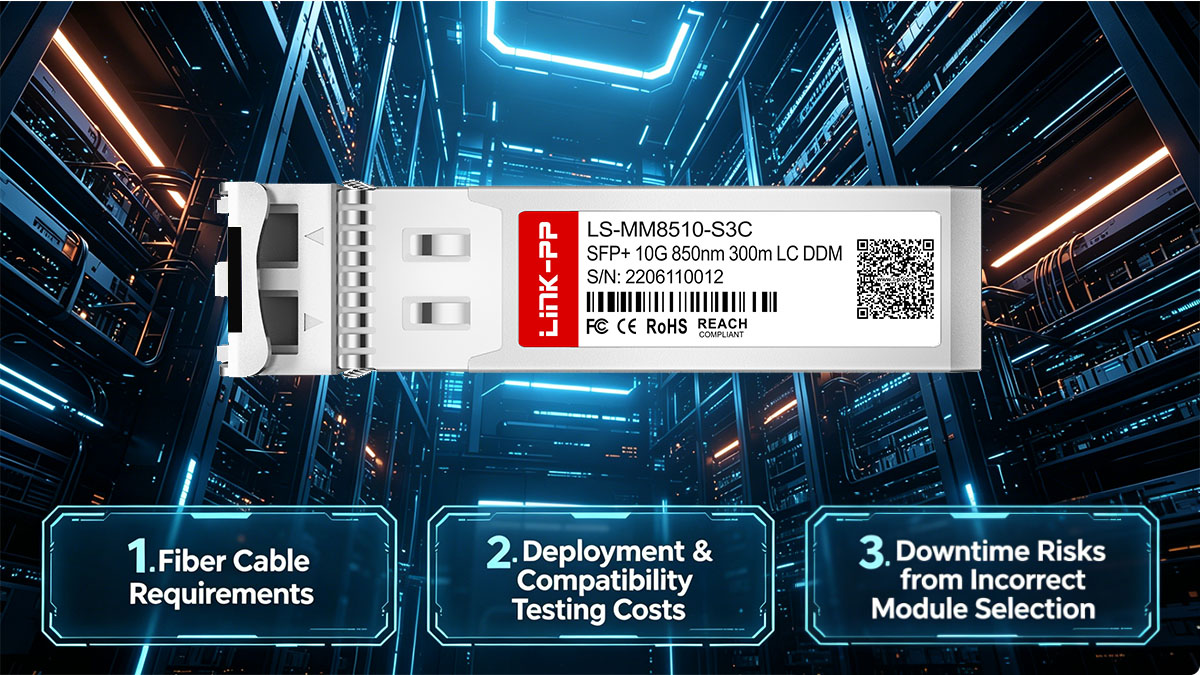
Understanding these hidden costs helps you avoid unexpected expenses, compatibility issues, and operational risks.
Fiber Cable Requirements (OM3/OM4, LC-LC)
The 01-SSC-9785 is a 10GBASE-SR module, which means it requires:
- Multimode fiber (MMF)
- LC-LC duplex patch cables
- Recommended fiber types:
- OM3 (up to 300m)
- OM4 (up to 400m, better performance margin)
Hidden Cost Impact:
- If your existing infrastructure uses single-mode fiber (SMF) → ❌ incompatible
- If connectors don’t match (e.g., SC instead of LC) → additional adapters or cable replacement
- Large deployments may require dozens or hundreds of new patch cables
Example:
- 50 links × $10–$30 per LC-LC MMF cable = $500–$1,500 extra cost
Deployment & Compatibility Testing Costs
Even when a module is labeled “compatible,” real-world deployment often requires validation and testing.
What testing may involve:
- Verifying module recognition in SonicWall devices
- Checking link stability and error rates
- Monitoring temperature and power levels
- Ensuring interoperability with switches or routers
Hidden Cost Impact:
- Engineering time (network engineers, system integrators)
- Lab testing or staging environment setup
- Potential re-purchasing if modules fail compatibility tests
In enterprise environments, testing time can cost more than the hardware itself.
Downtime Risks from Incorrect Module Selection
One of the most expensive hidden costs is network downtime caused by incompatible or incorrect modules.
Common mistakes:
- Using unsupported third-party SFP+ modules
- Choosing the wrong fiber type (MMF vs SMF)
- Mixing SR modules with incompatible infrastructure
- Ignoring device-specific limitations (e.g., port speed restrictions)
Real Impact:
- Failed link → delayed deployment
- Troubleshooting time → increased labor cost
- Business downtime → potential revenue loss
Example scenario:
- A failed 10G uplink in a production network could result in:
- Hours of troubleshooting
- Service disruption
- Emergency replacement purchases
Why These Hidden Costs Matter
From a procurement perspective, the cheapest module is not always the lowest-cost solution.
A $10 module that causes:
- compatibility issues
- extra testing
- or downtime
can quickly become more expensive than a $100 validated solution.
Practical Cost-Control Tips
To minimize hidden costs:
- ✔ Verify fiber type (OM3/OM4 MMF) before purchasing
- ✔ Standardize on LC-LC patch cables
- ✔ Choose vendors offering compatibility guarantees
- ✔ Test a small batch before large-scale deployment
- ✔ Keep spare modules for quick replacement
Bottom Line
The real cost of deploying the SonicWall 01-SSC-9785 goes beyond the transceiver itself.
Factoring in cabling, testing, and downtime risks ensures:
- smoother deployment
- predictable budgeting
- and long-term network stability
🔵 SonicWall 01-SSC-9785 Bulk Purchasing Strategies and Cost Optimization Tips
For enterprises, system integrators, and MSPs, the real savings on SonicWall 01-SSC-9785 don’t come from buying a single unit—they come from how you plan and execute bulk procurement.
A well-structured purchasing strategy can reduce total costs by 30%–90%, while also improving deployment efficiency and supply chain reliability.
1. Volume Discounts and Project-Based Pricing
Most suppliers—especially compatible module vendors and manufacturers—offer tiered pricing based on quantity.
Typical Pricing Tiers:
- 1–9 units: Standard retail pricing
- 10–49 units: Small discount (5%–15%)
- 50–99 units: Medium discount (15%–30%)
- 100+ units: Project pricing (30%–60%+ savings)
Key Insight:
For large deployments, always request:
- Project-based quotes instead of standard pricing
- Bundled pricing (modules + fiber cables)
- Pre-tested compatibility batches
Many vendors will custom-code and test modules for your specific SonicWall models at no extra cost when volume is high enough.
2. When to Standardize vs. Mix Vendors
One of the most overlooked strategic decisions is whether to standardize on a single supplier or diversify across multiple vendors.
Standardize (Single Vendor Strategy)
Best for:
- Large-scale deployments
- Data centers with strict consistency requirements
- Environments requiring simplified maintenance
Advantages:
- Consistent compatibility and performance
- Easier inventory management
- Better bulk pricing and long-term partnership discounts
Risk:
- Supply chain dependency on one vendor
Mix Vendors (Multi-Supplier Strategy)
Best for:
- Cost optimization across different regions
- Reducing supply chain risk
- Non-critical deployments
Advantages:
- Flexibility in sourcing
- Ability to compare performance and pricing
- Backup supply options
Risk:
- Inconsistent compatibility or quality
- Increased testing requirements
Practical Recommendation:
- Core network (critical links): Use a single trusted vendor
- Edge / non-critical deployments: Mix vendors for cost savings
3. Negotiation Strategies for IT Procurement Teams
Negotiation is where experienced procurement teams unlock the largest savings.
Strategy 1: Leverage Volume Forecasts
Even if you don’t need all units immediately:
- Share your 6–12 month demand forecast
- Negotiate pricing based on total projected volume
Vendors are more flexible when they see long-term potential.
Strategy 2: Bundle Products for Better Deals
Combine:
- SFP+ modules (01-SSC-9785)
- Fiber patch cables (OM3/OM4 LC-LC)
- Other transceivers or networking components
Bundling increases your negotiation leverage.
Strategy 3: Ask for Value-Added Services
Instead of just pushing price down, negotiate for:
- Pre-deployment compatibility testing
- Custom EEPROM coding
- Extended warranty (3–5 years or lifetime)
- Advance replacement (RMA support)
Strategy 4: Benchmark Multiple Suppliers
Always compare at least:
- 2–3 compatible vendors
- 1 authorized distributor
Use:
- Price quotes
- Lead times
- Warranty terms
This creates competitive pressure, often reducing pricing further.
Strategy 5: Start with a Pilot Order
Before committing to large volumes:
- Order a small batch (5–10 units)
- Validate compatibility and performance
This minimizes risk while maintaining negotiation leverage.
Real-World Cost Optimization Example
Scenario: 100-unit deployment
| Strategy | Estimated Cost |
|---|---|
| OEM purchase | $20,000–$40,000 |
| Compatible (retail pricing) | $1,000–$4,000 |
| Bulk negotiated pricing | $700–$2,500 |
Savings potential: up to 90%+
Bottom Line
Bulk procurement of SonicWall 01-SSC-9785 is not just about buying more—it’s about buying smarter.
By combining:
- Volume-based pricing
- Smart vendor strategy
- Effective negotiation
you can achieve significant cost reductions without sacrificing compatibility or performance.
🔵 Common Errors When Purchasing 01-SSC-9785
Even experienced IT buyers can make costly mistakes when sourcing the SonicWall 01-SSC-9785. These errors often lead to compatibility issues, wasted budget, and deployment delays—especially in large-scale projects.
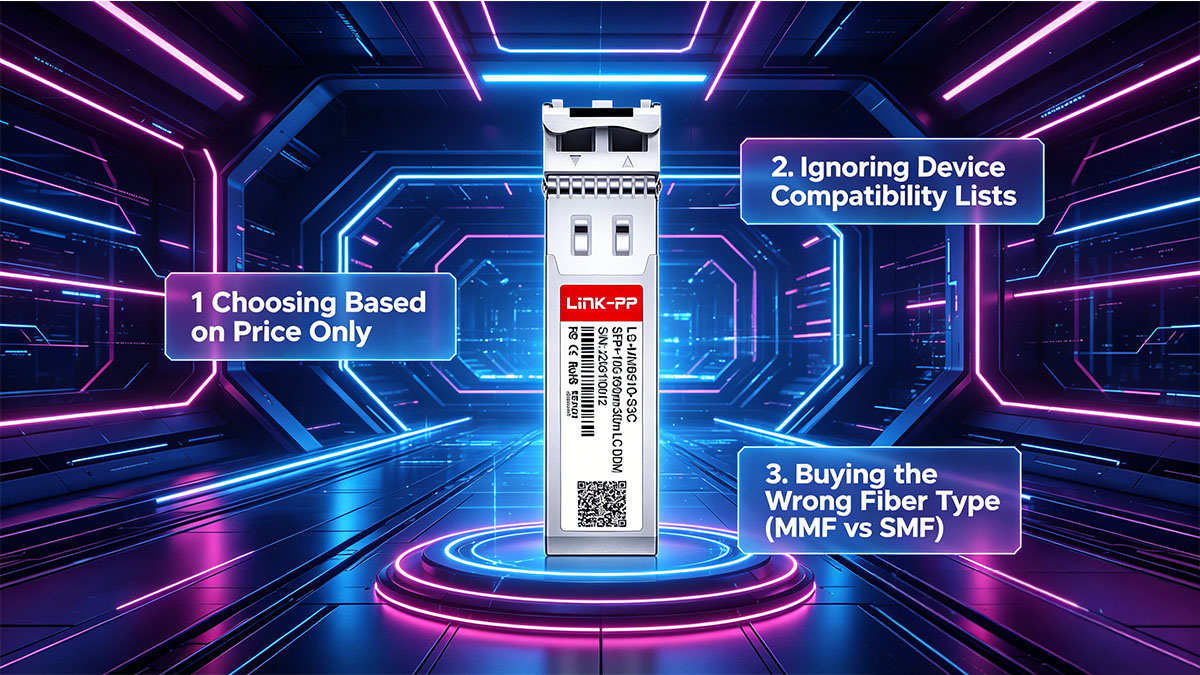
Below are the most common procurement mistakes and how to avoid them.
1. Choosing Based on Price Only
One of the biggest mistakes is selecting the cheapest available module without evaluating quality or compatibility.
What happens in reality:
- Low-cost modules may lack proper EEPROM coding
- Inconsistent manufacturing quality
- Higher failure rates or instability
Hidden consequences:
- Modules not recognized by devices
- Increased testing and replacement costs
- Potential downtime during deployment
A $10 module that fails can easily cost more than a $50 validated module once troubleshooting and replacement are considered.
2. Ignoring Device Compatibility Lists
Many buyers assume that all SFP+ modules are interchangeable—but this is not true for vendor-specific environments like SonicWall.
Common issues:
- “Unsupported transceiver” warnings
- Ports disabled or limited functionality
- No link even when cabling is correct
Why this happens:
- SonicWall devices may validate vendor ID / EEPROM coding
- Some models have strict compatibility requirements
Best practice:
- Always verify:
- Supported module lists for your device
- Vendor compatibility guarantees
- Real-world test reports (if available)
This is especially critical when using third-party compatible modules.
3. Buying the Wrong Fiber Type (MMF vs SMF)
The SonicWall 01-SSC-9785 is a 10GBASE-SR module, which means it is designed only for multimode fiber (MMF).
Common mistakes:
- Purchasing single-mode fiber (SMF) cables
- Mixing SR modules with long-range (LR) infrastructure
- Using incorrect connectors (e.g., SC instead of LC)
Impact:
- Complete link failure (no signal)
- Additional cost for replacing cables
- Deployment delays
Quick Compatibility Reminder:
| Component | Requirement |
|---|---|
| Module Type | 10GBASE-SR |
| Fiber Type | Multimode (OM3 / OM4) |
| Connector | LC-LC duplex |
Why These Errors Happen
These mistakes are common because:
- Product listings often lack clear technical details
- Buyers assume all SFP+ modules behave the same
- Procurement teams focus on cost over compatibility
How to Avoid These Mistakes
- ✔ Don’t choose based on price alone—evaluate vendor reliability
- ✔ Always check device compatibility before purchase
- ✔ Confirm fiber type: MMF (OM3/OM4), not SMF
- ✔ Test a small batch before bulk deployment
- ✔ Work with suppliers offering compatibility guarantees
Bottom Line
Most procurement failures with the SonicWall 01-SSC-9785 are preventable.
Avoiding these three key mistakes ensures:
- Smooth deployment
- Predictable costs
- Reliable 10G network performance
🔵 Final Guide: Which SonicWall 01-SSC-9785 Option Should You Choose?
After evaluating specifications, pricing, suppliers, and risks, the final step is making a clear procurement decision for the SonicWall 01-SSC-9785.
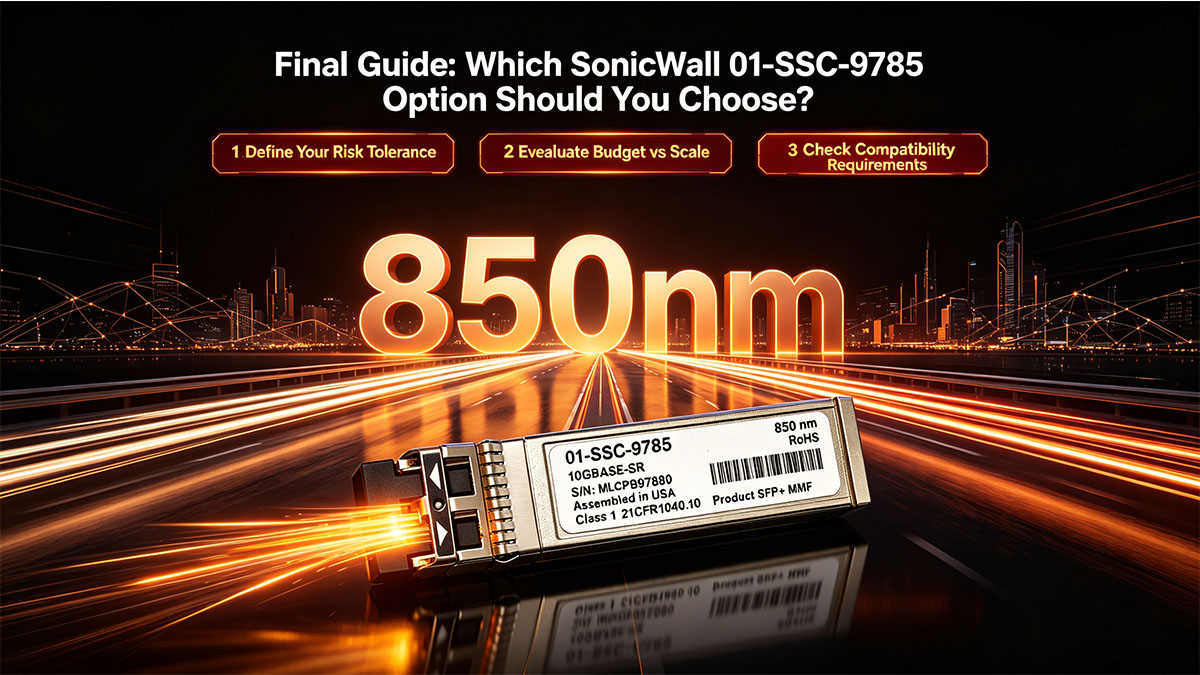
This section provides a practical decision framework based on real-world deployment scenarios.
Decision Tree: OEM vs. Compatible Module
Step 1: Define Your Risk Tolerance
- Zero tolerance for risk? → Choose OEM SonicWall module
- Comfortable with validated alternatives? → Choose compatible module
Step 2: Evaluate Budget vs Scale
- Small quantity (1–10 units):
→ OEM may be acceptable (lower complexity, minimal savings impact) - Medium to large deployment (10–100+ units):
→ Compatible modules provide massive cost savings (up to 90%+)
Example: Compatible modules can cost under $10–$50, compared to significantly higher OEM pricing
Step 3: Check Compatibility Requirements
- Critical environments (finance, government, enterprise SLA):
→ OEM or certified compatible vendor only - Standard enterprise / ISP / campus networks:
→ High-quality compatible modules are widely used
Official compatibility tables confirm that 01-SSC-9785 (MMF 850nm) is supported across multiple SonicWall platforms
Scenario-Based Recommendations
🏢 Small Business / SMB Deployment
Recommended approach:
- Use reliable compatible modules
- Purchase from a vendor offering:
- Compatibility guarantee
- Warranty (3–5 years or lifetime)
Why:
- Lower budget sensitivity
- Simpler network topology
- Easy to replace if needed
🏭 Enterprise / Data Center Deployment
Recommended approach:
- Core network → OEM or top-tier compatible vendor
- Edge / access layer → compatible modules
Why:
- Balance between risk and cost optimization
- Maintain stability in critical links
- Reduce total project cost
🔧 System Integrators / MSPs
Recommended approach:
- Standardize on a trusted compatible supplier
- Validate once → deploy at scale
Why:
- Maximizes margin
- Ensures repeatable deployments
- Simplifies inventory and procurement
Quick Decision Summary
Scenario Best Choice Mission-critical + strict SLA OEM module Budget-sensitive large deployment Compatible module Mixed environment Hybrid (OEM + compatible) Fast deployment needed In-stock compatible vendor
Final Insight
Technically, most compatible modules:
- Follow SFP+ MSA standards
- Deliver identical 10GBASE-SR (850nm, 300m MMF) performance
The real difference is risk vs cost—not performance.
How to Source the Right Module
If you're planning a deployment and want to:
- Reduce procurement costs
- Ensure compatibility with SonicWall devices
- Get fast delivery and bulk pricing
Consider requesting a quote from the LINK-PP Official Store
A reliable supplier should provide:
- Pre-tested SonicWall-compatible SFP+ modules
- Competitive bulk pricing
- Technical support for deployment
Final Takeaway
Choosing the right SonicWall 01-SSC-9785 option is not about finding the cheapest module—it’s about finding the best balance between cost, compatibility, and reliability.
Make your decision based on:
- Deployment scale
- Risk tolerance
- Supplier quality
Do that, and you’ll achieve both cost efficiency and stable 10G network performance.