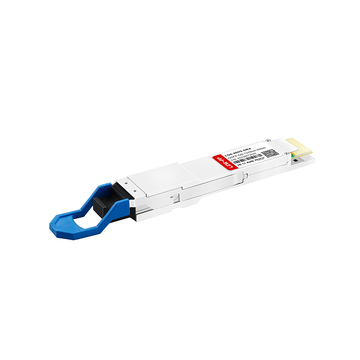
Are you looking for a cost-effective way to boost your network's bandwidth without completely tearing out your current infrastructure? As data demands soar, many network engineers are asking whether they truly need to invest in expensive fiber upgrades for short-range connections. That is where the QSFP CX4 hybrid interconnect steps in, offering a clever way to bridge the gap between legacy high-speed copper hardware and modern, high-density switch ports.
Did you know that your older, rugged data center equipment might still have plenty of life left in it? Why spend a fortune on new optical transceivers when heavy-gauge twinaxial copper can handle your short-distance server clusters and storage arrays for a fraction of the cost? By repurposing these reliable, low-latency copper standards, you can maximize your budget while maintaining impressive throughput across your existing racks.
🌠 What is QSFP CX4 and How Does It Fit Into Modern Networking
Modern data centers often run a mix of old and new equipment. A QSFP CX4 hybrid cable directly connects legacy CX4 ports to contemporary QSFP ports without expensive media converters. This bridge keeps older servers, storage, and InfiniBand clusters productive while saving the cost of a full hardware refresh.
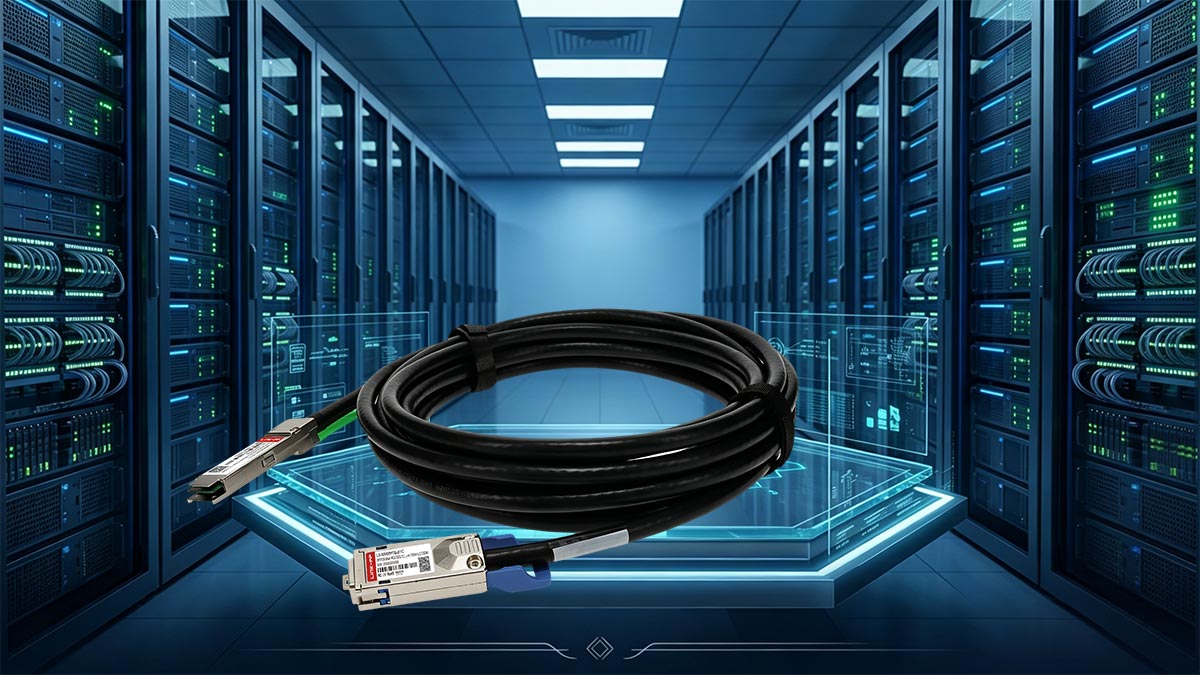
The Interface Bridge: Understanding QSFP to CX4 Hybrid Interconnects
A QSFP to CX4 hybrid cable is a passive copper assembly with two physically different ends. One end uses a modern QSFP (or QSFP+) plug that fits into today’s high-density switches and network adapters. The other end terminates in a traditional CX4 (Micro-GigaCN) connector designed for legacy 10G Ethernet or InfiniBand equipment.
This design eliminates the need for separate protocol converters or active adapters. The cable simply passes electrical signals straight through, relying on both devices to speak the same low-level signalling protocol. That makes it a true “plug-and-play” bridge for compatible hardware, such as older InfiniBand DDR switches connecting to newer QSFP-based compute nodes.
Deconstructing the IEEE 802.3ak 10GBASE-CX4 Copper Standard
The CX4 interface originated from the IEEE 802.3ak standard, which created 10GBASE-CX4 as the first copper-based 10 Gigabit Ethernet specification. It achieves 10Gbps by bundling four separate twinaxial copper lanes, each carrying 2.5Gbps in both directions simultaneously. This parallel signalling approach gave very low latency compared to early optical solutions, making it attractive for short-range server clustering.
Even though 10GBASE-CX4 was eventually overshadowed by SFP+ DACs and 10GBASE-T, its physical layer lives on in InfiniBand SDR (10Gbps) and DDR (20Gbps) environments. Today, QSFP CX4 cables are rarely used for new Ethernet deployments but remain valuable for maintaining legacy InfiniBand fabrics. They also serve as a low-latency interconnect for specialised research clusters where replacing old CX4 ports would be too disruptive.
Physical Realities: Micro-GigaCN Connectors vs. Modern QSFP+ Ports
To successfully deploy QSFP CX4 cables, you must understand the mechanical and electrical differences between the two connector families. The legacy Micro-GigaCN (CX4) is large and robust, while the QSFP+ port is compact and hot-pluggable. The table below provides a detailed comparison of their key characteristics.
| Feature / Characteristic | Legacy Micro-GigaCN (CX4) | Modern QSFP+ Port |
| Physical Dimension | Significantly larger, wide rectangular profile | Compact, streamlined high-density form factor |
| Connector Standard | IEC 61076-3-113 (Micro-GigaCN) | SFF-8436 (QSFP+ MSA) |
| Latching Mechanism | Heavy-duty thumbscrews or rugged pull-release clips | Spring-loaded bail clasp or integrated pul-tab |
| Pin Count / Arrangement | 16 differential signal pins (8 pairs) plus multiple ground shields | 38-pin surface-mount pad connector (4 high-speed lanes + sideband) |
| Hot-Pluggable | No – usually requires power cycling or careful insertion | Yes – fully hot-pluggable without rebooting the switch |
| Typical Signal Rate per Lane | 2.5Gbps (10GBASE-CX4) or 5Gbps (InfiniBand DDR) | Up to 10Gbps per lane (QSFP+) |
| Maximum Aggregate Speed | 10 - 20Gbps (depending on protocol) | 40Gbps (but cable is limited by CX4 end) |
| Primary Use Case | Legacy InfiniBand, older supercomputer clusters | Modern Ethernet, Fibre Channel, InfiniBand EDR/HDR |
Why Retrofitting Legacy High-Speed Copper Makes Financial Sense Today
Replacing an entire storage array or compute cluster solely because it uses CX4 ports is extremely expensive and often unnecessary. A single QSFP CX4 cable costs a fraction of what a new switch or host bus adapter would require. Companies can therefore keep their older hardware running for years longer while still connecting it to newer QSFP-based top-of-rack switches.
This approach also avoids the high cost of optical transceivers and fibre patch cords for very short distances. Copper cables are more durable and less sensitive to dust or dirt than fibre connectors. For budget-constrained labs and data centers, retrofitting with QSFP CX4 hybrid cables is a practical way to maintain performance without a major capital outlay.
🌠 Defining the Technical Architecture of QSFP CX4 Hybrid Cables
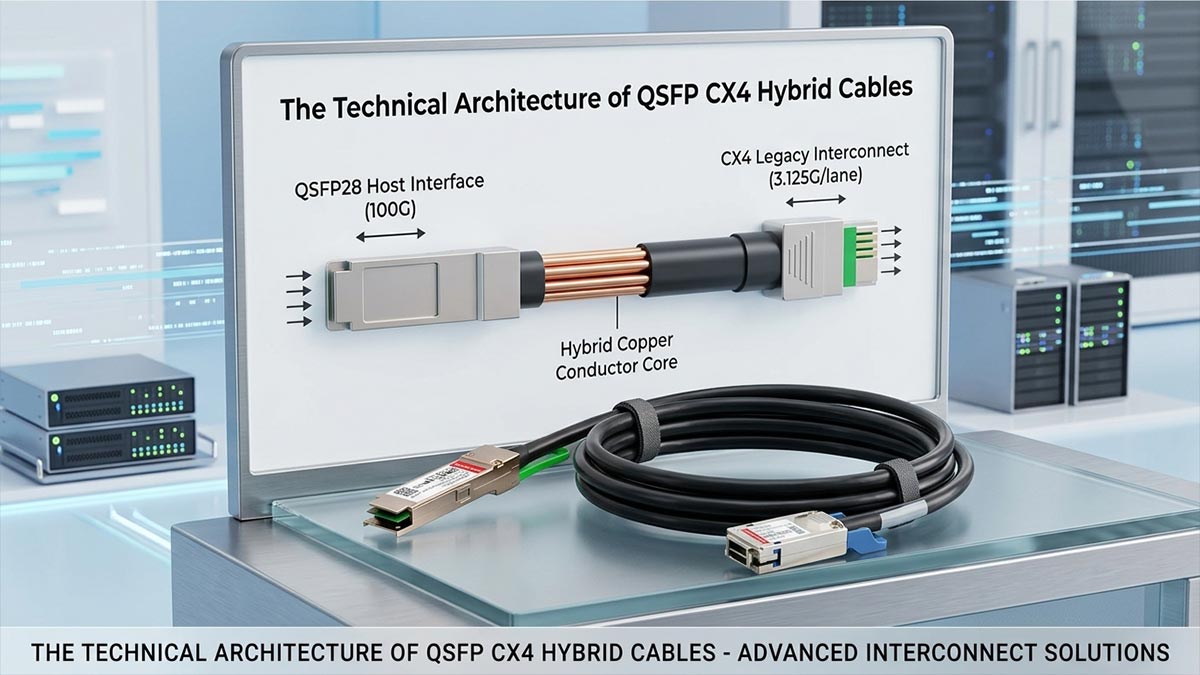
A QSFP CX4 hybrid cable is fundamentally a passive copper assembly that relies on parallel signaling to move data. Understanding its internal architecture helps network engineers decide where to deploy it effectively. The following subsections break down the cable’s electrical design, protocol compatibility, physical construction, and power efficiency.
Four-Lane Parallel Signaling: High-Density Quad-Channel Electrical Architecture
The cable uses four independent twinaxial copper pairs to transmit data simultaneously. Each pair operates as a separate electrical lane, carrying differential signals that cancel out external noise. This quad-lane design is why CX4 can achieve higher aggregate bandwidth than single‑pair copper cables of its era.
Inside the cable, each lane is carefully shielded to prevent crosstalk between adjacent pairs. The signals travel in parallel, meaning data is striped across all four lanes at the transmitting end and reassembled at the receiving end. This parallel architecture is very different from modern serial-only links like SFP+, but it provides extremely low and deterministic latency.
InfiniBand SDR/DDR Compatibility vs. 10G Ethernet Signaling
A QSFP CX4 cable does not perform any protocol conversion; it simply passes electrical signals from one end to the other. Therefore, both connected devices must agree on the same signaling standard. The two most common protocols seen with these cables are 10GBASE-CX4 for Ethernet and InfiniBand SDR (10Gbps) or DDR (20Gbps).
In practice, most QSFP CX4 deployments today involve InfiniBand rather than Ethernet. InfiniBand’s parallel lane structure maps naturally to the four-lane CX4 interface, while many modern Ethernet switches no longer support the older 10GBASE-CX4 encoding. Always verify that both devices are configured for the same protocol and speed before connecting the cable.
Physical Durability: Heavy-Gauge Twinaxial Copper and Rugged Latch Mechanisms
The cable uses thick, heavy-gauge twinaxial copper conductors to maintain signal integrity over short distances. Twinaxial construction places two insulated conductors inside a common shield, which resists electromagnetic interference better than standard coaxial cable. This robust construction makes the cable physically stiffer and heavier than typical Cat6 or fiber patch cords.
Each connector end also features a deliberately rugged latching system. The CX4 side uses metal thumbscrews or strong pull-release clips that lock firmly into the port. The QSFP side employs a spring-loaded bail clasp or an integrated pull-tab, which is designed for frequent insertion and removal. These mechanical features ensure the cable stays connected even in vibration-prone server racks.
Power Consumption Profiles: The Low-Wattage Advantage of Copper Interconnects
Passive QSFP CX4 cables consume no electrical power at the connector interface. Unlike active optical cables or transceivers, there are no lasers, drivers, or signal conditioning chips inside the cable. This means the cable draws zero wattage from the switch or server port.
For data centers running hundreds of links, the power savings can be significant. An optical transceiver might consume 1-2W per port, while a passive copper cable uses nothing. Over a large cluster, this low-wattage advantage reduces cooling requirements and lowers the overall facility power bill.
🌠 Connecting Servers in Older Data Centers with QSFP CX4
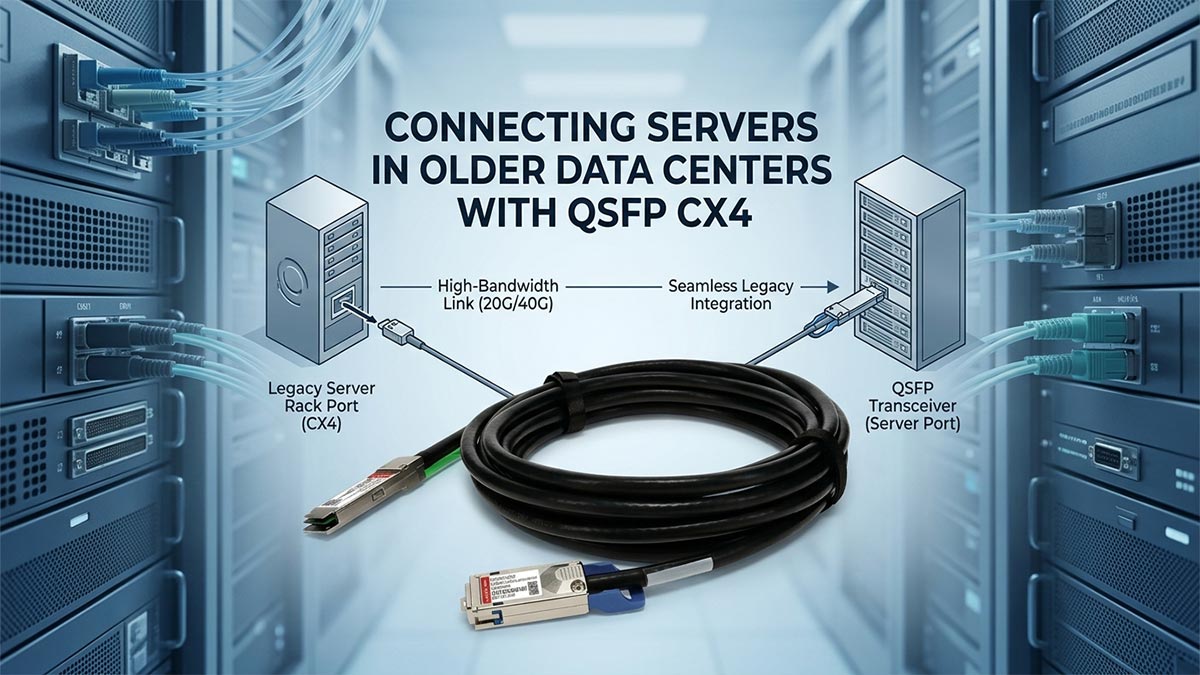
Many older data centers still run perfectly functional servers that use CX4 ports for network connectivity. A QSFP CX4 hybrid cable allows these legacy servers to link directly to newer QSFP-based top-of-rack switches. This approach extends the useful life of existing hardware without requiring a costly rip-and-replace upgrade.
Top-of-Rack Switch to Server Connections
A typical older server rack might have CX4-equipped blade servers or rackmount systems that cannot be easily replaced. Connecting each server to a modern top-of-rack switch is straightforward with a QSFP CX4 cable, using the switch’s QSFP port and the server’s CX4 port. The switch must support the same signaling protocol (usually InfiniBand or specific 10GBASE-CX4) for the link to come up.
Most legacy CX4 server ports were originally designed for 10G Ethernet or InfiniBand SDR. Before deployment, check the switch’s datasheet to confirm it can operate in a compatible mode. Once verified, the hybrid cable provides a clean, direct connection without extra adapters.
Linking Mainframe Storage to Backup Servers
Mainframe storage units and older backup servers often retain CX4 interfaces long after other parts of the infrastructure have been upgraded. A QSFP CX4 cable can bridge these storage devices to a newer backup server that has QSFP ports. This allows backup jobs to run at full 10Gbps or 20Gbps speeds without re‑engineering the storage network.
The backup server sees the legacy storage as a native link, thanks to the passive copper connection. There is no need to install special drivers or media converters. For organizations with strict backup windows, preserving the original CX4 throughput is a major advantage.
Optimizing Server Clusters on a Limited Budget
Replacing an entire server cluster just to get newer ports can cost tens of thousands of dollars. A much cheaper alternative is to keep the existing CX4-based servers and use QSFP CX4 cables to connect them to a single new QSFP switch. This hybrid approach creates a unified cluster fabric at a fraction of the replacement cost.
The saved budget can be spent on other critical upgrades, such as additional storage or memory. Many university labs and small enterprises have successfully used this method to stretch their hardware budgets for several more years. The only requirement is that all nodes in the cluster support the same protocol.
🌠 High-Performance Computing Cluster Setup via QSFP CX4
High-performance computing (HPC) clusters demand low latency and high bandwidth between nodes. QSFP CX4 hybrid cables provide a direct, cost-effective way to interconnect older CX4-equipped compute nodes with newer QSFP-based switches. This makes them a practical choice for research labs and university supercomputers that need to preserve legacy hardware without sacrificing cluster performance.
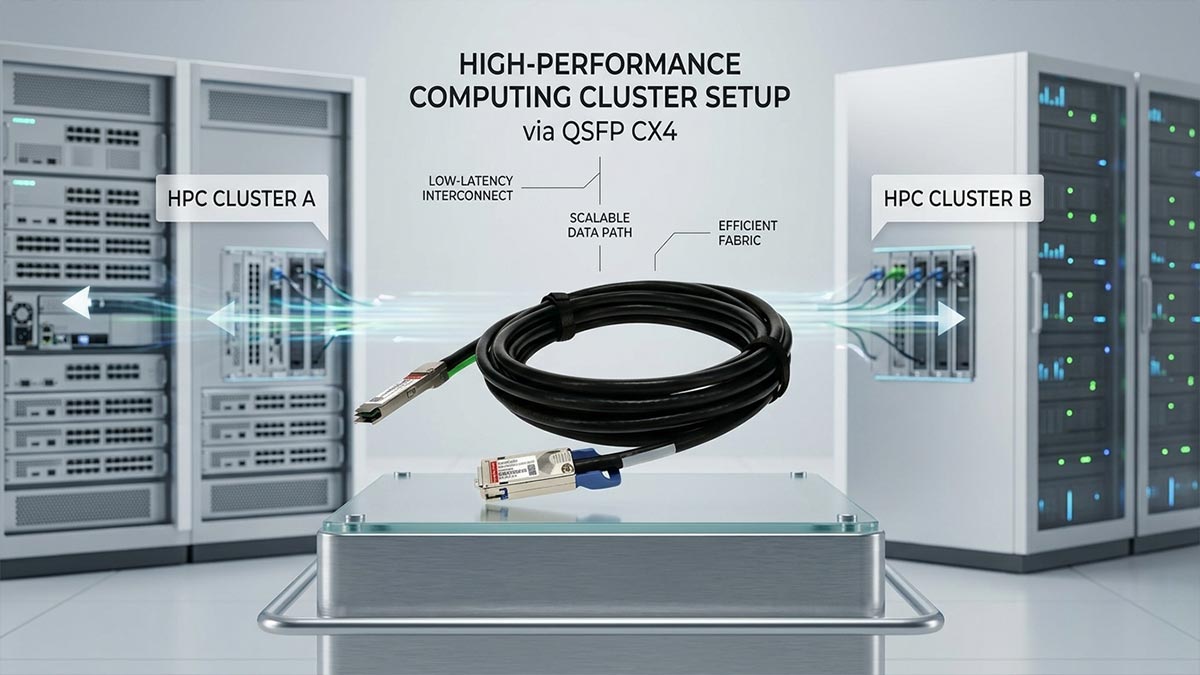
Low-Latency InfiniBand Connections for Research Labs
Research labs often run parallel simulations that require microsecond-level latency between compute nodes. InfiniBand networks using CX4 cables naturally deliver this low latency because passive copper links add no processing delays. A QSFP CX4 cable allows a lab to connect an older InfiniBand CX4 cluster to a newer QSFP InfiniBand switch.
The result is a unified fabric where latency remains consistently low across mixed generations of hardware. Researchers can keep using their existing CX4-based nodes for compute-intensive tasks without upgrading every server. This approach keeps grant money focused on actual research rather than infrastructure replacement.
Linking Multiple CPU/GPU Nodes for Parallel Computing
Modern HPC clusters often combine CPU nodes with GPU accelerators to speed up complex calculations. If some of those nodes still carry CX4 ports, a QSFP CX4 cable can link them to a central QSFP switch that also connects newer GPU nodes. The parallel four-lane architecture of CX4 handles the striped data patterns common in MPI (Message Passing Interface) workloads.
No special drivers or software changes are needed because the cable is transparent to the operating system. The cluster management software sees all nodes as equal participants in the same high-speed fabric. This allows mixed-vendor and mixed-generation nodes to work together efficiently.
Short-Distance Interconnects in University Supercomputers
University supercomputers are often built incrementally over several years, resulting in a mix of old and new hardware. Many of these machines place compute nodes within the same rack or adjacent racks, making short-distance interconnects very common. QSFP CX4 cables are ideal for these short runs because copper is cheaper and more durable than fiber.
A university can connect a legacy CX4-based rack to a newer QSFP-based expansion rack using just a few hybrid cables. This preserves the original investment in the older nodes while allowing the cluster to grow. The low latency of CX4 copper also benefits student research projects that run tightly coupled parallel code.
🌠 Retrofitting and Maintaining Network Storage Systems Using QSFP CX4
Network storage systems such as NAS and SAN often remain in service for a decade or more. Many of these mature storage arrays still use CX4 ports for host connectivity. A QSFP CX4 hybrid cable allows them to connect to modern QSFP-based storage switches or servers without replacing the entire storage unit.
Connecting Legacy Network-Attached Storage (NAS) Arrays
Older NAS arrays frequently provide CX4 interfaces that were state-of-the-art when the device was purchased. A QSFP CX4 cable can link such a legacy NAS directly to a newer QSFP-equipped top-of-rack switch. This gives the NAS a new life as a backup target or secondary storage pool.
The connection is fully passive, so the NAS continues to operate exactly as it always has. No firmware updates or configuration changes are required on the storage side. For small businesses with limited IT budgets, this is a simple way to keep a functional NAS in production.
Reliable Data Backups for Mature Storage Area Networks (SAN)
A mature SAN with CX4 host ports can still perform nightly backups at full speed. Using a QSFP CX4 cable, the SAN connects to a modern backup server that has a QSFP port. This preserves the original 10Gbps or 20Gbps throughput without introducing a slow media converter.
Backup reliability improves because copper cables are less prone to dirt or connector damage than fiber. The passive design also eliminates the risk of transceiver failure that plagues active optical links. Data center administrators can therefore maintain their backup schedules without unexpected link drops.
Maintaining Dedicated Media Storage Servers on Older Backplanes
Media storage servers used for video editing or surveillance often have fixed backplanes with CX4 connectors. Replacing these servers just to get newer ports would interrupt ongoing projects and cost thousands of dollars. A QSFP CX4 cable connects the existing backplane to a new QSFP switch, keeping the media server online.
The rugged construction of CX4 connectors withstands frequent cable moves common in post-production environments. Maintenance teams can swap or recable ports without worrying about damaging delicate optical interfaces. This ensures that legacy media storage remains a dependable part of the workflow for years to come.
🌠 Crucial Cable Management Guidelines for Deploying QSFP CX4
Proper physical deployment is just as important as electrical compatibility when working with legacy high-speed copper. Because these hybrid cords are much bulkier than thin modern fibers, they require strict organizational discipline within your server racks. Following structured handling guidelines ensures your hardware remains undamaged and your data paths stay completely clear.
Managing the Physical Weight and Thickness of Heavy Copper Cables
Unlike lightweight fiber patch cords, QSFP CX4 cables contain thick copper cores that add significant weight to cable trays. If left unsupported, large bundles of these heavy lines can sag over time and pull down on adjacent hardware components.
To prevent physical structural issues, remember to practice these basic weight distribution strategies:
- Install heavy-duty horizontal cable trays.
- Support bundles at regular intervals.
- Use wide hook-and-loop fasteners.
- Avoid bundling too many lines together.
Proper Bend Radius Limits to Prevent Signal Degradation
Bending a thick twinaxial copper cable too sharply can kink the internal shielding and alter the wire's electrical impedance. This physical damage leads to immediate signal reflection, packet loss, and frustrating link drops along the communication pathway.
To protect your data streams from physical kinking, follow these basic handling rules:
- Never loop cables tighter than recommended limits.
- Check clearance before closing rack doors.
- Use curved radius drops at tray exits.
- Route thick lines around sharp corners smoothly.
Avoiding Cable Strain in High-Density Server Rack Organizers
The point where a heavy copper cord plugs into a delicate switch port is highly vulnerable to mechanical stress. Continuous downward pulling force can warp the internal pins of the port or crack the circuit board housing over time.
Keep your physical connections secure and stress-free by implementing these simple strain relief tips:
- Leave a small slack loop near ports.
- Anchor cables securely to rack frames.
- Avoid pulling lines taut across bays.
- Use vertical organizer bars for support.
Airflow and Cooling Considerations for Thick Copper Bundles
Densely packed bundles of thick twinaxial copper can accidentally act as physical walls that block vital hot air exhaust pathways. If cold air cannot circulate properly through the chassis, your high-performance servers will quickly begin to overheat.
Ensure your data center cooling system operates efficiently by applying these clever layout adjustments:
- Keep exhaust vents completely clear.
- Route heavy bundles along side panels.
- Use blanking panels in empty slots.
- Separate copper lines from hot air zones.
🌠 Troubleshooting and Maintaining QSFP CX4 Connections
Maintaining peak performance in mixed-generation network links requires a proactive approach to hardware diagnostics. Because legacy copper setups face unique wear and tear over time, simple physical inspections are rarely enough to fix hidden errors. Mastering standard troubleshooting workflows helps network engineers quickly isolate anomalies and prevent sudden system downtime.
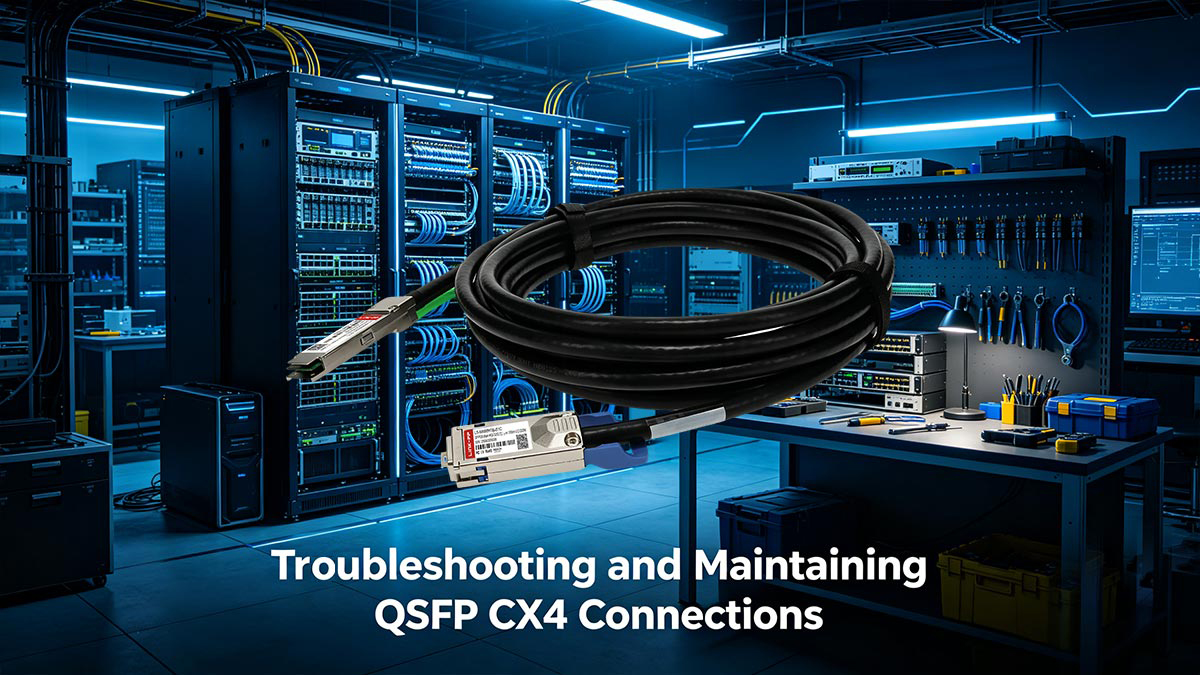
Diagnosing Insertion Loss and Crosstalk in Aging Copper Lines
As copper cables age, internal physical wear can weaken signals and cause data lanes to bleed electrical noise into each other. This degradation leads to sudden cyclic redundancy check (CRC) errors and dropping packet rates on your switch dashboard.
To isolate and fix these high-frequency electrical issues, apply these diagnostic techniques:
- Run time-domain reflectometry tests.
- Monitor switch port error counters.
- Inspect cables for external dents.
- Swap suspicious lines immediately.
Eliminating Physical Port Pin Damage During High-Cycle Deployments
The mechanical mating interfaces on legacy CX4 ports can wear down or bend out of shape if cables are plugged and unplugged too frequently. Bent pins or dirty socket pads create immediate open circuits that prevent the link from establishing properly.
Keep your physical connector pins safe and functional by following these simple maintenance steps:
- Inspect pins before inserting plugs.
- Use compressed air on sockets.
- Align connectors straight before pushing.
- Avoid forcing stiff latching clips.
Resolving Link-Up Anomalies on Legacy Enterprise Switch Backplanes
Sometimes, a hybrid cable fails to link up simply due to auto-negotiation communication failures between the older and newer port architectures. The modern switch might expect a digital handshake that the legacy backplane simply does not know how to send.
Force a stubborn hardware link to open successfully by adjusting these interface settings:
- Set port speeds manually.
- Disable automatic port negotiation.
- Update older switch firmware.
- Verify exact VLAN assignments.
Monitoring Heat Dissipation and Airflow Constraints in Dense Implementations
While passive copper cables consume no electricity, their physical bulk can trap heat generated by nearby high-power server nodes. Overheating environments accelerate the breakdown of internal wire shielding and can cause intermittent chip failures on your network cards.
Track and control thermal problems inside packed equipment racks by running these quick checks:
- Read internal port temperature sensors.
- Rearrange cables blocking rear fans.
- Verify fan modules pull smoothly.
- Add active cooling blank panels.
🌠 Final Thoughts on Deploying QSFP CX4 High-Speed Copper Solutions
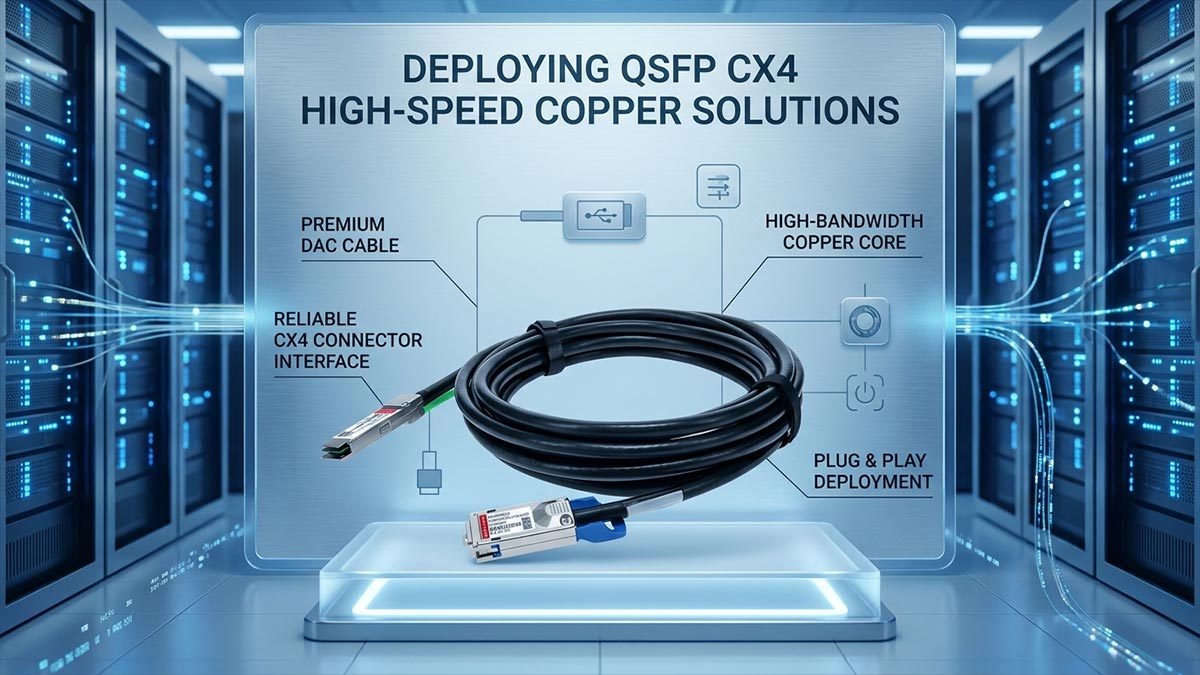
Deploying the QSFP CX4 hybrid cable proves that you do not need a massive budget to keep legacy hardware relevant in a modern networking world. By utilizing these rugged, low-latency copper solutions for short-range links, organizations can maximize their initial infrastructure investments while maintaining impressive throughput.
When the time comes to scale past 150m or transition your core network toward high-density fiber optics, choosing the right components is key to long-term success. Explore the premium selection of QSFP optical transceiver modules at the LINK-PP Official Store to seamlessly upgrade your infrastructure for future-proof performance.