Can you really run 10GIG over CAT6, or is it just a marketing myth?
This is one of the most common—and most misunderstood—questions in modern network upgrades. As more businesses and home labs move toward 10GbE (10 Gigabit Ethernet), many users are trying to determine whether their existing Cat6 cabling can handle the jump from SFP 1G to SFP+ 10G without a costly infrastructure overhaul.
The short answer is: yes, 10G over Cat6 is possible—but not always guaranteed. The real limitation is not the cable label itself, but how well the entire copper link handles high-frequency interference, especially alien crosstalk, which becomes a critical factor at 10Gbps speeds.
In real-world deployments, users often report mixed results. Some achieve stable 10G performance over short Cat6 runs, while others encounter unexpected link drops, speed downgrades, or thermal issues in 10GBASE-T equipment. This gap between theory and reality is exactly why understanding copper link behavior—not just cable category—is essential.
With the rapid adoption of:
- High-speed NAS systems
- Wi-Fi 6E / Wi-Fi 7 backhaul
- Data center leaf-spine architectures
- AI and edge computing workloads
The demand for reliable 10Gbps networking, whether using Cat6, DAC cables, AOC, or fiber, is no longer limited to enterprise environments. Many users already have Cat6 installed, making “Can I use what I already have?” the core search intent behind this topic.
What You Will Learn in This Guide
By reading this article, you will clearly understand:
- Whether Cat6 truly supports 10GIG and under what conditions
- The maximum distance limits for 10G over Cat6
- Why crosstalk and interference are the real bottlenecks
- The practical differences between Cat6 vs Cat6a for 10GbE
- How to optimize existing Cat6 installations for better 10G performance
- When it’s smarter to upgrade to Cat6a or fiber using SFP Modules
This guide is designed not just for theoretical understanding, but for real decision-making—helping engineers, installers, and buyers choose the most reliable and cost-effective path to 10GbE.
⏩ What Does “10GIG Over CAT6” Mean?
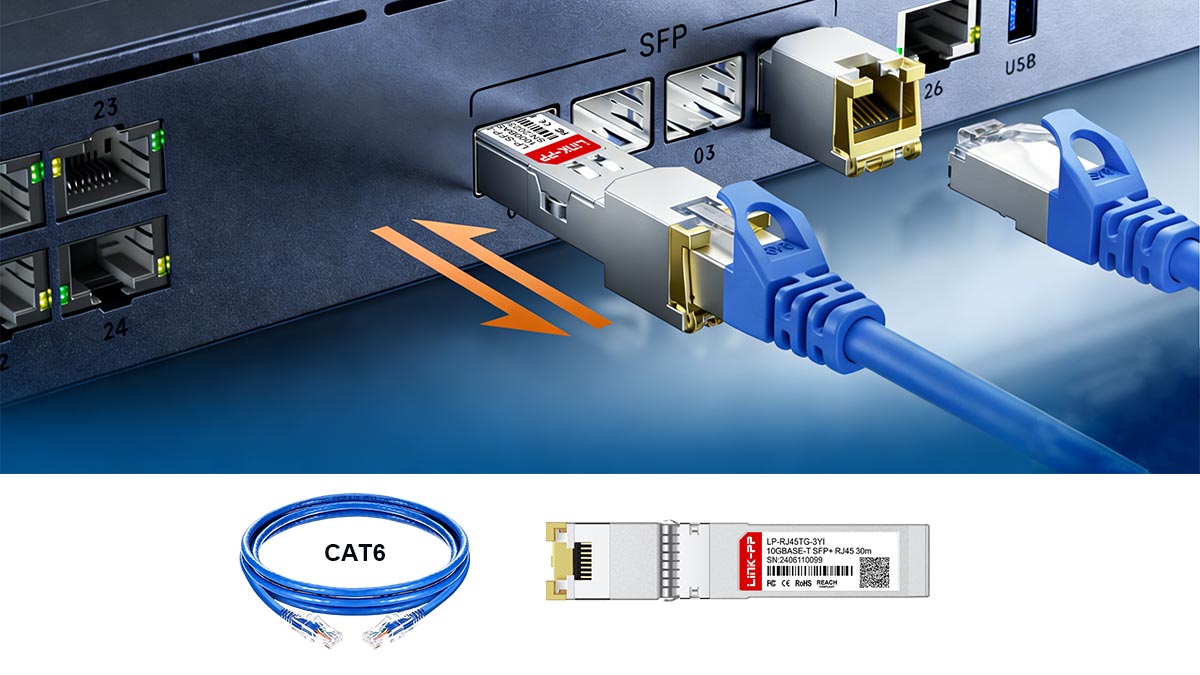
When users search for “10GIG over CAT6,” they are typically referring to running 10 Gigabit Ethernet (10GbE) over standard Cat6 twisted-pair copper cabling using RJ45 connectors. In technical terms, this setup is defined by the Ethernet standard 10GBASE-T, which enables data transmission at 10 Gbps over copper cabling.
What Is 10GBASE-T?
10GBASE-T is part of the IEEE 802.3 Ethernet family and was specifically designed to deliver 10 Gigabit speeds over balanced twisted-pair copper cables, such as Cat6, Cat6a, and Cat7.
Key characteristics of 10GBASE-T include:
- Speed: 10 Gbps (10,000 Mbps)
- Connector: Standard RJ45 (8P8C)
- Cable Types: Cat6, Cat6a, Cat7 (performance varies by category)
- Max Distance: Up to 100 meters (with Cat6a); shorter for Cat6
- Duplex Mode: Full-duplex communication
Unlike fiber-based 10G standards that use SFP+ optical transceiver modules, 10GBASE-T allows users to reuse existing copper infrastructure, which is why it is so widely discussed in upgrade scenarios.
What Do People Mean by “10GIG”?
“10GIG” is an informal, non-technical shorthand commonly used in forums, product listings, and search queries. It simply means:
- 10 Gigabit Ethernet (10GbE)
- A network speed of 10 billion bits per second
From a search intent perspective, users typing “10GIG over CAT6” are usually asking:
- Can my existing Cat6 cable handle 10Gbps speeds?
- Will it work reliably, or will performance drop?
- Do I need to upgrade to Cat6a or fiber optic cabling?
This means the query is not just about definitions—it reflects a real-world upgrade decision involving cost, performance, and risk.
Why CAT6 Is Part of the Question
Category 6 cable (Cat6) was originally designed for 1Gbps networks, but it can support higher frequencies (up to 250 MHz), which makes short-distance 10GBASE-T transmission possible under certain conditions.
However, at 10Gbps speeds, the signal becomes far more sensitive to:
- Internal crosstalk (NEXT/FEXT)
- Alien crosstalk from nearby cables
- Insertion loss and return loss
- Installation quality (termination, bends, shielding)
This is why the phrase “10GIG over CAT6” often leads to conflicting answers online—because the outcome depends not just on the cable category, but on the entire channel performance.
Aligning With Real User Intent
In practical terms, this search query is best understood as:
“Can I achieve stable 10GbE performance using my existing Cat6 cabling without upgrading?”
That’s the core problem this guide addresses.
In the next section, we’ll answer that question directly—looking at whether Cat6 can reliably carry 10Gbps, and where the limitations begin.
⏩ Can Cat6 Really Carry 10Gbps?
Yes—Cat6 can carry 10Gbps.
But here’s the crucial distinction: it may work in practice, yet not be guaranteed by specification.
This difference between “works in some runs” and “works by spec” is exactly where most confusion—and real-world frustration—comes from.
- Supported standard: 10GBASE-T
- Cat6 capability:
- Up to 10Gbps at shorter distances (typically ≤55 meters)
- Performance depends heavily on cable quality and installation
- Guaranteed 10G (by spec): Requires Cat6a for full 100m reliability
So while Cat6 can deliver 10G speeds, it is not universally reliable across all installations.
“Works in Some Runs” — Real-World Behavior
In many real deployments—especially home labs, offices, and short patch runs—Cat6 performs surprisingly well at 10Gbps. For example:
- Short runs (10–30 meters) often achieve stable 10G links
- Minimal cable bundling reduces alien crosstalk
- High-quality terminations improve signal integrity
This is why many users report:
“It works perfectly for me on Cat6.”
And they’re not wrong.
However, this success is conditional, not guaranteed.
“Works by Spec” — Engineering Reality
Ethernet standards define performance under worst-case conditions, not best-case scenarios.
For Cat6:
- It was originally designed for 1Gbps (1000BASE-T)
- At 10Gbps, it operates near its physical performance limits
- The widely accepted guideline is:
- ~55 meters for 10GBASE-T on Cat6 (typical UTP)
- Beyond that, signal degradation becomes unpredictable
By contrast, Cat6a is specifically engineered for 10G, ensuring:
- 100 meters full-channel support
- Better resistance to alien crosstalk
- More consistent performance across installations
Why the Gap Exists
The reason Cat6 sits in this “gray zone” comes down to physics:
At 10Gbps, copper cabling must handle:
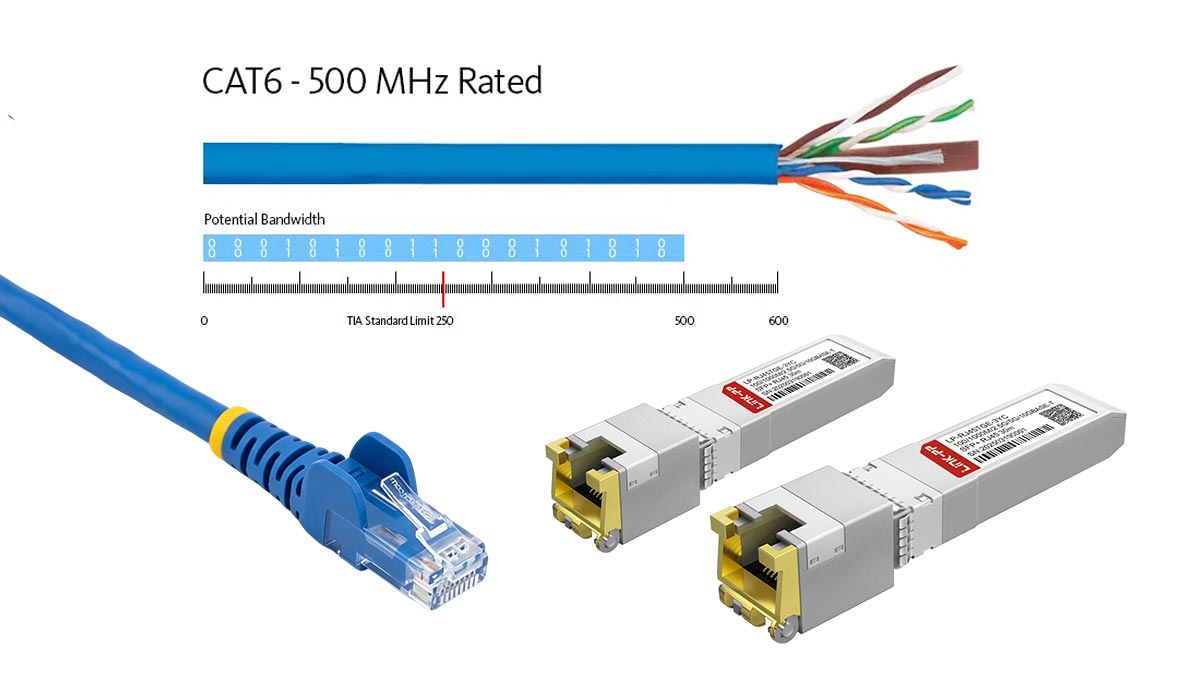
- Higher frequencies (up to ~500 MHz signaling)
- Increased susceptibility to noise and interference
- Stricter requirements for signal-to-noise ratio (SNR)
Even small issues—like:
- Poor keystone jacks
- Tight cable bends
- Dense cable bundles
…can push a Cat6 link from “working perfectly” to “falling back to 1G.”
Practical Takeaway
Think of Cat6 and 10G like this:
- Cat6 = Opportunistic 10G
Works well under favorable conditions (short, clean runs) - Cat6a = Guaranteed 10G
Designed to deliver consistent performance up to 100 meters
What This Means for Your Decision
If your goal is:
- Short-distance upgrade using existing cabling → Cat6 may be enough
- New installation or long runs → Cat6a is the safer choice
- Zero risk and maximum stability → consider fiber SFP solutions
In the next section, we’ll go deeper into the exact distance limits of 10G over Cat6, and why 55 meters has become the most important number in real-world deployments.
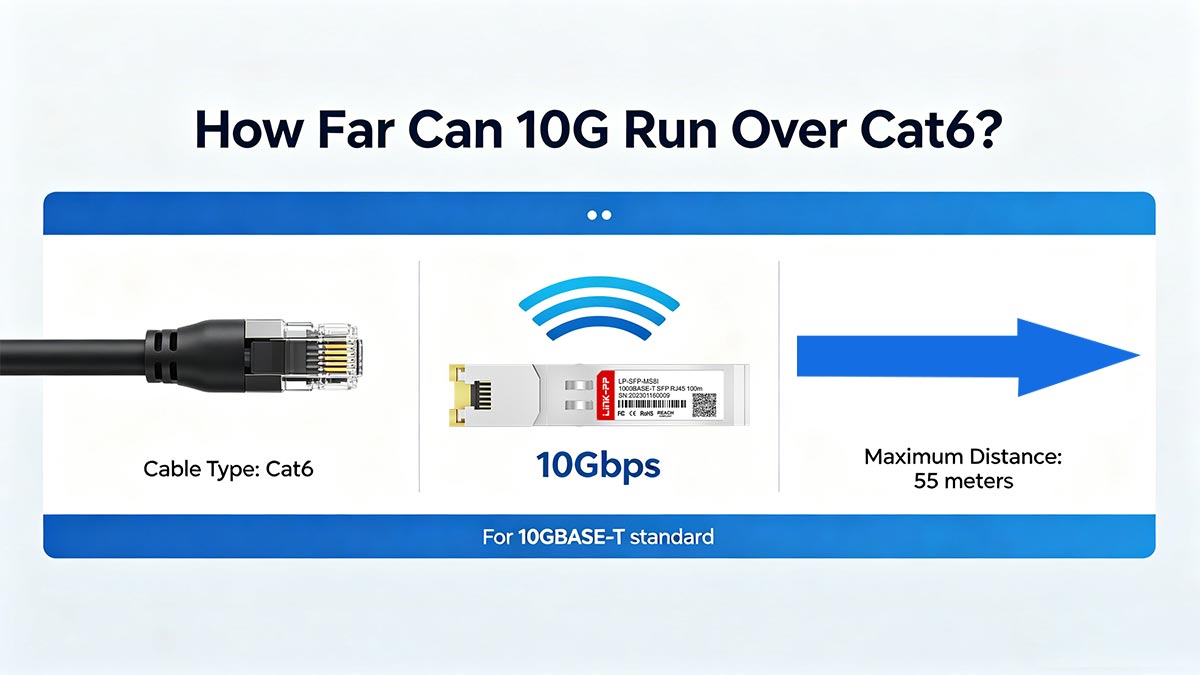
⏩ How Far Can 10G Run Over Cat6?
The most common—and most important—question behind “10GIG over CAT6” is distance.
The answer is straightforward on paper, but much more nuanced in real-world deployments.
The Standard Distance Guidelines
Under the 10GBASE-T standard, the widely accepted distance limits are:
- Up to ~55 meters (180 ft):
Reliable 10Gbps on typical Cat6 UTP installations - Up to 100 meters (328 ft):
Possible only under ideal conditions (high-quality or shielded Cat6, low interference) - 100 meters guaranteed:
Requires Category 6A cable (Cat6a), not standard Cat6
This is why most engineers treat 55m as the “safe limit” for Cat6 at 10G.
Real-World Short-Run Performance
In practice, many users successfully run 10GbE over Cat6 at much shorter distances:
- 0–30 meters:
Very high success rate; typically stable 10G links - 30–55 meters:
Usually works, but increasingly sensitive to cable quality - 55–100 meters:
Unpredictable—may work, may downshift to 5G/2.5G/1G
This explains why home users often report flawless results, while enterprise installers are more cautious—the environments are very different.
Why Distance Becomes a Problem at 10Gbps
At 10Gbps, signal integrity degrades rapidly with length due to:
- Insertion loss (signal attenuation) over longer copper runs
- Return loss caused by impedance mismatches
- Near-end and far-end crosstalk (NEXT/FEXT)
- Alien crosstalk from adjacent cables in bundles
The longer the cable, the harder it is for the system to maintain a clean signal. Even if the link initially comes up at 10G, it may become unstable under load.
Installation Quality: The Hidden Variable
Two Cat6 cables of the same length can perform very differently depending on installation quality. Key factors include:
- Termination quality (RJ45 plugs, keystone jacks)
- Cable routing and bend radius
- Patch panel and connector quality
- Bundle density (how many cables are grouped together)
- Shielding and grounding (if applicable)
For example:
- A 40m well-installed Cat6 link may run 10G perfectly
- A 40m poorly terminated link may fail or drop speed
This is why “distance alone” doesn’t tell the full story.
Practical Distance Planning Guide
For decision-making, use this simplified rule:
- ≤30m: Safe to try 10G on Cat6
- 30–55m: Possible, but validate carefully
- >55m: Not recommended—use Cat6a or fiber
Key Takeaway
The maximum distance for 10G over Cat6 is not a fixed number—it’s a performance range influenced by environment and build quality.
If you’re relying on existing Cat6 infrastructure, short runs can deliver excellent results. But as distance increases, so does uncertainty—making design margin and cable quality just as important as cable category.
Next, we’ll explore why this limitation exists by breaking down the core issue behind it all: copper link crosstalk and interference at 10Gbps speeds.
⏩ Why Copper Link Crosstalk Limits 10G Performance
If distance is the visible limit of 10GIG over CAT6, then crosstalk is the invisible cause behind it.
At 10Gbps, copper Ethernet operates at much higher frequencies and tighter signal margins than 1G. That makes the link far more sensitive to interference—especially crosstalk, where signals from one pair or cable interfere with another.
Understanding this is key to explaining why Cat6 sometimes works flawlessly… and sometimes fails unpredictably.
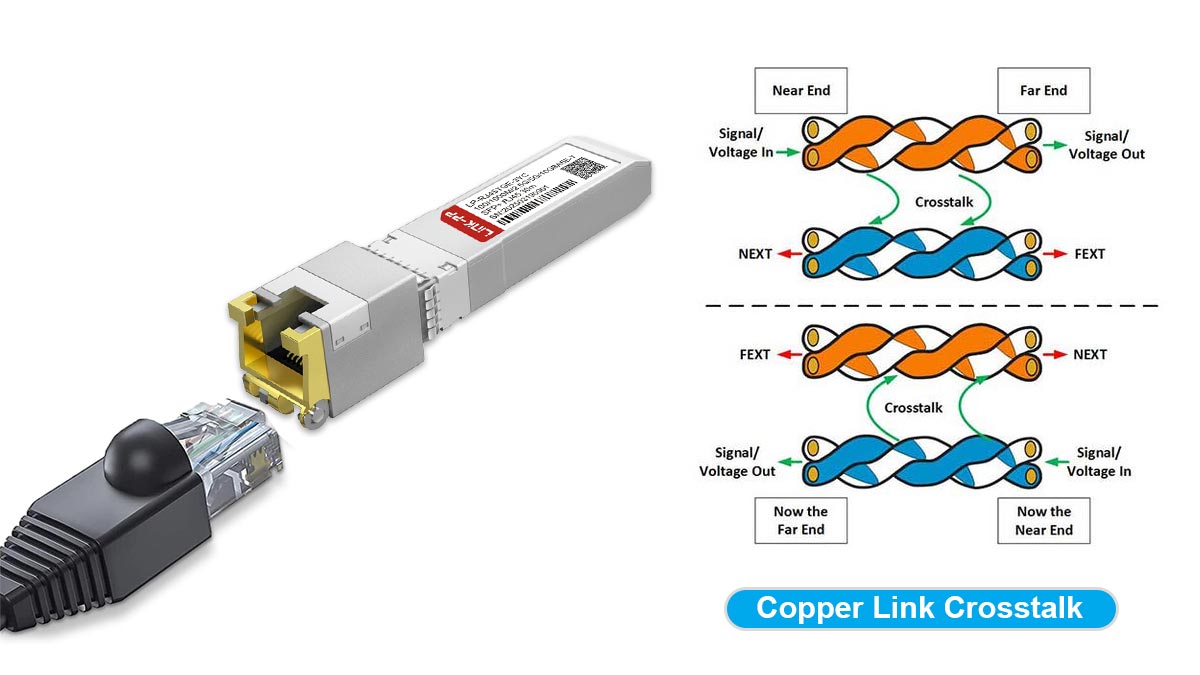
What Is Crosstalk in Copper Cabling?
Crosstalk occurs when electrical signals “leak” from one twisted pair into another. In Ethernet cabling, this is categorized into two main types:
1. Internal Crosstalk (Within the Same Cable)
This includes:
- NEXT (Near-End Crosstalk) – interference measured at the transmitting end
- FEXT (Far-End Crosstalk) – interference measured at the receiving end
Even though Cat6 cables are designed with twisted pairs to reduce interference, at 10Gbps the signal frequency is so high that pair isolation becomes less effective.
2. Alien Crosstalk (Between Different Cables)
This is the real challenge for 10GBASE-T.
Alien crosstalk happens when signals from adjacent cables interfere with each other—especially in:
- Cable bundles
- Patch panels
- Data center trays
Unlike internal crosstalk, alien crosstalk is not fully controlled by the cable design itself. It depends heavily on how cables are installed and grouped.
Why Crosstalk Gets Worse at 10Gbps
10GBASE-T uses significantly higher signaling frequencies (up to ~500 MHz) compared to 1G Ethernet.
At these frequencies:
- Signals attenuate faster
- Noise has a greater impact on data integrity
- Error correction becomes more aggressive
- Signal-to-noise ratio (SNR) becomes critical
This means even small increases in interference can cause:
- Packet errors
- Retransmissions
- Link instability
- Automatic speed downshifting (e.g., to 5G or 1G)
The Role of Cable Bundle Density
One of the most overlooked factors is how many cables are packed together.
In high-density environments:
- Multiple Cat6 cables run in parallel
- Electromagnetic fields overlap
- Alien crosstalk increases significantly
For example:
- A single isolated Cat6 cable may run 10G without issue
- The same cable inside a tight bundle of 24+ cables may fail at the same distance
This is why enterprise cabling standards are much stricter than home installations.
Why Termination Quality Matters
Crosstalk is not just about the cable—it’s also about the connection points.
Poor terminations can introduce:
- Impedance mismatches
- Signal reflections (return loss)
- Increased local interference
Common issues include:
- Untwisting pairs too much at the connector
- Low-quality RJ45 plugs or keystone jacks
- Inconsistent crimping or punch-down
At 1Gbps, these flaws might go unnoticed.
At 10Gbps, they can break the link.
Why Cat6 Is More Vulnerable Than Cat6a
Category 6 cable was not originally engineered to fully control alien crosstalk at 10G speeds.
By contrast, Cat6a includes:
- Improved pair separation
- Thicker insulation or separators
- Better shielding (in many designs)
- Certified performance at higher frequencies
This is why Cat6a can reliably support 100m 10G links, while Cat6 cannot guarantee it.
Practical Takeaway
Crosstalk is the primary reason why:
- Cat6 works well at short distances
- Performance becomes unpredictable beyond ~55m
- Installation quality can make or break a 10G link
In simple terms:
At 10Gbps, copper cabling is no longer just about “connection”—it’s about signal integrity.
In the next section, we’ll compare Cat6 vs Cat6a in detail, helping you decide which cable type is the better long-term solution for 10GBASE-T networks.
⏩ Cat6 vs. Cat6a: Which Is Better for 10GBASE-T?
When evaluating 10GIG over CAT6, the real decision isn’t just “Will it work?”—it’s “Will it work reliably, long-term, and at full distance?”
That’s where the difference between Category 6 cable and Category 6A cable becomes critical.
Both cable types can support 10GBASE-T, but they are designed for very different performance margins.
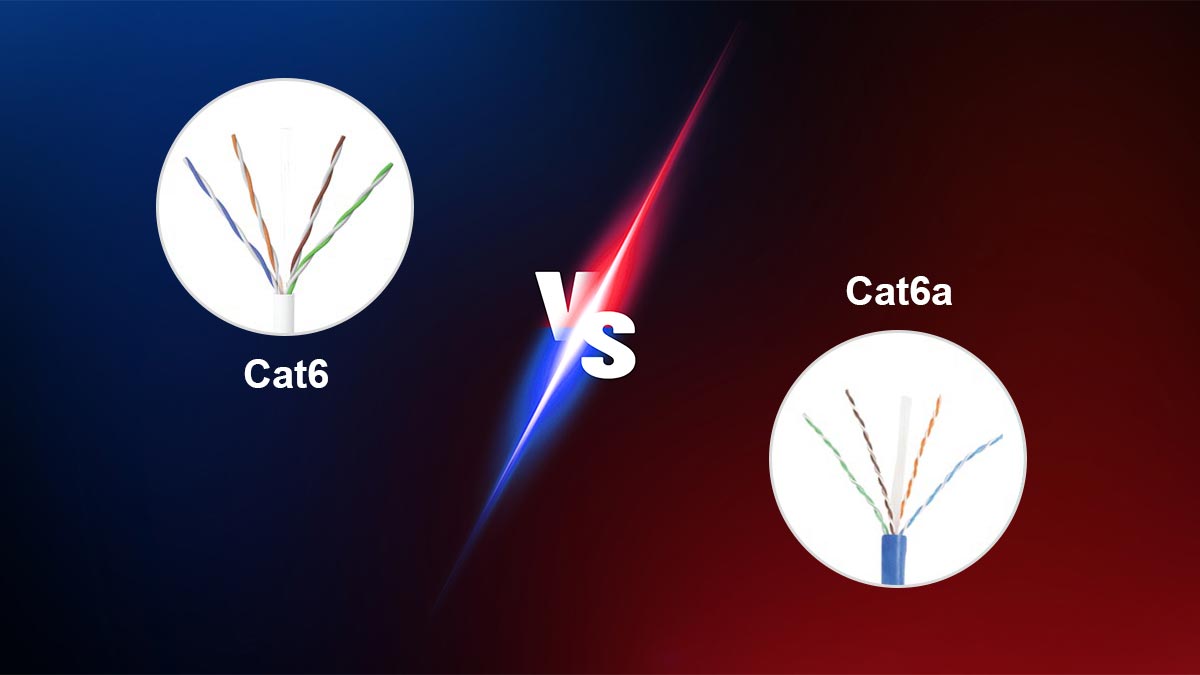
The Core Difference in One Sentence
- Cat6 = Conditional 10G (short distance, environment-dependent)
- Cat6a = Guaranteed 10G (full distance, standards-compliant)
Key Comparison Table
| Feature | Cat6 | Cat6a |
|---|---|---|
| Max 10G Distance | ~55 meters (typical) | 100 meters (guaranteed) |
| Frequency Rating | 250 MHz | 500 MHz |
| 10G Reliability | Variable / environment-based | Consistent / standards-based |
| Alien Crosstalk Control | Limited | Strong (designed for 10G) |
| Cable Thickness | Thinner, more flexible | Thicker, less flexible |
| Installation Difficulty | Easier | Slightly more complex |
| Cost (Cable + Install) | Lower | Higher |
| Future-Proofing | Moderate | High |
Reliability: Predictable vs. Opportunistic
Cat6 can deliver excellent results in short, clean runs, but performance may degrade as soon as:
- Cable bundles increase
- Interference rises
- Installation quality drops
Cat6a, on the other hand, is engineered specifically to handle 10GBASE-T signaling under worst-case conditions, making it far more predictable in:
- Enterprise networks
- Structured cabling systems
- High-density environments
Distance: The 55m vs. 100m Reality
Distance is the most decisive factor:
- Cat6: Reliable up to ~55m for 10G
- Cat6a: Fully supports 100m (standard Ethernet channel length)
If your network includes:
- Long horizontal runs
- Patch panels and cross-connects
- Multi-room or floor distribution
…then Cat6a quickly becomes the safer option.
Future-Proofing: Short-Term Savings vs Long-Term Stability
Choosing Cat6 may save cost upfront, but it introduces risk if:
- Bandwidth demand increases
- Cable bundles become denser over time
- You need guaranteed 10G for new equipment
Cat6a provides headroom, meaning:
- Less sensitivity to installation flaws
- Better support for future high-frequency applications
- Reduced need for re-cabling later
Cost: Not Just Cable Price
While Cat6 is cheaper per meter, the real cost includes:
- Labor and installation
- Downtime from troubleshooting unstable links
- Potential re-cabling in the future
Cat6a has a higher upfront cost, but often results in:
- Fewer performance issues
- Lower long-term maintenance
- Better ROI for permanent infrastructure
Practical Decision Guide
Choose Cat6 if:
- You already have it installed
- Runs are short (<30–50m)
- Budget is limited
- You can tolerate some performance variability
Choose Cat6a if:
- You are building or upgrading infrastructure
- Runs may exceed 55m
- You need guaranteed 10G performance
- You want long-term stability and scalability
Both Cat6 and Cat6a can support 10G—but only one is designed for it.
Cat6 is a “can work” solution.
Cat6a is a “will work” solution.
Next, we’ll move from theory to practice—showing how to optimize 10G performance over existing Cat6, and what you can do to reduce crosstalk and improve link stability.
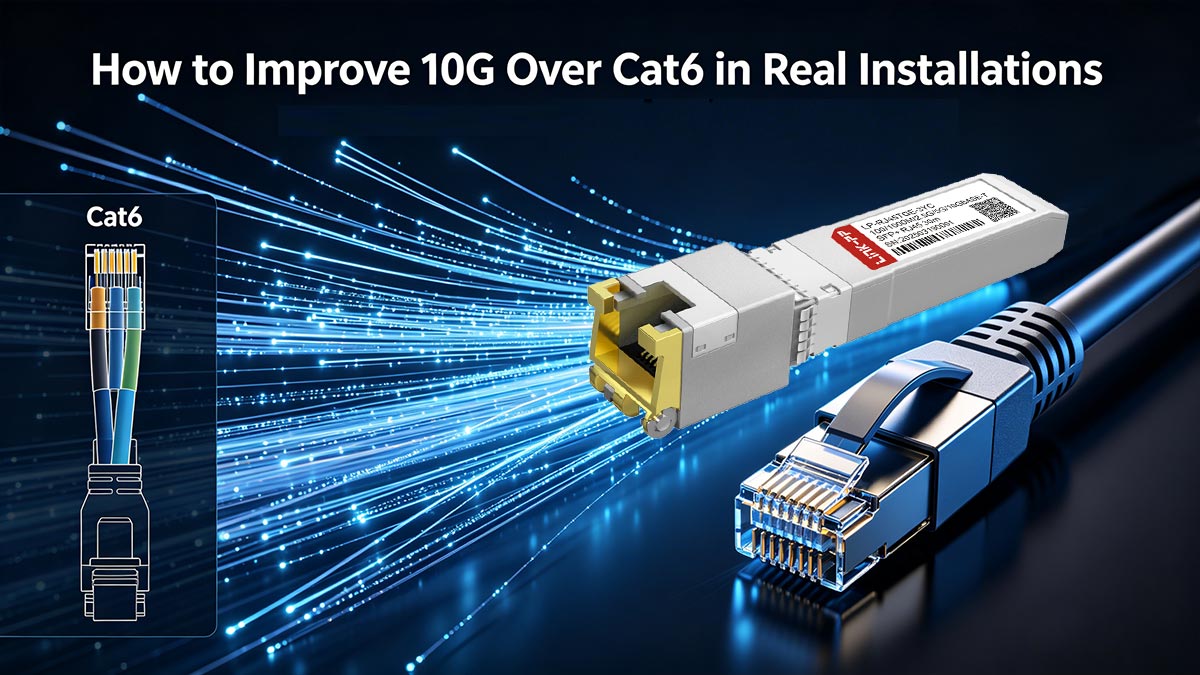
⏩ How to Improve 10G Over Cat6 in Real Installations
If you're trying to run 10GIG over CAT6, the difference between a stable 10GbE link and a frustrating downgrade often comes down to installation quality—not just cable category.
The good news: even if you’re limited to Cat6, there are proven ways to maximize your chances of achieving reliable 10Gbps performance.
1. Use High-Quality Cat6 Cabling
Not all Cat6 cables are created equal.
To improve 10G performance:
- Choose solid copper conductors (avoid CCA—copper-clad aluminum)
- Prefer certified, standards-compliant cables
- Look for tighter twist consistency and better insulation
Higher-quality cables provide:
- Lower insertion loss
- Better resistance to internal crosstalk
- More stable signal transmission at high frequencies
2. Upgrade Patch Cords (Often the Weakest Link)
Even if your in-wall cabling is good, cheap patch cords can kill 10G performance.
Best practices:
- Use Cat6 or Cat6a-rated patch cords (Cat6a preferred for 10G)
- Keep patch cords as short as possible
- Avoid mixing unknown or low-quality cords in the channel
A single poor-quality patch cable can introduce:
- Signal reflections
- Crosstalk
- Link instability
3. Ensure Proper Termination
Termination quality directly affects signal integrity.
Follow these guidelines:
- Maintain twist as close as possible to the connector
- Avoid excessive untwisting (a major source of crosstalk)
- Use high-quality RJ45 connectors and keystone jacks
- Ensure consistent punch-down or crimping
Poor termination can cause:
- Return loss
- Impedance mismatch
- Increased error rates at 10Gbps
4. Keep Cable Runs Short and Clean
Distance is still one of the biggest limiting factors.
To improve reliability:
- Keep runs well below 55 meters whenever possible
- Minimize the number of connection points (patch panels, couplers)
- Avoid unnecessary extensions or adapters
Shorter, simpler links = better signal-to-noise ratio (SNR).
5. Respect Bend Radius and Routing
Physical handling of the cable matters more than most people expect.
Avoid:
- Tight bends or kinks
- Crushing cables in conduits or under floors
- Running cables alongside high-power electrical lines
Follow best practices:
- Maintain proper bend radius (typically ≥4× cable diameter)
- Use smooth cable routing paths
- Separate data and power cables when possible
Improper handling increases:
- Signal distortion
- Internal crosstalk
- Long-term reliability issues
6. Reduce Cable Bundle Density
As discussed earlier, alien crosstalk is one of the biggest threats to 10G over Cat6.
To mitigate it:
- Avoid tightly packing large numbers of cables together
- Use looser bundles or spacing where possible
- Separate high-speed links from large cable groups
In high-density setups:
- Consider mixing in Cat6a patch cords for better shielding
- Or reduce parallel run lengths between cables
7. Validate with Real Testing
Don’t rely on assumptions—test your link.
Use:
- Network interface tools (check negotiated speed: 10G vs fallback)
- Throughput testing (e.g., iperf)
- Error counters (CRC errors, retransmissions)
A link that “connects at 10G” is not necessarily stable under load.
Practical Summary
To improve your chances of stable 10G over Cat6:
- ✔ Use high-quality solid copper cable
- ✔ Upgrade to better patch cords (preferably Cat6a)
- ✔ Ensure clean, professional termination
- ✔ Keep runs short and simple
- ✔ Avoid tight bends and electrical interference
- ✔ Minimize cable bundling
At 10Gbps, installation quality matters as much as cable type.
A well-installed Cat6 link can outperform a poorly installed Cat6a link.
But without proper attention to detail, even the best cable won’t deliver reliable 10G.
Next, we’ll help you decide when optimization is no longer enough—and when it’s smarter to upgrade to Cat6a or switch to fiber entirely.
⏩ When You Should Skip Cat6 and Use Cat6a or Fiber Instead
While 10GIG over CAT6 can work under the right conditions, there are many scenarios where trying to “make it work” is simply not the best decision. If your goal is long-term stability, predictable performance, and minimal troubleshooting, upgrading to Cat6a—or even fiber—becomes the smarter path.
This section helps you decide when to stop optimizing Cat6 and move to a more reliable solution.
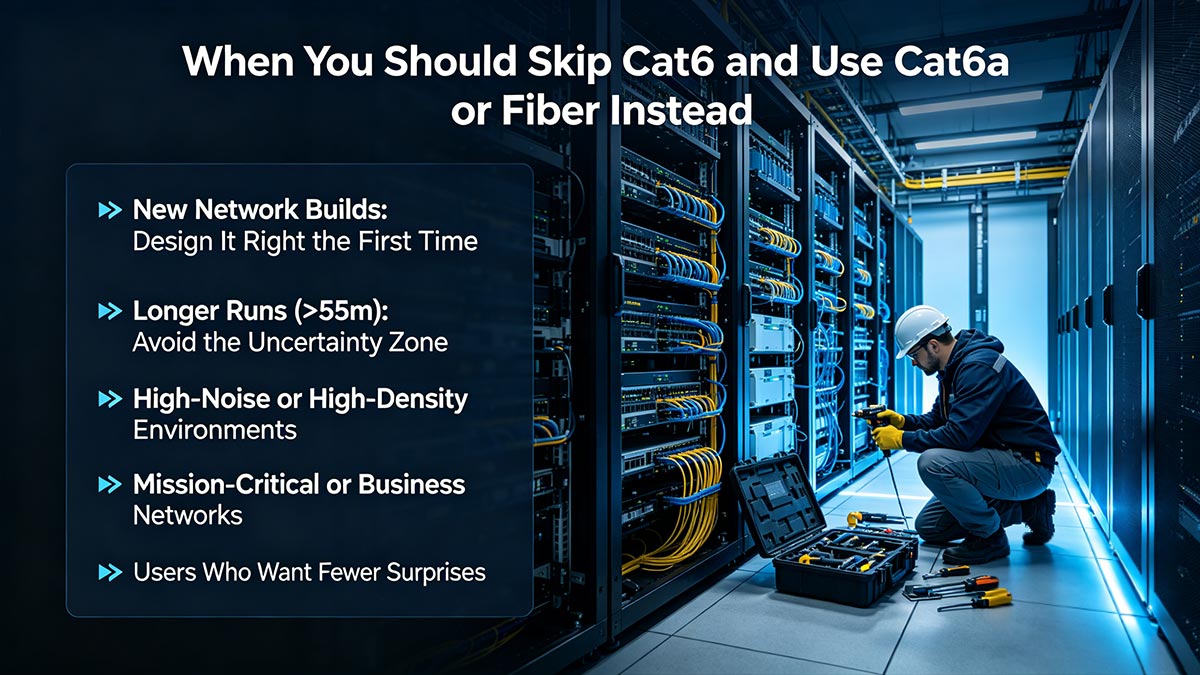
▶ New Network Builds: Design It Right the First Time
If you are planning a new installation, choosing Cat6 for 10G is rarely worth the risk.
Why?
- Labor is the biggest cost—not the cable itself
- Re-cabling later is far more expensive than doing it right upfront
- Modern applications (AI workloads, NAS, Wi-Fi 7 backhaul, and future QSFP deployments) will only increase bandwidth demand
In new builds, Category 6A cable is the baseline recommendation for copper, because it guarantees full 10GBASE-T performance at 100 meters.
▶ Longer Runs (>55m): Avoid the Uncertainty Zone
If your cable runs approach or exceed 55 meters, Cat6 enters a gray area where:
- Links may negotiate down to 5G / 2.5G / 1G
- Stability may vary depending on environment
- Troubleshooting becomes time-consuming
For these scenarios:
- Cat6a ensures full-distance 10G
- SFP+ modules over fiber eliminate distance-related signal issues entirely
▶ High-Noise or High-Density Environments
In environments with:
- Large cable bundles
- Data center racks
- Industrial electrical interference
- Dense patch panel configurations
Cat6 becomes far more vulnerable to alien crosstalk and EMI.
Here’s what happens:
- Performance becomes inconsistent
- Error rates increase under load
- Links may appear stable but degrade over time
Cat6a—with improved shielding and design—or fiber, which is immune to electromagnetic interference, provides far greater reliability.
▶ Mission-Critical or Business Networks
If your network supports:
- Servers and storage (NAS/SAN)
- Virtualization or cloud infrastructure
- Production systems or revenue-generating services
Then “it usually works” is not good enough.
You need:
- Predictable latency
- Consistent throughput
- Minimal packet loss
In these cases:
- Cat6a is the minimum safe copper choice
- Fiber is often preferred for performance and scalability
▶ Users Who Want Fewer Surprises
Let’s be honest—many users searching “10GIG over CAT6” are trying to avoid unnecessary upgrades.
But there’s a trade-off:
- Cat6: Lower upfront cost, higher uncertainty
- Cat6a / Fiber: Higher upfront cost, lower long-term risk
If you value:
- Plug-and-play reliability
- No unexpected speed drops
- Less time spent troubleshooting
…then skipping Cat6 is often the better decision.
▶ Cat6 vs. Cat6a vs. Fiber: Quick Decision Logic
- Use Cat6:
Short runs, existing infrastructure, non-critical use - Use Cat6a:
New builds, structured cabling, guaranteed 10G - Use Fiber:
Long distances, high interference, maximum performance
▶ Where Hardware Choice Also Matters
Even with the right cabling, your transceiver modules and network modules play a key role in stability and heat management—especially for 10GBASE-T copper transceivers, which is known for higher power consumption compared to SFP+ solutions.
If you’re planning a reliable 10G deployment, it’s worth choosing well-designed, thermally optimized 10GBASE-T modules that can maintain stable operation under continuous load.
👉 For engineers and buyers looking for proven compatibility and performance, you can explore the LINK-PP Official Store for 10GBASE-T Module solutions—designed for stable 10G copper networking across enterprise and industrial environments.
Final Takeaway
Cat6 is a “best-effort” solution for 10G.
Cat6a and fiber are “engineered” solutions.
If your network matters—and especially if downtime or instability has a cost—choosing the right medium from the start will save far more than it costs.