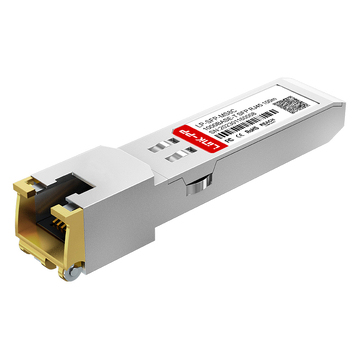
The Aruba 1G SFP LC SX 500M MMF XCVR is widely used for short-range optical connectivity in enterprise and campus networks, but its real-world performance depends heavily on compatibility with switches, firmware, and fiber infrastructure. While the module itself follows standard 1000Base-SX specifications, differences in vendor implementation, EEPROM coding, and operating system validation can directly impact whether a link initializes successfully or operates reliably over time.
In practical deployments, network engineers often face challenges such as unsupported transceiver warnings, inconsistent link behavior in multi-vendor environments, or unexpected limitations tied to firmware versions. These issues are not caused by optical parameters alone, but by the interaction between hardware, software, and compliance standards such as SFP MSA.
This article provides a structured compatibility analysis of the Aruba 1G SFP LC SX 500M MMF XCVR, focusing on switch support, cross-vendor interoperability, fiber considerations, and troubleshooting strategies. The goal is to help identify potential risks early and ensure stable, predictable operation in both single-vendor and mixed-network environments.
? What Is Aruba 1G SFP LC SX 500M MMF XCVR?
The Aruba 1G SFP LC SX 500M MMF XCVR is a Gigabit Ethernet optical transceiver designed for short-distance data transmission over multimode fiber, primarily used in enterprise access, campus networks, and data center interconnects. It operates based on the 1000Base-SX standard, delivering stable 1Gbps connectivity with low latency and high reliability within a typical reach of up to 500m.

Core Technical Specifications
This module is optimized for short-reach optical links using standardized parameters that ensure interoperability at the physical layer.
| Parameter | Value | Description |
|---|---|---|
| Data Rate | 1Gbps | Gigabit Ethernet transmission |
| Wavelength | 850nm | Short-range multimode operation |
| Fiber Type | MMF (OM1–OM4) | Multimode fiber compatibility |
| Max Distance | Up to 500m | Depends on fiber grade |
| Connector Type | LC Duplex | Standard optical interface |
These specifications define the baseline compatibility of the module with network hardware and cabling systems. However, actual deployment performance also depends on switch support and firmware validation.
Standards and Protocol Compliance
The Aruba 1G SFP LC SX 500M MMF XCVR is built to align with widely adopted industry standards, which enables predictable behavior across compliant devices.
-
IEEE 802.3z 1000Base-SX defines the optical transmission characteristics for Gigabit Ethernet over multimode fiber
-
SFP MSA ensures mechanical and electrical interoperability across different vendors
-
Digital Diagnostic Monitoring (DDM) provides real-time visibility into parameters such as temperature, voltage, and optical power
While these standards establish a common foundation, they do not fully eliminate compatibility constraints introduced by vendor-specific implementations.
Typical Use Cases
This type of fiber optic SFP module is commonly deployed in environments where short-distance, high-density optical connectivity is required.
-
Enterprise access layer connections between switches and aggregation devices
-
Data center intra-rack or inter-rack links using multimode fiber
-
Campus network backbone segments within buildings
-
Legacy infrastructure upgrades from copper to fiber
In these scenarios, the module offers a balance between cost efficiency, performance, and ease of deployment, making it a practical choice for scalable Gigabit optical networking.
? Understanding SFP Compatibility Fundamentals
SFP compatibility is primarily determined by the interaction between the transceiver’s internal coding, the switch’s validation mechanisms, and adherence to industry standards. Even when optical parameters such as wavelength and data rate match, a module may still fail to operate if the host device enforces vendor-specific restrictions.

What Determines SFP Compatibility
The ability of an SFP transceiver to function correctly in a switch depends on several technical factors beyond basic specifications.
-
EEPROM coding: Each SFP contains identification data that defines vendor name, model, and capabilities. Switches read this data during initialization.
-
Switch firmware validation: Some systems verify the module against an internal compatibility list before enabling the port.
-
Electrical and interface alignment: The module must match the host interface in terms of signaling and power requirements.
A module that meets optical standards but fails vendor validation may trigger warnings or be disabled entirely.
MSA vs Vendor-Locked Modules
MSA compliance enables cross-vendor interoperability at the hardware level, but software-level restrictions can still limit compatibility in practice.
| Aspect | MSA-Compliant Modules | Vendor-Locked Modules |
|---|---|---|
| Interoperability | Broad, multi-vendor support | Limited to specific vendors |
| EEPROM Coding | Standardized | Vendor-specific |
| Flexibility | High | Restricted |
| Deployment Risk | Moderate (firmware dependent) | Low within same vendor |
MSA-compliant modules are designed to work across different platforms, but many vendors implement additional checks that override this flexibility. Vendor-locked modules, on the other hand, ensure seamless operation within a specific ecosystem but reduce deployment options.
Key Compatibility Risks
In real-world deployments, compatibility issues often manifest in predictable ways that can impact network stability.
-
Unsupported transceiver warnings: The switch detects non-approved EEPROM data
-
Port shutdown or disabled state: Firmware blocks the module from operating
-
Link instability: Intermittent connectivity due to partial compatibility
-
Performance inconsistencies: Increased error rates or packet loss
These risks highlight the importance of validating not only optical specifications but also firmware behavior and vendor policies before deployment.
? Aruba Switch Compatibility Overview
Aruba switches generally support 1G SFP SX optical modules that meet 1000Base-SX specifications, but actual compatibility depends on switch series, operating system, and firmware policies. While many Aruba platforms allow third-party optics, validation mechanisms can still influence whether a module operates without warnings or restrictions.

Supported Aruba Switch Series
Most Aruba enterprise and SMB switch families are designed to support 1G SX SFP modules, including both officially certified and compatible third-party options.
-
Aruba CX series: Modern architecture with ArubaOS-CX, commonly used in data center and campus core
-
Aruba 2530 / 2540 / 2930F / 3810 series: Widely deployed in enterprise access and aggregation layers
-
Aruba Instant On series: SMB-focused switches with simplified management and moderate compatibility flexibility
These platforms typically support standard SX optics, but behavior may vary depending on firmware enforcement levels.
Firmware and OS Dependencies
Switch operating systems and firmware versions play a decisive role in how SFP modules are validated and managed.
| Factor | ArubaOS-Switch | ArubaOS-CX |
|---|---|---|
| Platform Type | Legacy/ProVision-based | Modern, Linux-based |
| Compatibility Check | Moderate enforcement | More granular validation |
| Firmware Flexibility | Relatively stable behavior | May change with updates |
| Error Reporting | Basic warnings | Detailed logs and telemetry |
Different operating systems handle transceiver validation differently. ArubaOS-CX systems often provide more detailed diagnostics, but may also introduce stricter validation depending on the firmware version.
Firmware updates can modify compatibility behavior, meaning a module that works in one version may trigger warnings or restrictions in another. Reviewing official compatibility matrices before deployment helps reduce this risk.
Official vs Third-Party Module Behavior
Both Aruba-certified and third-party SFP modules can function in Aruba switches, but their behavior differs in terms of validation and monitoring.
-
Aruba-certified modules: Fully recognized by the switch, no warnings, complete support for diagnostics and lifecycle management
-
Third-party compatible SFP modules: Often functional but may trigger non-critical warnings or logs
-
Detection mechanisms: Switch reads EEPROM data and compares it against internal vendor profiles
-
Operational impact: In most cases, non-certified modules still pass traffic normally if not explicitly blocked
Understanding these differences helps in choosing the appropriate module type based on network policy, operational requirements, and long-term maintainability.
? Compatibility with Third-Party Network Equipment
The Aruba 1G SFP LC SX 500M MMF XCVR can interoperate with third-party network equipment if optical parameters align and vendor validation does not block the module. In most cases, successful link establishment depends more on EEPROM recognition and firmware behavior than on the physical transmission standard itself.

Interoperability with Cisco, Juniper, and Others
Cross-vendor compatibility is generally achievable because 1000Base-SX is a standardized technology, but implementation differences can still affect link stability.
| Factor | Aruba ↔ Cisco / Juniper | Impact on Compatibility |
|---|---|---|
| Optical Standard | 1000Base-SX aligned | Enables basic link operation |
| EEPROM Vendor Coding | May differ | Can trigger warnings |
| Auto-Negotiation | Typically supported | Affects link initialization |
| DOM/DDM Support | Partially aligned | May limit monitoring visibility |
Even when the link comes up successfully, mismatched EEPROM profiles may result in log messages or reduced diagnostic capabilities. However, these issues typically do not affect data forwarding performance.
Mixed Environment Deployment Scenarios
In multi-vendor environments, compatibility must be evaluated across both ends of the link rather than focusing on a single device.
-
Enterprise networks combining Aruba access switches with Cisco or Juniper aggregation layers
-
Data center environments with heterogeneous switching platforms
-
Gradual infrastructure upgrades where legacy and new systems coexist
In these scenarios, the key requirement is that both transceiver modules share identical optical characteristics and are accepted by their respective host devices.
Best Practices for Cross-Vendor Compatibility
Ensuring stable operation in mixed environments requires both planning and validation.
-
Match optical specifications: Ensure wavelength (850nm), fiber type (MMF), and distance requirements are consistent on both ends
-
Validate EEPROM compatibility: Use modules coded for specific vendors when necessary
-
Perform interoperability testing: Test links in a lab or pilot environment before full deployment
-
Monitor link performance: Check for errors, link flaps, or abnormal optical readings after installation
Following these practices reduces the risk of unexpected behavior and ensures consistent performance when deploying Aruba SFP modules alongside third-party network equipment.
? Fiber and Cabling Compatibility Considerations
Even when an fiber SFP module is fully compatible with a switch, link performance depends heavily on the fiber and cabling infrastructure. Mismatched fiber types, excessive link loss, or poor-quality connectors can lead to suboptimal operation or failed links.

Supported Fiber Types
The Aruba 1G SFP LC SX 500M MMF XCVR is designed for multimode fiber, but the maximum achievable distance varies with fiber grade.
-
OM1 (62.5/125 μm): Supports up to ~220 meters
-
OM2 (50/125 μm): Supports up to ~275 meters
-
OM3 (50/125 μm, laser-optimized): Supports up to 500 meters
-
OM4 (50/125 μm, enhanced laser-optimized): Supports up to 500 meters with improved margin
Selecting the appropriate fiber type ensures the link can achieve its rated distance without signal degradation.
Optical Budget and Distance Limits
Link loss must be considered alongside fiber type to ensure reliable operation. The optical budget of the module specifies the maximum allowable attenuation between transmitter and receiver.
| Parameter | Typical Value | Notes |
|---|---|---|
| Transmit Power | -9 to -4 dBm | Depends on module calibration |
| Receive Sensitivity | -14 dBm | Minimum power required at RX |
| Maximum Link Loss | ~5 dB | Includes connectors and patch cords |
Exceeding the optical budget—due to long patch cords, poor connectors, or excessive splicing—can result in intermittent connectivity or link failure. Environmental factors such as temperature and bending radius also affect signal integrity.
Connector and Patch Cord Compatibility
Physical connections are equally important for maintaining a stable optical link.
-
LC duplex connectors are standard and required for this SFP module
-
High-quality patch cords reduce insertion loss and reflection
-
Proper cleaning and inspection of fiber end faces prevent degradation
-
Avoid excessive bending or stress on the fiber to maintain signal integrity
By matching fiber type, observing link budget limits, and maintaining connector quality, network engineers can ensure predictable and reliable operation of Aruba SFP modules over multimode fiber.
? Common Compatibility Issues and Troubleshooting
Even when Aruba 1G SFP LC SX 500M MMF XCVR modules meet optical standards, deployment challenges can arise from switch validation policies, firmware behavior, or cabling quality. Recognizing common issues and applying systematic troubleshooting ensures stable operation in both single-vendor and mixed-vendor environments.

Typical Problems Encountered
The most frequent compatibility-related issues include:
-
Unsupported transceiver warnings: The switch detects non-approved EEPROM coding and logs alerts
-
Link not coming up: Port remains inactive despite proper fiber connections
-
Intermittent connectivity: Link flaps or drops sporadically due to optical margin issues or module recognition conflicts
-
Performance degradation: Higher error rates or latency may occur if the module is partially compatible or if fiber quality is suboptimal
These problems often stem from firmware enforcement, vendor-specific coding, or environmental factors rather than the module’s core optical specifications.
Diagnostic Methods
Several methods help identify the root cause of compatibility or performance problems:
-
Checking Digital Diagnostic Monitoring (DDM) values: Monitor temperature, voltage, and TX/RX power for anomalies
-
Reviewing switch logs: Identify error messages, warnings, or blocked ports
-
Loopback testing: Isolate the module and verify that it can transmit and receive optical signals internally
-
Cable testing: Verify fiber continuity, loss, and connector integrity
These diagnostics allow engineers to distinguish between optical issues, switch firmware restrictions, and environmental factors.
Practical Troubleshooting Steps
A structured approach improves problem resolution and reduces downtime:
-
Verify firmware compatibility: Ensure the switch is running a version known to support the module
-
Inspect optical links: Check fiber type, distance, and connector cleanliness
-
Test with certified modules: Replace the module temporarily to confirm if the issue is firmware or hardware related
-
Reprogram or replace non-compliant modules: Some third-party modules allow EEPROM reprogramming for better recognition
-
Monitor link behavior: Observe stability over time to confirm resolution
By following these steps, network engineers can quickly identify and resolve compatibility issues, ensuring reliable operation of Aruba SFP modules in diverse networking environments.
? Performance and Reliability Considerations
The performance of Aruba 1G SFP LC SX 500M MMF XCVR modules is influenced not only by optical specifications but also by environmental conditions, switch validation behavior, and overall network design. Ensuring reliable operation requires attention to these factors during both deployment and ongoing network management.

Stability in Long-Term Deployment
Aruba SFP modules are designed for consistent operation under standard conditions, but several factors impact long-term stability:
-
Temperature fluctuations: Extreme heat or cold can affect transmitter power and receiver sensitivity
-
Signal integrity: Fiber bends, splices, and connector imperfections can introduce attenuation and reflection
-
Module aging: Optical components degrade slowly over time, slightly reducing output power
Regular monitoring of DDM parameters helps identify early signs of performance degradation before they affect network reliability.
Impact of Compatibility on Performance
Compatibility issues can directly influence network performance even if the link initially comes up:
-
Latency and packet loss: Partial compatibility or EEPROM mismatch can cause sporadic errors
-
Link flapping: Repeated up/down events may occur if the module is intermittently rejected by the switch
-
Power consumption variations: Modules not fully recognized may operate outside optimal power ranges
Awareness of these risks allows engineers to preemptively address potential bottlenecks or instability.
Ensuring Reliable Operation
A combination of hardware validation, monitoring, and standardization improves overall reliability:
-
Use validated compatibility lists to select modules that are confirmed to work with the switch and firmware version
-
Monitor optical parameters continuously through DDM to detect early degradation or environmental impact
-
Standardize module types across the network to minimize unexpected behavior caused by mixed vendors or firmware policies
By proactively addressing both environmental and compatibility factors, Aruba 1G SFP LC SX 500M MMF XCVR modules can maintain stable, high-performance links throughout their operational lifecycle.
? How to Ensure Aruba SFP Compatibility Before Deployment
Ensuring that Aruba 1G SFP LC SX 500M MMF XCVR modules function reliably in a network requires careful pre-deployment validation. This process minimizes downtime, avoids link instability, and ensures consistent performance in both single-vendor and multi-vendor environments.

Pre-Deployment Validation Checklist
Before installing the modules, network engineers should verify critical compatibility factors:
-
Confirm switch model support: Check the Aruba switch series and specific port type for 1000Base-SX SFP compatibility
-
Verify firmware version: Ensure the switch firmware is known to recognize the SFP module without warnings or restrictions
-
Match optical specifications: Confirm that fiber type, wavelength, and distance requirements align with module capabilities
-
Review vendor guidance: Consult Aruba’s official compatibility matrices or technical documentation
Completing this checklist reduces the likelihood of encountering unsupported module errors or degraded performance in production.
Lab Testing and Validation
Testing modules in a controlled environment provides practical insight into compatibility:
-
Connect the module to representative switches and fiber links in a lab setup
-
Measure link initialization time, throughput, and error rates
-
Simulate typical network conditions, including environmental variations, to observe potential performance impacts
-
Document results to serve as a reference for full-scale deployment
Lab testing allows engineers to identify potential issues before they affect live traffic, particularly in mixed-vendor environments.
Documentation and Lifecycle Management
Maintaining accurate records and planning for module lifecycle management supports long-term compatibility:
-
Record module serial numbers, firmware versions, and observed behavior during testing
-
Track switch firmware updates and verify that previously validated modules remain compatible
-
Plan for module replacements or network expansions using the same validated specifications
-
Maintain a centralized database of tested and approved modules for future deployments
By combining checklist validation, lab testing, and thorough documentation, organizations can ensure reliable, predictable operation of Aruba SFP modules across their network infrastructure.
? Future Trends in SFP Compatibility and Open Networking
The landscape of SFP compatibility is evolving as enterprises and data centers increasingly adopt open networking principles. These trends are shaping how modules like the Aruba 1G SFP LC SX 500M MMF XCVR are deployed and validated across diverse environments.

Shift Toward Open Optical Ecosystems
Vendor lock-in is gradually being reduced as network operators demand more flexibility:
-
Multi-vendor interoperability: Organizations are standardizing on SFP MSA-compliant modules to allow seamless integration across different switch brands
-
Standardized coding: Efforts to harmonize EEPROM profiles make it easier for third-party modules to function without triggering warnings
-
Cost-performance balance: Open optics allow operators to optimize budgets while maintaining predictable network behavior
These changes enable more scalable and flexible network designs without sacrificing reliability.
Role of Software in Compatibility
Software plays an increasingly significant role in ensuring optical module performance:
-
Firmware-level validation controls: Modern switches can dynamically recognize or reprogram modules to support additional third-party options
-
Programmable optics: Emerging SFP modules may allow remote adjustments of parameters such as power levels, enabling better alignment with host switches
-
Centralized monitoring: Advanced network management platforms can track DDM data and flag potential compatibility or performance issues proactively
Software-driven approaches reduce the dependency on strict vendor certification, while still maintaining operational safety and performance.
Impact on Enterprise and Data Center Networks
As compatibility practices evolve, the practical benefits for networks include:
-
Greater flexibility in hardware selection and procurement, allowing easier upgrades or expansion
-
Simplified multi-vendor deployment strategies, reducing the risk of link incompatibility or operational disruption
-
Improved long-term standardization, which supports consistent network monitoring, performance analysis, and predictive maintenance
These trends indicate that future deployments of SFP modules like the Aruba 1G SFP LC SX 500M MMF XCVR will increasingly rely on a combination of standardized hardware and intelligent software management to ensure both performance and interoperability.
? Conclusion
Aruba 1G SFP LC SX 500M MMF XCVR modules offer a reliable solution for short-range Gigabit Ethernet connections, but achieving stable and high-performance operation requires careful attention to compatibility factors. Understanding switch support, firmware requirements, fiber characteristics, and cross-vendor interoperability is essential to prevent link failures, intermittent connectivity, or degraded performance. By following structured pre-deployment validation, performing lab testing, and monitoring optical parameters, network engineers can ensure predictable operation in both single-vendor and mixed-vendor environments.
For those looking to streamline deployment and access a range of validated SFP modules, the LINK-PP Official Store provides a comprehensive selection of Aruba-compatible optical transceivers designed to meet enterprise standards and ensure reliable network performance.