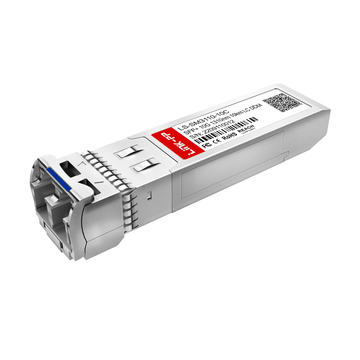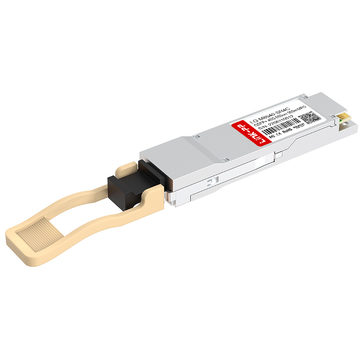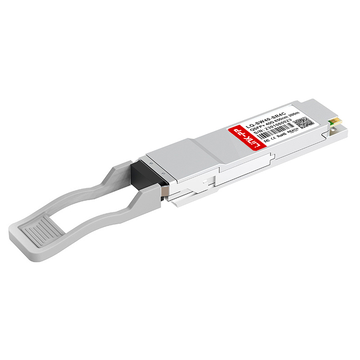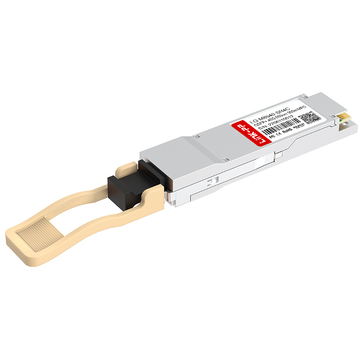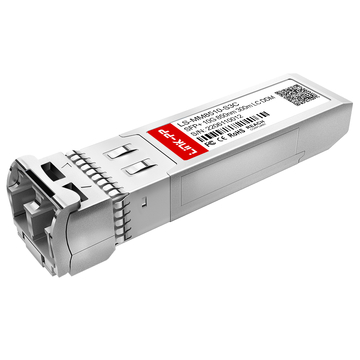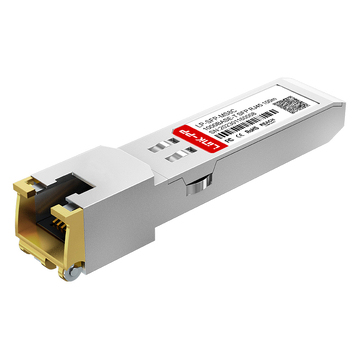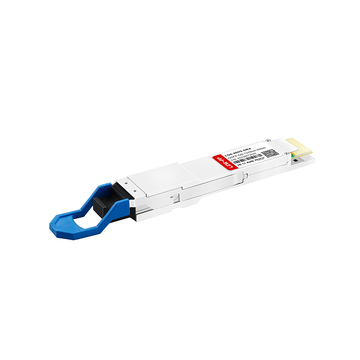
In the rapidly evolving landscape of data center architecture, achieving a balance between high-density performance and cost-efficiency is the ultimate goal for network engineers. As 40G Ethernet remains a foundational speed for many enterprise and leaf-spine deployments, the Cisco QSFP-40G-SR4-S has emerged as a go-to optical solution.
However, for those navigating procurement lists and technical datasheets, this specific SKU often raises more questions than it answers. Is the "S-Class" variant just a cheaper alternative to standard optics? Why does it require an MPO-12 connector instead of the traditional LC duplex? And most importantly, will it integrate seamlessly with your existing fiber plant?
This guide dives deep into the Cisco QSFP-40G-SR4-S MPO fiber infrastructure, breaking down the critical distinctions between S-Class and non-S optics, infrastructure requirements for OM3/OM4 fiber, and why this module is a strategic choice for modern Cisco Nexus and Catalyst environments. Whether you are troubleshooting a link-light issue or planning a full-scale 40G migration, understanding the nuances of the SR4-S module is the first step toward a stable, high-performance network.
⭐ What is Cisco QSFP-40G-SR4-S? Understanding the "S-Class" Distinction
The Cisco QSFP-40G-SR4-S is a hot-swappable, "S-Class" optical transceiver designed for 40 Gigabit Ethernet (40GbE) connections in enterprise and data center environments. It operates over Multimode Fiber (MMF) using a wavelength of 850nm and features an MPO-12 connector interface.
You will typically find the Cisco QSFP-40G-SR4-S used in Spine-and-Leaf architectures within a data center. It is used to connect a leaf switch to a spine switch, or to provide 40G connectivity to a high-performance storage array or server cluster using MPO-12 patch cables.
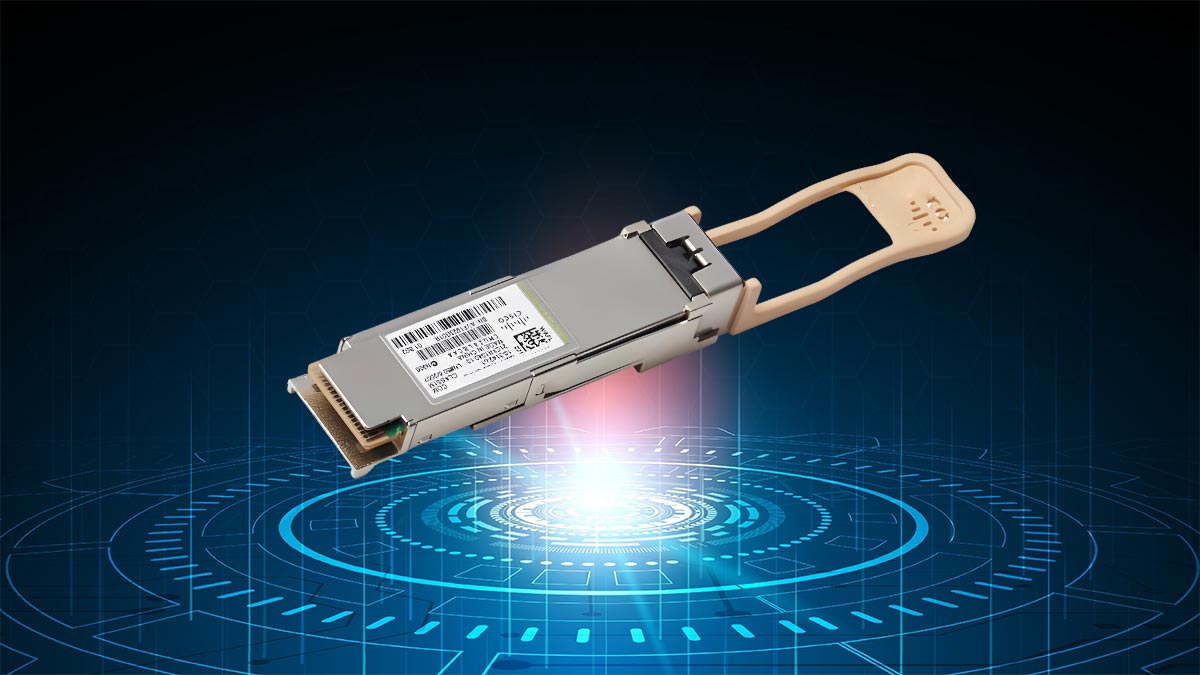
Quick Technical Snapshot: Cisco QSFP-40G-SR4-S
| Feature | Specification |
| Model Number | Cisco QSFP-40G-SR4-S |
| Standard | 40GBASE-SR4 (Short Range) |
| Optic Class | Cisco "S-Class" (Enterprise/Data Center Optimized) |
| Media Type | Multimode Fiber (MMF) |
| Connector Type | MPO-12 (8 active fibers in 4x10G configuration) |
| Max Distance (OM3) | 100 Meters |
| Max Distance (OM4) | 150 Meters |
| Wavelength | 850 nm |
| Breakout Support | Yes (Compatible with 4x10G breakout cabling) |
| Protocol Omissions | No support for FCoE or OTN |
If you’ve browsed Cisco’s optics catalog or scrolled through threads on r/Networking, you’ve likely encountered the "S-Class" debate. Many engineers ask: “Why is the QSFP-40G-SR4-S significantly cheaper than the standard QSFP-40G-SR4? Is it a lower-quality 'budget' version?”
The answer is no—the "S" does not stand for "substandard." Instead, it stands for S-Class (Enterprise/Data Center Class).
Cisco S-Class Explained At a Glance: The Cisco QSFP-40G-SR4-S is a 40GBASE-SR4 transceiver designed specifically for Ethernet-only enterprise and data center environments. While it shares the same physical hardware and performance specs for Ethernet traffic as the non-S version, it omits support for niche protocols like FCoE (Fibre Channel over Ethernet) and OTN (Optical Transport Network). This trade-off allows Cisco to offer a more cost-effective solution for 90% of standard networking use cases.
Why the "-S" Matters to Your Budget
Cisco introduced the S-Class line to compete with third-party optical manufacturers by stripping away features that most data center administrators never use.
For a standard Cisco Nexus or Catalyst deployment where you are simply moving IP traffic, the QSFP-40G-SR4-S performs identically to its more expensive counterpart. It supports the same 100m to 150m distances and the same MPO-12 interface.
The Protocol Trade-off: What Are You Missing?
When you choose the -S variant, you are opting out of two specific technical features:
-
FCoE (Fibre Channel over Ethernet): If you are running a converged network where storage and data share the same fabric, you may need the non-S version. However, for standard Ethernet switching, S-Class is sufficient.
-
OTN (Optical Transport Network): This is typically used in long-haul service provider environments. Since the SR4 is one of the short-range optics (100m-150m), the lack of OTN support is irrelevant for almost all data center applications.
-
Temperature Ranges: While the standard SR4 may be available in industrial temperature ratings, S-Class optics are strictly designed for the Commercial Temperature Range (COM) of 0 to 70°C (32 to 158°F).
Community Insight: "Is it Compatible?"
A common concern found in community feedback is whether the -S version is "locked" to certain switches. On modern Cisco platforms (like the Nexus 9000 or Catalyst 9500), the QSFP-40G-SR4-S is a first-class citizen. It is fully supported by Cisco’s Technical Assistance Center (TAC) and does not require any "unsupported transceiver" commands to function.
The Verdict: If you are building a standard Ethernet-based data center fabric and don't require specialized storage protocols, the Cisco QSFP-40G-SR4-S provides the best ROI without sacrificing speed or reliability.
⭐ Critical Infrastructure: MPO-12 Connectors and Fiber Polarity
The most common reason engineers fail to establish a "link light" when installing the Cisco QSFP-40G-SR4-S isn't usually a faulty module, but rather an infrastructure mismatch. Unlike 10G optics that utilize simple LC duplex (two-fiber) connectors, the QSFP 40G SR4 platform relies on a parallel optics architecture. This means it transmits data simultaneously over multiple fibers, requiring a specialized 12-fiber connector known as MPO-12 (or MTP-12).
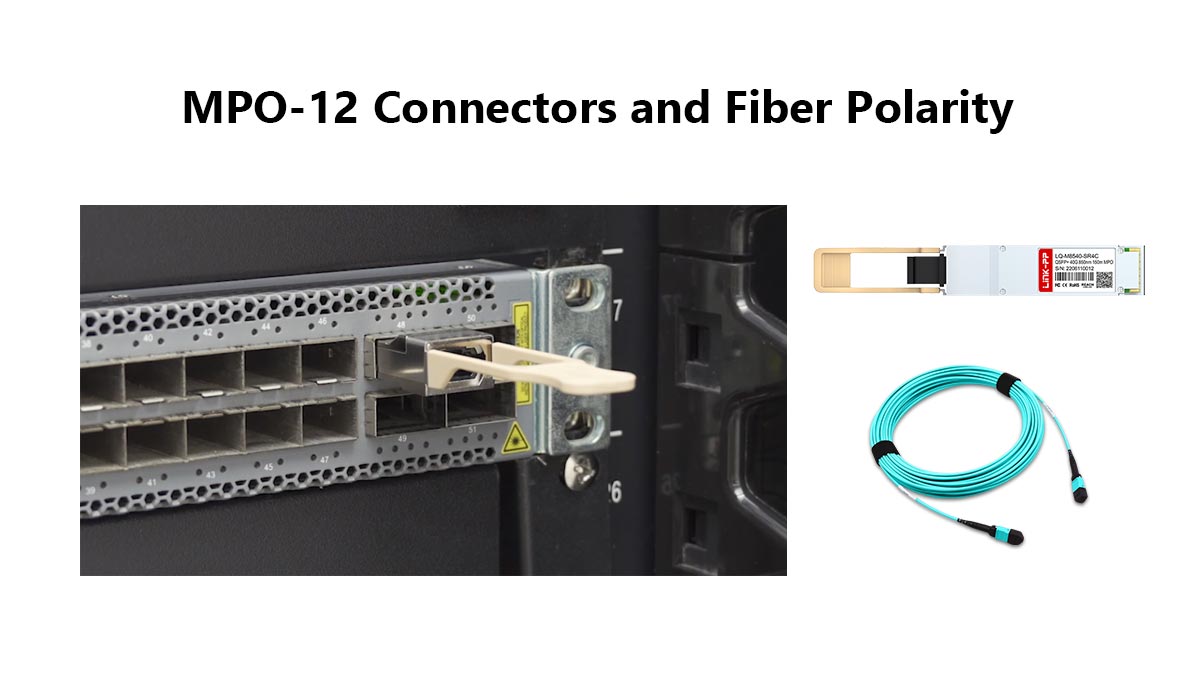
Although the connector has 12 fiber positions, the QSFP-40G-SR4-S specifically utilizes 8 of those fibers:
-
4 Fibers to Transmit (Tx): Operating at 10Gbps per lane for a 40Gbps total.
-
4 Fibers to Receive (Rx): Operating at 10Gbps per lane for a 40Gbps total.
-
The Center 4 Fibers: These positions remain "dark" or unused in a standard 40G setup.
Understanding the Polarity Challenge: Why Type B is Essential
In MPO cabling, "Polarity" refers to the specific mapping of fibers from one end of the cable to the other. If you are experiencing a persistent "Link Down" status, the culprit is almost always a Type A cable being used where a Type B is required.
-
Type A (Straight-Through): This maps Fiber 1 to Fiber 1. Consequently, the "Transmit" signal on Switch A hits the "Transmit" port on Switch B, preventing a connection.
-
Type B (Crossover/Flip): This maps Fiber 1 to Fiber 12. This configuration correctly aligns the "Transmit" lanes of one transceiver with the "Receive" lanes of the other.
Common Troubleshooting: Why is my Cisco 40G-SR4-S link down?
If your hardware is seated correctly but the link remains inactive, verify your cabling. For a direct switch-to-switch connection using Cisco QSFP-40G-SR4-S, you must use an MPO-12 Female-to-Female Type B cable. Type A cables will result in a Tx-to-Tx mismatch that prevents the link from initializing.
OM3 vs. OM4 Distance Limitations
Since the QSFP-40G-SR4-S operates at an 850nm wavelength over Multimode Fiber (MMF), the maximum "reach" of your network is dictated by the grade of fiber installed in your data center.
| Fiber Type | Modal Bandwidth (MHz*km) | Max Reach (40G-SR4-S) |
| OM3 | 2000 | 100 Meters |
| OM4 | 4700 | 150 Meters |
| OM5 | 4700+ | 150 Meters |
When planning a new deployment, it is highly recommended to opt for OM4 fiber or higher. While OM3 is perfectly adequate for "Top-of-Rack" (ToR) switching, the additional 50 meters provided by OM4 is often vital for "End-of-Row" (EoR) architectures, where patch panels and cable slack can quickly eat into your distance budget.
Maintenance Note: The Importance of Connector Cleanliness
MPO connectors are significantly more sensitive to environmental contamination than traditional LC connectors. Because the Cisco QSFP-40G-SR4-S features eight active fiber "lenses," even a microscopic speck of dust on the MPO face can lead to CRC errors, high error rates, or intermittent link flaps. To ensure peak performance, always use an MPO-specific click-cleaner to wipe the fiber faces before every insertion.
⭐ Cisco QSFP-40G-SR4-S vs. QSFP-40G-SR-BD (BiDi)
When architecting a 40G network, the most critical decision often isn't about the switch, but the glass in the walls. For Cisco environments, this usually boils down to a choice between the QSFP-40G-SR4-S and the QSFP-40G-SR-BD (Bidirectional).
The primary difference lies in the cabling infrastructure. While both modules achieve 40Gbps speeds over short-range multimode fiber, they use entirely different methods to get there, impacting your long-term scalability and upfront costs.
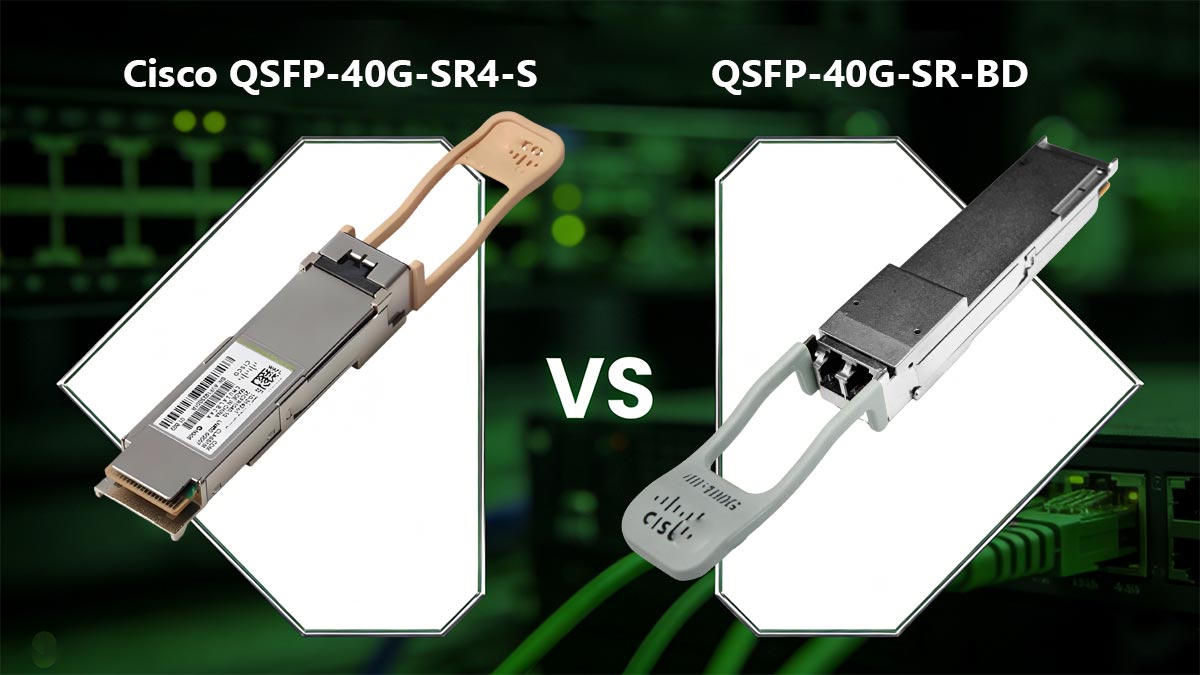
Infrastructure Comparison: MPO vs. LC Duplex
The Cisco QSFP-40G-SR4-S uses parallel optics. It requires an MPO-12 connector and uses 8 separate fibers to transmit and receive data. If you are building a greenfield data center, MPO is the modern standard for high-density cabling.
The Cisco QSFP-40G-SR-BD (BiDi), however, uses Wavelength Division Multiplexing (WDM). It sends two 20Gbps channels over a single pair of LC Duplex fibers—the exact same cables used for 10G SFP+ links.
| Feature | Cisco QSFP-40G-SR4-S | Cisco QSFP-40G-SR-BD (BiDi) |
| Connector Type | MPO-12 | LC Duplex |
| Fiber Count | 8 Fibers | 2 Fibers |
| Optic Cost | Lower | Higher |
| Cabling Cost | Higher (New MPO) | Lower (Reuse existing LC) |
| Breakout Support | Yes (4x10G) | No |
| Wavelength | 850 nm | 850 nm & 900 nm |
Total Cost of Ownership (TCO) Considerations
Choosing between these two modules is a calculation of your current fiber assets:
-
Upgrading from 10G: If your data center is already wired with thousands of LC Duplex fiber patches, the BiDi module is often the most cost-effective choice. It allows you to jump to 40G without the massive expense and labor of pulling new MPO fiber trunks.
-
New High-Density Pods: If you are starting fresh, the QSFP-40G-SR4-S is the standard. While the cabling is more complex, the individual transceivers are significantly less expensive than BiDi optics. Over hundreds of ports, the savings on transceivers usually offset the cost of MPO fiber.
The Breakout Advantage
A decisive factor for many network architects is Breakout Mode. The Cisco QSFP-40G-SR4-S is designed to be split. By using an MPO-to-4xLC breakout cable, a single 40G port on a Nexus switch can be converted into four independent 10G ports.
The QSFP-40G-SR-BD (BiDi) does not support this. Because it multiplexes signals onto a single pair of fibers, it is strictly a point-to-point 40G link. If your architecture requires connecting 40G spine switches to 10G leaf switches or servers, the SR4-S is the only viable option among the two.
Summary: Which should you choose?
-
Choose QSFP-40G-SR4-S if you need breakout capability (40G to 4x10G) or if you are installing new MPO-based high-density cabling.
-
Choose QSFP-40G-SR-BD if you want to upgrade 10G links to 40G instantly using your existing LC duplex fiber infrastructure.
⭐ QSFP-40G-SR4-S Compatibility and Performance on Cisco Nexus and Catalyst Platforms
The Cisco QSFP-40G-SR4-S is specifically engineered for high-density switching environments. Because it is an official Cisco S-Class module, it is a "first-class citizen" within the Cisco ecosystem, meaning it undergoes rigorous validation to ensure it meets the thermal and electrical requirements of specific hardware lines.
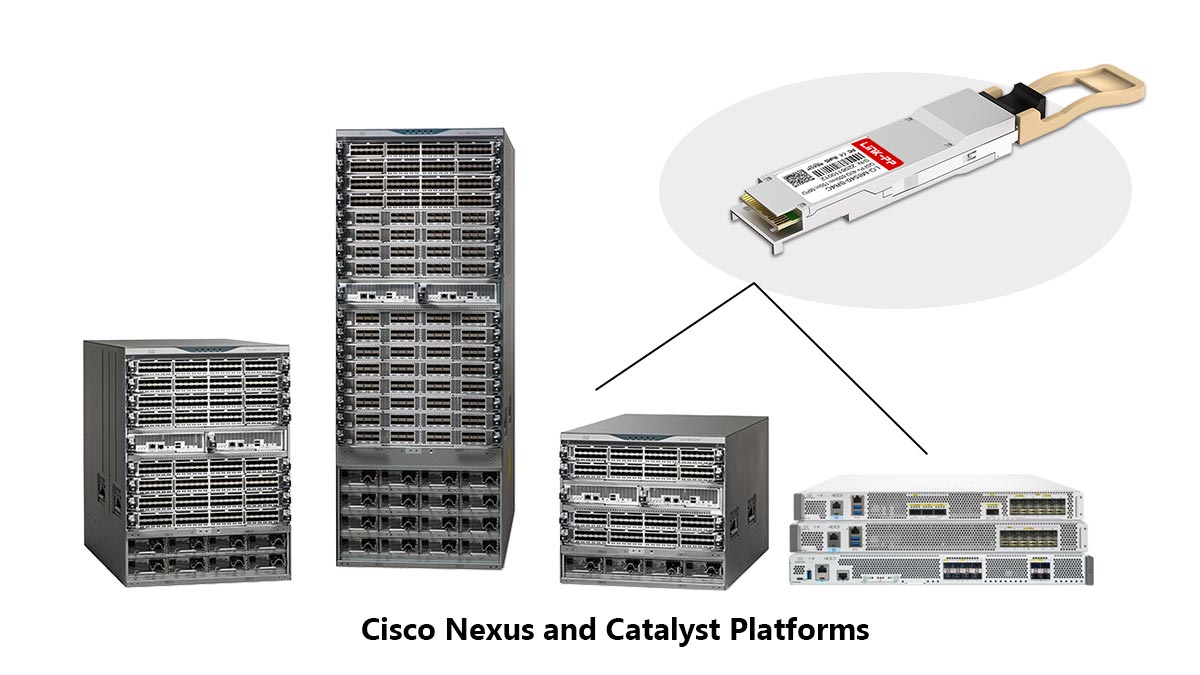
This module is most commonly deployed across the following flagship platforms:
-
Cisco Nexus 9000 Series: The backbone of the modern data center (including 9300 and 9500 models), where SR4-S modules are frequently used for leaf-to-spine uplinks.
-
Cisco Catalyst 9500 & 9600 Series: The leading campus core switches, providing high-speed 40G distribution for large-scale enterprise networks.
-
Cisco Nexus 3000 Series: Often used in High-Frequency Trading (HFT) or low-latency environments where the 40G-SR4-S provides rapid interconnectivity.
Troubleshooting Connectivity: Do You Need "service unsupported-transceiver"?
In many technical forums and community discussions, you will see references to the hidden Cisco command: service unsupported-transceiver.
It is a common misconception that S-Class optics require this command to function. Because the QSFP-40G-SR4-S contains an official Cisco-signed IDPROM, the switch hardware will recognize it immediately upon insertion. You do not need to enable "unsupported" mode for this module.
However, if you insert the module and the port stays in an "err-disabled" state, check for these two scenarios:
-
Firmware Version: Ensure your NX-OS or IOS-XE software version is current. S-Class optics were introduced after the standard optics line, so very old legacy firmware may not recognize the S-Class ID.
-
Port Speed/Breakout Configuration: Sometimes a 40G port is pre-configured for "breakout mode" (4x10G). If you are trying to use the SR4-S for a single 40G link, you must ensure the port configuration matches the intended use.
Proactive Monitoring: Leveraging Digital Optical Monitoring (DOM)
One of the most valuable features of the QSFP-40G-SR4-S is its support for Digital Optical Monitoring (DOM). This allows network administrators to view the real-time health of the fiber link directly from the Command Line Interface (CLI).
By using the command show interface transceiver detail, you can monitor critical performance metrics, including:
-
Optical Transmit Power: Ensures the module is sending a strong enough signal into the fiber.
-
Optical Receive Power: Vital for troubleshooting dirty fiber or excessive bends; a low Rx power often explains intermittent packet loss.
-
Temperature: Monitors the heat of the transceiver to prevent thermal shutdown in high-density chassis.
-
Laser Bias Current: Helps predict potential module failure before it happens by tracking the efficiency of the internal laser.
Using DOM transforms the QSFP-40G-SR4-S from a simple "plug" into an intelligent sensor, allowing you to identify a failing patch cable or a dusty MPO connector before it impacts your network uptime.
⭐ QSFP-40G-SR4-S Deployment Best Practices: 40G to 10G Breakout Solutions
A major point of discussion in networking communities—and a common driver for adopting the Cisco QSFP-40G-SR4-S—is the transition from 10G to 40G. Many organizations find themselves in a "hybrid" state: they have high-density 40G ports on their spine switches (like the Nexus 9000) but still need to connect to 10G SFP+ ports on older leaf switches or high-performance servers.
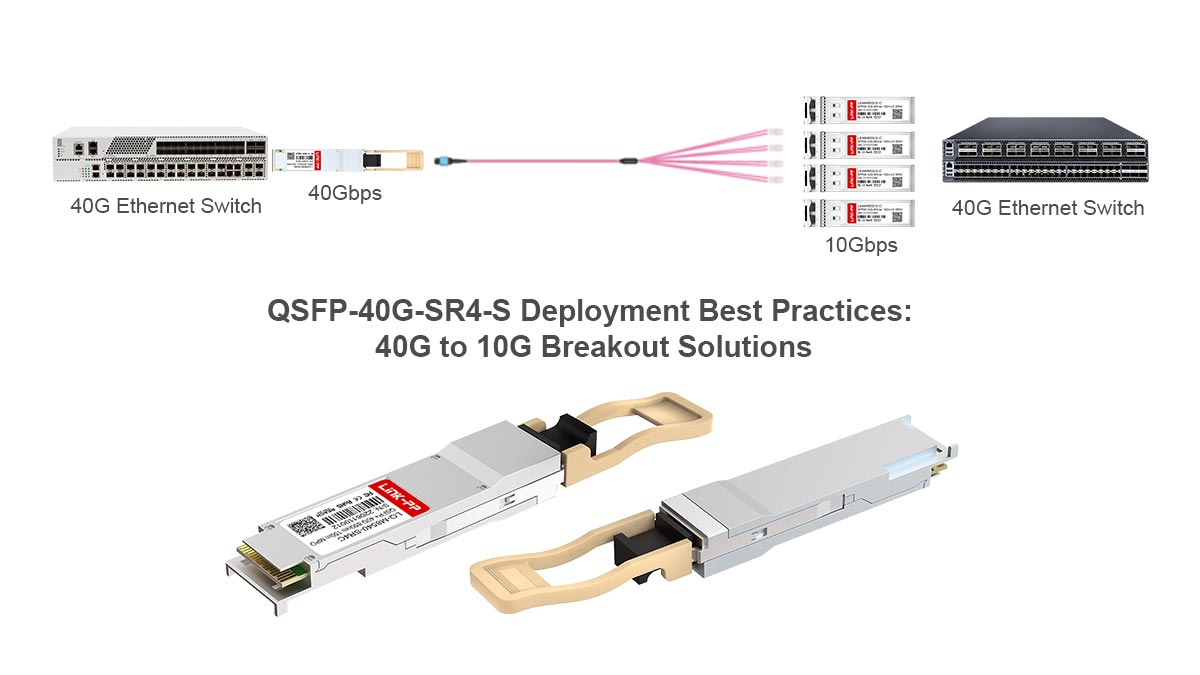
This is where the Breakout Mode capability of the SR4-S module becomes an invaluable architectural tool.
The Mechanics of the Breakout
Because the QSFP-40G-SR4-S is built on a parallel architecture—using four independent 10Gbps lanes—it can be "split" into four 10G connections. This is achieved using an MPO-to-4xLC Breakout Cable (also known as an Octopus or Harness cable).
-
The 40G Side: One MPO connector plugs into the QSFP-40G-SR4-S module.
-
The 10G Side: Four LC Duplex connectors plug into four separate 10G SFP+ transceivers (such as the SFP-10G-SR-S).
This configuration allows a single 40G port to act as four high-density 10G ports, effectively quadrupling your port density without requiring more rack space.
Configuring for Success
To make this work, the switch must be told to treat the single 40G physical interface as four logical 10G interfaces. On Cisco Nexus platforms, this is typically handled via the interface breakout command.
For example, a command like breakout slot 1 port 1 map 10g-4x tells the system that the QSFP-40G-SR4-S in that slot should now appear in the configuration as four separate Ethernet interfaces (e.g., Eth1/1/1, Eth1/1/2, Eth1/1/3, and Eth1/1/4).
Key Considerations for Breakout Deployments
When planning a 40G-to-10G breakout migration, keep these community-verified best practices in mind:
-
-
Wavelength Matching: Always ensure the 10G transceivers on the other end are 850nm (10GBASE-SR). You cannot break out an SR4-S module to connect to a SFP 10G LR (Long Range) module, as the wavelengths and fiber types (MMF vs. SMF) are incompatible.
-
-
Distance Parity: The 100m (OM3) and 150m (OM4) distance limits still apply. The total length of the breakout cable plus any patch extensions must stay within these bounds.
-
Cable Management: Breakout cables can lead to "spaghetti" wiring if not managed properly. Use labeled patch panels to organize the four LC legs, especially when connecting to different servers in the same rack.
-
Cost Efficiency: Using a single 40G SR4-S in breakout mode is often more cost-effective than buying four individual 10G links, especially when factoring in the reduced cost of the "S-Class" optics and the lower power consumption per gigabit.
By leveraging the breakout capability of the Cisco QSFP-40G-SR4-S, network architects can protect their investment. You can deploy 40G-ready hardware today while continuing to support your existing 10G infrastructure, providing a clear and budget-friendly path to a full 40G or 100G core in the future.
⭐ FAQ About Cisco QSFP-40G-SR4-S
To help clarify the most common points of confusion regarding this module, we’ve compiled the following frequently asked questions based on technical support inquiries and community discussions.
1. What is the real difference between Cisco QSFP-40G-SR4 and QSFP-40G-SR4-S?
2. Can I use an LC duplex cable with the QSFP-40G-SR4-S?
3. Does the Cisco QSFP-40G-SR4-S support 10G breakout?
4. What happens if I use a Type A MPO cable instead of Type B?
5. Can I mix S-Class (-S) and non-S optics on the same link?
6. Is the QSFP-40G-SR4-S compatible with OM2 fiber?
7. Do I need to run a special command to make this module work in a Nexus switch?
⭐ Conclusion: Choosing the Right 40G MPO Solution
The Cisco QSFP-40G-SR4-S represents a strategic balance between high-performance networking and budget-conscious procurement. By focusing on essential Ethernet protocols and stripping away niche features like FCoE, Cisco has provided a module that meets the needs of the vast majority of modern data centers.
When deploying this solution, the key to success lies in the details of your physical infrastructure. Ensuring you have the correct MPO-12 Type B cabling, respecting the OM3/OM4 distance limits, and leveraging Digital Optical Monitoring (DOM) for proactive maintenance will guarantee a stable, high-speed fabric. Whether you are building a new spine-leaf architecture or utilizing breakout cables to extend the life of your 10G hardware, the SR4-S is a versatile and reliable workhorse.
As networking requirements continue to scale toward QSFP28 100G and beyond, establishing a solid foundation with high-quality 40G components is critical. Reliability at the physical layer prevents costly downtime and troubleshooting headaches in the future.
If you are ready to upgrade your infrastructure or need to source dependable optical transceivers and fiber patch cables, the LINK-PP Official Store provides a wide range of high-performance networking solutions designed to meet the rigorous standards of modern enterprise environments. Choosing the right partner for your hardware ensures that your network remains fast, resilient, and ready for tomorrow’s data demands.