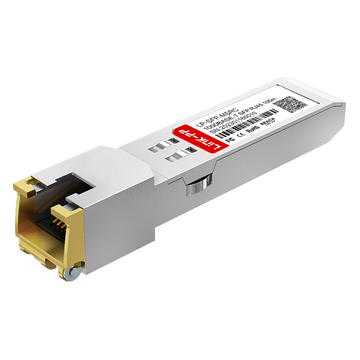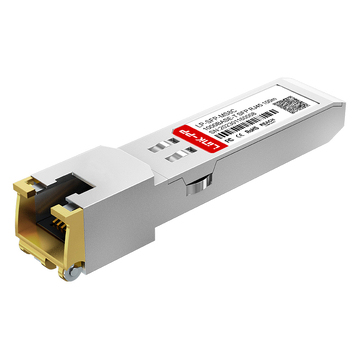
In modern enterprise networking, seamless and reliable connectivity is the backbone of daily operations. The 407-BBOS is a copper Gigabit SFP transceiver designed to bridge the gap between high-speed switches and standard copper networks. Operating as a critical component in Gigabit Ethernet deployments, this module allows network administrators to easily add copper RJ45 uplinks to their existing hardware infrastructure without replacing expensive equipment.
Understanding the architecture of the 407-BBOS is essential for optimizing data center performance. This module complies with strict industry standards, translating complex optical slot signals into a format compatible with traditional Category 5e or Category 6 copper cabling. Whether you are expanding a data center or upgrading local office switches, decoding the role, hardware compatibility, and deployment rules of this copper SFP ensures a stable, high-performance network environment.
🔰 Introduction to the 407-BBOS Dell Copper SFP Module
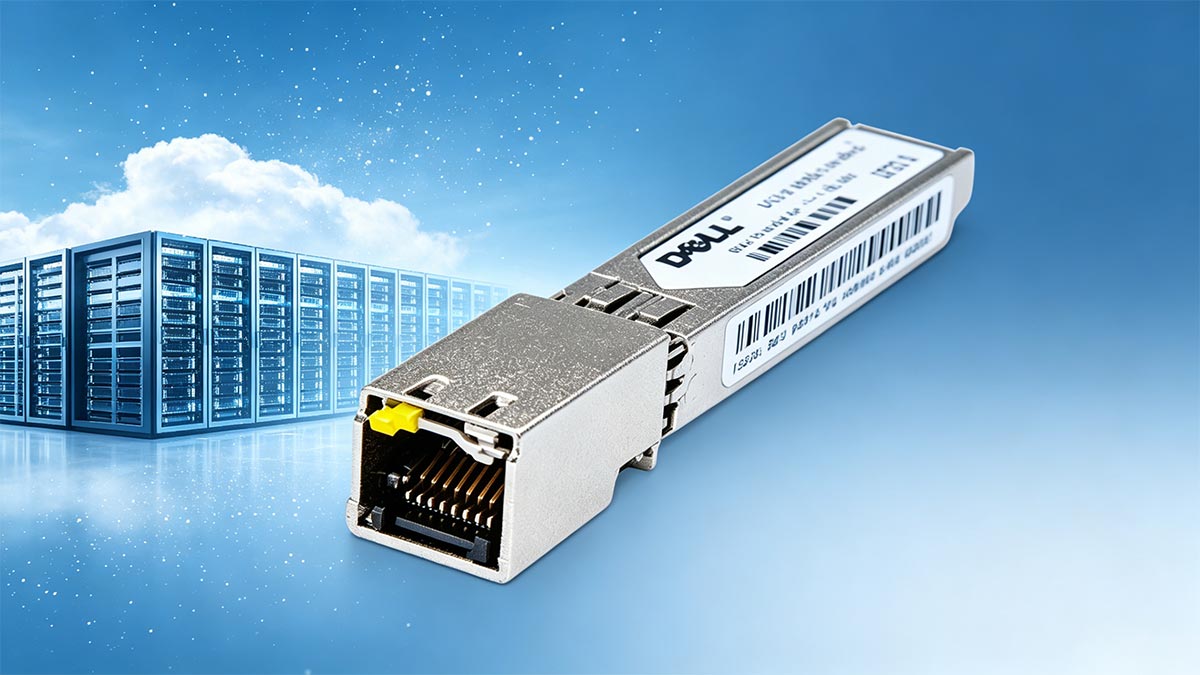
The 407-BBOS is a specialized copper 1G SFP transceiver designed to provide reliable Gigabit Ethernet connectivity across Dell networking platforms. It serves as a vital bridge, allowing standard fiber optic SFP slots to accept traditional copper network cables. By integrating this module into your setup, you can easily expand your network layout using existing copper infrastructure.
Definition and Core Role in Dell Gigabit Ethernet Deployments
407-BBOS is a hot-swappable, input/output device that plugs directly into a Dell switch's SFP port. Its primary role is to convert the switch's internal electrical signals into standard Ethernet signals that can travel over copper wiring.
In Dell Gigabit Ethernet deployments, this module acts as a highly cost-effective expansion tool. Instead of buying new, dedicated copper switches, network administrators can use this transceiver to mix fiber and copper connections on a single switch panel.
Decoding the Dell Part Number (PN) and SKU Architecture
The designation 407-BBOS is a specific Dell Stock Keeping Unit (SKU) used to identify this exact copper transceiver model. This unique architecture ensures that customers receive an authentic component specifically programmed with Dell-compatible firmware.
When you look at the product ID, it signifies to the switch that the hardware meets Dell’s strict engineering guidelines. This prevents the system from throwing "unsupported transceiver" errors in the command-line interface, ensuring instant recognition and smooth integration during setup.
Primary Use Cases for Copper RJ45 Uplinks in Modern Networks
One of the most common use cases for the 407-BBOS is connecting high-speed switches across short distances within a server rack. It is widely used to link a top-of-rack switch to nearby servers, storage arrays, or firewalls that only feature standard RJ45 ports.
Additionally, these copper uplinks are ideal for bridging the gap between local server rooms and nearby office workstations. By using the standard RJ45 interface, IT teams can easily leverage the building's existing wall jacks and patch panels without running fragile fiber-optic cables.
🔰 Hardware Specifications of the 407-BBOS Module
The 407-BBOS module is engineered with precise hardware standards to ensure high reliability and seamless integration into Dell network environments. It packs advanced electrical-to-optical conversion circuitry into a highly compact, standardized metal housing. Understanding these physical and electrical limits helps prevent performance bottlenecks and ensures long-term hardware health.
1000BASE-T Line Rate and Form Factor Standards
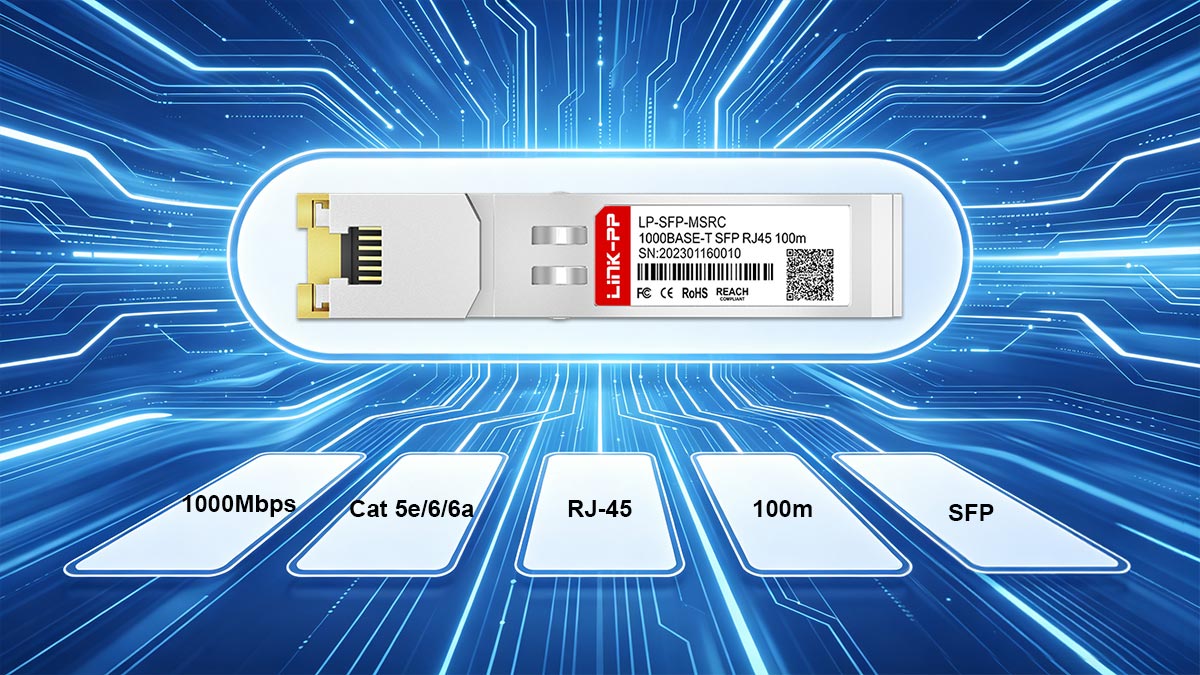
407-BBOS utilizes the widely adopted SFP (Small Form-factor Pluggable) mechanical standard, often referred to as a "Mini-GBIC." It supports a fixed 1000BASE-T line rate, delivering a stable data throughput of 1Gbps (Gigabit per second) over traditional copper wires.
This specific standard ensures that the transceiver fits perfectly into any compliant SFP slot on a Dell switch. The fixed line rate guarantees steady, predictable performance for foundational network connections and critical uplink ports.
Physical Interface: RJ45 Connector Requirements
The front panel of the 407-BBOS features a built-in, female RJ45 receptacle, which is the universal standard for copper Ethernet networking. This receptacle accepts standard, unshielded or shielded twisted-pair patch cables equipped with standard RJ45 male plugs.
To maintain a secure connection, the physical interface relies on a precise internal spring-clip locking mechanism. This ensures that the network cable clicks firmly into place, preventing accidental disconnects caused by cable tension or physical vibrations in the server room.
Power Consumption and Thermal Dissipation Limits in High-Density Switches
Operating a copper SFP transceiver requires significantly more power than running a fiber-optic equivalent because it has to drive electrical signals through heavy copper wire. The 407-BBOS is strictly optimized to stay within safe electrical power consumption limits to protect the switch's internal power supply.
Because these modules generate heat during data conversion, managing thermal dissipation is critical, especially when plugging multiple units into high-density switches. The module's metal casing is designed to radiate heat outward, allowing the switch's cooling fans to efficiently keep the device within safe operating temperatures.
Mechanical Dimensions and Ejector Bail Design
The mechanical dimensions of the 407-BBOS strictly follow standard SFP form-factor regulations, ensuring it slides smoothly into tight, high-density port layouts. It is engineered with precise tolerances so it does not crowd adjacent network ports or block neighboring connections.
For easy maintenance, the module features an integrated mechanical ejector bail latch. This lever mechanism allows network technicians to safely unlock and remove the module from the switch chassis without using specialized tools, making upgrades quick and trouble-free.
🔰 Cabling and Distance Limitations for 407-BBOS
Deploying the 407-BBOS module successfully depends heavily on selecting the correct copper cabling and respecting strict distance thresholds. Because copper media is inherently susceptible to signal degradation over long distances, network administrators must plan their physical layouts carefully. Understanding these physical boundaries ensures optimal performance and prevents unexpected packet loss across your network links.
Category 5e (Cat5e) vs. Category 6 (Cat6) Performance
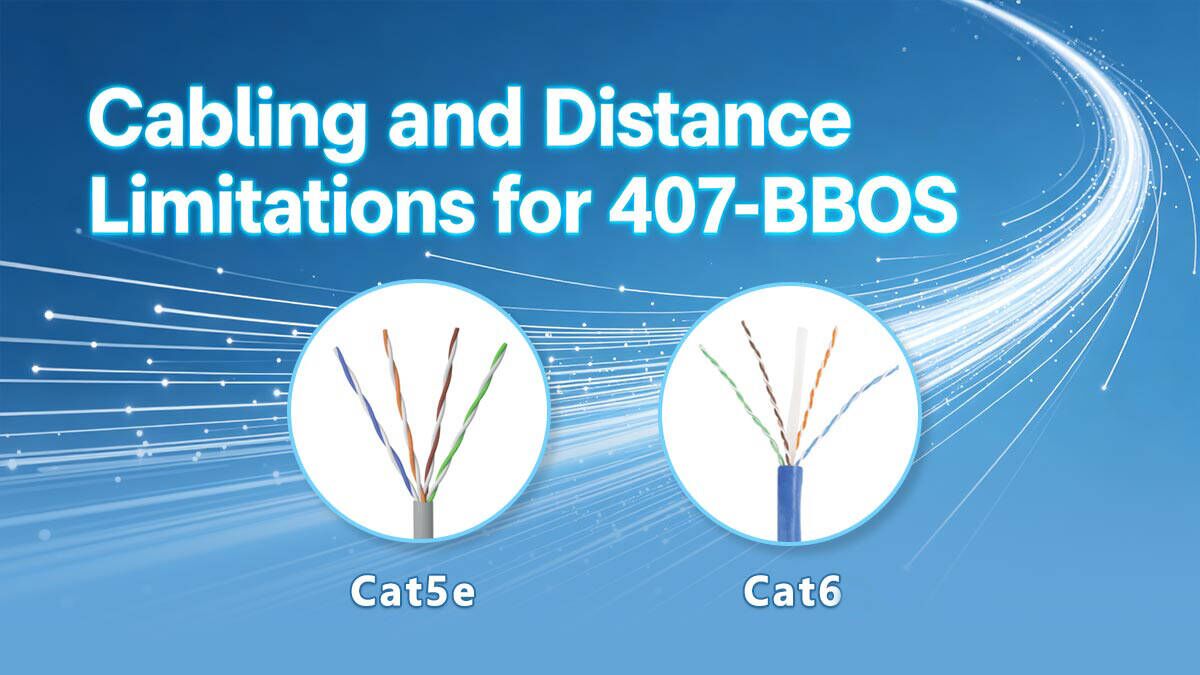
When connecting the 407-BBOS module to your network infrastructure, choosing between Category 5e (Cat5e) and Category 6 (Cat6) cables will directly impact your overall signal headroom. While both cable types are fully capable of handling 1Gbps line rates at standard distances, Cat6 cables feature tighter internal twists and thicker insulation. This physical difference provides better defense against data corruption and general network noise.
To help you choose the right cable for your deployment, the following table highlights the core performance differences between these two standards when paired with the module:
| Feature | Category 5e (Cat5e) | Category 6 (Cat6) |
| Max Data Rate Support | Up to 1Gbps | Up to 10Gbps |
| Standard Bandwidth | 100MHz | 250MHz |
| Internal Crosstalk Protection | Standard | High (often includes a physical separator) |
| Recommended Environment | Basic office connections / short runs | Data centers / high-density switch racks |
Maximum Link Length Limitations (100-Meter Distance Rules)
The 407-BBOS strictly adheres to the standard 100-meter (328 feet) maximum distance rule defined for Gigabit Ethernet over copper. This total distance limit includes the long horizontal run through the walls as well as the shorter patch cords used to connect the switch and the endpoint. Exceeding this length will cause the electrical signal to weaken significantly, leading to intermittent disconnects or total link failure.
To prevent performance drops, it is highly recommended to design network layouts with a safety buffer, aiming for a maximum run of 90m for fixed structural cabling. This leaves a safe 10-meter allowance for flexible patch cables at the equipment rack and the workstation desk. If you need to span distances beyond this 100-meter threshold, you must use optical modules instead of copper transceivers.
Signal Integrity, Crosstalk, and Electromagnetic Interference Shielding
Maintaining high signal integrity requires a clear understanding of how electromagnetic interference (EMI) and crosstalk affect copper data lines. When multiple copper cables are bundled together tightly in data center trays, their electrical signals can bleed into one another, a phenomenon known as alien crosstalk. The 407-BBOS relies on the internal cancellation properties of twisted-pair wiring to maintain clean data transmission.
To better understand how different shielding types protect your signal integrity from outside noise, consider the structural options outlined below:
| Shielding Type | Cable Code | Description & Best Use Case |
| Unshielded Twisted Pair | U/UTP | No extra shielding; flexible and cost-effective for standard office environments with low interference. |
| Foil Shielded Twisted Pair | F/UTP | Outer foil shield surrounds all pairs; protects against moderate EMI from nearby power lines or lighting. |
| Shielded & Braided Pair | S/FTP | Individual foil-wrapped pairs with an outer braided shield; offers maximum protection for industrial or high-density server racks. |
🔰 Compliance and Industrial Standards for 407-BBOS
The 407-BBOS transceiver is built to satisfy rigorous global compliance and industrial engineering standards. These regulations guarantee that the module operates safely, reliably, and uniformly across different hardware platforms without causing electrical interference. By adhering to these universally accepted baselines, Dell ensures that the component delivers predictable network performance while meeting strict environmental safety criteria.
IEEE 802.3ab Gigabit Ethernet Protocol Adherence
The 407-BBOS strictly follows the IEEE 802.3ab standard, which is the official industry definition for running Gigabit Ethernet over copper wiring. This protocol outlines the exact electrical signaling required to transmit data reliably at 1Gbps using four pairs of twisted copper cables. Because it follows this universal standard, the module guarantees seamless communication with any other IEEE-compliant network interface card, switch, or router.
Additionally, this protocol adherence governs the autonegotiation feature, allowing the module to establish a stable connection with older legacy devices. It ensures that duplex modes and port speeds are synchronized accurately between the Dell switch and the connected equipment. This level of protocol compliance eliminates transmission errors, drops packet loss rates to near zero, and maintains high network uptime.
SFP Multi-Source Agreement Electrical Compliance
To ensure physical and electrical consistency, the 407-BBOS is designed in strict compliance with the SFP Multi-Source Agreement (MSA). The MSA is an industry-wide agreement among competing manufacturers to establish standardized dimensions, pin assignments, and electrical interfaces for transceivers. Because it respects these guidelines, this module fits perfectly into standard SFP slots and communicates reliably with the host switch's motherboard.
Electrical compliance under the MSA also safeguards the switch from potential hardware damage. It ensures the transceiver operates within specific voltage limits and prevents dangerous power surges through the delicate port pins during insertion. This standardization gives network administrators peace of mind, knowing the module will fit securely and operate safely without risking damage to expensive switch chassis.
Environmental Certifications (RoHS, FCC, CE)
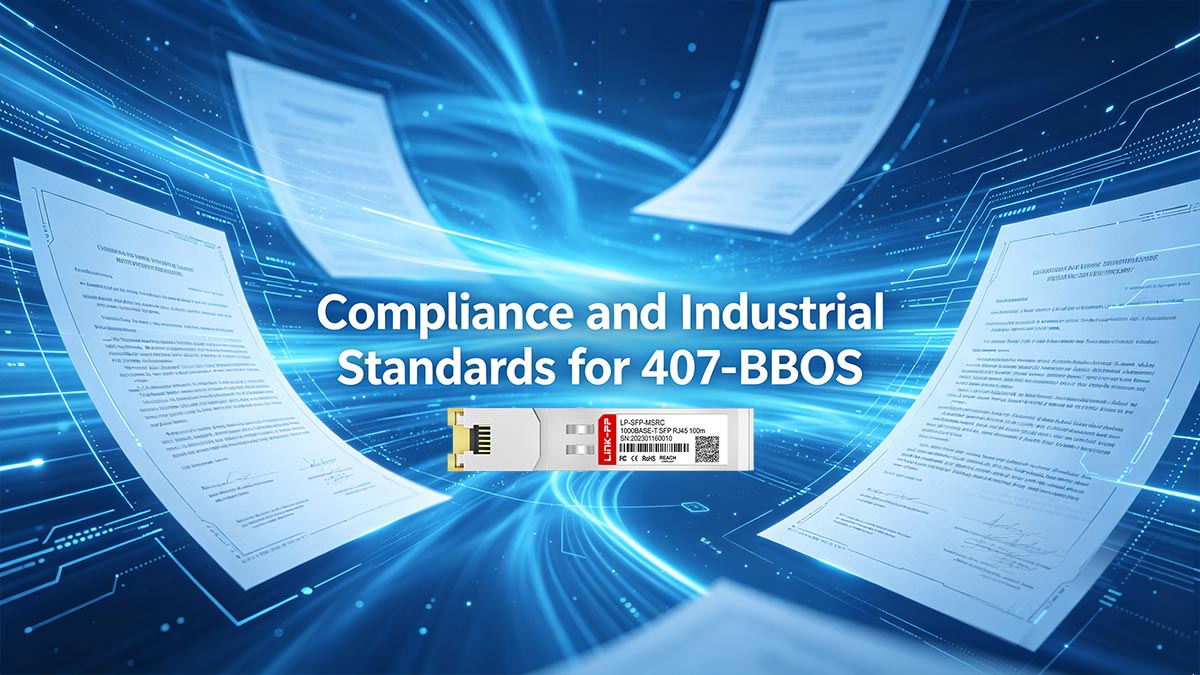
The 407-BBOS is fully certified under major international regulatory frameworks, including RoHS, FCC, and CE guidelines. The RoHS (Restriction of Hazardous Substances) certification guarantees that the module's electronic components are manufactured without dangerous levels of lead, cadmium, or mercury. This ensures that the hardware is safe for long-term network use and conforms to modern eco-friendly disposal and recycling practices.
Furthermore, the FCC and CE marks indicate that the transceiver meets strict limits regarding electromagnetic interference (EMI). These certifications prove that the module will not emit harmful radio frequencies that could disrupt nearby server rack hardware or wireless office equipment. They also confirm that the unit possesses adequate electrical immunity, allowing it to function reliably even when surrounded by heavy background electrical noise.
🔰 Hardware Compatibility Matrix for 407-BBOS
The 407-BBOS transceiver features a comprehensive hardware compatibility profile designed to integrate smoothly across several generations of Dell networking equipment. Because it contains Dell-validated EEPROM code, host switches instantly identify it as a native, trusted component. This broad matrix ensures dependable performance whether you are deploying it in the latest data center platforms or maintaining legacy enterprise systems.
Supported Dell PowerSwitch S-Series and N-Series Platforms
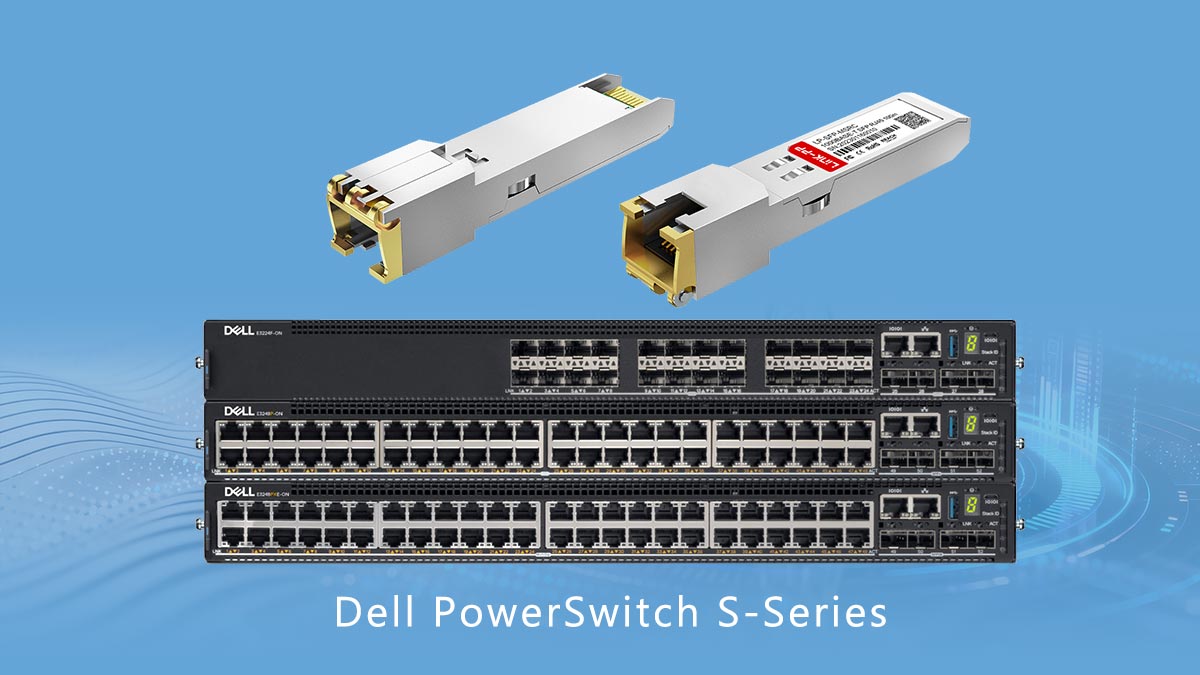
The 407-BBOS module is fully optimized for Dell’s mainline enterprise platforms, including the high-performance PowerSwitch S-Series and the campus-focused N-Series. In the S-Series data center switches, this transceiver is commonly used to provide reliable 1Gbps copper management or uplink ports alongside higher-speed fiber infrastructure. It inserts cleanly into these dense hardware frameworks without requiring any external modifications or custom port overrides.
For the N-Series switches, which are frequently deployed in distribution and access layers, the module provides a simple way to expand standard RJ45 copper connections. It allows network teams to easily hook up standard office equipment, security cameras, or local wireless access points straight to the switch's open SFP slots. The module maintains native stability across these platforms, delivering the exact throughput required for day-to-day business operations.
Legacy Dell PowerConnect and Force10 Switch Interoperability
Beyond current hardware line-ups, the 407-BBOS maintains excellent backward compatibility with legacy Dell PowerConnect and older Force10 switch models. When inserted into these vintage systems, the module's onboard controller automatically maps its electrical signals to match the legacy hardware's internal specifications. This reliable interoperability helps organizations extend the operational lifespan of their existing older hardware without purchasing completely new equipment.
Because Force10 and PowerConnect systems utilize unique hardware microcode, using generic third-party transceivers often triggers annoying compatibility warnings or port lockouts. The 407-BBOS bypasses these issues completely because its built-in signature code is recognized by legacy firmware engines. This ensures a stable connection with older architectures, preventing unexpected link drops and allowing seamless data flow between older distribution racks and modern network cores.
Dell OS9 and OS10 Operating System Firmware Requirements
Operating system firmware plays a critical role in how the host switch interacts with the 407-BBOS copper module. On modern switches running Dell SmartFabric OS10, the operating system reads the transceiver's internal memory space immediately upon insertion to automatically configure optimal power and speed settings. This plug-and-play behavior ensures that the OS10 system registers the port without needing manual intervention from a network administrator.
Similarly, switches running legacy Dell OS9 firmware fully support this module, provided the system is updated to a stable firmware release. It is always a good practice to verify that your operating system version includes the latest hardware definition files to ensure correct reporting in the system logs. Keeping your switch operating systems updated guarantees that security patches, power management configurations, and port-level telemetry function perfectly alongside the transceiver.
Verifying Port Configuration and Slot Mapping on Dell Hardware
Once you insert the 407-BBOS into a Dell switch, verifying its connection status via the command-line interface (CLI) is a straightforward process. System administrators can run standard diagnostic commands, such as show interfaces transceiver, to view the module's manufacturing data and operating state. The switch should clearly display the part number as verified, confirming that the hardware has passed its initial validation checks.
Additionally, checking the physical slot mapping ensures that the switch is treating the shared or combo ports correctly. On certain Dell models, an SFP slot might share its internal data path with an adjacent built-in RJ45 port, meaning only one can be active at a time. Checking the interface status in the CLI allows you to confirm that the switch has properly assigned the data lanes to the newly populated SFP slot, ensuring your traffic routes successfully.
🔰 Diagnostic Limits: Why 407-BBOS Does Not Support DOM
When managing network infrastructure, understanding the diagnostic capabilities and limitations of your hardware is crucial for effective troubleshooting. The 407-BBOS copper SFP module operates differently from its fiber-optic counterparts because it does not support Digital Optical Monitoring (DOM). Recognizing why this feature is missing and knowing how to adapt your monitoring strategies ensures that you can still maintain excellent network visibility and link health.
Technical Differences Between Fiber Optic and Copper SFP Diagnostics
The core differences between fiber optic and copper SFP diagnostics stem entirely from the medium used to transmit data and the internal components required to handle that data. Fiber-optic transceivers rely on optical lasers and photodetectors, which generate specific physical metrics that can be easily measured by internal sensors. Copper transceivers like the 407-BBOS, on the other hand, rely purely on electrical signaling and integrated chipsets to process data, creating a completely different diagnostic landscape.
Because the underlying technologies are so distinct, the internal microcontrollers monitor entirely different variables:
- Fiber Diagnostic Mechanisms: These modules feature specialized internal circuitry designed to measure laser bias current, transmitted optical power, and received optical power. These optical metrics provide direct insight into the physical health of the fiber strand and the laser itself.
- Copper Diagnostic Mechanisms: Copper modules utilize a Physical Layer (PHY) chip to manage electrical voltages, echo cancellation, and line equalization. Instead of reading physical light levels, diagnostics here are focused on electrical signal processing, link synchronization states, and pulse amplitudes.
The Absence of Digital Optical Monitoring in Copper Media
The absence of Digital Optical Monitoring (DOM) in the 407-BBOS is a deliberate design characteristic rather than a manufacturing flaw. DOM is technically defined as a real-time reporting feature for optical parameters, which means it requires a light source to function. Because a copper module transmits data via electrical currents over twisted-pair copper wires, there are simply no optical elements, lasers, or light waves to monitor.
Consequently, attempting to run DOM commands on a switch port populated by a 407-BBOS will result in blank fields or error messages in the command-line interface. The module lacks the internal photodiode sensors that report light attenuation or laser degradation. Therefore, network administrators must accept that physical-layer optical telemetry is inherently unavailable when utilizing copper-based SFP hardware.
How to Monitor Link Quality and Signal Integrity without DOM Telemetry
Even without access to DOM telemetry, network administrators can still effectively monitor link quality and signal integrity on the 407-BBOS by looking at alternative data points. Dell switch operating systems provide robust port-level statistics that track the logical health of the connection. By shifting your focus from physical medium diagnostics to data link layer telemetry, you can easily catch performance issues before they cause downtime.
To maintain complete visibility over your copper links without DOM, you should regularly monitor the following software-based metrics through the switch CLI or SNMP tools:
- Ethernet Error Counters: Regularly check the port for Cyclic Redundancy Check (CRC) errors, alignment errors, and runts. A rising number of CRC errors is a definitive sign of poor signal integrity, bad cabling, or excessive external electromagnetic interference.
- Frame Collisions and Drops: Monitor input and output drop counters alongside collision statistics. Frequent drops usually point to duplex mismatches or severe congestion on the link, allowing you to adjust port configurations accordingly.
- Link Flap Statistics: Track how often the port drops and re-establishes its physical connection. Frequent link flapping on a copper port indicates a loose RJ45 connector, a damaged patch cable, or an issue with the autonegotiation process on the far-end device.
🔰 Installation and Configuration of 407-BBOS in Dell Switches
Installing and configuring the 407-BBOS module in Dell switches requires following standardized procedures to ensure immediate link activation and hardware safety. While the module features plug-and-play convenience, proper mechanical handling prevents physical port damage. Additionally, implementing specific configuration commands within the Dell OS guarantees optimal data synchronization with connected network devices.
Hot-Swapping Best Practices and Step-by-Step Insertion
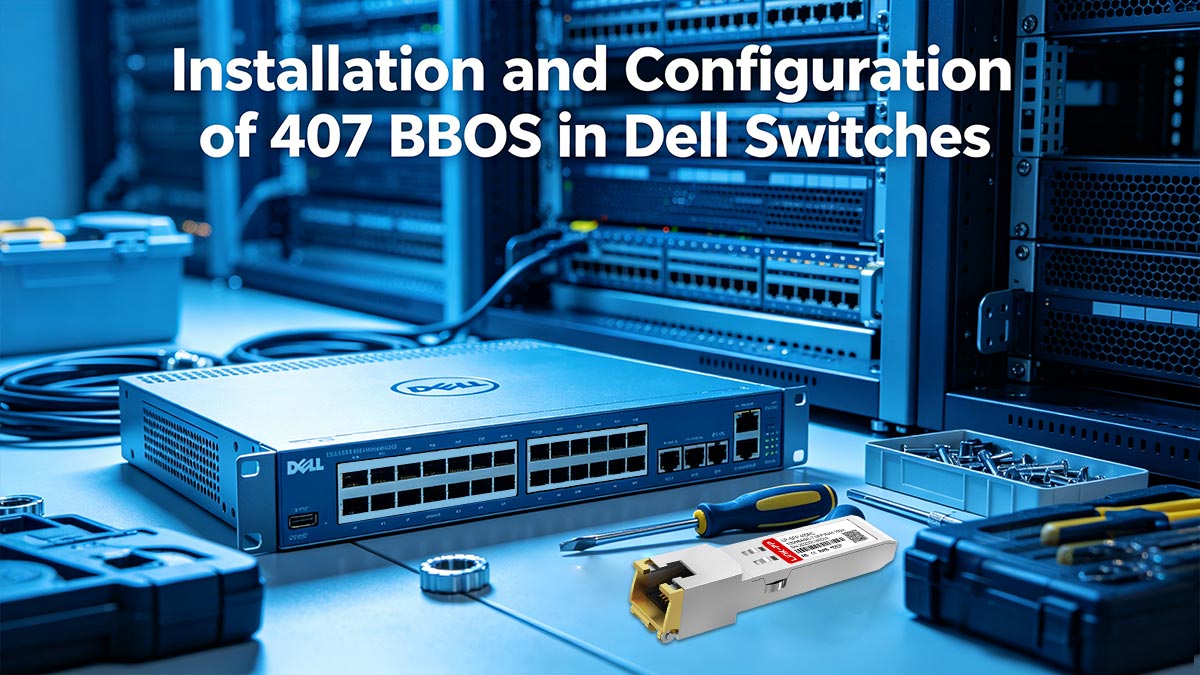
The 407-BBOS is fully hot-swappable, meaning you can install or remove it without powering down the host switch. Before insertion, ensure the module's mechanical ejector bail is closed and aligned properly with the port. Slide the transceiver gently into the open SFP slot until you feel it click firmly into place, which confirms the internal electrical pins have fully engaged.
When removing the module, always disconnect the RJ45 network cable first to prevent putting strain on the switch slot. Flip the integrated ejector bail downward to unlock the internal latching mechanism from the chassis. Grip the module body securely and pull it straight out of the slot, avoiding any twisting motions that could scratch or bend the delicate internal guide rails.
CLI Commands for Port Activation and Hardware Verification
Once the transceiver is physically installed, access the Dell switch command-line interface (CLI) to verify that the operating system recognizes the hardware. Enter privileged EXEC mode and run the show interfaces transceiver command to check the port status. The output should display the module type as a copper SFP and confirm that the EEPROM data matches Dell's firmware requirements.
If the port does not bring up the link automatically, you may need to manually enable the interface using basic configuration commands. Navigate to the specific port interface configuration mode and issue the no shutdown command to activate the slot. You can then run the show interface status command to verify that the line state reads "up" and that data is flowing normally.
Configuring Interface Speeds, Autonegotiation, and Duplex Modes
The 407-BBOS module is designed to support 10/100/1000Mbps autonegotiation, allowing it to automatically determine the optimal speed and duplex settings when connected to a peer device. By default, Dell switch ports have autonegotiation enabled, which allows the transceiver to automatically negotiate with the connected equipment. This plug-and-play behavior ensures immediate compatibility with most modern network endpoints.
However, if the connecting device does not support autonegotiation or is locked to a specific setting, a duplex or speed mismatch may occur, leading to poor performance or packet drops. In these scenarios, you must use the Dell CLI to enter interface configuration mode and manually set the port parameters.
For 10/100Mbps links, hardcode the same speed and duplex on both ends. For 1000BASE-T, keep autonegotiation enabled; hardcoding 1000/full can break the link. Instead, restrict negotiation to 1000/full or fall back to 100Mbps.
Structured Cabling and Patch Panel Routing Guidelines
Proper structured cabling practices are vital to protect the physical integrity of the 407-BBOS and maintain optimal performance. When routing copper patch cords away from the switch faceplate, avoid tight bends that exceed the bend radius of the cable. Use horizontal cable management panels and hook-and-loop fasteners to neatly bundle the wires, preventing excess weight from pulling down on the SFP module body.
Additionally, ensure all copper runs route cleanly from the switch into designated patch panels rather than running directly to long-distance endpoints. Terminating the infrastructure cables at a patch panel creates a reliable, stationary connection point that shields the switch ports from daily wear and tear. This structured layout minimizes cable clutter in high-density racks, optimizes cooling airflow, and simplifies future maintenance tasks.
🔰 Final Thoughts on Sourcing and Deploying the 407-BBOS Module
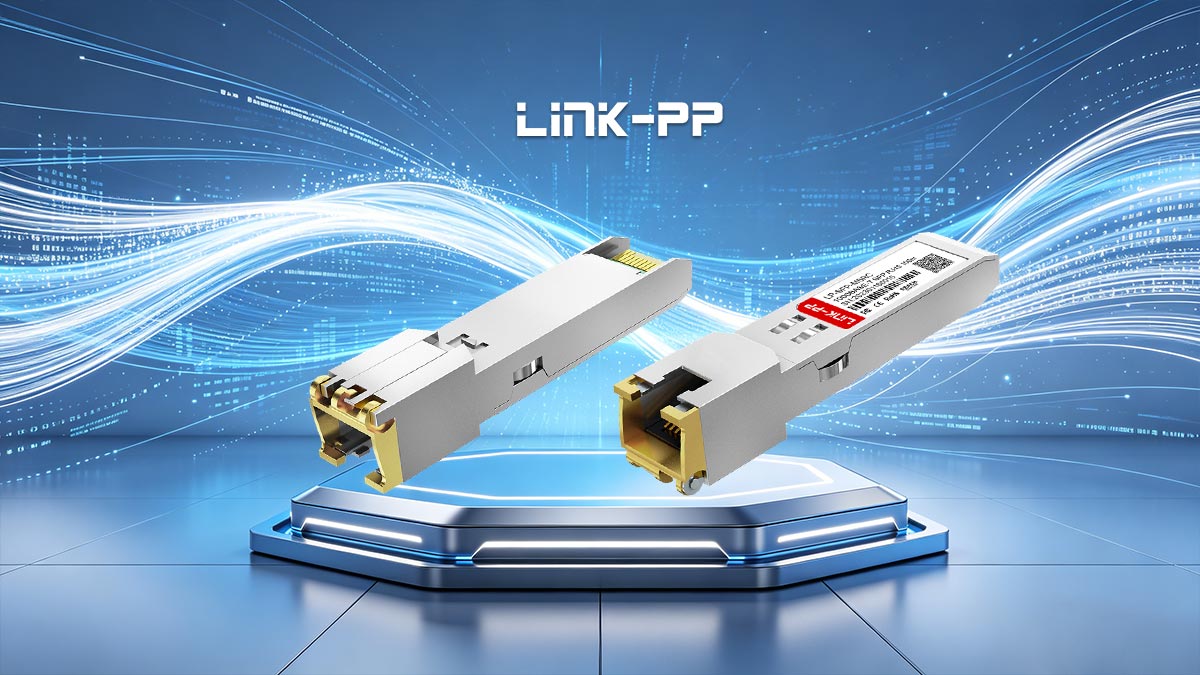
Deploying the 407-BBOS copper SFP module is an excellent, cost-effective strategy for expanding the utility of your existing Dell switches. By respecting its 100-meter physical distance limit and utilizing proper structured cabling practices, you can establish a highly reliable network link without the premium cost of fiber optics. Its seamless integration across Dell PowerSwitch, PowerConnect, and Force10 architectures makes it a versatile asset for any modern data center or enterprise environment.
When it comes to sourcing, choosing fully compatible, high-quality transceivers is critical to avoiding hardware lockouts and maintaining signal integrity. If you are looking for premium network components that guarantee compatibility with Dell systems, feel free to explore your options and shop high-performance alternatives at the LINK-PP Official Store. Investing in validated hardware ensures smooth, plug-and-play installation and long-term stability for your entire network infrastructure.