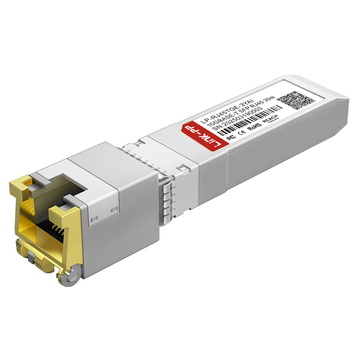
As enterprise networks continue shifting toward 10GbE, many IT teams face a practical challenge: how to upgrade bandwidth without replacing existing RJ45 copper cabling or introducing unnecessary deployment costs. For Dell-based infrastructures, this often leads buyers to one specific part number—Dell 407-BDCY.
Dell 407-BDCY is a 10GBASE-T SFP+ RJ45 copper module that delivers up to 30 meters of 10Gb Ethernet connectivity over standard twisted-pair cabling, making it a flexible option for connecting Dell switches, servers, and storage systems to copper-based network environments. Dell positions it as a hot-pluggable Gen3.5 module designed for selected enterprise networking platforms.
However, choosing Dell 407-BDCY is not simply a matter of matching an SFP+ port to an RJ45 cable.
Enterprise buyers are usually evaluating a broader set of concerns:
-
OEM cost versus third-party alternatives
-
Power consumption and thermal output
-
Dell firmware and switch compatibility
-
Real deployment limitations at 30m
-
Whether DAC or fiber offers a better long-term ROI
In other words, the real purchasing question is not just “What is Dell 407-BDCY?” but rather:
“Is Dell 407-BDCY the most cost-effective and operationally reliable 10GBASE-T SFP+ solution for enterprise Dell networks?”
This article answers that question through a complete Dell 407-BDCY total cost of ownership (TCO) analysis, helping IT decision-makers evaluate compatibility, performance, hidden operating costs, and smarter deployment alternatives before purchasing.
🟧 What Is Dell 407-BDCY?
Dell 407-BDCY is an enterprise-grade 10GBASE-T SFP+ RJ45 copper transceiver that enables up to 30 meters of 10 Gigabit Ethernet transmission over standard copper cabling, allowing Dell networking equipment with SFP+ slots to connect directly to RJ45-based Ethernet infrastructure.
In simpler terms, it functions as a bridge between high-speed SFP+ ports and traditional twisted-pair copper networks, eliminating the need to replace existing CAT6a/CAT7 cabling when upgrading a Dell server, switch, or storage environment to 10GbE. Dell classifies this model as a Gen3.5 hot-pluggable transceiver, designed for selected enterprise platforms that require flexible short-reach copper connectivity.
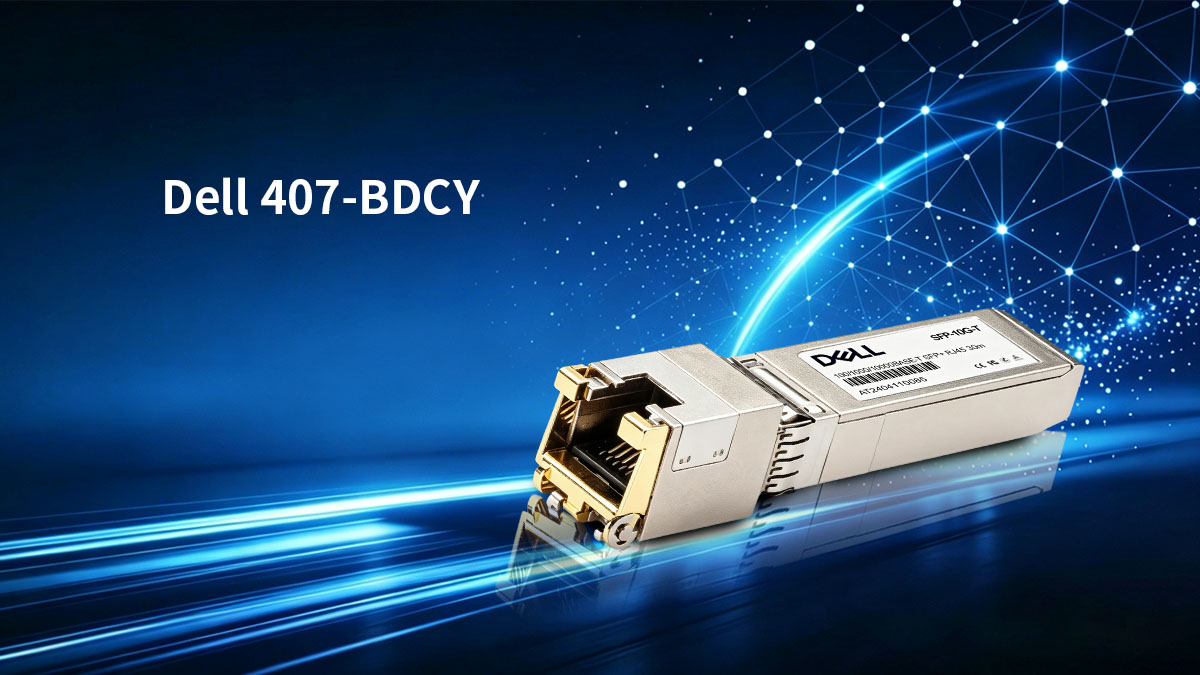
Unlike standard optical SFP+ modules that require fiber patch cables, the Dell 407-BDCY uses a familiar RJ45 Ethernet interface, which makes deployment easier in data rooms or office backbones where copper patch panels are already installed. This practical convenience is the primary reason many enterprise buyers consider it during 10G migration projects.
However, Dell 407-BDCY is not simply “an RJ45 adapter.”
From an engineering standpoint, it is a high-power 10G copper transceiver that introduces several operational variables absent in DAC or fiber optics, including:
-
Higher electrical power consumption per SFP+ port
-
Greater thermal output inside dense switch chassis
-
A defined 30 m maximum supported distance
-
Firmware-level Dell compatibility requirements
-
Potential long-term TCO differences versus optical alternatives
This means Dell 407-BDCY is typically selected not just because it fits an SFP+ cage, but because it solves a very specific enterprise problem: delivering 10Gb Ethernet over existing copper infrastructure without redesigning the physical cabling environment.
That deployment flexibility makes it highly attractive for:
-
Dell server uplink upgrades
-
Top-of-rack switch copper aggregation
-
Short-distance 10G office backbone expansion
-
Storage-to-switch copper interconnection
-
Transitional 10GbE migrations where fiber is not yet deployed
In short, Dell 407-BDCY is a convenience-driven but engineering-sensitive 10GBASE-T SFP+ solution—and whether it becomes a cost-saving asset or a hidden operational expense depends largely on how and where it is deployed.
🟧 Dell 407-BDCY Compatibility: Where It Works and Where It Doesn’t
One of the most common buyer concerns is straightforward: Will Dell 407-BDCY work in my Dell server or switch?
The short answer is yes—when the host platform supports Dell Gen3.5 high-power 10GBASE-T SFP+ transceiver modules.
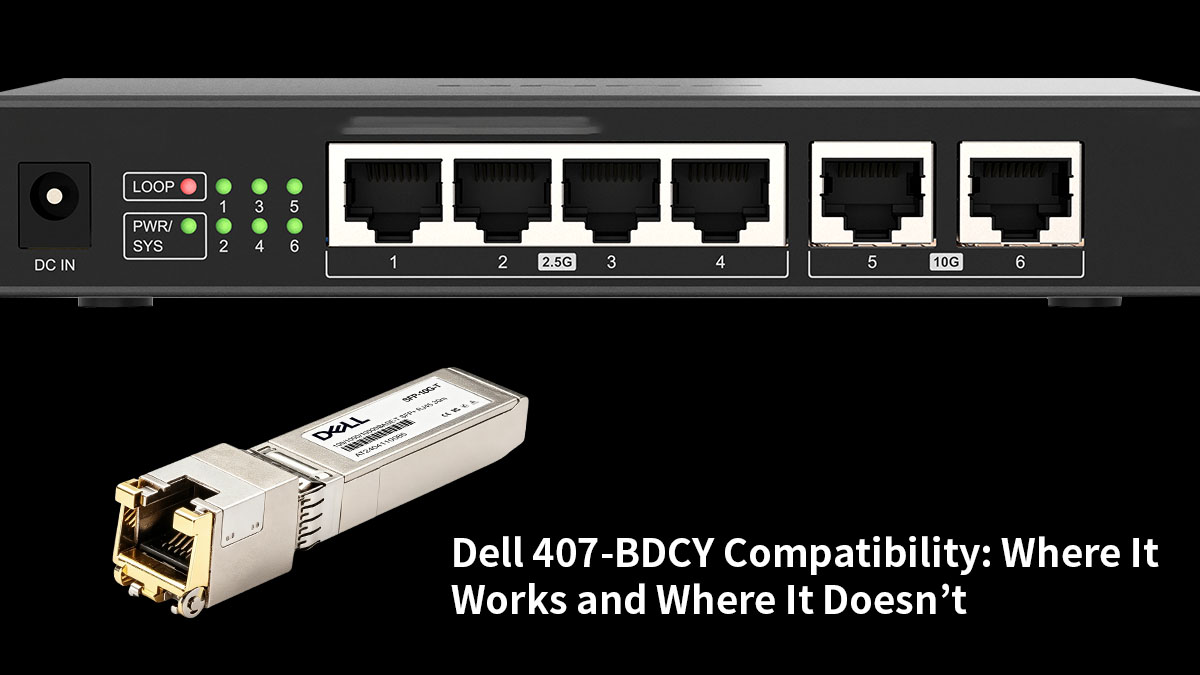
Dell officially lists 407-BDCY as a Gen3.5 SFP+ 10GBASE-T transceiver with 30 m reach, compatible with a range of enterprise platforms including selected PowerEdge servers and PowerSwitch ON-series models such as S4112-ON, S4128, S4148, S52xxF, and Z94xx families.
This means Dell 407-BDCY is designed to operate as an OEM-qualified Dell-coded transceiver, not simply a generic SFP+ copper module.
Where It Typically Works
Dell 407-BDCY usually performs well in:
-
supported Dell PowerSwitch SFP+ uplink ports,
-
Dell server NICs that accept Gen3.5 transceivers,
-
short-range 10Gb copper interconnects over CAT6a/CAT7,
-
environments requiring Dell digital diagnostics and module monitoring.
Because the module includes Dell-recognized enhanced DDM support, compatible hosts can monitor temperature, faults, and transceiver status more reliably.
Where Compatibility Problems Can Occur
Despite using a standard SFP+ form factor, Dell 407-BDCY is not universally supported in every SFP+ slot.
Real deployment issues usually come from three factors:
-
Power draw: 10GBASE-T copper modules consume significantly more power than optical 10G SFP+ modules.
-
Heat output: dense switch ports may experience thermal limitations.
-
Vendor coding: some hosts recognize only approved EEPROM/firmware profiles.
This is why admins frequently report that a copper SFP+ module may physically insert correctly but still fail to establish a stable link if the NIC or switch was not designed for high-power 10GBASE-T operation.
Why Dell Gen3.5 Coding Matters
Dell’s Gen3.5 designation indicates that the module is tuned for:
-
Dell firmware recognition,
-
improved diagnostics,
-
and validated host communication.
In practical terms: MSA form-factor compliance alone does not guarantee production-safe compatibility—Dell coding still matters.
That is why many third-party alternatives specifically advertise themselves as 407-BDCY Dell-compatible pre-coded modules, rather than merely “standard SFP+ RJ45 transceivers.”
The Direct Compatibility Answer
So, will Dell 407-BDCY work in your Dell gear?
Yes — if:
-
your Dell server NIC or switch explicitly supports Gen3.5 / 10GBASE-T copper SFP+ modules,
-
the SFP+ cage has sufficient electrical power,
-
the host firmware accepts Dell-coded copper transceivers,
-
and your deployment stays within supported thermal and cabling limits.
Maybe not — if:
-
the platform only supports low-power optical modules,
-
the NIC firmware is restrictive,
-
the switch port group has transceiver power limits,
-
or you are attempting to use a non-coded generic copper module.
So the honest enterprise answer is: Dell 407-BDCY is highly compatible inside the right Dell ecosystem—but it is not universally compatible simply because it uses an SFP+ connector.
That distinction is exactly why compatibility verification should come before price comparison.
🟧 Dell 407-BDCY TCO Analysis: Price, Power, Heat, and Support
At first glance, Dell 407-BDCY may appear to be a simple SFP+ copper transceiver purchase.
In reality, enterprise buyers are not paying only for the module itself—they are paying for the total cost of ownership (TCO) that follows after installation.
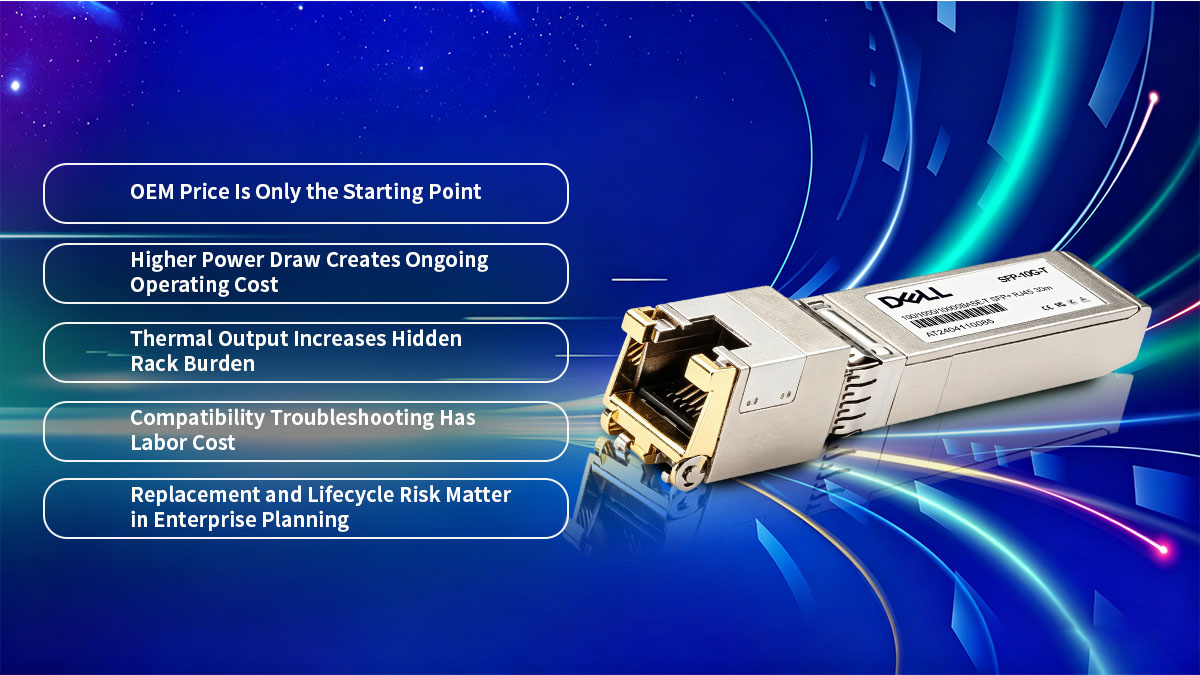
That TCO includes:
-
initial acquisition cost,
-
electrical power consumption,
-
thermal management burden,
-
troubleshooting labor,
-
and long-term replacement reliability.
This is exactly why Dell 407-BDCY should be evaluated as an infrastructure decision rather than a one-time accessory purchase.
1. OEM Price Is Only the Starting Point
As an original Dell-coded Gen3.5 transceiver, 407-BDCY is positioned in the OEM enterprise accessory tier, where pricing is typically significantly higher than generic 10GBASE-T SFP+ modules.
For buyers managing multiple switch uplinks or server NIC ports, the cost multiplies quickly:
-
4 ports = 4 modules
-
8 ports = 8 modules
-
16 ports = 16 modules
This means the real budget impact is rarely one transceiver—it is often a full rack-level copper deployment expense.
Therefore, procurement teams usually compare:
OEM assurance vs. lower-cost Dell-compatible alternatives.
And this is where TCO begins, not ends.
2. Higher Power Draw Creates Ongoing Operating Cost
Unlike passive DAC cables or low-power optical SR modules, a 10GBASE-T RJ45 transceiver contains an internal copper PHY conversion chipset.
That additional signal processing requires noticeably more electrical power per port.
In practical enterprise deployments, this means:
-
higher switch power consumption,
-
increased NIC electrical load,
-
and more cumulative energy usage across populated ports.
Reddit network engineers repeatedly point out that RJ45 SFP+ modules are among the most power-hungry transceivers in dense SFP+ environments, which is why many administrators use them selectively rather than filling an entire switch row with copper modules. (reddit.com)
Over months or years of continuous 24/7 operation, that extra power usage becomes a measurable part of ownership cost.
3. Thermal Output Increases Hidden Rack Burden
Power consumption leads directly to another overlooked expense: heat.
Because Dell 407-BDCY performs real-time 10G copper signal conversion inside a compact SFP+ housing, it produces considerably more thermal output than standard fiber optics.
In dense switches, this can create:
-
higher internal chassis temperature,
-
stronger fan activity,
-
more aggressive cooling cycles,
-
and additional thermal stress on adjacent ports.
Field users frequently describe 10GBASE-T SFP+ RJ45 modules as “running hot,” especially when several are installed side by side. (reddit.com)
While this does not always cause immediate failure, it can increase the long-term environmental burden inside high-density racks.
4. Compatibility Troubleshooting Has Labor Cost
One hidden TCO factor many buyers underestimate is deployment time.
If a module is not fully accepted by the host platform, IT staff may spend hours on:
-
firmware verification,
-
port diagnostics,
-
vendor compatibility checks,
-
forced negotiation testing,
-
and intermittent link troubleshooting.
Even with OEM modules, admins still verify host support because 10GBASE-T copper transceivers are more demanding than standard optics.
That means: every uncertainty in compatibility translates into engineering labor cost.
And labor cost is often more expensive than the transceiver itself.
5. Replacement and Lifecycle Risk Matter in Enterprise Planning
Because copper RJ45 SFP+ modules operate under higher electrical and thermal stress, enterprises also consider:
-
long-term module lifespan,
-
stability under continuous load,
-
and future replacement availability.
A low-cost module that fails more often—or causes repeated support tickets—can quickly erase the savings of its lower purchase price.
This is why serious buyers evaluate Dell 407-BDCY not just by list price, but by: whether the module can provide stable, low-intervention 10GbE service over several years.
Dell 407-BDCY TCO Reality
When all factors are combined, the true ownership cost of Dell 407-BDCY includes far more than the OEM invoice:
-
upfront transceiver budget,
-
electricity consumption,
-
rack cooling impact,
-
technician troubleshooting time,
-
and replacement reliability.
So the real commercial question becomes:
Does Dell 407-BDCY justify its premium, or would DAC, fiber, or a qualified Dell-compatible module deliver a lower long-term cost?
That is the decision point where most enterprise buyers move from compatibility checking to value comparison.
🟧 30m Reach, Cabling Requirements, and Real Deployment Limits
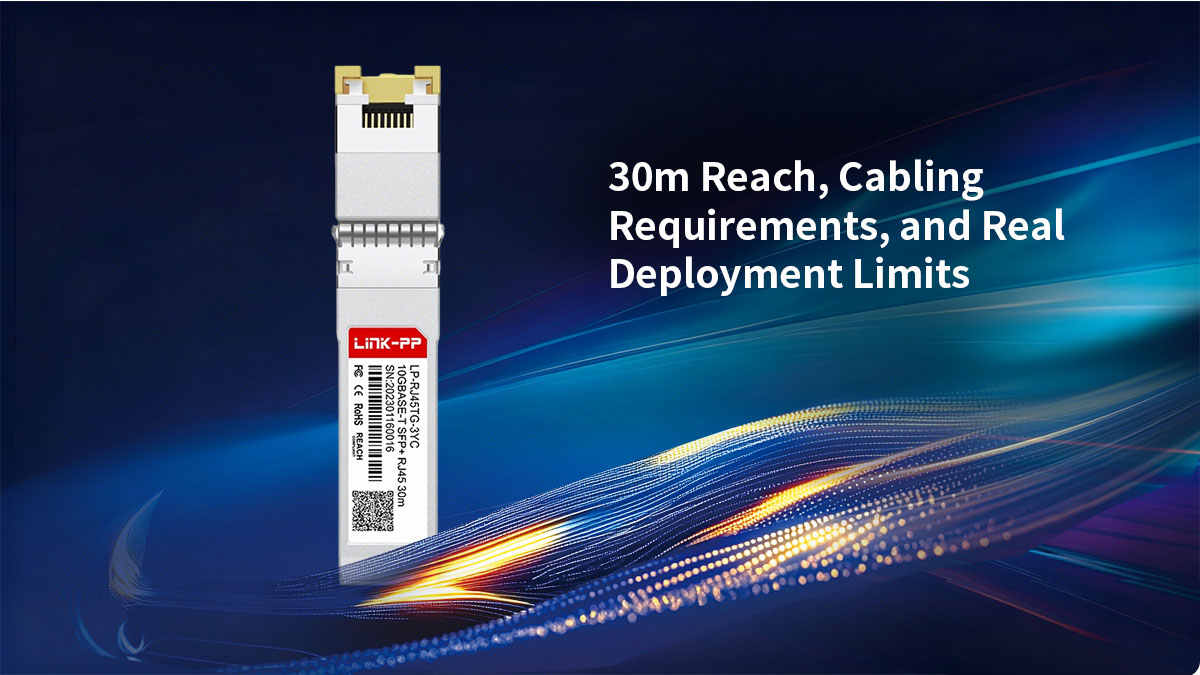
One of the most advertised specifications of Dell 407-BDCY is its 30 meter transmission distance, but this number should be understood as a practical enterprise operating limit—not a universal copper guarantee.
Unlike traditional 10GBASE-T switch ports that may support 100 meters over structured cabling, a 10GBASE-T SFP+ RJ45 transceiver works within a much smaller thermal and power envelope. Because the copper PHY must be compressed into the SFP+ housing, signal integrity and heat management become the limiting factors, which is why Dell rates 407-BDCY for up to 30 m only.
What 30m Means in Real Deployment
In practical terms, Dell 407-BDCY is designed for:
-
top-of-rack to nearby server connections,
-
switch-to-switch copper uplinks within the same row,
-
short office backbone extensions,
-
and localized storage interconnects.
It is ideal when the network already uses copper patch panels and the required 10GbE link stays within a relatively confined physical area.
However, it is not intended for full-floor horizontal cabling, long cross-room runs, or campus-style copper backbones where cable routes can easily exceed the supported distance.
So while “30 m” may sound sufficient on paper, enterprise planners should think in terms of: rack-scale and room-scale copper connectivity—not building-scale infrastructure.
Recommended Cabling Types
To achieve stable 10Gb performance, Dell 407-BDCY should be paired with:
-
CAT6a cabling as the practical minimum,
-
CAT7 or higher in electrically noisy environments,
-
high-quality shielded patch assemblies where possible.
Although lower-grade copper may physically link, poor cable quality increases:
-
signal attenuation,
-
packet instability,
-
auto-negotiation issues,
-
and heat stress caused by retransmission behavior.
In short: the module can only perform as well as the copper channel it is connected to.
This is especially important in older enterprise buildings where legacy CAT5e infrastructure may not consistently support short 10Gb copper links under production traffic.
When Copper Is Enough
Dell 407-BDCY makes strong sense when:
-
the link distance is comfortably below 30 m,
-
existing copper cabling is already installed,
-
fiber migration would require additional patching cost,
-
and deployment speed is more important than maximum port density.
In these situations, the module offers a convenient way to introduce 10GbE without changing the physical cabling plant.
When Copper Is Not the Best Choice
Dell 407-BDCY becomes less attractive when:
-
distances approach or exceed the 30 m ceiling,
-
switch density is high and thermal accumulation matters,
-
dozens of ports are being populated,
-
or future scalability may require longer structured links.
At that point, DAC or optical SFP+ solutions usually provide:
-
lower power draw,
-
lower heat,
-
longer supported distance,
-
and more predictable long-term expansion.
This is why the 30 m specification should not be read simply as a feature.
It should be read as a deployment boundary: Dell 407-BDCY is excellent for short, targeted copper 10GbE links—but it is not a universal replacement for every RJ45 networking scenario.
Understanding that boundary is essential before evaluating whether copper convenience actually outweighs the operational trade-offs.
🟧 Dell 407-BDCY vs. DAC vs. Fiber: Which Option Has the Best Value?
By the time buyers reach this stage, the question is no longer whether Dell 407-BDCY works—it is whether 10GBASE-T copper is actually the smartest use of an SFP+ port.
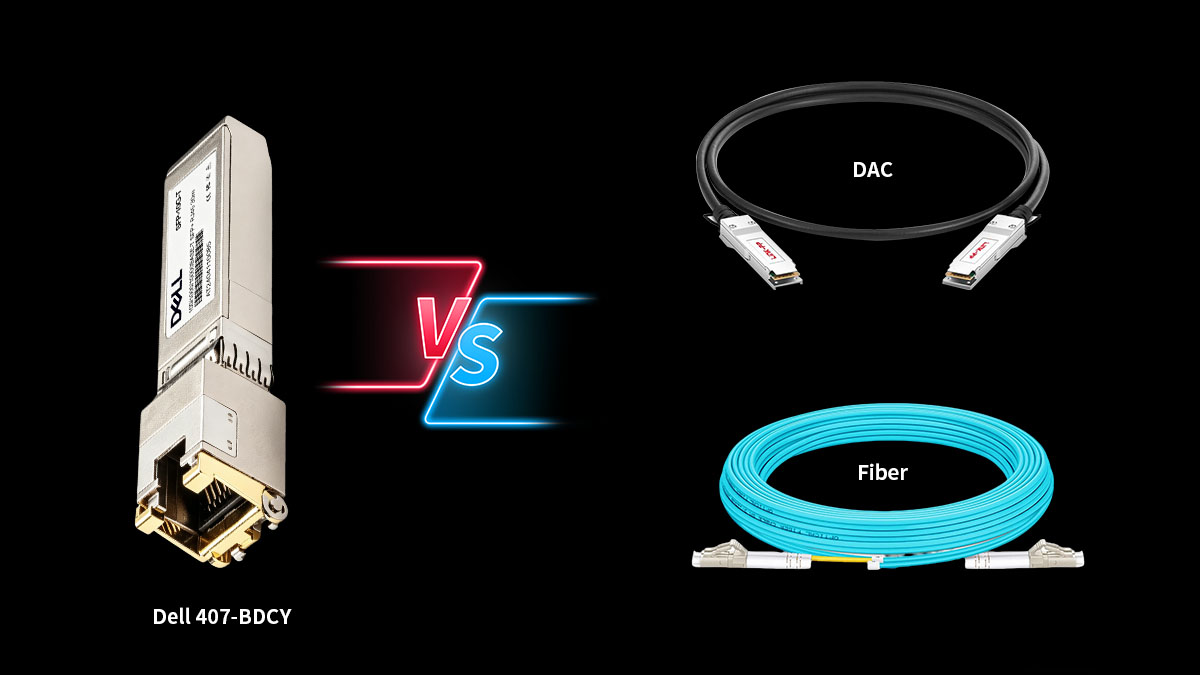
Because in most enterprise deployments, Dell 407-BDCY is only one of three realistic short-to-mid-range 10GbE choices:
-
Dell 407-BDCY (10GBASE-T RJ45 copper transceiver)
-
SFP+ DAC (Direct Attach Copper cable)
-
SFP+ optical transceiver + fiber patch cable
Each can deliver 10GbE throughput, but their long-term value is very different once cost, heat, distance, and manageability are considered.
|
Comparison Factor |
Dell 407-BDCY (10GBASE-T Copper) |
SFP+ DAC |
SFP+ Fiber |
|---|---|---|---|
|
Physical Medium |
RJ45 / CAT6a copper |
Twinax fixed cable |
Fiber optic cable |
|
Typical Reach |
Up to 30 m |
~1–7 m passive / ~10–15 m active |
Tens to hundreds of meters |
|
Upfront Cost |
Higher per port |
Lowest overall |
Moderate |
|
Power Consumption |
Highest |
Lowest |
Low |
|
Thermal Output |
Highest |
Minimal |
Low |
|
Port Flexibility |
Uses existing copper plant |
Fixed cable length |
Highly flexible |
|
Cable Management |
Familiar RJ45 |
Thick, less flexible |
Clean and scalable |
|
Best Use Case |
Copper retrofit |
Same rack / adjacent rack |
Long-term scalable backbone |
Dell confirms 407-BDCY as a 30 m Gen3.5 10GBASE-T RJ45 SFP+ module, while broader 10GbE comparisons consistently show DAC and fiber consuming significantly less power than copper PHY-based RJ45 transceivers.
Dell 407-BDCY: Best for Copper Convenience
Dell 407-BDCY offers one clear advantage: it allows enterprises to keep existing RJ45 cabling in place.
If the rack already uses structured copper patching and the link stays within 30 m, deployment can be fast and familiar without adding fiber jumpers or replacing patch panels.
This makes it attractive for:
-
transitional 10GbE upgrades,
-
mixed copper environments,
-
and situations where rewiring cost is the larger concern.
But that convenience comes at the price of:
-
higher per-port module cost,
-
more heat,
-
and higher continuous power draw.
So Dell 407-BDCY is often a cabling-preservation decision rather than the lowest-efficiency decision.
DAC: Best for Lowest Cost and Lowest Heat
If both devices have SFP+ cages and are physically close, DAC is usually the most economical option.
DAC cables:
-
require almost no transceiver conversion electronics,
-
consume very little power,
-
generate minimal heat,
-
and are generally the cheapest 10GbE interconnect.
Recent engineer discussions consistently summarize DAC the same way:
if devices are in the same rack or only a few meters apart, DAC is usually the fastest, coolest, and least expensive choice.
Its only real downside is fixed cable length and reduced routing flexibility.
Fiber: Best for Scalability and Long-Term Expansion
SFP+ fiber optics sit between DAC and copper in terms of cost, but they provide the cleanest long-term infrastructure path.
Fiber offers:
-
far longer supported distance,
-
low thermal load,
-
low power draw,
-
cleaner cable routing,
-
and easier future migration beyond 10G.
For enterprise racks expecting future expansion, fiber often becomes the most manageable choice because it avoids the thermal inefficiency of copper while removing the length limitations of DAC.
Which Option Delivers the Best Actual Value?
The answer depends entirely on deployment distance and infrastructure goals:
-
Choose Dell 407-BDCY when preserving existing RJ45 copper cabling is the top priority and link distance stays within 30 m.
-
Choose DAC when both endpoints are nearby SFP+ devices and lowest TCO matters most.
-
Choose fiber when you want cooler operation, cleaner scaling, and longer-term network flexibility.
In other words: Dell 407-BDCY wins on copper convenience, DAC wins on immediate efficiency, and fiber wins on long-term architectural value.
That comparison turns the TCO discussion into a practical buying decision—because the “best” SFP+ option is not defined by speed alone, but by which hidden costs your network can tolerate.
🟧 Dell 407-BDCY Real Users Feedback
Official specifications explain what Dell 407-BDCY is designed to do, but real user discussions reveal how buyers actually evaluate it in production environments. Across networking forums and Reddit threads, four concerns appear consistently: compatibility, heat, host support, and OEM pricing versus Dell-coded alternatives.
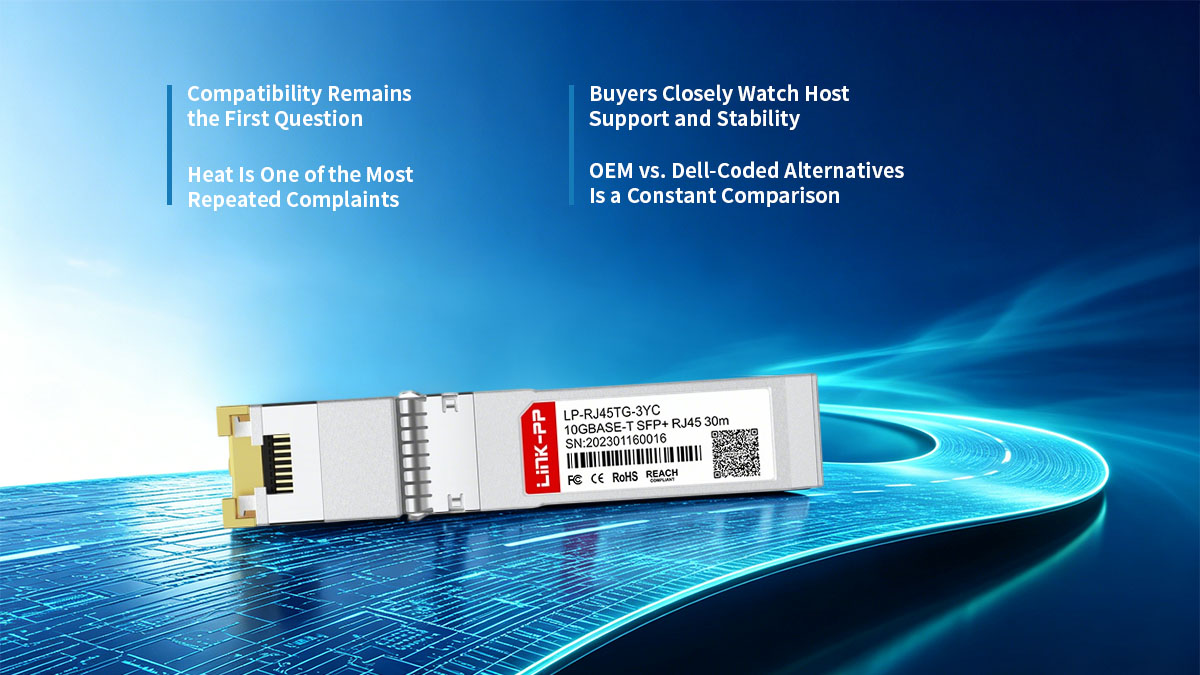
Compatibility Remains the First Question
Many admins initially assume that any SFP+ RJ45 copper module should work as long as it fits the port. In practice, users repeatedly point out that physical SFP+ compatibility does not always equal firmware or power compatibility.
This is why buyers frequently ask whether a 10GBASE-T copper module will be fully recognized by:
-
Dell server NICs,
-
enterprise SFP+ switches,
-
or mixed-vendor network hardware.
Real-world feedback shows that vendor EEPROM recognition and host power design are still major factors in stable deployment.
Heat Is One of the Most Repeated Complaints
Another common observation is thermal output.
Users regularly describe 10GBASE-T RJ45 SFP+ modules as running noticeably hotter than DAC or optical transceivers because the copper PHY conversion happens inside the compact SFP+ housing. This makes many engineers cautious about installing multiple copper modules in dense switch environments.
Buyers Closely Watch Host Support and Stability
Forum discussions also show that users pay close attention to:
-
unsupported transceiver warnings,
-
unstable link negotiation,
-
and missing diagnostics on some NICs or switches.
Because these modules consume more power than standard optics, buyers often verify host support before treating them as plug-and-play accessories.
OEM vs. Dell-Coded Alternatives Is a Constant Comparison
Finally, many users compare OEM Dell modules with lower-cost Dell-coded compatible versions.
The repeated buying logic is simple: buyers want OEM-like compatibility and reliability, but they do not always want to pay full OEM pricing.
That is why third-party suppliers continue to position pre-coded 407-BDCY compatible transceivers as a practical enterprise alternative.
What This Feedback Means
Taken together, real user feedback shows that Dell 407-BDCY is rarely viewed as a routine transceiver purchase.
It is usually treated as a compatibility-sensitive and thermally demanding 10GBASE-T deployment decision where cost and host stability matter just as much as speed.
🟧 FAQ About Dell 407-BDCY Performance
1. What is Dell 407-BDCY used for?
Dell 407-BDCY is a 10GBASE-T SFP+ RJ45 copper transceiver used to provide up to 30 meters of 10Gb Ethernet connectivity over copper cabling. It allows Dell switches, servers, or storage systems with SFP+ ports to connect directly to existing RJ45 network infrastructure without requiring fiber deployment.
2. Is Dell 407-BDCY compatible with all SFP+ ports?
No. Although Dell 407-BDCY uses a standard SFP+ form factor, it is a high-power Gen3.5 Dell-coded copper transceiver, which means host devices must support both the electrical power requirements and Dell firmware recognition. It works best in officially supported Dell PowerEdge and PowerSwitch platforms.
3. Why is Dell 407-BDCY limited to 30 meters?
Unlike native 10GBASE-T RJ45 switch ports that can support longer distances, SFP+ copper transceivers must compress the copper PHY into a compact pluggable housing. This creates thermal and signal limitations, which is why Dell rates 407-BDCY for a maximum of 30 m under supported cabling conditions.
4. Does Dell 407-BDCY run hotter than DAC or fiber modules?
Yes. Dell 407-BDCY generally produces more heat than SFP+ DAC cables or optical transceivers because it performs active copper signal conversion inside the module. In dense switch deployments, this higher thermal output is one of the main operational considerations.
5. Is Dell 407-BDCY more power-hungry than optical SFP+ modules?
Yes. A 10GBASE-T RJ45 SFP+ module typically consumes significantly more electrical power than standard SR optical optics or passive DAC solutions. This is why enterprise buyers often include power draw and cooling impact in the total cost of ownership evaluation.
6. Is Dell 407-BDCY worth buying over DAC or fiber?
Dell 407-BDCY is worth buying when the network already relies on RJ45 copper cabling and the required 10GbE link is within 30 meters. If the devices are very close together, DAC usually offers lower TCO, while fiber is often the better choice for cooler operation and long-term scalability.
7. Are third-party Dell-coded alternatives to 407-BDCY reliable?
Yes. Provided the module is properly Dell pre-coded, tested for Gen3.5 host compatibility, and supplied by a qualified enterprise transceiver manufacturer. Many buyers choose Dell-compatible alternatives to reduce OEM cost while maintaining similar deployment behavior.
8. What is the biggest hidden cost of Dell 407-BDCY?
The biggest hidden costs are usually not the purchase price alone, but higher power consumption, additional thermal load, compatibility verification time, and long-term replacement planning. These factors make total cost of ownership more important than sticker price when evaluating enterprise copper SFP+ deployments.
🟧 Conclusion: Is Dell 407-BDCY Worth It for Enterprise 10GbE?
For enterprises that need to deliver 10Gb Ethernet over existing RJ45 copper infrastructure, Dell 407-BDCY is a practical and technically proven solution. Its Dell Gen3.5 coding, 30 m copper reach, and OEM platform compatibility make it a convenient option for short-range server, switch, and storage interconnections where rewiring to fiber is not yet desirable.
However, as this analysis shows, Dell 407-BDCY should not be evaluated by specification alone.
Its real value depends on whether your deployment can justify:
-
higher OEM acquisition cost,
-
increased power consumption,
-
additional thermal output,
-
and the operational limits of copper-based SFP+ connectivity.
For some environments, especially short Dell-to-Dell copper upgrades, it remains an efficient transitional tool. But for larger port counts or tighter procurement budgets, many IT buyers now compare OEM modules with Dell-coded compatible alternatives that offer similar host recognition at a lower total cost of ownership.
That is why sourcing from a qualified compatibility-focused supplier becomes increasingly important.
At LINK-PP Official Store, enterprise buyers can find professionally tested Dell 407-BDCY compatible 10GBASE-T SFP+ RJ45 transceivers engineered for Dell platform recognition, stable thermal performance, and cost-effective bulk deployment. For businesses seeking OEM-equivalent functionality without unnecessary OEM markup, this can be a more flexible long-term purchasing path.
In short: Dell 407-BDCY is worth it when copper convenience and Dell host assurance are your priority—but choosing the right compatible source is often what determines whether that convenience remains cost-efficient at scale.