Ever looked at your MikroTik router or switch and thought: “Why do I have free SFP ports, but all my existing cabling is just standard RJ45 copper Ethernet?” Or maybe you’re upgrading a network and asking the opposite question: “Do I really need fiber here, or can I keep things simple and still use the SFP slots?”
That’s exactly where a Mikrotik SFP RJ45 solution comes in. With the right compatible copper SFP module, you can turn an SFP port into a familiar RJ45 Ethernet connection — without redesigning your entire cabling setup. But here’s the catch: not every copper SFP module behaves the same on MikroTik hardware, and choosing the wrong one can lead to link instability, heat issues, or negotiation problems.
This article will walk you through what a Mikrotik SFP RJ45 compatible module is, how it works, and what to look for when selecting one for stable, long-term deployment.
? What Is a Mikrotik SFP RJ45 Compatible Module
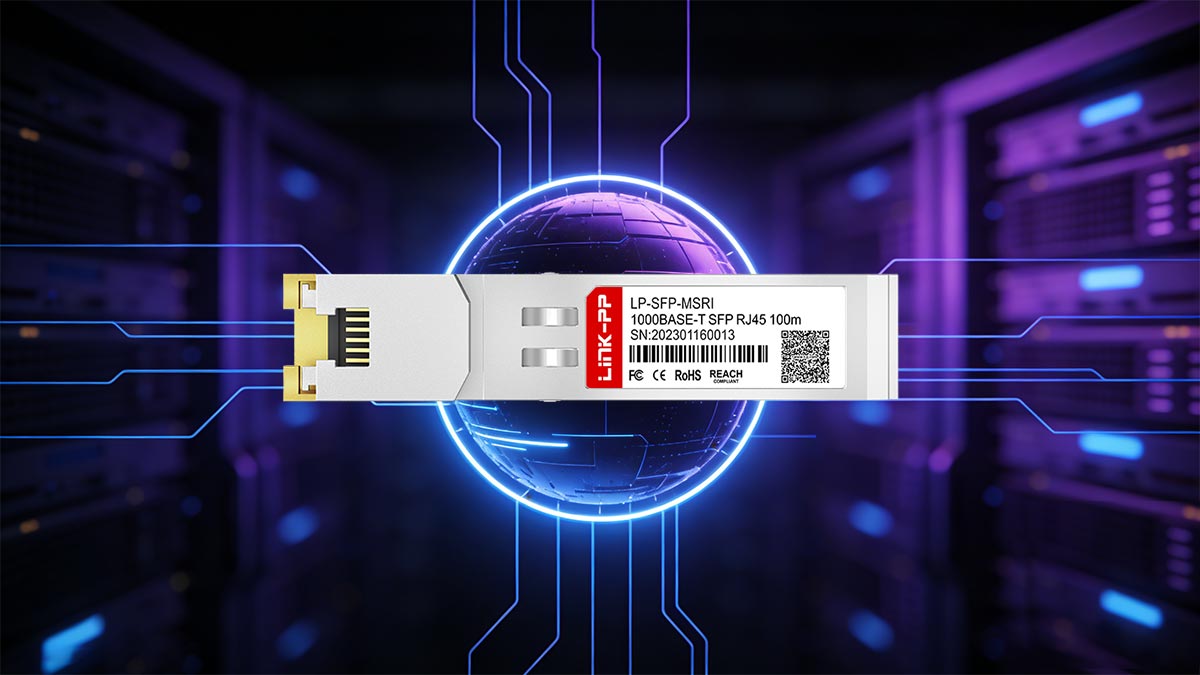
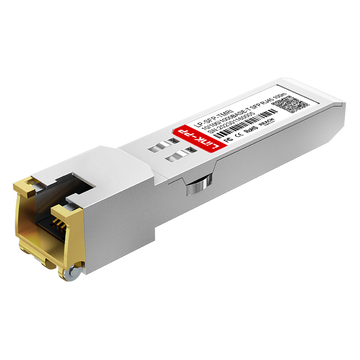
A Mikrotik SFP RJ45 compatible module is a copper SFP transceiver (often called a 10/100/1000BASE-T copper SFP) designed to work reliably in MikroTik devices that have SFP cages. In simple terms, it lets you connect a standard RJ45 Ethernet cable to an SFP port, making it easier to integrate copper-based network segments into SFP-equipped hardware.
Because compatibility is not just physical — it's also about firmware behavior, power draw, and link negotiation — choosing a transceiver module that is truly “MikroTik-friendly” matters more than many people expect.
Overview of Mikrotik Compatible SFP RJ45 Module
At a functional level, an SFP RJ45 module is a media converter in an SFP form factor. Instead of transmitting light like a fiber SFP transceiver, it converts the electrical signaling inside the SFP interface into twisted-pair copper Ethernet and exposes it through an RJ45 port.
For MikroTik environments, “compatible” typically means the module can:
- Establish stable links in RouterOS devices without random disconnects or flapping.
- Negotiate speed/duplex correctly with common switches, routers, and NICs.
- Report clean, readable information in the device interface (model/vendor details may vary depending on coding).
- Operate within MikroTik’s typical power and thermal tolerance in dense setups.
In real deployments, these Mikrotik SFP RJ45 modules are popular when:
- You want to use SFP ports as flexible uplinks/downlinks, but the remote side is still copper.
- You need a quick RJ45 handoff from a MikroTik SFP switch to a copper-only device (AP, camera, server iDRAC, small switch, etc.).
- You’re migrating gradually to fiber and want hybrid connectivity during the transition.
Key Features of Mikrotik SFP RJ45 Compatible Module
A high-quality Mikrotik SFP RJ45 compatible module is usually defined by a few practical features that directly impact stability:
1️⃣ Standards-based 10/100/1000BASE-T Support
Most copper SFP modules are designed for Gigabit Ethernet over twisted pair and typically support 10/100/1000Mbps. A truly compatible option should handle these speeds cleanly, especially if you’re connecting to mixed environments (older switches, ISP handoffs, legacy devices).
2️⃣ Reliable Auto-negotiation Behavior
Copper Ethernet depends heavily on auto-negotiation. Good modules negotiate speed and duplex quickly and consistently. Poorer ones may “link up” but behave strangely under load, or they may fail to settle on the correct speed when connected to certain chipsets.
3️⃣ Proper EEPROM Coding / Vendor Identification (Optional but Helpful)
While “vendor-coded” doesn’t magically improve electrical performance, it can improve how cleanly the module is recognized by the MikroTik system and reduce the chance of compatibility quirks. In many cases, compatibility-focused coding helps avoid unnecessary warnings or misreporting.
4️⃣ Controlled Power Consumption
Copper SFP modules generally draw more power than fiber SFP modules because they’re actively converting signals and driving copper lines. A MikroTik-friendly module should keep power draw within reasonable limits — especially important in fanless units or high-density SFP deployments.
5️⃣ Thermal Stability (Heat Tolerance + Heat Management Design)
Copper SFP modules run hotter. A solid module design uses better components and thermal design so it can maintain link stability over time. This matters a lot when multiple copper SFP transceivers sit side-by-side in a compact MikroTik switch.
? How Mikrotik SFP RJ45 Compatible Copper Modules Work
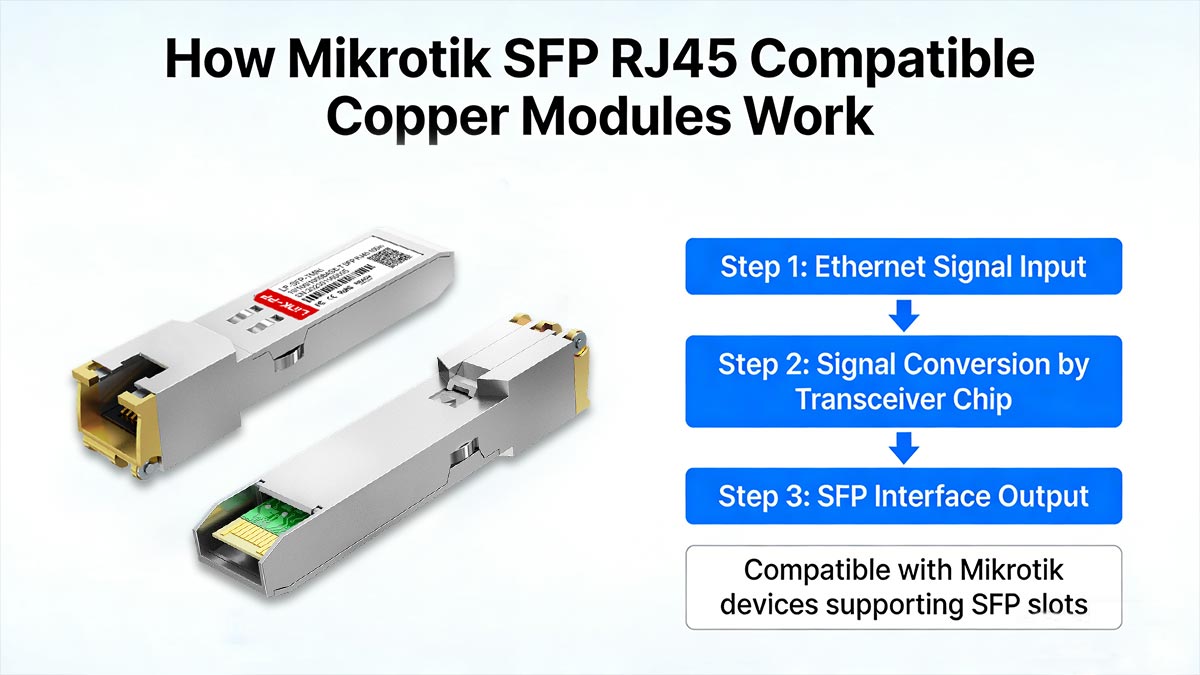
A Mikrotik SFP RJ45 compatible copper module works like a compact “translator” that sits inside your MikroTik SFP cage and presents a standard copper Ethernet interface on the outside. Instead of using optics to transmit light, it uses internal PHY logic to convert the SFP electrical interface into twisted-pair Ethernet over an RJ45 port.
In practice, this means you can keep your existing copper cabling while still taking advantage of the flexibility of MikroTik’s SFP-equipped hardware.
Converting Mikrotik SFP Ports into RJ45 Ethernet Ports
MikroTik SFP ports are designed to accept different kinds of transceivers (fiber or copper), but the SFP cage itself doesn’t automatically become an RJ45 port unless the inserted module provides that copper interface.
Here’s what happens when you plug in an SFP RJ45 copper module:
- Inside the MikroTik device: the SFP port outputs a high-speed serial electrical signal intended for transceiver modules.
- Inside the copper module: an embedded Ethernet PHY and conversion circuitry translate that SFP electrical signaling into standard 1000BASE-T (or 10/100Mbps) copper Ethernet signaling.
- At the module’s front end: the module exposes an RJ45 socket, allowing you to connect a Cat5e/Cat6 patch cord just like any normal copper Ethernet port.
So functionally, you’re not “adapting” a normal RJ45 port — you’re using the copper module as an active transceiver that makes an SFP slot behave like an RJ45 interface.
Supported Ethernet Speeds (10/100/1000BASE-T)
Most Mikrotik SFP RJ45 compatible copper modules support 10/100/1000BASE-T, which makes them ideal for mixed networks where not everything is gigabit end-to-end.
Key points to understand:
- 1G (1000BASE-T) is the most common target speed and typically the most stable operating mode for these modules.
- 100M and 10M support is useful for legacy devices, but negotiation and duplex behavior can vary depending on the far-end equipment (older switches, unmanaged gear, ISP handoffs).
- Copper SFP modules are generally designed for up to 100 meters over twisted-pair cabling under standard conditions (cable quality and EMI can shorten that in the real world).
One important nuance: if you’re inserting a 10/100/1000BASE-T copper module into an SFP+ (10G) cage, the cage may physically accept it, but the copper module itself is usually still 1G max.
Auto-Negotiation and Plug-and-Play Operation
Copper Ethernet relies heavily on auto-negotiation, and that’s a big reason “compatibility” matters. A good copper module will behave like a well-designed NIC: it negotiates quickly, settles on a stable speed/duplex, and stays there.
Typical plug-and-play behavior looks like this:
- Insert the module into the MikroTik SFP port → the device detects a transceiver.
- Connect the RJ45 cable → the module begins auto-negotiation with the far-end port.
- Link comes up at the best mutually supported settings (speed/duplex), then data starts flowing.
What can influence negotiation quality:
- Far-end switch/NIC chipset behavior: some chipsets are pickier than others.
- Forced speed/duplex settings: forcing settings on one side (while the other expects auto) can cause mismatches or link flaps.
- Cable quality and termination: marginal copper cabling can “almost work,” then fail under load.
Best practice in most cases is to leave both ends on auto unless you have a specific reason to force speed/duplex — and when you do force it, force it consistently on both sides.
? Key Factors When Selecting Mikrotik SFP RJ45 Compatible Modules
Choosing a Mikrotik SFP RJ45 compatible copper transceiver module isn’t just about “does it fit and link up.” The right choice depends on the speeds you need, the cabling you already have (or plan to install), and whether your MikroTik device can comfortably handle the module’s power draw and heat over long periods.
Below are the most important selection factors to evaluate before you buy — especially if you’re deploying multiple copper SFP modules in the same switch or in a fanless environment.
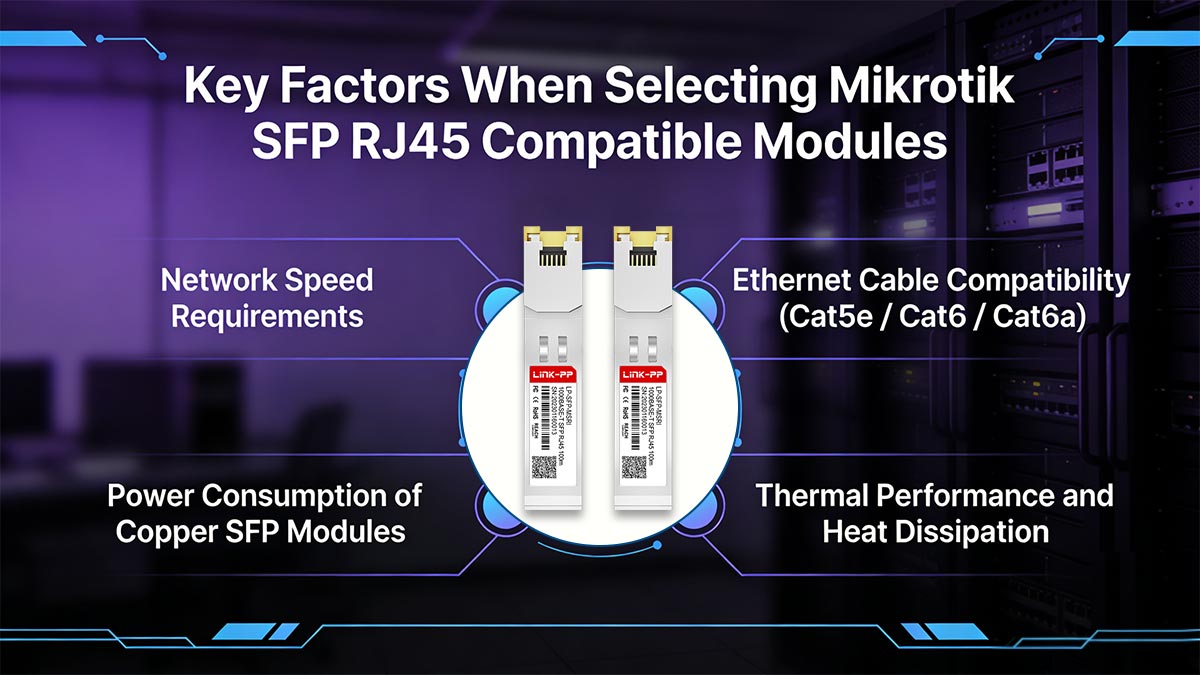
Network Speed Requirements
Your expected link speed is the first factor to define before selecting any Mikrotik SFP RJ45 compatible module. If your network only runs at 10/100 Mbps, almost any basic copper SFP module will work, but for 1G and mixed‑speed environments, you must ensure the module explicitly supports 10/100/1000BASE‑T with proper auto‑negotiation.
You should also consider future upgrades: if you plan to move more services, VLANs, or backbone traffic onto that link, choose a module that is proven to handle sustained 1G throughput without excessive errors or link flaps. In addition, verify that the switch or router model from Mikrotik officially supports the speed mode you plan to run on its SFP ports, especially when mixing different generations of hardware.
Ethernet Cable Compatibility (Cat5e / Cat6 / Cat6a)
Your copper SFP module is only as reliable as the copper path it’s driving. Cable category affects signal quality, noise resistance, and real-world stability, especially in electrically noisy environments or when you’re close to the 100m limit.
The following table summarizes how Cat5e/Cat6/Cat6a differ in bandwidth, distance, noise resistance, and typical deployment scenarios.
| Feature | Cat5e | Cat6 | Cat6a |
| Bandwidth | 100MHz | 250MHz | 500MHz |
| Distance | Up to 100m at 1G | Up to 100m at 1G; Up to 55m at 10G | Up to 100m at 1G/10G |
| Shielding | UTP | UTP/STP | STP |
| Noise / Crosstalk Resistance | Moderate | Better | Best |
| Application | Suitable for most standard 1G access links in offices or home labs; acceptable for short patch runs and non‑noisy environments. | Better choice for 1G runs in denser wiring closets or light industrial spaces; helps reduce errors on longer links near electrical noise. | Ideal when cables run near power lines or noisy equipment; offers more headroom and signal margin, improving stability for heavily used backbone or aggregation links. |
In practice, Cat5e is economically attractive and fine for short, clean runs, but for critical uplinks or environments with more interference, Cat6 or Cat6a gives you better signal integrity and fewer physical‑layer issues. You should also check that the connector quality (plugs, keystones, patch panels) matches the cable grade; a high‑quality module cannot compensate for poorly terminated or damaged cabling.
Power Consumption of Copper SFP Modules
Copper SFP modules generally draw more power than fiber transceivers because they perform additional signal processing and drive electrical signals over twisted‑pair cabling. Higher power consumption means more heat output, which can affect both the module and the Mikrotik chassis if multiple copper modules are installed side by side.
When planning your deployment, review the typical and maximum power draw per module and compare it with the switch’s total power and thermal design. If your Mikrotik device has many SFP cages populated with copper modules, leaving some spacing where possible and avoiding unnecessary modules can reduce thermal stress and extend hardware lifespan.
Thermal Performance and Heat Dissipation
Thermal performance is a critical but often overlooked factor when selecting Mikrotik SFP RJ45 compatible modules. Copper SFPs tend to run noticeably hotter than fiber modules, especially in high‑density switch setups or poorly ventilated racks. If the module operates close to its maximum temperature rating, you may see intermittent link drops, degraded performance, or shortened component life.
You should choose modules that specify a suitable operating temperature range for your environment (for example, commercial vs. industrial temperature ratings). At the same time, ensure your Mikrotik chassis has adequate airflow, that intake and exhaust paths are not blocked by cable bundles, and that monitoring tools in RouterOS are used to watch port and module statistics for early signs of thermal‑related instability.
? How to Identify High-Quality Mikrotik SFP RJ45 Compatible Modules
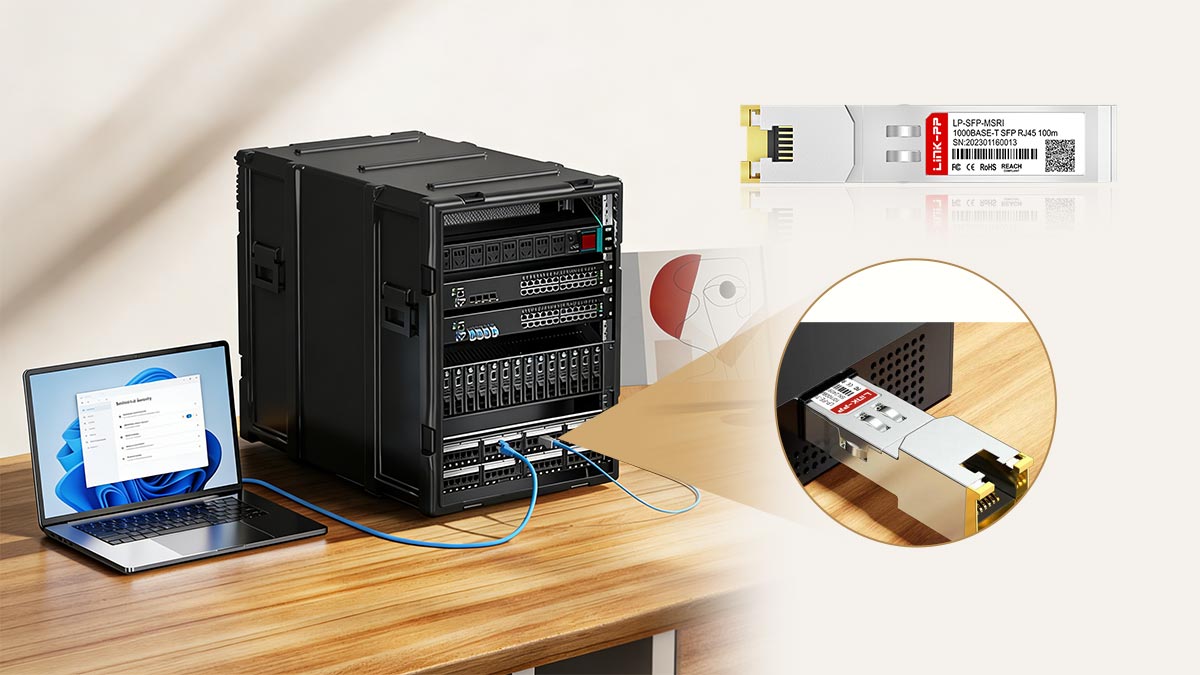
Not all “compatible” copper SFP transceivers deliver the same stability on MikroTik hardware. A high-quality Mikrotik SFP RJ45 module should link up quickly, stay stable under traffic, and remain reliable even in warm, multi-port switch environments. Use the checks below to judge quality before you commit to a bulk purchase.
Compatibility Testing with Mikrotik Devices
A quality transceiver module is backed by real MikroTik device testing, not just generic “SFP RJ45” claims. When evaluating products or vendors, look for proof (or at least clear statements) that the compatible module has been validated on MikroTik RouterOS gear.
What good compatibility testing should cover:
- Device coverage: tested on MikroTik routers/switches that actually match typical deployments (SFP and SFP+ cages, different series).
- Link stability: no link flapping after hours/days of operation; stable after reboots and hot-plugs.
- Throughput under load: continuous traffic tests (e.g., sustained file transfer/iperf-like load) without random drops.
- Multi-rate behavior: clean negotiation at 10/100/1000Mbps if your network includes mixed-speed endpoints.
- Multi-module scenario: tested with multiple copper SFPs installed adjacent to each other (heat stacking is a common failure trigger).
EEPROM Coding for Mikrotik Systems
EEPROM coding determines how the Mikrotik SFP RJ45 compatible module identifies itself to the host device. While coding doesn’t replace real hardware quality, good coding improves predictability in MikroTik environments and reduces weird edge cases.
What “good” MikroTik-oriented coding usually means:
- The module is consistently recognized in RouterOS (no intermittent “unknown” behavior after reboot).
- Reported information (vendor/model/part number) is stable and sensible across units.
- Fewer nuisance alerts and less chance of firmware-level quirks related to transceiver detection.
Red flags:
- “Universal” modules with no mention of MikroTik behavior.
- Same product name but inconsistent identification between batches (often points to weak QC).
Manufacturing Quality and Reliability Testing
Copper SFP RJ45 modules generate more heat than fiber, so build quality and reliability are critical for stable operation. High-quality Mikrotik SFP RJ45 compatible modules come from vendors who carefully control component selection, assembly, and validation.
Key factors to look for:
- Consistent components: all units use the same internal parts to ensure uniform performance across batches.
- Thermal design: modules are rated for realistic operating temperatures and maintain link stability under sustained heat.
- Electrical stress and signal integrity testing: modules are checked for consistent performance under continuous data transfer, including voltage and current stability, to prevent link drops or data errors.
- Mechanical quality: solid RJ45 port, reliable latch, and snug fit in the SFP cage to avoid intermittent connections.
- Warranty and traceability: reputable vendors provide a warranty and batch information, which is usually a sign of thorough quality control.
? Common Mistakes When Buying Mikrotik SFP RJ45 Compatible Modules
Buying a Mikrotik SFP RJ45 compatible module looks simple, but MikroTik deployments often expose issues that don’t show up in basic “link-up” tests. Most problems come from assuming all Mikrotik copper SFP modules behave the same, or overlooking power/heat and cabling realities. Avoid the mistakes below to save time, cost, and troubleshooting later.
Assuming All SFP RJ45 Modules Are Mikrotik Compatible
A common misconception is that if a module is “SFP to RJ45” it must work everywhere. In reality, “compatible” is not just about fitting the port — it’s about stable negotiation and clean behavior in RouterOS.
Typical outcomes of this mistake:
- Link comes up but flaps randomly after hours/days.
- Negotiation issues with certain switches/NICs (unstable speed/duplex).
- Inconsistent recognition after reboot or hot-plug.
What to do instead: choose SFP RJ45 modules explicitly tested on MikroTik devices, not just “generic compatible.”
Ignoring Power and Temperature Specifications
Copper SFP RJ45 modules generally draw more power and run hotter than fiber transceivers. If you ignore power/thermal specs, you can end up with instability that looks like “network problems” but is actually heat-related.
Common symptoms:
- Works fine at first, then becomes unstable as the device warms up.
- Issues appear when multiple copper SFPs are installed side-by-side.
- Fanless switches become unreliable during peak load or warm seasons.
What to do instead: check power consumption and operating temperature range, and plan for airflow — especially in dense racks.
Using Incompatible Ethernet Cabling
Even a good Mikrotik SFP RJ45 10/100/1000BASE-T module can behave poorly on marginal cabling. Old Cat5 runs, poor terminations, long patch chains, or noisy environments can cause errors or negotiation drops.
What this mistake looks like:
- Speed unexpectedly falls to 100Mbps or 10Mbps.
- Link is stable idle, but errors appear under traffic.
- Intermittent drops that disappear when you swap cables.
What to do instead: verify cabling quality (and terminations). If you’re deploying new cable, Cat6/Cat6a usually provides more stability headroom.
Choosing Low-Quality or Poorly Coded Modules
Low-end modules often cut corners in components, thermal design, or EEPROM coding. They may “work” in a quick test, but fail in real networks where heat and sustained throughput expose weaknesses.
Red flags:
- Missing or vague specs (no power/temp info).
- Inconsistent labeling or mixed batches under the same SKU.
- Unstable identification/behavior in RouterOS.
What to do instead: buy from vendors that provide clear specs, MikroTik-focused coding/testing, and consistent manufacturing quality — and avoid “cheapest available” for critical ports.
? Best Practices for Deploying Mikrotik SFP RJ45 Compatible Copper Modules
Deploying Mikrotik SFP RJ45 compatible copper modules correctly ensures reliable, long-term network performance. Proper installation, monitoring, and maintenance are essential to prevent downtime and optimize module longevity. Follow these best practices to ensure a smooth deployment and stable operation in your MikroTik network device.
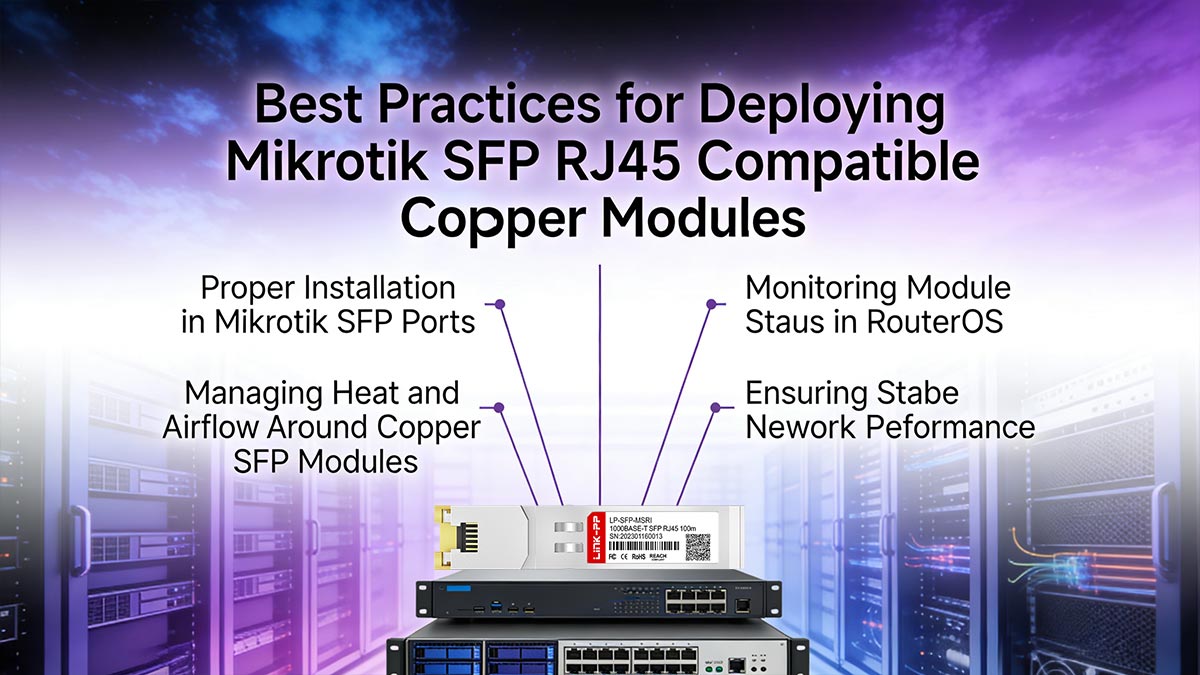
Proper Installation in Mikrotik SFP Ports
Start by verifying that the module model and supported speeds match the SFP port specifications on your Mikrotik device. Before insertion, remove any dust covers from the port and the module, then align the module carefully with the cage and push it in firmly until you feel or hear a click from the latch.
Avoid forcing the module or inserting it at an angle, as this can damage the connector pins or the SFP cage. Once the module is seated, connect the RJ45 cable gently, ensuring the plug is fully locked; excessive pulling or bending near the connector can cause intermittent link issues over time. When removing the module, always release the latch mechanism first and pull straight out to protect both the cage and the module.
Monitoring Module Status in RouterOS
After installation, use RouterOS tools to confirm that the Mikrotik SFP RJ45 compatible module is recognized correctly and that the link is operating at the expected speed and duplex. The interface status should show the correct transceiver type, negotiated speed (for example, 1G full-duplex), and link state without errors or warnings.
Over time, it is good practice to monitor error counters, packet drops, and log messages associated with the SFP interface. If you see increasing CRC errors, frequent link flaps, or unexpected speed shifts, treat them as early warning signs and investigate cabling, temperature, or potential module defects before they impact production traffic.
Managing Heat and Airflow Around Copper SFP Modules
Copper SFP modules typically run hotter than optical transceivers, so thermal management is critical, especially in compact or fanless Mikrotik devices. Whenever possible, avoid populating every adjacent SFP port with copper modules; instead, leave empty ports or use lower‑power optical modules between them to reduce localized hot spots.
Ensure that vents and fan intakes on your Mikrotik chassis are not blocked by cable bundles, dust, or nearby equipment. In racks or enclosures with limited airflow, consider spacing devices apart, improving cable management, or adding external cooling so that the ambient temperature around the SFP area stays within the module’s rated limits.
Ensuring Stable Network Performance
Stable performance depends on the entire chain: a correctly coded module, compatible Mikrotik hardware, and good cabling practices. After initial deployment, run sustained throughput tests or real‑world traffic for an extended period to confirm that the link remains error‑free and does not flap under load.
Document which specific module models are known-good in your environment and standardize on them for future purchases. Combine this with routine checks of RouterOS interface statistics and periodic visual inspections of cabling and cooling to maintain consistent, predictable performance from your Mikrotik SFP RJ45 copper links.
? Key Takeaways for Selecting Mikrotik SFP RJ45 Compatible Modules

Choosing the right Mikrotik SFP RJ45 compatible copper module is key to ensuring a stable, high-performance network. Remember these important points:
- Ensure compatibility: Not all modules work seamlessly with MikroTik devices, so always check for proven compatibility.
- Consider power and heat: Copper modules consume more power and generate more heat than fiber modules — make sure your device can handle these demands.
- Use quality cabling: The quality of your Ethernet cables directly impacts performance, so use high-quality cables like Cat6 or Cat6a.
- Test and monitor: Once deployed, regularly monitor module status in RouterOS and watch for any signs of network instability or overheating.
By following these guidelines, you’ll avoid common pitfalls and ensure reliable performance from your Mikrotik SFP RJ45 compatible modules.
If you're ready to select your next Mikrotik SFP RJ45 compatible module, be sure to check out the LINK-PP Official Store for a wide selection of high-quality, tested copper SFP modules that will meet your network needs.