As home networks, NAS systems, Wi-Fi 6 access points, and high-speed broadband continue to push beyond the limits of traditional Gigabit networking, more users are beginning to encounter a new term: 5G Ethernet. At first glance, many assume it refers to 5G mobile internet or even 5GHz Wi-Fi, but in wired networking, 5G Ethernet usually means 5 Gigabit Ethernet (5GbE)—a multi-gig wired transmission standard designed to deliver up to 5Gbps over familiar copper Ethernet cabling.
This speed tier was introduced to solve a very practical problem: SFP 1G has become too slow for many modern data-heavy applications, while 10GbE often remains too expensive or overbuilt for ordinary users and small businesses. As a result, 5GbE has emerged as a middle-ground upgrade that offers substantially faster file transfers, smoother NAS access, better support for Wi-Fi 6/6E/7 backhaul, and more breathing room for multi-user office traffic—without forcing a complete infrastructure overhaul.
However, despite growing adoption, one question still dominates Google searches, Reddit discussions, and buyer forums: What exactly is 5G Ethernet, and is it actually worth using? Many users are unsure whether they need a dedicated 5GbE switch, whether existing Cat5e or Cat6 cables are sufficient, whether 5GbE adapters are reliable, and how this technology compares with more familiar options like 2.5G SFP or 10G SFP+. Reddit threads with high engagement repeatedly show the same confusion: users understand they need “something faster than Gigabit,” but they are not sure if 5GbE is the right investment or just an awkward transitional speed tier.
In this guide, we will break down what 5G Ethernet really is, how 5GbE works, what hardware is required, where it makes sense, and whether it is the smartest upgrade path in the future. Whether you are building a faster home lab, upgrading a NAS environment, or selecting multi-gig network components for business deployment, understanding the real role of 5G Ethernet can help you avoid overspending—and avoid buying the wrong hardware.
🌐 What Is 5G Ethernet?
5G Ethernet is a common shorthand used to describe 5 Gigabit Ethernet (5GbE)—a wired networking standard capable of delivering data transfer speeds of up to 5 gigabits per second, or roughly five times faster than traditional Gigabit Ethernet (1GbE). In formal networking terminology, this speed class is usually associated with 5GBASE-T, part of the IEEE 802.3bz Multi-Gigabit Ethernet standard, which was created to bridge the performance gap between standard 1GbE and higher-cost 10GbE deployments.
In simple terms, 5G Ethernet gives users a practical way to move significantly more data through an existing copper network without immediately jumping to the higher hardware cost, increased power consumption, and stricter cabling demands often associated with full 10 Gigabit Ethernet systems.

5G Ethernet Does Not Mean 5G Cellular Internet
One of the most common sources of confusion is the term itself.
When many users often wonder whether it has something to do with:
-
5G mobile broadband
-
5GHz Wi-Fi frequency
-
or a special type of wireless router
But in networking hardware, 5G Ethernet has nothing to do with cellular 5G service.
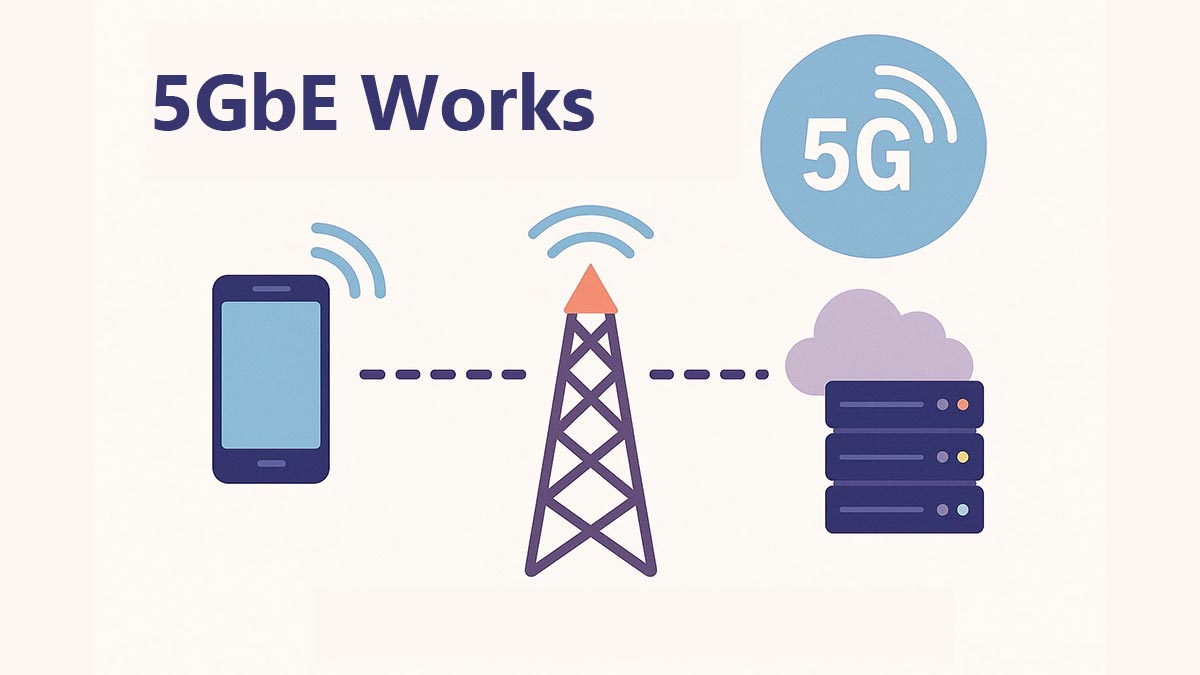
The “5G” here refers purely to 5 Gigabits of wired Ethernet throughput, not to fifth-generation wireless telecommunications. This misunderstanding appears frequently in user forums, where buyers often mix up “5G Ethernet,” “5GHz Wi-Fi,” and “5G internet” when trying to upgrade their home or office speed. Reddit discussions show repeated cases where users assume a “5G Ethernet port” means a wireless-related feature, when in reality it refers to a multi-gig LAN interface designed for faster cable-based communication.
5G Ethernet vs. 5GHz Wi-Fi: They Are Completely Different
Another frequent misconception is the assumption that 5G Ethernet and 5GHz Wi-Fi are interchangeable because they both include the number “5.”
They are not.
-
5GHz Wi-Fi refers to a wireless radio frequency band used by Wi-Fi routers.
-
5G Ethernet (5GbE) refers to a wired Ethernet transmission speed.
A 5GHz Wi-Fi connection can vary dramatically depending on interference, wall penetration, and device distance, while a 5GbE wired Ethernet link is a fixed, stable physical LAN connection built for sustained high-throughput traffic.
This is why many network engineers view 5GbE not as a wireless technology, but as a high-efficiency wired backbone upgrade—especially useful when wireless access points, NAS devices, or workstations begin to exceed the practical limitations of 1GbE ports.
Why 5G Ethernet Was Introduced
For many years, network users faced an awkward choice:
-
stay on 1 Gigabit Ethernet, which is widely available but increasingly bandwidth-limited, or
-
jump to 10 Gigabit Ethernet, which offers huge performance gains but usually requires more expensive switches, NICs, transceivers, and in some cases upgraded cabling.
This left a large performance gap in the middle.
To solve that issue, the IEEE introduced Multi-Gigabit Ethernet standards, including:
-
2.5GbE
-
5GbE
These standards were specifically designed to provide faster LAN speeds over existing twisted-pair copper infrastructure—especially Cat5e and Cat6—making network upgrades easier and more affordable for users who needed more than Gigabit, but not necessarily a full 10GbE rebuild.
That is why 5G Ethernet is often described as a mid-tier bandwidth upgrade:
faster than standard Gigabit,
cheaper and simpler than many 10GbE deployments,
and ideal for modern multi-device high-throughput environments.
When 5GbE Makes Sense
While not every network requires multi-gig speeds, 5GbE can provide a major performance improvement in environments where traditional Gigabit Ethernet becomes a bottleneck.
Common use cases include:
-
NAS and file servers requiring faster backups and large-file transfers
-
Wi-Fi 6/6E/7 access point uplinks that can exceed Gigabit throughput
-
Video editing and creator workstations handling high-resolution media files
-
SMB office networks with multiple simultaneous users
-
Surveillance systems processing large volumes of camera traffic
-
Virtualization and home lab environments with heavy internal data movement
For many users, 5GbE delivers a practical middle ground between affordable Gigabit networking and higher-cost 10GbE infrastructure.
And once that definition is clear, the next question becomes much more practical:
How does 5GbE actually work, and why did manufacturers create this unusual speed tier in the first place?
🌐 How 5GbE Works and Why It Exists
To understand why 5G Ethernet (5GbE) appeared, it helps to look at the networking upgrade problem that both consumers and enterprise users faced for nearly a decade.
For years, 1 Gigabit Ethernet was the default wired standard on routers, switches, servers, motherboards, NAS devices, and office infrastructure. It was inexpensive, stable, and universally supported. But as storage speeds, broadband bandwidth, Wi-Fi throughput, and file sizes all increased, 1GbE gradually became the new bottleneck.
At the other end of the spectrum, 10 Gigabit Ethernet (10GbE) offered a dramatic performance jump—but it also came with several practical barriers:
-
significantly higher switch cost
-
more expensive NICs and transceiver modules
-
higher power consumption
-
greater heat output
-
stricter cable quality requirements in some deployments
-
overkill bandwidth for users who only needed moderate improvement
This created a major bandwidth gap between 1GbE and 10GbE: users needed something faster than Gigabit, but many did not need—or could not justify—the full cost of 10 Gigabit networking.
That exact gap is where 5GbE was born.
The IEEE Multi-Gigabit Ethernet Solution
To address this issue, the IEEE Ethernet standards group introduced IEEE 802.3bz, commonly known as the Multi-Gigabit Ethernet standard.
Instead of forcing users to leap directly from 1Gbps to 10Gbps, IEEE created two intermediate wired speed classes:
-
2.5 Gigabit Ethernet (2.5GbE / 2.5GBASE-T)
-
5 Gigabit Ethernet (5GbE / 5GBASE-T)
These standards were engineered with one critical goal: deliver substantially higher throughput while preserving compatibility with existing twisted-pair copper cabling infrastructure.
This was important because replacing an entire building’s Ethernet wiring with new fiber or premium copper just to gain more LAN speed was financially unrealistic for many businesses, schools, and even advanced home users.
So instead of redesigning everything, IEEE made Multi-Gig Ethernet capable of operating over much of the already-installed:
-
Cat5e
-
Cat6
-
and in some cases better shielded copper plant
This instantly lowered the barrier to adoption.
Users could upgrade ports and active devices first—without immediately rebuilding all passive cabling.
How 5GbE Actually Delivers 5 Gigabit Speed
From a technical standpoint, 5GbE uses enhanced signal processing over traditional RJ45 twisted-pair Ethernet media.
Rather than using the exact same electrical encoding as 1GbE, 5GBASE-T applies:
-
improved modulation methods,
-
more advanced echo cancellation,
-
stronger crosstalk suppression,
-
and higher symbol rates
to squeeze significantly more bandwidth out of familiar copper pairs.
In other words: 5GbE does not require a completely new connector style.
It intelligently pushes more data through the same Ethernet cable concept users already know.
That is why many 5GbE switches, 5GbE NICs, and multi-gig ports still use standard RJ45 connectors.
To the average user, the cable looks normal.
The difference is in the PHY chipset and signal management behind the port.
Why Manufacturers Needed 5GbE So Badly
The rise of Wi-Fi 6 and Wi-Fi 6E accelerated the need for Multi-Gig Ethernet more than many people realize.
Modern wireless access points can often exceed 1Gbps aggregate throughput under dense traffic conditions. But if that access point is uplinked to a switch using only a 1GbE port, all wireless gains are instantly throttled by the wired backhaul.
Manufacturers therefore needed:
-
2.5GbE ports
-
5GbE ports
-
multi-gig uplinks
to prevent wireless infrastructure from becoming cable-side limited.
The same thing happened with:
-
high-performance NAS systems,
-
SSD-based file servers,
-
4K/8K video editing workstations,
-
surveillance recording arrays,
-
virtualization labs,
-
and multi-user office file transfers.
In all of these environments, Gigabit Ethernet started to feel cramped—but 10GbE still felt expensive.
So 5GbE became the practical middle lane.
Why 5GbE Is Often Called a Transitional Standard
Here is the important market reality:
5GbE was never designed to completely replace 10GbE.
Instead, it functions as a transitional or bridge standard.
Its job is to offer:
-
easier adoption than 10GbE,
-
lower entry cost than 10GbE,
-
much higher performance than 1GbE,
-
and a smoother upgrade path using familiar copper networks.
This is why many network vendors now label their ports as Multi-Gig rather than only advertising 5GbE itself.
A Multi-Gig port can often auto-negotiate among:
-
100M
-
1G
-
2.5G
-
5G
-
10G
depending on the connected device.
That flexibility makes 5GbE especially attractive during phased infrastructure upgrades where not every endpoint is ready for 10G.
The Real Reason 5GbE Exists
If we strip away all the engineering language, the reason is simple: 5GbE exists because Gigabit Ethernet became too slow, while 10GbE remained too costly for many practical deployments.
So the industry created a middle-speed Ethernet tier that could reuse much of the existing copper ecosystem.
🌐 5G Ethernet vs. 1GbE, 2.5GbE, and 10GbE
One of the main reasons users research 5G Ethernet (5GbE) is to determine whether it offers a better upgrade path than standard 1GbE, entry-level 2.5GbE, or full 10GbE networking.
Each Ethernet speed tier targets a different balance of:
-
bandwidth,
-
infrastructure cost,
-
cable compatibility,
-
and long-term scalability.
Quick Comparison Table
|
Ethernet Standard |
Max Speed |
Common Cabling |
Relative Cost |
Typical Use Case |
|---|---|---|---|---|
|
1GbE |
1 Gbps |
Cat5e |
Low |
Basic home and office networking |
|
2.5GbE |
2.5 Gbps |
Cat5e |
Low–Medium |
Wi-Fi 6, gaming, entry NAS |
|
5GbE |
5 Gbps |
Cat5e / Cat6 |
Medium |
NAS, creators, SMB networks |
|
10GbE |
10 Gbps |
Cat6a / Fiber |
High |
Enterprise and heavy data workloads |
1GbE: The Traditional Standard
1 Gigabit Ethernet is still widely used because it is inexpensive and universally compatible. However, modern workloads such as:
-
NAS backups,
-
4K/8K video editing,
-
high-speed broadband,
-
and Wi-Fi 6/7 backhaul
can easily push Gigabit networking to its limits.
2.5GbE: The Affordable Multi-Gig Upgrade
2.5GbE has become popular because it offers a noticeable speed boost over Gigabit while still working well with existing Cat5e cabling.
It is commonly used for:
-
gaming PCs,
-
modern routers,
-
Wi-Fi access points,
-
and entry-level NAS upgrades.
For many home users, 2.5GbE delivers the best balance between price and performance.
5GbE: The Middle-Ground Solution
5GbE was designed to bridge the gap between affordable Gigabit networking and more expensive 10GbE infrastructure.
Compared with 2.5GbE, it provides:
-
faster large-file transfers,
-
better multi-user bandwidth,
-
and stronger NAS performance.
At the same time, it often avoids the higher cost and power requirements associated with 10GbE deployments.
This makes 5GbE attractive for:
-
creators,
-
SMB environments,
-
virtualization labs,
-
and advanced home networks.
10GbE: Maximum Performance
10GbE remains the preferred choice for enterprise and high-performance environments.
It delivers the highest throughput for:
-
virtualization,
-
AI workloads,
-
and professional storage systems.
However, 10GbE hardware is typically more expensive and may require upgraded cabling or fiber infrastructure.
Which Ethernet Speed Makes the Most Sense?
Here is the simplest practical recommendation:
Choose 1GbE if:
-
you only handle basic networking tasks,
-
internet speed is below Gigabit,
-
and large local transfers are uncommon.
Choose 2.5GbE if:
-
you want affordable multi-gig networking,
-
use Wi-Fi 6/7 equipment,
-
or need a balanced home upgrade.
Choose 5GbE if:
-
you regularly move large files,
-
run NAS or creator workflows,
-
want stronger multi-user bandwidth,
-
and prefer avoiding the cost of full 10GbE deployment.
Choose 10GbE if:
-
storage and virtualization are core workloads,
-
you expect long-term scaling,
-
or your environment already demands enterprise-grade throughput.
In practical terms, 5GbE exists because many users need more than Gigabit Ethernet—but do not necessarily need the cost and complexity of full 10GbE networking.
🌐 What Hardware Do You Need for 5G Ethernet?
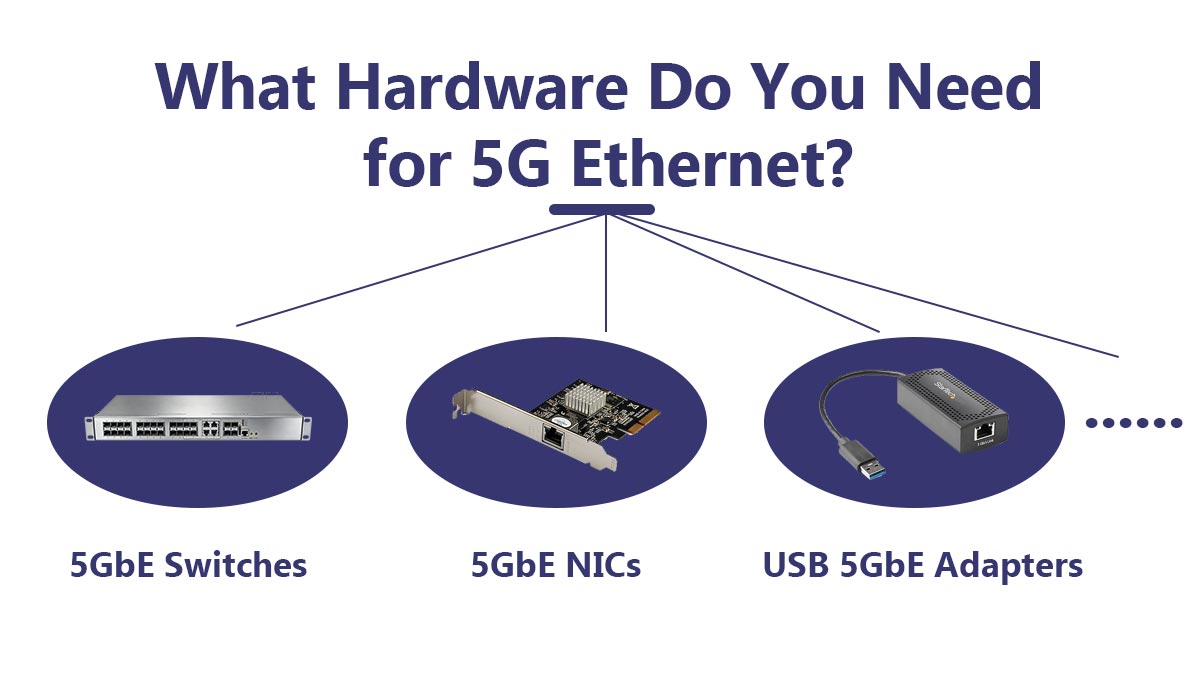
Upgrading to 5G Ethernet (5GbE) requires more than simply plugging in a faster cable. To achieve stable 5Gbps network speeds, every key part of the connection path must support Multi-Gig Ethernet.
In most deployments, this includes:
-
a 5GbE-capable switch or router
-
a compatible 5GbE network interface (NIC)
-
proper multi-gig ports
-
and suitable Ethernet cabling
The good news is that many modern multi-gig devices are backward compatible, making upgrades much easier than traditional 10GbE deployments.
5GbE Switches
A 5GbE switch is often the core of a multi-gig network.
Unlike standard Gigabit switches, multi-gig switches support speeds such as:
-
1GbE
-
2.5GbE
-
5GbE
-
and sometimes 10GbE
through auto-negotiating RJ45 ports.
These switches are commonly used in:
-
NAS environments
-
Wi-Fi 6/6E/7 deployments
-
creator workstations
-
and SMB office networks
Some higher-end switches also include:
-
SFP+ uplink ports
-
fiber uplinks
-
or hybrid multi-gig architectures
for higher-speed backbone connectivity.
When choosing a switch, users should check:
-
port speed support
-
backplane bandwidth
-
cooling design
-
and whether ports are true 5GbE or only 2.5GbE.
5GbE NICs (Network Interface Cards)
A device also needs a compatible 5GbE NIC to communicate at full multi-gig speed.
Many modern:
-
motherboards
-
workstations
-
NAS systems
-
and mini PCs
already include built-in multi-gig Ethernet ports.
For systems without native support, users can add:
-
PCIe 5GbE adapters
-
or external USB multi-gig adapters.
Most 5GbE NICs use standard RJ45 connectors and support backward compatibility with slower Ethernet speeds.
USB 5GbE Adapters
USB-to-5GbE adapters have become increasingly popular for:
-
laptops,
-
compact PCs,
-
and temporary upgrades.
These adapters allow users to add multi-gig Ethernet without opening the system chassis.
However, performance can vary depending on:
-
USB interface bandwidth,
-
chipset quality,
-
and driver stability.
This is one reason Reddit discussions frequently debate whether certain 5GbE adapters deliver consistent real-world throughput or experience overheating and instability under sustained load.
For long-term heavy workloads, PCIe-based NICs are generally considered more reliable than USB adapters.
Multi-Gig Routers and Access Points
Modern routers and Wi-Fi access points increasingly include:
-
2.5GbE ports
-
5GbE ports
-
or shared multi-gig WAN/LAN interfaces.
This is especially important for:
-
high-speed fiber internet,
-
Wi-Fi 6E,
-
and Wi-Fi 7 environments
where wireless throughput can exceed traditional Gigabit Ethernet limits.
Without a multi-gig uplink, even fast wireless devices may become bottlenecked by the wired connection behind the access point.
Ethernet Cable Requirements
One major advantage of 5GbE is that it can often operate over existing copper Ethernet infrastructure.
In many deployments:
-
Cat5e can support 5GbE over moderate distances
-
while Cat6 offers better signal stability and future scalability.
However, actual performance depends on factors such as:
-
cable quality,
-
distance,
-
shielding,
-
interference,
-
and installation conditions.
For users planning future upgrades toward 10GbE, Cat6 or Cat6a is usually the safer long-term choice.
The Most Important Upgrade Rule
To achieve true 5Gbps connectivity: both devices and the network path between them must support 5GbE.
If even one component only supports Gigabit Ethernet, the entire connection will negotiate down to the slower speed.
That is why successful multi-gig deployment is not about a single device—it is about building a compatible end-to-end network environment.
🌐 Optical Transceivers in 5G Ethernet
In most home and small office deployments, 5G Ethernet (5GbE) runs over standard RJ45 copper Ethernet ports, which means users typically do not need optical transceivers.
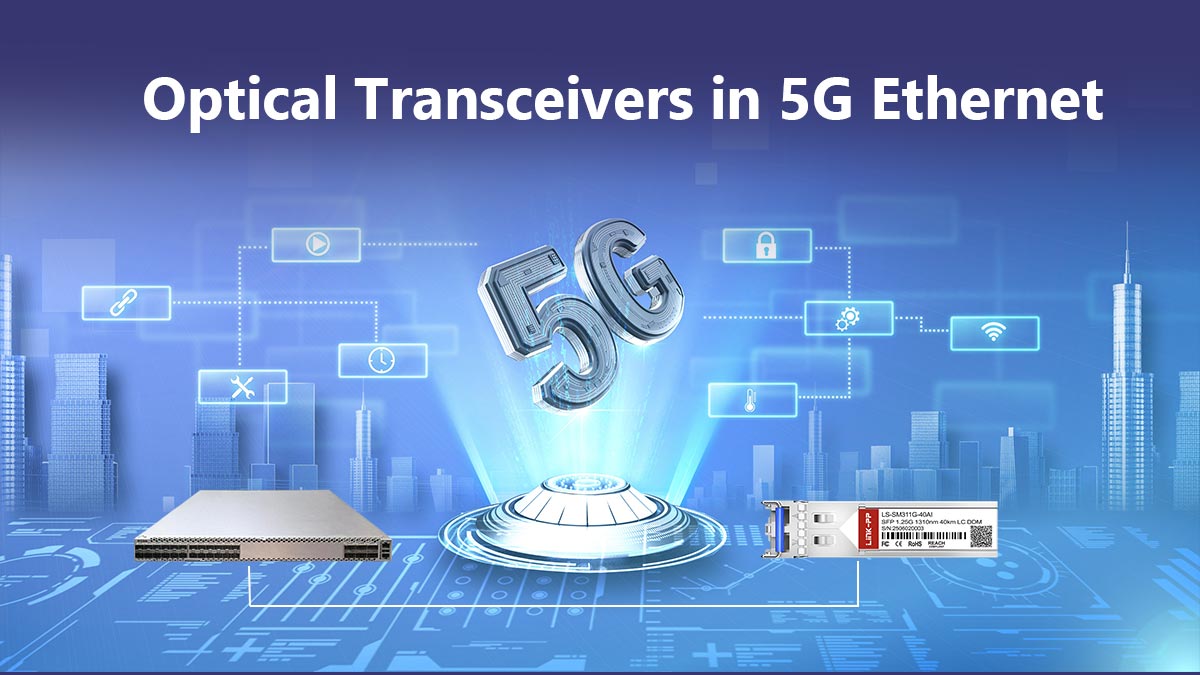
Most 5GbE devices use:
-
5GBASE-T
-
RJ45 connectors
-
and Cat5e or Cat6 copper cabling
just like traditional Ethernet networks.
For many users, upgrading to 5GbE is as simple as deploying:
-
a multi-gig switch,
-
compatible NICs,
-
and proper copper cabling.
Can 5GbE Connect to SFP+?
Yes — but indirectly.
While native 5GbE SFP+ optical modules are uncommon, many enterprise and SMB networks combine:
-
5GbE copper access ports with 10GbE SFP+ uplinks
inside the same switch architecture.
This is extremely common in:
-
enterprise aggregation layers,
-
NAS environments,
-
virtualization networks,
-
and Wi-Fi infrastructure deployments.
For example:
-
end devices may connect through RJ45 5GbE ports,
-
while the switch uplinks to the core network through:
-
SFP+ DAC cables,
-
fiber transceivers,
-
or 10GbE optical modules.
-
In this design, 5GbE operates at the network edge, while SFP+ handles higher-bandwidth backbone traffic.
Can You Use Fiber With 5Gb Ethernet?
Yes.
Although 5GbE itself is most commonly deployed over copper, fiber is often used for:
-
switch uplinks,
-
long-distance interconnection,
-
backbone aggregation,
-
and EMI-sensitive environments.
Instead of using native 5Gb optical modules, many networks simply:
-
aggregate multiple 5GbE clients,
-
then uplink through 10GbE or higher-speed fiber links.
This approach provides:
-
better scalability,
-
longer transmission distance,
-
lower electromagnetic interference,
-
and easier enterprise expansion.
What About RJ45 SFP+ Copper Transceivers?
Some users deploy RJ45 SFP+ copper transceivers to connect multi-gig copper devices into SFP+ switch ports.
These modules can sometimes support:
-
1GbE
-
2.5GbE
-
5GbE
-
and 10GbE negotiation
depending on:
-
switch compatibility,
-
module chipset,
-
and firmware support.
This is useful when:
-
a switch mainly uses SFP+ architecture,
-
but certain endpoints still require RJ45 copper connectivity.
However, users should verify compatibility carefully because not all SFP+ switches fully support multi-gig copper transceivers.
Do You Actually Need a Transceiver?
For most standard 5GbE deployments: No, optical transceivers are not required.
A typical 5GbE network works entirely through:
-
RJ45 ports
-
and copper Ethernet cabling.
However, optical transceivers become valuable when networks need:
-
higher-speed uplinks,
-
long-distance links,
-
fiber backbone aggregation,
-
or integration with enterprise SFP+ infrastructure.
In practical terms: 5GbE usually handles endpoint connectivity,
while optical transceivers are commonly used for switch uplinks and backbone expansion.
🌐 Common Problems With 5G Ethernet
Although 5GbE is generally easier to deploy than traditional 10GbE networking, users can still encounter compatibility and performance issues during real-world installations.
The most common problems include:
1. Auto-Negotiation Mismatch
Some switches, NICs, and adapters may fail to negotiate proper multi-gig speeds correctly. When this happens, the connection may fall back to:
-
1GbE
-
or unstable intermittent links.
This issue is especially common when mixing hardware from different vendors.
2. Overheating Adapters and Transceivers
USB multi-gig adapters and RJ45 copper transceivers can generate significant heat under sustained traffic loads.
In some cases, overheating may cause:
-
reduced throughput,
-
random disconnects,
-
or unstable performance.
Proper airflow is important for high-speed multi-gig devices.
3. Driver and Firmware Issues
Outdated drivers or unsupported chipsets may create:
-
inconsistent transfer speeds,
-
dropped connections,
-
or operating system compatibility issues.
Keeping NIC firmware and drivers updated is often essential for stable 5GbE operation.
4. Switch Compatibility Problems
Not all switches fully support:
-
2.5GbE,
-
5GbE,
-
or multi-gig RJ45 SFP+ transceiver.
Before deployment, users should verify:
-
supported speed modes,
-
transceiver compatibility,
-
and vendor firmware limitations.
5. Underperforming Old Cabling
Although 5GbE can often run over existing Cat5e cabling, older or poorly installed cables may reduce real-world performance.
Common symptoms include:
-
unstable negotiation,
-
or lower-than-expected throughput.
In many cases, the cable itself becomes the hidden bottleneck in a multi-gig network.
🌐 Is 5G Ethernet Worth It?
For many modern networks, the answer is yes.
5G Ethernet (5GbE) fills an important gap between traditional Gigabit networking and full 10GbE infrastructure. It delivers substantially faster local network performance while often avoiding the higher cost, heat, and deployment complexity associated with 10 Gigabit Ethernet.
For users who regularly:
-
transfer large files,
-
run NAS systems,
-
deploy Wi-Fi 6/6E/7 access points,
-
manage multi-user office traffic,
-
or build advanced home labs,
5GbE can provide a noticeable real-world improvement over standard Gigabit Ethernet.
Who Should Choose 5GbE?
5GbE is a strong choice for:
-
creators and video editors,
-
SMB office environments,
-
NAS-heavy workflows,
-
virtualization labs,
-
and users upgrading from Gigabit without needing full enterprise networking.
It is especially attractive when existing Cat5e or Cat6 cabling can still be reused, helping reduce upgrade costs.
Who Should Skip Directly to 10GbE?
Some environments may benefit more from moving directly to 10GbE, especially if they involve:
-
enterprise storage,
-
AI workloads,
-
heavy virtualization,
-
large-scale media production,
-
or long-term infrastructure expansion plans.
In these scenarios, 10GbE often provides better long-term scalability and broader enterprise ecosystem support.
The Best Upgrade Strategy
For many organizations, the most practical approach is a hybrid design:
-
5GbE for endpoint connectivity combined with 10GbE or fiber uplinks for aggregation and backbone traffic
This allows businesses to increase bandwidth efficiently without fully rebuilding the network at once.
As multi-gig networking continues to expand across Wi-Fi 7, NAS storage, and high-speed broadband environments, 5GbE is likely to remain an important transitional and mid-tier Ethernet standard for years to come.
Final Recommendation
If your current Gigabit network feels limiting but full 10GbE deployment seems unnecessary or too expensive, 5GbE is often the most balanced upgrade path.
And for networks integrating:
-
multi-gig switches,
-
SFP+ uplinks,
-
or fiber backbone connections,
choosing reliable optical connectivity components is equally important.
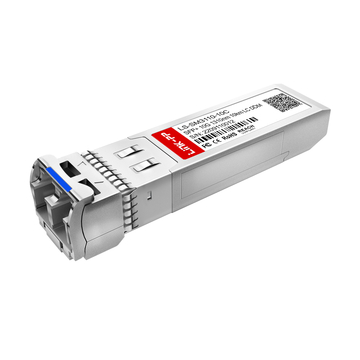
Explore high-performance multi-gig and fiber networking solutions at the LINK-PP Official Store, including Ethernet optical transceivers, RJ45 SFP+ modules, and enterprise connectivity products designed for modern 5GbE and 10GbE infrastructure deployments.