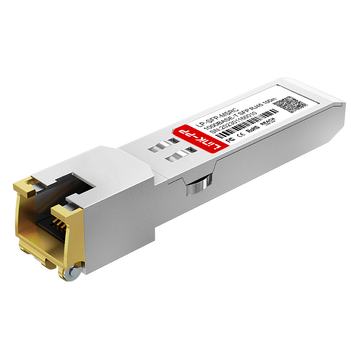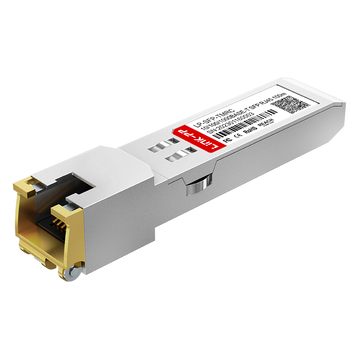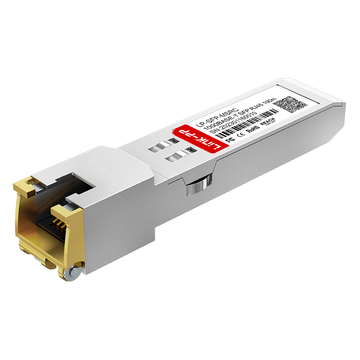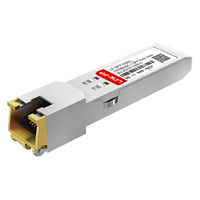
An SFP-GB-GE-T Cisco alternative is an MSA-compliant 1000BASE-T copper transceiver designed to seamlessly replace expensive OEM modules like the Cisco GLC-T or Cisco SFP-GE-T. By converting an optical SFP receptacle into an RJ45 interface, it enables Gigabit Ethernet transmission over Cat5e or Cat6 cabling up to 100 meters. These third-party modules utilize identical physical layer (PHY) silicon to OEM parts but require custom EEPROM coding to successfully bypass Cisco's "unsupported transceiver" software lockouts.
Enterprise network architects constantly balance hardware scalability against procurement budgets. When integrating legacy copper edge devices—such as Wi-Fi access points, IP cameras, or standard workstations—into modern fiber-aggregation switches, administrators must convert empty optical SFP slots into standard RJ45 interfaces.
Historically, Original Equipment Manufacturers (OEMs) like Cisco have dominated this space with proprietary modules such as the standard GLC-T or the temperature-extended SFP-GE-T. However, these first-party optics carry significant enterprise markups. Furthermore, Cisco's IOS software actively enforces vendor lock-in by scanning the module's internal Electrically Erasable Programmable Read-Only Memory (EEPROM). If the cryptographic Vendor ID does not match Cisco's signature, the switch immediately places the port into an err-disable state, halting all traffic.
MSA (Multi-Source Agreement) is an industry-wide standard that strictly defines the physical dimensions, electrical interfaces, and power draw of optical transceivers, ensuring that modules from different manufacturers are physically interchangeable.
The technically sound and budget-friendly solution is deploying third-party SFP-GB-GE-T modules. Fully compliant with the IEEE 802.3ab standard for Gigabit Ethernet over unshielded twisted pair (UTP), these compatible transceivers deliver the exact same physical layer performance and latency as their Cisco counterparts, often at a fraction of the cost.
This guide provides a definitive engineering framework for selecting and deploying SFP-GB-GE-T Cisco alternatives. Drawing from enterprise deployment telemetry and physical layer testing, we will dissect hardware equivalency protocols, resolve common SGMII auto-negotiation failures, and address the critical thermal management challenges inherent to deploying 1000BASE-T copper SFPs in high-density switch environments.
🚩 What is an SFP-GB-GE-T RJ45 Transceiver?
The SFP-GB-GE-T is an industry-standard networking module that converts a switch’s optical SFP receptacle into an electrical RJ45 copper interface. Operating under the IEEE 802.3ab (1000BASE-T) standard, it enables hardware to transmit 1 Gigabit per second (Gbps) data over standard Cat5e or Cat6 twisted-pair cabling up to a maximum physical distance of 100 meters. The nomenclature specifically denotes "Gigabit" (GB), "Gigabit Ethernet" (GE), and twisted-pair copper "Base-T" (T).
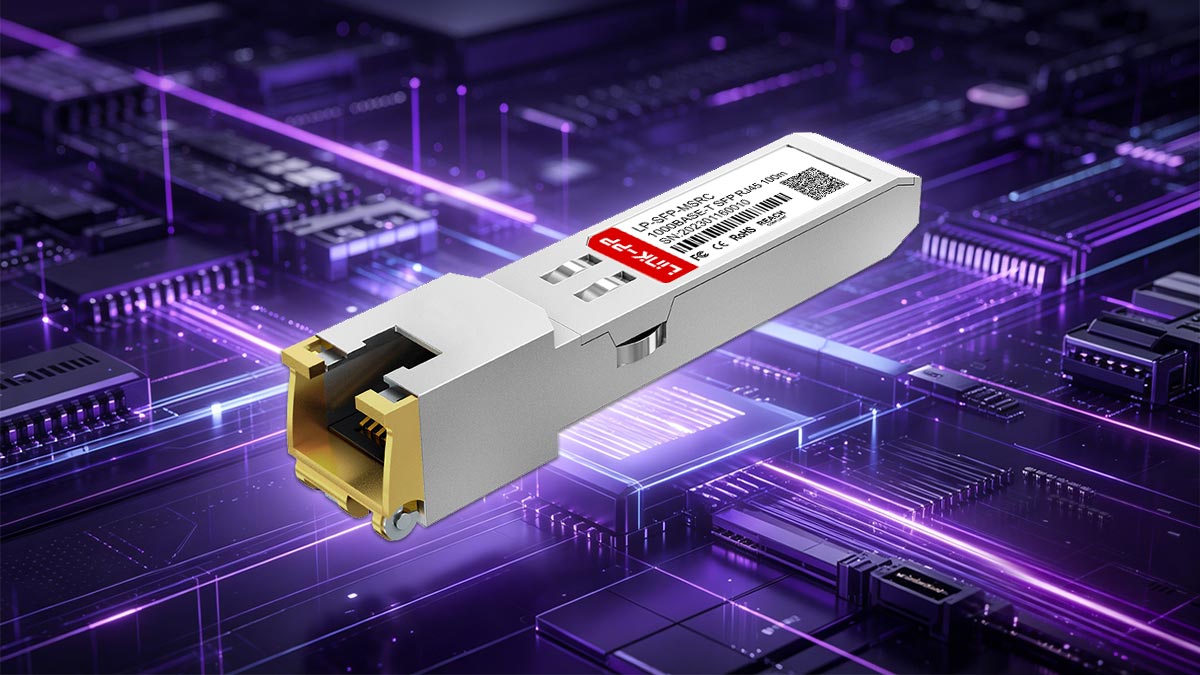
While standard SFP (Small Form-factor Pluggable) ports are natively engineered to interface with fiber optic cables utilizing laser diodes and photodetectors, enterprise environments frequently require backward compatibility with legacy copper infrastructure. The SFP-GB-GE-T bridges this physical layer gap. Originally popularized as a standard SKU by major Asian OEMs like Huawei and H3C, the "SFP-GB-GE-T" designation is now universally adopted by third-party optics manufacturers to identify their baseline 1000BASE-T copper transceivers.
The Optical-to-Copper Conversion Mechanism
To understand the utility of the SFP-GB-GE-T, one must look at its internal architecture. When inserted into an SFP slot, the host switch communicates with the module using serial signaling (typically intended for optical transmission). The SFP-GB-GE-T must perform complex signal translation in real-time.
PHY (Physical Layer Transceiver) is an integrated circuit embedded within the copper SFP module. It translates the digital MAC (Media Access Control) signals from the host switch into the analog electrical voltage pulses required for transmission over copper wiring.
The module utilizes an internal SGMII (Serial Gigabit Media Independent Interface) to interface with the switch's MAC. The embedded PHY chip then applies advanced Digital Signal Processing (DSP) and PAM-5 (Pulse Amplitude Modulation) encoding to transmit data simultaneously across all four twisted pairs of an RJ45 cable, achieving the 1 Gbps throughput mandated by the IEEE 802.3ab standard.
Core Technical Specifications: SFP-GB-GE-T
| Parameter | Technical Specification |
|---|---|
| Form Factor | MSA-Compliant SFP (Pluggable) |
| Connector Interface | Standard RJ45 Jack |
| Transmission Media | Unshielded Twisted Pair (UTP) Cat5e / Cat6 / Cat6a |
| IEEE Standard Compliance | IEEE 802.3ab (1000BASE-T) |
| Maximum Distance | 100 Meters (328 Feet) |
| Typical Power Consumption | ~1.0W to 1.2W per port |
Deployment Note: Because the SFP-GB-GE-T relies heavily on an internal PHY chip to perform continuous DSP for electrical transmission, it inherently draws significantly more power (up to 1.2W) compared to a standard optical SFP transceiver (which typically draws under 0.5W). This physical reality introduces specific thermal management requirements when deploying these modules in high-density enterprise switches.
🚩 SFP-GB-GE-T vs. Cisco GLC-T: Proving Hardware Equivalency
From a physical layer and hardware performance standpoint, a third-party SFP-GB-GE-T is virtually identical to the Cisco GLC-T and Cisco SFP-GE-T. Both module types utilize standardized internal PHY chips (such as those manufactured by Marvell or Broadcom) to deliver 1000BASE-T RJ45 connectivity up to 100 meters. The only functional difference is artificial: the Cisco modules feature an EEPROM cryptographically coded with a proprietary Vendor ID to satisfy Cisco IOS software checks, while generic modules must be custom-flashed to achieve the same plug-and-play compatibility.
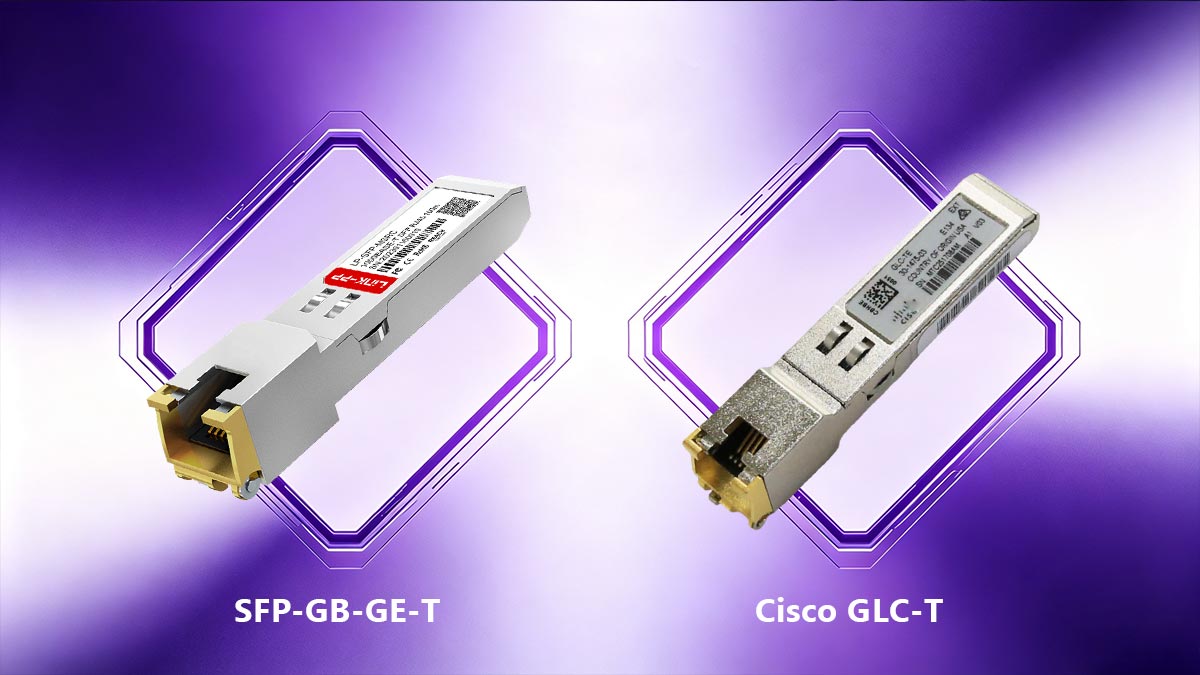
When engineering an edge network upgrade, procurement administrators frequently question whether transitioning away from first-party Cisco optics will degrade network reliability. The hesitation stems from a misconception that OEMs like Cisco manufacture functionally superior, proprietary hardware inside their optical transceivers.
In reality, the global optical transceiver market operates on strict standardization driven by the Multi-Source Agreement (MSA). To prove the hardware equivalency between an SFP-GB-GE-T and a Cisco GLC-T, we must examine the internal silicon and the mechanism of vendor lock-in.
The Silicon Reality: Shared PHY Architecture
Neither Cisco nor most third-party optics brands fabricate their own physical layer (PHY) chips for copper SFPs. Instead, both source their internal silicon from the same tier-one semiconductor foundries (such as Marvell Technology or Broadcom).
Because an SFP-GB-GE-T and a Cisco GLC-T must both adhere strictly to the IEEE 802.3ab standard to guarantee 1000BASE-T interoperability with endpoint devices, their internal DSP algorithms, PAM-5 encoding, and electrical voltage outputs are mechanically identical. Both will push exactly 1 Gbps of throughput over 100 meters of Cat5e cabling with identical latency profiles.
GLC-T vs. SFP-GE-T: The Cisco Distinction
To fully understand the equivalency, it is necessary to clarify Cisco's own internal naming conventions for copper modules:
- Cisco GLC-T: The original commercial-grade 1000BASE-T transceiver, designed for standard operating temperatures (0°C to 70°C).
- Cisco SFP-GE-T: The upgraded, NEBS 3 ESD-compliant version. It supports an extended operating temperature range (-5°C to 85°C) and provides superior protection against electrostatic discharge, making it suitable for industrial or unconditioned edge environments.
A high-quality third-party SFP-GB-GE-T can be manufactured to meet either of these specifications. Industrial-grade SFP-GB-GE-T variants are readily available that match the -5°C to 85°C thermal tolerance and NEBS 3 compliance of the premium Cisco SFP-GE-T.
The Software Barrier: EEPROM and Vendor Lock-In
If the physical hardware is identical, why does a Cisco Catalyst switch reject a generic SFP-GB-GE-T?
EEPROM (Electrically Erasable Programmable Read-Only Memory) is a small, non-volatile memory chip located on the SFP's printed circuit board (PCB). It communicates with the host switch via the I2C serial bus, relaying critical data such as the module's part number, supported speeds, and Vendor ID.
Cisco's IOS operating system actively interrogates the EEPROM of any inserted module. If the OS does not detect a valid, encrypted Cisco Vendor ID signature within specific memory addresses (specifically A0h and A2h), the switch executes a software lockout. It immediately flags the module as an "unsupported transceiver" and places the interface into an err-disable state, cutting off the electrical link to the RJ45 port.
Deployment Conclusion: The equivalency is absolute on the hardware layer. A third-party SFP-GB-GE-T serves as a flawless Cisco alternative, provided that the manufacturer has accurately flashed the module's EEPROM with the correct Cisco Vendor ID to satisfy the host switch's firmware validation.
🚩 How to Deploy SFP-GB-GE-T Cisco Alternatives
Deploying generic SFP-GB-GE-T modules in Cisco environments requires bypassing the operating system's proprietary vendor lock-in. When a Cisco switch detects an unrecognized EEPROM signature, it triggers an "unsupported transceiver" error and disables the port. Network administrators can bypass this barrier through two primary methods: executing undocumented CLI commands to force the switch to accept third-party optics globally, or purchasing pre-coded compatible transceivers that natively mimic the Cisco GLC-T EEPROM signature for immediate plug-and-play functionality.
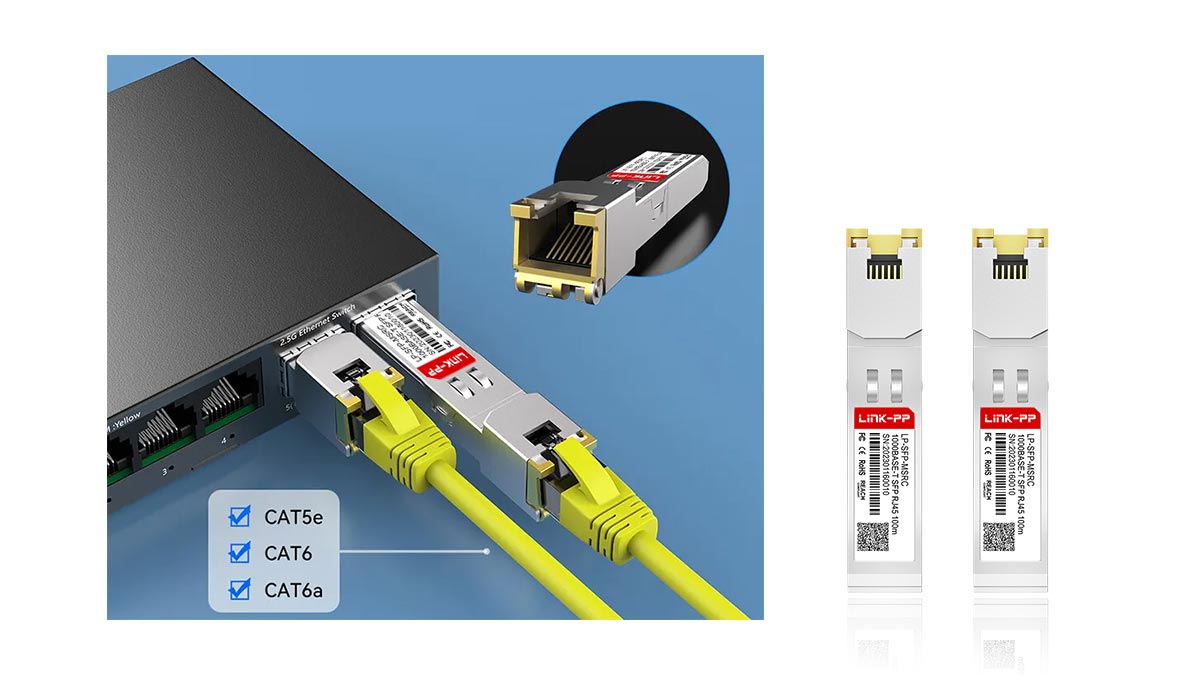
The physical act of inserting an SFP-GB-GE-T into a switch port is straightforward, but the logical deployment in a heavily restricted ecosystem like Cisco IOS or NX-OS requires specific engineering steps. If an administrator inserts a generic, uncoded 1000BASE-T module into a Catalyst switch (such as the C9300 or C3850 series), the system logs a %PHY-4-UNSUPPORTED_TRANSCEIVER error and immediately transitions the port into an err-disable state.
To successfully integrate cost-effective Cisco alternatives into your edge architecture without sacrificing port uptime, you must utilize one of the following two deployment strategies.
Method 1: The Software Override (CLI Workaround)
For homelab environments, testing facilities, or non-critical edge deployments, administrators can reconfigure the Cisco switch to ignore the EEPROM Vendor ID mismatch. This is achieved using a globally applied, hidden configuration command.
Undocumented CLI Command refers to an engineering-level command within a network operating system (like Cisco IOS) that does not appear when querying the standard help menu (using the ? keystroke) but remains executable by administrators.
To authorize third-party SFP-GB-GE-T modules, access the switch's Global Configuration Mode and execute the following syntax:
Switch(config)# service unsupported-transceiver
Warning: When Cisco determines that a fault or defect can be traced to the use of third-party transceivers installed by a customer or reseller, then, at Cisco's discretion, Cisco may withhold support under warranty or a Cisco support program.
Switch(config)# no errdisable detect cause gbic-invalid
Switch(config)# exit
The first command tells the OS to allow the module to power on, while the second command prevents the switch from automatically shutting down the port (err-disable) when it detects a generic GBIC or SFP.
Method 2: Pre-Coded Compatible Optics (The Enterprise Standard)
While the CLI workaround is technically effective, it introduces compliance and support liabilities in production enterprise environments. Altering global error-detection parameters can complicate troubleshooting and may void Service Level Agreements (SLAs) with Cisco Technical Assistance Center (TAC).
The definitive B2B solution is deploying pre-coded compatible optics. Specialized third-party manufacturers utilize advanced programming boards to overwrite the A0h and A2h hexadecimal address blocks within the SFP-GB-GE-T’s EEPROM. By flashing the exact cryptographic Vendor ID, part number (GLC-T or SFP-GE-T), and serial number logic expected by Cisco, the module becomes indistinguishable from a first-party OEM optic at the software layer.
Decision Support: CLI Workaround vs. Pre-Coded Optics
| Deployment Strategy | Pros | Cons |
|---|---|---|
| CLI Override (Generic SFP-GB-GE-T) |
|
|
| Pre-Coded Optics (Custom-flashed SFP-GB-GE-T) |
|
|
Engineering Best Practice: For core data centers and critical edge wiring closets, always procure pre-coded SFP-GB-GE-T transceivers. The fractional increase in per-unit cost compared to generic modules is negligible when weighed against the guarantee of seamless deployment, accurate SNMP telemetry, and preserved manufacturer support channels.
🚩 Thermal Management for 1000BASE-T Copper SFPs
SFP-GB-GE-T RJ45 modules inherently generate significantly more heat than optical fiber transceivers because their internal physical layer (PHY) chips must perform continuous, power-intensive Digital Signal Processing (DSP) to transmit electrical data over copper. Operating temperatures can easily reach 65°C to 70°C. To prevent thermal throttling and hardware failure, network administrators must enforce strict port density limits, avoiding the continuous side-by-side deployment of copper SFPs, particularly in passively cooled (fanless) switches.
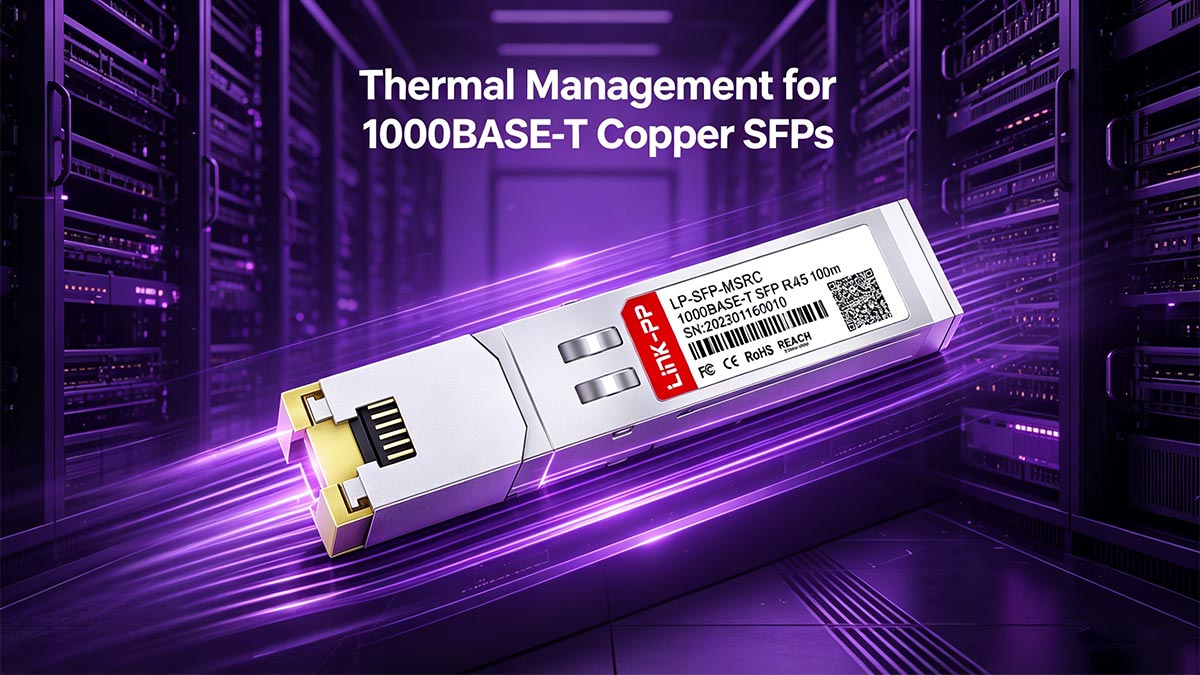
One of the most frequently discussed hardware challenges in networking communities—such as r/homelab and ServeTheHome forums—is the alarm users experience when handling a running RJ45 SFP module. Users often post warnings about SFP-GB-GE-T transceivers being "burning hot to the touch." This is not a manufacturing defect; it is an unavoidable consequence of electrical physics.
The Physics of Copper vs. Optical Power Draw
To understand the thermal discrepancy, we must compare the electrical requirements of the transmission media. An optical transceiver uses a highly efficient laser diode (VCSEL) to pulse light through glass, typically drawing less than 0.5 watts per port.
Conversely, an SFP-GB-GE-T must push a complex electrical signal (PAM-5 encoding) across 100 meters of unshielded copper wiring. Furthermore, it must constantly filter out Electromagnetic Interference (EMI) and alien crosstalk. This intensive DSP operation requires a robust internal PHY chip, which drives the module's power consumption up to 1.0W to 1.2W per port. At the physical layer, this doubled power draw translates directly into increased thermal output.
The Danger of High-Density Copper Deployment
Enterprise switches are designed with thermal envelopes based on the assumption that the majority of SFP ports will be populated with low-power optical modules or DAC cables. When an administrator populates a high-density switch (e.g., a 24-port or 48-port SFP chassis) entirely with SFP-GB-GE-T copper transceivers, they radically alter the thermal dynamics of the hardware.
Micro-Definition: Thermal Throttling is an automated protective measure where a switch's CPU or internal ASICs intentionally reduce data processing speeds—or shut down ports entirely—to prevent permanent physical damage from overheating.
If too many copper SFPs are clustered together, the combined heat cannot be dissipated fast enough by the switch's fans or heat sinks. This leads to localized hot spots, degraded port performance, and ultimately, premature failure of the transceiver's internal components.
Best Practices for Spacing and Density
To ensure maximum uptime and preserve the lifespan of both the SFP-GB-GE-T modules and the host switch, network engineers must implement strict thermal management protocols during deployment.
| Deployment Environment | Thermal Management Rule | Expected Outcome |
|---|---|---|
| Passively Cooled (Fanless) Switches (e.g., SMB/Homelab gear) |
Limit copper SFP usage to a maximum of 1 or 2 ports total. Never place them in adjacent slots. | Prevents the external aluminum chassis (heat sink) from becoming dangerously hot and triggering system shutdowns. |
| Actively Cooled (Fanned) 1U Switches (e.g., Standard Enterprise Edge) |
Enforce a "Checkerboard" pattern. Alternate every SFP-GB-GE-T with an empty slot or a low-power fiber module. | Provides adequate airflow around the metallic casing of each copper module, keeping temperatures below 70°C. |
| High-Density Chassis Switches (e.g., Core/Distribution layers) |
Consult the OEM datasheet. Many vendors explicitly cap 1000BASE-T modules at 6 to 8 per line card. | Maintains the thermal envelope of the line card, preventing localized ASIC failures and excessive fan RPM noise. |
Deployment Note: If your network architecture requires connecting more than six adjacent RJ45 devices to a fiber-aggregation switch, utilizing individual SFP-GB-GE-T transceivers becomes financially and thermally inefficient. In these scenarios, the superior engineering choice is to deploy a dedicated 1U copper edge switch and uplink it to the core using a single 10G SFP+ fiber connection.
🚩 Troubleshooting SGMII and Auto-Negotiation Failures
A frequent failure point when deploying SFP-GB-GE-T modules is the inability to establish a link with older 10Mbps or 100Mbps Ethernet devices. This occurs because the host switch's port uses a SERDES (Serializer/Deserializer) interface, which is physically locked to 1000 Mbps. To enable auto-negotiation down to 10/100 Mbps speeds, the SFP-GB-GE-T module must feature an internal PHY chip that explicitly supports the SGMII (Serial Gigabit Media Independent Interface) protocol.
When integrating a third-party Cisco alternative into a modern network, administrators often encounter a frustrating scenario: the SFP-GB-GE-T links perfectly when connected to a Gigabit workstation, but the port remains dead (no link light) when connected to a legacy IP phone, an older IoT sensor, or a Fast Ethernet (100BASE-TX) printer.

This is not a failure of the copper cabling or a defect in the transceiver itself. Rather, it is a mismatch in the internal electrical signaling protocols between the switch's motherboard and the SFP module. Resolving this requires a deep understanding of how speeds are negotiated at the physical layer.
The SERDES Bottleneck
In standard network architecture, the SFP port on the switch communicates with the inserted transceiver via a serial data bus. Historically, optical SFP ports utilize a protocol called SERDES (Serializer/Deserializer) (specifically, 1000BASE-X).
The critical limitation of the SERDES protocol is that it lacks a clock-rate multiplier. It operates at a fixed, unchangeable clock speed designed exclusively for 1 Gigabit per second. Therefore, if an SFP-GB-GE-T relies purely on SERDES to communicate with the switch, the module is physically hardcoded to 1000 Mbps. It cannot downshift its speed, causing auto-negotiation with a 100 Mbps endpoint to fail instantly.
The Solution: SGMII (Serial Gigabit Media Independent Interface)
To overcome the 1000 Mbps limitation, advanced copper transceivers utilize a different internal protocol called SGMII.
SGMII is a specialized interface standard that allows the internal PHY chip of the SFP-GB-GE-T to replicate data packets. When connecting to a 100 Mbps device, SGMII repeats each data bit 10 times; for a 10 Mbps device, it repeats each bit 100 times. This allows the switch's internal bus to continue running at its fixed 1 Gigabit speed while the external RJ45 port successfully communicates at legacy speeds.
How to Ensure 10/100/1000 Auto-Negotiation Success
If your edge deployment requires connecting to devices slower than 1 Gbps, you must verify the technical specifications of both your hardware and your transceivers before purchasing.
| Requirement | Technical Verification Step |
|---|---|
| 1. Transceiver SGMII Support | Check the third-party SFP-GB-GE-T datasheet. It must explicitly state "10/100/1000BASE-T" or "SGMII Interface." If it only says "1000BASE-T," it will likely fail auto-negotiation. |
| 2. Switch Port Compatibility | The host switch must also support SGMII on its SFP ports. While most modern Cisco Catalyst switches do, older enterprise gear or budget fanless switches may only support SERDES. |
| 3. Configuration (CLI) | If both hardware pieces support SGMII but the link fails, access the switch CLI. Ensure the port speed is set to speed auto and duplex is set to duplex auto. Hardcoding the speed to 100 on an SFP port often disables the SGMII translation. |
Deployment Note: When purchasing Cisco alternatives, clarify your speed requirements with the vendor. High-quality compatible optics manufacturers offer two distinct SKUs for copper SFPs: a cheaper, SERDES-only version (strictly 1000 Mbps) and a slightly more expensive SGMII-enabled version designed for full 10/100/1000 Mbps backward compatibility.
🚩 FAQ: SFP-GB-GE-T and Cisco Compatibility
1. Can I plug a 1G SFP-GB-GE-T into a 10G SFP+ port?
Yes. The physical dimensions of a 1G SFP and a 10G SFP+ transceiver are identical. Most modern Cisco Catalyst and Nexus switches support backward compatibility, allowing a 10G SFP+ port to read a 1G SFP-GB-GE-T module. Technical Note: While some switches auto-negotiate this downgrade successfully, others require the administrator to manually hardcode the port speed in the CLI using the speed 1000 command to establish the link.
2. Is the SFP-GB-GE-T module hot-swappable?
Yes. According to the Multi-Source Agreement (MSA) specifications, all SFP-GB-GE-T transceivers are hot-swappable. Network administrators can insert or extract the copper module from the switch chassis while the device is fully powered on. The switch's operating system will automatically detect the EEPROM, initialize the PHY chip, and bring the interface up without interrupting active traffic on adjacent ports.
3. What is the difference between SFP-GE-T and GLC-T?
The distinction lies in thermal tolerance. The Cisco GLC-T operates within a standard commercial temperature range (0°C to 70°C). The Cisco SFP-GE-T is engineered for extended temperature ranges (-5°C to 85°C) and complies with NEBS 3 ESD (Electrostatic Discharge) standards. When sourcing a third-party SFP-GB-GE-T, you can request either commercial or industrial-grade components to match these specific Cisco SKUs.
4. Will using a third-party SFP-GB-GE-T void my Cisco warranty?
No. Under the Magnuson-Moss Warranty Act, OEMs cannot legally void your hardware warranty simply because you utilized third-party compatible optics. Cisco’s official support policy states that if a network fault occurs, Technical Assistance Center (TAC) will still provide support for the switch. However, if TAC determines that the third-party SFP-GB-GE-T is the direct cause of the fault, they may require you to replace it with a Cisco-branded optic before continuing troubleshooting on that specific port.
🚩 Best SFP-GB-GE-T Cisco Alternatives: Deployment Recommendations
Selecting the optimal SFP-GB-GE-T Cisco alternative requires aligning the module's hardware specifications with your physical deployment environment. Administrators must choose between commercial-grade modules (GLC-T equivalents) for climate-controlled data centers, and ruggedized industrial modules (SFP-GE-T equivalents) for extreme thermal environments. Regardless of the hardware grade, procuring pre-coded optics is essential to bypass Cisco IOS vendor lock-in without resorting to global CLI overrides.
When finalizing the Bill of Materials (BOM) for an edge network upgrade, IT procurement teams should avoid treating all third-party copper SFPs as identical commodities. To ensure maximum port uptime and network reliability, your buying decision should follow a clear, environment-based recommendation path.
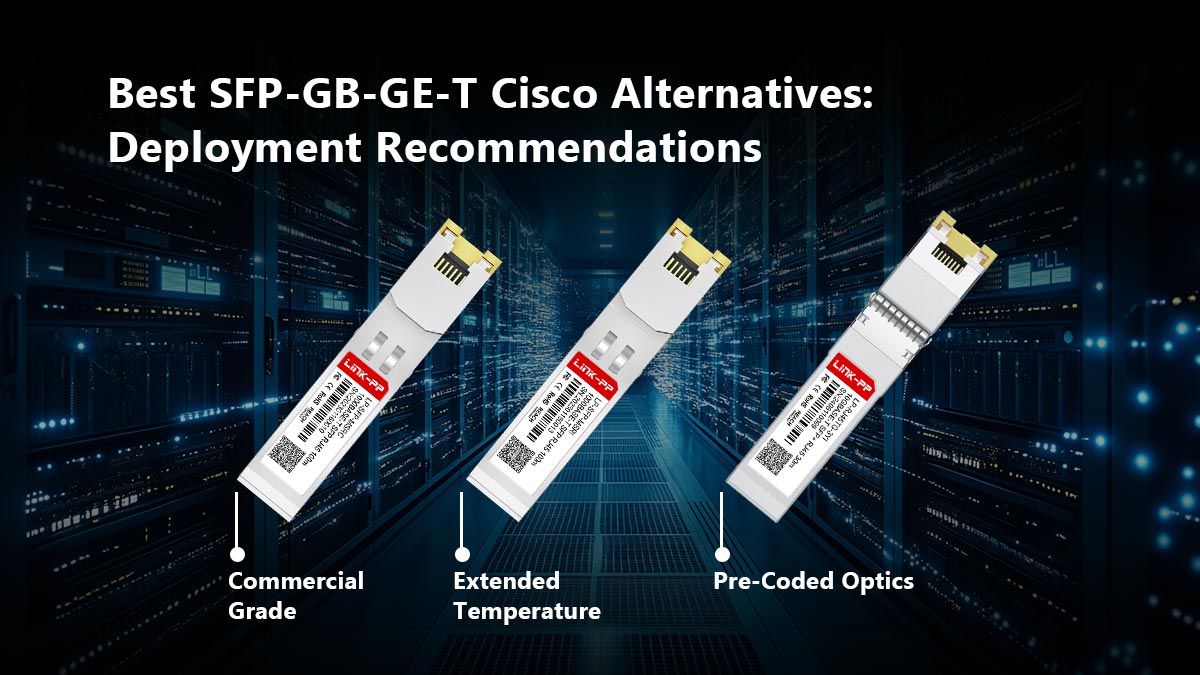
1. For Standard Enterprise Edge (Commercial Grade)
If you are deploying switches in a standard, climate-controlled Intermediate Distribution Frame (IDF) or office wiring closet, you do not need to pay a premium for extended thermal tolerances.
- Target Specification: 0°C to 70°C operating temperature.
- Cisco Equivalent: GLC-T or standard Cisco 1000BASE-T.
- Use Case: Connecting standard office IP phones, indoor Wi-Fi access points, and workstation RJ45 uplinks to a fiber-aggregation switch.
2. For Rugged and Industrial Edge (Extended Temperature)
Edge connectivity frequently pushes into non-conditioned environments, such as factory floors, outdoor NEMA enclosures, or cellular tower base stations. Standard commercial optics will experience thermal failure in these scenarios.
- Target Specification: -40°C to 85°C (Industrial) or -5°C to 85°C (NEBS 3 compliant) operating temperature, with advanced Electrostatic Discharge (ESD) shielding.
- Cisco Equivalent: SFP-GE-T (specifically variants with the "EXT" or "IND" designation).
- Use Case: Outdoor PTZ security cameras, industrial IoT sensor aggregation, and unventilated attic or warehouse switch deployments.
3. For Seamless Software Integration (Pre-Coded Optics)
The most critical factor in your buying decision is the software layer. Purchasing cheap, generic, "blank" SFP-GB-GE-T modules off secondary marketplaces frequently results in Catalyst switches throwing err-disable faults. To maintain Service Level Agreements (SLAs) and avoid complicated CLI workarounds, you must source modules from a vendor that programs the EEPROM specifically for Cisco hardware.
Streamline Your Transceiver Procurement
Network engineers should not have to compromise between enterprise-grade reliability and procurement budgets. To guarantee plug-and-play compatibility with Cisco IOS, support for SGMII auto-negotiation, and rigorous thermal testing, source your hardware directly from specialized optics manufacturers.
Upgrade your edge infrastructure today by visiting the LINK-PP Oficial Store for 1000BASE-T RJ45 Transceiver solutions, ensuring flawless integration into your existing Cisco architecture.