What is the most critical factor when budgeting for an SFP-10G-T-30?
The SFP-10G-T-30 is a 10GBASE-T copper transceiver compliant with the IEEE 802.3an standard, designed to push 10 Gbps over Cat6a cabling up to 30 meters. When budgeting, engineers must account not only for the hardware cost but also for its high power consumption (2.5W to 3.0W per module). It requires strict thermal management to prevent switch overheating and auto-negotiation drops.

As enterprise networks and edge data centers accelerate their migration to 10G and 25G speeds, network architects frequently face a physical infrastructure bottleneck: bridging legacy RJ-45 copper hardware (such as server NICs or ISP modems) with high-speed fiber SFP+ switches. If you are planning a Top-of-Rack (ToR) upgrade or building a budget-friendly homelab, the SFP-10G-T-30 is the industry-standard bridge for this exact scenario.
However, selecting a 30m 10GBASE-T copper module involves far more than simply finding the lowest price. Based on our field deployment data across ubiquitous hardware ecosystems—ranging from enterprise-grade Cisco Catalyst switches to prosumer Ubiquiti UniFi and MikroTik routers—we have observed a recurring issue: network engineers often underestimate the physical limitations of copper at 10G speeds.
Pushing 10 Gigabits of data over twisted-pair copper requires aggressive DSP (Digital Signal Processing)—a chip-level mechanism that constantly corrects signal degradation and electromagnetic interference (EMI). This heavy processing is exactly why copper modules run significantly hotter than fiber optics.
Before moving to the procurement phase, here is a quick baseline of the technical and budgetary realities you must accept:
- Power Budgeting: A single SFP-10G-T-30 module draws up to 3.0W. Fully populating a fanless 8-port switch with these modules will likely trigger thermal throttling.
- Cabling Strictness: While rated for 30 meters, this metric specifically mandates high-quality Cat6a or Cat7 cabling. Using standard Cat5e often results in the link downgrading to 1G at distances over 15 meters.
- Vendor Lock-in: Major OEM modules can cost upwards of $300, whereas third-party compatible transceivers (with correctly flashed EEPROM signatures) reduce the unit cost to roughly $40–$65.
In this guide, we will bypass the marketing jargon to provide a clear, data-backed roadmap for selecting, budgeting, and safely deploying the SFP-10G-T-30 transceiver in your network infrastructure.
🔶 What is the SFP-10G-T-30 Transceiver?
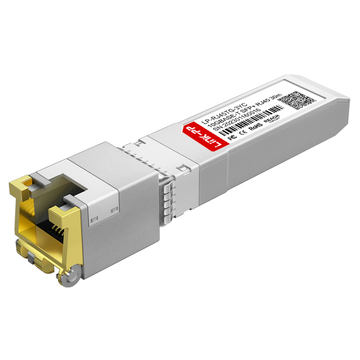
The SFP-10G-T-30 is a hot-swappable Small Form-factor Pluggable Plus (SFP+) module that converts a 10G optical switch port into a 10GBASE-T copper RJ-45 port. Compliant with the SFF-8431 MSA and IEEE 802.3an standards, it allows network engineers to transmit 10 Gigabit Ethernet over standard Cat6a twisted-pair cabling up to a hard physical limit of 30 meters.
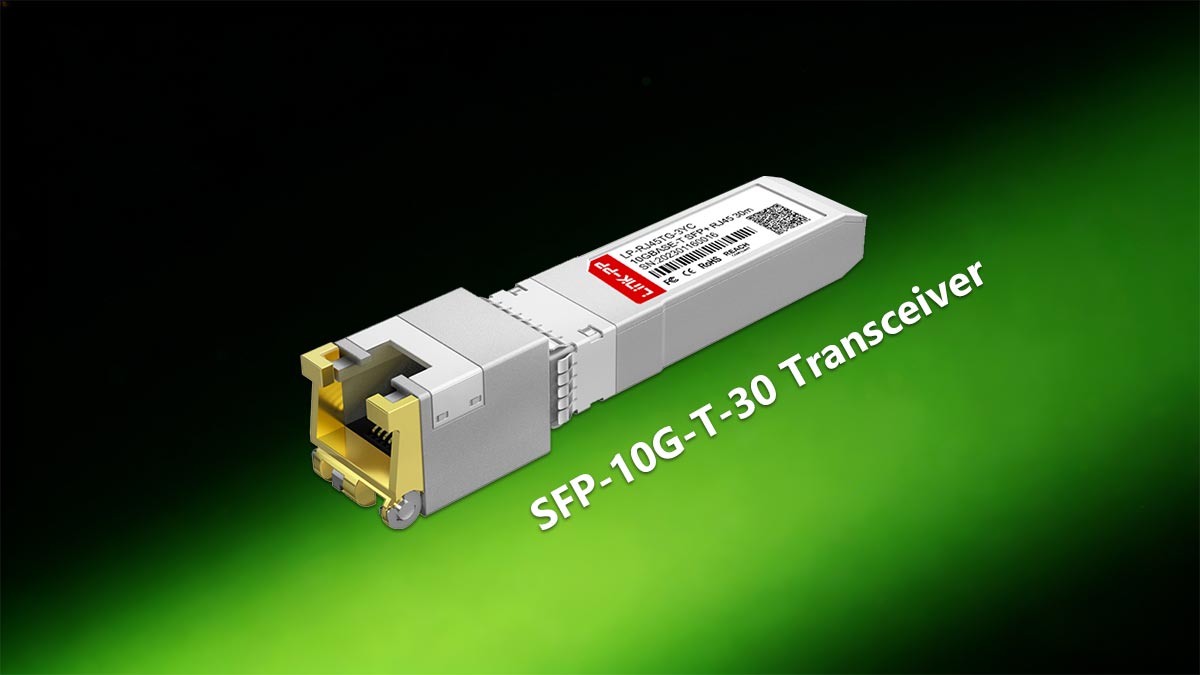
To fully understand this module's role in a network topology, we must break down its naming convention and the underlying physical layer (PHY) technology. The part number itself acts as a micro-specification sheet:
- SFP-10G: Denotes the form factor (SFP+) and the bandwidth capacity (10 Gigabits per second).
- T: Stands for "Base-T," indicating that the transmission medium is twisted-pair copper utilizing a standard RJ-45 interface.
- 30: Represents the maximum transmission distance of 30 meters (approx. 98 feet) when paired with shielded Cat6a or Cat7 cable.
The Technical Reality: Why is it limited to 30 meters?
A frequent question in IT procurement and homelab forums is: "The IEEE 802.3an 10GBASE-T standard supports up to 100 meters, so why is this specific SFP+ transceiver limited to 30 meters?"
The answer lies in electrical power and thermal dissipation constraints defined by the Multi-Source Agreement (MSA). The standard SFP+ cage on a network switch was originally engineered for fiber optic transceivers, which draw less than 1.0 Watt of power.
To push 10G over copper, the module relies on a heavy-duty PHY (Physical Layer) chip utilizing complex PAM-16 (Pulse Amplitude Modulation) encoding. Driving this signal the full 100 meters requires roughly 4.0W to 5.0W, which would physically melt a standard SFP+ port. By artificially limiting the DSP's reach to 30 meters, manufacturers keep the power draw between 2.5W and 3.0W—pushing the absolute maximum thermal limit of what a standard SFP+ cage can safely dissipate without damaging the switch.
| Technical Parameter | SFP-10G-T-30 Specification |
|---|---|
| Form Factor | SFP+ (Hot-pluggable) |
| Connector Interface | RJ-45 (Auto-MDI/MDIX) |
| Max Data Rate | 10.3125 Gbps |
| Max Distance | 30m (Strictly over Cat6a/Cat7) |
| Power Consumption | 2.5W (Typical) / 3.0W (Max) |
| Operating Temperature | 0°C to 70°C (32°F to 158°F) - Commercial Grade |
In short, the SFP-10G-T-30 is a highly specialized engineering compromise: it delivers the universal convenience of RJ-45 copper connectivity to high-speed fiber switches, provided you rigorously adhere to its 30-meter distance and thermal power limitations.
🔶 SFP-10G-T-30 vs. DAC vs. Fiber: When to Choose Copper
When should I use the SFP-10G-T-30?
Choose the SFP-10G-T-30 strictly when you must connect an SFP+ switch to legacy RJ-45 equipment (such as ISP modems, NAS devices, or older server NICs) within a 30-meter limit. For intra-rack connections under 5 meters, always use DAC (Direct Attach Copper) to minimize power draw. For any run exceeding 30 meters, or in environments with high electromagnetic interference (EMI), deploy Optical Fiber (SR/LR optics).
In enterprise IT procurement and homelab communities (such as Reddit’s r/networking), the debate over 10G transmission mediums is continuous. A common misconception among junior engineers is treating 10GBASE-T copper as the default standard simply because RJ-45 is familiar. However, from a physical layer perspective, pushing 10 Gbps over twisted-pair copper is an engineering compromise.
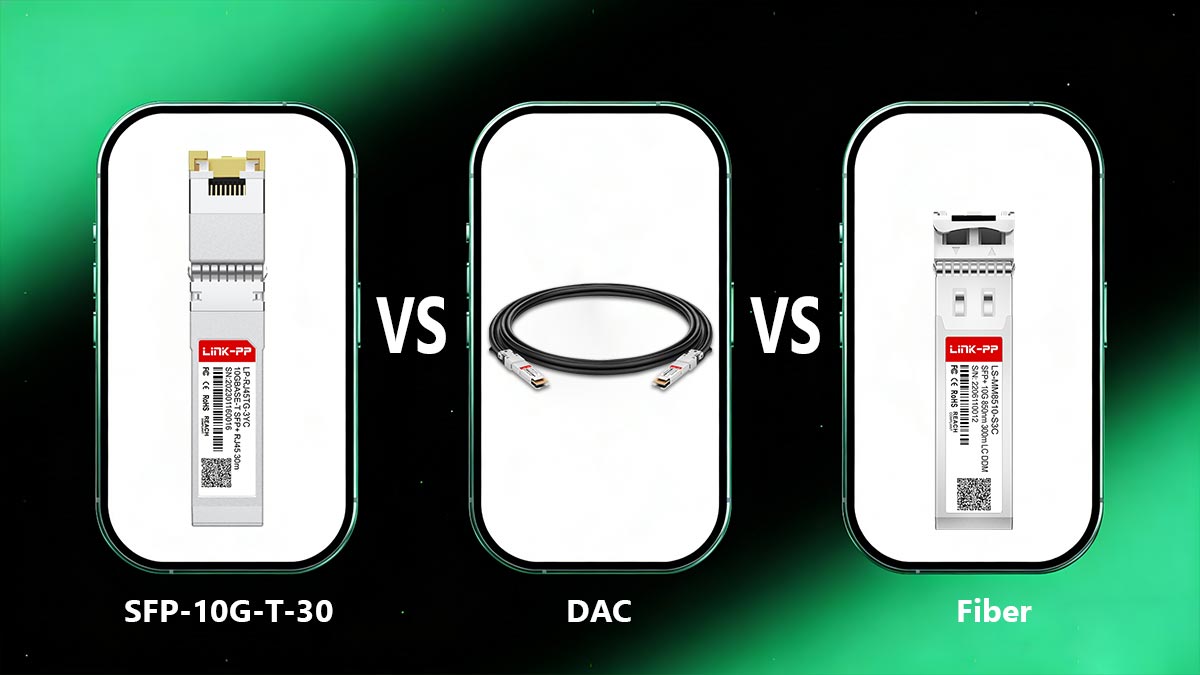
To eliminate ambiguity in your network design, you must evaluate three critical metrics: Power Draw, Distance, and DSP Latency. Because the SFP-10G-T-30 requires heavy Digital Signal Processing (DSP) to prevent signal degradation over copper, it introduces a microscopic but measurable delay—typically around 2.5 microseconds (µs) per link, compared to the near-zero latency of DAC or fiber.
| Transmission Medium | Max Distance | Power Draw (Per Port) | Latency (Approx.) | Best Use Case |
|---|---|---|---|---|
| DAC (Passive Twinax) | 5 Meters | < 0.1W | ~ 0.1 µs | Intra-rack ToR server patching |
| SFP-10G-T-30 (RJ-45) | 30 Meters | 2.5W - 3.0W | ~ 2.5 µs | Connecting legacy 10GBASE-T NICs |
| Fiber (SFP-10G-https://www.l-p.com/products/476059.htmSR) | 300 Meters (OM3) | < 1.0W | ~ 0.1 µs | Inter-rack or floor-to-floor links |
The 10G Architecture Decision Matrix
To optimize your Bill of Materials (BOM) and ensure long-term network stability, follow these field-tested architectural rules:
- Rule 1: Default to DAC for Short Runs. If your server and your switch are in the same rack (Top-of-Rack architecture), do not buy the SFP-10G-T-30. A passive DAC Twinax cable is drastically cheaper, consumes virtually zero power, and produces no heat.
- Rule 2: Fiber is the Gold Standard for Distance. If you need to connect a switch on the first floor to a server room on the third floor, optical fiber (paired with an SR or LR transceiver) is mandatory. Fiber is entirely immune to Electromagnetic Interference (EMI), making it future-proof and highly stable.
- Rule 3: Use the SFP-10G-T-30 as a "Bridge." The true value of the 30m copper module lies in bridging isolated systems. If you just upgraded to a high-speed fiber switch (like a Cisco Nexus or Ubiquiti Aggregation Switch) but your ISP handoff router, existing NAS, or workstation only has RJ-45 copper ports, the SFP-10G-T-30 is the most cost-effective hardware bridge available.
🔶 Heat Management: Why Do 10GBASE-T Copper Modules Overheat?
Why does my 10G copper SFP+ get so hot?
The SFP-10G-T-30 overheats because 10GBASE-T technology requires immense processing power to push 10 Gigabits over copper wires. The module's internal DSP (Digital Signal Processor) continuously runs complex error-correction algorithms (PAM-16 encoding) to fight signal degradation. This process consumes up to 3.0 Watts of power per port—nearly three times the heat output of a standard fiber optic module—pushing the physical limits of an SFP+ cage's heat dissipation capabilities.
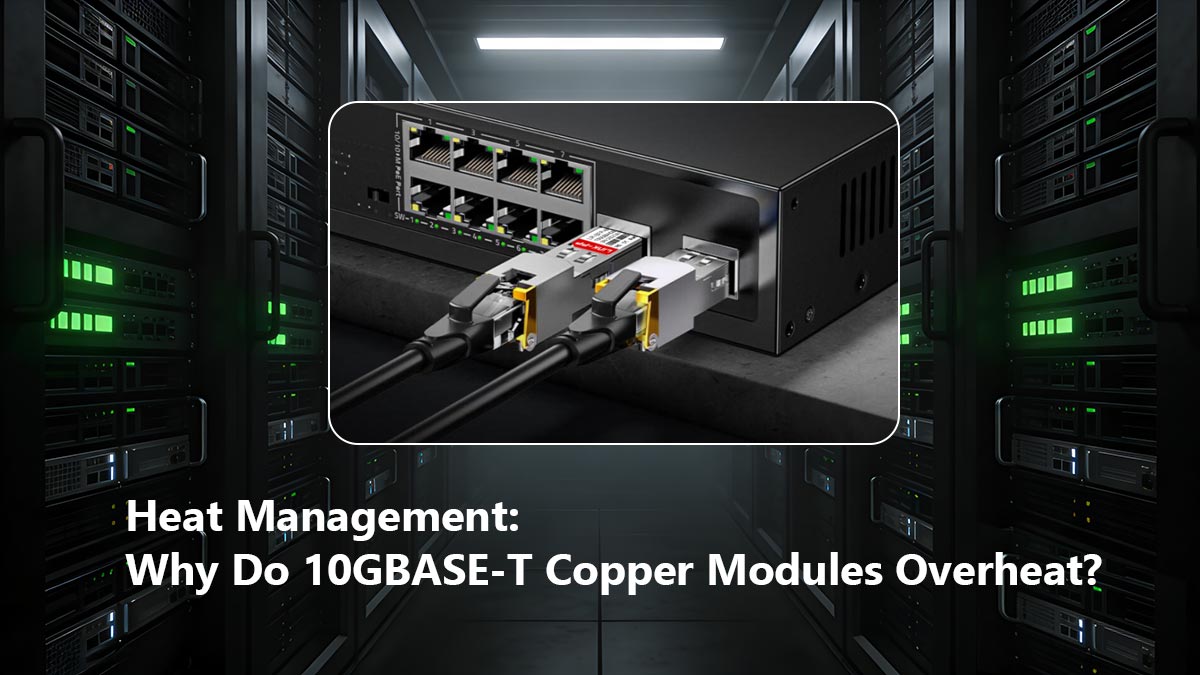
If you search through networking communities like Reddit’s r/homelab or the Ubiquiti Community Forums, the most frequently reported issue regarding 30m RJ-45 transceiver modules is extreme heat. Users frequently complain that the modules are "too hot to touch," or that installing them caused their switch's cooling fans to immediately spin up to 100%.
This is not a manufacturing defect; it is the physical reality of the IEEE 802.3an standard. Standard SFP+ ports were designed for fiber optics, which operate on roughly 0.8W to 1.0W. Forcing a port to constantly supply 3.0W to an SFP-10G-T-30 module fundamentally alters the thermal dynamics of your network hardware.
The Danger of Thermal Throttling
When an SFP-10G-T-30 module exceeds its commercial operating temperature threshold (typically 70°C or 158°F), it enters a state of Thermal Throttling. To protect the silicon from melting, the DSP chip intentionally reduces its processing capabilities. In a real-world network, this manifests in three ways:
- Auto-Negotiation Drops: The link will suddenly drop from 10G to 1G speeds.
- Packet Loss: The DSP can no longer correct line errors efficiently, causing CRC (Cyclic Redundancy Check) errors and dropped packets.
- Port Shutdown: Enterprise switches (such as Cisco Catalyst or Juniper EX series) monitor SFP temperatures via the I2C interface. If the thermal threshold is breached, the switch operating system will proactively disable the port to prevent hardware damage.
Field-Tested Cooling Strategies for Copper SFP+ Deployments
To safely deploy the SFP-10G-T-30 without compromising network stability, network architects must implement strict thermal management rules:
- Do Not Max Out Fanless Switches: Desktop or fanless edge switches (such as the MikroTik CRS305 or smaller UniFi fanless models) simply lack the airflow to cool multiple copper modules. Never fully populate a fanless 10G switch with SFP-10G-T-30 modules; limit them to a maximum of two ports.
- Implement "Checkerboard" Spacing: If you must install multiple copper modules in a rackmount switch, do not place them in adjacent ports. Leave an empty SFP+ port (or insert a cool-running DAC cable) between each SFP-10G-T-30 module to allow heat to dissipate from the metal cages.
- Use High-Grade Shielded Cabling: Using sub-standard Cat5e or unshielded Cat6 forces the module's DSP to work much harder to eliminate line noise. Using shielded Cat6a (F/UTP or S/FTP) reduces the error-correction workload on the DSP, marginally lowering the module's operating temperature.
🔶 Vendor Compatibility: Will the SFP-10G-T-30 Work in Your Switch?
Will a generic SFP-10G-T-30 work in my switch?
It depends on your switch vendor's firmware. "Unlocked" brands like Ubiquiti and MikroTik will accept generic SFP-10G-T-30 modules plug-and-play. However, enterprise vendors like Cisco, HP Aruba, and Juniper utilize vendor-lock mechanisms. To use a third-party 30m copper module in enterprise gear, you must either purchase a module with a custom-flashed EEPROM signature or use specific CLI commands to bypass the lock.
One of the most frustrating experiences in network engineering is plugging a brand-new SFP-10G-T-30 module into a switch, only to see the port status change to "err-disable" or "unsupported transceiver." To avoid costly procurement mistakes, it is crucial to understand how hardware compatibility works at the physical layer.
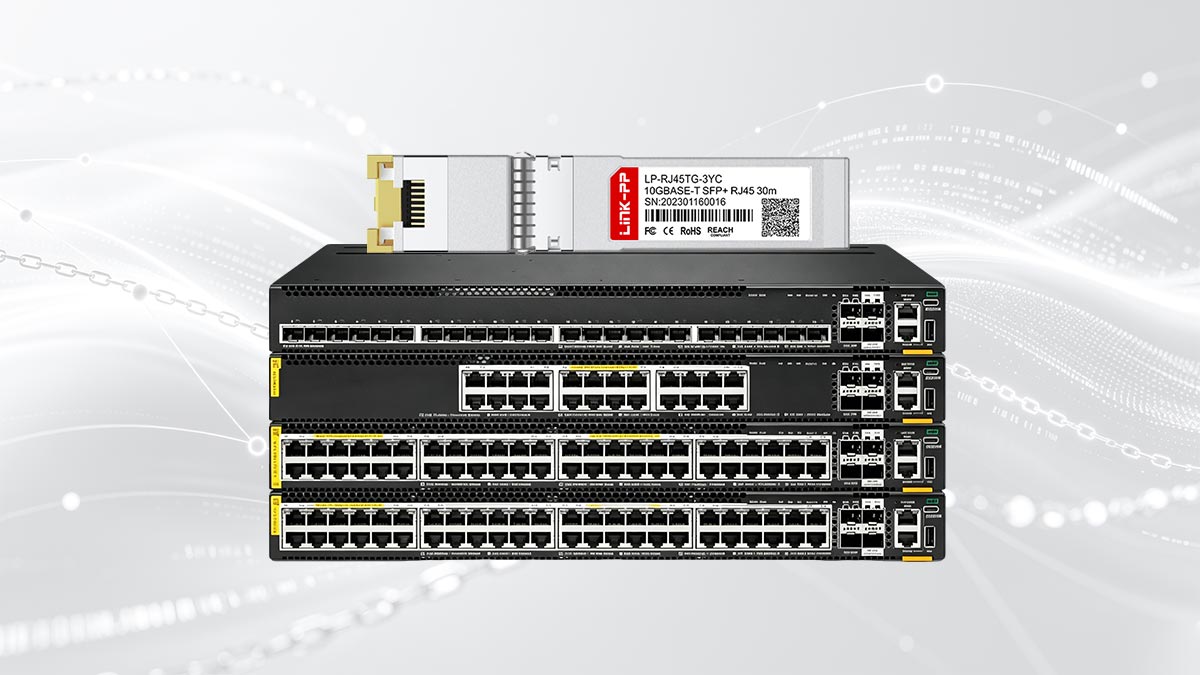
The Anatomy of Vendor Lock-in: The EEPROM Check
According to the SFF-8472 MSA standard, every SFP+ module contains a small memory chip called an EEPROM (Electrically Erasable Programmable Read-Only Memory). When you insert the SFP-10G-T-30, the switch's operating system reads this chip via the I2C bus to identify the vendor name, part number, and serial number.
If an enterprise switch detects that the module was not manufactured by them, it will deliberately shut down the port to force you into buying their highly marked-up OEM optics. Fortunately, third-party optical vendors (such as FS.com or 10Gtek) bypass this by legally reverse-engineering and flashing the EEPROM to mimic the exact signature expected by Cisco or HP.
Compatibility Matrix: Open vs. Closed Ecosystems
Based on extensive field deployments, here is how major networking brands handle generic SFP-10G-T-30 copper modules:
- The Open Ecosystems (Plug & Play): Brands like Ubiquiti (UniFi / EdgeSwitch), MikroTik, Netgear, and QNAP do not enforce vendor locks. A generic, uncoded SFP-10G-T-30 will work flawlessly in these switches without any configuration.
- The Hard-Locked Ecosystems (Custom EEPROM Required): Brands like HP Aruba and Extreme Networks are notoriously strict. You cannot use a generic module. You must specify your switch brand when purchasing from a third-party vendor so they can flash the correct HP/Extreme firmware onto the module before shipping.
- The Soft-Locked Ecosystems (CLI Bypass Available): Cisco Catalyst and Nexus switches will natively block generic modules, but Cisco provides a backdoor for engineers.
Expert Engineering Tip: The Cisco CLI Bypass
If you are deploying a generic SFP-10G-T-30 in a Cisco switch, you can force the OS to accept it by entering Global Configuration Mode and typing the following undocumented commands:Switch(config)# service unsupported-transceiverSwitch(config)# no errdisable detect cause gbic-invalid
Note: This will generate a warning log stating that Cisco TAC will not support the third-party hardware, but the 10G copper link will come up and function normally.
When budgeting for an SFP-10G-T-30, always communicate with your hardware supplier about your exact switch chassis and OS version to ensure the EEPROM is coded correctly for your specific environment.
🔶 SFP-10G-T-30 Budgeting Guide: Real Costs for SMBs and Homelabs
How much should I budget for an SFP-10G-T-30?
The cost varies drastically based on your procurement strategy. Purchasing an OEM-branded 10GBASE-T module directly from enterprise vendors (like Cisco or Juniper) will cost between $300 and $500 per port. However, sourcing a third-party, EEPROM-compatible SFP-10G-T-30 module from reliable optical vendors reduces the hardware cost to approximately $40 to $65 per unit, making 10G copper highly accessible for SMBs and homelab deployments.
For IT Procurement Managers and homelab enthusiasts, the financial appeal of the SFP-10G-T-30 lies in its ability to leverage existing RJ-45 infrastructure. However, a common mistake during the budgeting phase is only accounting for the cost of the transceiver itself. To accurately calculate your Total Cost of Ownership (TCO), you must factor in the hidden costs associated with 10G copper deployments.
The "OEM Tax" vs. Third-Party Optics
Enterprise networking vendors operate on a razor-and-blades business model, heavily marking up optical transceivers. For most Small and Medium Businesses (SMBs) and prosumer homelabs, paying the "OEM Tax" is unnecessary.
As long as the third-party SFP-10G-T-30 is compliant with the SFF-8431 MSA and is properly coded for your switch (as discussed in the compatibility section), it will perform identically to a $400 OEM module. The physical PHY chips inside (often manufactured by Marvell or Broadcom) are frequently the exact same components.
| Procurement Route | Estimated Cost (Per Module) | Best For |
|---|---|---|
| Enterprise OEM (e.g., Cisco, HP) | $300 - $500+ | Fortune 500s requiring strict SLA/TAC support |
| Coded Third-Party (e.g., FS.com, 10Gtek) | $50 - $65 | SMBs needing enterprise switch compatibility |
| Generic / Uncoded (Amazon/eBay) | $35 - $45 | Homelabs using unlocked gear (Ubiquiti/MikroTik) |
Hidden Deployment Costs to Include in Your BOM
To prevent budget overruns, ensure your Bill of Materials (BOM) accounts for the physical realities of the IEEE 802.3an standard:
- Cabling Upgrades (Cat6a): If your current building infrastructure relies on legacy Cat5e, the SFP-10G-T-30 will likely fail to negotiate at 10G over any meaningful distance. You must budget for high-quality Cat6a (F/UTP) patch cables. A certified 10-meter Cat6a cable typically adds $15 to $20 per link.
- Cooling and Airflow: As discussed in our thermal management section, these modules draw 2.5W to 3.0W. If you are deploying a dense cluster of these modules in a confined IT closet, you may need to budget for active rack ventilation (fans) to prevent switch hardware failure.
- Alternative Distance Costs: The SFP-10G-T-30 is strictly limited to 30 meters. If your site survey reveals a cable run of 50 meters, you cannot use this module. You will be forced to purchase the significantly more expensive 80m or 100m 10GBASE-T variants, which can cost $70 to $90+ even from third-party vendors.
By leveraging third-party optics and accurately mapping your cable distances, you can drastically reduce your network upgrade costs, making the SFP-10G-T-30 one of the highest ROI (Return on Investment) components in modern infrastructure.
🔶 Advice for Installing 30m RJ-45 Transceiver Modules
For a safe and stable installation, always insert the bare SFP-10G-T-30 module into the switch port first until you hear a mechanical "click," and then plug in the RJ-45 copper cable. Ensure your switch port is configured for auto-negotiation, and allow up to 10 seconds for the module's DSP to complete its link training process before assuming the connection has failed.
Even after selecting the right vendor and budgeting for the correct Cat6a cabling, the physical installation of the SFP-10G-T-30 requires a specific protocol. Unlike fiber optics, which are generally plug-and-play and instantly active, 10GBASE-T copper modules behave differently at the physical layer.
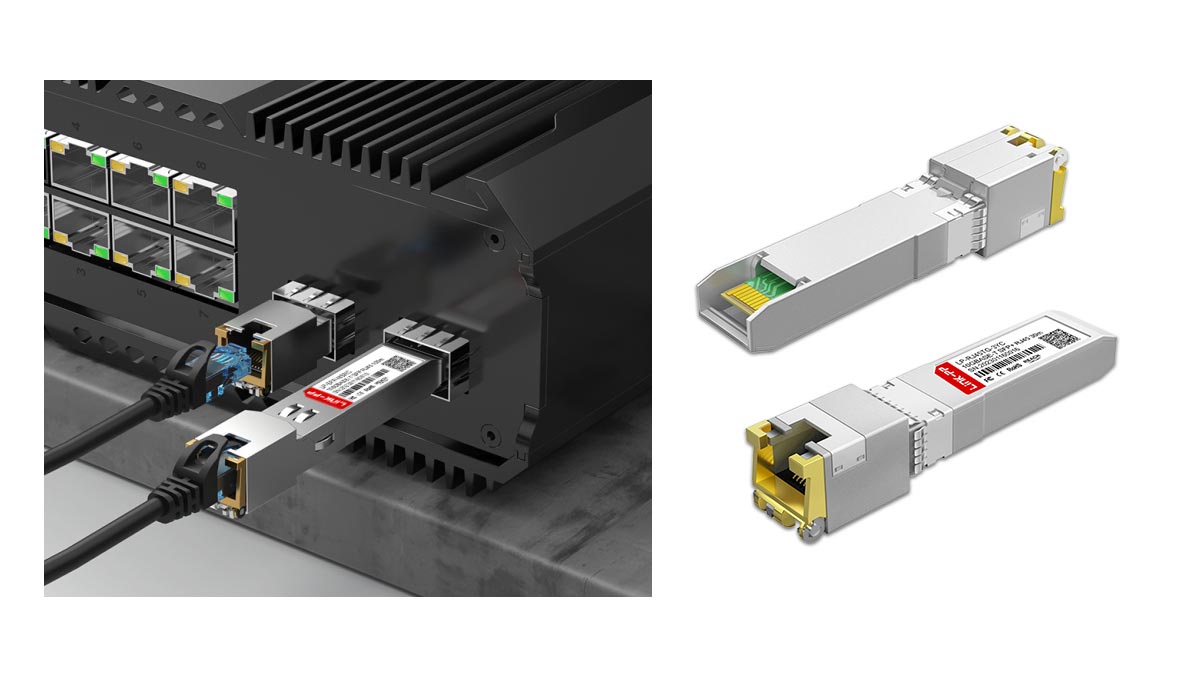
Based on hundreds of data center and edge network deployments, here is our top field advice to prevent hardware damage and troubleshooting headaches:
1. The "Module First, Cable Second" Rule
One of the most common ways junior technicians damage a Top-of-Rack (ToR) switch is by plugging a heavy, stiff Cat6a cable into the SFP-10G-T-30 module before inserting the module into the switch. The weight and torque of the copper cable can misalign the gold pins on the module or bend the delicate SFP+ cage on the switch. Always seat the bare module into the switch first. Once the bail clasp is locked, gently insert the RJ-45 connector.
2. Understand NBASE-T (Multi-Gig) Limitations
Many users purchase the SFP-10G-T-30 intending to connect their 10G switch to a 2.5G or 5G device (such as a Wi-Fi 6 Access Point or a modern desktop motherboard). Be warned: not all 30m modules support the IEEE 802.3bz (NBASE-T) standard.
If you buy a strictly 10G/1G SFP module and connect it to a 2.5G NAS, the link will auto-negotiate all the way down to 1 Gigabit. If you need intermediate speeds, you must explicitly verify that the module's EEPROM supports Multi-Gigabit (1G/2.5G/5G/10G) auto-negotiation before purchasing.
3. Patience During "Link Training"
When you plug in a fiber optic cable, the link light usually turns green instantly. When you plug in a 10GBASE-T copper cable, it may take anywhere from 3 to 10 seconds for the port to come up. This delay is caused by Link Training—a process where the module's DSP analyzes the length and noise of the copper cable to optimize its PAM-16 error-correction algorithms. Do not hastily unplug the module thinking it is dead; give the DSP time to negotiate the link.
By respecting the thermal limits, adhering to strict Cat6a distance rules, and following these physical installation protocols, the SFP-10G-T-30 will provide a highly reliable, budget-friendly bridge between your legacy copper hardware and your high-speed fiber infrastructure.
🔶 FAQ About SFP-10G-T-30
1. Is SFP-10G-T-30 compatible with Cat6 cable?
Yes. The SFP-10G-T-30 supports both Cat6 and Cat6a cables for 10GbE transmission up to 30m. Cat6 is usually sufficient for short-distance links, while Cat6a provides better signal stability and lower interference in enterprise environments.
2. What is the maximum distance of SFP-10G-T-30?
The maximum transmission distance is 30 meters over copper Ethernet cabling. This shorter range helps reduce power consumption and heat compared with traditional 80m or 100m 10GBASE-T RJ45 modules.
3. Why do 10G copper modules run hot?
10GBASE-T modules use complex signal processing to transmit high-speed Ethernet over copper cables. This requires more power than optical modules, which generates additional heat. Short-range models like the SFP-10G-T-30 are designed to lower thermal output and improve switch efficiency.
4. Can SFP-10G-T-30 work in non-Cisco switches?
Yes, many compatible SFP-10G-T-30 modules support multi-vendor switches, including Aruba, Juniper, Dell, MikroTik, and Ubiquiti platforms. However, compatibility depends on firmware, EEPROM coding, and switch transceiver policies.
5. Is fiber better than 10GBASE-T for data centers?
Fiber is generally better for high-density and long-distance data center networks because it offers lower latency, lower power consumption, and better scalability. However, the SFP-10G-T-30 remains a cost-effective solution for short-range 10G Ethernet deployments using existing RJ45 cabling.
🔶 Choosing the Right SFP-10G-T-30 Solution for Long-Term Network Value
The SFP-10G-T-30 is a practical solution for organizations that need reliable 10GbE connectivity over existing RJ45 infrastructure without the higher deployment cost of fiber optics. Its lower power consumption, optimized 30m transmission range, and compatibility with many enterprise switches make it especially suitable for SMB networks, homelabs, edge computing, and short-range data center uplinks.
When selecting a 10GBASE-T transceiver, it is important to evaluate:
- Switch compatibility
- Thermal performance
- Cabling quality
- Power efficiency
- Long-term scalability
For users seeking stable multi-vendor compatibility and cost-effective deployment, choosing a professionally tested module can significantly reduce network downtime and troubleshooting costs.
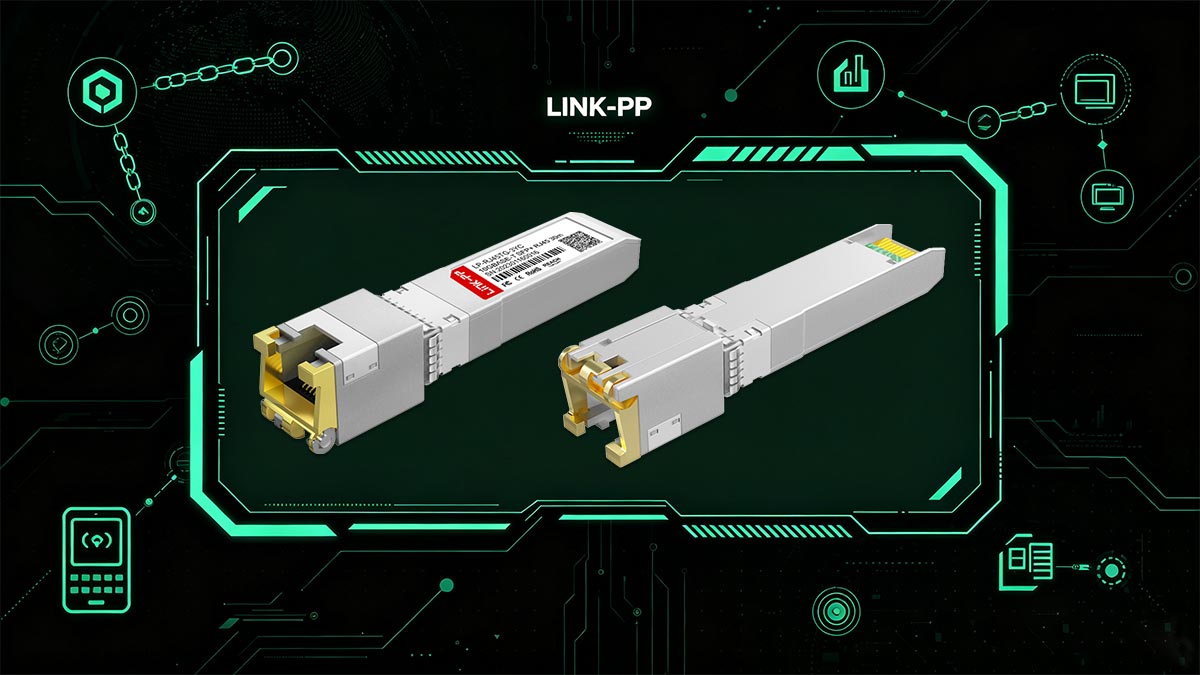
If you are planning to upgrade your 10G Ethernet infrastructure, the LINK-PP Official Store offers compatible SFP-10G-T-30 RJ45 transceiver modules designed for Cisco and other mainstream networking platforms, with support for enterprise, industrial, and homelab applications.

About the Author
Senior Network Architect Team with over a decade of hands-on experience in enterprise data center deployment, optical transceiver testing, and BGP routing. Certified in Cisco (CCNP) and Juniper architectures, specializing in physical layer (PHY) interoperability and high-speed fiber optic networks. Dedicated to translating complex IEEE standards into actionable IT procurement strategies.