



















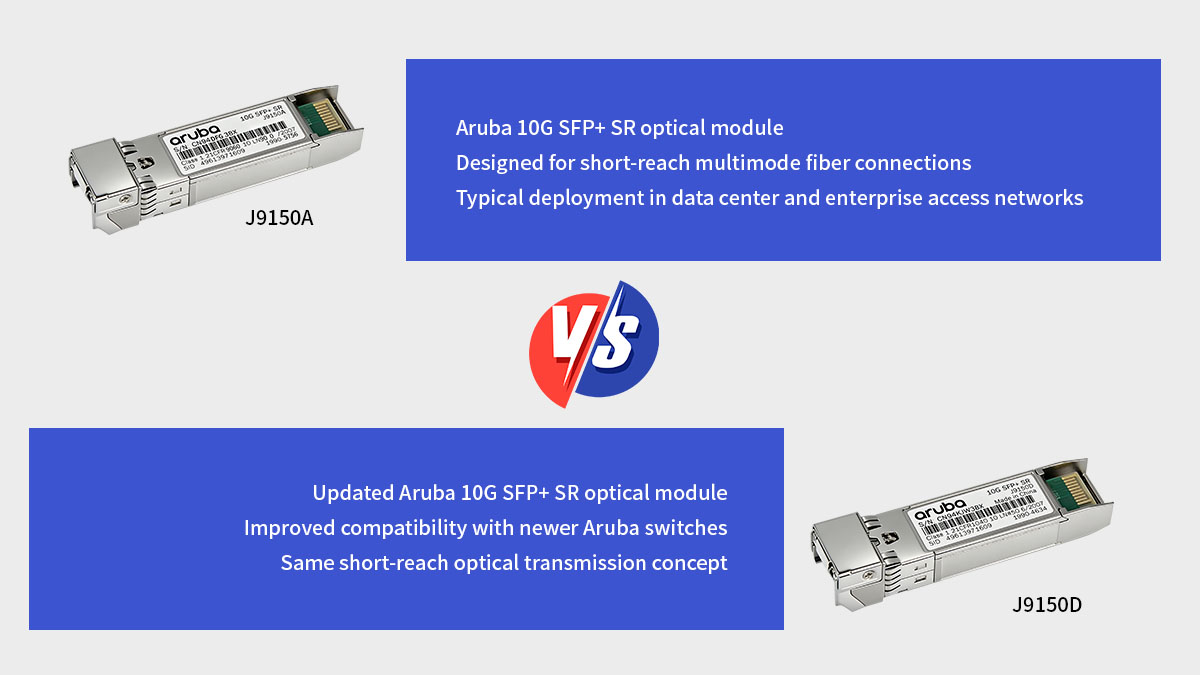
? J9150A vs J9150D Specifications Comparison
From a technical perspective, J9150A and J9150D share nearly identical optical specifications because both modules are designed for the 10GBASE-SR standard over multimode fiber. The main differences between them are related to product revision and lifecycle updates, rather than core transmission performance.
Core Technical Parameters
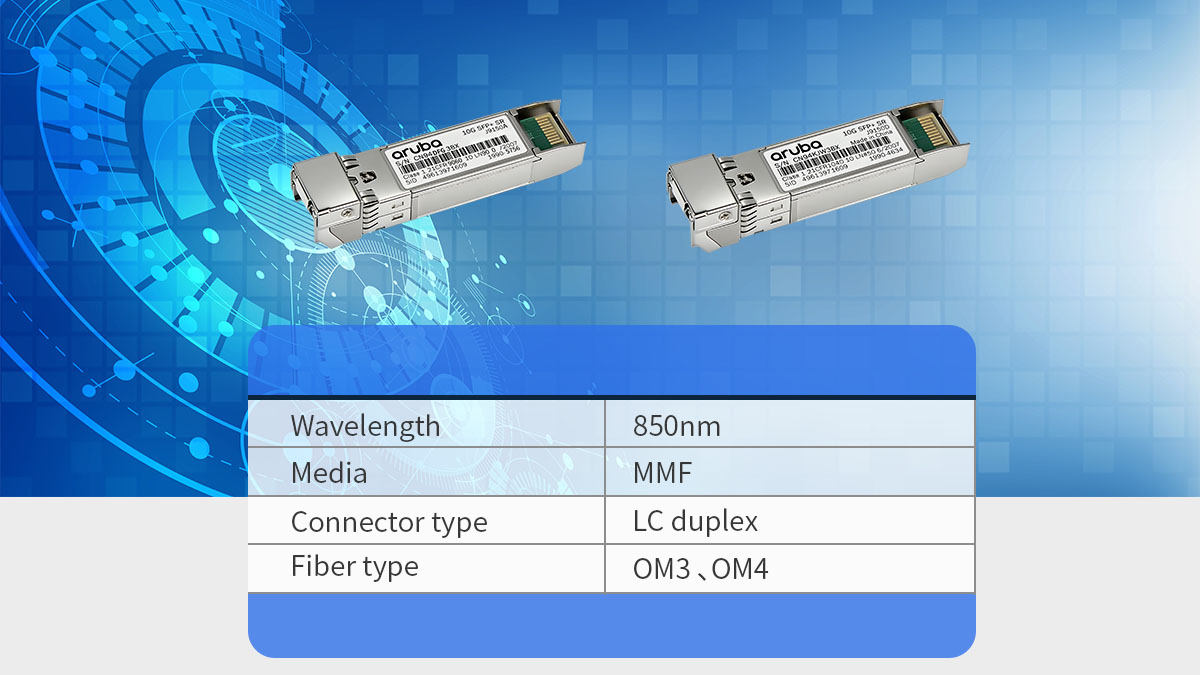
In terms of fundamental specifications, J9150A and J9150D provide the same 10Gbps short-reach optical connectivity using the SFP+ form factor and 850nm wavelength.
| Parameter | J9150A | J9150D |
|---|---|---|
| Form Factor | SFP+ | SFP+ |
| Data Rate | 10Gbps | 10Gbps |
| Wavelength | 850nm | 850nm |
| Fiber Type | Multimode Fiber (MMF) | Multimode Fiber (MMF) |
| Connector | Duplex LC | Duplex LC |
Both modules follow the IEEE 802.3ae 10GBASE-SR standard and use VCSEL transmitters with PIN receiver, enabling high-speed optical transmission within short distances in enterprise and data center networks.
In practical deployments, this means either module can deliver 10Gbps Ethernet connectivity between switches, servers, or storage systems without requiring different fiber infrastructure.
Transmission Distance
Both transceivers are designed for short-range optical links over multimode fiber, and their maximum distances depend mainly on the type of fiber used.
| Fiber Type | Maximum Distance |
|---|---|
| OM2 MMF | up to 82m |
| OM3 MMF | up to 300m |
| OM4 MMF | up to 400m |
These distance limits come from the 10GBASE-SR optical standard, which is optimized for short-reach high-bandwidth connections inside data centers or campus networks.
For most enterprise deployments, OM3 fiber supporting up to 300m is the most common configuration, particularly for switch uplinks or aggregation links within the same building.
Operating Environment
The environmental and electrical characteristics of J9150A and J9150D are also essentially identical, since both follow the same SFP+ optical module design standards.
| Parameter | Typical Value |
|---|---|
| Power Consumption | ≤1W |
| Supply Voltage | 3.3V |
| Operating Temperature | 0°C–70°C |
| Digital Diagnostics | Supported (DOM/DDM) |
These modules also support Digital Optical Monitoring (DOM), allowing network administrators to monitor parameters such as optical power levels and module temperature through the switch interface.
In production environments, this capability helps with proactive troubleshooting, making it easier to identify fiber loss, signal degradation, or potential hardware issues before they affect network performance.
Overall, the specification comparison between J9150A vs J9150D shows that their optical performance is virtually identical. The differences between the two models are mainly related to hardware revision, compatibility updates, and lifecycle management, which will be explored in the following sections.
? Hardware and Firmware Differences
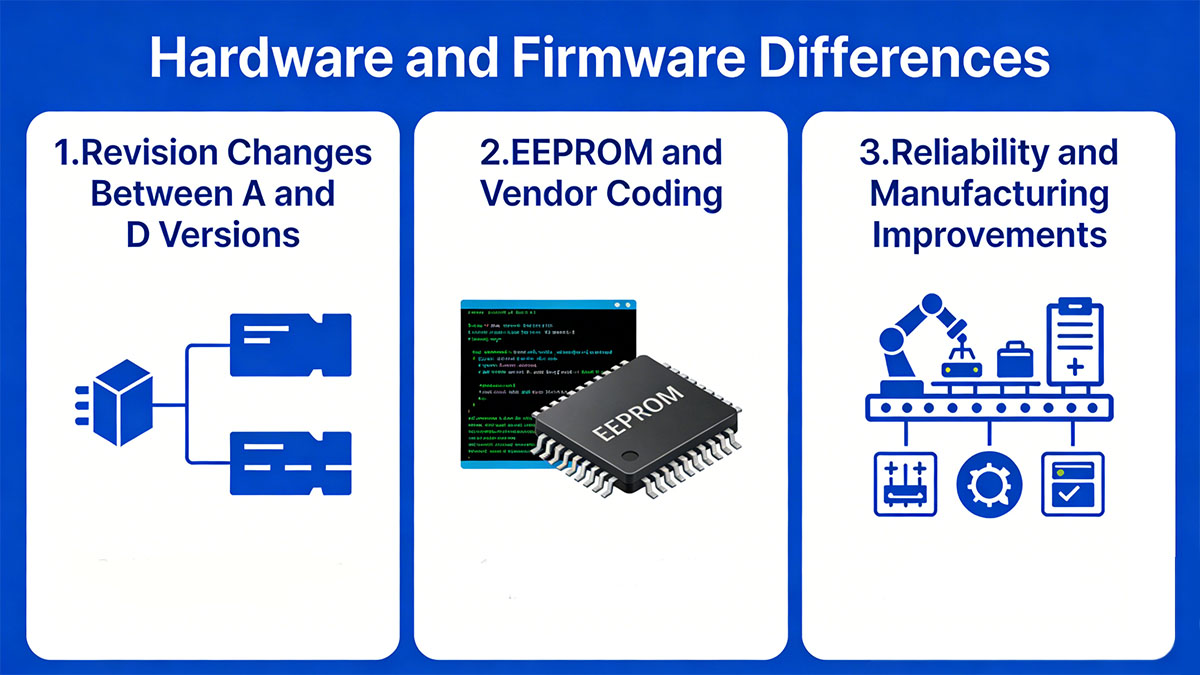
Although J9150A and J9150D share the same optical specifications, they differ in hardware revision, internal component updates, and vendor coding used by Aruba switches. These differences are mainly related to product lifecycle evolution, which affects compatibility with newer switch platforms and long-term availability.
Revision Changes Between A and D Versions
The J9150D module is essentially a later hardware revision of the J9150A transceiver. Aruba periodically updates transceiver models to align with newer switch generations, firmware validation, and component supply chains.
| Attribute | J9150A | J9150D |
|---|---|---|
| Product Generation | Earlier revision | Updated revision |
| Lifecycle Status | Older SKU | Newer SKU |
| Target Platforms | Earlier Aruba switches | Newer Aruba switches |
| Optical Standard | 10GBASE-SR | 10GBASE-SR |
Despite these revision updates, both modules still comply with the same 10Gbps SR optical standard, which is why their performance characteristics remain unchanged.
From a deployment perspective, this means J9150D was introduced primarily to refresh the product line rather than replace the optical technology itself.
EEPROM and Vendor Coding
One of the most practical differences between the two modules involves EEPROM data and vendor identification coding used by Aruba switches.
SFP+ transceivers contain internal EEPROM memory that stores identification data such as:
-
Vendor name
-
Part number
-
Hardware revision
-
Supported features
-
Diagnostic capabilities
Switch firmware reads this information when the module is inserted. Because J9150D uses updated vendor coding, it is more consistently recognized by newer Aruba firmware versions and switch platforms.
Typical implications include:
-
Improved compatibility with newer Aruba switch series
-
Better firmware recognition during module initialization
-
Reduced risk of compatibility warnings on updated systems
However, most Aruba environments still allow both modules to function normally when firmware compatibility is maintained.
Reliability and Manufacturing Improvements
Another reason vendors introduce revised transceiver models is to improve manufacturing stability and long-term reliability.
While Aruba does not publicly list every internal component change, later revisions such as J9150D typically include updates in areas such as:
-
Optical component sourcing
-
Internal circuit design adjustments
-
Firmware calibration updates
-
Supply chain optimization
These updates help manufacturers ensure:
-
Consistent production quality
-
Stable component availability
-
Extended product lifecycle support
For network operators planning long-term infrastructure deployments, this is one of the reasons newer revisions like J9150D are often recommended for new installations, while J9150A is more commonly found in existing networks.
? Compatibility with Aruba Switch Platforms
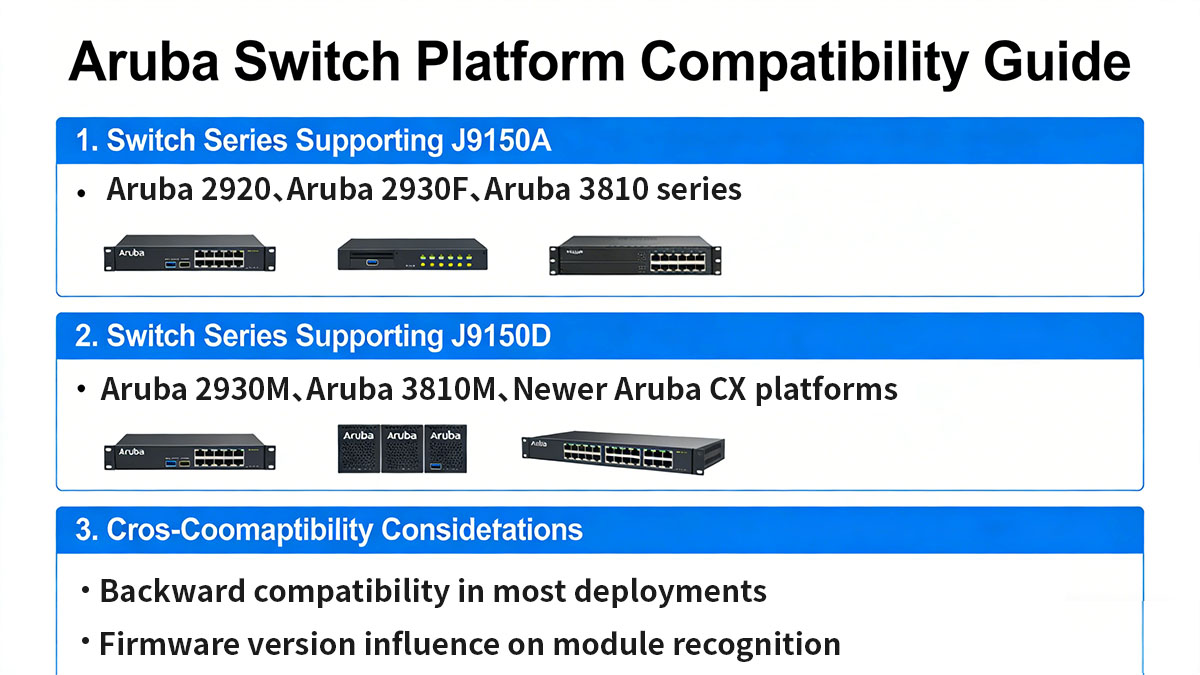
Compatibility is one of the most important factors when choosing between J9150A vs J9150D, especially in enterprise environments where switch firmware and hardware platforms evolve over time. Both modules are designed for Aruba 10Gbps SFP+ ecosystems, but J9150D generally provides broader support for newer switch platforms and firmware revisions.
Switch Series Supporting J9150A
J9150A is widely deployed in legacy and mature Aruba network infrastructures. It works reliably with many earlier-generation Aruba switches that support standard SFP+ SR optics.
| Switch Series | Compatibility Status |
|---|---|
| Aruba 2920 Series | Supported |
| Aruba 2930F Series | Supported |
| Aruba 3810 Series | Supported |
| Older ProCurve Models | Limited but possible |
J9150A remains popular in environments where networks were built several years ago and have not undergone major hardware refresh cycles. In these cases, administrators typically prioritize stability over new platform optimization.
However, in some newer firmware environments, administrators may need to verify:
-
Switch firmware version
-
Module whitelist configuration
-
Vendor-specific optical validation policies
These checks help prevent module recognition issues during system boot.
Switch Series Supporting J9150D
J9150D is more commonly recommended for newer Aruba network platforms because of updated EEPROM coding and product validation profiles.
| Switch Series | Compatibility Status |
|---|---|
| Aruba 2930M Series | Fully Supported |
| Aruba 3810M Series | Fully Supported |
| Aruba CX Series | Recommended |
| Newer Enterprise Switches | Preferred Choice |
J9150D is often deployed in modern data center or campus network upgrades, where organizations are gradually migrating to newer network architectures.
The primary advantage of J9150D in newer environments includes:
-
Faster module recognition during boot initialization
-
Reduced risk of firmware warning messages
-
Better alignment with Aruba's current product validation roadmap
Cross-Compatibility Considerations
In many practical deployments, J9150A and J9150D can be used interchangeably, but network engineers should always verify compatibility conditions before deployment.
Recommended validation steps include:
1. Firmware Version Check
-
Ensure switch firmware is updated to a version that supports third-party or updated revision optics if applicable.
2. Platform Validation
-
Confirm switch platform supports 10GBASE-SR SFP+ module.
3. Vendor Locking Policies
-
Some enterprise switches enforce strict optical module authentication.
4. DOM Monitoring Verification
-
After installation, check optical power and temperature readings through switch management interfaces.
Cross-Generation Deployment Strategy
For organizations managing mixed infrastructure environments, the following strategy is commonly adopted:
-
New deployments → Use J9150D
-
Existing infrastructure → Continue using J9150A
-
Large-scale upgrades → Standardize on one revision for simplified management
This approach helps reduce operational complexity while maintaining network stability.
Overall, while both J9150A and J9150D provide similar optical performance, J9150D offers better forward compatibility, making it a safer choice for future-proof network expansions.
? Fiber Cabling and Network Infrastructure Requirements
When deploying J9150A or J9150D 10G SFP+ SR transceivers, proper fiber cabling and infrastructure design is essential to achieve stable 10Gbps performance. Since both modules operate under the 10GBASE-SR multimode optical standard, network performance depends heavily on fiber quality, connector integrity, and link design rather than the transceiver hardware itself.
Supported Fiber Types
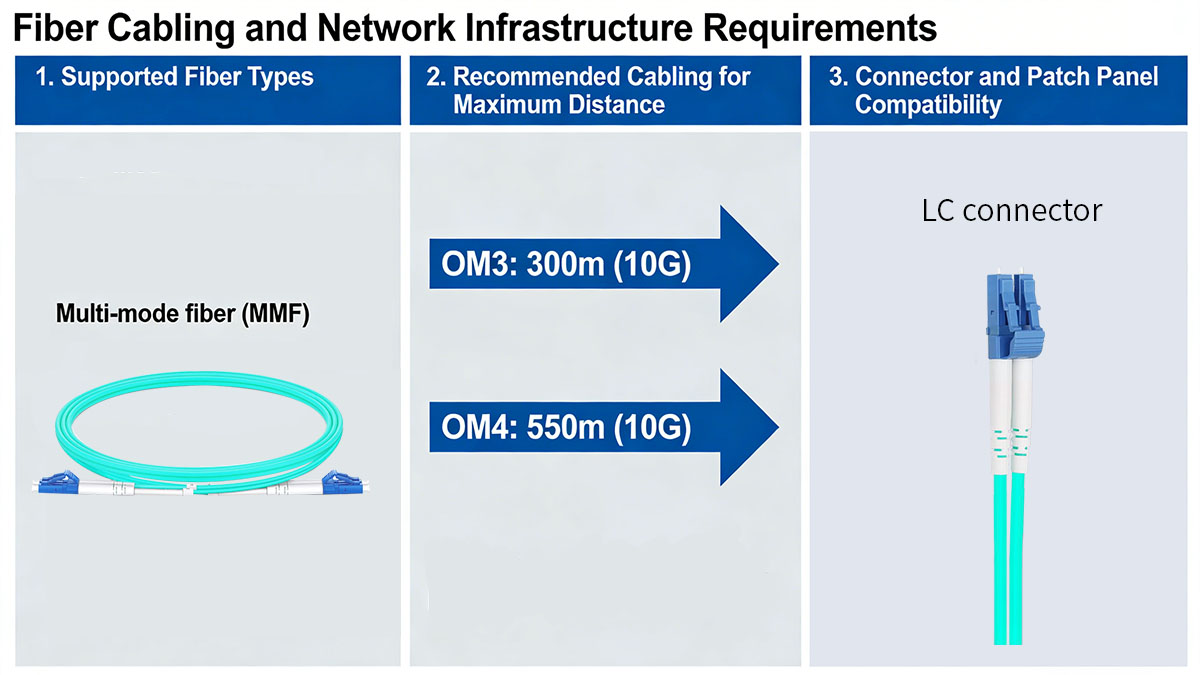
Both J9150A and J9150D support multimode fiber (MMF) transmission using 850nm short-wave lasers. Selecting the correct fiber type directly affects achievable transmission distance and signal quality.
The modules can work with several common multimode fiber grades:
| Fiber Type | Core Diameter | Max Distance @10Gbps |
|---|---|---|
| OM2 | 50/125µm | ~82m |
| OM3 | 50/125µm laser-optimized | ~300m |
| OM4 | 50/125µm high-performance | ~400m |
Conclusion:
-
OM3 fiber is the most commonly deployed option in enterprise networks.
-
OM4 fiber is preferred for higher performance or longer backbone connections.
OM4 fiber provides better modal bandwidth, which reduces signal dispersion and improves long-distance stability in high-density data center environments.
Recommended Cabling for Maximum Distance
To achieve the maximum transmission distance of 300m–400m, network designers should carefully consider cable quality and installation environment.
Best practice recommendations include:
-
Use laser-optimized multimode fiber instead of standard multimode fiber.
-
Maintain proper bend radius during installation.
-
Avoid excessive cable splicing or patch panel transitions.
Typical distance performance comparison:
| Deployment Scenario | Expected Stability |
|---|---|
| New OM4 fiber backbone | Excellent |
| OM3 data center links | Very Good |
| Older OM2 infrastructure | Acceptable but limited |
In practical networks, signal loss often occurs due to installation quality rather than transceiver capability. Excessive bending, dust contamination, or poor connector polishing can significantly reduce optical signal strength.
Connector and Patch Panel Compatibility
Both transceivers use Duplex LC connectors, which are standard in modern enterprise fiber infrastructures.
Key infrastructure considerations include:
Connector Quality
-
Use precision-polished LC connectors.
-
Ensure connectors are free from dust and scratches.
Patch Panel Deployment
-
Maintain clean fiber management inside racks.
-
Avoid excessive patch cable length between switches.
Polarity Verification
-
Ensure transmit (Tx) and receive (Rx) fibers are correctly aligned during installation.
| Component | Requirement |
|---|---|
| Connector Type | LC Duplex |
| Fiber Alignment | Tx/Rx polarity verified |
| Cleaning Method | Optical fiber cleaning tools recommended |
Overall, both J9150A and J9150D function optimally in well-designed multimode fiber infrastructures, with OM3 and OM4 fiber providing the best balance between cost and performance for most enterprise deployments.
? Typical Deployment Scenarios
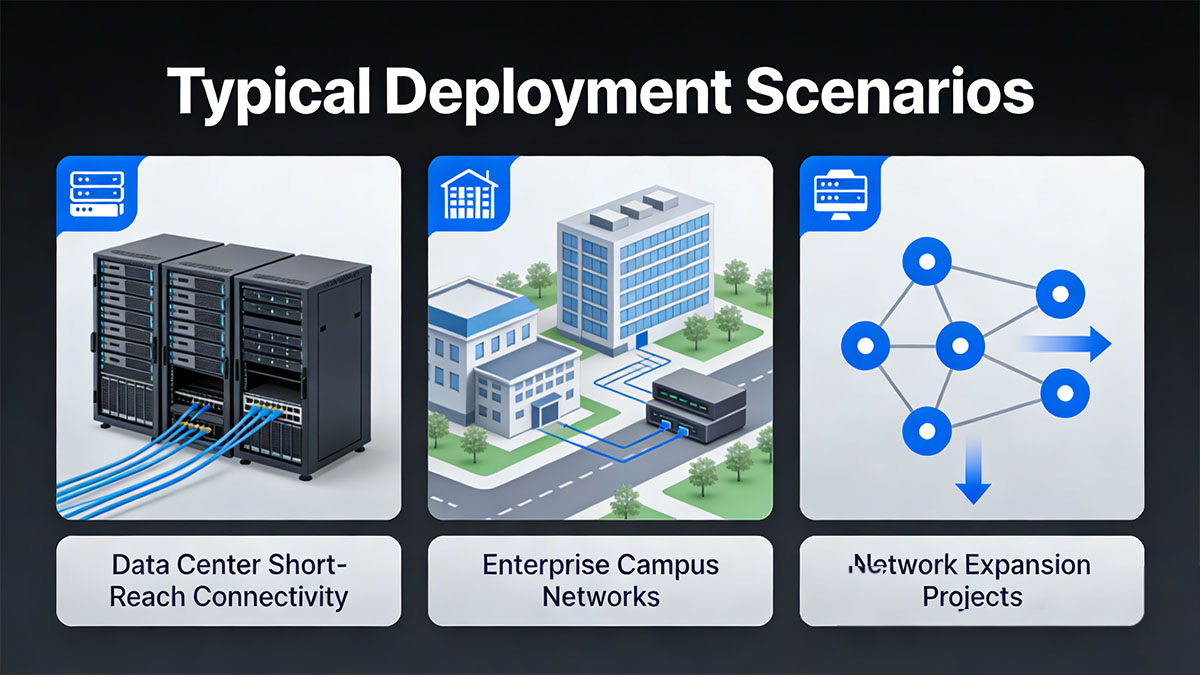
Both J9150A and J9150D 10G SFP+ SR modules are widely deployed in enterprise and data center networks where high-bandwidth, short-reach optical connectivity is required. Because their optical performance is identical, deployment decisions are usually based on network architecture, equipment lifecycle, and upgrade planning strategies rather than raw transmission capability.
Data Center Short-Reach Connectivity
One of the most common use cases is top-of-rack (ToR) to aggregation or spine connectivity inside data centers.
These modules are ideal for environments requiring:
-
High-density server networking
-
Low-latency switch interconnection
-
10Gbps server uplink aggregation
Typical data center architecture usage:
-
Server NIC → ToR switch
-
ToR switch → Aggregation switch
-
Storage network interconnects
In this scenario, 10G SFP+ SR optics provide a cost-effective balance between performance and cabling complexity. Since both modules support 850nm multimode fiber transmission, they are commonly paired with OM3 or OM4 fiber backbone designs.
Enterprise Campus Network Connectivity
In campus networks, J9150A and J9150D are frequently used for building-level or floor-level network aggregation.
| Campus Network Layer | Typical Use Case |
|---|---|
| Access Layer | Limited deployment |
| Distribution Layer | Common deployment |
| Core Layer | High-performance uplinks |
These modules are particularly suitable for:
-
Connecting distribution switches to core switches
-
Supporting building-to-building connections within the same campus
-
Enabling high-speed wireless controller backhaul links
Campus networks often choose these optics because they provide reliable 10Gbps bandwidth without requiring costly single-mode fiber infrastructure.
Network Expansion and Infrastructure Upgrades
Organizations often deploy J9150A or J9150D during network expansion projects.
Typical upgrade scenarios include:
Replacing 1Gbps copper links
-
Provides immediate bandwidth improvement
-
Reduces switch port congestion
Adding new switches to existing networks
-
Maintains backward compatibility with existing fiber infrastructure
Gradual data center modernization
-
Allows phased migration from legacy architectures to modern high-speed networks
For expansion projects:
-
J9150D is often preferred for new purchases
-
J9150A is still commonly used in legacy environment maintenance
Overall, J9150A and J9150D are versatile 10G optical transceiver suitable for data centers, campus networks, and enterprise virtualization environments. Their deployment choice is typically influenced by platform compatibility and procurement strategy, rather than optical performance differences.
? J9150A vs J9150D: Side-by-Side Comparison Table
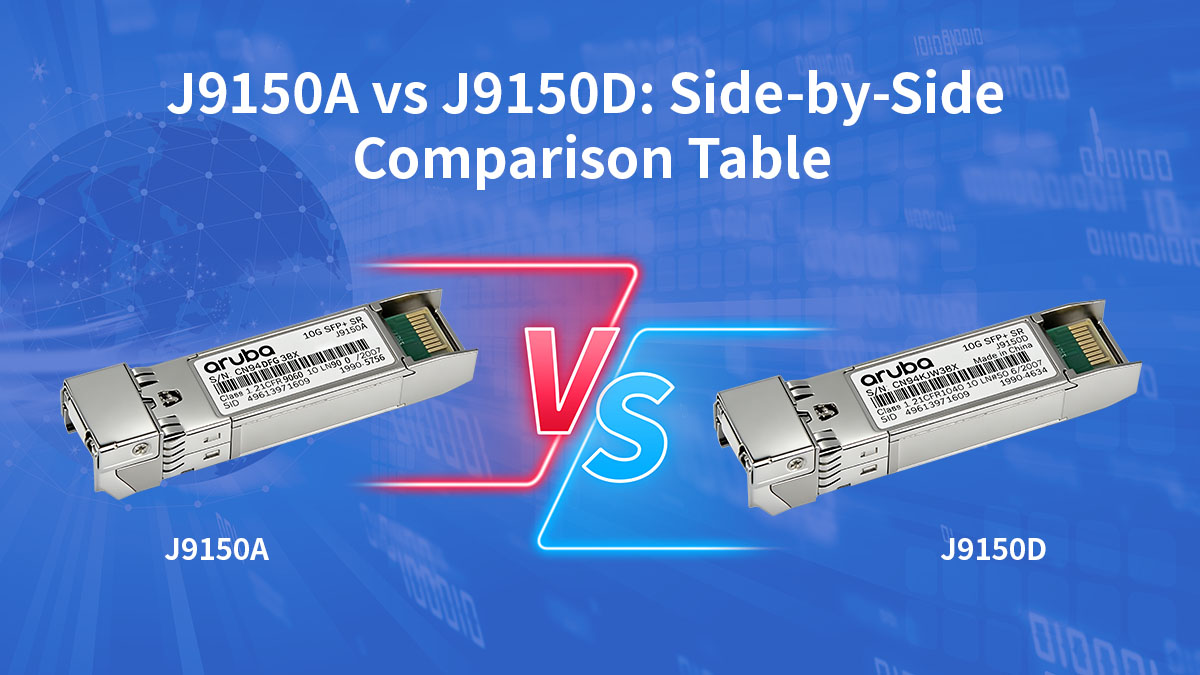
For network engineers and procurement teams, a direct J9150A vs J9150D side-by-side comparison helps quickly evaluate technical equivalence and revision-level differences. From an optical performance perspective, both modules are nearly identical, but J9150D represents a newer product lifecycle revision with improved platform compatibility.
Core Technical Comparison
The following table summarizes the primary technical specifications of J9150A and J9150D:
| Feature | J9150A | J9150D |
|---|---|---|
| Product Type | 10G SFP+ SR Transceiver | 10G SFP+ SR Transceiver |
| Data Rate | 10Gbps | 10Gbps |
| Wavelength | 850nm | 850nm |
| Fiber Type | Multimode Fiber (MMF) | Multimode Fiber (MMF) |
| Maximum Distance | 300m (OM3) / 400m (OM4) | 300m (OM3) / 400m (OM4) |
| Connector Type | Duplex LC | Duplex LC |
Key Takeaway:
Both modules deliver identical optical performance under the 10GBASE-SR standard. Distance and bandwidth capabilities remain the same because they use the same optical transmission technology.
Hardware Lifecycle and Platform Support
| Feature | J9150A | J9150D |
|---|---|---|
| Hardware Revision | Earlier generation | Updated revision |
| New Platform Support | Limited for newer platforms | Better support for modern switches |
| Lifecycle Availability | Gradually declining | More stable supply chain |
| Firmware Recognition | Depends on firmware version | More consistent recognition |
Conclusion:
J9150D is generally preferred for new deployments because it aligns with Aruba's newer platform validation policies.
Deployment and Procurement Implications
| Deployment Scenario | Recommended Model |
|---|---|
| Existing legacy networks | J9150A |
| New switch deployments | J9150D |
| Mixed infrastructure | Both can coexist |
| Long-term procurement planning | J9150D preferred |
Organizations managing large-scale networks often standardize on a single revision to simplify inventory management and reduce operational complexity.
? How to Choose Between J9150A and J9150D
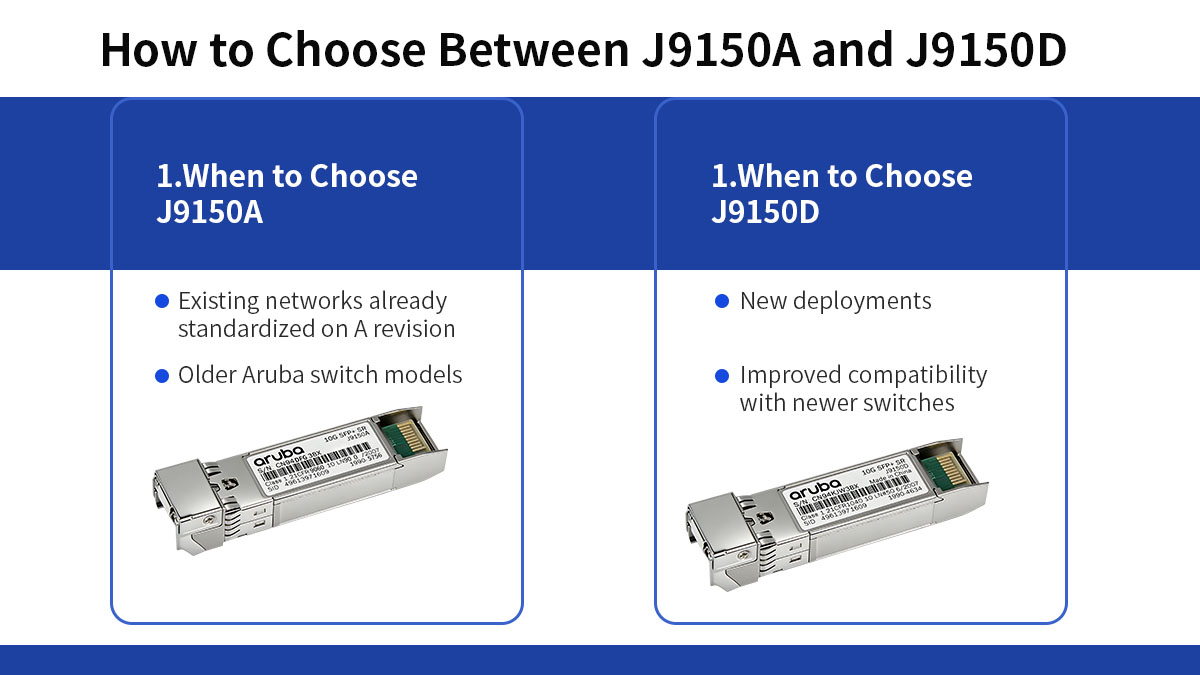
Choosing between J9150A vs J9150D mainly depends on network environment, hardware generation, procurement strategy, and future scalability planning. Since both modules provide identical 10Gbps optical performance, selection decisions are usually driven by platform compatibility and lifecycle considerations rather than transmission capability.
When to Choose J9150A
J9150A is best suited for environments where legacy infrastructure stability is more important than long-term platform evolution.
Recommended scenarios:
-
Maintaining existing networks that already use J9150A modules
-
Replacing failed modules in stable legacy deployments
-
Operating older Aruba switch platforms
| Decision Factor | Reason to Choose J9150A |
|---|---|
| Existing Infrastructure | Avoids unnecessary reconfiguration |
| Budget Constraints | Sometimes available at lower cost |
| Legacy Compatibility | Works well with older validated firmware |
Network administrators should verify firmware compatibility before deployment because older switches may have strict module authentication rules.
When to Choose J9150D
J9150D is generally recommended for new network designs and infrastructure upgrades because it aligns with newer Aruba product ecosystems.
Recommended scenarios:
-
New data center deployments
-
Campus network modernization projects
-
Purchasing optical modules for new switches
| Advantage | Why It Matters |
|---|---|
| Better Future Compatibility | Supports newer switch validation logic |
| Improved Supply Stability | Easier long-term procurement |
| New Platform Optimization | Better integration with modern firmware |
Organizations planning multi-year infrastructure investments often prefer J9150D because it reduces replacement risks as network hardware evolves.
Future-Proofing Considerations
When planning long-term network architecture, consider the following factors:
1. Hardware Lifecycle Planning
-
Optical modules typically follow switch platform lifecycles.
-
Choosing newer revisions can reduce future replacement complexity.
2. Network Expansion Potential
-
If bandwidth demand is expected to grow, standardizing on newer revisions simplifies scaling.
3. Vendor Validation Policies
-
Newer switches may increasingly favor updated module revisions.
Future-proof deployment strategy:
-
New infrastructure → Standardize on J9150D
-
Mixed infrastructure → Maintain controlled module standardization
-
Legacy networks → Continue using validated J9150A inventory
? Cost Considerations and Compatible Alternatives
When planning optical deployments with J9150A vs J9150D, cost is an important factor—especially for enterprise and data center environments that may require large quantities of modules. In addition to sticker price, total cost of ownership includes availability, warranty support, and compatibility risks. This section helps you understand cost dynamics and explore reliable alternatives that may provide good value without compromising performance.
OEM Transceiver Pricing Factors
While original Aruba transceivers (J9150A and J9150D) offer vendor-validated performance and compatibility, their pricing can vary depending on supply, lifecycle stage, and vendor channel.
Primary cost factors include:
-
Product Lifecycle Status
Older models like J9150A may see limited stock or higher pricing due to scarcity. -
Demand and Supply
Newer revisions like J9150D often have more stable availability. -
Vendor Channel and Volume Discounts
Buying in bulk or through authorized resellers can significantly lower unit cost.
Considerations when purchasing OEM optics:
-
OEM warranty and support
-
Cross-shipping options for replacements
-
Official compatibility validation
OEM modules provide peace of mind when working with strict enterprise switch environments that enforce optical module authentication policies.
Compatible Third-Party Modules
Many organizations consider 10G third-party SFP SR modules as cost-effective alternatives to OEM optics. High-quality compatible modules can offer significant savings while providing equivalent 10Gbps performance.
Common advantages of third-party optics:
-
Lower unit cost
-
Broad vendor interoperability
-
Available in large inventories
However, selecting third-party options requires careful validation to ensure:
-
Switch firmware does not block non-OEM modules
-
Transceiver supports Digital Optical Monitoring (DOM) if needed
-
Vendor provides reliable warranty and return policies
When comparing alternatives, prioritize suppliers that explicitly list compatibility with Aruba networking platforms.
Quality and Reliability Factors
Cost savings should not come at the expense of network reliability. Therefore, consider the following quality aspects when evaluating third-party modules:
1. Interoperability Testing
-
Check whether the module has passed interoperability tests with Aruba switches.
2. DOM Support
-
Ensure diagnostic functionality is available if you rely on optical monitoring.
3. Warranty and Support
-
Longer warranty periods and responsive technical support improve total cost of ownership.
4. Build Quality
-
Modules from reputed manufacturers often use better optical components and QC processes.
| Cost Component | OEM (J9150A/J9150D) | Third-Party |
|---|---|---|
| Price per Unit | Higher | Lower |
| Compatibility | Vendor-validated | Depends on supplier |
| Warranty | Official OEM support | Varies by vendor |
| Ecosystem Assurance | High | Moderate to High (with validation) |
This comparison highlights that third-party optics can be economically attractive, but organizations should weigh savings against compatibility assurance and support requirements.
? Installation and Deployment Best Practices
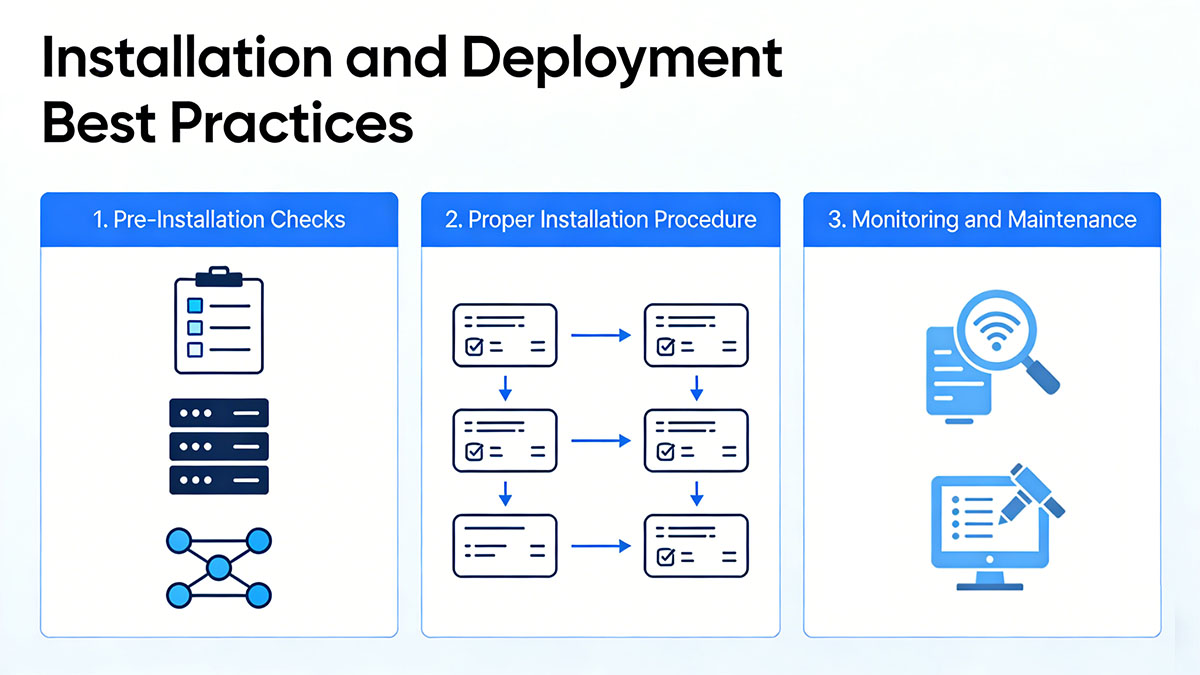
Proper installation and deployment practices help ensure that J9150A and J9150D 10G SFP+ SR modules operate reliably and deliver stable 10Gbps connectivity. Since both modules rely on multimode fiber and precise optical transmission, factors such as handling, fiber cleanliness, and link verification play an important role in maintaining long-term network performance.
Pre-Deployment Checklist
Before installing J9150A or J9150D, it is important to verify that the network environment meets the required conditions for 10Gbps optical connectivity.
Key preparation steps include:
-
Confirm switch compatibility
Ensure the Aruba switch supports 10G SFP+ SR modules. -
Verify firmware version
Update switch firmware if necessary to ensure proper module recognition. -
Check fiber infrastructure
Confirm that OM3 or OM4 multimode fiber is available for optimal distance performance. -
Inspect fiber connectors
Clean connectors to avoid optical signal degradation.
| Pre-Deployment Check | Purpose |
|---|---|
| Switch model validation | Ensures module compatibility |
| Firmware verification | Prevents module recognition issues |
| Fiber type confirmation | Supports expected transmission distance |
| Connector inspection | Reduces optical signal loss |
Completing these checks helps prevent common issues such as link initialization failures or unstable optical signals.
Proper SFP+ Module Installation
Both J9150A and J9150D support hot-swappable installation, allowing modules to be inserted or removed without powering down the switch.
Recommended installation procedure:
-
Wear anti-static protection
Electrostatic discharge can damage optical modules. -
Insert the module gently into the SFP+ port
Push until the latch mechanism clicks securely. -
Attach the LC duplex fiber cable
Ensure correct transmit (Tx) and receive (Rx) alignment. -
Verify link status on the switch interface
Check whether the port transitions to an active state.
These steps ensure that the optical module initializes correctly and establishes a stable link.
Fiber Handling and Cable Management
Fiber quality and cable routing can significantly influence the reliability of 10Gbps optical links.
Important best practices include:
-
Avoid excessive fiber bending that exceeds recommended bend radius
-
Use proper cable management within racks and patch panels
-
Keep patch cables organized to prevent accidental disconnections
| Infrastructure Element | Best Practice |
|---|---|
| Fiber Bend Radius | Maintain recommended curvature |
| Patch Panel Routing | Avoid unnecessary cable crossings |
| Cable Length | Use appropriate lengths to reduce slack |
Well-organized fiber infrastructure simplifies troubleshooting and improves long-term operational stability.
Post-Installation Verification
After installing the module and connecting the fiber cable, administrators should verify that the link is operating normally.
Typical verification tasks include:
Check Link Status
-
Confirm the switch port shows an active 10Gbps connection.
Monitor Digital Optical Diagnostics (DOM)
-
Review optical power levels and module temperature.
Perform Connectivity Tests
-
Validate traffic flow between connected devices.
| Diagnostic Metric | What It Indicates |
|---|---|
| Tx Optical Power | Transmit signal strength |
| Rx Optical Power | Received signal quality |
| Module Temperature | Hardware operating condition |
Monitoring these metrics helps detect issues such as fiber attenuation or connector contamination early.
Troubleshooting Common Deployment Issues
Occasionally, administrators may encounter issues during installation. Most problems can be traced to configuration or infrastructure factors.
Common troubleshooting steps include:
-
Reinsert the SFP+ module to ensure proper seating
-
Clean fiber connectors and check polarity
-
Confirm switch firmware supports the module revision
-
Replace patch cables if optical signal levels are abnormal
These checks typically resolve most link initialization or signal degradation issues.
? FAQs About J9150A vs J9150D
Are J9150A and J9150D interchangeable?
Yes. J9150A and J9150D are functionally interchangeable 10GBASE-SR SFP+ modules. Both support 10Gbps transmission over multimode fiber with the same wavelength and connector type, so they can typically be used in the same network environment.
Is J9150D a replacement for J9150A?
Yes. J9150D is generally considered the newer revision of J9150A. It was introduced to align with newer Aruba switch platforms and firmware validation policies while maintaining the same optical performance.
Do J9150A and J9150D support the same transmission distance?
Yes. Both modules support up to 300m over OM3 multimode fiber and up to 400m over OM4 fiber, following the 10GBASE-SR optical standard.
Can J9150A and J9150D be used together in the same network?
Yes. Since both modules use the same optical standard and interface, they can operate together within the same network or even on opposite ends of the same fiber link.
What type of fiber cable is required for J9150A and J9150D?
Both modules require multimode fiber (MMF) with LC duplex connectors. OM3 or OM4 fiber is typically recommended to achieve optimal transmission distance.
Do J9150A and J9150D support Digital Optical Monitoring (DOM)?
Yes. Both modules support DOM/DDM diagnostics, allowing administrators to monitor parameters such as optical power levels, temperature, and voltage through the switch management interface.
? Conclusion
The comparison of J9150A vs J9150D shows that both modules deliver the same 10Gbps 10GBASE-SR optical performance, supporting multimode fiber transmission up to 300m on OM3 and 400m on OM4. In practical deployments, the difference between the two lies mainly in hardware revision and platform lifecycle alignment, rather than bandwidth or transmission capability.
For organizations maintaining existing infrastructure, J9150A remains a reliable option for replacing modules in legacy Aruba switch environments. For new network deployments or infrastructure upgrades, J9150D is generally the preferred choice, as it aligns better with newer switch platforms and long-term procurement planning.
Regardless of which model you choose, ensuring proper fiber infrastructure, compatibility validation, and reliable module sourcing is essential for stable 10Gbps connectivity. If you are looking for high-quality compatible J9150A or J9150D transceivers, you can explore the LINK-PP Official Store, where rigorously tested optical modules are available to support Aruba network environments while helping optimize deployment costs.