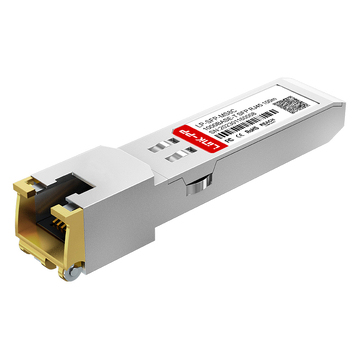
The Mikrotik S-3553LC20D is a high-performance 1.25G SFP optical transceiver pair designed for efficient, long-distance data transmission over a single fiber strand. By utilizing Bidirectional (BiDi) technology, these modules allow network administrators to double their fiber capacity and reach distances up to 20km, making them an essential component for modern, scalable network architectures.
For businesses and ISPs planning large-scale deployments, understanding the technical advantages and market value of the Mikrotik S-3553LC20D is key to optimizing infrastructure costs. This guide provides a deep dive into the benefits of BiDi technology, cost-saving strategies for bulk purchasing, and tips on choosing between original and compatible SFP modules to ensure your network remains both robust and cost-effective.
? Introduction to Mikrotik S-3553LC20D
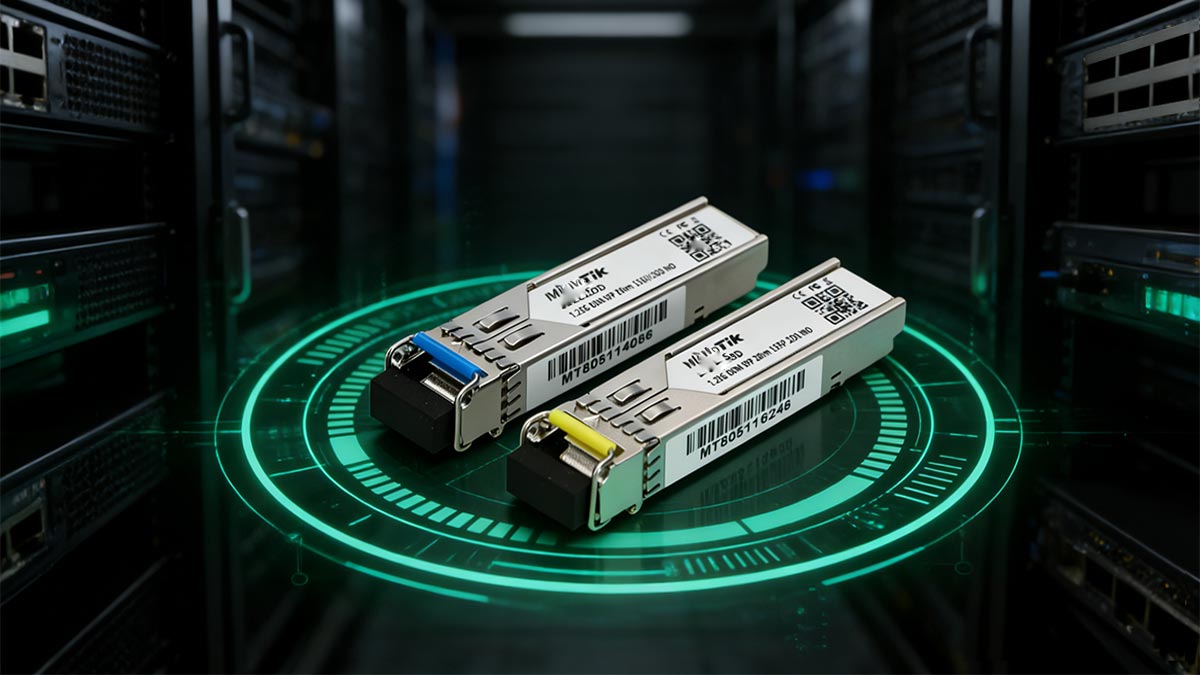
Mikrotik S-3553LC20D is a specialized kit of BiDi SFP transceivers designed to facilitate high-speed data communication over a single fiber strand. By utilizing Wavelength Division Multiplexing (WDM), these modules allow for simultaneous transmission and reception, effectively doubling the capacity of existing fiber infrastructure. It is an ideal solution for network operators looking to extend their reach up to 20km while maintaining high reliability and cost-efficiency.
Technical Specifications of Mikrotik S-3553LC20D
The S-3553LC20D is sold as a pair, containing the S-35LC20D and S-53LC20D modules, which must be used together to create a functional link. These modules support a 1.25G throughput and are engineered for single-mode fiber (SMF), featuring a simplex LC connector to streamline physical connections. Their industrial-grade design ensures they perform consistently even in harsh temperature environments.
For a detailed breakdown of the hardware capabilities, the core technical specifications of the S-3553LC20D kit are summarized in the table below:
| Feature | Specification |
| Module Type | BiDi SFP |
| Data Rate | 1.25Gbps |
| Max Distance | 20km |
| Wavelengths | 1310nm (TX) / 1550nm (RX) & 1550nm (TX) / 1310nm (RX) |
| Fiber Type | Single-mode Fiber |
| Connector | Simplex LC |
| DOM Support | Yes |
| Operating Temperature | -40 to 85°C |
How Mikrotik S-3553LC20D Fits into Your Network
The Mikrotik S-3553LC20D is designed to work easily with a wide range of networking hardware. It is most commonly used in Mikrotik routers and switches, such as the Cloud Core Router (CCR) and Cloud Router Switch (CRS) series. Because it follows standard industry specifications for SFP modules, it is also compatible with equipment from many other manufacturers. This flexibility allows network administrators to use the module in various parts of their infrastructure without worrying about hardware brand limitations.
In a typical network setup, these modules are used to connect two locations that are far apart. For example, they can link two different office buildings or connect a central data center to a remote site up to 20km away. Since the Mikrotik S-3553LC20D only requires one fiber strand to send and receive data, it is a great choice for areas where fiber cable space is limited. It helps keep the network organized by reducing the number of cables needed in server racks and wiring closets.
Benefits of Choosing Mikrotik S-3553LC20D
A major benefit of the Mikrotik S-3553LC20D is that it helps businesses save money on infrastructure. Traditional fiber modules require two strands of fiber — one to send data and one to receive it. However, this BiDi fiber optic SFP module uses only one strand for both tasks. This means that a company can support twice as many connections using the fiber cables they already have. This is a very cost-effective way to expand a network because it avoids the high price of installing new underground or overhead fiber lines.
Another advantage is the high level of reliability and durability these modules offer. They are built to function correctly in many different environments, including places that are very hot or very cold. This makes them suitable for use in outdoor equipment boxes or industrial buildings that do not have climate control. By using these dependable modules, a network stays connected more consistently. This reduces the time and money spent on fixing connection issues and ensures that the communication system remains stable for many years.
? Understanding BiDi Technology in Mikrotik S-3553LC20D
BiDi technology is a specialized method that allows a single fiber optic cable to send and receive data at the same time. The Mikrotik S-3553LC20D uses this technology to help network operators make better use of their existing fiber lines. The following explains the science behind this technology and how it helps modern communication networks operate more efficiently.
What is BiDi Technology
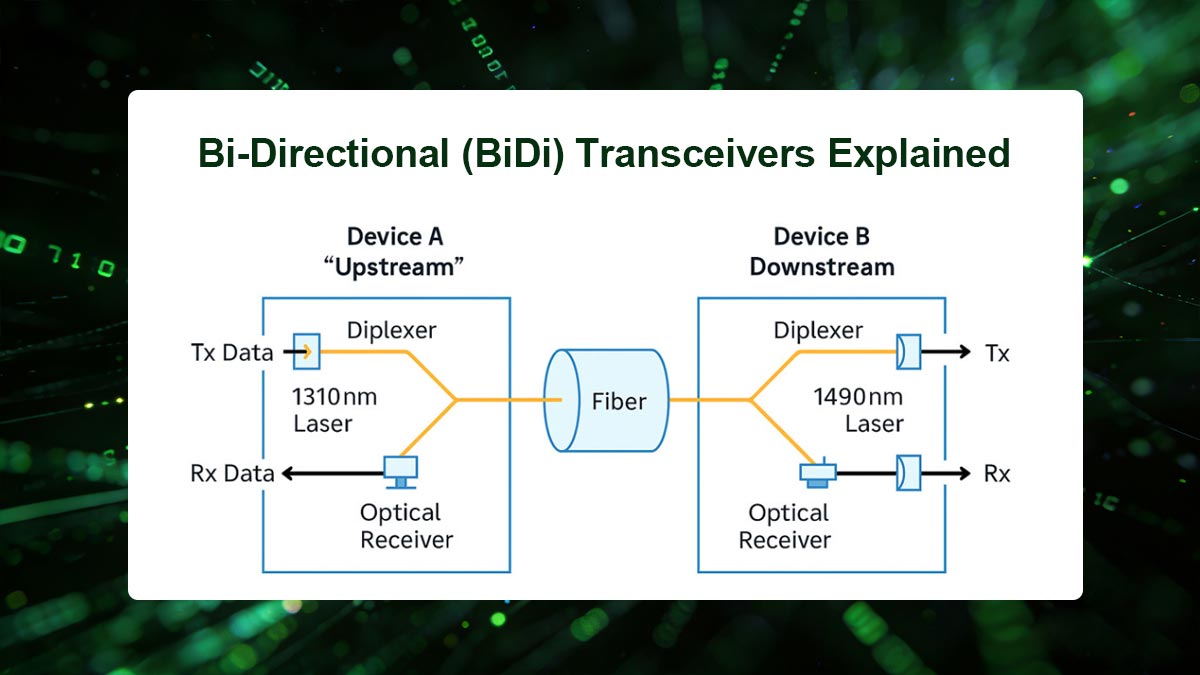
BiDi stands for "Bidirectional" communication. In standard fiber optic systems, two separate glass strands are usually needed: one to transmit data and another to receive it. BiDi technology changes this by using a process called Wavelength Division Multiplexing (WDM). This process allows two different "colors" or wavelengths of light to travel in opposite directions across the exact same strand of glass without interfering with each other.
To make this work, the Mikrotik S-3553LC20D kit uses two specific wavelengths:
- 1310nm: Used by one module to send data while the other module receives it.
- 1550nm: Used by the second module to send data back to the first one.
By using these two distinct paths of light, the system can handle full-duplex communication (sending and receiving at once) using only half the amount of fiber typically required.
How BiDi Enhances Data Transmission
The most significant way BiDi technology enhances a network is by doubling the capacity of the existing fiber infrastructure. Because each connection only requires one strand of glass instead of two, a company can support twice as many users or links without installing any new cables in the ground. This makes it much easier and faster to expand a network when more bandwidth is needed.
Additionally, using BiDi technology simplifies the physical setup of the network equipment. With fewer cables to manage, there is less clutter in server rooms and wiring closets. This leads to several practical benefits:
- Easier Troubleshooting: With 50% fewer cables, it is much faster to identify and fix physical connection problems.
- Lower Material Costs: Fewer patch cords and smaller fiber termination panels are needed, which reduces overall spending.
- Improved Airflow: Reduced cable density in equipment racks allows for better cooling and airflow for the routers and switches.
Compatibility of Mikrotik S-3553LC20D with BiDi
The Mikrotik S-3553LC20D is a kit that contains two different modules: the S-35LC20D and the S-53LC20D. These modules are specifically designed to be compatible with each other. It is important to remember that these must be used as a matching pair; you cannot connect two S-35LC20D modules to each other because they would both try to transmit on the same wavelength, and the connection would not work.
These modules are also highly compatible with standard networking hardware and cables. They use a simplex LC connector, which is the industry standard for small-form-factor connections. As long as your router or switch has a standard SFP port and you are using single-mode fiber (SMF) cables, the Mikrotik S-3553LC20D will provide a stable and high-speed connection over distances of up to 20km.
Use Cases for BiDi Technology in Networks
BiDi technology is the best choice for many different networking scenarios where saving space or money is a priority. Some of the most common use cases include:
- Fiber to the Home (FTTH): Internet providers use BiDi to serve more customers using the limited fiber strands available in residential neighborhoods.
- Campus Connections: Schools or large businesses use it to link buildings together when the underground pipes for cables are already full.
- Rented Fiber Lines: If a company pays a monthly fee to rent fiber strands from a provider, using BiDi allows them to pay for only one strand instead of two.
Another important use case is for emergency repairs or temporary setups. If a fiber optic cable is damaged and only one strand remains functional, the Mikrotik S-3553LC20D can be used to restore the full network connection immediately using that single working strand. This provides a fast and reliable way to keep a business online while waiting for permanent repairs to the cable infrastructure.
? Mikrotik S-3553LC20D Price and Cost Analysis
The cost of the Mikrotik S-3553LC20D is an important factor for any network project budget. Because these modules are sold as a pair, the price reflects two separate SFP transceivers that work together. Understanding the current market rates and the factors that influence them will help you make a more informed purchasing decision.
Average Market Price of S-3553LC20D
The average market price for a new, original Mikrotik S-3553LC20D kit typically ranges between $75 and $110. This price can vary depending on where you buy them, such as from an authorized Mikrotik distributor or an online retail marketplace. It is important to remember that this price is for the pair (the S-35 and S-53 modules), making it a very competitive option for 1.25G BiDi technology.
In addition to the base price, you should also consider the source of the product. Authorized distributors often have more stable pricing but may require minimum order amounts. On the other hand, smaller online sellers might offer lower prices for a single pair but could have higher shipping costs. Always check if the listed price includes both modules, as some sellers may list them individually, which can lead to confusion during the checkout process.
Factors Affecting Pricing
Several key factors can cause the price of the Mikrotik S-3553LC20D to go up or down. Understanding these variables can help you time your purchase for the best possible deal. The most common factors include:
- Shipping and Import Taxes: If you are ordering from a different country, international shipping fees and local customs duties can significantly increase the final cost.
- Market Demand: Like all electronics, supply chain issues or high demand for networking gear can lead to temporary price increases.
Another factor is the condition of the product. While most businesses prefer brand-new modules for critical infrastructure, "refurbished" or "open-box" units are sometimes available at a much lower price. However, buying new is generally recommended to ensure the laser inside the transceiver has a full lifespan and provides the most reliable connection possible.
Bulk vs Single Purchase Cost Comparison
Buying a single unit of the Mikrotik S-3553LC20D is usually the most expensive way to purchase this hardware. When you buy only one set, you pay the full retail price, and the shipping cost per unit is much higher. For small repairs or very small home networks, this might be acceptable, but for larger projects, it is not the most efficient use of a budget.
When you switch to bulk purchasing, the cost per unit drops significantly. Most suppliers offer tiered pricing, which means the more you buy, the less you pay for each pair. For example:
- Tier 1 (1 - 99 units): Full retail price with standard shipping.
- Tier 2 (100 - 2999 units): A small discount per unit, often around 5% to 10% off.
- Tier 3 (3000+ units): Significant discounts and the possibility of free or reduced-rate shipping.
By planning ahead and ordering in bulk, a company can save hundreds or even thousands of dollars on a large deployment. This approach also reduces the administrative work of processing multiple small orders and ensures that you have spare parts on hand when they are needed.
? Benefits of Buying Mikrotik S-3553LC20D in Bulk
Purchasing the Mikrotik S-3553LC20D in large quantities offers several strategic advantages for businesses and service providers. Beyond the immediate financial savings, bulk buying ensures that your technical team has the resources they need for both planned expansions and unexpected repairs.

Lower Cost per Unit and Higher Profit Margins
Buying the Mikrotik S-3553LC20D in bulk significantly lowers the price for each individual pair of modules. Suppliers often provide tiered discounts, meaning the cost per unit decreases as the order size increases. This approach also helps improve profit margins by reducing overhead costs in the following ways:
- Volume Discounts: Wholesalers offer better rates for large orders compared to retail prices.
- Lower Shipping Costs: Paying for one large shipment is much cheaper per unit than paying for many small ones.
Consistent Inventory for Large-Scale Deployments
Having a large stock of the Mikrotik S-3553LC20D ensures that big projects are never delayed due to hardware shortages or market supply issues. When you buy in bulk, the modules often come from the same production batch, which guarantees consistent performance and software compatibility across all your network links. This reliability is essential for large-scale deployments where every connection must meet the same technical standards to ensure a stable and professional network environment.
Faster Project Completion and Reduced Downtime
Keeping an inventory of the Mikrotik S-3553LC20D allows technical teams to start and finish installations much faster since they do not have to wait for new shipments to arrive. It also plays a vital role in reducing network downtime by providing immediate access to spare parts whenever a module needs to be replaced. Key benefits include:
- Immediate Repairs: Technicians can carry spare units and replace failed modules on the spot without delay.
- Reliable Timelines: Network projects stay on schedule because the hardware is already available in your warehouse.
- Better Service: Faster installation and repair times lead to higher satisfaction for your customers and stakeholders.
? How to Get the Best Mikrotik S-3553LC20D Bulk Discounts
Securing the lowest possible price for the Mikrotik S-3553LC20D requires a strategic approach to purchasing. By researching multiple vendors and understanding how volume pricing works, you can significantly reduce your network infrastructure costs.

Compare Suppliers and Negotiate Pricing
Before committing to a bulk order, gather quotes from multiple sources, including authorized Mikrotik distributors and reputable third-party resellers.
- Research Market Rates: Check both global and regional pricing trends for the S-3553LC20D to set a realistic benchmark.
- Leverage Competitive Offers: Use quotes from one distributor to negotiate better terms with another.
- Look beyond the Sticker Price: Some suppliers may offer additional benefits — like extended warranties, bundled accessories, or free shipping — that add hidden value to your deal.
Order in Larger Quantities for Better Rates
Bulk pricing is typically tiered — the more units you buy, the lower your per-unit cost.
- Plan ahead: Forecast your network expansion needs so you can place larger consolidated orders instead of multiple smaller ones.
- Ask for Volume-based Tiers: Inquire about specific quantity thresholds (e.g., 100+, 1000+, 3000+ units) that unlock deeper discounts.
- Balance Stock and Cash Flow: Ensure your order size matches your storage capacity and project timelines to avoid over-purchasing.
Build Long-Term Relationships with Vendors
Establishing a long-term partnership with a trusted vendor can lead to better discounts that are not available to the general public. Frequent buyers often receive dedicated account managers who can offer "loyalty pricing" and early access to new stock before it hits the open market. Additionally, a strong relationship with a vendor can result in more flexible payment terms, such as net-30 billing, which helps your business manage its cash flow more effectively during large-scale network deployments.
? Choosing Between Mikrotik S-3553LC20D and Compatible Modules
When ordering fiber SFP transceivers, you often have to choose between original Mikrotik S-3553LC20D and third-party compatible modules. While original modules offer guaranteed performance and support, compatible alternatives can sometimes provide significant cost savings for certain projects. Understanding the differences between these two options is essential for making a smart investment for your network.
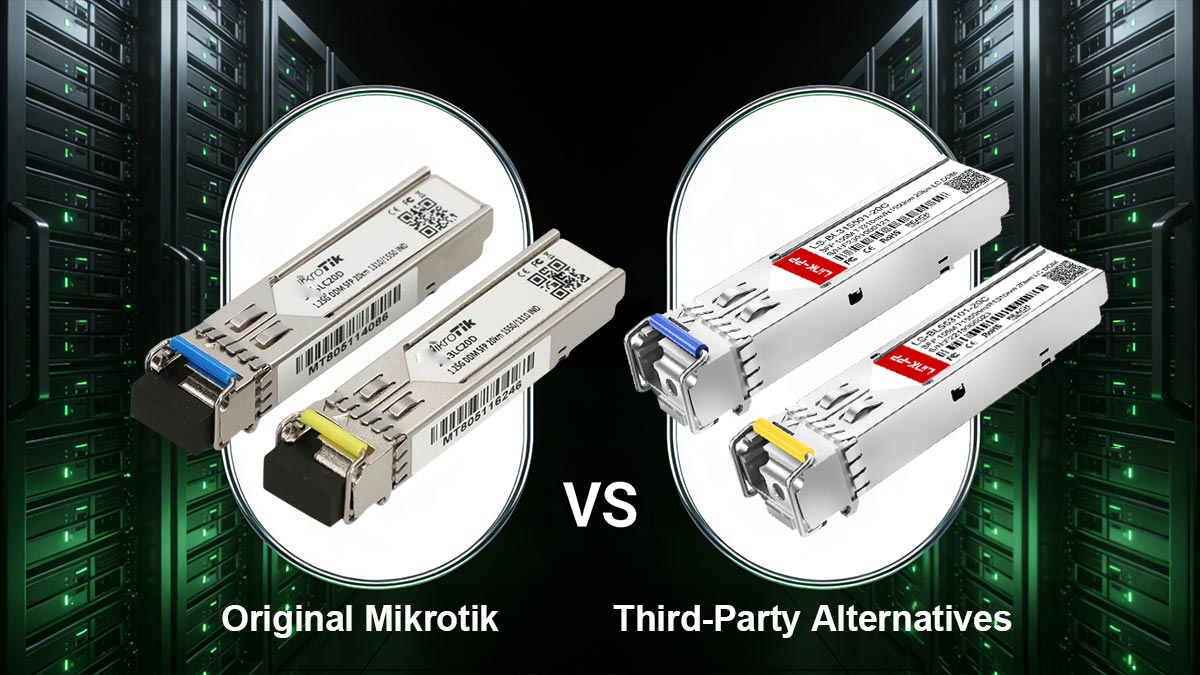
Original Mikrotik vs Third-Party Alternatives
Choosing between original Mikrotik S-3553LC20D BiDi SFP modules and third-party alternatives often comes down to balancing official brand support with overall budget efficiency. While original Mikrotik modules are the default choice for many, high-quality compatible modules from reputable manufacturers have become a standard in the industry. These premium alternatives are built to the same Multi-Source Agreement (MSA) standards and offer identical technical performance.
Key advantages of choosing high-quality third-party alternatives include:
- Custom EEPROM Coding: Professional suppliers program the module’s internal memory (EEPROM) with specific vendor codes. This ensures the Mikrotik hardware recognizes the module as an authorized part, avoiding software errors or compatibility warnings.
- Significant Cost Savings: Premium compatible modules can reduce hardware expenses by 30% to 50%, which is a major factor for large-scale infrastructure projects.
- Proven Reliability: Trusted third-party brands use high-quality components and lasers that meet the same 20km distance and 1.25G speed requirements as the original hardware.
- Production Availability: Third-party manufacturers often have larger production capacities, which can lead to shorter lead times and more consistent stock levels for bulk orders.
How to Choose the Right Module for Your Network
The decision to use original or compatible modules should be based on your specific network needs and long-term goals. For core backbone connections where every minute of uptime is critical, original modules are often preferred for peace of mind. However, for most enterprise networks, high-quality compatible modules offer a reliable way to expand capacity without overspending.
To choose the best option for your situation, consider the following factors:
- Project Scale: For installations requiring hundreds of units, the savings from compatible modules can be reinvested into other parts of the network.
- Technical Support Requirements: Consider if your organization requires the official manufacturer's warranty for all components in your server racks.
- Vendor Reputation: Always verify that the third-party supplier has a strong history of testing their products and providing a solid replacement warranty.
- Hardware Environment: If you use a mix of different hardware brands, compatible modules programmed for multiple vendors can simplify your inventory.
Recommended Third-Party Alternatives to Mikrotik S-3553LC20D
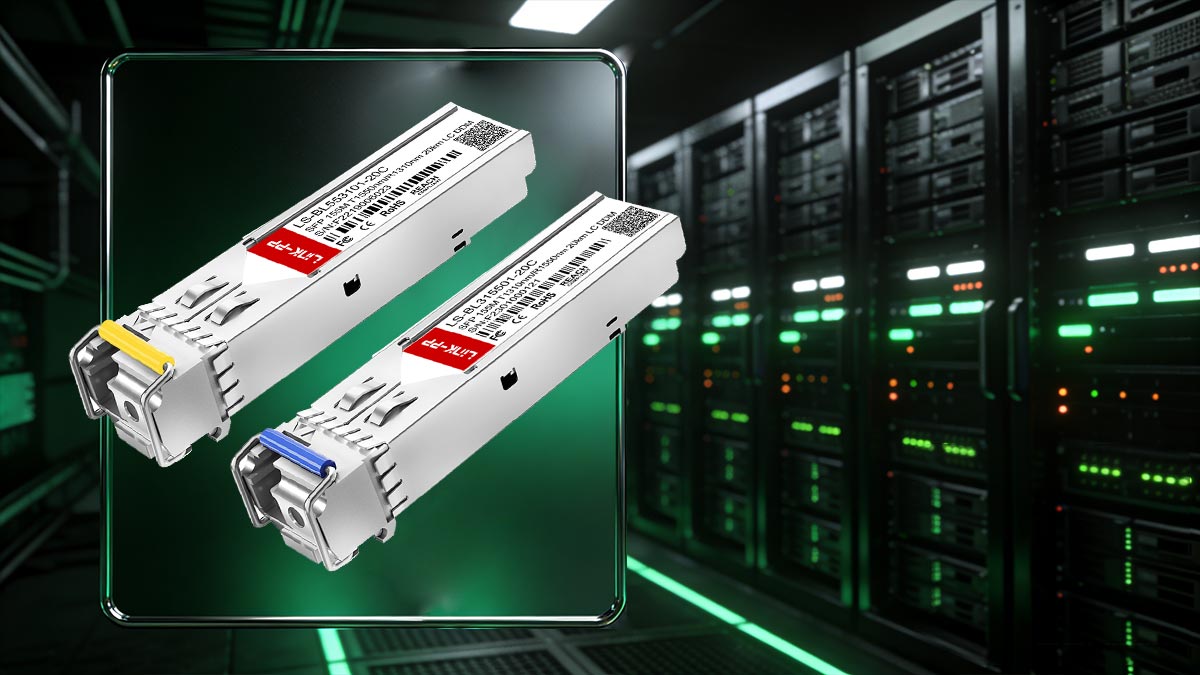
If you are looking for a high-performance alternative to the Mikrotik S-3553LC20D kit, we recommend the BiDi SFP modules from LINK-PP. These transceiver modules are specifically designed to meet industrial standards and are fully compatible with Mikrotik equipment through precise EEPROM coding.
The following LINK-PP models are excellent 1.25G 20km BiDi SFP alternatives:
- LINK-PP LS-BL31551G-20I: This is the 1310nm (TX) / 1550nm (RX) module, designed for industrial temperatures and long-distance transmission over a single fiber strand.
- LINK-PP LS-BL55311G-20I: This is the matching 1550nm (TX) / 1310nm (RX) module required to complete the bidirectional link.
By using these two modules together, network operators can achieve the same results as the original Mikrotik kit while also gaining the reliability that comes from LINK-PP's expertise in optical component manufacturing.
? Key Takeaways for Buying Mikrotik S-3553LC20D in Bulk
Purchasing the Mikrotik S-3553LC20D or its high-quality compatible alternatives in bulk is a strategic move for any growing network. By doubling your fiber capacity through BiDi technology and reducing unit costs through volume orders, you can build a more scalable and profitable infrastructure.
Here are the most important points to remember from this article:
- Fiber Efficiency: Use BiDi technology to run full-duplex 1.25G connections over a single fiber strand, saving on physical cabling costs.
- Bulk Cost Savings: Ordering in larger quantities helps you reach higher discount tiers, significantly lowering your overall project budget.
- Inventory Security: Keeping a consistent stock of modules in your warehouse prevents project delays and allows for immediate hardware replacement if a link fails.
- The Value of High-Quality Compatibles: Professional third-party manufacturers like LINK-PP offer modules that are specifically coded for Mikrotik compatibility, providing the same performance as the original at a much lower price point.
- Match Your Pairs: Always ensure you have a balanced inventory of both the 1310nm and 1550nm modules (such as the LS-BL31551G-20I and LS-BL55311G-20I) to complete your bidirectional links.
If you are looking to maximize your budget without sacrificing network stability, high-quality compatible modules are the ideal solution. Discover our full range of 1G BiDi SFP transceivers and secure the best bulk discounts by visiting the LINK-PP Official Store today.