RJ45-T is a label that often appears in product specifications, module names, and port descriptions, but its meaning is not always immediately apparent. Many users are familiar with the RJ45 connector itself, yet the addition of “-T” can create confusion, especially when comparing different interface types in Ethernet and SFP-based setups. This ambiguity makes it important to clearly understand what RJ45-T refers to in practical networking contexts.
In real-world deployments, RJ45-T frequently appears when working with copper Ethernet links, SFP transceivers, and mixed-interface network equipment. Misinterpreting the term can lead to incorrect module selection or compatibility issues. A clear understanding of RJ45-T helps ensure proper configuration, efficient troubleshooting, and better alignment between network hardware and cabling choices.
? What Is RJ45-T and Why Does It Matter in Networking
RJ45-T is a term commonly seen in Ethernet and SFP module specifications, referring to copper-based Ethernet connections that use twisted-pair cabling. For network engineers and IT professionals, a solid grasp of RJ45-T is necessary — it directly enables proper hardware selection, ensures compatibility, and helps optimize network performance.
Definition of RJ45-T in Ethernet Context
In the Ethernet context, RJ45-T refers to a standard RJ45 connector combined with “BASE-T” signaling over twisted-pair copper cabling. The “T” stands for twisted pair, and it is commonly associated with Ethernet standards such as 10BASE-T, 100BASE-TX, 1000BASE-T, and 10GBASE-T. RJ45-T interfaces allow devices to transmit data over copper cables using specific signaling and speed standards, enabling reliable network connectivity without requiring fiber optic.
How RJ45-T Differs from Standard RJ45 Terminology
While “RJ45” alone describes the physical 8P8C connector, RJ45-T adds a functional layer by specifying that the port or module supports BASE-T Ethernet signaling. Key differences include:
- Physical vs Functional: RJ45 is just the connector type, whereas RJ45-T indicates both the connector and the supported twisted-pair Ethernet standard.
- Speed and Signal Standards: RJ45-T explicitly conveys that the port can handle defined BASE-T speeds, unlike a generic RJ45 which could support older or non-standard protocols.
- Usage Context: RJ45-T is often used in module or switch specifications, helping differentiate between copper and fiber interfaces.
Why RJ45-T Is Important for Modern Networks
RJ45-T matters because it bridges legacy copper infrastructure with modern high-speed networking needs. Its importance stems from:
- Widespread Compatibility: Many enterprise and data center devices still rely on copper connectivity, and RJ45-T ensures these systems communicate effectively.
- Ease of Deployment: Twisted-pair cabling is easier to install and maintain than fiber in many environments.
- Performance Clarity: Labeling ports as RJ45-T clearly signals supported speeds and standards, helping avoid mismatched modules and suboptimal connections.
By understanding RJ45-T, network professionals can make informed decisions on hardware selection, cabling, and deployment strategies, ensuring both compatibility and network efficiency.
? RJ45-T in Ethernet: Core Functions and Applications
In Ethernet networks, RJ45-T is the standard interface used for copper-based data transmission over twisted-pair cabling. It offers reliable and cost-effective connectivity across many network devices, ranging from enterprise switches to end-user equipment. Knowing its primary functions supports efficient deployment and helps achieve optimal network performance.
Role of RJ45-T in Ethernet Connections
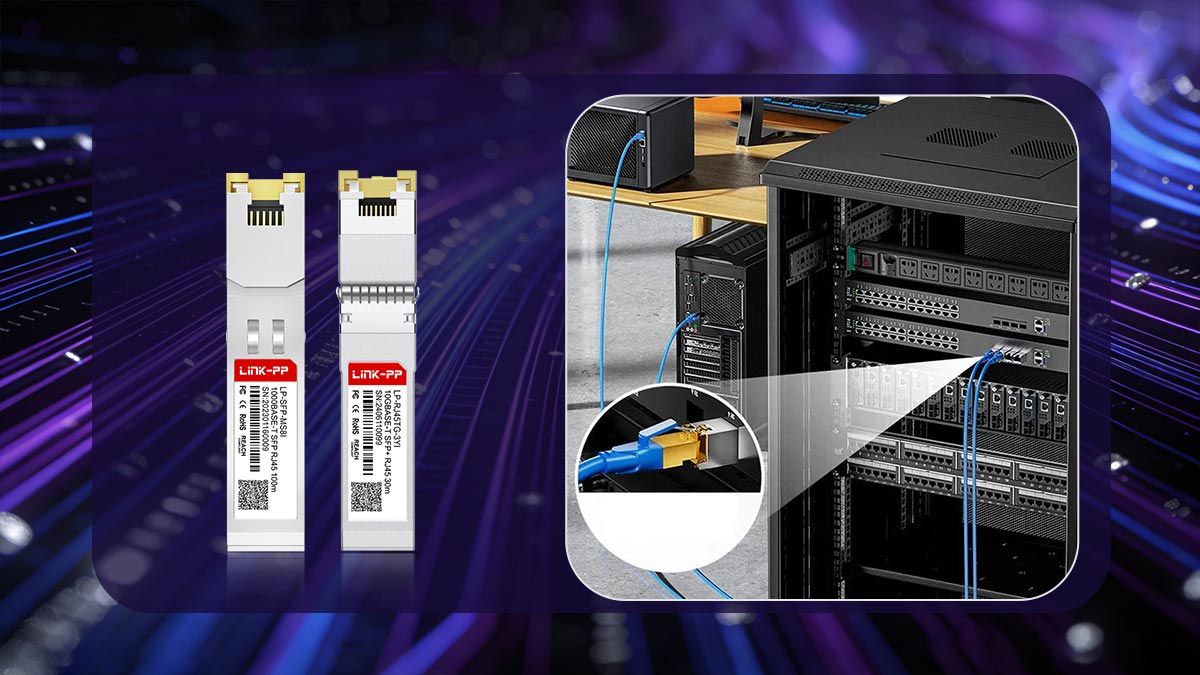
RJ45-T acts as the physical and electrical interface that connects devices within an Ethernet network using twisted-pair cables. It facilitates point-to-point communication between network nodes, ensuring data is transmitted according to BASE-T standards. This interface supports full-duplex communication, allowing simultaneous sending and receiving of data, which is essential for modern high-speed networking. Additionally, RJ45-T ports often include built-in features such as auto-negotiation and link detection, simplifying connection setup and maintenance.
How RJ45-T Enables Copper-Based Networking
RJ45-T enables Ethernet communication over copper cabling by utilizing differential signaling across twisted pair wires. This design reduces electromagnetic interference (EMI) and crosstalk, ensuring stable data transmission. Key enabling factors include:
- Twisted-pair Structure: Minimizes signal degradation and external noise.
- BASE-T Standards Compliance: Defines how data is encoded and transmitted over copper (e.g., 1000BASE-T uses all four wire pairs).
- Power Delivery Capability: Supports technologies like Power over Ethernet (PoE), allowing both data and power to be transmitted through the same cable.
These characteristics make RJ45-T a practical and widely adopted solution for short-distance networking.
Typical Devices Using RJ45-T Ports
RJ45-T ports are found across a broad spectrum of networking and IT equipment, including:
- Switches and Routers: Provide LAN connectivity using built-in RJ45-T ports or via RJ45-T copper SFP modules.
- Servers and Desktop Computers: Use RJ45-T NICs (Network Interface Cards) for wired network access.
- IP Phones and Wireless Access Points: Rely on RJ45-T for both data and PoE power delivery.
- Networked Peripherals: Such as printers, cameras, and storage devices.
This widespread adoption highlights RJ45-T as the default interface for copper Ethernet connectivity.
Performance Characteristics of RJ45-T Ethernet
RJ45-T Ethernet performance depends on the underlying BASE-T standard and cable quality. It supports a range of speeds from 10Mbps up to 10Gbps, with performance influenced by factors such as cable category and distance. Typical characteristics include:
- Speed Scalability: 10/100/1000BASE-T (like GLC-TA) and 10GBASE-T (like SFP-10G-T-X) support varying bandwidth needs.
- Distance Limitations: Generally up to 100m for standard Ethernet over copper.
- Latency and Stability: Slightly higher latency than fiber but sufficient for most enterprise applications.
These attributes make RJ45-T suitable for most access-layer and short-distance network deployments.
? RJ45-T in SFP Modules: What It Represents
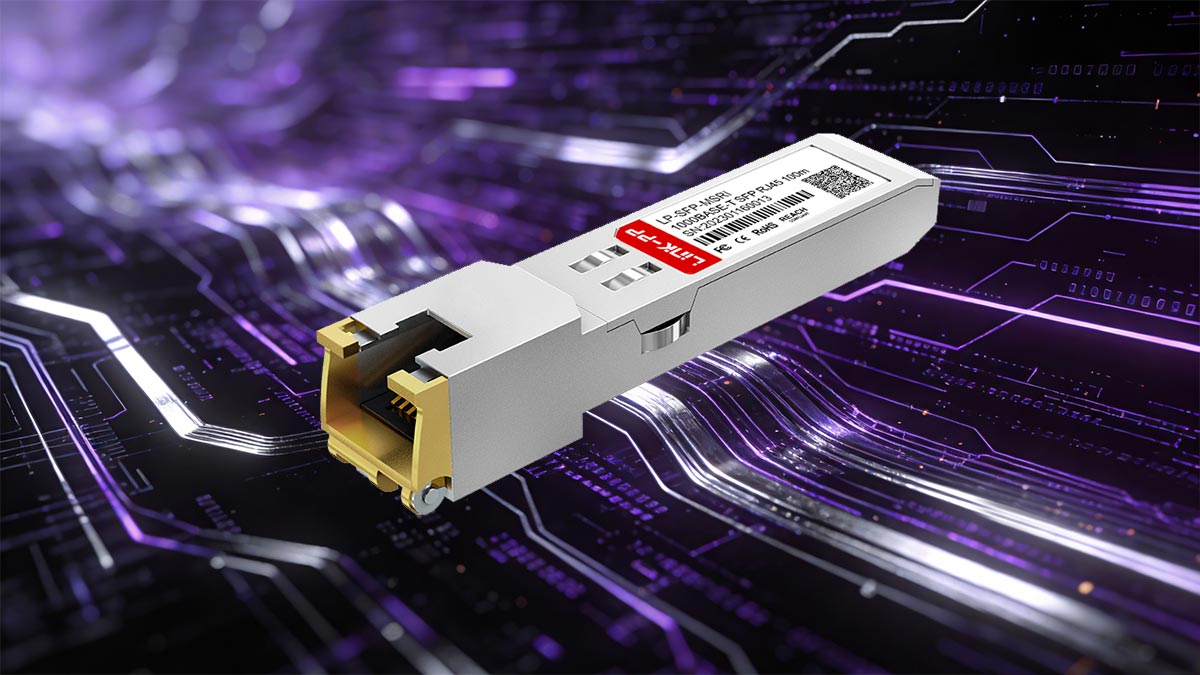
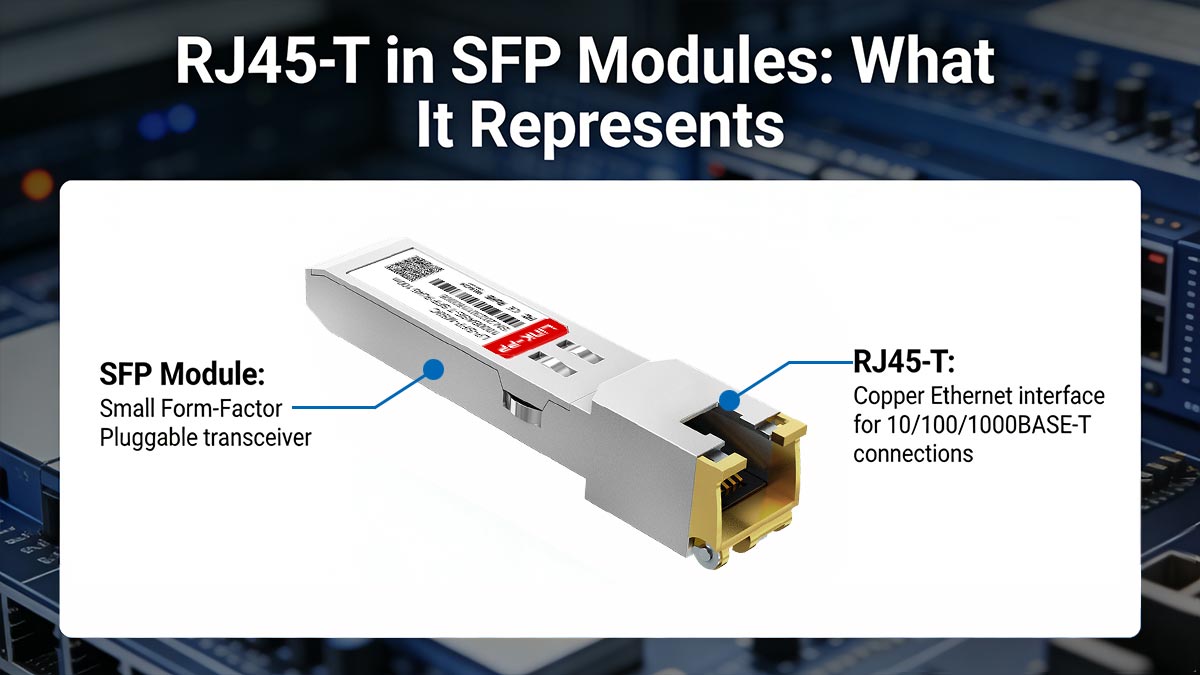
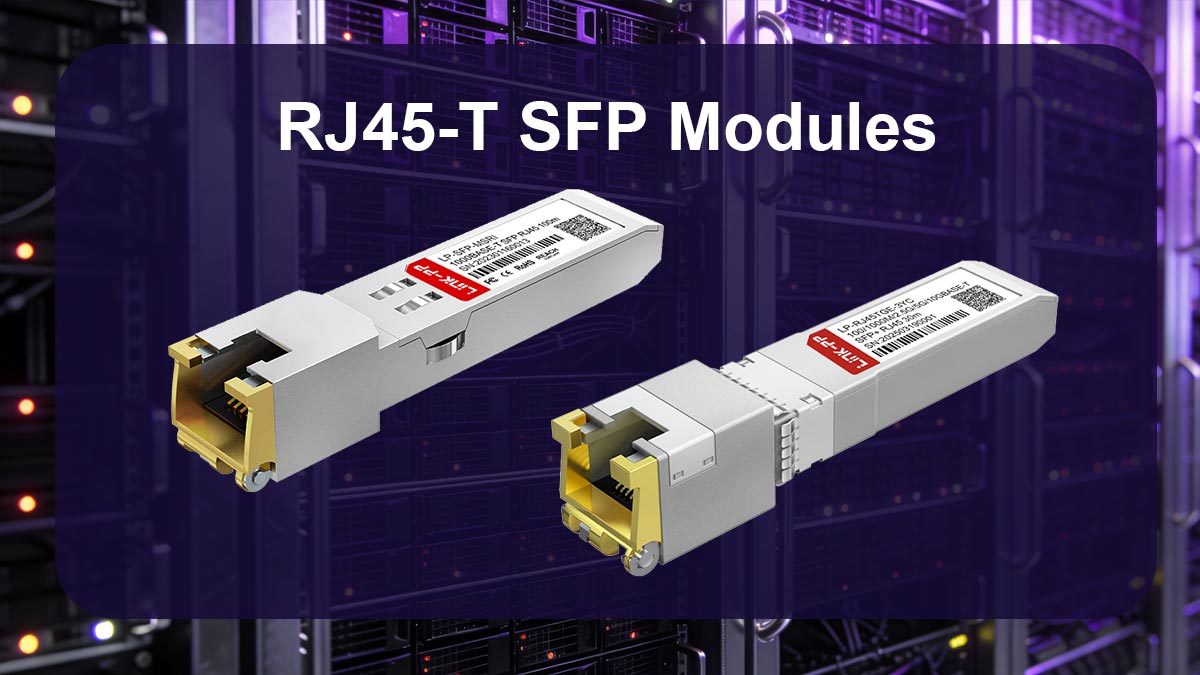
RJ45-T in SFP modules refers to copper-based transceivers that allow SFP ports to support standard Ethernet over twisted-pair cabling. Instead of using optical modules, these modules extend the functionality of SFP slots to work with RJ45 Ethernet connections. This provides greater flexibility when integrating copper links into modular network environments.
Overview of RJ45-T SFP Modules and Interfaces
RJ45-T SFP modules are hot-swappable transceivers designed to convert SFP ports into standard RJ45 Ethernet interfaces. Unlike fiber SFP modules, these modules include an integrated RJ45 port that directly accepts copper cables. They are commonly used in switches and routers with SFP slots, enabling those devices to support copper Ethernet without dedicated built-in RJ45 ports. This makes them especially useful in environments where port flexibility and mixed media support are required.
Meaning of the “T” in RJ45-T for SFP
In RJ45-T SFP modules, the “T” stands for twisted pair, indicating that the module operates using BASE-T Ethernet standards over copper cabling. It typically corresponds to standards such as:
- 1000BASE-T (Gigabit Ethernet over copper)
- 10GBASE-T (10-Gigabit Ethernet over copper)
The “T” differentiates these modules from fiber optic SFP modules (e.g., SX optics, LX optics), clearly signaling that the transmission medium is electrical rather than optical.
How RJ45-T SFP Transceivers Work
RJ45-T SFP transceivers function by bridging the SFP interface of a network device with copper Ethernet signaling. Inside the module, a PHY chip handles the conversion between the SFP electrical interface and BASE-T signals transmitted over twisted-pair cables. Key functions include:
- Signal Conversion: Translates high-speed serial signals from the SFP port into multi-pair electrical signals for copper transmission.
- Encoding and Decoding: Applies BASE-T encoding schemes (such as PAM-5 or PAM-16 depending on speed).
- Auto-negotiation: Detects and adjusts speed (10/100/1000Mbps or 10Gbps) and duplex mode automatically.
- Link Management: Maintains stable communication and error correction over copper links.
This internal processing allows seamless communication between SFP-based devices and standard Ethernet equipment.
When to Use RJ45-T SFP Instead of Fiber SFP
RJ45-T SFP modules are best suited for specific deployment scenarios where copper connectivity offers advantages:
- Short-range Connections (≤100m): Ideal for intra-rack or office-level networking.
- Existing Copper Infrastructure: Leverages pre-installed Cat5e/Cat6 cabling without requiring fiber upgrades.
- Lower Deployment Cost: Copper cables and RJ45-T modules are typically more economical for short distances.
- Device Compatibility: Enables direct connection to RJ45-based devices such as servers, IP cameras, and access points.
However, for long-distance links, higher bandwidth over extended ranges, or environments with high electromagnetic interference, fiber optic SFP transceiver modules are generally the better choice.
? RJ45-T vs Fiber Interfaces: Key Differences Explained
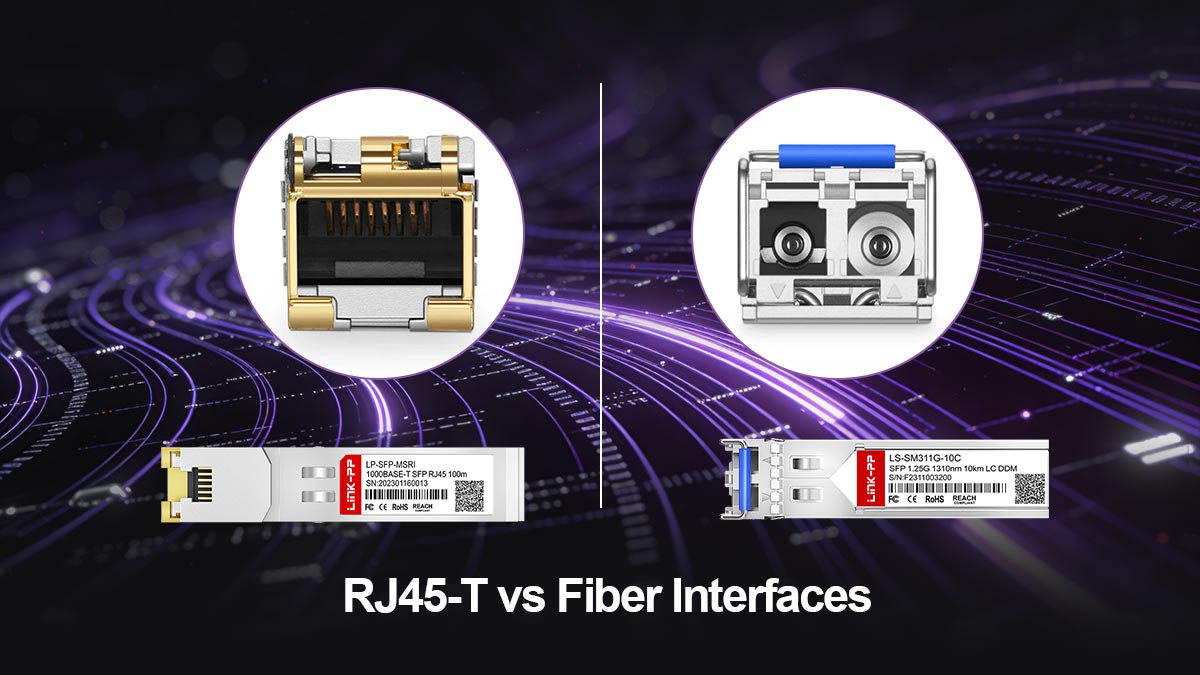
RJ45-T and fiber interfaces are the two primary transmission options in modern networking, each with distinct characteristics and advantages. RJ45-T relies on twisted-pair copper cabling, offering cost-effective and easy deployment, while fiber uses optical signals to deliver higher bandwidth and longer transmission distances. The choice between them depends on factors such as distance, performance requirements, budget, and environment. Understanding their differences is essential for selecting the right solution for specific network scenarios.
To better understand how RJ45-T and fiber interfaces compare, the table below highlights their key differences:
| Feature |
RJ45-T Interface |
Fiber Interface |
| Transmission Medium |
Twisted-pair copper cable |
Optical fiber cable |
| Typical Speed |
Up to 10G |
1G to 400+G |
| Transmission Distance |
Up to 100m |
From hundreds of meters to tens of kilometers |
| EMI Susceptibility |
Higher (affected by interference) |
Immune to electromagnetic interference |
| Typical Use Cases |
LAN, office networks, short links |
Data centers, backbone, long-distance |
Copper vs Fiber Transmission Methods
RJ45-T uses electrical signals transmitted over twisted-pair copper wires, where data is encoded and sent across multiple wire pairs. This method is well-suited for short distances and leverages mature Ethernet standards like 1000BASE-T. In contrast, fiber interfaces use light pulses transmitted through glass or plastic fibers, enabling extremely high-speed data transfer with minimal signal loss. Fiber transmission is inherently immune to electromagnetic interference (EMI), making it more reliable in electrically noisy environments such as industrial settings or large data centers.
Distance and Bandwidth Comparison
One of the most significant differences lies in transmission distance and bandwidth capacity. RJ45-T connections are typically limited to a maximum of 100m, regardless of speed, due to signal attenuation and interference over copper cables. While modern standards like 10GBASE-T can deliver high speeds, they are still constrained by distance. Fiber, on the other hand, supports much longer distances — from several hundred meters with multimode fiber to tens of kilometers with single-mode fiber — while also enabling significantly higher bandwidth, making it ideal for backbone and inter-building connections.
Use Case Scenarios for Each Option
RJ45-T is best suited for access-layer networking, such as office environments, server connections within racks, and short-distance links where existing copper infrastructure is available. It is also ideal for devices that require Power over Ethernet (PoE). Fiber interfaces are preferred for aggregation and core layers, long-distance links between buildings, and high-bandwidth applications like data centers and cloud infrastructure. Choosing between the two depends on balancing performance needs, distance requirements, and budget constraints.
? RJ45-T Port Types and Speed Capabilities
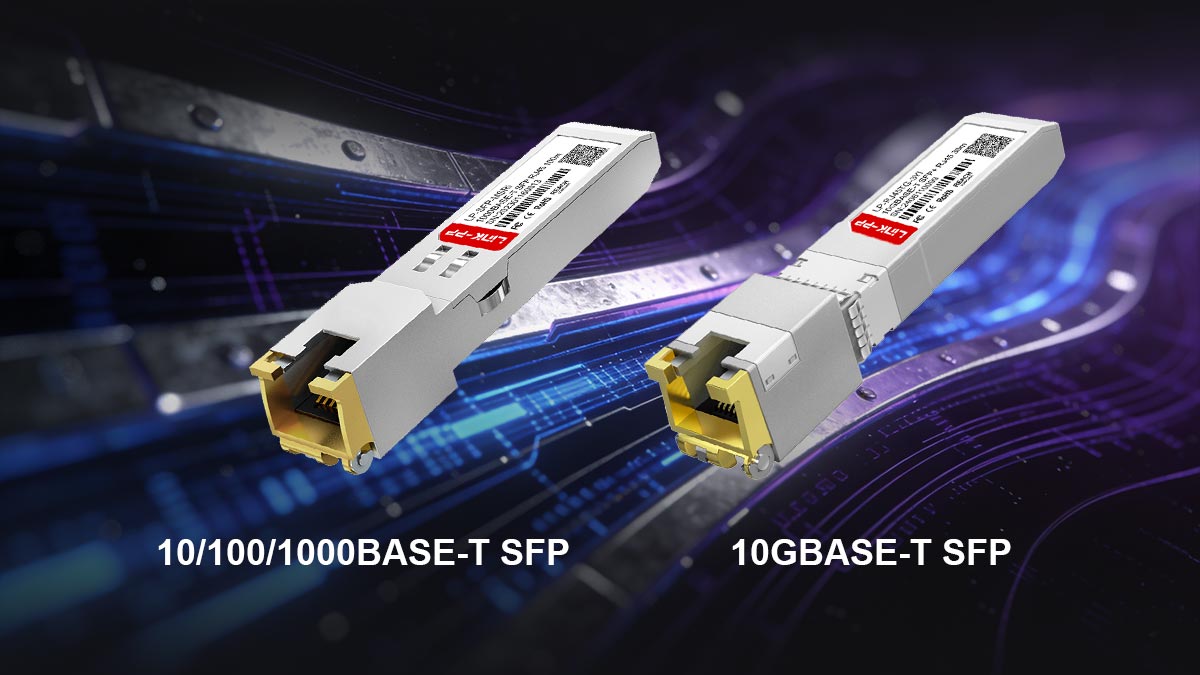
RJ45-T ports support various Ethernet speeds based on different BASE‑T standards, which makes them highly adaptable to a wide range of networking environments. These ports can handle anything from legacy 10Mbps connections to modern 10Gbps links, adjusting to different performance needs. To select the right modules and achieve optimal network performance, network professionals must be familiar with the types and capabilities of these ports.
RJ45-T for 10/100/1000BASE-T SFP
RJ45-T SFP modules supporting 10/100/1000BASE-T are the most commonly used for Gigabit Ethernet over copper. These 1G copper SFP modules (such as SFP-1G-T) are backward compatible and can operate at multiple speeds depending on the connected device and cable quality. Key characteristics include:
- Multi-speed Support: Automatically supports 10Mbps, 100Mbps, and 1Gbps.
- Wide Compatibility: Works with standard Cat5 or higher cables.
- Maximum Distance: Typically up to 100m.
- Common Use Cases: Enterprise LANs, access switches, and server connections.
These RJ45-T 1G SFP modules are ideal for environments that require flexibility and compatibility with mixed-speed devices.
RJ45-T for 10GBASE-T SFP
RJ45-T SFP modules designed for 10GBASE-T enable 10Gbps Ethernet over copper, offering higher bandwidth for demanding applications. However, they come with stricter requirements and higher power consumption. Important aspects include:
- High-speed Capability: Supports up to 10Gbps data rates.
- Cable Requirements: Typically requires Cat5e (or better) for 30-100m short-reach distance.
- Power Consumption: Higher than lower-speed modules due to more complex signal processing.
- Use Cases: Data centers, high-performance computing, and aggregation layers.
These modules are suitable when high throughput is needed without transitioning to fiber.
? RJ45-T Copper SFP Compatibility with Network Equipment
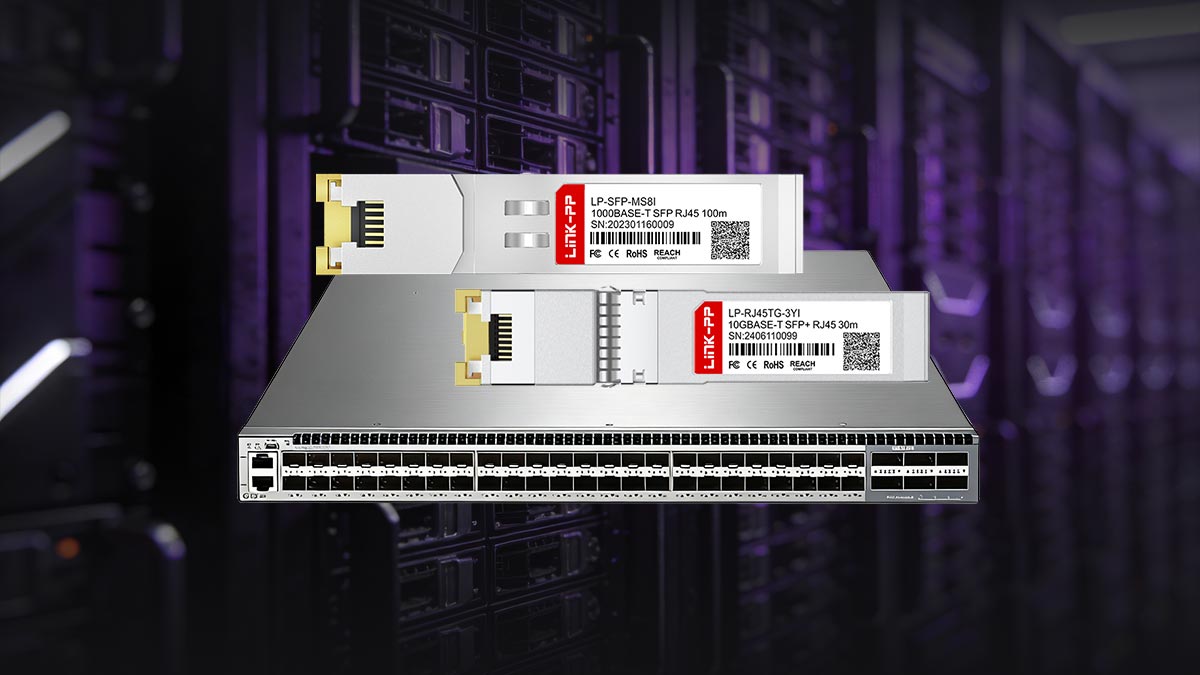
RJ45‑T copper SFP modules are designed to work seamlessly with a wide range of Ethernet switches, routers, and network interface devices that feature SFP/SFP+ slots. Their plug‑and‑play nature allows organizations to upgrade or expand copper‑based infrastructure without replacing existing equipment, bridging the gap between traditional RJ45 ports and modular optical systems. Compatibility, however, can vary depending on device firmware and vendor requirements.
Switches and Routers Supporting RJ45-T
Most modern enterprise switches and routers with SFP or SFP+ slots support RJ45-T copper SFP modules, but compatibility can vary by vendor and model. Some manufacturers, such as Cisco, Juniper, and HPE, may enforce vendor-specific coding or require approved transceivers for full functionality. As a result, using third-party or non-certified RJ45-T SFP modules may lead to warnings, limited performance, or even port shutdown in certain devices.
Additionally, not all SFP ports are optimized for copper transceivers, especially in high-density or high-speed environments. RJ45-T SFP modules — particularly 10GBASE-T — consume more power and generate more heat than fiber modules, which can impact port performance or availability. Network administrators should always verify hardware compatibility lists (HCL) and ensure that the switch or router supports copper SFP modules at the desired speed before deployment.
Compatibility with Legacy Systems
RJ45-T SFP modules are often used to bridge newer SFP-based equipment with legacy devices that rely on standard RJ45 Ethernet ports. Thanks to support for BASE-T standards like 10/100/1000Mbps, these modules can connect seamlessly to older switches, servers, or networked devices without requiring infrastructure upgrades. This backward compatibility makes them especially valuable in mixed-network environments.
However, legacy systems may have limitations in terms of speed, duplex modes, or auto-negotiation capabilities. In some cases, mismatched configurations between modern RJ45-T SFP modules and older devices can lead to reduced performance or unstable links. To ensure reliable operation, it is important to verify supported standards on both ends, use appropriate cabling, and, if necessary, manually configure speed and duplex settings to match legacy equipment requirements.
? RJ45-T SFP Module Cabling Requirements and Best Practices
Proper cabling is critical to ensuring the performance and reliability of RJ45-T SFP modules. The choice of cable type, installation quality, and adherence to distance limits directly affect network stability and speed. Following best practices helps prevent signal degradation, connectivity issues, and unnecessary troubleshooting.
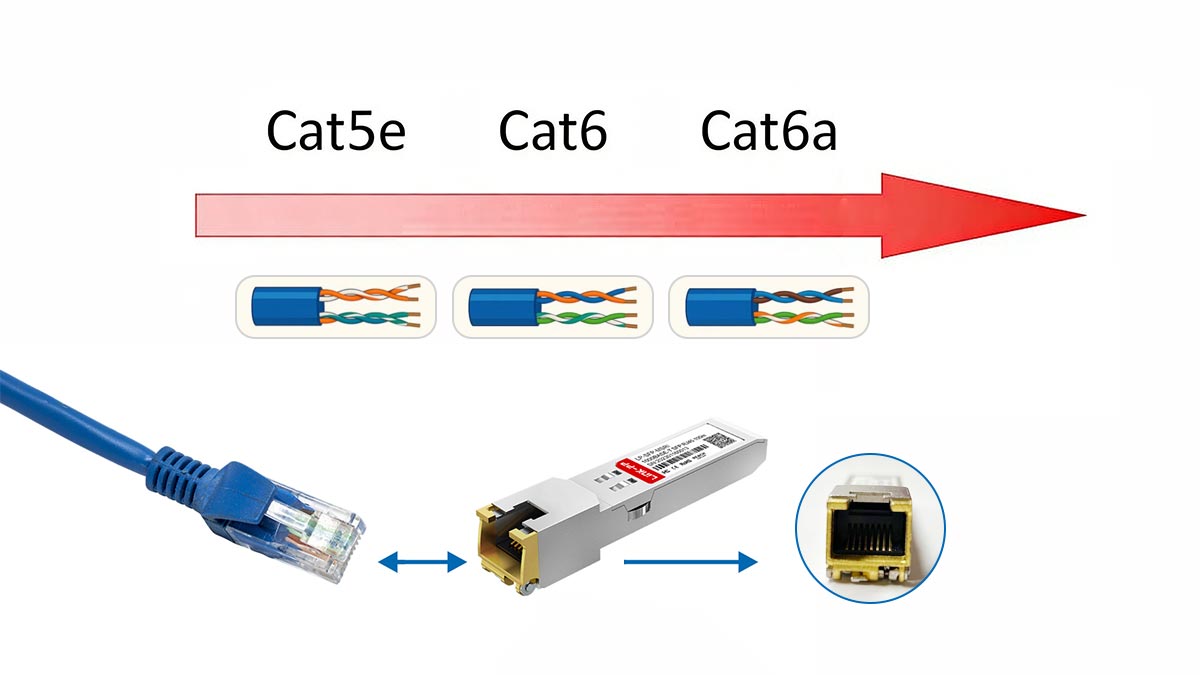
Recommended Cable Types (Cat5e, Cat6, Cat6a)
Selecting the correct cable category is essential for achieving the desired Ethernet speed and performance:
Cat5e:
- Supports up to 1 Gbps (1000BASE-T) at distances up to 100m.
- Suitable for most standard office and enterprise networks.
Cat6:
- Supports 1 Gbps up to 100m and 10Gbps up to 55m.
- Offers better shielding and reduced crosstalk compared to Cat5e.
Cat6a:
- Supports 10Gbps up to 100m.
- Provides improved shielding and performance for high-speed environments.
For 10GBASE-T RJ45-T SFP modules, Cat6a is generally recommended to ensure full performance and minimize interference.
Maximum Distance Guidelines
RJ45-T SFP modules follow standard Ethernet distance limitations, which must be strictly observed to maintain signal integrity:
10/100/1000BASE-T:
- Up to 100 meters using Cat5 or higher cable.
10GBASE-T:
- Up to 100m with Cat6a.
- Typically 30m – 55m with Cat6, depending on cable quality.
Exceeding these limits can result in increased error rates, reduced speeds, or complete link failure. For longer distances, fiber SFP solutions should be considered instead of RT45-T copper SFP.
Proper Installation Techniques
Correct installation practices are essential to ensure optimal performance of RJ45-T connections:
- Avoid Sharp Bends: Maintain proper bend radius to prevent signal loss.
- Minimize Cable Stress: Do not over-pull or compress cables during installation.
- Reduce Interference: Keep cables away from power lines, motors, and other EMI sources.
- Use Quality Connectors: Ensure proper termination with high-quality RJ45 connectors.
- Maintain Cable Organization: Use cable management systems to prevent tangling and damage.
Following these practices helps preserve signal quality and extends the lifespan of the cabling infrastructure.
Troubleshooting Common Cabling Issues
When connectivity problems occur, cabling is often a primary factor. Common issues and solutions include:
Link not Detected:
- Check cable connections and ensure proper insertion.
- Verify cable type and compatibility with the module.
Reduced Speed or Instability:
- Inspect for damaged or low-quality cables.
- Confirm that the cable category supports the required speed.
Intermittent Connectivity:
- Look for loose connectors or excessive cable bending.
- Check for electromagnetic interference sources nearby.
Auto-negotiation Failures:
- Ensure both devices support the same standards.
- Try manually setting speed and duplex if necessary.
Systematic troubleshooting and proper cabling practices can significantly improve network reliability and reduce downtime.
? Selecting the Right RJ45-T SFP Transceiver for Your Network
Choosing the right RJ45‑T SFP transceiver ensures seamless device interoperability, optimized throughput, and long‑term reliability. By understanding your hardware specifications, application environment, and bandwidth goals, you can confidently select a module that fits both current and future network demands.
Evaluating Device Compatibility
Before purchase, confirm that the target switch, router, or media converter supports copper‑based SFP modules. Compatibility depends on several factors:
- Vendor Compatibility: Check whether your switch or router requires vendor-coded modules (e.g., Cisco, HPE, Juniper).
- Port Support: Ensure the SFP/SFP+ port supports copper SFP modules, especially for 10GBASE-T which has higher power requirements.
- Firmware and OS Support: Some devices require specific firmware versions to recognize and operate third-party modules properly.
- Environmental Rating: For industrial setups, choose models designed for extended temperature ranges and durable construction.
Testing modules in a non‑critical port before full deployment is a best practice that helps avoid downtime or interface mismatch issues.
Matching Module Speed with Network Needs
Aligning module speed with actual network performance goals prevents unnecessary cost or bandwidth bottlenecks:
- RJ45‑T 1G SFP modules (like GLC-T) are ideal for office networks, desktop uplinks, and access‑layer switches that only need Gigabit throughput.
- RJ45‑T 10G SFP+ modules (like SFP-10G-T) deliver tenfold higher bandwidth for data centers, server rooms, and high‑demand backbones.
- Consider auto‑negotiation capability, which allows flexible communication with legacy 100 Mbps or 1 Gbps endpoints.
Future scalability should also factor into selection — if your infrastructure will evolve toward 10 Gbps switching, investing in 10GBASE‑T modules now offers strategic value.
Tips for Avoiding Common Selection Mistakes
Many integration problems result from oversight during the planning stage. Avoid these pitfalls:
- Ignoring Power Requirements: 10GBASE‑T modules draw more power and generate more heat than optical transceiver or 1G copper options; ensure proper airflow.
- Overlooking Cable Standards: Verify copper cabling meets Cat6 or Cat6a specifications for 10G speeds.
- Buying Untested Generics: Choose modules from reputable suppliers (like LINK-PP) with verified cross‑compatibility.
Taking a methodical approach simplifies deployment and maximizes link stability across your entire network.
? Conclusion: Maximizing Network Efficiency with RJ45-T SFP Modules
RJ45‑T SFP modules bridge the flexibility of modular networking with the practicality of copper Ethernet, empowering organizations to upgrade efficiently without replacing existing infrastructure. By pairing the right transceiver with proper cabling, compatible hardware, and thoughtful deployment practices, networks can achieve optimized speed, reduced latency, and reliable performance across mixed environments.
Whether you’re modernizing an enterprise backbone or linking legacy devices to next‑generation switches, RJ45‑T SFP solutions offer both scalability and cost‑effectiveness. For guaranteed quality and wide compatibility, explore enterprise‑grade RJ45‑T copper SFP transceivers from the LINK‑PP Official Store.