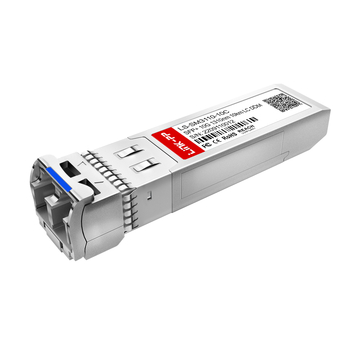
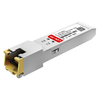
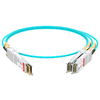
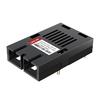
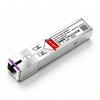
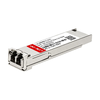







A successful B2B optical module procurement project starts with clear technical requirements, confirmed network equipment details, and an accurate quantity list. Preparing this information before requesting a quotation helps suppliers identify suitable products, check compatibility, and provide more accurate pricing and delivery details.
For distributors, system integrators, and enterprise network teams, optical module procurement involves more than selecting a product model. Project requirements, equipment specifications, order quantities, product quality, and delivery schedules all affect the final procurement decision.
A well-prepared procurement checklist can help organize these details, reduce unnecessary communication, and make the quotation process more efficient.
What Should You Prepare Before Starting an Optical Module Procurement Project?
Before contacting a supplier, define your project requirements and organize the basic purchasing information. A clear starting point helps suppliers understand your application, identify the products you need, and prepare a suitable quotation.
Define Your Network Application and Project Requirements
Start by identifying where the optical modules will be used. Different network environments may require different module types, transmission distances, and operating conditions.
Common applications include:
- Data Centers: Optical connections between switches, servers, and storage systems.
- Enterprise Networks: Fiber links between network switches, buildings, and distribution points.
- Telecom Networks: Optical connections for access networks, aggregation, and backbone links.
- Industrial Networks: Fiber communication in manufacturing facilities, outdoor sites, and other demanding environments.
Also, clarify the purpose of the project. Is it for a new network deployment, an existing network upgrade, equipment replacement, or future capacity expansion?
These details help suppliers understand the application and narrow down suitable product options.
Identify Network Equipment and Port Requirements
Next, collect information about the network equipment that will use the optical modules. The equipment brand and exact model are important starting points for product selection and compatibility checks.
Prepare the following information:
- Equipment Brand: Cisco, Juniper, Arista, HPE, MikroTik, or other brands.
- Device Model: The exact switch, router, or network device model.
- Port Information: The port type, supported data rate, and available port quantity.
- Application Requirements: The intended connection between network devices.
For example, a project involving several network switches may require different optical modules for uplinks, server connections, and connections between buildings.
If the exact port requirements are unclear, provide the equipment model and available documentation so the supplier can help review the requirements.
Estimate Required Quantities and Prepare a Bill of Materials (BOM)
Before requesting a quotation, estimate how many optical modules are needed for each device or network connection. A clear quantity list helps suppliers calculate product costs and review the overall project requirements.
For projects involving multiple module types, prepare a Bill of Materials (BOM) with the following information:
| BOM Field | Information to Prepare |
| Product Name | Optical module type or description |
| Part Number | Exact model or SKU, if available |
| Specifications | Data rate, distance, wavelength, and connector |
| Quantity | Required units for each model |
| Application | Intended device or network connection |
| Remarks | Special requirements or additional notes |
Also, consider whether additional modules are needed for spare inventory, maintenance, or future network expansion.
If you are unsure about the exact product model, describe the required application and equipment information instead of guessing the part number.
A well-organized BOM gives suppliers a clearer picture of your project and provides a useful starting point for product selection, compatibility verification, and quotation preparation.
What Technical Specifications Should You Confirm on an Optical Module Procurement Checklist?
Checking optical module specifications before placing an order helps ensure that the selected products meet your network requirements. Even when two modules have the same data rate, they may differ in transmission distance, wavelength, fiber type, connector, and operating conditions.
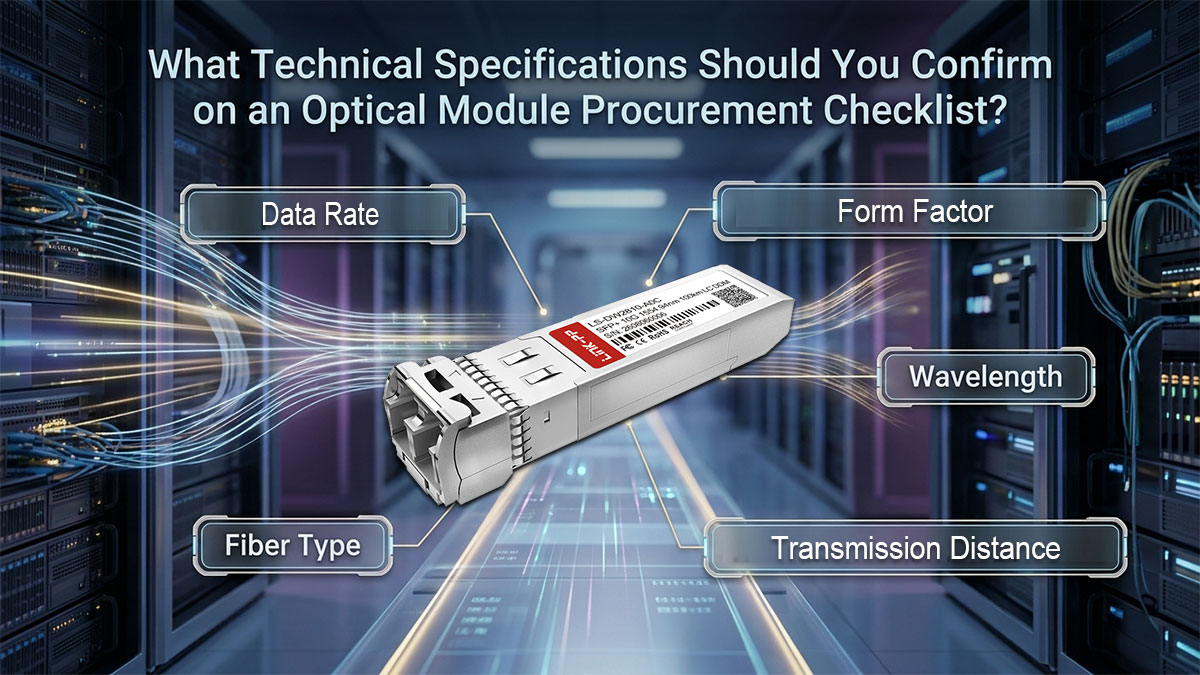
Use the following checklist to review the key technical details before requesting a quotation.
Confirm Data Rate and Form Factor Requirements
Start by identifying the required data rate and module form factor for each network connection. The optical module must match the supported speed and interface requirements of the host device.
Common optical module speeds and form factors include:
| Data Rate | Common Form Factors |
| 1G | SFP |
| 10G | SFP+ |
| 25G | SFP28 |
| 40G | QSFP+ |
| 100G | QSFP28 |
| 400G | QSFP-DD |
| 800G | QSFP-DD / OSFP |
These are common combinations, and the available options depend on the specific network application. For higher-speed connections, also check optical lane configurations and breakout requirements where applicable.
Check Transmission Distance, Wavelength, and Fiber Type
Transmission distance, operating wavelength, and fiber type are closely related. These specifications determine whether an optical module is suitable for the planned fiber link.
Before ordering, confirm the following:
- Transmission Distance: Check the required link length between network devices and select a module with a suitable transmission range.
- Operating Wavelength: Verify the wavelength required by the optical link, especially when using WDM systems.
- Fiber Type: Confirm whether the application requires Single-Mode Fiber (SMF) or Multimode Fiber (MMF).
- Connector Type: Check whether the module uses LC, SC, MPO/MTP, or another optical interface.
Also, consider the optical loss introduced by fiber cables, connectors, patch panels, and other connection points. The module's advertised maximum distance alone may not be enough to determine whether it suits the actual link.
Review Optical Power Budget and DDM/DOM Requirements
Optical power specifications help determine whether a transceiver can transmit and receive signals within the required operating range.
Pay attention to these parameters:
- Transmit Power (Tx): The optical output power sent by the module.
- Receiver Sensitivity: The minimum received optical power required for the receiver to detect the signal properly.
- Receiver Overload: The maximum received optical power the receiver can support without exceeding its operating limit.
- Optical Link Budget: The difference between the minimum transmit power and receiver sensitivity, which determines the maximum allowable link loss before additional system margin is considered.
A suitable optical power budget helps keep the received signal within the module's supported range. Both insufficient and excessive received power should be considered during product selection.
You should also confirm whether the module supports Digital Diagnostic Monitoring (DDM/DOM). This function provides information such as temperature, supply voltage, laser bias current, Tx power, and Rx power, helping network teams monitor module operating conditions.
Verify Temperature Range and Applicable Standards
The operating environment and applicable technical standards are also important when selecting optical modules.
Consider these requirements:
- Commercial Temperature: Suitable for network equipment operating within the module's specified commercial temperature range.
- Industrial Temperature: Consider modules with an extended operating temperature range for outdoor installations or environments with wider temperature variations.
- IEEE Standards: Confirm the relevant Ethernet interface and transmission specifications.
- MSA Specifications: Check applicable Multi-Source Agreement requirements for module dimensions, electrical interfaces, and optical characteristics.
- SFF Specifications: Review relevant form factor and management interface requirements where applicable.
Do not select a temperature grade based only on the product name. Always compare the specified operating temperature range with the actual environmental conditions at the installation site.
Likewise, confirm that the module's supported standards match the intended network application rather than assuming that modules with similar specifications are interchangeable.
Before requesting a quotation, use this summary to check whether all essential technical requirements have been covered.
| Procurement Item | Details to Confirm |
| Data Rate | 1G / 10G / 25G / 40G / 100G / 400G / 800G |
| Form Factor | SFP / SFP+ / SFP28 / QSFP+ / QSFP28 / QSFP-DD / OSFP |
| Transmission Distance | Required link distance |
| Wavelength | Required operating wavelength |
| Fiber Type | SMF / MMF |
| Connector | LC / SC / MPO/MTP |
| Optical Power | Tx Power / Receiver Sensitivity / Receiver Overload |
| Monitoring | DDM / DOM |
| Temperature | Commercial / Industrial |
| Standards | Applicable IEEE / MSA / SFF specifications |
Having these specifications ready makes it easier to narrow down suitable optical modules and provides a clear technical basis for the next step: verifying compatibility with your network equipment.
How to Verify Optical Module Compatibility Before Placing an Order?
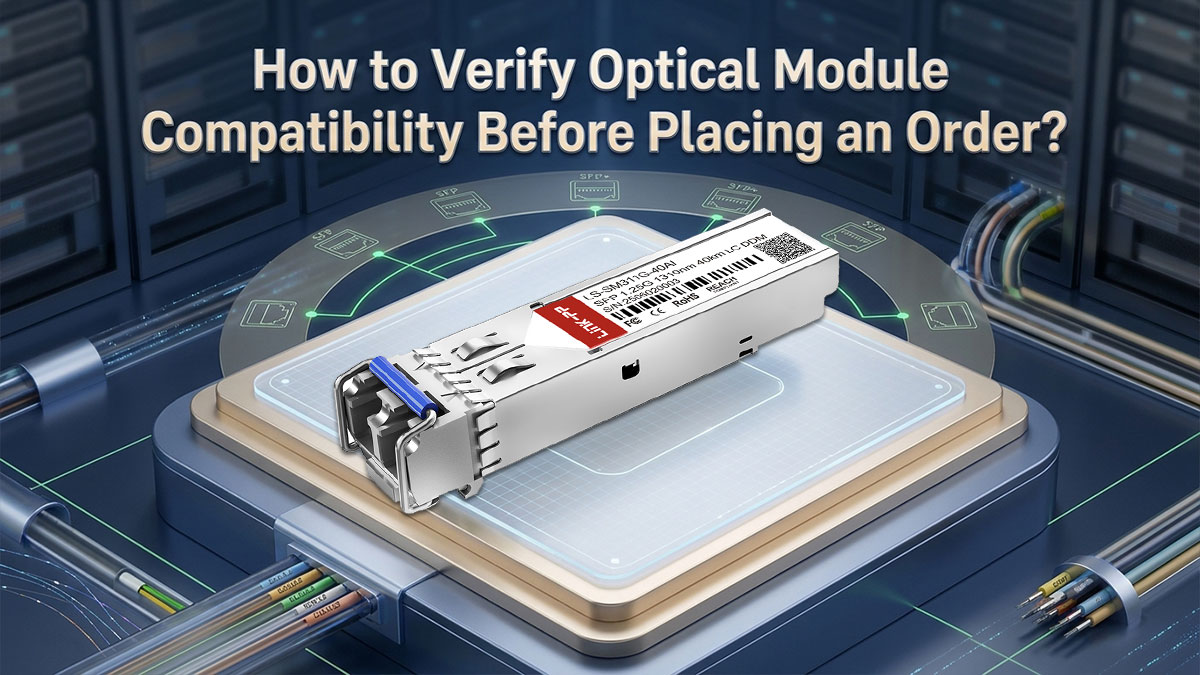
Optical module compatibility is an important factor in B2B procurement. Even when a transceiver has the correct speed and form factor, it may not work properly with every switch, router, or network card.
Before placing an order, confirm the device requirements, compatibility coding, and available testing support. This is especially important when sourcing third-party compatible modules in large quantities.
Identify Switch Brands, Models, and Port Requirements
Use the network equipment information collected earlier to check whether the selected optical modules are compatible with the target devices. Different switch and router models may have specific requirements for transceiver recognition and operation.
For compatibility verification, focus on these additional details:
- OEM Part Number: Identify the original transceiver model recommended for the device, if available.
- Firmware Version: Check whether the installed software affects third-party module support.
- Port Configuration: Confirm any required operating modes, FEC settings, or breakout configurations.
- Compatibility Restrictions: Review any vendor-specific requirements for transceiver recognition.
For networks using equipment from multiple brands, verify compatibility for each device model rather than assuming that one module will work across all platforms.
These details help suppliers identify suitable compatible transceivers and reduce the risk of device recognition problems.
Compare OEM and Third-Party Compatible Optical Modules
OEM optical modules are supplied under the original equipment manufacturer's brand. Third-party compatible modules are designed to work with supported network equipment while offering alternative sourcing options.
When comparing these products, consider the following differences:
| Comparison Factor | What to Check |
| Product Specifications | Whether both modules meet the required optical and electrical specifications |
| Compatibility Coding | Whether the module is coded for the target network equipment |
| Device Recognition | Whether the switch or router can recognize the module |
| Pricing | Differences in unit prices and volume quotations |
| Technical Support | Available compatibility testing and troubleshooting assistance |
LINK-PP offers third-party compatible optical transceivers for network equipment from brands such as Cisco, Juniper, Arista, HPE, and MikroTik. Its product range includes SFP, SFP+, SFP28, QSFP28, and other module types for different network applications.
These compatible modules provide additional options for procurement teams comparing product availability, technical requirements, and project costs.
Check EEPROM Coding and Platform Compatibility
Network devices may read identification data stored in a transceiver's EEPROM to determine whether the module is supported. This data can include the module type, manufacturer information, and other identification details.
When checking EEPROM compatibility, focus on the following:
- Module Identification: Confirm that the transceiver provides identification data accepted by the target device.
- Vendor-Specific Coding: Check whether the module requires coding for a particular network platform.
- Compatibility Warnings: Determine whether the equipment reports unsupported or unrecognized transceiver messages.
Meeting MSA specifications does not automatically guarantee compatibility with every network platform. Some devices apply additional vendor-specific identification requirements.
If a module is not recognized, confirm its coding requirements with the supplier before replacing or ordering additional units.
Validate Compatibility With Samples Before Bulk Orders
Before placing a large-volume order, consider testing a compatible module on the actual network equipment. Sample validation can help identify recognition or interoperability issues before wider deployment.
A basic compatibility test may include:
- Install the Module: Insert the sample transceiver into the intended network port.
- Check Device Recognition: Confirm that the equipment detects the module without unexpected compatibility warnings.
- Verify Link Operation: Connect the required fiber and confirm that the link operates at the expected speed.
- Monitor Performance: Check interface errors, link stability, and DDM/DOM readings where supported.
For LINK-PP optical transceiver modules, you can use the LINK-PP Compatibility Tool to search for compatible optical modules by OEM brand or part number. The tool also provides options to request compatibility test information.
If your device or required module is not listed, contact LINK-PP with your switch model and optical specifications for further verification.
Confirming compatibility before bulk procurement helps reduce the risk of ordering unsuitable modules and supports a smoother network deployment.
How to Compare Optical Module Pricing and Total Procurement Costs?
Optical module prices can vary depending on data rate, transmission distance, product specifications, and order quantity. The lowest unit price does not always mean the lowest overall procurement cost.
For B2B projects, comparing supplier quotations, volume discounts, and long-term expenses can help you make a more cost-effective purchasing decision.
Compare Supplier Quotes Based on Matching Specifications
Before comparing prices, make sure each supplier is quoting optical modules with the same required specifications. Two products may have the same data rate but different transmission distances, optical components, or operating temperature ranges.
When reviewing quotations, check the following:
- Product Specifications: Confirm that the quoted modules meet the same technical requirements.
- Compatibility: Check whether each product supports the required network equipment.
- Unit Price: Compare the price per module using the same currency.
- Included Services: Check whether testing, compatibility support, or other services are included.
- Additional Charges: Identify shipping fees, applicable taxes, and other order-related costs.
A quotation with a lower unit price may become more expensive when additional charges are included. Understanding the factors behind the SFP module price can help you compare supplier quotations more accurately.
Comparing products under the same requirements helps you evaluate quotations more fairly.
Evaluate Bulk Pricing and Volume Purchase Discounts
The quantity of optical modules ordered can affect the price per unit. For large network deployments, suppliers may offer volume-based discounts or special project quotations.
Before requesting bulk pricing, prepare the following information:
- Order Quantity: Specify how many units are required for each product model.
- Quantity Tiers: Ask for pricing at different order volumes.
- Project Schedule: Confirm whether the modules will be delivered together or in separate batches.
- Future Demand: Indicate whether additional orders are expected.
LINK-PP offers volume pricing and business account services for qualified commercial customers. Procurement teams can submit their product models and quantities to request bulk or project pricing.
However, a larger order is not always the better choice. Consider your actual deployment schedule and inventory needs before increasing quantities to obtain a lower unit price.
Calculate Total Cost of Ownership (TCO)
Total Cost of Ownership (TCO) includes the initial purchase price and other costs associated with deploying, operating, and maintaining optical modules.
For long-term network projects, these additional expenses can affect the overall procurement budget.
| Cost Factor | What to Consider |
| Module Cost | Initial unit price and total product quantity |
| Fiber Cabling | Fiber cables, connectors, and related components |
| Power Consumption | Electricity used by the installed modules |
| Spare Inventory | Additional modules reserved for replacement |
| Maintenance | Testing, troubleshooting, and replacement costs |
| Shipping and Taxes | Delivery charges and applicable import costs |
| Network Downtime | Potential costs caused by equipment failures or delays |
A lower-priced module may result in higher long-term costs if it requires frequent replacement or additional maintenance. To manage TCO, consider product reliability, power consumption, and spare inventory alongside the initial purchase price.
What Should You Check When Evaluating an Optical Module Supplier?
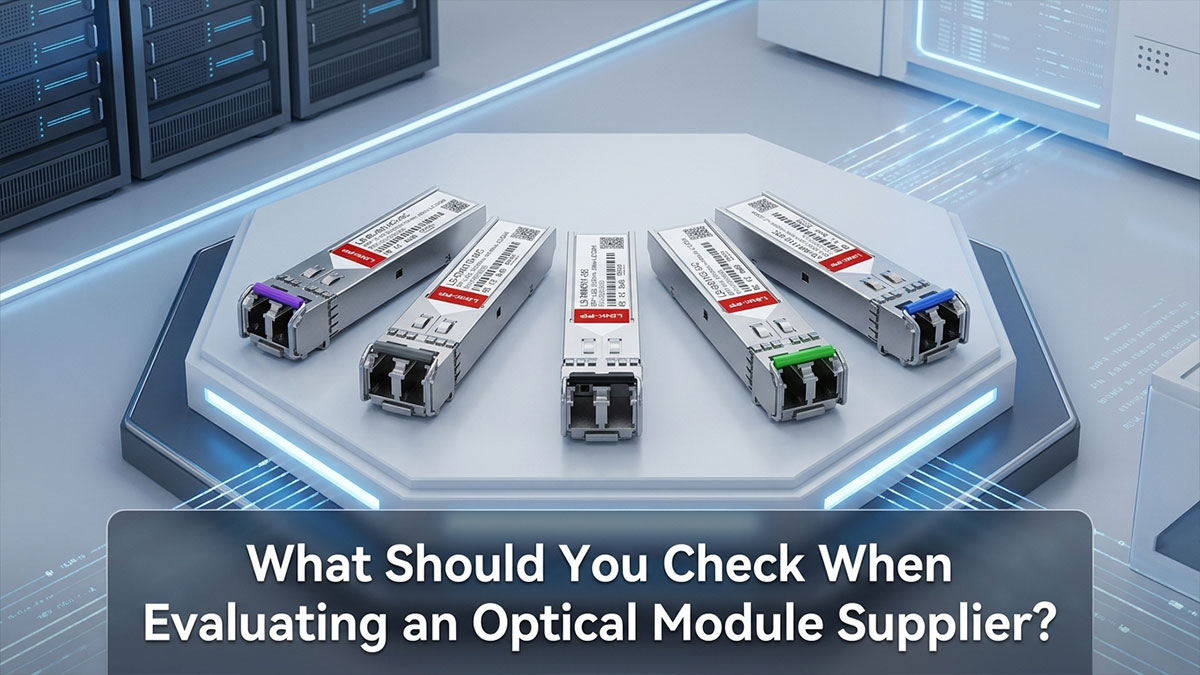
Choosing a reliable optical module supplier involves more than comparing product specifications and prices. Manufacturing quality, testing capabilities, stock availability, delivery schedules, and after-sales support can all affect a B2B procurement project.
Before placing a large order, review the supplier's quality control process, product testing, and commercial terms to reduce procurement risks.
Review Manufacturing Processes and Quality Control
A supplier's manufacturing and quality control processes can affect product consistency and long-term reliability. Understanding how optical modules are inspected and tested helps procurement teams evaluate supplier capabilities.
Key quality control areas include:
- Incoming Inspection: Check whether incoming materials and components are inspected before production.
- Manufacturing Process Control: Review how production steps are monitored to maintain consistent quality.
- Functional Testing: Confirm that finished modules are tested for basic operation and performance.
- Final Inspection: Check whether products are inspected before packaging and delivery.
- Product Traceability: Ask whether products can be traced to production batches or inspection records.
LINK-PP follows a quality management process covering incoming inspection, manufacturing, functional testing, final inspection, and traceability. You can review its quality control process for more information about product inspection and manufacturing standards.
Check Optical Performance Testing and Quality Reports
Optical performance testing helps verify whether transceivers meet their specified operating requirements. Before selecting a supplier, check which tests are performed and whether relevant reports are available.
Important testing items include:
| Test Item | What It Checks |
| Optical Output Power | Whether transmitted optical power meets specifications |
| Receiver Sensitivity | Whether the receiver can detect signals at the specified power level |
| Bit Error Rate (BER) | The rate of incorrect bits during data transmission |
| Eye Diagram | Optical signal quality and timing characteristics |
| Extinction Ratio | The difference between optical signal power levels |
| DDM/DOM Test | Accuracy and operation of digital monitoring functions |
| Temperature Test | Module operation under specified temperature conditions |
These tests help identify possible performance problems before modules are installed in a network.
LINK-PP provides optical performance testing and compatibility validation for different transceiver types. Procurement teams can explore its optical transceiver testing services or request relevant test reports for project qualification.
Testing requirements may differ by transceiver type, so confirm which reports are available for the specific module being ordered.
Confirm Sample Availability, Stock, and Lead Time
Sample availability and delivery schedules are important when planning large optical module orders. Checking these details early helps procurement teams prepare for testing and project deployment.
Before confirming an order, review the following:
- Sample Availability: Check whether sample modules are available for evaluation.
- Sample Conditions: Confirm sample eligibility, testing periods, return requirements, and any applicable charges.
- Stock Availability: Verify whether the required models and quantities are in stock.
- Production Lead Time: Ask how long out-of-stock or customized modules will take to prepare.
- Delivery Schedule: Confirm the estimated dispatch date and whether partial shipments are possible.
LINK-PP offers a product sample request service to help customers evaluate optical modules before bulk procurement. Sample availability and terms may vary, so confirm the testing period, return conditions, and any applicable costs before submitting a request.
For bulk orders, provide the required quantity and delivery date when requesting a quotation. This allows the supplier to check inventory and discuss a suitable delivery schedule.
Review Warranty, RMA, Payment, and Shipping Terms
Commercial terms and after-sales support should be confirmed before placing an optical module order. Clear policies help procurement teams manage product returns, payments, and delivery arrangements.
The following items are worth reviewing:
| Commercial Item | What to Confirm |
| Warranty | Coverage period and applicable conditions |
| RMA | Return authorization and replacement procedures |
| Payment Terms | Accepted payment methods and credit terms |
| Shipping Method | Available carriers and delivery options |
| Shipping Costs | Freight charges and applicable additional fees |
| Delivery Terms | Estimated shipping time and order arrangements |
LINK-PP provides a five-year warranty for eligible optical transceiver products, with return and replacement conditions depending on the product type. Review its warranty policy before placing an order.
For qualified distributors and system integrators, the LINK-PP Business Account offers volume pricing, dedicated support, and flexible commercial terms subject to approval.
Shipping methods, estimated delivery times, and related costs should also be confirmed based on the destination and order requirements.
Evaluating quality control, product testing, delivery capabilities, and commercial terms together helps procurement teams select suppliers that can support both immediate orders and long-term network projects.
How to Prepare an Optical Module RFQ? (With a Free Template)
A clear Request for Quotation (RFQ) helps suppliers understand your optical module requirements and prepare accurate pricing, availability, and delivery information. It should include the product models, order quantities, compatibility needs, and key commercial terms.
You do not need to know every technical detail before sending an inquiry. Provide the information you have and ask the supplier to help confirm any missing specifications.
Include Company and Project Information
Start your RFQ with your company name, contact details, and project information. Include the application and project location so the supplier can understand your purchasing needs.
A short project description is usually enough. Mention whether the modules are intended for a new deployment, network upgrade, or equipment replacement.
List Product Specifications and Compatibility Requirements
Use the technical specifications and compatibility information confirmed earlier to describe the required optical modules.
Include the product part number or OEM reference when available. If the exact model is unknown, provide the required link specifications and network equipment details so the supplier can help identify a suitable option.
For projects involving multiple module types, organize the product information in a BOM to avoid confusion.
Specify Order Quantities and Delivery Requirements
State the required quantity for each module model and your expected delivery date. Also, provide the shipping destination and indicate whether the project requires a single delivery or multiple shipments.
If sample testing is needed before bulk procurement, include this requirement in your RFQ.
Clear quantity and delivery information helps suppliers check stock availability and prepare a suitable shipping arrangement.
Add Commercial and Quality Requirements
Specify any additional requirements that may affect the quotation, including volume pricing, product testing, warranty coverage, and payment terms.
Ask for relevant quality documents when required by your project. You can also request information about shipping costs, estimated lead times, and after-sales support.
Keep these requirements clear and relevant to the order so the supplier can respond without unnecessary clarification.
Copy and Use an Optical Module RFQ Template
Use the following RFQ template to organize your optical module procurement requirements. Replace the bracketed fields with your project information and leave any unknown specifications blank.
| RFQ Field | Information to Provide |
| Company Name | [Company Name] |
| Contact Name | [Full Name] |
| Business Email | [Email Address] |
| Country/Region | [Country or Region] |
| Project Name | [Project Name] |
| Application | [Network Application] |
| Product Model / SKU | [Part Number or SKU] |
| Data Rate / Form Factor | [Required Speed and Module Type] |
| Transmission Distance | [Required Reach] |
| Wavelength | [Operating Wavelength] |
| Fiber Type / Connector | [SMF/MMF and Connector] |
| Switch Brand / Model | [Brand and Device Model] |
| Compatibility Requirements | [OEM Part Number or Coding] |
| Order Quantity | [Quantity per Model] |
| Required Delivery Date | [Needed-by Date] |
| Shipping Destination | [Destination] |
| Pricing Requirements | [Unit Price / Bulk Pricing] |
| Quality Requirements | [Test Reports / Certifications] |
| Additional Requirements | [Warranty / Payment / Other] |
For multiple products, attach a BOM listing each part number, specification, and required quantity.
Once your RFQ is ready, visit the LINK-PP Request a Quote page to submit your procurement requirements. You can add products by part number or SKU, describe your project needs, and attach supporting documents such as a BOM or datasheet.
LINK-PP usually responds to inquiries within one business day. Providing complete product and project information can help its team review your request and prepare a suitable quotation.
Conclusion: What to Confirm Before an Optical Module Order?

A well-prepared optical module procurement checklist helps B2B teams make informed purchasing decisions and avoid unnecessary order delays. Before placing an order, focus on these three key areas:
- Confirm Technical Requirements: Check data rate, form factor, transmission distance, wavelength, fiber type, and network equipment compatibility.
- Evaluate Supplier Capabilities: Compare product pricing, quality testing, stock availability, delivery schedules, and warranty conditions.
- Prepare a Complete RFQ: Organize product models, required quantities, delivery dates, and commercial requirements to help suppliers provide accurate quotations.
Clear technical and commercial requirements make it easier to compare suppliers and keep procurement projects on schedule.
For more model-specific sourcing advice, compatibility comparisons, and cost analysis, explore the LINK-PP Procurement & Pricing Guide.
Ready to source optical modules for your next project? Explore products at the LINK-PP Official Store or contact us for compatibility assistance, bulk pricing, and project quotations.