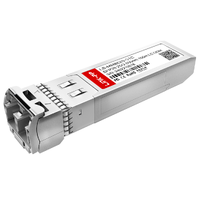
Une carte SFP (Small Form-Factor Pluggable) est une carte d'interface réseau (NIC) PCIe conçue pour les serveurs et le calcul haute performance. Contrairement aux cartes réseau RJ45 classiques à ports fixes, une carte SFP dispose de modules remplaçables à chaud qui acceptent des émetteurs-récepteurs interchangeables. Cette architecture permet aux ingénieurs réseau de passer facilement des câbles DAC à courte portée aux fibres optiques à longue portée, offrant ainsi des E/S réseau hautement évolutives et à faible latence , de 1 Gbit/s à plus de 100 Gbit/s, conformément à la norme IEEE 802.3.
À mesure que les centres de données d'entreprise et les laboratoires domestiques avancés se développent, les configurations Ethernet cuivre traditionnelles deviennent souvent le principal goulot d'étranglement des E/S (entrées/sorties) des serveurs. La mise à niveau vers un réseau dorsal 10G, 25G ou 40G exige bien plus que de simples commutateurs plus rapides ; elle requiert un matériel physique capable de traiter un trafic à large bande passante sans subir de limitation thermique ni d'interférences électromagnétiques (IEM) . C'est là que la carte réseau SFP devient un atout indispensable.
Pour bien comprendre l'architecture SFP, il est essentiel de faire la distinction entre les deux entités physiques principales de l'écosystème :
- La carte SFP (carte réseau) : carte d’extension PCIe physique installée sur la carte mère du serveur. Elle intègre le chipset du contrôleur (par exemple, Intel, Mellanox ou Broadcom) et décharge le traitement réseau du contrôleur réseau. Processeur.
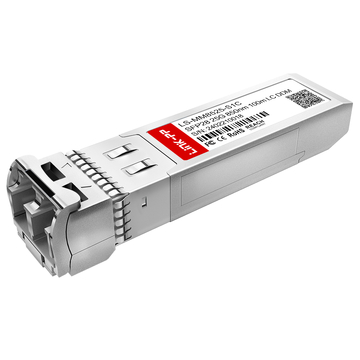
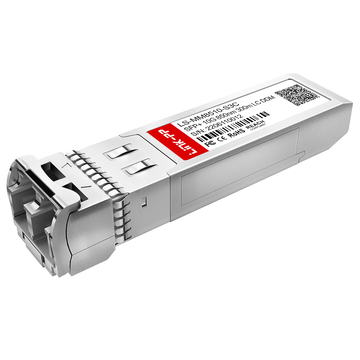
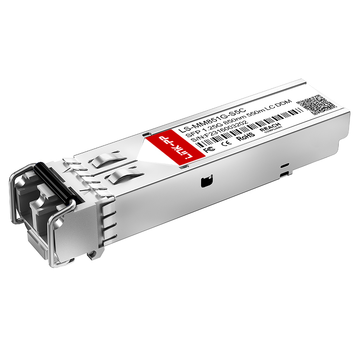
- L'émetteur-récepteur SFP : l'interface optique ou SFP prête à l'emploi module en cuivre Insérée dans l'emplacement vide de la carte, elle détermine le support de transmission physique et la distance maximale de la connexion.
Point de vue d'expert : Pourquoi les professionnels de l'informatique évitent le 10GBASE-T
Si les débutants en informatique optent souvent pour le 10GBASE-T (10G RJ45) par habitude, les administrateurs système expérimentés gérant des serveurs de stockage sur TrueNAS ou des hyperviseurs comme Proxmox privilégient largement l'architecture SFP+. La raison principale va au-delà de la simple vitesse : il s'agit d'efficacité matérielle et de gestion thermique.
Selon les métriques de déploiement standard, un émetteur-récepteur RJ45 10G peut consommer jusqu'à 3 à 5 W par port, générant une chaleur importante qui nécessite un refroidissement actif. À l'inverse, une carte SFP+ utilisant un câble cuivre à connexion directe (DAC) consomme moins de 1 W par port, avec une production de chaleur quasi nulle et une latence d'encodage nettement inférieure. Pour les baies de serveurs à forte densité fonctionnant 24 h/24 et 7 j/7, cette réduction de la consommation d'énergie et de la charge thermique prévient la dégradation du matériel et garantit une E/S réseau stable.
Dans ce guide complet, nous allons analyser l'évolution des normes de la technologie SFP, fournir une comparaison technique définitive entre SFP et la norme RJ45, et décrire les facteurs de compatibilité critiques — tels que l'évitement de la dépendance vis-à-vis du fournisseur et la correspondance des pilotes du système d'exploitation — pour vous aider à sélectionner la carte PCIe SFP optimale pour votre infrastructure.
🟨 Qu'est-ce qu'une carte SFP ?
Une carte réseau SFP est une carte d'extension PCIe spécialisée qui connecte un serveur à un réseau haut débit. Au lieu d'intégrer des ports fixes, elle dispose d'emplacements modulaires libres. La carte gère le traitement de la couche MAC (Media Access Control) et le déchargement du processeur, et utilise des émetteurs-récepteurs SFP remplaçables à chaud pour déterminer le support de connexion physique (fibre optique ou cuivre).
Dans le domaine des réseaux d'entreprise, le terme « SFP » provient de l' accord multi-sources (MSA) , un cadre de référence standard qui garantit la compatibilité physique et électrique des composants réseau de différents fabricants. Lorsqu'on parle de carte SFP, on fait spécifiquement référence à la carte d'interface hôte (souvent appelée carte d'interface réseau ou adaptateur de bus hôte) qui se connecte directement à la carte mère du serveur via un port PCI Express (PCIe).
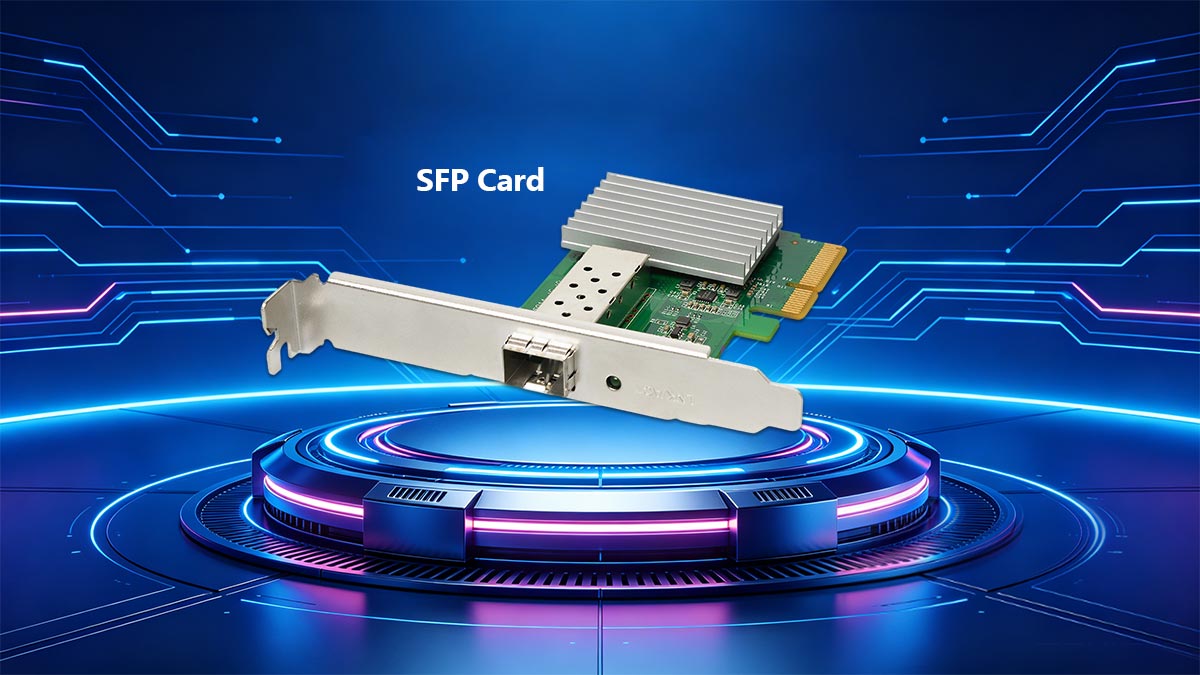
La fonction principale de la carte SFP est de convertir les signaux du bus PCIe interne du serveur en paquets de données réseau. Les cartes SFP modernes sont dotées de contrôleurs avancés qui prennent en charge des tâches de déchargement matériel, telles que le déchargement du calcul des sommes de contrôle TCP /UDP et le déchargement des envois volumineux (LSO), ce qui réduit considérablement la charge du processeur lors des opérations d'E/S réseau à large bande passante.
Différence entre la carte et l'émetteur-récepteur
Une confusion fréquente chez les débutants en informatique est de confondre la carte PCIe avec la technologie des ports physiques. L'architecture SFP étant intrinsèquement modulaire, le matériel est strictement divisé en deux composants distincts fonctionnant à des niveaux différents de la pile réseau.
Pour lever toute ambiguïté, voici la distinction technique :
- La carte SFP (l'hôte) : Il s'agit du matériel permanent installé à l'intérieur du châssis du serveur. Il détermine la capacité de bande passante maximale (par exemple, 10 Gbit/s ou 25 Gbit/s) et contient le firmware qui assure l'interface avec votre système d'exploitation (tel que Linux, Windows Server ou TrueNAS). Une carte SFP ne peut pas se connecter à un réseau par elle-même ; elle nécessite un émetteur-récepteur.
- L'émetteur-récepteur SFP (Le média) : Il s'agit du compact, remplaçables à chaud module (c'est-à-dire qu'il peut être inséré ou retiré sans éteindre le serveur) qui se glisse dans le port vide de la carte. L'émetteur-récepteur gère le Couche physique (PHY), convertissant les signaux électriques de la carte en impulsions lumineuses optiques pour les câbles à fibres optiques, ou en signaux électriques pour les câbles en cuivre.
| Paramètre technique | Carte SFP PCIe (NIC) | Module émetteur-récepteur SFP |
|---|---|---|
| Fonction primaire | Traitement réseau, interface pilote du système d'exploitation, déchargement du processeur. | Conversion de signal (électrique vers optique / cuivre). |
| Couche OSI du réseau | Couche liaison de données (couche 2 / MAC) | Couche physique (Couche 1 / PHY) |
| Remplaçable à chaud ? | Non. L'installation PCIe nécessite l'arrêt du serveur. | Oui. Installation et utilisation immédiates, sans interruption du système. |
| Exemples d'entités | Intel X520-DA2, Mellanox ConnectX-3, Broadcom NetXtreme | 10GBASE-SR (optique), 10GBASE-T (cuivre RJ45), DAC 10G |
En séparant le contrôleur logique (la carte) du support physique (l'émetteur-récepteur), l'architecture SFP offre une flexibilité inégalée. Si une entreprise doit migrer un serveur d'une connexion cuivre courte portée de 3 mètres vers une liaison fibre monomode de 10 kilomètres , l'administrateur informatique n'a qu'à remplacer un module émetteur-récepteur à 20 $, au lieu de changer une carte réseau PCIe à 200 $.
🟨 Fonctionnement d'une carte SFP dans les E/S réseau d'un serveur
Une carte SFP traite les E/S du réseau du serveur via une architecture en quatre étapes : l’interface hôte PCIe extrait les données de la carte mère ; le contrôleur NIC ( ASIC ) formate les données au niveau de la couche MAC ; les signaux électriques passent par le boîtier SFP ; et enfin, la couche module (émetteur-récepteur) convertit ces signaux électriques en impulsions lumineuses physiques (fibre) ou en fréquences électriques (cuivre) pour la transmission sur le réseau.
Pour comprendre comment une carte SFP améliore les performances d'un serveur, il faut suivre le parcours d'un paquet de données, du processeur du serveur jusqu'au commutateur réseau externe. L'architecture d'une carte réseau SFP est spécifiquement conçue pour séparer le traitement logique des données de la transmission physique du signal. Cette séparation des tâches confère à la technologie SFP son débit élevé et sa latence minimale.
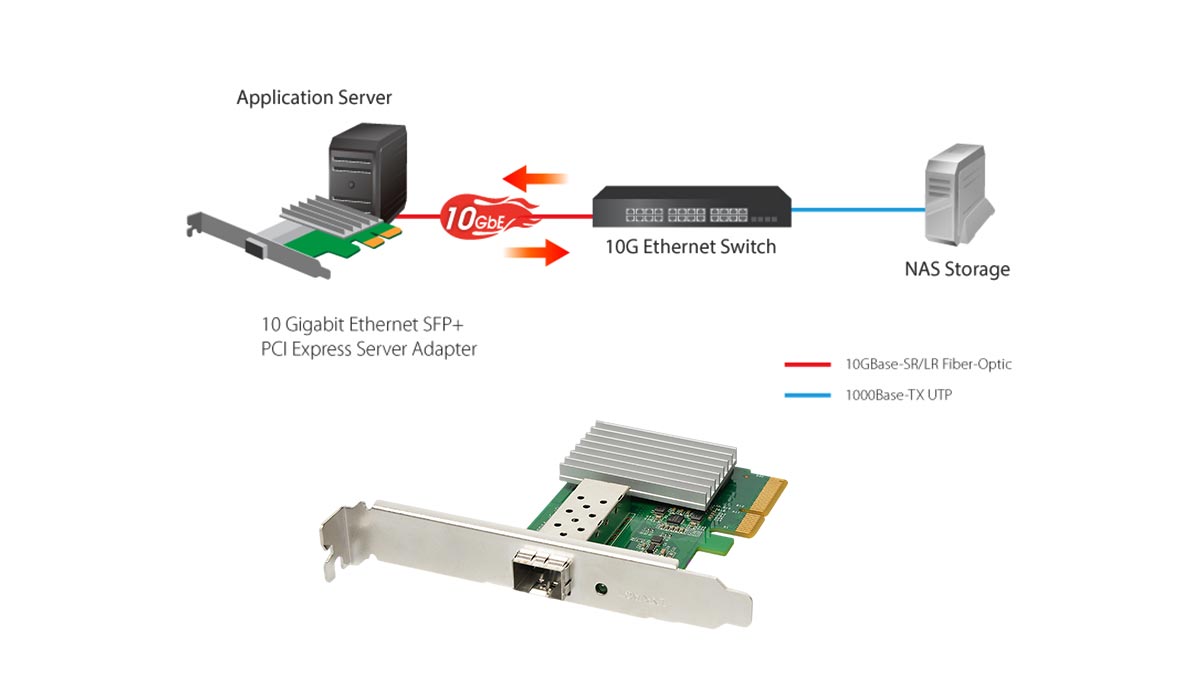
Une carte SFP de qualité professionnelle s'appuie sur quatre couches matérielles distinctes pour gérer les E/S réseau.
Les quatre piliers de l'architecture SFP
- 1. L'interface hôte PCIe (Le pipeline de données)
Avant d'atteindre le réseau, les données doivent transiter du processeur et de la mémoire vive du serveur jusqu'à la carte réseau. Cette opération est assurée par l'interface PCI Express (PCIe). connecteur de bordPour éviter les goulots d'étranglement au niveau des E/S, la génération PCIe et le nombre de voies doivent dépasser la bande passante réseau maximale de la carte. Par exemple, une carte à double port 10G SFP + La carte nécessite au minimum un emplacement PCIe 3.0 x8 (fournissant jusqu'à 64 Gbit/s de bande passante bidirectionnelle) pour garantir des performances à débit maximal sous forte charge sans saturer le bus interne du serveur. - 2. Le contrôleur NIC (Le moteur logique)
Le contrôleur, généralement un circuit intégré spécifique à une application (ASIC) fabriqué par des entreprises comme Intel (par exemple, le chipset 82599ES) ou Mellanox, est le cerveau de la carte. Il fonctionne à la couche 2 (couche liaison de données) du modèle OSI. Le contrôleur gère l'adressage MAC (Media Access Control), le tramage des paquets et le déchargement matériel (comme le déchargement de la segmentation TCP). En exécutant ces calculs sur l'ASIC, la carte SFP libère le processeur du serveur pour qu'il se concentre sur l'exécution d'applications ou de machines virtuelles. - 3. La cage SFP/Cage SFP+ (Le pont électrique)
La fente métallique située à l'arrière de la carte est appelée cage. À l'intérieur de la cage se trouve une prise électrique standardisée à 20 broches. Lorsqu'un émetteur-récepteur est inséré, la carte communique avec le module via un I2C (Circuit inter-intégré) busCela permet au contrôleur NIC de lire le module. EEPROM puce, identifiant son fabricant, les vitesses prises en charge et le type de support physique. - 4. La couche module (Le support physique)
Fonctionnant exclusivement au niveau de la couche 1 (couche physique), le module émetteur-récepteur assure la conversion finale des données. Il reçoit les flux de données électriques sérialisés générés par le contrôleur NIC et les convertit dans un format compatible avec le câble externe.
Signalisation vs. Connectivité : une division du travail
Le génie fondamental de l'architecture des cartes SFP réside dans la manière dont elle répartit les responsabilités entre la signalisation et la connectivité.
La carte gère la signalisation : le contrôleur NIC prend en charge les calculs complexes. Il utilise une architecture SerDes (sérialiseur/désérialiseur) pour convertir les données parallèles provenant du bus PCIe du serveur en un flux de données électriques série à haut débit. La carte applique les codes de correction d'erreurs (ECC) et gère le contrôle de flux. Elle effectue toutes ces opérations sans se soucier du support (cuivre ou fibre optique) que les données emprunteront.
Le module détermine la connectivité : une fois que le signal électrique sérialisé atteint le connecteur à 20 broches à l'intérieur de la cage, l'émetteur-récepteur prend le relais.
- Si un appareil optique Émetteur-récepteur SFP+ est inséré, un minuscule diode laser (tel qu'un VCSEL (pour les fibres multimodes à courte portée) émet des impulsions lumineuses correspondant aux données binaires électriques.
- Si un module RJ45 en cuivre est inséré, une puce PHY spécialisée à l'intérieur du module encode le signal électrique en fréquences de tension complexes (comme PAM16 encodage) pour faire passer les données sur des câbles CAT6a à paires torsadées.
En limitant la carte PCIe à la signalisation logique et le module à la connectivité physique, les réseaux d'entreprise optimisent la durée de vie du matériel. Vous pouvez ainsi moderniser votre infrastructure de câblage physique sans avoir à retirer la carte réseau de la carte mère du serveur.
🟨 L'évolution des cartes réseau SFP : vitesses et normes
L'évolution des cartes réseau SFP est marquée par l'augmentation des capacités de bande passante dictée par l'accord multi-sources (MSA). Partant du SFP 1G d'origine , l'architecture a évolué vers le SFP+ 10G, le SFP28 25G et jusqu'au QSFP+ 40G / QSFP28 100G grâce aux configurations Quad (QSFP). Cette progression permet aux centres de données d'adapter leurs E/S réseau pour prendre en charge des applications à haut débit telles que NVMe over Fabrics (NVMe-oF), tout en conservant la rétrocompatibilité.
Avec l'évolution du matériel serveur — passant des disques durs mécaniques à plateaux au stockage NVMe PCIe Gen 4/Gen 5 haute vitesse —, le réseau est devenu le principal goulot d'étranglement. Un serveur capable de lire des données à 7 000 Mo/s en interne est fortement limité si sa carte réseau ne peut exporter ces données qu'à 125 Mo/s (le débit théorique maximal d'une connexion 1 Gbit/s).
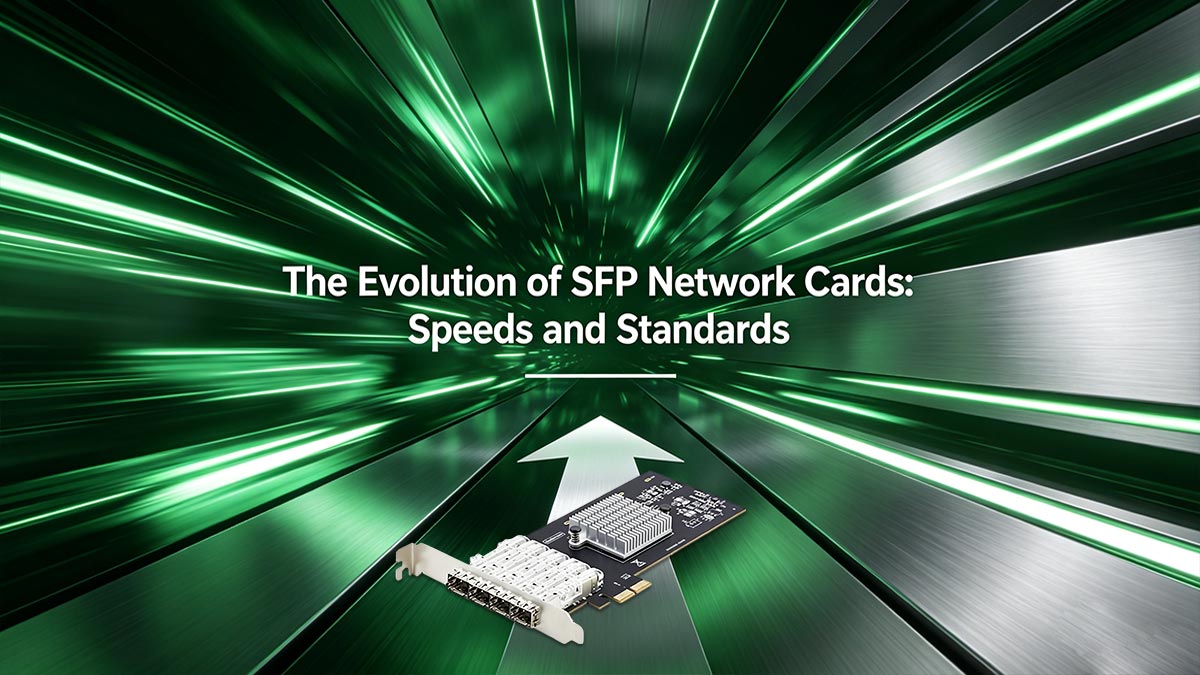
Pour répondre aux exigences de la virtualisation d'entreprise , du cloud computing et des clusters de stockage domestiques avancés, l'architecture SFP a dû évoluer. L'organisme de normalisation, la MSA, a conçu cette évolution en accordant une importance primordiale à la rétrocompatibilité. Ainsi, les dimensions physiques de l'émetteur-récepteur et du châssis de la carte PCIe sont restées globalement inchangées d'une génération à l'autre, permettant aux professionnels de l'informatique de mettre à niveau leurs commutateurs réseau et leurs cartes réseau de serveur de manière progressive.
SFP vs. SFP+ vs. SFP28 / QSFP
Lors du choix d'une carte réseau PCIe, il est essentiel de comprendre sa nomenclature spécifique, car celle-ci détermine directement le débit de données maximal supporté et les normes IEEE auxquelles elle est conforme. Voici une description technique de l'écosystème SFP :
- SFP (1G) : La norme héritée (souvent appelée simplement mini-GBICElle prend en charge des débits de données jusqu'à 1 Gbit/s avec les protocoles Gigabit Ethernet standard. Bien que largement obsolètes pour les flux de données des serveurs principaux, les cartes SFP 1G sont encore utilisées pour les réseaux de gestion hors bande (comme IPMI ou iLO) ou pour la connexion de commutateurs de périphérie anciens.
- SFP+ (10G) : Le pilier incontesté de la modernité SMB Réseaux des PME et laboratoires informatiques personnels. Conforme à la norme IEEE 802.3ae, le SFP+ prend en charge un débit de 10 Gbit/s. Il possède les mêmes dimensions physiques que le SFP d'origine, mais offre des tolérances d'impédance plus strictes et un blindage électromagnétique supérieur pour gérer les signaux à haute fréquence. Conseil de pro : La plupart des cartes réseau SFP+ sont rétrocompatibles et acceptent un émetteur-récepteur SFP 1G, mais une carte SFP 1G ne reconnaîtra pas un émetteur-récepteur SFP 1G. Module SFP+ 10G.
- SFP28 (25G) : La norme actuelle pour les centres de données d'entreprise, le SFP28 (IEEE 802.3by), utilise une seule voie de 25 Gbit/s. Fonctionnant sur une seule voie électrique au lieu de combiner plusieurs voies plus lentes, le SFP28 offre une latence nettement inférieure et une meilleure efficacité thermique que les anciennes normes 10G ou 40G.
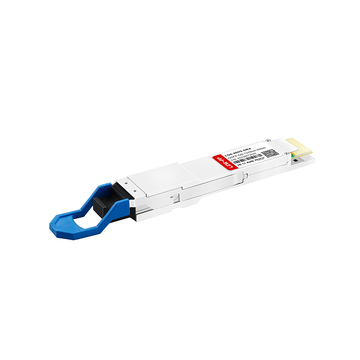
- QSFP / QSFP28 (40G / 100G+) : Pour dépasser les 25 Gbit/s, les ingénieurs ont créé la norme QSFP (Quad Small Form-factor Pluggable). Une carte QSFP possède un port physique légèrement plus large car elle regroupe quatre voies de données indépendantes.
- Le QSFP+ combine quatre voies 10G pour atteindre 40 Gbit/s.
- Le QSFP28 combine quatre voies 25G pour atteindre un débit d'E/S réseau agrégé de 100 Gbit/s.
| Facteur de forme | Débit de données maximum | Architecture de ruelle | Cas d'utilisation principal | Norme IEEE (typique) |
|---|---|---|---|---|
| SFP | 1 Gbps | 1 x 1G | Legacy LAN, Ports de gestion | IEEE 802.3z |
| SFP + | 10 Gbps | 1 x 10G | Laboratoires domestiques, stockage pour PME, serveurs périphériques | IEEE 802.3ae |
| SFP28 | 25 Gbps | 1 x 25G | Centres de données d'entreprise, Top-of-Rack | IEEE 802.3 par |
| QSFP + | 40 Gbps | 4 x 10G | Liaisons montantes de commutateurs centraux, agrégation héritée | IEEE 802.3ba |
| QSFP28 | 100 Gbps | 4 x 25G | HPC (calcul haute performance), Spine-Leaf | IEEE 802.3bm |
Lors de la conception de l'architecture réseau de votre serveur, il est généralement recommandé de passer directement du 10G (SFP+) au 25G (SFP28), sans passer par le 40G (QSFP+). L'architecture 25G à voie unique offre une solution de mise à niveau plus économique et écoénergétique, et s'aligne parfaitement sur les capacités de bande passante PCIe 4.0 modernes.
🟨 Pourquoi choisir le SFP plutôt que le RJ45 ? L’analyse d’expert
Les professionnels de l'informatique et les administrateurs système privilégient les cartes SFP aux connecteurs RJ45 (10GBASE-T) standard, principalement pour résoudre les problèmes de forte dissipation thermique, de consommation énergétique élevée et de latence. L'architecture SFP permet l'utilisation de câbles en cuivre à connexion directe (DAC) ou de fibres optiques, qui consomment moins de 1 W par port, contre 3 à 5 W pour les connecteurs RJ45 10G. De plus, les cartes SFP offrent une grande modularité, une immunité aux interférences électromagnétiques (EMI) et la possibilité d'étendre les connexions bien au-delà de la limite de 100 mètres des paires torsadées en cuivre.
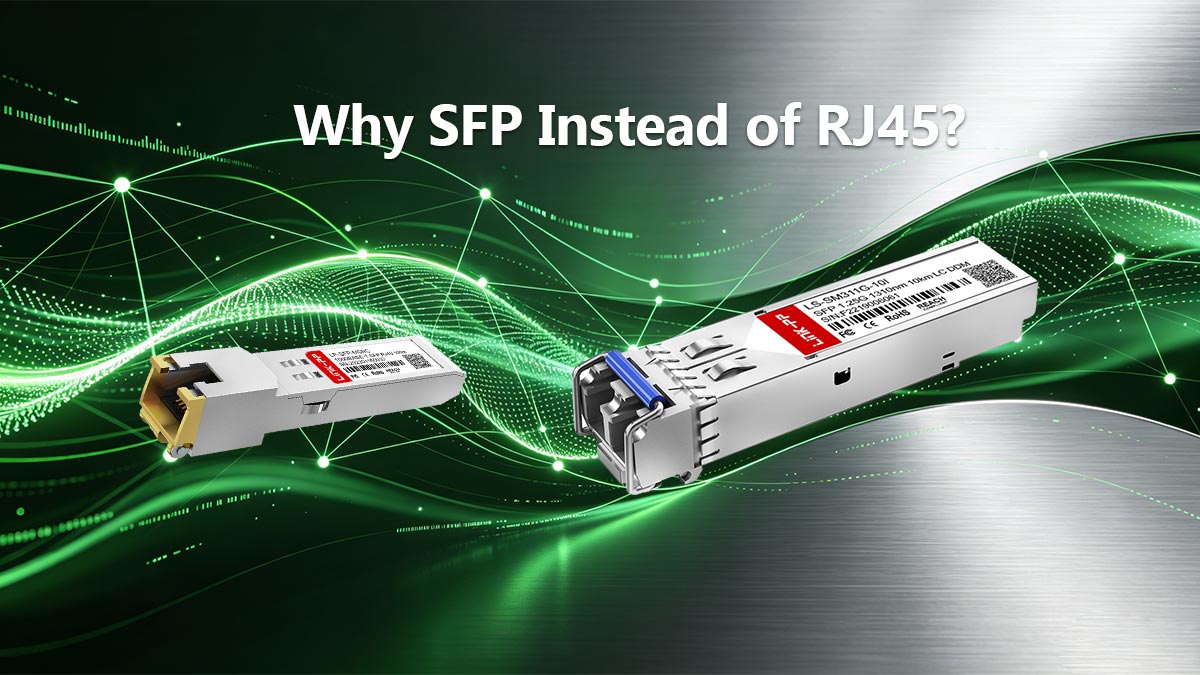
Lors de la mise à niveau d'un réseau serveur vers 10 Gbit/s ou plus, le choix entre SFP+ et 10GBASE-T (RJ45) est un sujet de débat récurrent sur les forums informatiques et les plateformes d'ingénierie d'entreprise . Le RJ45 étant la norme omniprésente dans l'électronique grand public, de nombreux débutants le considèrent comme le choix logique pour les mises à niveau de serveurs. Cependant, dans les centres de données à forte densité et les environnements de laboratoire domestiques avancés, les cartes réseau RJ45 à ports fixes sont généralement considérées comme inférieures aux cartes SFP modulaires.
Pour comprendre pourquoi les réseaux d'entreprise fonctionnent sur SFP, il faut examiner les limitations physiques de l'Ethernet cuivre et les avantages opérationnels du matériel modulaire.
Flexibilité et évolutivité à l'épreuve du temps
Une carte réseau PCIe RJ45 standard est un composant matériel fixe. Elle est exclusivement conçue pour utiliser des câbles à paires torsadées en cuivre (de type CAT6 ou CAT6a). Si la topologie de votre réseau évolue et que vous devez connecter un serveur à un commutateur situé dans un autre bâtiment, à 500 mètres de distance, cette carte RJ45 devient inutilisable, car la portée de l'Ethernet standard est limitée à 100 mètres.
À l'inverse, une carte SFP offre une flexibilité totale au niveau de la couche physique. Le port étant simplement un boîtier vide, il est possible d'adapter le support de connectivité aux exigences précises de l'emplacement du serveur en remplaçant simplement l'émetteur-récepteur :
- Intra-Rack (0 à 5 mètres) : Utilisez un câble en cuivre à connexion directe (DAC). Il s’agit d’un Câble Twinax au Modules SFP fixé de façon permanente aux deux extrémités. Il est incroyablement bon marché, très fiable et prêt à l'emploi. Top-of-Rack (ToR) commutation.
- Inter-rack à courte portée (Jusqu'à 300 mètres) : Insérez un émetteur-récepteur 10GBASE-SR (courte portée) et utilisez une fibre multimode OM3 ou OM4. Idéal pour connecter des serveurs sur un vaste plateau de centre de données.
- Longue portée (Jusqu'à 10 km et plus) : Insérez un émetteur-récepteur 10GBASE-LR (longue portée) et utilisez la fibre monomode OS2. Idéal pour les réseaux à l'échelle d'un campus ou pour interconnecter des sites distincts.
Avec une carte SFP, votre serveur est évolutif. Il vous suffit de mettre à niveau le module émetteur-récepteur à 20 $ au lieu de remplacer toute la carte d'extension PCIe lorsque les besoins du réseau évoluent.
Le problème caché : chaleur, puissance et interférences
La principale raison pour laquelle les experts rejettent le RJ45 10G au profit du SFP+ tient à des contraintes physiques. Transmettre 10 gigabits par seconde sur une paire torsadée en cuivre non blindée exige un traitement numérique du signal (DSP) massif pour filtrer le bruit de fond. Pour ce faire, la norme 10GBASE-T utilise un codage PAM16 (modulation d'amplitude d'impulsion) complexe.
Cette importante surcharge de traitement engendre trois pénalités opérationnelles majeures que l'architecture SFP évite totalement :
| Mesure des performances | SFP+ (avec DAC ou fibre) | RJ45 (10GBASE-T Cuivre) |
|---|---|---|
| Consommation d'énergie | ~0.7W à 1.5W par port. Très efficace. | ~3W à 5W par port. Consomme une énergie considérable. |
| Production de chaleur | Fonctionne à basse température. Convient aux boîtiers sans ventilateur ou à faible flux d'air. | Chauffe énormément. Risque de surchauffe sans refroidissement actif. |
| Latence d'encodage | ~0.1 microsecondes. Idéal pour le trading haute fréquence et SAN. | ~2.5 microsecondes. Délai notable dans les environnements de stockage à forte activité d'E/S. |
| Immunité EMI | Immunité totale (fibres). Insensible aux lignes électriques et aux moteurs. | Vulnérable. Susceptible de diaphonie et les perturbations électriques externes. |
Risque de limitation thermique : Dans un châssis serveur 1U dense, la présence de nombreux ports RJ45 10G génère une chaleur localisée suffisante pour contraindre les ventilateurs du châssis à tourner à plein régime, augmentant ainsi le bruit et la température ambiante. De plus, l’utilisation d’un émetteur-récepteur RJ45 10G dans une cage SFP+ peut entraîner une surchauffe du module, dépassant la limite thermique de la cage et provoquant des pertes de paquets et des déconnexions réseau soudaines.
En utilisant des cartes réseau SFP associées à des câbles DAC ou à la fibre optique, les administrateurs système éliminent les goulots d'étranglement thermiques et d'alimentation de l'encodage PAM16, garantissant des E/S réseau stables à débit de ligne avec une latence ultra-faible.
🟨 Applications concrètes des cartes SFP : laboratoires personnels, Proxmox et entreprises
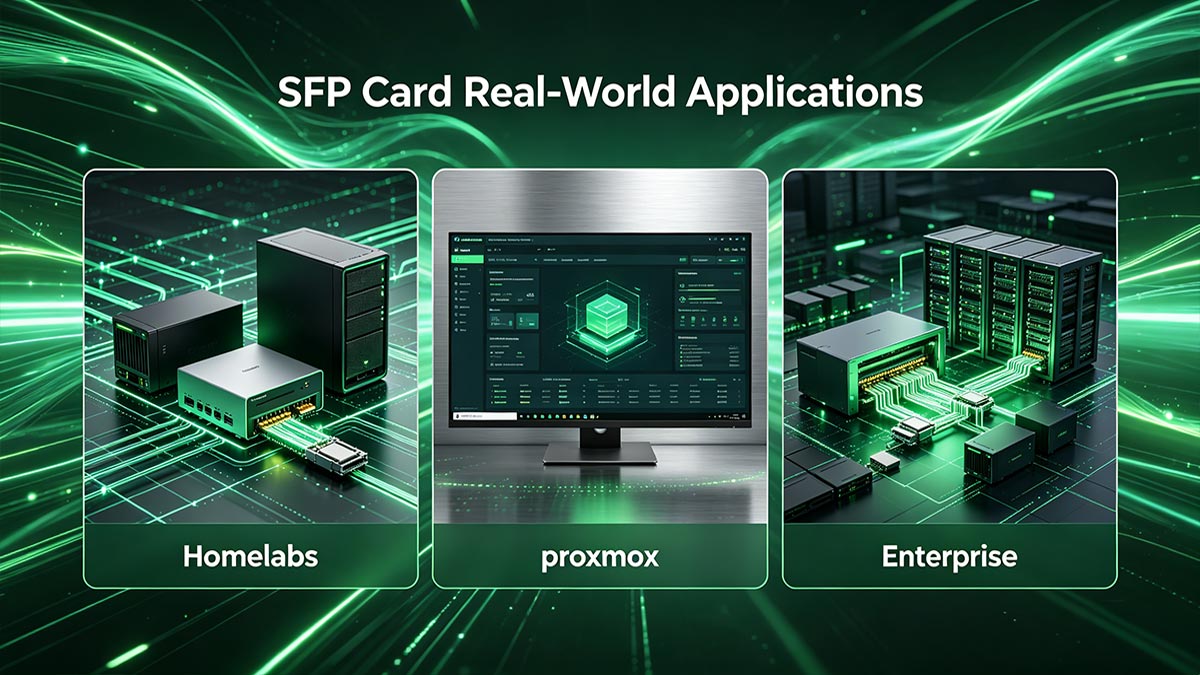
Dans les déploiements réels, les cartes SFP fournissent les E/S réseau essentielles pour les migrations de machines virtuelles (VM) à chaud dans Proxmox, les pools de stockage ZFS à haut débit dans TrueNAS et le routage de paquets à débit maximal dans pfSense. Cependant, une intégration réussie exige des administrateurs informatiques qu'ils surmontent deux obstacles matériels majeurs : s'affranchir de la dépendance vis-à-vis des fournisseurs OEM en matière d'émetteurs-récepteurs et garantir la compatibilité des pilotes du noyau du système d'exploitation.
Le passage d'un réseau standard de 1 Gbit/s à une architecture SFP de 10 ou 25 Gbit/s modifie fondamentalement les capacités d'un serveur. Dans les datacenters d'entreprise, les cartes SFP28 (25G) constituent l'épine dorsale des infrastructures hyperconvergées (HCI) et des technologies NVMe over Fabrics (NVMe-oF). Pour les passionnés, les cartes SFP+ (10G) permettent de créer des SAN (Storage Area Networks) personnalisés aux performances identiques à celles des baies de stockage professionnelles.
Toutefois, l'achat d'une carte réseau SFP est plus complexe que celui d'une carte graphique grand public. Pour garantir une connectivité réseau optimale, il est indispensable de prendre en compte les restrictions de l'écosystème du fournisseur et la compatibilité logicielle.
Surmonter la dépendance vis-à-vis des fournisseurs
L'un des aspects les plus frustrants de l'architecture SFP est la dépendance vis-à-vis du fournisseur. Les principaux fabricants de matériel (tels que Cisco, HP et Intel) programment souvent leurs cartes PCIe SFP et leurs commutateurs réseau pour effectuer une vérification de l'EEPROM (mémoire morte programmable et effaçable électriquement) lors de l'insertion d'un émetteur-récepteur. Si la carte ne détecte pas de signature numérique propriétaire correspondant à la marque sur le module, elle génère une erreur « émetteur-récepteur non pris en charge » et désactive le port.
Étant donné que les émetteurs-récepteurs de marque OEM sont souvent majorés de 300 % à 500 %, les professionnels de l'informatique et les constructeurs de laboratoires personnels utilisent des stratégies spécifiques pour contourner ces blocages logiciels artificiels :
- Optiques codées par des tiers : Au lieu d'acheter un émetteur-récepteur OEM à 150 $, les ingénieurs achètent des modules auprès de fournisseurs spécialisés (comme FS.com ou 10Gtek) qui programment sur mesure l'EEPROM d'un émetteur-récepteur à 20 $ pour imiter parfaitement la signature numérique exacte requise par votre carte SFP spécifique (par exemple, codée pour Intel ou Mellanox).
- Remplacements au niveau du pilote : Si vous utilisez des cartes graphiques populaires comme la série Intel X520 sur une machine Linux, vous pouvez forcer la carte à accepter les périphériques optiques tiers en passant un paramètre spécifique au module noyau. Démarrez avec la commande
ixgbe allow_unsupported_sfp=1contourne complètement le verrouillage matériel. - Marques indépendantes du matériel : Des marques comme Mellanox (maintenant Nvidia Networking) et Chelsio sont très appréciées dans les communautés de passionnés et de laboratoires amateurs, car leurs cartes réseau SFP sont généralement « déverrouillées » dès leur sortie d'usine, acceptant presque tous les émetteurs-récepteurs ou câbles DAC compatibles MSA sans problème.
Compatibilité des pilotes du système d'exploitation (TrueNAS, Proxmox, pfSense)
La fiabilité d'une carte réseau dépend de son pilote logiciel. Les cartes réseau 10G RJ45 grand public (souvent équipées de chipsets Realtek ou Aquantia) sont connues pour leurs pertes de paquets, leur surchauffe, ou tout simplement pour l'absence de pilotes compatibles en dehors de Windows. Lors de la conception de serveurs d'entreprise ou de serveurs domestiques sur mesure, il est impératif de choisir une carte SFP avec un pilote natif intégré au noyau pour votre système d'exploitation.
Voici le consensus de l'industrie sur la compatibilité entre le système d'exploitation et la carte graphique pour les plateformes serveur les plus courantes :
| Système d'exploitation | Noyau sous-jacent | Cartes SFP hautement recommandées | Pourquoi cela fonctionne |
|---|---|---|---|
| TrueNAS Core / pfSense | FreeBSD | Chelsio T520/T580, Intel X520/X710 | FreeBSD est réputé pour sa grande exigence en matière de matériel réseau. Chelsio et Intel intègrent nativement des pilotes cxgbe et ixgbe directement dans le noyau BSD, garantissant ainsi une stabilité à toute épreuve pour le stockage et le routage. |
| Échelle Proxmox VE / TrueNAS | Debian Linux | Mellanox ConnectX-3 ou ConnectX-4, Intel | Linux bénéficie d'une large prise en charge, mais les cartes Mellanox offrent des capacités SR-IOV (Single Root I/O Virtualization) supérieures prêtes à l'emploi, vous permettant de transmettre des interfaces réseau virtuelles directement aux machines virtuelles avec une latence quasi nulle. |
| VMware ESXi (vSphere) | Hyperviseur propriétaire | Mellanox ConnectX-4/5, Intel X710 | ESXi 7.0 et 8.0 ont progressivement déprécié les anciens pilotes (comme vmklinux). Les cartes graphiques anciennes telles que la ConnectX-3 ou l'Intel X520 risquent de ne pas être reconnues. Il est impératif de toujours vérifier la compatibilité matérielle avec la liste officielle VMware Hardware Compatibility List (HCL). |
En associant une carte SFP de qualité professionnelle, compatible avec tous les matériels (comme une Mellanox ConnectX-3 d'occasion), au noyau natif approprié, vous garantissez un fonctionnement optimal de votre serveur en termes d'E/S réseau, en évitant complètement la limitation thermique et les plantages de pilotes associés aux équipements réseau grand public.
🟨 FAQ sur les cartes SFP
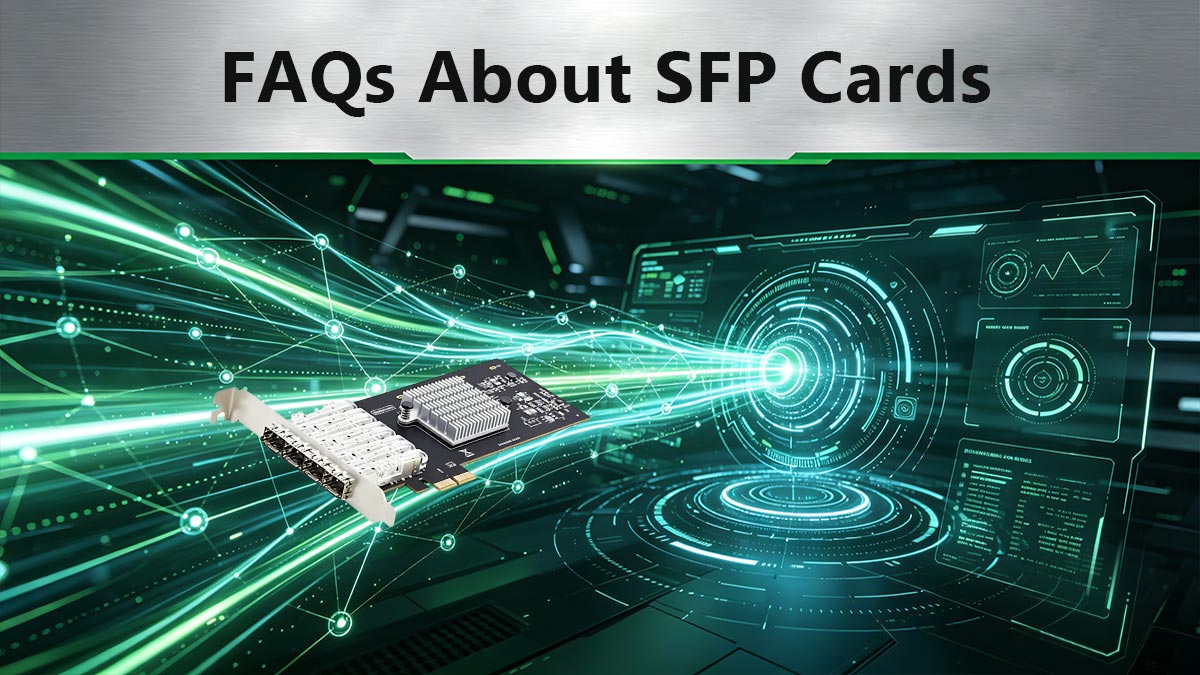
Pour fournir des réponses claires et immédiates aux administrateurs réseau et aux acheteurs de matériel informatique, voici les questions les plus courantes concernant l'architecture SFP, présentées de manière à faciliter la consultation.
1. À quoi sert une carte SFP ?
Une carte SFP sert d'interface haut débit entre la carte mère d'un serveur et les réseaux externes. Elle traite le trafic réseau de la couche liaison de données (MAC), déchargeant ainsi le processeur des calculs d'entrée/sortie. Grâce à ses emplacements modulaires, elle permet aux administrateurs réseau d'adapter le serveur à différents supports de connexion physiques, notamment la fibre optique et le cuivre, par simple remplacement des modules émetteurs-récepteurs.
2. Qu'est-ce qu'une carte réseau SFP ?
Une carte réseau SFP est une carte d'extension PCIe spécialisée (carte d'interface réseau ou NIC) conçue pour les serveurs et les réseaux d'entreprise. Contrairement aux cartes réseau standard dotées de ports Ethernet RJ45 permanents, une carte SFP utilise des modules SFP (Small Form-Factor Pluggable). Cette architecture modulaire permet à la carte de prendre en charge plusieurs débits réseau (de 1 Gbit/s à plus de 100 Gbit/s) et supports de transmission en fonction de l'émetteur-récepteur intégré.
3. Pourquoi SFP plutôt que RJ45 ?
Les professionnels de l'informatique privilégient le SFP au RJ45 (10GBASE-T) principalement pour éviter une forte dissipation de chaleur et une consommation d'énergie excessive. Alors que les émetteurs-récepteurs RJ45 10G consomment jusqu'à 5 W par port et risquent une limitation thermique, les cartes SFP utilisant des câbles DAC ou la fibre optique consomment moins de 1 W. De plus, l'architecture SFP offre une latence d'encodage réduite, une immunité totale aux interférences électromagnétiques (EMI) et la possibilité de dépasser la limite de portée de 100 mètres du RJ45.
🟨 Comment choisir la carte SFP adaptée à votre serveur
Le choix de la meilleure carte SFP dépend de cinq facteurs : la vitesse du réseau, la compatibilité avec le système d’exploitation, l’interopérabilité avec les commutateurs , la longueur du câble et l’évolutivité future. Pour la plupart des serveurs d’entreprise et des déploiements NAS , les adaptateurs SFP+ 10G à deux ports offrent le meilleur compromis entre performances et coût, tandis que les cartes SFP28 25G sont mieux adaptées aux clusters de virtualisation, au stockage NVMe et aux environnements de centres de données modernes.
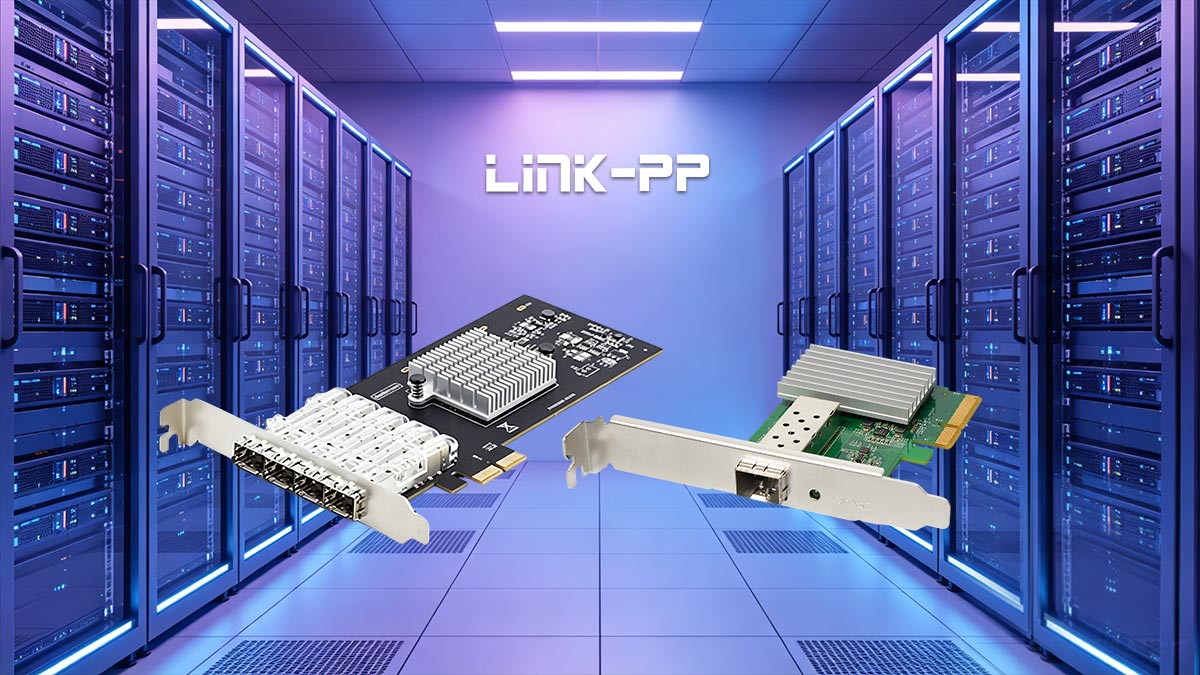
Choisir une carte SFP ne se limite pas à sélectionner une vitesse réseau. L'adaptateur doit être compatible avec votre plateforme serveur, votre système d'exploitation, votre commutateur réseau et votre infrastructure de câblage. Évaluer ces exigences avant le déploiement permet d'éviter les problèmes de compatibilité et de réduire les coûts de mise à niveau ultérieurs.
1. Commencez par définir vos besoins en bande passante.
La première décision consiste à déterminer le débit réellement requis par vos charges de travail. Surdimensionner une carte réseau augmente souvent les coûts sans apporter de gains de performance mesurables.
- SFP 1G (comme Cisco) SFP-10G-SR): Adapté aux infrastructures existantes, aux réseaux industriels et à la connectivité d'entreprise de base.
- 10G SFP+ (comme Arista) SFP-1G-SX): Idéal pour les serveurs de fichiers, les hôtes de virtualisation, les systèmes NAS, les flux de travail de montage vidéo et les réseaux PME.
- 25G SFP28 (comme Arista) SFP-25G-SR): Recommandé pour les baies de stockage 100 % flash, les charges de travail d'IA, les infrastructures hyperconvergées et les déploiements de serveurs haute densité.
2. Vérifier la compatibilité avec le système d'exploitation
Avant d'acheter une carte réseau, vérifiez que son chipset est entièrement compatible avec votre système d'exploitation et votre plateforme hyperviseur.
- Serveur Windows: Large compatibilité avec les adaptateurs Intel, Broadcom et NVIDIA/Mellanox.
- Linux et Proxmox : Excellente compatibilité avec les cartes réseau Mellanox ConnectX et Intel de classe serveur.
- TrueNAS, pfSense et OPNsense : Les adaptateurs Intel et Chelsio sont souvent privilégiés en raison de leurs écosystèmes de pilotes matures.
La disponibilité des pilotes et la prise en charge à long terme du firmware sont souvent plus importantes que les spécifications brutes.
3. Vérifier la compatibilité du commutateur et de l'émetteur-récepteur
Les performances du réseau dépendent de l'ensemble de la chaîne de connectivité. Certains commutateurs imposent une validation stricte des émetteurs-récepteurs, tandis que d'autres prennent en charge une gamme plus étendue d'optiques tierces.
Lors du déploiement de cartes SFP, assurez-vous de la compatibilité entre :
- Adaptateur réseau et module optique
- module optique et port de commutation
- Codage du câble DAC et micrologiciel du commutateur
- exigences d'interopérabilité spécifiques aux fournisseurs
L'utilisation d'émetteurs-récepteurs conformes à la norme MSA peut simplifier l'intégration dans des environnements multi-fournisseurs.
4. Faites correspondre la carte à votre infrastructure de câblage
La distance physique entre les appareils a un impact direct sur le type de solution de connectivité requis.
| Distance | Médias recommandés | Cas d'utilisation typique |
|---|---|---|
| 0-5 m | DAC passif | Connexions serveur-commutateur au sein d'un rack |
| 5-30 m | DAC actif ou AOC | Déploiements inter-racks |
| 30-300 m | Fibre multimode + optique SR | Interconnexions des centres de données |
| 300 mois et plus | Fibre monomode + optique LR/ER | Réseautage sur le campus et à distance |
5. Tenir compte de la croissance future et du budget
De nombreuses organisations déploient initialement des réseaux 10G, puis migrent vers des architectures 25G ou plus rapides. Choisir du matériel à la compatibilité éprouvée et offrant des options de connectivité évolutives permet de prolonger la durée de vie de votre infrastructure.
Pour les déploiements à faible coût, les adaptateurs réseau d'entreprise reconditionnés offrent souvent un excellent rapport qualité-prix. Pour les environnements critiques, les cartes réseau d'entreprise neuves, bénéficiant d'un support du fournisseur, restent la solution privilégiée.
Sélection recommandée de la carte SFP par application
| Application | Solution recommandée |
|---|---|
| Serveur pour petites entreprises | SFP+ 10G à deux ports |
| Stockage NAS | 10G SFP+ avec connectivité DAC |
| Cluster de virtualisation | Double port 25G SFP28 |
| IA et calcul haute performance | 25G SFP28 ou supérieur |
| Centre de données pour les entreprises | 25G SFP28 avec connectivité fibre |
Création d'une solution de connectivité SFP complète
Choisir la carte SFP appropriée ne représente qu'une partie du processus de déploiement. La fiabilité des performances du réseau dépend également de la sélection d'émetteurs-récepteurs, de câbles DAC, de câbles à fibre optique et d'interfaces de commutation compatibles, fonctionnant ensemble au sein d'un écosystème complet.
Pour les organisations qui prévoient de déployer de nouveaux serveurs ou de mettre à niveau leur infrastructure réseau existante, LINK-PP Boutique officielle propose une large gamme d'émetteurs-récepteurs SFP, SFP+ et SFP28, de câbles DAC et de solutions de connectivité conçus pour les réseaux d'entreprise, les centres de données, les systèmes Ethernet industriels et les environnements de cloud computing.
Le choix de composants réseau vérifiés et conformes aux normes contribue à garantir un fonctionnement stable, simplifie l'interopérabilité entre les fournisseurs et fournit une base évolutive pour la croissance future de la bande passante.