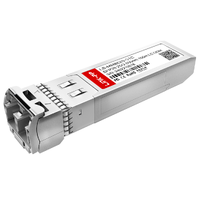
Una tarjeta SFP (Small Form-Factor Pluggable) es una tarjeta de interfaz de red (NIC) basada en PCIe diseñada para servidores y computación de alto rendimiento. A diferencia de las NIC RJ45 tradicionales de puerto fijo, una tarjeta SFP cuenta con ranuras modulares de intercambio en caliente que admiten transceptores intercambiables. Esta arquitectura permite a los ingenieros de red realizar una transición fluida entre cables DAC de corto alcance y fibra óptica de largo alcance, ofreciendo E/S de red altamente escalables y de baja latencia desde 1 Gbps hasta más de 100 Gbps según los estándares IEEE 802.3.
A medida que los centros de datos empresariales y los laboratorios domésticos avanzados crecen, las configuraciones tradicionales de Ethernet de cobre suelen convertirse en el principal cuello de botella para las E/S (entrada/salida) de los servidores. La actualización a una red troncal de 10G, 25G o 40G requiere más que conmutadores más rápidos ; exige hardware físico capaz de procesar tráfico de alto ancho de banda sin sufrir estrangulamiento térmico ni interferencias electromagnéticas (EMI) . Aquí es donde la tarjeta de red SFP se convierte en un elemento indispensable.
Para comprender plenamente la arquitectura SFP, es fundamental distinguir entre las dos entidades físicas principales del ecosistema:
- La tarjeta SFP (la NIC): La tarjeta de expansión PCIe física instalada en la placa base del servidor. Aloja el chipset controlador (por ejemplo, Intel, Mellanox o Broadcom) y es responsable de descargar el procesamiento de red de la CPU.
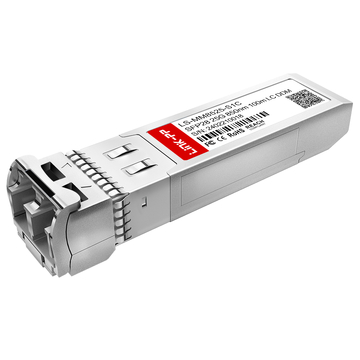
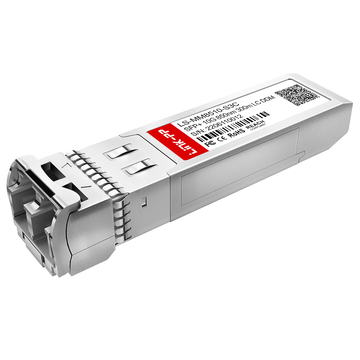
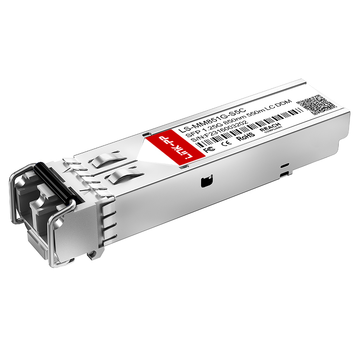
- El transceptor SFP: el dispositivo óptico plug-and-play o módulo de cobre Se inserta en la ranura vacía de la tarjeta. Esto determina el medio de transmisión físico y la distancia máxima de la conexión.
La perspectiva del experto: por qué los profesionales de TI evitan 10GBASE-T
Si bien los principiantes en informática suelen optar por 10GBASE-T (10G RJ45) por su familiaridad, los administradores de sistemas experimentados que gestionan servidores de almacenamiento en TrueNAS o hipervisores como Proxmox prefieren mayoritariamente la arquitectura SFP+. La razón principal va más allá de la simple velocidad: se trata de la eficiencia del hardware y la gestión térmica.
Según las métricas de implementación estándar, un transceptor RJ45 de 10G puede consumir entre 3 y 5 W por puerto, generando un calor considerable que requiere refrigeración activa. En cambio, una tarjeta SFP+ que utiliza un cable de cobre de conexión directa (DAC) consume menos de 1 W por puerto, genera prácticamente cero calor y ofrece una latencia de codificación significativamente menor. Para racks de servidores de alta densidad que funcionan las 24 horas del día, los 7 días de la semana, esta reducción en el consumo de energía y la carga térmica evita la degradación del hardware y garantiza una E/S de red estable.
En esta guía completa, analizaremos los estándares en constante evolución de la tecnología SFP, proporcionaremos una comparación técnica definitiva entre SFP y el estándar RJ45, y describiremos los factores críticos de compatibilidad, como evitar la dependencia del proveedor y la compatibilidad con los controladores del sistema operativo, para ayudarle a seleccionar la tarjeta PCIe SFP óptima para su infraestructura.
🟨 ¿Qué es una tarjeta SFP?
Una tarjeta de red SFP es una tarjeta de expansión PCIe especializada que conecta un servidor a una red de alta velocidad. En lugar de integrar puertos fijos, cuenta con receptáculos modulares vacíos. La tarjeta gestiona el procesamiento de la capa MAC (Control de Acceso al Medio) y la descarga de la CPU, mientras que utiliza transceptores SFP intercambiables en caliente para determinar el medio de conexión física (fibra óptica o cobre).
En redes empresariales, el término "SFP" proviene del Acuerdo de Múltiples Proveedores (MSA, por sus siglas en inglés) , un marco estándar de la industria que garantiza la compatibilidad física y eléctrica de los componentes de red de diferentes fabricantes. Cuando hablamos de una tarjeta SFP, nos referimos específicamente al adaptador de host (a menudo llamado tarjeta de interfaz de red o adaptador de bus de host) que se conecta directamente a la placa base del servidor mediante una ranura PCI Express (PCIe).
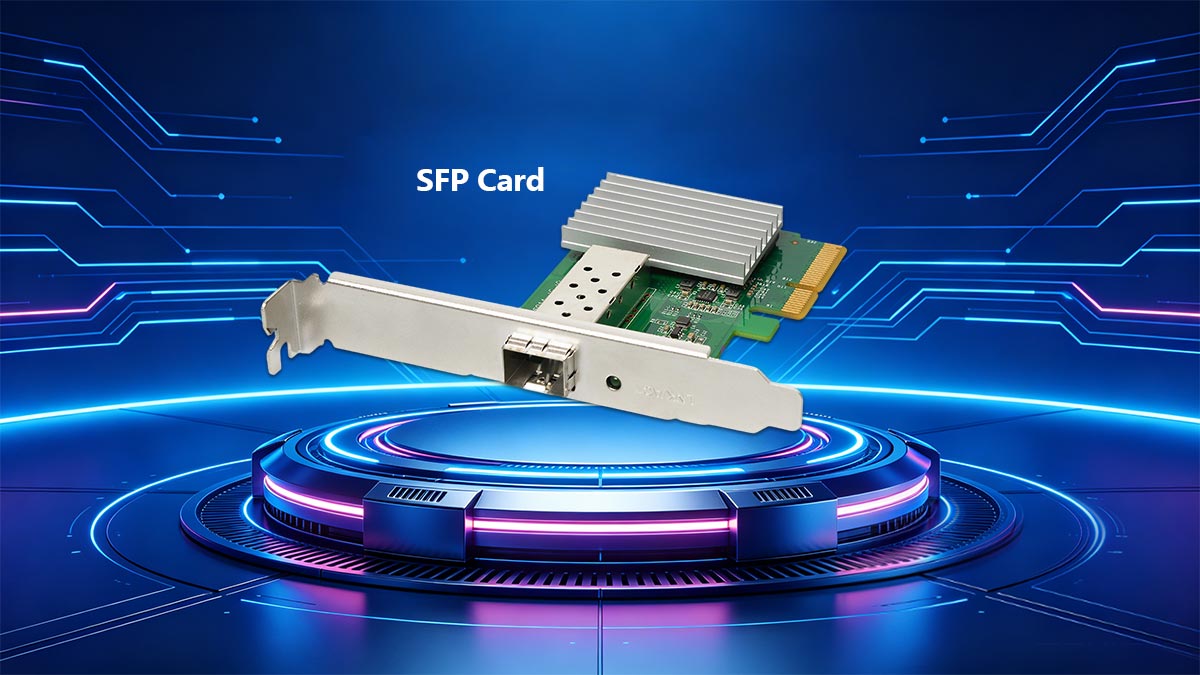
La función principal de la tarjeta SFP es traducir las señales del bus PCIe interno del servidor en paquetes de datos de red. Las tarjetas SFP modernas están diseñadas con chipsets controladores avanzados que realizan tareas de descarga de hardware, como la descarga de suma de comprobación TCP /UDP y la descarga de envíos grandes (LSO), lo que reduce drásticamente la sobrecarga de la CPU durante las operaciones de E/S de red de alto ancho de banda.
La diferencia entre la tarjeta y el transceptor
Un error común entre los principiantes en informática es confundir la tarjeta PCIe con la tecnología de puertos físicos. Dado que la arquitectura SFP es inherentemente modular, el hardware se divide estrictamente en dos componentes distintos que operan en diferentes capas de la pila de red.
Para eliminar cualquier ambigüedad, aquí está la distinción técnica:
- La tarjeta SFP (el host): Este es el hardware permanente instalado dentro del chasis del servidor. Determina la capacidad máxima de ancho de banda total (por ejemplo, 10 Gbps o 25 Gbps) y contiene el firmware que interactúa con su sistema operativo (como Linux, Windows Server o TrueNAS). Una tarjeta SFP no puede conectarse a una red por sí sola; requiere un transceptor.
- El transceptor SFP (El medio): Este es el compacto, intercambiables en caliente módulo (lo que significa que se puede insertar o extraer sin apagar el servidor) que se desliza en el puerto vacío de la tarjeta. El transceptor maneja el Capa física (PHY), convirtiendo las señales eléctricas de la tarjeta en pulsos de luz óptica para cables de fibra óptica, o en señales eléctricas para cables de cobre.
| Parámetro técnico | Tarjeta PCIe SFP (NIC) | Módulo Transceptor SFP |
|---|---|---|
| Función primaria | Procesamiento de red, interfaz del controlador del sistema operativo, descarga de la CPU. | Conversión de señal (eléctrica a óptica/cobre). |
| Capa OSI de red | Capa de enlace de datos (Capa 2 / MAC) | Capa física (Capa 1 / PHY) |
| ¿Intercambiable en caliente? | No. Requiere el apagado del servidor para la instalación de PCIe. | Sí. Conectar y usar sin interrupción del sistema. |
| Ejemplos de entidades | Intel X520-DA2, Mellanox ConnectX-3, Broadcom NetXtreme | 10GBASE-SR (Óptico), 10GBASE-T (Cobre RJ45), DAC de 10G |
Al separar el controlador lógico (la tarjeta) del soporte físico (el transceptor), la arquitectura SFP ofrece una flexibilidad sin precedentes. Si una empresa necesita migrar un servidor de una conexión de cobre de corto alcance de 3 metros a un enlace de fibra monomodo de 10 kilómetros , el administrador de TI solo necesita cambiar un módulo transceptor de 20 dólares, en lugar de reemplazar una tarjeta de red PCIe de 200 dólares.
🟨 Cómo funciona una tarjeta SFP en la E/S de red de un servidor
Una tarjeta SFP procesa las operaciones de entrada/salida de la red del servidor mediante una arquitectura de cuatro etapas: la interfaz de host PCIe extrae los datos de la placa base; el controlador NIC ( ASIC ) formatea los datos en la capa MAC; las señales eléctricas pasan a través de la ranura SFP ; y, finalmente, la capa del módulo (transceptor) convierte esas señales eléctricas en pulsos de luz físicos (fibra) o frecuencias eléctricas (cobre) para su transmisión en la red.
Para comprender cómo una tarjeta SFP acelera el rendimiento del servidor, debemos seguir el recorrido de un paquete de datos desde la CPU del servidor hasta el conmutador de red externo. La arquitectura de una tarjeta de red SFP está diseñada específicamente para separar el procesamiento lógico de datos de la transmisión física de la señal. Esta división del trabajo es lo que confiere a la tecnología SFP su alto rendimiento y mínima latencia.
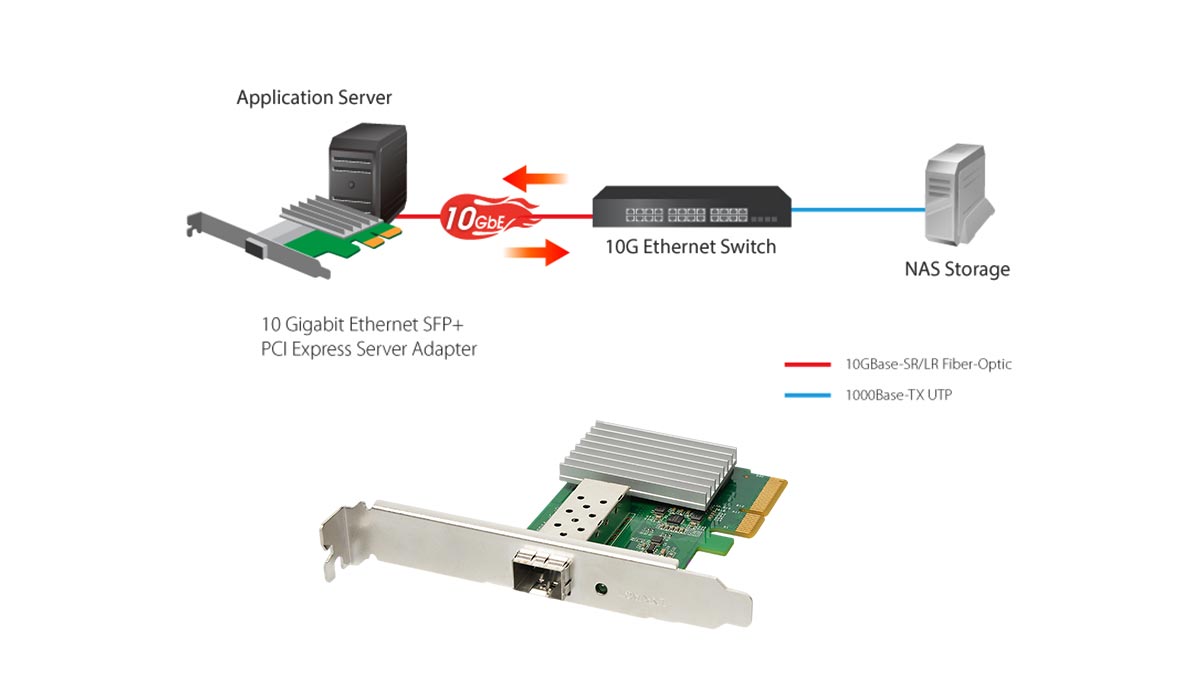
Una tarjeta SFP de nivel profesional se basa en cuatro capas de hardware distintas para gestionar las operaciones de entrada/salida de la red.
Los cuatro pilares de la arquitectura SFP
- 1. La interfaz de host PCIe (El flujo de datos)
Antes de que los datos lleguen a la red, deben viajar desde la CPU y la RAM del servidor hasta la tarjeta de red. Esto lo gestiona PCI Express (PCIe). conector de bordePara evitar cuellos de botella de E/S, la generación PCIe y el número de carriles deben superar el ancho de banda máximo de la red de la tarjeta. Por ejemplo, un puerto dual 10G SFP + La tarjeta requiere un mínimo de una ranura PCIe 3.0 x8 (que proporciona hasta 64 Gbps de ancho de banda bidireccional) para garantizar un rendimiento a velocidad de línea bajo carga pesada sin saturar el bus interno del servidor. - 2. El controlador NIC (El motor lógico)
El controlador —normalmente un circuito integrado de aplicación específica (ASIC) fabricado por empresas como Intel (por ejemplo, el chipset 82599ES) o Mellanox— es el núcleo de la tarjeta. Opera en la capa 2 (capa de enlace de datos) del modelo OSI. El controlador gestiona el direccionamiento MAC (control de acceso al medio), la enmarcación de paquetes y la descarga de hardware (como la descarga de segmentación TCP). Al ejecutar estos cálculos en el ASIC, la tarjeta SFP libera la CPU del servidor para que se centre en la ejecución de aplicaciones o máquinas virtuales. - 3. La jaula SFP/Caja SFP+ (El puente eléctrico)
La ranura metálica física en la parte posterior de la tarjeta se conoce como jaula. Dentro de la parte posterior de la jaula hay un receptáculo eléctrico estandarizado de 20 pines. Cuando se inserta un transceptor, la tarjeta se comunica con el módulo a través de un I2C bus (circuito interintegrado)Esto permite que el controlador NIC lea el módulo. EEPROM chip, identificando su fabricante, velocidades compatibles y tipo de medio físico. - 4. La capa del módulo (El medio físico)
El módulo transceptor, que opera exclusivamente en la capa 1 (capa física), es responsable de la conversión final de los datos. Recibe los flujos de datos eléctricos serializados generados por el controlador NIC y los convierte a un formato adecuado para el cable externo.
Señalización frente a conectividad: una división del trabajo
La genialidad fundamental de la arquitectura de las tarjetas SFP reside en cómo distribuye las responsabilidades entre la señalización y la conectividad.
La tarjeta gestiona la señalización: el controlador NIC administra los complejos procesos matemáticos. Utiliza una arquitectura SerDes (serializador/deserializador) para tomar datos paralelos del bus PCIe del servidor y convertirlos en un flujo de datos eléctricos serie de alta velocidad. La tarjeta aplica códigos de corrección de errores (ECC) y gestiona el control de flujo. Todo esto lo hace sin importar si los datos viajarán finalmente por cobre o fibra óptica.
El módulo determina la conectividad: una vez que la señal eléctrica serializada llega al conector de 20 pines dentro de la carcasa, el transceptor toma el control.
- Si un óptico Transceptor SFP+ se inserta, un pequeño diodo láser (como una VCSEL (para fibra multimodo de corto alcance) dispara pulsos de luz que corresponden a los datos binarios eléctricos.
- Si se inserta un módulo RJ45 de cobre, un chip PHY especializado dentro del módulo codifica la señal eléctrica en frecuencias de voltaje complejas (como PAM16 codificación) para transmitir los datos a través de cables CAT6a de par trenzado.
Al limitar la tarjeta PCIe a la señalización lógica y el módulo a la conectividad física, las redes empresariales logran una máxima vida útil del hardware. Puede actualizar su infraestructura de cableado físico sin necesidad de extraer la tarjeta de red de la placa base del servidor.
🟨 La evolución de las tarjetas de red SFP: velocidades y estándares
La evolución de las tarjetas de red SFP se define por el aumento de la capacidad de ancho de banda, dictado por el Acuerdo Multisuministrador (MSA). Partiendo de la SFP de 1G , la arquitectura ha evolucionado hasta 10G SFP+, 25G SFP28 y hasta 40G QSFP+ / 100G QSFP28 mediante configuraciones Quad (QSFP). Esta progresión permite a los centros de datos escalar la E/S de red para admitir aplicaciones de alto rendimiento como NVMe over Fabrics (NVMe-oF), manteniendo la compatibilidad con versiones anteriores.
A medida que el hardware de los servidores ha avanzado —pasando de discos duros mecánicos giratorios al almacenamiento NVMe PCIe Gen 4/Gen 5 de alta velocidad— la red se ha convertido cada vez más en el principal cuello de botella. Un servidor que puede leer datos a 7,000 MB/s internamente se ve seriamente limitado si su tarjeta de red solo puede exportar esos datos a 125 MB/s (el rendimiento teórico máximo de una conexión de 1 Gbps).
Para satisfacer las demandas de la virtualización empresarial , la computación en la nube y los clústeres de almacenamiento avanzados para laboratorios domésticos, la arquitectura SFP tuvo que evolucionar. El organismo rector de estos estándares, la MSA, diseñó esta evolución con un estricto enfoque en la retrocompatibilidad. Esto significa que las dimensiones físicas del transceptor y la carcasa de la tarjeta PCIe se mantuvieron prácticamente sin cambios entre generaciones, lo que permitió a los profesionales de TI actualizar sus conmutadores de red y tarjetas de red de servidor de forma iterativa.
SFP frente a SFP+ frente a SFP28 / QSFP
Al seleccionar una tarjeta de red PCIe, es fundamental comprender la nomenclatura específica, ya que esta determina directamente la velocidad de datos máxima admitida y los estándares IEEE que cumple. A continuación, se presenta un desglose técnico del ecosistema SFP:
- SFP (1G): El estándar heredado (a menudo denominado simplemente mini-GBICAdmite velocidades de datos de hasta 1 Gbps bajo protocolos Gigabit Ethernet estándar. Si bien están prácticamente obsoletas para las canalizaciones de datos de servidores principales, las tarjetas SFP de 1G todavía se utilizan para redes de administración fuera de banda (como IPMI o iLO) o para conectar conmutadores de borde heredados.
- SFP+ (10G): El caballo de batalla indiscutible de la tecnología moderna PYME Redes de pequeñas y medianas empresas y laboratorios informáticos domésticos. Conforme al estándar IEEE 802.3ae, el SFP+ admite 10 Gbps. Comparte las mismas dimensiones físicas que el SFP original, pero ofrece tolerancias de impedancia más estrictas y un blindaje electromagnético superior para gestionar señales de alta frecuencia. Consejo profesional: La mayoría de las tarjetas de red SFP+ son retrocompatibles y aceptarán un transceptor SFP de 1G, pero una tarjeta SFP de 1G no reconocerá un Módulo SFP+ de 10G.
- SFP28 (25G): El estándar actual para centros de datos empresariales, el SFP28, regido por el IEEE 802.3by, utiliza un único carril de 25 Gbps. Gracias a su funcionamiento en un solo carril eléctrico, en lugar de combinar varios carriles más lentos, el SFP28 ofrece una latencia significativamente menor y una mayor eficiencia térmica en comparación con los estándares anteriores de 10G o 40G.
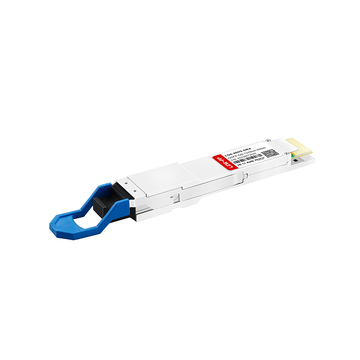
- QSFP / QSFP28 (40G / 100G+): Para superar los 25G, los ingenieros crearon el estándar QSFP (Quad Small Form-factor Pluggable). Una tarjeta QSFP cuenta con un puerto físico ligeramente más ancho porque agrega cuatro carriles de datos independientes.
- QSFP+ combina cuatro carriles de 10G para alcanzar una velocidad de 40 Gbps.
- El módulo QSFP28 combina cuatro carriles de 25G para lograr una E/S de red agregada de 100 Gbps.
| Factor de forma | Velocidad de datos máxima | Arquitectura de carril | Caso de uso principal | Estándar IEEE (típico) |
|---|---|---|---|---|
| SFP | 1 Gbps | 1 x 1G | Legado LANPuertos de gestión | IEEE802.3z |
| SFP + | 10 Gbps | 1 x 10G | Laboratorios domésticos, almacenamiento para pymes, servidores perimetrales | IEEE 802.3ae |
| SFP28 | 25 Gbps | 1 x 25G | Centros de datos empresariales, Top-of-Rack | IEEE 802.3 por |
| QSFP + | 40 Gbps | 4 x 10G | Enlaces ascendentes del conmutador principal, agregación heredada | IEEE802.3ba |
| QSFP28 | 100 Gbps | 4 x 25G | HPC (Computación de Alto Rendimiento), Spine-Leaf | IEEE 802.3bm |
Al diseñar la arquitectura de red de su servidor, generalmente se recomienda omitir por completo la tecnología de 40G (QSFP+) y pasar directamente de 10G (SFP+) a 25G (SFP28). La arquitectura de 25G de un solo carril ofrece una ruta de actualización más rentable y eficiente en términos de consumo de energía, y se adapta perfectamente a las capacidades de ancho de banda de PCIe 4.0.
🟨 ¿Por qué SFP en lugar de RJ45? El análisis de un experto
Los profesionales de TI y los administradores de sistemas eligen las tarjetas SFP en lugar de las RJ45 estándar (10GBASE-T) principalmente para resolver problemas de sobrecalentamiento, alto consumo de energía y latencia. La arquitectura SFP permite el uso de cable de cobre de conexión directa (DAC) o fibra óptica, que consumen menos de 1 W por puerto, en comparación con los 3-5 W que requiere el RJ45 de 10G. Además, SFP ofrece flexibilidad modular, inmunidad a las interferencias electromagnéticas (EMI) y la capacidad de ampliar las conexiones mucho más allá del límite de 100 metros del cable de cobre de par trenzado.
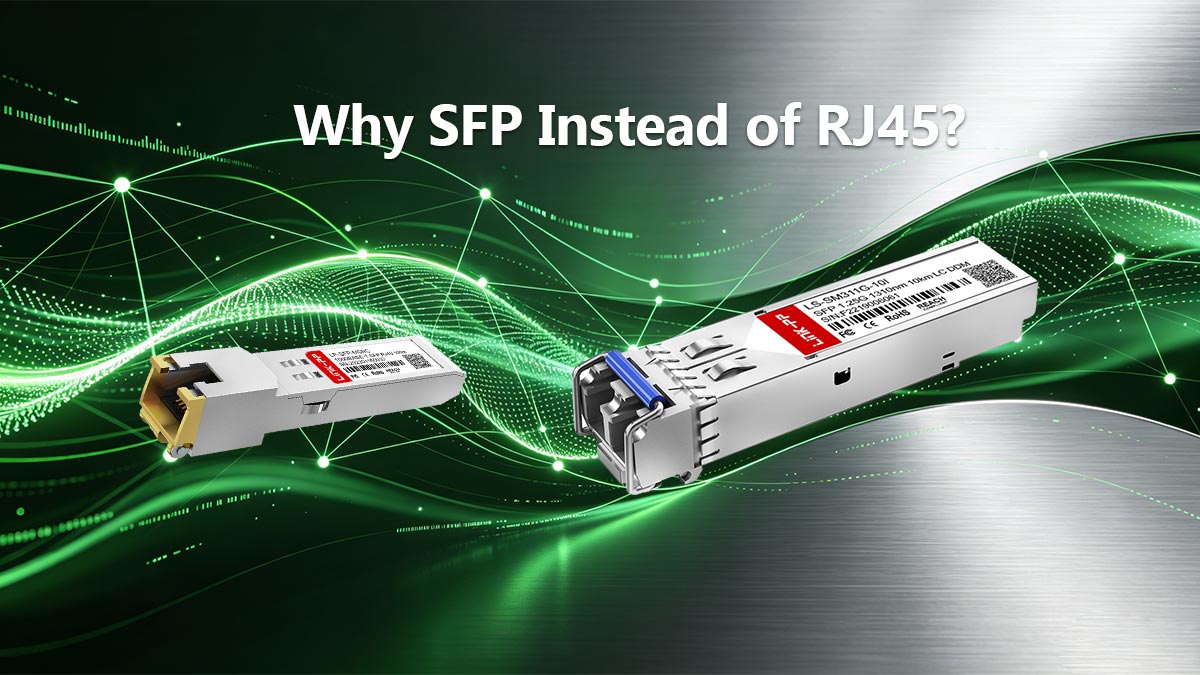
Al actualizar una red de servidores a 10 Gbps o más, el tema más debatido en foros de TI y juntas de ingeniería empresarial es la elección entre SFP+ y 10GBASE-T (RJ45) . Dado que RJ45 es el estándar omnipresente en la electrónica de consumo, muchos principiantes asumen que es la opción lógica para las actualizaciones de servidores. Sin embargo, en centros de datos de alta densidad y entornos de laboratorio doméstico avanzados, las tarjetas de red RJ45 de puerto fijo se consideran inferiores a las tarjetas SFP modulares.
Para comprender por qué las redes empresariales funcionan con SFP, debemos examinar las limitaciones físicas del Ethernet de cobre y las ventajas operativas del hardware modular.
Flexibilidad y capacidad de actualización a prueba de futuro
Una tarjeta de red PCIe RJ45 estándar es un componente de hardware estático. Está configurada para usar cables de cobre de par trenzado (como CAT6 o CAT6a). Si la topología de su red cambia y necesita conectar un servidor a un conmutador en otro edificio a 500 metros de distancia, esa tarjeta RJ45 resulta inútil, ya que la conexión Ethernet estándar tiene un límite máximo de 100 metros.
En cambio, una tarjeta SFP ofrece una flexibilidad absoluta en la capa física. Dado que el puerto es simplemente una jaula vacía, se puede adaptar el medio de conectividad a los requisitos exactos de la ubicación del servidor simplemente cambiando el transceptor:
- Intra-Rack (0 a 5 metros): Utilice un cable de cobre de conexión directa (DAC). Este es un cable biaxial con Módulos SFP fijado permanentemente a ambos extremos. Es increíblemente barato, altamente fiable y plug-and-play para Top-of-Rack (ToR) traspuesta.
- Sistema de interconexión de corto alcance (Hasta 300 metros): Inserte un transceptor 10GBASE-SR (de corto alcance) y utilice fibra multimodo OM3 u OM4. Ideal para conectar servidores en un gran centro de datos.
- De largo alcance (Hasta 10 km o más): Inserte un transceptor 10GBASE-LR (Long Reach) y utilice fibra monomodo OS2. Ideal para redes en todo el campus o para conectar distintas instalaciones físicas.
Con una tarjeta SFP, su servidor estará preparado para el futuro. Solo tendrá que actualizar el módulo transceptor de 20 dólares en lugar de reemplazar toda la tarjeta de expansión PCIe cuando cambien los requisitos de la red.
El problema oculto: calor, potencia e interferencia
La principal razón por la que los expertos rechazan el estándar 10G RJ45 en favor del SFP+ se reduce a principios físicos. Transmitir 10 gigabits por segundo a través de un cable de cobre trenzado sin blindaje requiere un procesamiento digital de señales (DSP) masivo para filtrar el ruido de fondo. Para lograrlo, 10GBASE-T se basa en la compleja codificación PAM16 (modulación por amplitud de pulsos).
Esta gran sobrecarga de procesamiento introduce tres graves inconvenientes operativos que la arquitectura SFP evita por completo:
| Métrica de rendimiento | SFP+ (con DAC o fibra) | RJ45 (cobre 10GBASE-T) |
|---|---|---|
| Consumo de energía | De ~0.7W a 1.5W por puerto. Altamente eficiente. | De ~3W a 5W por puerto. Consume muchísima energía. |
| Generación de calor | Funciona a baja temperatura. Seguro para chasis sin ventilador o con bajo flujo de aire. | Se calienta muchísimo. Existe riesgo de que se produzca una limitación térmica sin refrigeración activa. |
| Latencia de codificación | ~0.1 microsegundos. Ideal para operaciones de alta frecuencia y SAN. | ~2.5 microsegundos. Retraso perceptible en entornos de almacenamiento con alta actividad de entrada/salida. |
| Inmunidad a interferencias electromagnéticas | Inmunidad total (fibra). No se ve afectado por líneas eléctricas ni motores. | Vulnerable. Susceptibles a diafonía y ruido eléctrico externo. |
Peligro de sobrecalentamiento: En un gabinete de servidor 1U de alta densidad, la instalación de múltiples puertos RJ45 de 10 Gbps genera suficiente calor localizado como para forzar a los ventiladores del chasis a girar a máxima velocidad, lo que aumenta el ruido acústico y la temperatura ambiente del rack. Además, si se intenta utilizar un transceptor RJ45 de 10 Gbps dentro de una jaula SFP+, el módulo a menudo se calienta tanto que supera el límite de diseño térmico de la jaula, lo que provoca la pérdida de paquetes y desconexiones repentinas de la red.
Mediante el uso de tarjetas de red SFP combinadas con cables DAC o fibra óptica, los administradores de sistemas eliminan los cuellos de botella térmicos y de energía de la codificación PAM16, lo que garantiza una E/S de red estable a velocidad de línea con una latencia ultrabaja.
🟨 Aplicaciones reales de la tarjeta SFP: laboratorios domésticos, Proxmox y entornos empresariales.
En implementaciones reales, las tarjetas SFP proporcionan la E/S de red esencial necesaria para las migraciones en vivo de máquinas virtuales (VM) en Proxmox, los grupos de almacenamiento ZFS de alto rendimiento en TrueNAS y el enrutamiento de paquetes a velocidad de línea en pfSense. Sin embargo, para una integración exitosa, los administradores de TI deben superar dos importantes obstáculos de hardware: evitar la dependencia del fabricante de equipos originales (OEM) en los transceptores y garantizar la compatibilidad con el controlador del kernel del sistema operativo nativo.
La transición de una red estándar de 1 Gbps a una arquitectura basada en SFP de 10 Gbps o 25 Gbps cambia radicalmente las capacidades de un servidor. En los centros de datos empresariales, las tarjetas SFP28 (25G) son la base de la infraestructura hiperconvergente (HCI) y NVMe over Fabrics (NVMe-oF). En el ámbito de los laboratorios domésticos para entusiastas, las tarjetas SFP+ (10G) permiten a los usuarios crear redes de área de almacenamiento (SAN) personalizadas con un rendimiento idéntico al de las matrices de almacenamiento empresariales comerciales.
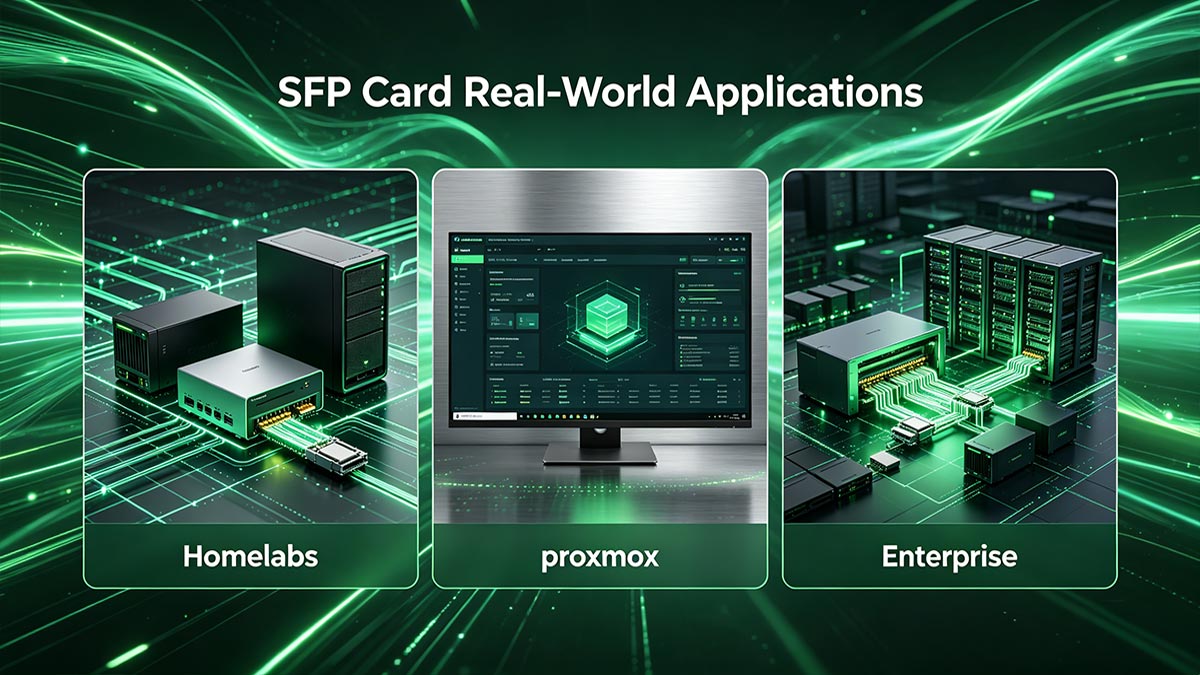
Sin embargo, adquirir una tarjeta de red SFP no es tan sencillo como comprar una tarjeta gráfica para el consumidor. Para lograr una entrada/salida de red fluida, es necesario tener en cuenta las restricciones del ecosistema del proveedor y la compatibilidad del software.
Cómo superar la dependencia de un proveedor
Uno de los aspectos más frustrantes de la arquitectura SFP es la dependencia del proveedor. Los principales fabricantes de hardware (como Cisco, HP e Intel) suelen programar sus tarjetas PCIe SFP y conmutadores de red para que realicen una comprobación de la EEPROM (Memoria de Solo Lectura Programable y Borrable Eléctricamente) al insertar un transceptor. Si la tarjeta no detecta una firma digital propietaria que coincida con la marca en el módulo, mostrará un error de "transceptor no compatible" y deshabilitará el puerto.
Debido a que los transceptores de marca OEM suelen tener un margen de beneficio de entre el 300 % y el 500 %, los profesionales de TI y los constructores de laboratorios domésticos utilizan estrategias específicas para sortear estos bloqueos de software artificiales:
- Óptica codificada de terceros: En lugar de comprar un transceptor OEM de 150 dólares, los ingenieros compran módulos a proveedores especializados (como FS.com o 10Gtek) que personalizan la memoria EEPROM de un transceptor de 20 dólares para imitar a la perfección la firma digital exacta que requiere su tarjeta SFP específica (por ejemplo, codificada para Intel o Mellanox).
- Anulaciones a nivel de controlador: Si utiliza tarjetas populares como la serie Intel X520 en una máquina Linux, puede forzar a la tarjeta a aceptar ópticas de terceros pasando un parámetro específico del módulo del kernel. Arrancando con el comando
ixgbe allow_unsupported_sfp=1Evita por completo el bloqueo de hardware. - Marcas compatibles con cualquier hardware: Marcas como Mellanox (ahora Nvidia Networking) y Chelsio son muy populares entre los entusiastas y los usuarios de laboratorios domésticos porque sus tarjetas de red SFP generalmente vienen "desbloqueadas" de fábrica, lo que les permite aceptar casi cualquier transceptor o cable DAC compatible con MSA sin problemas.
Compatibilidad de controladores del sistema operativo (TrueNAS, Proxmox, pfSense)
La fiabilidad de una tarjeta de red depende directamente del controlador de software que la gestiona. Las tarjetas de red RJ45 de 10 Gbps para consumidores (que suelen utilizar chipsets Realtek o Aquantia) son conocidas por perder paquetes, sobrecalentarse o, simplemente, carecer de controladores compatibles fuera de Windows. Al construir servidores empresariales personalizados o dispositivos para laboratorios domésticos, es fundamental seleccionar una tarjeta SFP con controladores nativos integrados en el kernel para su sistema operativo específico.
Este es el consenso de la industria sobre la compatibilidad entre el sistema operativo y la tarjeta gráfica para las plataformas de servidor más comunes:
| Sistema operativo | Núcleo subyacente | Tarjetas SFP altamente recomendadas | Por qué funciona |
|---|---|---|---|
| TrueNAS Core / pfSense | FreeBSD | Chelsio T520/T580, Intel X520/X710 | FreeBSD es conocido por su estricta compatibilidad con el hardware de red. Chelsio e Intel cuentan con controladores nativos cxgbe e ixgbe integrados directamente en el núcleo de BSD, lo que garantiza una estabilidad sólida para el almacenamiento y el enrutamiento. |
| Escalabilidad de Proxmox VE / TrueNAS | Debian Linux | Mellanox ConnectX-3 o ConnectX-4, Intel | Linux cuenta con un amplio soporte, pero las tarjetas Mellanox ofrecen capacidades SR-IOV (virtualización de E/S de raíz única) superiores de serie, lo que permite pasar interfaces de red virtuales directamente a las máquinas virtuales con una latencia prácticamente nula. |
| VMware ESXi (vSphere) | Hipervisor propietario | Mellanox ConnectX-4/5, Intel X710 | ESXi 7.0 y 8.0 dejaron de dar soporte a controladores antiguos (como vmklinux). Es posible que las tarjetas gráficas antiguas, como ConnectX-3 o Intel X520, no se reconozcan. Verifique siempre la compatibilidad del hardware con la Lista de Compatibilidad de Hardware (HCL) oficial de VMware. |
Al combinar una tarjeta SFP de grado empresarial e independiente del hardware (como una Mellanox ConnectX-3 usada) con el kernel nativo correcto, se garantiza que el servidor funcione con la máxima eficiencia de E/S de red, evitando por completo la limitación térmica y los fallos de controlador asociados con los equipos de red de consumo.
🟨 Preguntas frecuentes sobre las tarjetas SFP
Para ofrecer respuestas claras e inmediatas a los administradores de red y a los compradores de hardware informático, aquí encontrará las preguntas más frecuentes sobre la arquitectura SFP, formateadas para una consulta rápida.
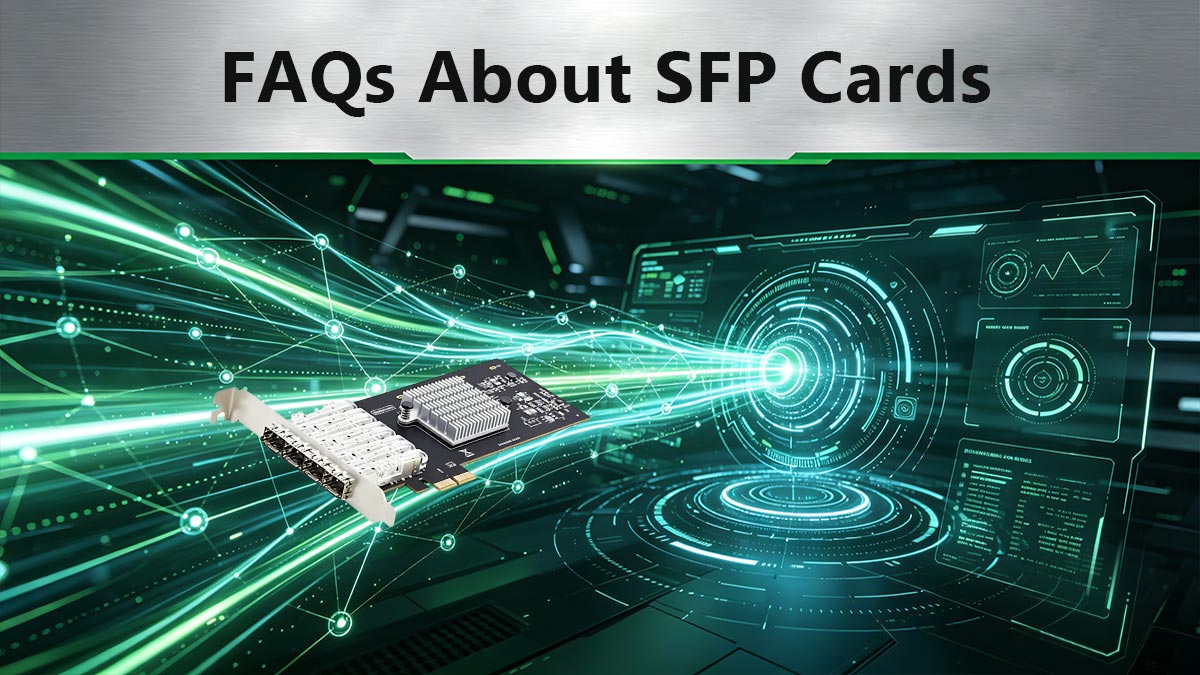
1. ¿Qué función tiene una tarjeta SFP?
Una tarjeta SFP actúa como interfaz de alta velocidad entre la placa base de un servidor y las redes externas. Procesa el tráfico de red de la capa de enlace de datos (MAC), liberando a la CPU de los cálculos de entrada/salida. Gracias a sus ranuras modulares en lugar de puertos fijos, permite a los administradores de red adaptar el servidor a diversos medios físicos, como conexiones de fibra óptica o cobre, simplemente intercambiando los módulos transceptores.
2. ¿Qué es una tarjeta de red SFP?
Una tarjeta de red SFP es una tarjeta de expansión PCIe especializada (tarjeta de interfaz de red o NIC) diseñada para servidores y redes empresariales. A diferencia de las tarjetas de red estándar con puertos Ethernet RJ45 permanentes, una tarjeta SFP utiliza módulos SFP (Small Form-Factor Pluggable). Esta arquitectura modular permite que la tarjeta admita múltiples velocidades de red (de 1 Gbps a más de 100 Gbps) y medios de transmisión, según el transceptor específico que se inserte.
3. ¿Por qué SFP en lugar de RJ45?
Los profesionales de TI eligen SFP en lugar de RJ45 (10GBASE-T) principalmente para eliminar la generación excesiva de calor y el alto consumo de energía. Mientras que los transceptores RJ45 de 10G consumen hasta 5 W por puerto y corren el riesgo de sufrir estrangulamiento térmico, las tarjetas SFP que utilizan cables DAC o fibra óptica consumen menos de 1 W. Además, la arquitectura SFP ofrece una menor latencia de codificación, inmunidad absoluta a las interferencias electromagnéticas (EMI) y la capacidad de superar el límite de distancia de 100 metros de RJ45.
🟨 Cómo elegir la tarjeta SFP adecuada para su servidor
La mejor tarjeta SFP depende de cinco factores: velocidad de red, compatibilidad con el sistema operativo, interoperabilidad con conmutadores , longitud del cable y escalabilidad futura. Para la mayoría de los servidores empresariales y dispositivos NAS , los adaptadores SFP+ de 10 Gbps de doble puerto ofrecen el mejor equilibrio entre rendimiento y coste, mientras que las tarjetas SFP28 de 25 Gbps son más adecuadas para clústeres de virtualización, almacenamiento NVMe y entornos de centros de datos modernos.
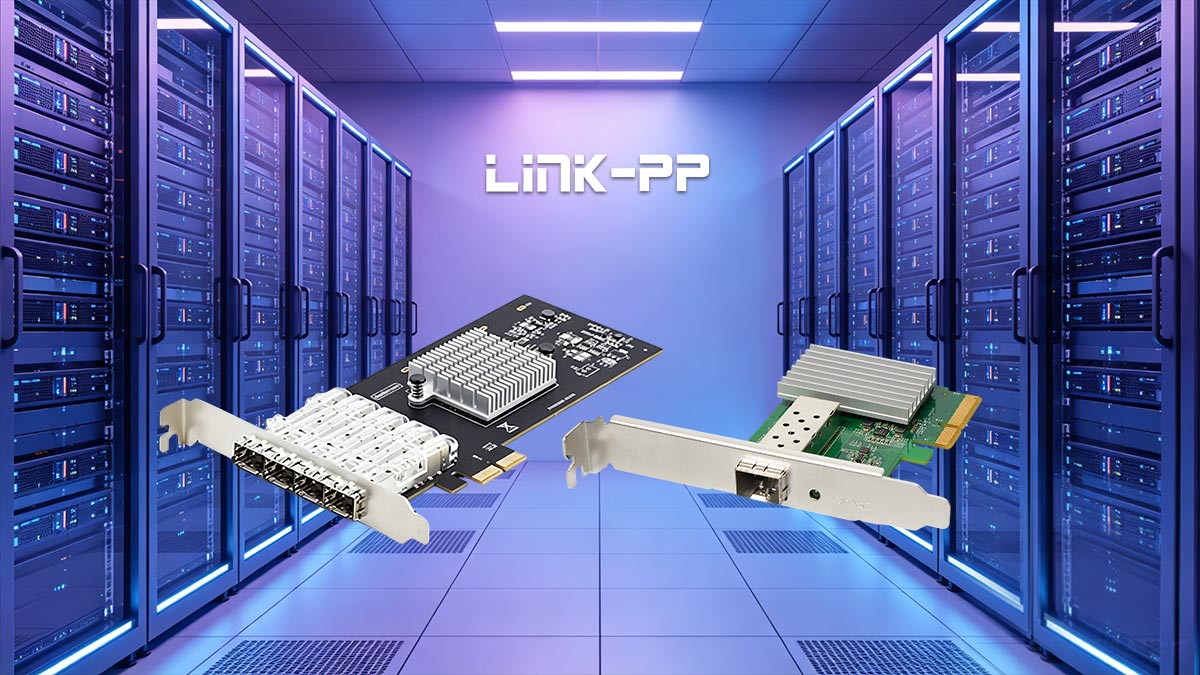
Seleccionar una tarjeta SFP implica más que elegir una velocidad de red. El adaptador debe integrarse con la plataforma del servidor, el sistema operativo, el conmutador de red y la infraestructura de cableado. Evaluar estos requisitos antes de la implementación puede prevenir problemas de compatibilidad y reducir los costos de futuras actualizaciones.
1. Comience con sus requisitos de ancho de banda.
La primera decisión consiste en determinar el ancho de banda que realmente requieren sus cargas de trabajo. Sobredimensionar un adaptador de red suele aumentar los costes sin ofrecer mejoras de rendimiento apreciables.
- SFP de 1G (como Cisco) SFP-10G-SR): Adecuado para infraestructuras heredadas, redes industriales y conectividad empresarial básica.
- 10G SFP+ (como Arista) SFP-1G-SX): Ideal para servidores de archivos, hosts de virtualización, sistemas NAS, flujos de trabajo de edición de vídeo y redes de pequeñas y medianas empresas.
- 25G SFP28 (como Arista) SFP-25G-SR): Recomendado para sistemas de almacenamiento totalmente flash, cargas de trabajo de IA, infraestructura hiperconvergente e implementaciones de servidores de alta densidad.
2. Verificar la compatibilidad del sistema operativo
Antes de comprar un adaptador de red, confirme que su chipset sea totalmente compatible con su sistema operativo y plataforma de hipervisor.
- Servidor de windows: Amplia compatibilidad con adaptadores Intel, Broadcom y NVIDIA/Mellanox.
- Linux y Proxmox: Excelente compatibilidad con Mellanox ConnectX y tarjetas de red Intel de clase servidor.
- TrueNAS, pfSense y OPNsense: Los adaptadores de Intel y Chelsio suelen ser los preferidos debido a sus ecosistemas de controladores consolidados.
La disponibilidad de controladores y el soporte de firmware a largo plazo suelen ser más importantes que las especificaciones técnicas.
3. Compruebe la compatibilidad del conmutador y del transceptor.
El rendimiento de la red depende de toda la cadena de conectividad. Algunos conmutadores imponen una validación estricta del transceptor, mientras que otros admiten una gama más amplia de componentes ópticos de terceros.
Al implementar tarjetas SFP, asegúrese de la compatibilidad entre:
- Adaptador de red y módulo óptico
- Módulo óptico y puerto de conmutación
- Codificación del cable DAC y firmware del conmutador
- Requisitos de interoperabilidad específicos del proveedor
El uso de transceptores compatibles con MSA puede simplificar la integración en entornos de múltiples proveedores.
4. Haga coincidir la tarjeta con su infraestructura de cableado.
La distancia física entre los dispositivos influye directamente en el tipo de solución de conectividad necesaria.
| Distancia | Medios recomendados | Caso de uso típico |
|---|---|---|
| 0-5 m | DAC pasivo | Conexiones entre el servidor y el conmutador dentro de un rack |
| 5-30 m | DAC o AOC activos | Implementaciones entre bastidores |
| 30-300 m | Fibra multimodo + óptica SR | Interconexiones del centro de datos |
| 300m+ | Fibra monomodo + óptica LR/ER | Redes de contactos en el campus y a larga distancia |
5. Considerar el crecimiento futuro y el presupuesto.
Muchas organizaciones implementan inicialmente redes de 10G, pero posteriormente migran a arquitecturas de 25G o superiores. Seleccionar hardware con compatibilidad comprobada y opciones de conectividad escalables puede prolongar la vida útil de su infraestructura.
Para implementaciones donde el costo es un factor importante, los adaptadores empresariales reacondicionados suelen ofrecer una excelente relación calidad-precio. En entornos de misión crítica, las nuevas tarjetas de red de nivel empresarial con soporte del proveedor siguen siendo la opción preferida.
Selección recomendada de tarjetas SFP según la aplicación
| Aplicación | Solución recomendada |
|---|---|
| Servidor para pequeñas empresas | Doble puerto 10G SFP+ |
| Almacenamiento NAS | 10G SFP+ con conectividad DAC |
| Clúster de virtualización | SFP28 de doble puerto de 25G |
| IA y computación de alto rendimiento | SFP28 de 25G o superior |
| Centro de datos empresarial | SFP28 de 25G con conectividad de fibra |
Creación de una solución completa de conectividad SFP
Elegir la tarjeta SFP adecuada es solo una parte del proceso de implementación. Un rendimiento fiable de la red también depende de seleccionar transceptores, cables DAC, cableado de fibra óptica e interfaces de conmutación compatibles que funcionen conjuntamente como un ecosistema completo.
Para las organizaciones que planean nuevas implementaciones de servidores o actualizar la infraestructura de red existente, la LINK-PP Tienda Oficial Ofrece una amplia gama de transceptores SFP, SFP+ y SFP28, cables DAC y soluciones de conectividad diseñadas para redes empresariales, centros de datos, sistemas Ethernet industriales y entornos de computación en la nube.
Seleccionar componentes de red verificados y que cumplan con los estándares ayuda a garantizar un funcionamiento estable, simplifica la interoperabilidad entre proveedores y proporciona una base escalable para el crecimiento futuro del ancho de banda.