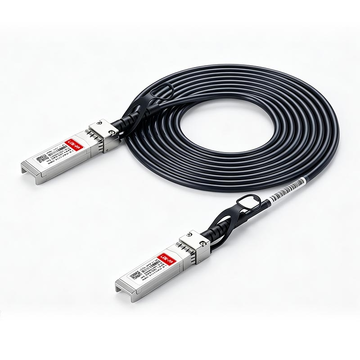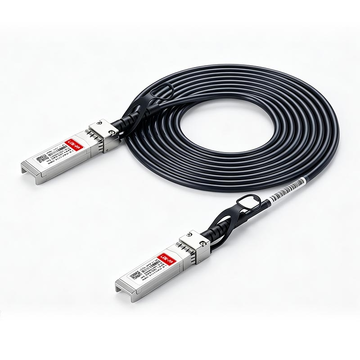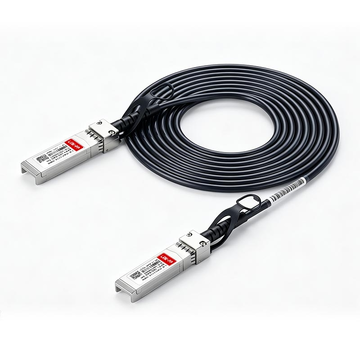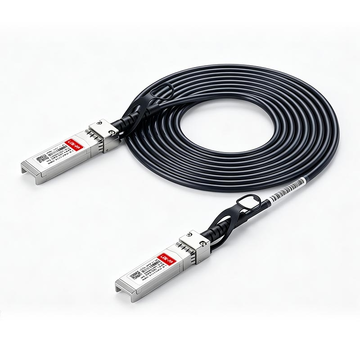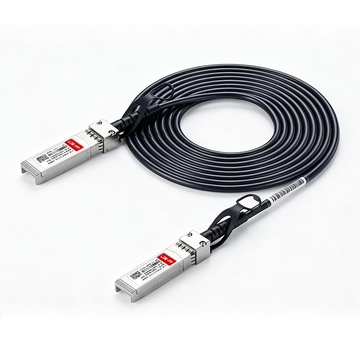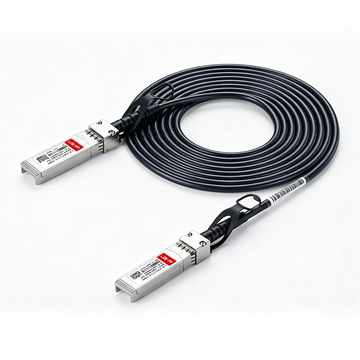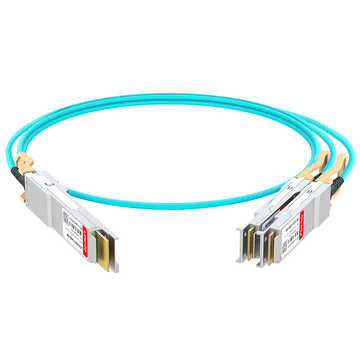
Upgrading a UniFi network infrastructure to 10 Gigabit Ethernet (10GbE) requires precise physical interconnects to ensure maximum throughput and network stability. For intra-rack stacking, the Ubiquiti UACC-DAC-SFP10-0.5M has emerged as the definitive 10G Direct Attach Copper (DAC) cable for linking UniFi Dream Machines (such as the UDM-Pro or UDM-SE) to UniFi aggregation or PoE switches. Operating on the SFP+ interface, this 0.5-meter passive twinax cable delivers a theoretical maximum of 10 Gbps throughput with ultra-low latency and near-zero power consumption.
Whether you are provisioning an enterprise server rack or upgrading a prosumer homelab, selecting the right physical media is critical. In this comprehensive engineering and deployment guide, we will analyze the technical parameters of the UACC-DAC-SFP10-0.5M, resolve the ongoing "SFP DAC vs. Fiber" debate, and provide actionable solutions for common 1Gbps auto-negotiation failures based on real-world deployment data.
🚩 What is the Ubiquiti UACC-DAC-SFP10-0.5M 10G Direct Attach Cable?
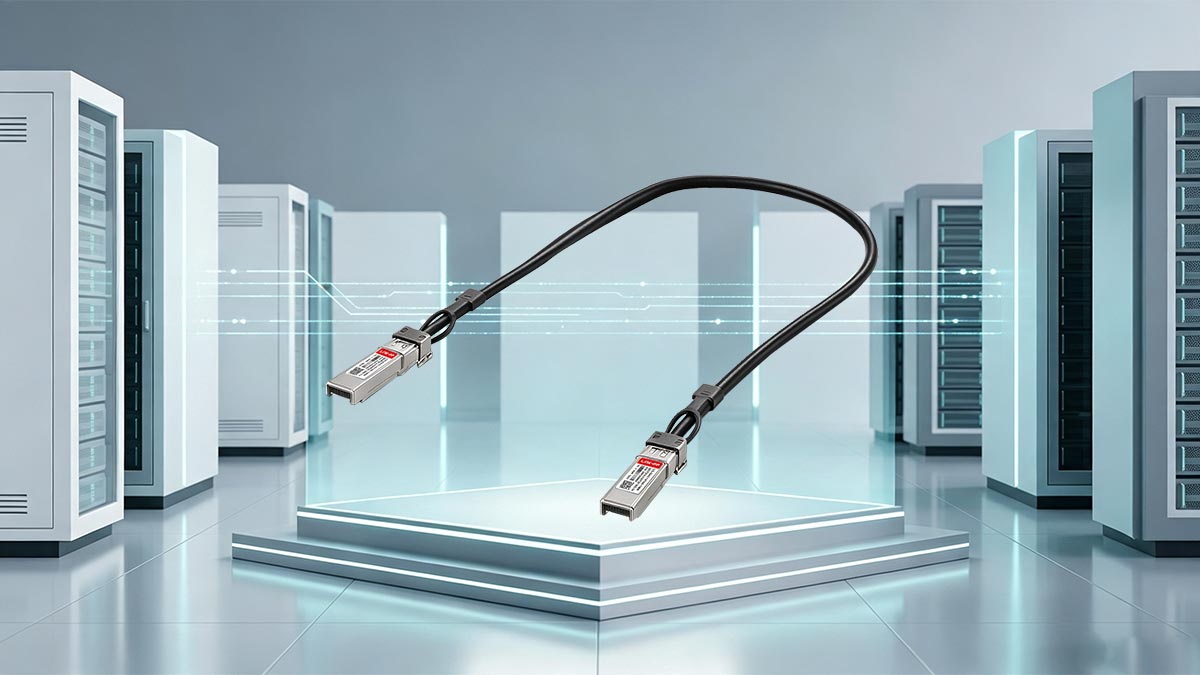
The Ubiquiti UACC-DAC-SFP10-0.5M is a 0.5-meter, passive 10G Direct Attach Copper (DAC) cable. It features factory-terminated SFP+ transceivers on both ends, designed specifically to bridge high-speed network hardware within the same server rack. It supports both 10 Gbps and 1 Gbps data rates, providing a plug-and-play stacking solution for UniFi ecosystems without the higher cost and power draw of separate optical fiber modules.
To understand why this specific SKU is highly recommended by network administrators, we must look at its physical and electronic characteristics. A DAC in SFP (Direct Attach Copper in Small Form-factor Pluggable) utilizes twin-axial copper wiring (twinax) to transmit data. Because the UACC-DAC-SFP10-0.5M is a passive cable—meaning it does not contain signal amplification electronics within the transceiver heads—it relies entirely on the host networking equipment to drive the signal.
This passive design complies with the IEEE 802.3ae (10GBASE-CR) standard, ensuring extremely low power consumption (typically <0.1W per port) compared to active optical cables (AOC) or standard fiber transceivers (which can draw up to 1.5W per port). For a tightly packed UniFi rack, this translates to significantly reduced heat generation.
Technical Specifications: UACC-DAC-SFP10-0.5M
| Parameter | Specification |
|---|---|
| Supported Data Rates | 10 Gbps / 1 Gbps (Backward compatible with standard SFP) |
| Cable Length | 0.5 meters (1.64 feet) |
| Interface Type | SFP+ to SFP+ (Pluggable Transceiver) |
| Cable Type | Passive Twinax Copper (AWG 30) |
| Jacket Material | PVC (Polyvinyl Chloride) |
By keeping the cable length to exactly 0.5 meters, Ubiquiti ensures that signal attenuation remains virtually nonexistent, making it the ideal physical medium for bridging adjacent 1U or 2U devices in a standard 19-inch equipment rack.
🚩 Best Use Cases for Ubiquiti Stacking and UniFi Uplinks
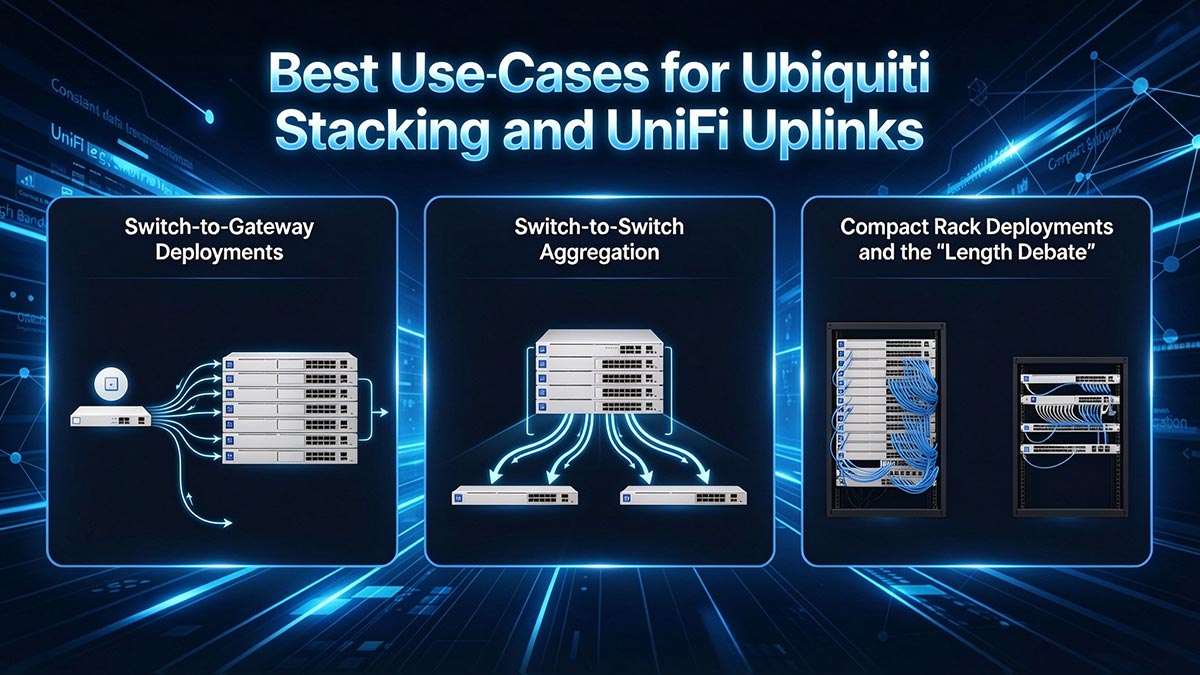
The Ubiquiti UACC-DAC-SFP10-0.5M is best utilized for adjacent intra-rack connections, specifically switch-to-gateway (e.g., UDM-Pro to USW-Pro) and switch-to-switch uplinks. At 0.5 meters, it provides a clean, minimal-slack connection between 1U and 2U rack equipment. While 0.5m is the shortest official UniFi DAC, it remains the optimal choice for stacking hardware without creating cable clutter.
In network topology, the physical uplink between your gateway and your core distribution switches represents the most critical bottleneck. Deploying a 10G DAC in this position ensures that inter-VLAN routing and heavy local traffic (such as NAS backups or NVR video streams) are not constrained by a standard 1 Gigabit RJ45 Ethernet link. Based on actual deployment data from enterprise and homelab environments, the UACC-DAC-SFP10-0.5M excels in three primary topologies.
1. Switch-to-Gateway Deployments
The most common deployment for this specific DAC is linking a UniFi OS Console to a core switch. For example, connecting the 10G SFP+ LAN port (typically Port 11) on a UniFi Dream Machine Pro (UDM-Pro) or UDM Special Edition (UDM-SE) directly to the SFP+ uplink port of a USW-Pro-24-PoE or USW-Enterprise-24-PoE. This establishes a robust 10 Gbps backbone, ensuring that multi-gigabit internet connections or intensive internal routing tasks operate at line rate.
2. Switch-to-Switch Aggregation
In larger network racks, network engineers often employ a dedicated aggregation switch, such as the UniFi Switch Aggregation (USW-Aggregation), to act as the central hub. The UACC-DAC-SFP10-0.5M is the standard medium for patching edge switches (handling APs and endpoints) back to this aggregation layer. Because the DAC supports both 10 Gbps and 1 Gbps auto-negotiation, it can even be used to connect older or lower-tier 1G SFP switches (like the USW-24-PoE) into a 10G aggregation hub, allowing for future-proofing.
3. Compact Rack Deployments and the "Length Debate"
Cable management is a high priority in IT infrastructure. The 0.5-meter (roughly 19.6 inches) length is specifically engineered to bridge adjacent hardware. It comfortably spans a 1U or 2U vertical gap in a standard 19-inch server rack without leaving excessive slack that would otherwise block airflow or obscure patch panels.
However, a frequent topic of discussion in network engineering communities (such as r/Ubiquiti) revolves around the desire for even shorter cables. Because 0.5m is the shortest official length offered by Ubiquiti, users stacking devices directly on top of one another (0U gap) sometimes find 0.5m creates a slight "loop."
- The Engineering Reality: Twinax copper cables have a strict minimum bend radius (typically around 25mm to 30mm for AWG 30 cables). Bending a DAC too sharply to achieve a "flush" look can fracture the internal copper shielding or stress the transceiver joints, leading to packet loss.
- The Solution: The 0.5m length provides just enough slack to create a gentle, stress-free "U" or "S" loop off to the side of the rack rails, preserving signal integrity while maintaining a clean aesthetic.
🚩 SFP Fiber vs. SFP DAC: Which is Better for UniFi Racks?
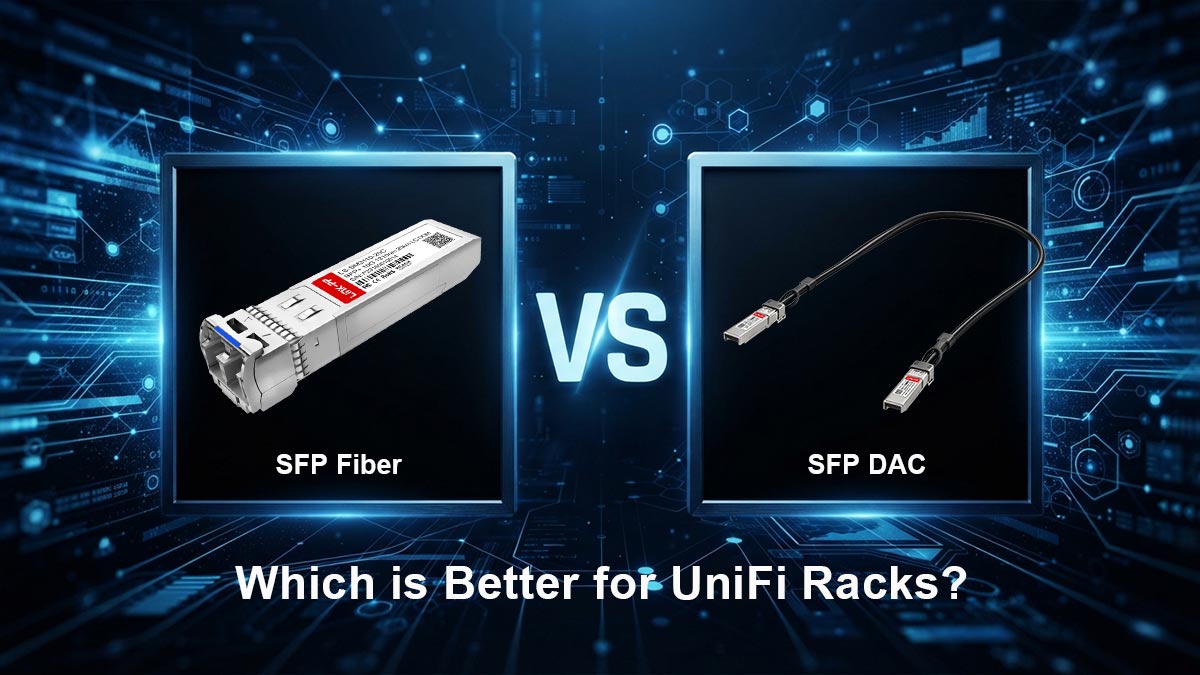
The primary difference between SFP fiber and SFP DAC is the transmission medium and distance capability. SFP DAC (Direct Attach Copper) uses a twinax copper cable with factory-sealed transceivers, making it highly cost-effective for short connections (under 3 meters) within the same rack. SFP Fiber utilizes glass optical strands and requires separate pluggable transceivers, designed for long-distance data transmission (up to 10km) across buildings. For stacking UniFi gear, SFP DAC is the recommended standard.
When engineering a 10G network, administrators frequently encounter the debate of whether to use copper DACs or optical fiber for their uplinks. To make an informed decision, it is essential to understand the physical layer (PHY) standards governing these two technologies.
The Ubiquiti UACC-DAC-SFP10-0.5M operates on the 10GBASE-CR standard, transmitting electrical signals over copper wire. Conversely, a typical SFP+ fiber setup relies on the 10GBASE-SR (Short Reach) or 10GBASE-LR (Long Reach) standards, transmitting pulses of light over Multimode (OM3/OM4) or Singlemode (OS2) fiber optic cables.
While fiber optics are absolutely necessary for connecting a core switch to a secondary data closet on another floor, deploying optical fiber to connect a UDM-Pro to a USW-Pro sitting three inches below it is generally considered an over-engineered approach.
Why Choose a DAC Instead of SFP Fiber for Short Links?
For intra-rack connections (switch-to-gateway or switch-to-switch), deploying a Direct Attach Copper cable provides three distinct advantages over an SFP fiber configuration:
- 1. Plug-and-Play Simplicity: A DAC is a single, pre-terminated unit. There is no need to match transceiver wavelengths, worry about LC duplex connector polarity, or meticulously clean the optical end-faces to prevent dust-induced packet loss. You simply plug the DAC into both SFP+ ports, and the physical link is established.
- 2. Drastic Cost Reduction: The economic difference is substantial. The Ubiquiti 0.5m DAC costs approximately £ 12.16 USD. To replicate this link using fiber, you would need to purchase two Ubiquiti 10G Multi-Mode Optical Modules (UACC-OM-MM-10G, ~£ 28.88 each) plus an LC-to-LC fiber patch cable (~£ 7.60). The total cost of the fiber route approaches £ 65.36—more than five times the cost of the DAC for the exact same 10 Gbps throughput.
- 3. Superior Cable Management and Durability: Glass fiber optic strands are fragile. Exceeding the minimum bend radius of a fiber patch cable can cause micro-fractures in the glass core, leading to irreversible signal degradation. The twinax copper shielding of a DAC is physically robust, easily tolerating the routing constraints and minor impacts common inside a densely populated 19-inch server rack.
To further illustrate the technical differences, refer to the parameter comparison below:
| Parameter | SFP+ DAC (UACC-DAC-SFP10) | SFP+ Fiber (10GBASE-SR) |
|---|---|---|
| Transmission Medium | Twinax Copper | Multimode Glass Fiber (OM3/OM4) |
| Maximum Distance | Up to 3 - 7 Meters | Up to 300 Meters |
| Power Consumption (per port) | < 0.1W (Passive) | 0.8W - 1.0W (Active Lasers) |
| Latency | ~0.1 Microseconds | ~0.1 Microseconds |
Ultimately, for any link under 3 meters within a UniFi environment, the UACC-DAC-SFP10-0.5M delivers identical network performance to fiber while significantly optimizing budget, power efficiency, and deployment speed.
🚩 10G DAC vs. 25G DAC: Should You Future-Proof Your Network?
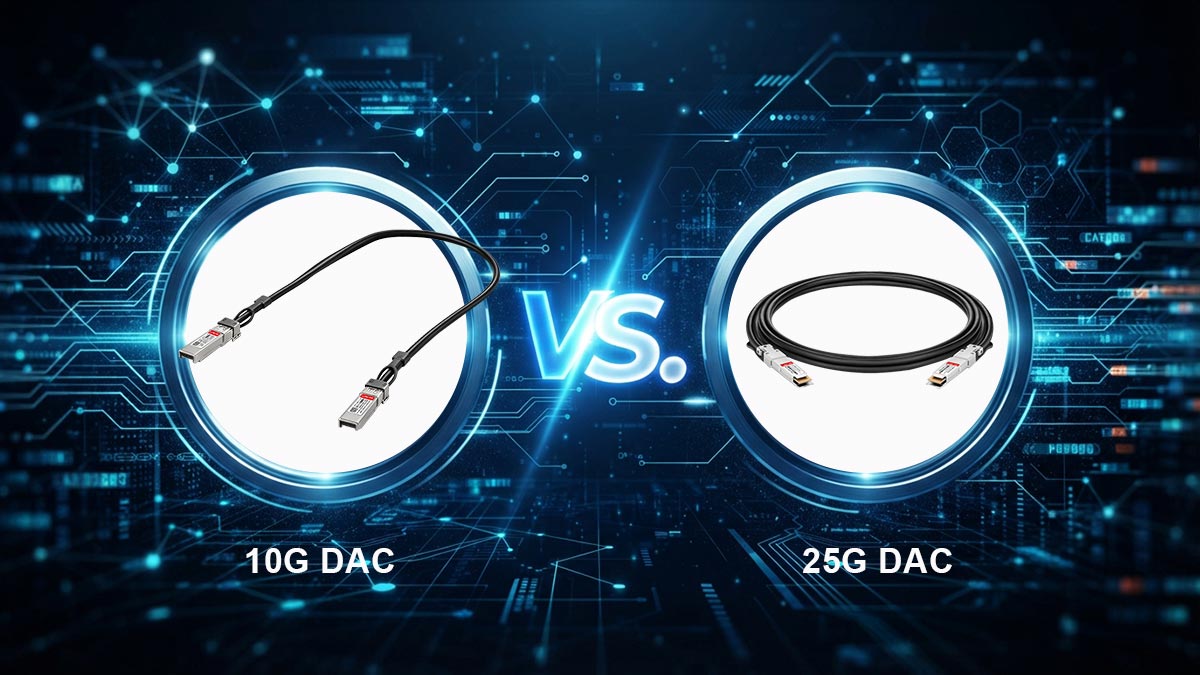
The primary difference between a 10G DAC and a 25G DAC is the data rate capacity and the underlying hardware standard. A 10G DAC utilizes the SFP+ interface (IEEE 802.3ae), while a 25G DAC utilizes the SFP28 interface (IEEE 802.3by). Although SFP28 connectors are physically identical to SFP+ connectors, attempting to "future-proof" a 10G network by plugging a 25G DAC into 10G ports frequently causes EEPROM read errors and auto-negotiation failures. You should always match the DAC standard to your current switch ports.
As enterprise networks and high-end homelabs migrate toward faster throughputs, network architects frequently ask if they should purchase a 25G DAC today to prepare for future hardware upgrades. While future-proofing optical fiber runs (like installing OM4 instead of OM3) is a standard industry best practice, applying this logic to Direct Attach Copper cables is technically flawed.
The Technical Divide: SFP+ versus SFP28
To understand why future-proofing with DACs is problematic, we must examine the physical layer encoding. The Ubiquiti UACC-DAC-SFP10-0.5M is an SFP+ cable. It transmits data using Non-Return-to-Zero (NRZ) encoding at a lane rate of 10.3125 Gbps.
A 25G DAC (such as the Ubiquiti UACC-DAC-SFP28-0.5M) uses the SFP28 form factor. It relies on a tighter electrical tolerance to push 25.78125 Gbps over a single lane. Because DACs are passive components without internal signal processing logic, they depend entirely on the host networking equipment to negotiate the link speed.
The Risk of Auto-Negotiation Failures
Plugging an SFP28 (25G) DAC into an SFP+ (10G) port on a device like the UDM-Pro introduces significant compatibility risks:
- EEPROM Incompatibility: Every DAC contains an EEPROM chip that tells the switch its capabilities. Many 10G SFP+ switch ports lack the microcode required to properly identify an SFP28 EEPROM. If the switch cannot validate the cable, the port will remain disabled (Link State: Down).
- Forward Error Correction (FEC) Mismatches: 25G networking relies heavily on FEC algorithms (like RS-FEC) to maintain data integrity over copper. 10G hardware does not utilize these specific FEC protocols, which can cause the physical link to fail negotiation entirely.
Economic Reality of DAC Future-Proofing
Beyond the technical limitations, future-proofing a DAC makes little economic sense. The Ubiquiti 10G DAC costs approximately £ 12.16. If you upgrade your network to the UniFi EnterpriseXG (25G) line in three years, discarding a £ 12.16 cable is a negligible expense compared to the cost of the new switches.
Deployment Rule of Thumb: If connecting a 10G port to a 10G port, strictly use a 10G SFP+ DAC like the UACC-DAC-SFP10-0.5M. Only purchase a 25G SFP28 DAC when connecting two native 25G ports.
🚩 Troubleshooting: Fixing 10G to 1G Auto-Negotiation Issues

When linking a 10G SFP+ port (like a UDM-Pro) to a 1G SFP port (like a USW-24-PoE) using the Ubiquiti UACC-DAC-SFP10-0.5M, the link often fails to establish because passive DACs cannot actively mediate the speed downgrade. To fix this, log into the UniFi Network Controller, open the Port Manager for the 10G device, and manually change the SFP+ port's Link Speed from "Auto-Negotiation" to 1 Gbps FDX.
One of the most heavily documented pain points in homelab communities and IT subreddits involves the perceived "failure" of the UACC-DAC-SFP10-0.5M when bridging hardware of different generations. The cable officially supports both 10 Gbps and 1 Gbps data rates. However, establishing a connection between a 10G SFP+ interface and a legacy 1G SFP interface requires specific software configuration.
The Technical Root Cause
Unlike active RJ45 copper transceivers (10GBASE-T) that possess dedicated internal silicon to continuously poll and negotiate link speeds with the opposite end, the UACC-DAC-SFP10-0.5M is a passive twinax cable. It relies entirely on the host switch's MAC (Media Access Control) layer to handle the handshake.
By default, UniFi OS sets all SFP+ ports to "Auto-Negotiate." When a 10G port sends a 10 Gbps initialization signal down a passive DAC to a 1G port, the 1G switch cannot interpret the high-frequency signal and drops the packet. Because the DAC does not intercept and translate this failure, the 10G port assumes the link is dead, resulting in dark port lights and no network connectivity.
Step-by-Step Fix: Forcing 1 Gbps Full Duplex
To resolve this hardware mismatch, you must bypass the auto-negotiation protocol and hardcode the lane speed on the 10G device. Follow these exact steps within your UniFi Network application:
- Access the Controller: Log into your UniFi Network Controller (via unifi.ui.com or your local IP).
- Select the 10G Device: Navigate to the Devices tab and click on the hardware featuring the 10G SFP+ port (e.g., your UDM-Pro, UDM-SE, or USW-Pro aggregation switch).
- Open Port Manager: On the device slide-out panel, click on Port Manager.
- Configure the SFP+ Port: Select the specific SFP+ port where the DAC is connected (usually Port 11 on a UDM-Pro).
- Override Link Speed: Scroll down to the Link Speed dropdown menu. Change the setting from "Auto-Negotiation" to 1 Gbps FDX (Full Duplex).
- Apply Changes: Save the configuration. The switch will briefly provision.
Within 10 to 15 seconds of provisioning, the port LEDs on both the 10G gateway and the 1G switch should illuminate, confirming a stable 1000BASE-X equivalent link.
Expert Deployment Tip
If you are connecting two 1G SFP devices together using this 10G DAC (for example, linking two older USW-24-PoE switches), the link should auto-negotiate successfully because both host ports operate at the identical base frequency. However, if the link remains inactive, applying the 1 Gbps FDX manual override to both switch ports simultaneously is the definitive engineering standard for stabilizing passive DAC connections.
🚩 Ubiquiti OEM vs. Third-Party DAC: Which Is Better?
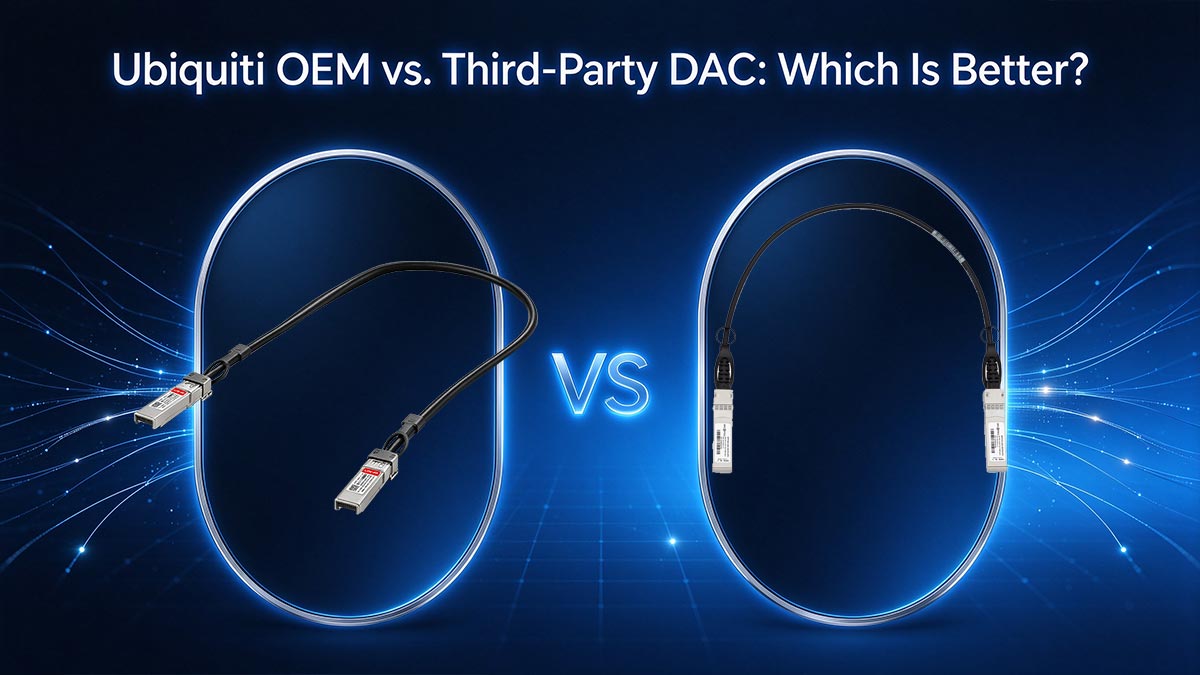
In a strictly UniFi-only environment, the OEM Ubiquiti UACC-DAC-SFP10-0.5M is highly recommended because its aggressive £ 12.16 MSRP effectively eliminates the "OEM premium" found with other enterprise brands. However, third-party DACs are equally capable and often necessary when the UI store is out of stock, when connecting UniFi gear to non-Ubiquiti switches (like Cisco or MikroTik), or when bulk procurement is required to avoid high shipping fees.
A recurring debate across IT procurement forums and Reddit’s r/Ubiquiti community is whether to purchase the official Ubiquiti DAC or opt for lower-cost third-party alternatives from Amazon or specialized fiber optic vendors. In traditional enterprise networking (such as Cisco, Juniper, or HPE environments), OEM DACs can cost upwards of £ 76.00 to £ 152.00, making third-party alternatives an economic necessity. Ubiquiti, however, disrupts this model.
The Economics of the UACC-DAC-SFP10-0.5M
At an official MSRP of approximately £ 12.16 USD, Ubiquiti’s proprietary 0.5m 10G DAC is priced nearly at manufacturing cost. From a pure hardware perspective, the OEM cable offers a matching silver aesthetic for UniFi racks and guarantees zero friction if you ever need to submit a UniFi OS support ticket (as UI engineers cannot blame a third-party cable for link state issues).
However, the actual procurement cost often exceeds £ 12.16. Ubiquiti frequently charges shipping for small orders, pushing the true cost of a single cable closer to £ 19.00 or £ 22.80. Furthermore, regional UI stores routinely experience severe inventory shortages, forcing network engineers to look elsewhere.
EEPROM Coding and MSA Compliance
When selecting a third-party DAC, the critical engineering factor is MSA (Multi-Source Agreement) compliance and EEPROM (Electrically Erasable Programmable Read-Only Memory) coding. The EEPROM chip inside the DAC transceiver boot holds the vendor ID, part number, and supported data rates.
Fortunately, Ubiquiti switches are famously "vendor-agnostic." Unlike some enterprise switches that actively disable ports if a non-OEM signature is detected (vendor lock-in), UniFi OS generally accepts any standard MSA-compliant DAC. This makes third-party cables highly reliable for UniFi deployments.
When to Choose Third-Party Over OEM
Based on deployment topologies, third-party DACs become the superior choice in the following scenarios:
- Mixed-Vendor Environments: If you are uplinking a UDM-Pro to a Cisco Nexus or MikroTik core switch, an OEM Ubiquiti cable might be rejected by the Cisco hardware. In this case, you need a custom-coded DAC (one end coded for Ubiquiti, the other coded for Cisco) from a specialized transceiver manufacturer.
- Availability and Shipping Limitations: Third-party cables are readily available with fast, free shipping through major distributors, preventing deployment delays during UI stock shortages.
- Bulk IT Procurement: For managed service providers (MSPs) outfitting dozens of server racks, sourcing directly from an optical component manufacturer yields significant economies of scale.
For network architects requiring guaranteed MSA compliance, rigorous testing, and customized EEPROM coding for complex, multi-vendor topologies, sourcing your physical layer components directly from specialized manufacturers is highly recommended. You can explore a comprehensive range of fully compatible, enterprise-grade direct attach cables at the LINK-PP Official Store, ensuring stable 10GbE uplinks across your entire networking stack.
🚩 FAQ: Ubiquiti UACC-DAC-SFP10-0.5M

The most frequently asked questions regarding the Ubiquiti UACC-DAC-SFP10-0.5M revolve around backward compatibility, power consumption, and cross-vendor interoperability. In short: it fully supports 1G speeds (often requiring manual configuration), consumes virtually zero power (<0.1W) compared to RJ45 modules, and works with most third-party switches that do not enforce strict vendor lock-in protocols.
To further assist network administrators during deployment, we have compiled the most common technical questions sourced directly from field engineers and homelab communities.
1. Does the Ubiquiti 10G DAC work with 1G SFP ports?
Yes. The UACC-DAC-SFP10-0.5M is natively backward-compatible with 1 Gbps SFP ports. However, because it is a passive cable, it cannot actively negotiate the step-down in frequency. You must log into the UniFi Network Controller and manually set the 10G host port to 1 Gbps FDX for the link to establish.
2. Can I use this DAC to connect a UniFi switch to a non-UniFi device (e.g., MikroTik, Netgear, or QNAP)?
In most cases, yes. The UACC-DAC-SFP10-0.5M is an MSA-compliant (Multi-Source Agreement) passive cable. Ubiquiti switches are vendor-agnostic, and brands like MikroTik, Netgear, and QNAP generally accept generic or UI-coded DACs. However, if connecting to enterprise hardware with strict vendor lock-in (such as certain Cisco Nexus or HP ProCurve switches), the third-party switch may reject the Ubiquiti EEPROM signature, requiring a custom-coded DAC instead.
3. How much power does the UACC-DAC-SFP10-0.5M consume compared to an RJ45 10G transceiver?
The power efficiency of a passive DAC is vastly superior to active copper. The UACC-DAC-SFP10-0.5M consumes less than 0.1 watts per port. In contrast, a 10GBASE-T RJ45 transceiver (like the UACC-CM-RJ45-10G) consumes between 1.5W and 2.5W per port. For a densely populated switch, using DACs significantly reduces total power draw and thermal output.
4. Why does my DAC transceiver feel warm to the touch?
Passive DACs do not contain active lasers or signal amplification silicon, meaning they generate almost zero internal heat. If the metal transceiver boot feels warm, it is acting as a heat sink, absorbing ambient thermal energy from the switch chassis or adjacent active optical/RJ45 modules. This is normal and does not degrade the copper twinax connection.
5. What is the safe bend radius for the Ubiquiti 0.5m DAC?
The UACC-DAC-SFP10-0.5M utilizes AWG 30 twinaxial copper wire. The industry standard minimum bend radius for AWG 30 is approximately 25mm to 30mm (1 to 1.2 inches). Bending the cable more sharply than this—especially right at the strain relief boot where the cable meets the transceiver—can cause micro-fractures in the copper shielding, leading to CRC errors or total link failure.
🚩 Best Practices for Stacking UDM-Pro and UniFi Switches
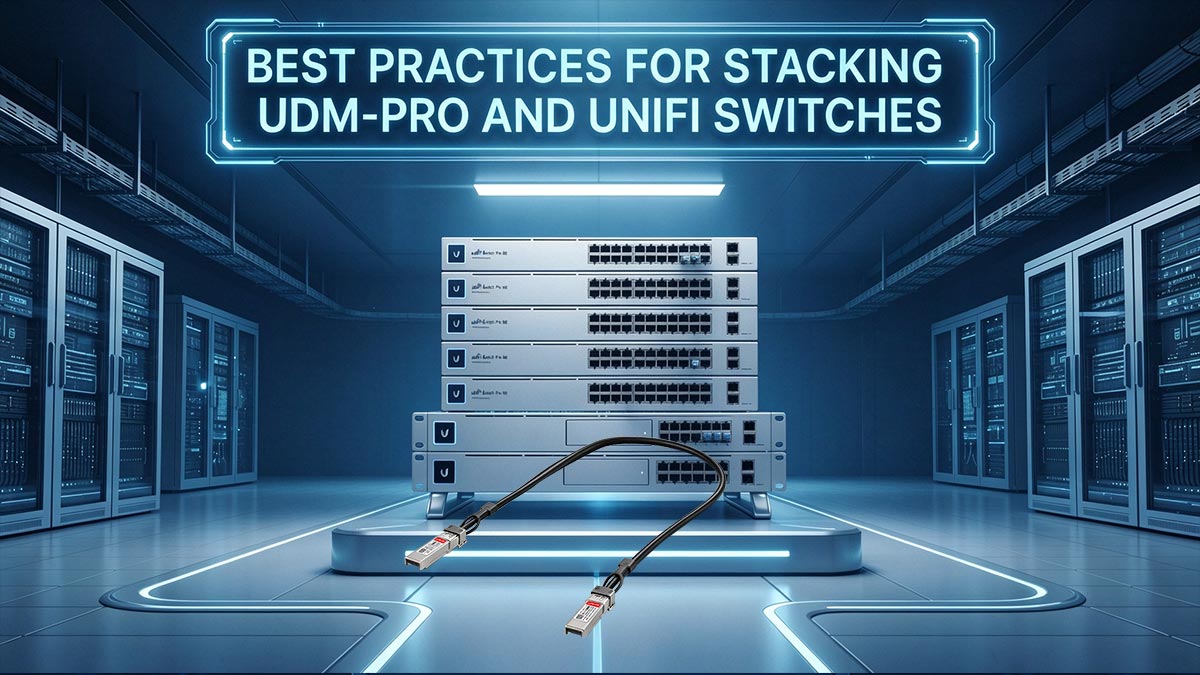
To achieve a stable, high-performance stack using the Ubiquiti UACC-DAC-SFP10-0.5M, administrators should mount the gateway (UDM-Pro/SE) directly above the core switch. Always update the firmware on both devices before connecting the DAC to ensure EEPROM recognition, maintain a minimum bend radius of 30mm to prevent copper micro-fractures, and disconnect legacy RJ45 uplinks prior to DAC insertion to prevent Spanning Tree Protocol (STP) network loops.
Successfully deploying a 10 Gbps backbone requires more than just plugging in a cable. When integrating the UACC-DAC-SFP10-0.5M into a UniFi environment—particularly when linking a UniFi OS Console like the UDM-Pro to a USW-Pro aggregation or distribution switch—following strict physical and software deployment protocols will prevent packet loss and network downtime.
1. Strategic Rack Placement and Cable Routing
The physical arrangement of your hardware dictates your cable management strategy. The 0.5-meter DAC is precision-engineered to bridge adjacent equipment without creating excessive slack.
- Top-Down Topology: Mount your UDM-Pro or UDM-SE at the top of the rack (or immediately above your core switch). This allows the DAC to drop naturally from the gateway’s SFP+ LAN port (Port 11) down to the switch’s SFP+ uplink port.
- Mechanical Stress Prevention: Never bend the DAC immediately at the transceiver boot. Twinax copper (AWG 30) requires a minimum bend radius of roughly 30mm. Route the cable slightly to the side (toward the vertical rack rails) in a gentle "C" or "S" shape. Forcing the cable into a tight, flush loop will exert mechanical stress on the SFP+ cage, potentially damaging the switch's motherboard contacts over time.
2. Firmware and Provisioning Sequencing
A common mistake among homelabbers is plugging the DAC into unpatched, factory-default hardware. The software libraries that allow the host switch to read the DAC’s EEPROM (to identify the cable type and supported speeds) are frequently updated in UniFi firmware releases.
- Update First: Ensure both the gateway and the switch are running the latest stable release of UniFi OS and device firmware using a standard 1 Gbps RJ45 connection.
- Configure Port Profiles: If you are connecting the 10G DAC to a 1G switch, pre-configure the 10G port to 1 Gbps FDX in the UniFi Network Controller before physically plugging in the cable. This prevents the port from entering a failed auto-negotiation loop.
3. Avoiding Spanning Tree Protocol (STP) Loops
When upgrading an existing stack from a 1G RJ45 uplink to a 10G DAC uplink, network administrators must be highly aware of Layer 2 loops. If you plug in the UACC-DAC-SFP10-0.5M while the original RJ45 copper uplink is still connected, the UniFi switch will detect multiple paths to the gateway.
Unless you have manually configured your RSTP (Rapid Spanning Tree Protocol) bridge priorities, this dual-link scenario will cause a broadcast storm, crashing the local network.
Deployment Rule: Always disconnect the legacy RJ45 uplink immediately before inserting the DAC to ensure a seamless STP topology recalculation.