When users search for 10Gtek ASF-10G2-T, they are rarely looking for a simple definition—they are trying to answer a very practical question: “Will this SFP+ copper module actually work in my network, at the speed I need, without overheating or causing instability?” That is exactly where this guide comes in.
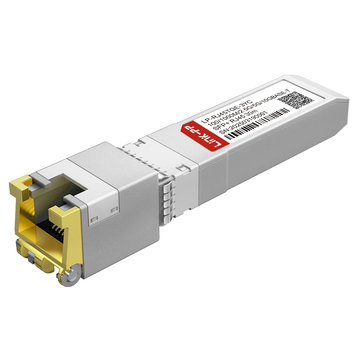
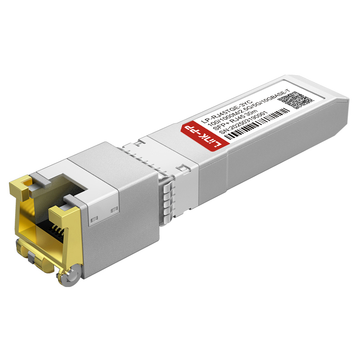
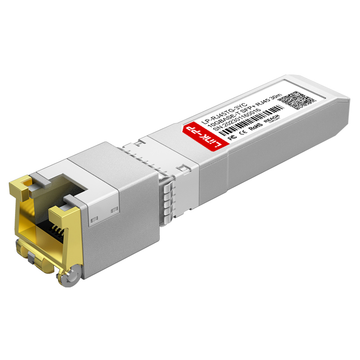
The 10Gtek ASF-10G2-T SFP+ copper module is designed to bridge the gap between modern 10G SFP+ ports and traditional RJ45 copper Ethernet cabling, supporting multi-gigabit speeds including 1G, 2.5G, 5G, and 10GBASE-T. Unlike older single-rate transceiver modules, it targets today’s mixed-speed environments—home labs, enterprise edge networks, and upgrade scenarios where replacing existing Cat6/Cat6a infrastructure is not always practical.
However, real-world usage reveals that choosing a 10GBASE-T SFP+ module is not just about specs. Buyers consistently care about three things:
- Compatibility: Will it work with my switch (UniFi, MikroTik, Cisco, etc.)?
- Performance: Can it reliably negotiate 2.5G/5G/10G without drops or errors?
- Thermals: Will it run hot and throttle, or stay stable under load?
This article is built around those exact concerns. Instead of repeating generic datasheet information, we combine technical specifications, real deployment scenarios, and actual user feedback trends to give you a clear, decision-focused understanding of the ASF-10G2-T.
What You Will Learn From This Guide
By reading this article, you will be able to:
- Understand what makes the ASF-10G2-T different from older copper SFP+ modules
- Evaluate its real-world speed, distance, and stability performance
- Identify common compatibility issues and how to avoid them
- Decide whether a 10GBASE-T SFP+ module is the right choice—or if fiber/DAC would be better
- Make a confident purchase or deployment decision based on your network scenario
As multi-gig networking (2.5G/5G) becomes standard in Wi-Fi 6/6E/7 deployments and NAS upgrades, modules like the 10Gtek ASF-10G2-T are increasingly used as a cost-effective upgrade path. But at the same time, heat, power consumption, and compatibility limitations of copper 10G SFP+ modules remain a critical consideration.
That’s why understanding this specific model—beyond marketing claims—is essential.
In the next section, we’ll break down exactly what the 10Gtek ASF-10G2-T is, how it works, and where it fits in modern network design.
🟨 What Is the 10Gtek ASF-10G2-T?
The 10Gtek ASF-10G2-T is a multi-rate SFP+ copper transceiver that allows you to connect a standard RJ45 Ethernet cable (Cat5e/Cat6/Cat6a/Cat7) to an SFP+ port on a switch, router, or network interface card. In simple terms, it acts as a bridge between fiber-style SFP+ hardware and traditional copper Ethernet infrastructure—without requiring new cabling.
Unlike older single-speed modules, the ASF-10G2-T is designed for multi-gigabit networks, supporting:
- 10GBASE-T (10GbE)
- 5GBASE-T
- 2.5GBASE-T
- 1000BASE-T (1GbE)
This makes it especially useful in modern environments where different devices operate at different speeds—such as Wi-Fi 6/6E/7 access points, NAS systems, gaming PCs, and enterprise edge switches.
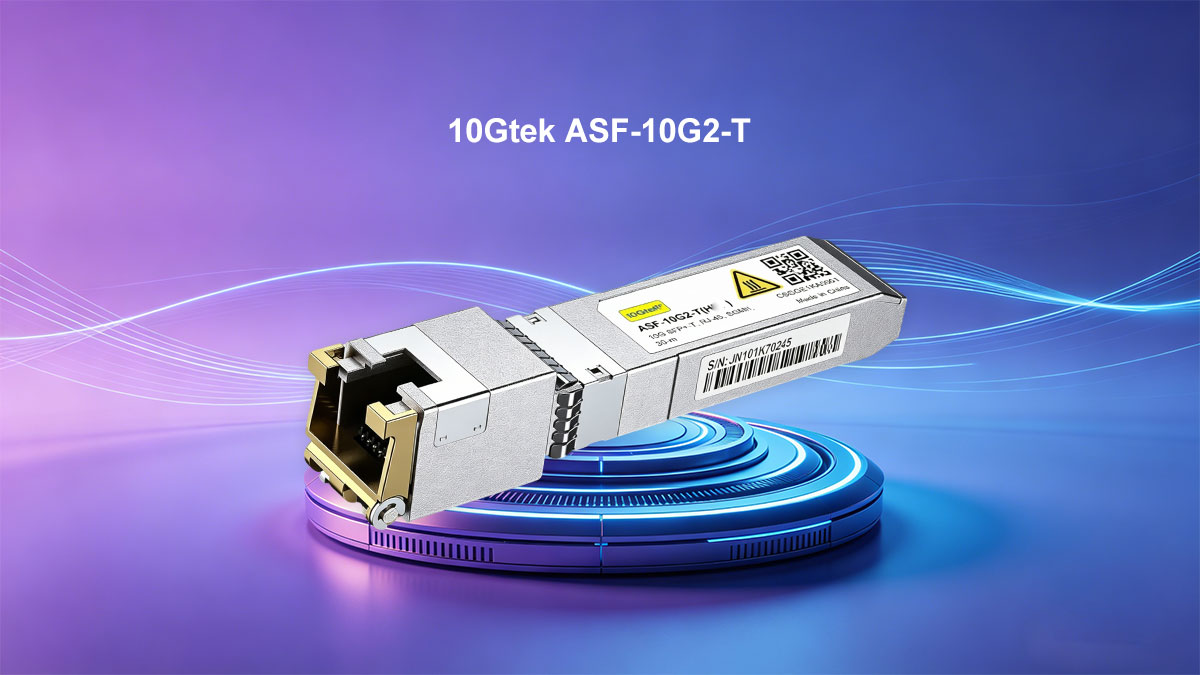
Key Technical Characteristics
At a hardware level, the ASF-10G2-T is built around an advanced multi-gig PHY chipset (commonly associated with the Marvell AQR113C family), which enables:
- Auto-negotiation across multiple speeds
- Backward compatibility with legacy Ethernet standards
- Improved thermal efficiency compared to older 10G-only modules
Typical specifications include:
- Form Factor: SFP+ (hot-swappable)
- Connector Type: RJ45
- Maximum Distance:
- Up to 30 meters at 10Gbps (Cat6a/Cat7)
- Up to 100 meters at 1Gbps (Cat5e or better)
- Power Consumption: Typically lower than earlier 10GBASE-T SFP+ modules (but still higher than fiber or DAC)
How It Works in a Real Network
In a real deployment, the ASF-10G2-T is commonly used in scenarios like:
- Connecting a 10G SFP+ switch port to a 2.5G/5G/10G RJ45 device
- Upgrading a network to multi-gig speeds without replacing existing copper cabling
- Linking NAS servers, Wi-Fi access points, or desktop PCs to SFP+ infrastructure
For example, if your switch only has SFP+ ports but your device uses RJ45 Ethernet, this module allows seamless integration—automatically negotiating the highest supported speed between both ends.
Why It Exists (and When It Makes Sense)
The ASF-10G2-T exists because many networks are in a transition phase:
- SFP+ ports are widely available on switches
- But most endpoints still use RJ45 copper
- And not all environments are ready to move fully to fiber
This module provides a flexible upgrade path, letting you:
- Reuse existing cabling
- Gradually adopt multi-gig speeds
- Avoid immediate infrastructure replacement
However, this flexibility comes with trade-offs—especially in heat generation and power consumption, which we will explore in later sections.
In the next section, we’ll compare the ASF-10G2-T with its predecessor to understand what actually changed—and why most users prefer the newer model.
🟨 ASF-10G-T vs. ASF-10G2-T: What Changed?
At first glance, the 10Gtek ASF-10G-T and 10Gtek ASF-10G2-T look almost identical—they share the same SFP+ form factor, RJ45 interface, and 30m 10GBASE-T reach. But in real-world usage, they behave very differently. The upgrade from ASF-10G-T to ASF-10G2-T is not just incremental—it fundamentally changes how the module performs in modern multi-gig networks.
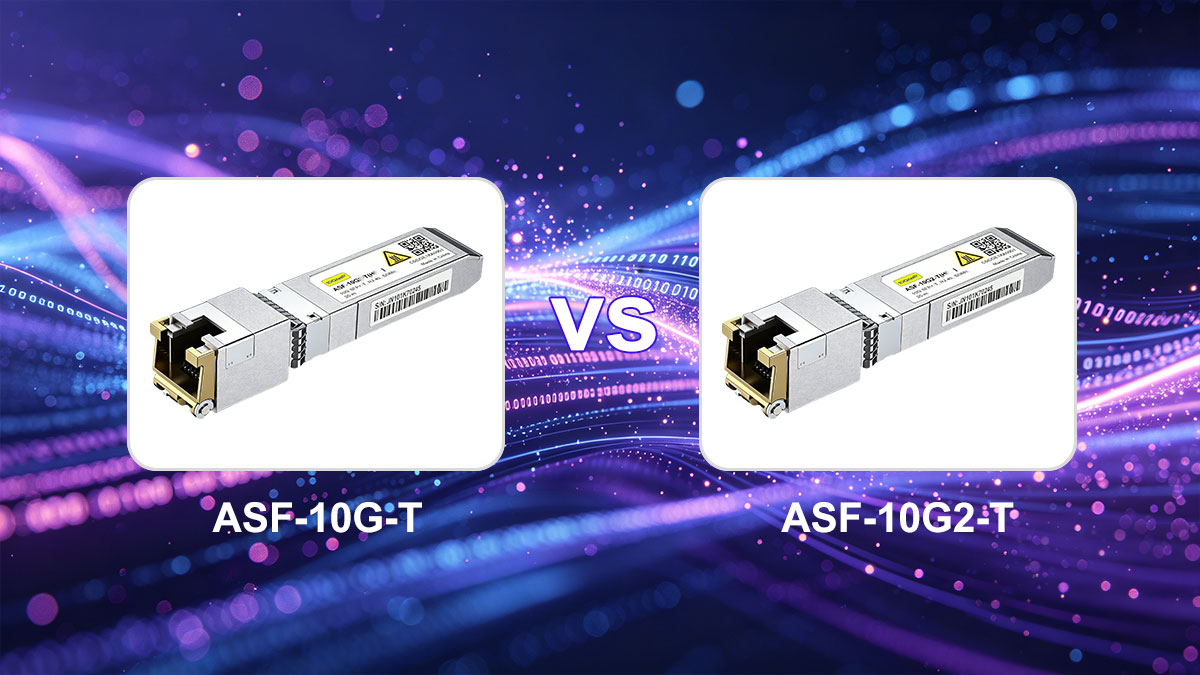
1. From Single-Rate to Multi-Rate (The Biggest Upgrade)
The most important difference is speed flexibility:
- ASF-10G-T → Primarily 10G-only
- ASF-10G2-T → Supports 1G / 2.5G / 5G / 10G
According to official documentation, the ASF-10G-T cannot reliably operate at 2.5G or 5G, while the ASF-10G2-T is specifically designed for multi-gig auto-negotiation.
Why this matters: Modern networks are no longer “all 10G.” Many devices—like Wi-Fi 6/7 access points and NAS—run at 2.5G or 5G, making ASF-10G2-T far more practical in mixed-speed environments.
2. Chipset Evolution: 88X3310 → AQR113C
Another critical change is the internal PHY chipset:
- ASF-10G-T → Marvell 88X3310
- ASF-10G2-T → Marvell AQR113C
This newer chipset enables:
- Better multi-speed negotiation
- Improved efficiency and thermal behavior
- More stable performance at non-10G speeds
Official product data confirms this chipset difference and its link to multi-rate support.
In practical terms: ASF-10G2-T is not just “more compatible”—it is built for modern Ethernet standards, while ASF-10G-T reflects an earlier 10G-only design era.
3. Power Consumption vs Real-World Heat
On paper, both modules look similar:
- ASF-10G-T: ~<3.3W
- ASF-10G2-T: ~<3.6W
But real-world behavior tells a different story.
From a highly engaged Reddit test:
“ASF-10G-T … 89°C at 10G”
“ASF-10G2-T … 68°C at 10G, ~45°C at 2.5G”
Key takeaway: Even with similar power ratings, ASF-10G2-T runs significantly cooler in practice, especially at lower speeds. This directly impacts:
- Stability
- Long-term reliability
- Switch thermal limits
4. Stability and Error Handling in Multi-Gig Networks
User feedback consistently shows that ASF-10G2-T performs better in mixed-speed environments:
- Supports proper auto-negotiation across 1G–10G
- Handles pause frames and rate adaptation more effectively
- Reduces packet errors and link instability
In contrast, ASF-10G-T:
- May struggle or behave unpredictably below 10G
- Is less suited for 2.5G/5G deployments
This is why many users upgrading multi-gig networks skip ASF-10G-T entirely.
5. Real-World Verdict: Why Most Users Choose ASF-10G2-T
Across both official specs and user discussions, the conclusion is consistent:
- Same price range
- Same physical interface
- Same 30m 10G capability
- But ASF-10G2-T adds flexibility, better thermals, and broader compatibility
A well-circulated community conclusion summarizes it bluntly:
“There is no point in buying the much hotter ASF-10G-T…”
Quick Comparison Summary
| Feature | ASF-10G-T | ASF-10G2-T |
|---|---|---|
| Speed Support | 10G (limited multi-gig) | 1G / 2.5G / 5G / 10G |
| Chipset | Marvell 88X3310 | Marvell AQR113C |
| Max Distance | 30m (Cat6a) | 30m (Cat6a) |
| Power (Spec) | <3.3W | <3.6W |
| Real-World Heat | Higher | Lower |
| Best Use Case | Pure 10G links | Mixed-speed networks |
The transition from ASF-10G-T → ASF-10G2-T reflects a broader industry shift:
- From single-speed 10G networks
- To flexible multi-gig environments
If your network includes 2.5G or 5G devices (which most modern setups do), the ASF-10G2-T is not just an upgrade—it is the correct choice.
Next, we’ll dive deeper into actual speed performance, cable limits, and what you can realistically expect in production environments.
🟨 Supported Speeds, Cable Distance, and Real-World Performance
Understanding the actual performance of the 10Gtek ASF-10G2-T goes beyond datasheet numbers. While the specifications look straightforward, real-world behavior depends heavily on cable type, distance, negotiated speed, and thermal conditions—which is exactly what most users are trying to figure out before buying.
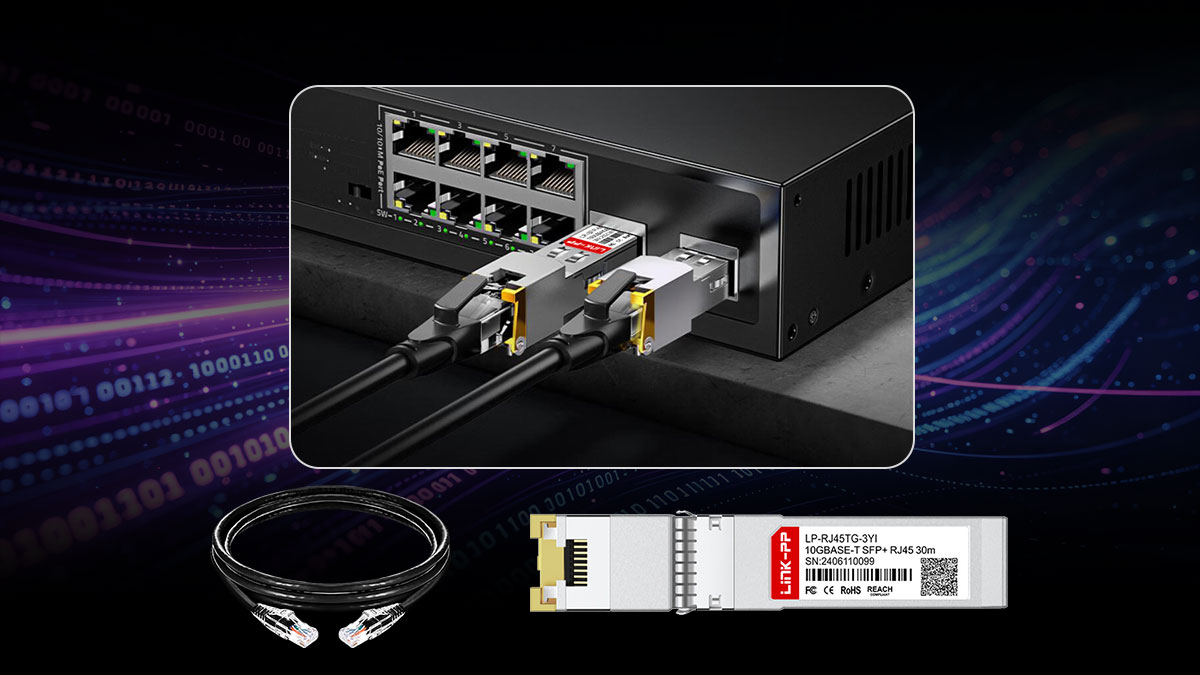
♦ Supported Speeds: True Multi-Gig Flexibility
The 10Gtek ASF-10G2-T is designed as a multi-rate 10GBASE-T SFP+ module, supporting:
- 10Gbps (10GBASE-T)
- 5Gbps (5GBASE-T)
- 2.5Gbps (2.5GBASE-T)
- 1Gbps (1000BASE-T)
This is officially confirmed in the product specifications and IEEE standard compliance.
What makes this important:
Unlike older modules, the ASF-10G2-T automatically negotiates the highest supported speed between your switch and connected device. This is critical for:
- Wi-Fi 6/7 access points (2.5G/5G uplinks)
- NAS systems with multi-gig ports
- Mixed enterprise/home lab environments
♦ Cable Distance: Why 30m Is the Real Limit
On paper, 10GBASE-T Ethernet can reach up to 100 meters over Cat6a. However, SFP+ copper modules are a different story.
For the ASF-10G2-T:
- 10Gbps → up to 30 meters (Cat6a/Cat7)
- Lower speeds (1G) → up to 100 meters possible
This 30m limit is clearly specified by the manufacturer.
Why the limitation exists:
- SFP+ ports have strict power and thermal constraints
- 10GBASE-T PHYs consume significantly more power than fiber
- Longer cables require more signal processing → more heat
A well-discussed Reddit insight explains it clearly:
“SFPs have power limits… they say 30M so you don’t try longer”
Practical takeaway:
- Use ASF-10G2-T for short-to-medium runs (≤30m)
- For longer runs, consider fiber (SFP+ SR/LR) or native 10GBASE-T switch ports
♦ Real-World Throughput: What You Actually Get
In real deployments, performance depends on link speed and negotiation quality, not just theoretical bandwidth.
From real user testing:
- 2.5G links → ~2.35 Gb/s sustained throughput
- Stable full duplex performance with zero RX errors when properly matched
“I can saturate both TX/RX… ~2.35 Gb/s with zero errors”
Interpretation:
- Performance is very close to line rate
- ASF-10G2-T handles multi-gig speeds reliably when compatibility is good
However, there are caveats:
- Some setups report thermal throttling or instability over time
- Performance may degrade if the module overheats
♦ Latency and Efficiency vs Fiber or DAC
While ASF-10G2-T is flexible, it is not the most efficient option.
Compared to alternatives:
- Higher latency than DAC or fiber
- Higher power consumption
- More heat generation
A widely shared Reddit perspective summarizes it:
“Higher latency… much higher power draw and heat”
What this means:
- Copper SFP+ modules are convenience tools, not performance champions
- They are best used when RJ45 compatibility is required, not for optimal efficiency
♦ Heat vs Speed: A Critical Performance Factor
One often overlooked factor is that performance is tied to temperature.
From user testing:
- ~68°C at 10G
- ~45°C at 2.5G
Key insight:
- Lower speeds = lower heat = better stability
- High sustained 10G loads may increase thermal stress
This explains why many users report:
- Stable performance at 2.5G / 5G
- Occasional issues at full 10G under poor airflow
♦ Real-World Performance Summary
Scenario Expected Result ≤30m Cat6a, 10G link Full 10Gbps, higher heat ≤30m Cat6a, 2.5G/5G Stable, cooler, efficient 30–100m, lower speeds Works at 1G (sometimes 2.5G depending on conditions) Poor cooling environment Possible throttling or instability Mixed-speed devices Strong performance advantage over older modules
The 10Gtek ASF-10G2-T delivers exactly what most users need:
- Reliable multi-gig performance
- Plug-and-play RJ45 compatibility
- Near line-rate throughput in real deployments
But its performance sweet spot is clear: Short-distance (≤30m), well-cooled, multi-gig networks
If you push beyond that—long cables, dense deployments, or poor airflow—you’ll start to encounter the fundamental limitations of 10GBASE-T SFP+ technology.
Next, we’ll dive deeper into one of the most critical decision factors: Heat, power consumption, and long-term stability in real deployments.
🟨 Heat, Power Consumption, and Stability in Daily Use
If there’s one factor that consistently determines whether users are satisfied with the 10Gtek ASF-10G2-T, it’s not speed—it’s heat. Copper SFP+ modules are known for running hotter than fiber or DAC, and understanding this behavior is critical before deploying them in real networks.
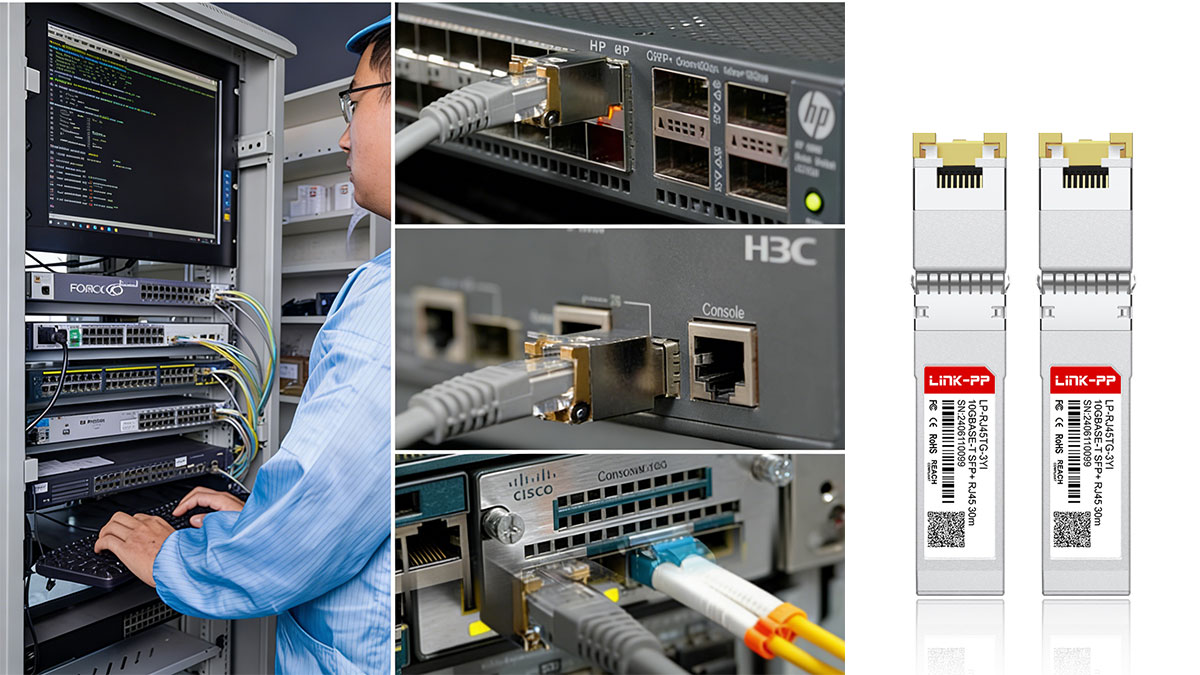
1. Why 10GBASE-T SFP+ Modules Run Hot
The 10Gtek ASF-10G2-T uses a complex PHY to convert signals between SFP+ (serial interface) and RJ45 copper Ethernet (analog signaling). This process requires:
- Advanced DSP (digital signal processing)
- Continuous error correction and echo cancellation
- Higher power draw than optical modules
In simple terms: More signal processing = more heat
This is not unique to 10Gtek—all 10GBASE-T SFP+ modules share this limitation due to the nature of copper Ethernet.
2. Power Consumption: What to Expect
Typical specifications for the ASF-10G2-T: Power consumption: ~3W–3.6W
While this may not seem high, it is significantly more than:
- DAC cables: ~0.5W or less
- SFP+ optical transceivers: ~0.8W–1.5W
Why this matters:
- SFP+ ports have strict power budgets
- High-power modules can stress switch hardware
- Dense deployments (many ports populated) amplify the issue
3. Real-World Temperatures (What Users Actually See)
In practical deployments, temperature is where the ASF-10G2-T shows clear improvement over older models—but still runs hot compared to fiber.
Common real-world observations:
- ~65°C–70°C at 10G
- ~40°C–50°C at 2.5G / 5G
Key insight:
- Temperature scales with link speed and workload
- Lower speeds = cooler and more stable operation
Compared to the older ASF-10G-T (often reported near ~85–90°C), the ASF-10G2-T is significantly improved, but not “cool” in absolute terms.
4. Stability: When Heat Becomes a Problem
Heat directly impacts long-term stability. In daily use, users may encounter:
- Link drops or renegotiation under sustained load
- Packet errors or CRC issues
- Thermal throttling (reduced performance)
- Switch warnings about high module temperature
These issues are not universal, but they tend to appear in:
- Poorly ventilated switches
- High ambient temperatures
- Fully populated SFP+ ports
- Continuous 10G traffic scenarios
In contrast: At 2.5G or 5G, the module typically runs cooler and remains highly stable.
5. Deployment Best Practices (What Actually Works)
To ensure stable operation with the ASF-10G2-T:
1. Keep cable lengths short
- Stay within ≤30m for 10G
- Shorter cables reduce PHY workload and heat
2. Ensure proper airflow
- Avoid placing modules in tightly packed, fanless switches
- Use active cooling if running multiple copper modules
3. Avoid fully populating all ports with copper modules
- Mix with DAC or fiber where possible
4. Use lower speeds when appropriate
- 2.5G/5G often provides better efficiency and stability
5. Check switch compatibility and thermal limits
- Some switches explicitly limit the number of supported copper SFP+ modules
6. Copper vs. Fiber: The Trade-Off Reality
It’s important to be clear: the ASF-10G2-T prioritizes convenience over efficiency.
| Factor | ASF-10G2-T (Copper) | Fiber / DAC |
|---|---|---|
| Heat | High | Low |
| Power | High | Low |
| Flexibility (RJ45) | Excellent | Limited |
| Latency | Higher | Lower |
| Stability (long term) | Moderate | Excellent |
This is why many engineers follow a simple rule:
- Use ASF-10G2-T when you must connect RJ45
- Use DAC or fiber whenever you can
Bottom Line
The 10Gtek ASF-10G2-T strikes a practical balance:
- Much better thermals than older copper SFP+ modules
- Stable in most real-world multi-gig deployments
- Still inherently hotter and less efficient than fiber alternatives
The key takeaway:
This module performs best when used strategically, not everywhere.
Next, we’ll explore another critical factor for buyers: Compatibility with switches, routers, NAS systems, and real-world device ecosystems.
🟨 Compatibility With Switches, Routers, NAS, and NICs
For most buyers, the deciding factor behind choosing the 10Gtek ASF-10G2-T is not raw performance—it’s compatibility.
The key question is simple: “Will it work with my specific device without errors, speed drops, or instability?”
The short answer: usually yes—but with important caveats.
▶ Why Compatibility Matters More for Copper SFP+ Modules
Unlike optical transceiver modules or DAC cables, 10GBASE-T SFP+ transceivers are far more complex:
- They rely on PHY chipsets and firmware behavior
- They must handle multi-speed auto-negotiation (1G–10G)
- They consume more power, which may exceed port limitations
As a result, compatibility is not just about “link up or down”—it affects:
- Negotiated speed (1G vs 2.5G vs 10G)
- Error rates and stability
- Thermal handling by the host device
▶ Broad Compatibility: What Works Well
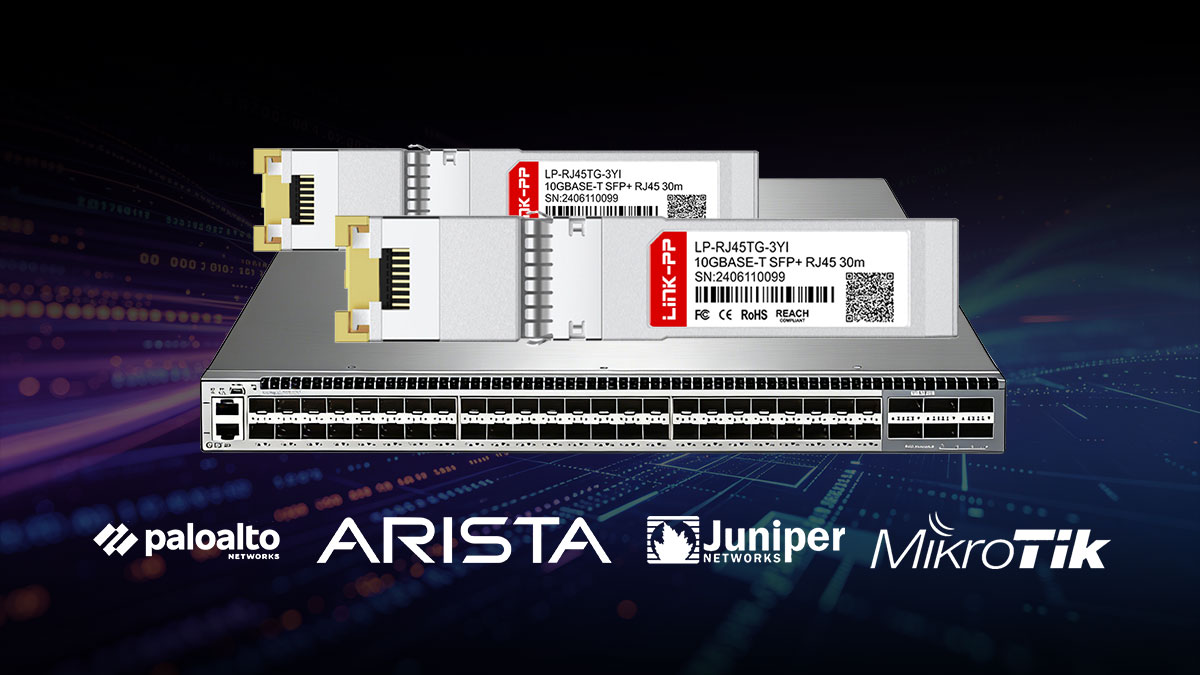
The ASF-10G2-T is widely used across different ecosystems and is generally compatible with:
- Managed switches (enterprise & prosumer)
- Routers with SFP+ uplinks
- NAS devices with SFP+ expansion cards
- Server NICs (Intel, Mellanox, Broadcom)
In most modern devices that support 10GBASE-T SFP+ modules, the ASF-10G2-T works as expected with:
- Auto-negotiation across multi-gig speeds
- Stable link establishment
- Near line-rate throughput
This is one of the main reasons it’s considered a “safe default choice” among third-party copper modules.
▶ Real-World Compatibility Patterns (From User Feedback)
Based on aggregated real-world usage trends:
Works reliably with:
- Multi-gig switches (2.5G/5G/10G capable)
- Newer SFP+ platforms with updated firmware
- Devices explicitly supporting 10GBASE-T SFP+ modules
May require tuning or caution with:
- Older switches with strict SFP+ profiles
- Devices with limited power budgets per port
- Systems sensitive to EEPROM/vendor coding
Common user-reported behaviors include:
- Module recognized but limited to 1G only
- Link instability at 10G but stable at 2.5G/5G
- Need to force speed manually in some cases
▶ Vendor Lock-In and Coding (A Key Detail)
Some network vendors (especially enterprise brands) enforce transceiver validation policies, which can affect third-party modules like the ASF-10G2-T.
Potential issues:
- “Unsupported transceiver” warnings
- Disabled ports or limited functionality
- Reduced diagnostics visibility
However, many ASF-10G2-T units are:
- Pre-coded for major vendors (e.g., Cisco, Ubiquiti, MikroTik, etc.)
- Or available in multi-compatible versions
Best practice:
Always confirm whether you need a vendor-coded version for your specific device.
▶ Power and Port Limitations (Often Overlooked)
Even if a device supports copper SFP+ modules, it may not support many of them at once.
Why?
- Each ASF-10G2-T draws ~3W+
- Switches have per-port and total power limits
Real-world implications:
- Some switches limit the number of active copper SFP+ modules
- Fully populating ports may lead to:
- Overheating
- Port shutdowns
- Unstable links
▶ Compatibility With Common Use Cases
1. UniFi / Prosumer Networks
- Generally compatible
- Occasional need for firmware updates
- Multi-gig performance works well
2. MikroTik Devices
- Strong compatibility
- Frequently used in home lab environments
- Good support for multi-rate negotiation
3. NAS (Synology / QNAP)
- Works well for 2.5G/5G/10G uplinks
- Ideal for upgrading without new cabling
4. Server NICs (Intel / Mellanox)
- Typically plug-and-play
- Stable performance in data transfer scenarios
▶ How to Ensure Maximum Compatibility
To avoid common issues:
1. Check official device support lists
- Confirm support for 10GBASE-T SFP+ modules
2. Use vendor-coded modules if required
- Especially for Cisco, Dell, HPE environments
3. Update firmware
- Many compatibility issues are firmware-related
4. Avoid marginal cable conditions
- Poor cabling can look like compatibility problems
5. Test at different speeds
- If 10G is unstable, try 5G or 2.5G
Bottom Line
The 10Gtek ASF-10G2-T offers broad, real-world compatibility, but success depends on:
- Host device support
- Power and thermal limits
- Firmware and configuration
The key takeaway:
- It works well in most modern environments
- But it is not completely “plug-and-play everywhere”
Understanding these nuances is what separates a smooth deployment from hours of troubleshooting.
Next, we’ll address the most common real-world issues users encounter—and how to fix them quickly: Errors, speed mismatches, and troubleshooting tips that actually work.
🟨 ASF-10G2-T SFP+ Copper Module Common Problems, Error Logs, and Fixes
Even though the 10Gtek ASF-10G2-T is one of the more stable multi-gig copper SFP+ modules, real-world deployments still expose a set of repeatable issues. These are not random—they are tied to PHY behavior, host limitations, and thermal constraints.
This section focuses on actual problems users encounter, including real log messages and proven fixes.
1. Link Up but Wrong Speed (Stuck at 1G or 10G Only)
Symptoms
- Link comes up, but:
- Stuck at 1Gbps instead of 2.5G/5G/10G
- Or always shows 10G on the switch side
- Cannot manually set intermediate speeds
Why It Happens
The ASF-10G2-T uses a PHY that always presents itself as a 10G SFP+ device to the host, even when negotiating lower speeds on the copper side.
From real user feedback:
“The SFP always appears as 10G… actual link speed isn’t visible”
This is expected behavior, not a defect.
Fixes
- Ensure auto-negotiation is enabled on both ends
- Verify the remote device supports 2.5G/5G (NBASE-T)
- Update switch firmware (many bugs are negotiation-related)
- Accept that:
- Switch UI may show 10G
- Actual throughput reflects the real negotiated speed
2. Link Flapping / Random Disconnects
Symptoms
- Frequent:
- “Link Down / Link Up” events
- Intermittent connectivity drops
- Network logs show repeated interface resets
Example behavior:
“Hundreds of Link Down Events… fixed by replugging”
Root Causes
- Overheating module
- Marginal or long cable (>30m at 10G)
- Power instability on SFP+ port
- EMI or poor cable quality
Fixes
- Reduce cable length: Keep ≤30m for 10G (critical)
- Improve cooling: Add airflow or spacing between modules
- Replace or test cable: Use Cat6a or better
- Try lower speed (2.5G/5G): Often stabilizes unstable 10G links
3. High Temperature Warnings / Thermal Shutdown
Symptoms
- Switch logs:
- “High temperature alarm”
- “Transceiver overheat warning”
- Sudden performance drop or link reset
Why It Happens
Copper SFP+ modules like ASF-10G2-T consume up to ~3.6W and generate significant heat
From user discussions:
“Even the best ones run hot… older ones are worse”
Fixes
- Use modules only where necessary (not all ports)
- Ensure active cooling or airflow
- Avoid stacking multiple copper modules side-by-side
- Consider:
- 2.5G/5G instead of 10G
- Or switching to DAC/fiber for critical links
4. “Unsupported Transceiver” or Not Detected
Symptoms
- Port disabled or shows:
- “Unsupported module”
- “Transceiver not recognized”
Root Cause
Vendor lock-in and EEPROM mismatch.
From real-world feedback:
“You typically need the right firmware preloaded”
Fixes
- Use vendor-coded ASF-10G2-T version (Cisco, Dell, etc.)
- Enable unsupported modules (if supported by OS/CLI)
- Update device firmware
- Avoid unknown or reflashed modules
5. RX Errors, Packet Loss, or Slow Throughput
Symptoms
- High CRC / RX errors
- Speed lower than expected
- Unstable upload/download
Root Causes
- Cable quality issues
- Speed mismatch or negotiation failure
- Thermal throttling
- Incompatible PHY behavior
Fixes
- Replace cable with certified Cat6a/Cat7
- Disable problematic features:
- Flow control
- Energy Efficient Ethernet (EEE)
- Test different speeds (2.5G often stabilizes)
- Check for firmware updates
6. Module Works but Causes Fan Noise / System Overheating
Symptoms
- Switch fans ramp up aggressively
- System temperature increases
Why It Happens
- Each module adds ~3W+ heat load
- Multiple modules = cumulative thermal impact
Fixes
- Limit number of copper SFP+ modules
- Use DAC or fiber for internal links
- Improve rack ventilation
7. EEPROM / Firmware Issues (Rare but Critical)
Symptoms
- Module not recognized correctly
- Shows wrong identity or capabilities
Example case:
“Wrong EEPROM… won’t work in my equipment”
Fixes
- Avoid reflashed or unknown-source modules
- Request replacement from vendor
- Ensure correct coding before deployment
Quick Troubleshooting Checklist
| Problem | Most Likely Cause | Fast Fix |
|---|---|---|
| Wrong speed | PHY behavior | Ignore UI / test throughput |
| Link drops | Heat or cable | Shorter cable + better cooling |
| Not detected | Vendor lock | Use coded module |
| RX errors | Cable / mismatch | Replace cable + tune settings |
| Overheating | Power limits | Improve airflow / reduce usage |
The 10Gtek ASF-10G2-T is reliable—but only when used within its real-world limits:
- ✔ Short cables (≤30m)
- ✔ Proper cooling
- ✔ Compatible devices
- ✔ Multi-gig environments
Most issues are not defects—they are predictable side effects of 10GBASE-T SFP+ technology.
🟨 FAQ About 10Gtek ASF-10G2-T and 10GBASE-T
Q1. What is the 10Gtek ASF-10G2-T used for?
The ASF-10G2-T is used to connect SFP+ ports to RJ45 Ethernet devices, allowing switches with SFP+ uplinks to work with:
- PCs and servers with RJ45 ports
- NAS devices
- Wi-Fi access points (2.5G/5G uplinks)
It supports multi-rate Ethernet (1G / 2.5G / 5G / 10G), making it ideal for mixed-speed networks.
Q2. What is 10GBASE-T?
10GBASE-T is an Ethernet standard that delivers 10 Gbps over twisted-pair copper cables (RJ45), defined under IEEE 802.3an.
Key characteristics:
- Uses Cat6a/Cat7 cables
- Supports up to 100 meters (native switch ports)
- Backward compatible with 1G Ethernet
- Lower cost infrastructure compared to fiber
In simple terms: It allows you to get 10GbE speeds using standard LAN cables, without fiber.
Q3. What is the difference between 10G SFP+ and 10GBASE-T?
This is one of the most misunderstood topics.
- SFP+ = the physical port/interface type
- 10GBASE-T = the network standard (RJ45 copper Ethernet)
When you use the ASF-10G2-T, you are essentially:
- Plugging a 10GBASE-T copper interface into an SFP+ port
Key differences in practice:
Feature SFP+ (Fiber/DAC) 10GBASE-T (Copper Module) Medium Fiber / DAC RJ45 copper Power Low High Heat Low High Latency Lower Higher Flexibility Limited Very flexible
Conclusion: Use 10GBASE-T SFP+ modules for compatibility, but fiber/DAC for efficiency.
Q4. What is the difference between ASF-10G-T and ASF-10G2-T?
The difference is significant:
- ASF-10G-T → 10G only
- ASF-10G2-T → 1G / 2.5G / 5G / 10G (multi-rate)
This is confirmed by official documentation, which states that ASF-10G-T cannot handle 2.5G/5G links, while ASF-10G2-T is designed for multi-gig environments.
In practice: ASF-10G2-T is the modern, flexible version, and the preferred choice for most deployments.
Q5. Can ASF-10G2-T run at 2.5G or 5G?
Yes—this is one of its main advantages.
The module supports:
- 2.5GBASE-T
- 5GBASE-T
However, there is an important detail:
- The SFP+ side still appears as 10G to the switch
- The actual negotiated speed happens on the RJ45 side
From real-world user feedback:
“The SFP transceiver always appears as 10G… actual link speed isn’t visible”
So you should verify speed using throughput tests, not just the UI.
Q6. What cable should I use with ASF-10G2-T?
Recommended cable types:
- Cat6a or Cat7 → best for 10G (≤30m)
- Cat5e → works for 1G, sometimes 2.5G
Official specs confirm: Up to 30m at 10G over Cat6a/Cat7
Best practice: Always use high-quality, shielded Cat6a for stable performance
Q7. Why is my module running hot?
This is normal behavior.
10GBASE-T modules require:
- Complex signal processing
- Higher power (~3W+)
Which leads to more heat compared to fiber modules.
From real-world discussions:
“10GBASE-T SFPs… can get too hot”
Solution:
- Ensure airflow
- Avoid using too many copper modules in one switch
- Consider 2.5G/5G if heat is an issue
Q8. Why does my link keep dropping or showing errors?
Common causes:
- Cable too long or low quality
- Overheating module
- Compatibility issues with switch/NIC
Reddit users highlight:
- Copper SFP+ modules are “very finicky”
- Often affected by power and thermal limits
Fix checklist:
- Use shorter, better cables
- Improve cooling
- Update firmware
- Test lower speeds
Q9. Is ASF-10G2-T better than fiber or DAC?
Not necessarily—it depends on your goal.
Choose ASF-10G2-T if:
- You need RJ45 compatibility
- You want to reuse existing cabling
Choose fiber/DAC if:
- You want lower heat and power consumption
- You need maximum stability and performance
Key insight: ASF-10G2-T is about flexibility, not efficiency.
10. Is the ASF-10G2-T worth buying?
For most users, yes—if used correctly.
It is worth it if you:
- Need multi-gig RJ45 connectivity
- Have short cable runs (≤30m)
- Can ensure proper cooling
It may not be ideal if you:
- Run dense 10G environments
- Require ultra-low latency
- Can easily use fiber instead
🟨 Is ASF-10G2-T the Right Choice for Your Network?
After analyzing real-world performance, compatibility, and user feedback, the answer is clear:
The 10Gtek ASF-10G2-T is not a universal solution—but it is an excellent, targeted solution when used in the right scenario.
When ASF-10G2-T Is the Right Choice
You should strongly consider the 10Gtek ASF-10G2-T if your network meets these conditions:
- You need to connect SFP+ ports to RJ45 devices
- Your environment includes multi-gig speeds (2.5G / 5G / 10G)
- You want to reuse existing Cat6/Cat6a cabling
- Your cable runs are ≤30 meters
- Your switch has adequate cooling and power headroom
In these scenarios, ASF-10G2-T delivers:
- Reliable auto-negotiation across multiple speeds
- Near line-rate throughput in real deployments
- A cost-effective way to upgrade without rewiring
When You Should Avoid ASF-10G2-T
However, this module is not ideal for every deployment.
Avoid or reconsider if:
- You need long-distance 10G (>30m)
- Your switch has limited cooling or strict power limits
- You are building a high-density 10G environment
- You require ultra-low latency or maximum efficiency
In these cases, fiber (SFP+ SR/LR) or DAC cables will provide:
- Lower heat
- Lower power consumption
- Higher long-term stability
The Real Decision Framework
Instead of asking “Is ASF-10G2-T good?”, the better question is:
“Does my network need RJ45 flexibility more than efficiency?”
- If yes → ASF-10G2-T is the right tool
- If no → Fiber or DAC is the better long-term choice
This aligns with how experienced network engineers approach deployment decisions.
Final Recommendation
The 10Gtek ASF-10G2-T stands out because it solves a real-world transition problem:
- SFP+ infrastructure is growing
- RJ45 devices are still everywhere
- Multi-gig speeds are becoming standard
This module bridges that gap effectively—as long as you respect its limits.
Choose a Reliable Compatible Alternative
If you're planning to deploy or scale multi-gig networks, selecting a stable, well-tested compatible module is just as important as choosing the right topology.
👉 Explore high-quality alternatives at the LINK-PP Official Store for ASF-10G2-T compatible SFP+ copper modules, designed for:
- Broad switch compatibility
- Optimized thermal performance
- Reliable multi-gig operation in real deployments
This ensures your network upgrade is not only flexible—but also stable, scalable, and production-ready.
The ASF-10G2-T is not about pushing the limits of 10G—it’s about making 10G and multi-gig practical in real networks.
Use it where it makes sense, and it will perform exactly as expected.