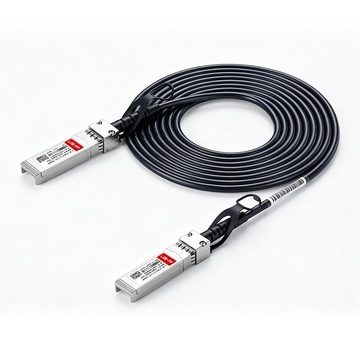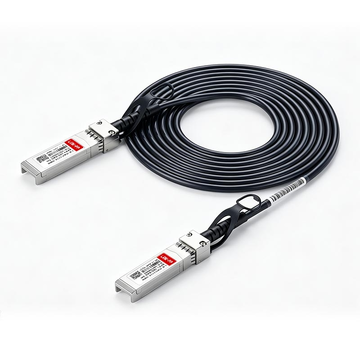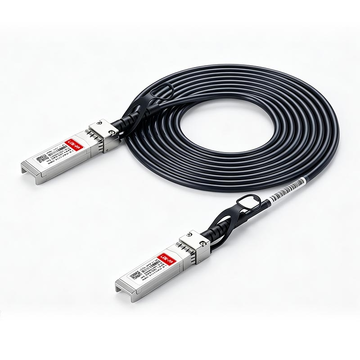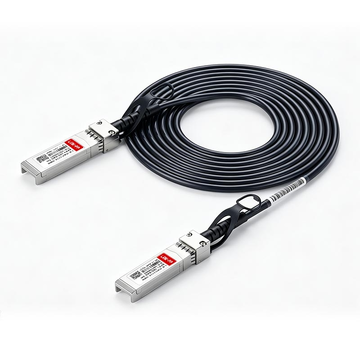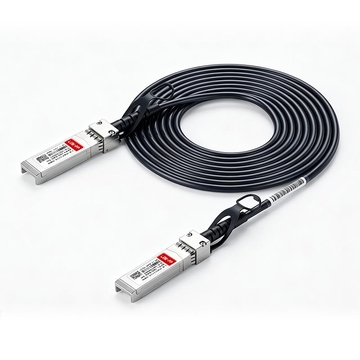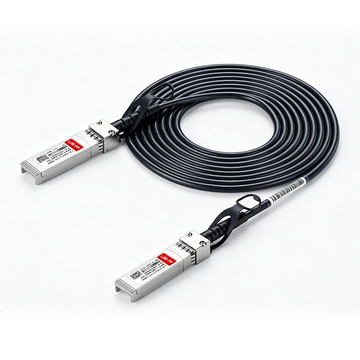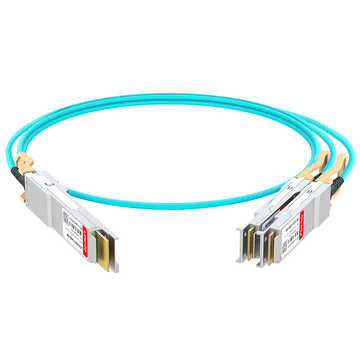
The Ubiquiti UACC-DAC-SFP10-2M is a 2-meter, passive 10G Direct Attach Copper (DAC) cable utilizing the SFP+ interface. Unlike 0.5m cables used for adjacent switch stacking, this 2-meter variant is specifically engineered for intra-rack spanning—linking Top-of-Rack (ToR) UniFi Aggregation switches to servers and NAS appliances further down the rack. It delivers a 10 Gbps backbone with ultra-low latency and minimal power consumption (<0.1W).
Designing a resilient 10 Gigabit Ethernet (10GbE) architecture requires meticulous attention to the physical layer (PHY). Within the Ubiquiti ecosystem, network administrators frequently rely on the UACC-DAC-SFP10-2M to establish high-throughput uplinks. Operating strictly under the IEEE 802.3ae (10GBASE-CR) standard, this passive twinaxial copper cable serves as the definitive medium for bridging distribution switches and high-bandwidth compute nodes within a standard 19-inch server cabinet.
While short-reach 0.5m DACs are ubiquitous for connecting a UniFi Dream Machine (UDM-Pro or UDM-SE) to a core switch directly beneath it, the 2-meter length introduces entirely different deployment dynamics. At 2 meters (approximately 6.56 feet), the cable crosses the threshold from simple stacking to intra-rack spanning. This distance requires IT professionals to evaluate critical physical constraints, including the stiffness of AWG 30 copper, bend radius limitations within server Cable Management Arms (CMAs), and Multi-Source Agreement (MSA) compatibility when connecting UniFi hardware to third-party Network Interface Cards (such as Intel X520 or Mellanox ConnectX-3).
- Core Application: Top-of-Rack (ToR) to Server/NAS uplinks.
- Physical Standard: SFP+ Passive Twinax (10GBASE-CR).
- Key Deployment Challenge: Cable routing rigidity and 10G-to-1G auto-negotiation mismatches.
In this technical review, we analyze actual deployment data to comprehensively evaluate the UACC-DAC-SFP10-2M. We will resolve the ongoing "2m DAC vs. SFP Fiber" debate, provide actionable solutions for UniFi OS link negotiation failures, and determine whether the OEM cable is the most efficient procurement choice for your aggregation network.
🔵 What is the Ubiquiti UACC-DAC-SFP10-2M 10G DAC?
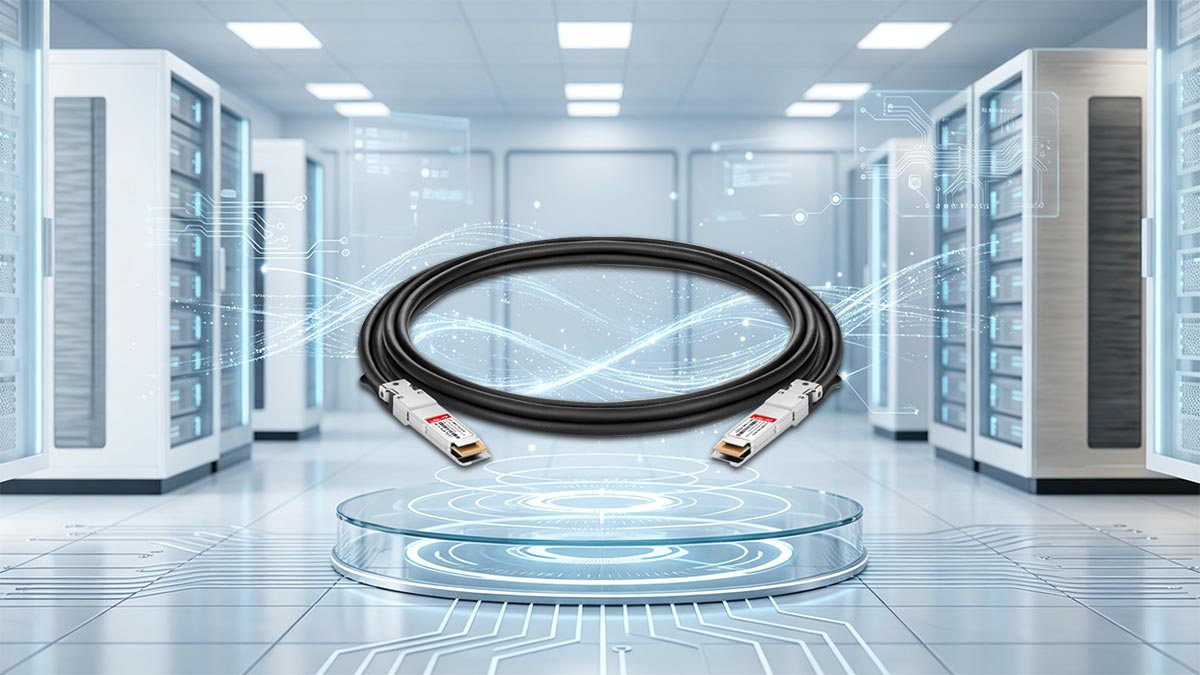
The Ubiquiti UACC-DAC-SFP10-2M is a 2-meter (6.56 feet) passive Direct Attach Copper (DAC) cable. Operating on the SFP+ interface, it complies with the IEEE 802.3ae (10GBASE-CR) standard. It provides a highly cost-effective, ultra-low-latency 10 Gbps physical link between networking equipment within the same rack, drawing virtually no power compared to active optical transceivers.
To fully grasp the engineering utility of this specific SKU, it is necessary to understand the mechanics of the physical layer it employs. The UACC-DAC-SFP10-2M is classified as a passive twinaxial copper cable.
Terminology Definition: A passive DAC means that the SFP+ transceiver modules permanently attached to each end of the cable contain no active electronic components for signal amplification, equalization, or clock and data recovery (CDR). Instead, the cable acts as a direct electrical conduit, relying entirely on the PHY (Physical Layer) chips of the host networking devices to drive and interpret the high-frequency signals.
Because it operates passively over a 2-meter distance, the cable utilizes heavily shielded twinax copper wiring (typically AWG 30) to prevent electromagnetic interference (EMI) and crosstalk. This design yields a significant thermal and electrical advantage. While a standard 10GBASE-T RJ45 transceiver can consume up to 2.5 watts per port, the UACC-DAC-SFP10-2M consumes less than 0.1 watts per port. For high-density deployments using a UniFi Switch Aggregation (USW-Aggregation), utilizing passive DACs drastically reduces the total chassis thermal load.
Technical Specifications: UACC-DAC-SFP10-2M
Below are the precise physical and electrical parameters that govern this cable's performance within an enterprise or homelab rack:
| Parameter | Specification |
|---|---|
| Supported Data Rates | 10 Gbps / 1 Gbps (Backward compatible with SFP) |
| Physical Length | 2.0 meters (6.56 feet) |
| Cable Medium | Passive Twinax Copper (AWG 30) |
| Interface Standard | SFP+ to SFP+ (SFF-8431 / SFF-8432 Compliant) |
| Power Consumption | < 0.1W per transceiver |
| Latency | ~0.1 Microseconds (Near-zero latency) |
At exactly 2 meters, this cable sits well within the 7-meter maximum distance limit dictated by the 10GBASE-CR standard, ensuring that signal attenuation remains negligible and packet delivery operates at line rate.
🔵 Compatibility With UniFi Aggregation Switches
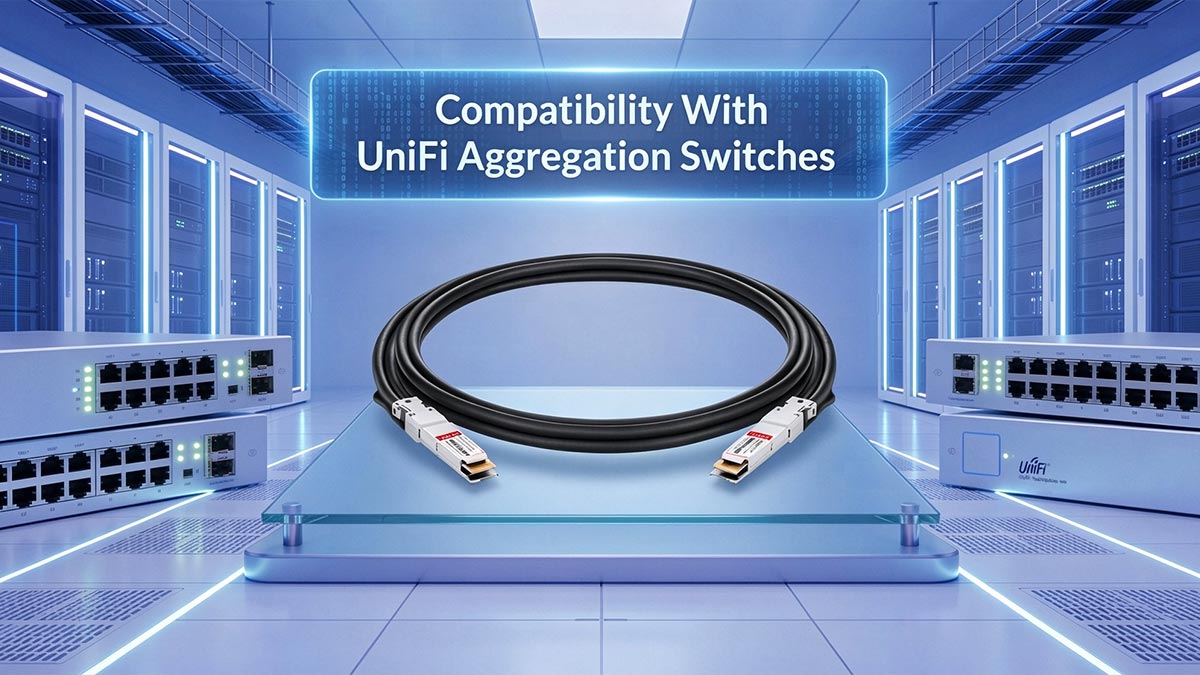
The UACC-DAC-SFP10-2M is natively compatible with all UniFi routing and switching hardware featuring SFP+ (10G) and SFP (1G) ports. Because Ubiquiti adheres to the Multi-Source Agreement (MSA) and does not enforce vendor lock-in, this 2-meter DAC seamlessly links UniFi Aggregation switches (like the USW-Aggregation) to both UniFi endpoints and third-party enterprise hardware.
When provisioning a distribution layer using a device like the UniFi Switch Aggregation, understanding the physical interface compatibility is critical. Ubiquiti's official documentation states that the UACC-DAC-SFP10-2M is compatible with "SFP+ and SFP interfaces."
Decoding "SFP+ and SFP Interfaces"
From a mechanical engineering standpoint, the physical footprint of an SFP (Small Form-factor Pluggable) slot and an SFP+ slot are identical, both conforming to the SFF-8431 specification. The distinction lies entirely in the electrical signaling rate:
- SFP Interface: Supports a maximum throughput of 1 Gbps.
- SFP+ Interface: Supports a maximum throughput of 10 Gbps (utilizing a 10.3125 Gbps lane rate).
Because the UACC-DAC-SFP10-2M features SFP+ transceiver heads, it physically fits into both generations of ports. However, mixed-speed deployments introduce a specific engineering challenge. If you use this cable to connect a 10G SFP+ port on a USW-Aggregation to a legacy 1G SFP port on a USW-24-PoE, the passive copper cannot actively negotiate the frequency step-down. (Note: We detail the manual 1 Gbps FDX software override required to resolve this in the Troubleshooting section below).
🔵 Best Use Cases: Server Uplinks and UniFi Aggregation

The 2-meter length of the UACC-DAC-SFP10-2M is explicitly optimized for vertical intra-rack spanning. Its primary use case is linking a Top-of-Rack (ToR) UniFi Aggregation switch to high-bandwidth compute nodes, Network Attached Storage (NAS), and hypervisor servers located in the middle or bottom of a standard 24U to 42U equipment rack.
Network architects must strictly match physical cable length to specific rack topologies. While a 0.5m DAC is perfect for "stacking" a gateway directly to an adjacent switch located 1U or 2U below it, the 2-meter (approximately 78 inches) variant is engineered for distribution-to-endpoint uplinks.
In a standard 19-inch data center rack, 2 meters of passive copper provides the precise slack required to route a connection from a top-mounted core switch, down the vertical cable management rails, and horizontally into a chassis located up to 20U away. Based on field deployment data from enterprise IT environments and prosumer homelabs, the UACC-DAC-SFP10-2M excels in three specific infrastructure scenarios:
1. High-Density Virtualization Servers
Modern hypervisors running VMware ESXi, Proxmox VE, or Microsoft Hyper-V require massive I/O bandwidth to facilitate live virtual machine migrations (vMotion) and access networked storage pools. Connecting a virtualization host equipped with a dual-port 10G PCIe NIC directly to the USW-Aggregation using the 2m DAC provides a dedicated 10 Gbps pipeline with ~0.1 microsecond latency. This entirely eliminates the bottleneck inherent to standard Gigabit RJ45 Ethernet.
2. Storage Area Networks (SAN) and NAS Uplinks
Due to the sheer weight of multiple hard drives, storage arrays are almost exclusively mounted at the bottom of a server rack to maintain a low center of gravity. The 2-meter DAC easily spans the vertical distance from a ToR aggregation switch down to a TrueNAS custom build, a Synology RackStation, or a QNAP enterprise NAS. This passive link enables line-rate 10GbE file transfers, rapid automated backups, and lag-free video editing directly off the server.
3. Cross-Rack Switch Distribution
In deployments utilizing a tiered switching architecture—such as a core USW-Pro-Aggregation feeding multiple USW-Enterprise-24-PoE edge switches—the 2m DAC serves as a highly efficient backbone link. It allows administrators to physically space out high-heat, high-wattage PoE switches throughout the rack to prevent thermal throttling, while still maintaining dedicated, zero-power 10G uplinks back to the central routing core.
🔵 UACC-DAC-SFP10-2M vs Fiber: Which Is Better for Short UniFi Aggregation Links?
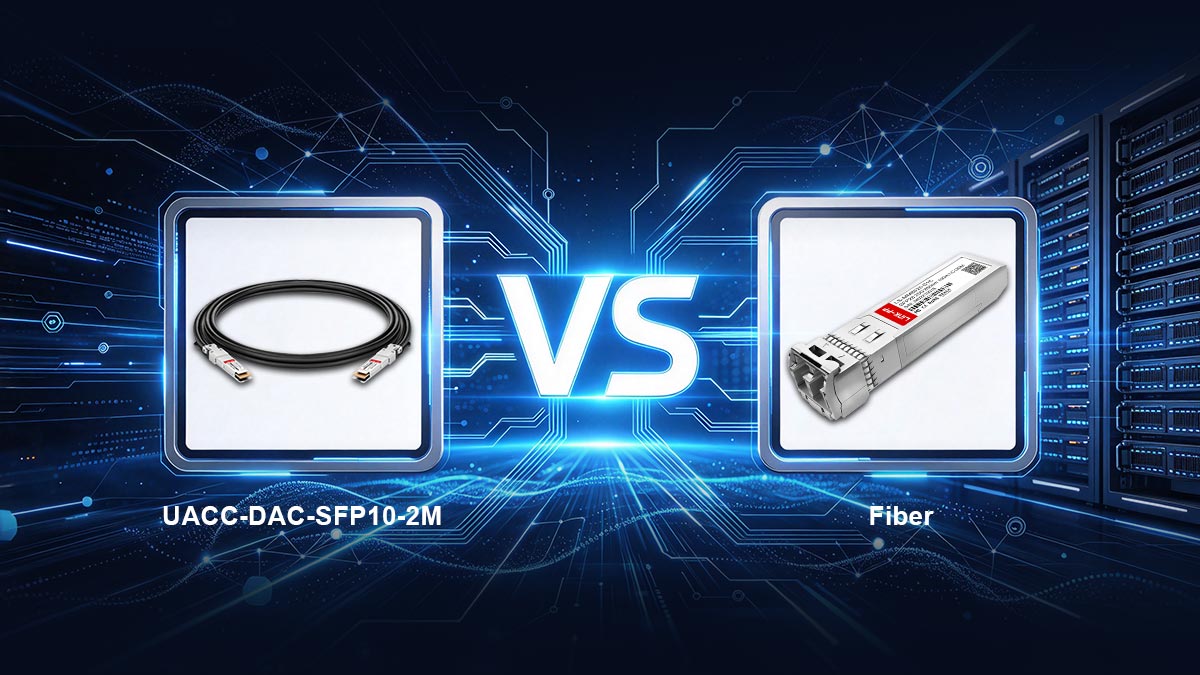
For a 2-meter intra-rack connection, the UACC-DAC-SFP10-2M is the most cost-effective and power-efficient choice. However, optical fiber is vastly superior for physical cable management. The 2-meter twinax copper DAC is thick and rigid, making it difficult to route through folding server Cable Management Arms (CMAs), whereas an OM3 LC-to-LC fiber patch cable is highly flexible, thin, and easily bundled.
In vendor documentation across the enterprise networking industry, Direct Attach Copper (DAC) is universally positioned as the standard for short-reach (under 7 meters) 10GBASE-CR connections. However, when spanning 2 meters between a UniFi Aggregation switch and a server, IT professionals must carefully weigh the economic efficiency of the DAC against the mechanical flexibility of an SFP+ optical fiber setup.
The DAC Advantage: Cost, Simplicity, and Power
From a procurement and operational standpoint, the UACC-DAC-SFP10-2M dominates short-reach links. At an MSRP of approximately CA$ 27.17 USD, it is a fully integrated, plug-and-play solution.
To replicate this exact 10 Gbps link using optical fiber, an administrator must purchase two separate Ubiquiti 10G Multi-Mode Optical Modules (UACC-OM-MM-10G, ~CA$ 54.34 each) and an OM3 LC duplex fiber patch cable (~CA$ 14.30). The fiber route totals roughly CA$ 122.98—more than four times the cost of the passive DAC. Furthermore, the passive DAC consumes <0.1W of power, whereas the dual optical transceivers draw roughly 1.6W combined, generating unnecessary heat in a dense Top-of-Rack (ToR) configuration.
The Fiber Advantage: Cable Management and Bend Radius
Despite the economic benefits of DAC, the most frequent complaint in IT and homelab communities regarding the 2-meter DAC is its physical stiffness. To prevent electromagnetic interference over a 2-meter span, the cable utilizes heavily shielded AWG 30 twinaxial copper.
This rigidity introduces specific deployment challenges:
- Cable Management Arms (CMAs): Enterprise servers (like Dell PowerEdge or HP ProLiant) are often mounted on sliding rails, utilizing a folding CMA at the rear to manage cables when the server is pulled out for maintenance. A thick 2m DAC resists folding and can bind inside the CMA, potentially damaging the SFP+ port on the server's NIC.
- Rack Airflow: Bundling multiple 2-meter DACs together creates a thick cable trunk that can obstruct exhaust airflow at the rear of the rack. In contrast, OM3/OM4 fiber optic strands are mere millimeters thick, allowing for pristine, high-density cable routing.
Technical Comparison: 2m DAC vs. SFP+ Fiber
| Evaluation Metric | UACC-DAC-SFP10-2M | SFP+ Optical Fiber (OM3) |
|---|---|---|
| Estimated Cost (2m Link) | ~CA$ 27.17 USD | ~CA$ 122.98 USD |
| Physical Flexibility | Low (Stiff AWG 30 Copper) | High (Flexible Glass Core) |
| CMA Compatibility | Poor (Prone to binding/kinking) | Excellent (Designed for sliding rails) |
| Power Draw (Total Link) | < 0.2W | ~ 1.6W to 2.0W |
Deployment Conclusion: If you are routing the cable statically down the vertical rails of an open rack, choose the UACC-DAC-SFP10-2M for its superior cost and thermal efficiency. If you are wiring high-density servers on sliding rails with articulated CMAs, the flexibility of SFP+ fiber optics justifies the higher price tag.
🔵 Troubleshooting: Fixing 10G to 1G Auto-Negotiation Failures
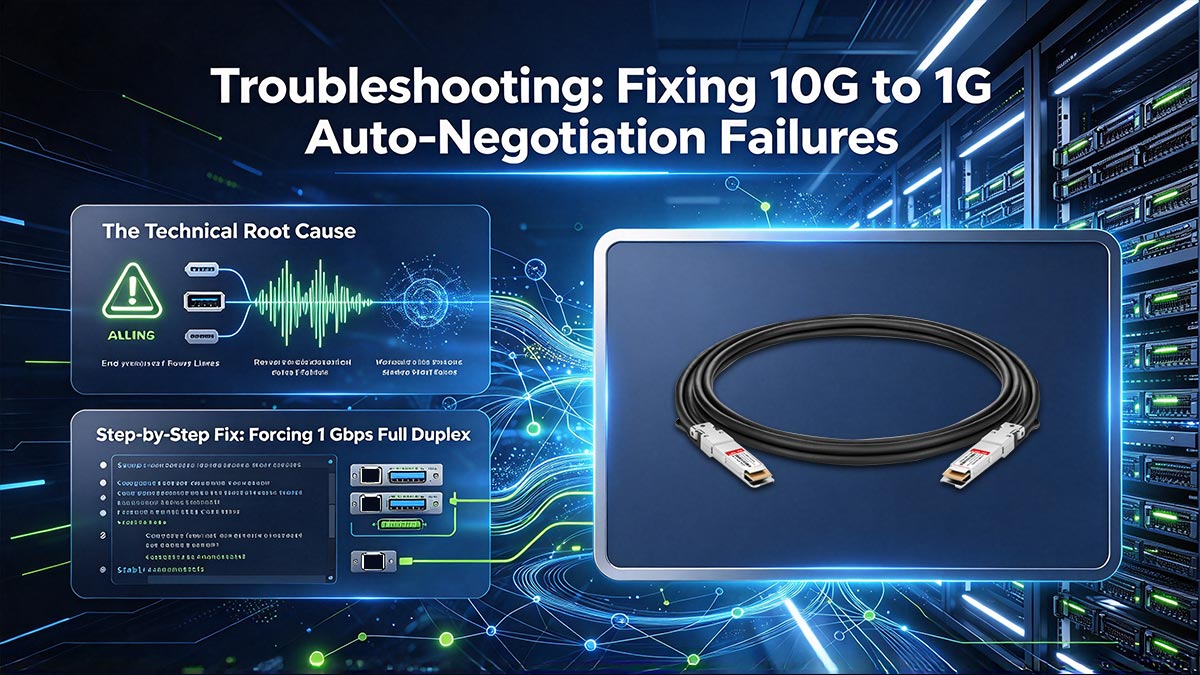
When using the UACC-DAC-SFP10-2M to connect a 10G SFP+ port to a legacy 1G SFP port, the link will frequently fail to illuminate. Because the DAC is passive, it cannot actively negotiate the frequency step-down. To resolve this hardware mismatch, log into the UniFi Network Controller, access the Port Manager for the 10G switch, and manually change the Link Speed from "Auto-Negotiation" to 1 Gbps FDX (Full Duplex).
One of the most heavily documented pain points across IT subreddits and the official Ubiquiti Community forums involves the perceived "failure" of the 2-meter DAC when bridging hardware of different generational speeds. While the UACC-DAC-SFP10-2M officially supports both 10 Gbps and 1 Gbps data rates, achieving a stable connection between a 10G SFP+ interface (like on the USW-Aggregation) and a 1G SFP interface (like on the USW-24-PoE) requires specific software intervention.
The Technical Root Cause
In modern Ethernet environments, active transceivers (such as 10GBASE-T RJ45 modules) utilize internal Digital Signal Processors (DSP) to continuously poll the receiving end and negotiate the highest common link speed. The UACC-DAC-SFP10-2M, however, is a passive twinaxial cable. It lacks this internal silicon, relying entirely on the host MAC (Media Access Control) controllers to handle the handshake.
By default, the UniFi OS sets all switch ports to "Auto-Negotiate." When a 10G SFP+ port attempts to initialize a connection, it sends a 10.3125 Gbps signaling rate down the copper wire. The receiving 1G SFP port, designed only for 1.25 Gbps signaling, cannot interpret this high-frequency transmission and drops the packet. Because the passive DAC does not intercept and translate this failure, the 10G port assumes the link is dead, resulting in dark port LEDs and zero network connectivity.
Step-by-Step Fix: Forcing 1 Gbps Full Duplex
To establish the link, you must bypass the IEEE auto-negotiation protocol and hardcode the lane speed on the 10G device. Follow these exact steps within your UniFi environment:
- Access the Controller: Log into your UniFi Network application (via unifi.ui.com or your local console IP).
- Select the 10G Switch: Navigate to the Devices tab and click on the hardware featuring the 10G SFP+ port (e.g., your USW-Aggregation or UDM-Pro).
- Open Port Manager: On the device slide-out panel, click on the Port Manager tab.
- Configure the Port: Select the specific SFP+ port where the UACC-DAC-SFP10-2M is physically connected.
- Override Link Speed: Scroll down to the Link Speed dropdown menu. Change the setting from "Auto-Negotiation" to 1 Gbps FDX.
- Apply Changes: Click "Apply Changes." The switch will briefly enter a provisioning state.
Within 10 to 15 seconds of provisioning, the port LEDs on both the 10G aggregation switch and the 1G edge switch should illuminate simultaneously, confirming a perfectly stable 1000BASE-X equivalent link over the passive copper.
Expert Deployment Tip: If you are connecting a UniFi 10G switch to a third-party 1G device (such as an older Netgear or Cisco switch), it is highly recommended to manually set the port speed to 1 Gbps on both ends of the connection to prevent asynchronous link flapping.
🔵 OEM UniFi Switch Cable vs. Third-Party DAC
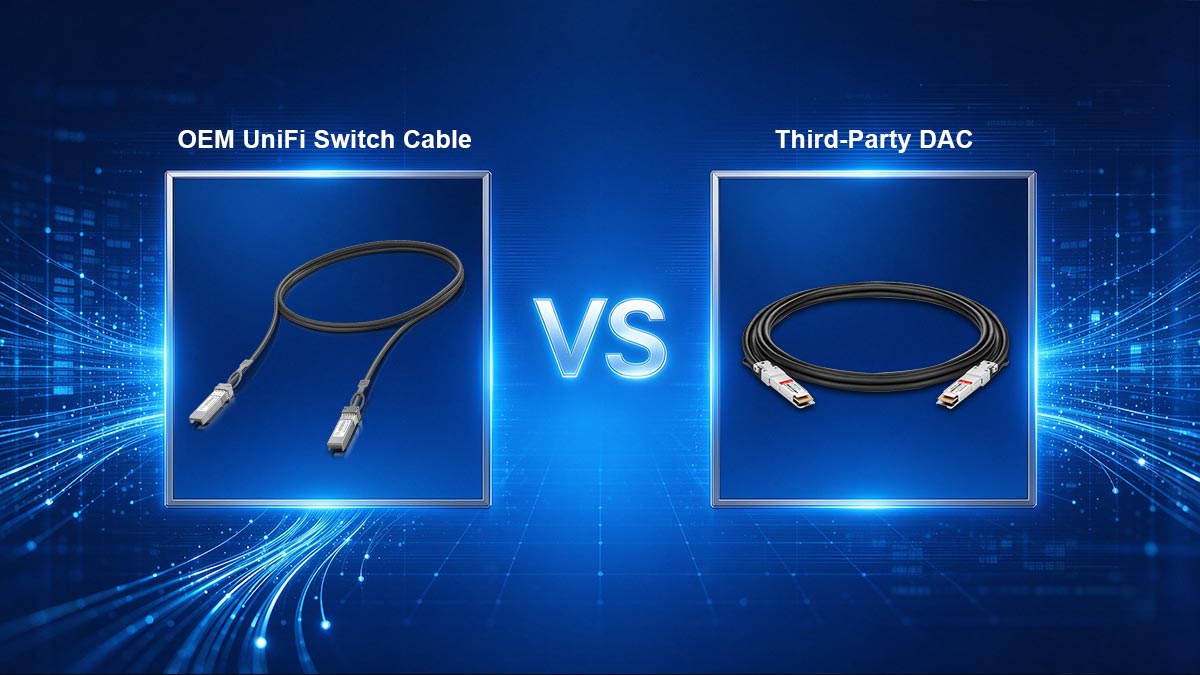
While the OEM Ubiquiti UACC-DAC-SFP10-2M is aggressively priced at ~CA$ 27.17 USD, frequent stock shortages on the UI store and high shipping fees often push buyers toward third-party alternatives. Because UniFi does not enforce strict vendor lock-in, any MSA-compliant DAC from reputable optical vendors (like 10Gtek, FS, or LINK-PP) will perform identically, making third-party cables highly viable for both homelabs and enterprise IT procurement.
A recurring debate across IT procurement forums and Reddit’s r/Ubiquiti community focuses on whether the OEM (Original Equipment Manufacturer) branding justifies the purchase, or if lower-cost third-party DACs are an acceptable substitute. In traditional enterprise networking environments (such as Cisco, Juniper, or HPE), OEM DACs can carry an exorbitant premium—often costing upwards of CA$ 143.00 to CA$ 286.00 per cable. Ubiquiti fundamentally disrupts this pricing model.
The Economics of the UACC-DAC-SFP10-2M
At an official MSRP of approximately CA$ 27.17 USD, Ubiquiti’s proprietary 2m 10G DAC is priced nearly at manufacturing cost. From a pure hardware perspective, the OEM cable offers a matching silver aesthetic for UniFi racks and guarantees zero friction with UI support; engineers cannot dismiss a warranty claim or link-state ticket by blaming a third-party cable.
However, the actual procurement reality often paints a different picture. Ubiquiti frequently charges shipping for small orders, pushing the true landed cost of a single 2m DAC closer to CA$ 42.90. Furthermore, the 2-meter SKU routinely experiences severe inventory shortages across regional UI web stores, forcing network architects to halt deployments or seek alternatives.
EEPROM Coding and MSA Compliance
When evaluating a third-party DAC, the critical engineering metric is MSA (Multi-Source Agreement) compliance and proper EEPROM (Electrically Erasable Programmable Read-Only Memory) coding. The EEPROM chip, located inside the DAC's transceiver boot, transmits the vendor ID, part number, and supported data rates to the host switch.
Fortunately for network administrators, Ubiquiti switches are famously "vendor-agnostic." Unlike some enterprise hardware that actively disables ports if a non-OEM signature is detected (a practice known as vendor lock-in), the UniFi OS generally accepts any standard MSA-compliant DAC. This architectural openness makes third-party cables highly reliable for UniFi deployments.
When to Choose Third-Party Over OEM
Based on deployment topologies and supply chain realities, third-party DACs become the superior strategic choice in the following scenarios:
- Mixed-Vendor Topologies: If you are uplinking a USW-Aggregation to a Cisco Nexus or an HP ProCurve core switch, the OEM Ubiquiti cable might be rejected by the Cisco/HP hardware. In this scenario, you require a custom-coded DAC (e.g., coded for Ubiquiti on one end and Cisco on the other) from a specialized transceiver manufacturer.
- Availability Constraints: Third-party cables are readily available with fast shipping through major IT distributors, preventing costly deployment delays during UI stock shortages.
- Bulk IT Procurement: For Managed Service Providers (MSPs) outfitting dozens of server racks, sourcing directly from an optical component manufacturer yields significant economies of scale and eliminates varied shipping fees.
For network architects requiring guaranteed MSA compliance, rigorous pre-deployment testing, and customized EEPROM coding for complex, multi-vendor topologies, sourcing physical layer components directly from specialized manufacturers is highly recommended.
🔵 Best Practices for Installing a 2m DAC in Aggregation Switch Setups
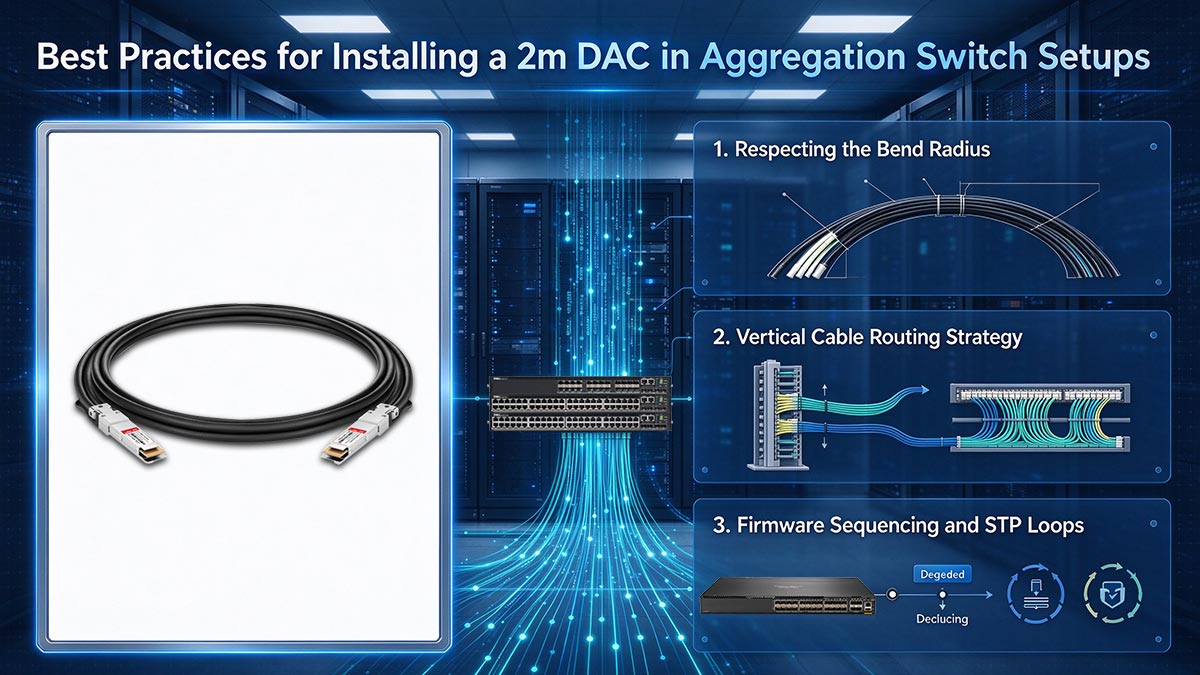
To ensure maximum longevity and prevent packet loss, never exceed the 30mm minimum bend radius of the twinax copper, particularly at the transceiver boot. Route the 2m DAC vertically down the rack's cable management rails rather than horizontally across active equipment. Finally, always update the firmware on both the UniFi Aggregation switch and the endpoint NIC before inserting the DAC to guarantee proper EEPROM recognition.
Successfully deploying a 10 Gbps distribution layer requires more than simply plugging a cable into two ports. When integrating the UACC-DAC-SFP10-2M into a UniFi environment—specifically when linking a Top-of-Rack (ToR) UniFi Switch Aggregation to downstream servers or edge switches—adhering to strict physical layer (PHY) installation protocols is critical to prevent intermittent link flapping and long-term hardware damage.
1. Respecting the Bend Radius
Unlike flexible Cat6 Ethernet or delicate optical fiber, passive DACs utilize heavy AWG 30 twinaxial copper shielding to prevent electromagnetic interference (EMI) over the 2-meter span. This makes the cable inherently stiff.
- The 30mm Rule: The industry-standard minimum bend radius for AWG 30 copper is approximately 30mm (1.2 inches). Bending the cable more sharply than this will cause micro-fractures in the internal copper core, leading to CRC (Cyclic Redundancy Check) errors and dropped packets.
- Protecting the SFP+ Cage: Never force the cable to bend immediately where it exits the transceiver boot. Doing so creates a lever effect that exerts massive mechanical strain on the SFP+ cage inside the switch, which can permanently damage the motherboard contacts. Allow the cable to extend straight out for at least two inches before initiating a gentle curve.
2. Vertical Cable Routing Strategy
Because the 2-meter length is designed for intra-rack spanning, how you route the slack dictates the thermal efficiency of your rack. Do not drape the DAC horizontally across the exhaust fans of other active 1U equipment. Instead, route the cable immediately to the side, utilizing the vertical cable management rails (Zero U space) to drop the connection down to the target server. Use Velcro ties—never plastic zip ties, which can crush the copper shielding—to secure the cable at 12-inch intervals.
3. Firmware Sequencing and STP Loops
A common operational error is connecting the DAC into unpatched, factory-default hardware, or creating a network loop during an upgrade.
- Update Before Insertion: The software libraries that allow UniFi OS to read a DAC’s EEPROM (to identify the cable type and supported speeds) are frequently updated. Ensure both the switch and the endpoint device are running the latest firmware via a temporary RJ45 connection before installing the 10G DAC.
- Prevent Broadcast Storms: If you are upgrading an existing 1G RJ45 server uplink to the 10G DAC, disconnect the RJ45 cable first. Plugging in the DAC while the copper Ethernet is still connected creates dual Layer 2 paths. Unless you have meticulously configured your Rapid Spanning Tree Protocol (RSTP) priorities, this will instantly create a broadcast storm and crash the local network segment.
🔵 Final Verdict: Is the Ubiquiti 2m DAC Worth It?
Yes. The Ubiquiti UACC-DAC-SFP10-2M is an exceptional physical layer interconnect that delivers enterprise-grade 10 Gbps throughput at a highly disruptive CA$ 27.17 price point. If your rack topology allows for a generous bend radius, it is the most cost-effective way to uplink servers to a UniFi Aggregation core. However, frequent stock shortages and the cable's physical stiffness often necessitate looking toward flexible optical fiber or reliable third-party DAC alternatives.
For network architects and homelab administrators engineering a 10 Gigabit distribution layer, the physical media chosen dictates both the total cost of deployment and long-term rack maintainability. Based on our technical analysis and real-world deployment data, the UACC-DAC-SFP10-2M stands out as a highly specialized, high-value component.
Summary of Pros and Cons
- Pros: Unbeatable CA$ 27.17 MSRP; highly compatible with third-party NICs (Intel/Mellanox); zero power draw (<0.1W); seamless plug-and-play integration with UniFi OS.
- Cons: The heavily shielded AWG 30 twinax copper is stiff, making it difficult to route through folding server Cable Management Arms (CMAs); frequent "out of stock" status on the official UI store; single-item shipping fees heavily inflate the true procurement cost.
Ultimately, if you are purchasing a new UniFi Switch Aggregation directly from the manufacturer, adding the UACC-DAC-SFP10-2M to your cart to consolidate warranties and trigger free shipping is the optimal strategic move.
Solving the Procurement Challenge
Despite its value, the reality of IT procurement often involves navigating supply chain bottlenecks and complex, multi-vendor topologies. If you are bridging a UniFi switch to hardware that enforces strict vendor lock-in (such as Cisco or HP), or if the official UI store is experiencing inventory shortages, you cannot afford to halt your data center deployment.
In these scenarios, relying on specialized optical transceiver manufacturers ensures you receive MSA-compliant hardware with the precise EEPROM coding your topology requires. If you are facing supply chain delays, or require custom-coded cables for bulk IT procurement, explore a comprehensive range of fully tested, enterprise-grade 10G direct attach copper alternatives at the LINK-PP Official Store to ensure your network upgrade stays on schedule and under budget.