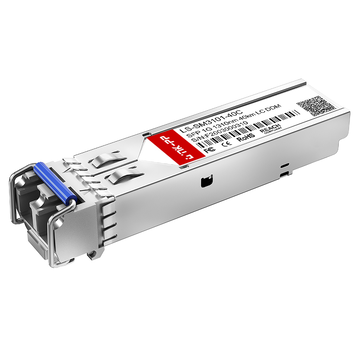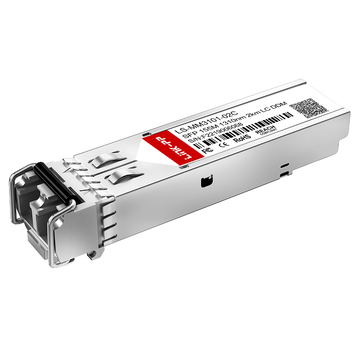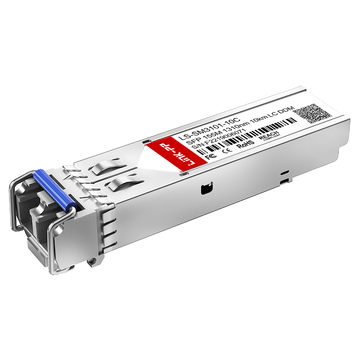
Cisco GLC-FE-100FX is a 100BASE-FX Small Form-Factor Pluggable (SFP) transceiver designed for Fast Ethernet fiber connectivity. Using a 1310nm optical wavelength and multimode fiber (MMF), it supports fiber links up to 2km and provides a practical option for connecting compatible Cisco network equipment over optical infrastructure. Understanding its exact specifications is important when working with legacy Fast Ethernet networks or integrating existing fiber links.
However, identifying a Cisco GLC-FE-100FX module involves more than checking its SFP form factor. The optical standard, fiber type, transmission distance, connector, host-port requirements, and environmental specifications all affect deployment compatibility. Similar Cisco 100BASE-X modules can have different optical characteristics or platform requirements, making datasheet verification an important step before installation.
This Cisco GLC-FE-100FX Datasheet and Compatibility Guide examines the module from both technical and deployment perspectives, covering:
- Core datasheet specifications and optical transmission characteristics
- Fiber, cabling, connector, and 2km transmission requirements
- Cisco platform and port compatibility considerations
- Differences from related Cisco 100BASE-X SFP modules
- Installation, deployment, and troubleshooting considerations
Together, these details provide a practical reference for evaluating whether GLC-FE-100FX specifications match an existing Fast Ethernet network and whether the intended host platform and fiber infrastructure are suitable for deployment.
📄 What Is Cisco GLC-FE-100FX?
Cisco GLC-FE-100FX is a 100BASE-FX Fast Ethernet SFP transceiver designed for fiber-optic connectivity over multimode fiber (MMF). It operates at 1310nm, supports transmission distances up to 2km, and uses a dual-LC optical interface for compatible Cisco network equipment.
GLC-FE-100FX Core Function
The primary function of GLC-FE-100FX is to provide a pluggable optical interface for 100Mb Fast Ethernet connections. It converts electrical Ethernet signals from a compatible host port into optical signals for transmission across multimode fiber, while the receiving side converts the optical signals back into electrical Ethernet data.
Key functions include:
- Supporting 100BASE-FX Fast Ethernet connectivity
- Providing optical transmission over multimode fiber
- Operating at a nominal 1310nm wavelength
- Supporting fiber links up to 2km
- Using a dual-LC connector for the optical interface
- Providing an SFP form factor for installation in compatible network ports
This makes GLC-FE-100FX suitable for extending Fast Ethernet connectivity beyond the practical limitations of copper cabling while retaining a compact, field-replaceable transceiver design.
GLC-FE-100FX vs. Related Cisco 100M SFPs
GLC-FE-100FX belongs to Cisco's family of 100Mb optical SFPs, but related part numbers can differ significantly in fiber type, wavelength, transmission distance, or environmental requirements. Therefore, the SFP form factor alone is not sufficient to determine interchangeability.
The main distinctions are:
- GLC-FE-100FX: 100BASE-FX operation over multimode fiber, with a 1310nm wavelength and up to 2km reach.
- GLC-FE-100FX-RGD: A ruggedized version intended for industrial environments, with different environmental characteristics.
- GLC-GE-100FX: Designed for Gigabit Ethernet applications rather than the standard 100BASE-FX Fast Ethernet application.
- GLC-FE-100LX: Uses a different optical architecture for longer-reach 100Mb fiber connectivity, including single-mode fiber.
- GLC-FE-100BX-U/D: Uses bidirectional transmission over a single fiber, requiring matched upstream and downstream wavelength variants.
These differences matter because an optical module must match both the physical fiber infrastructure and the capabilities of the host port. A module that fits an SFP cage may still be unsuitable if its Ethernet standard, optical interface, or environmental specification does not match the deployment.
📄 Cisco GLC-FE-100FX Datasheet Technical Specifications
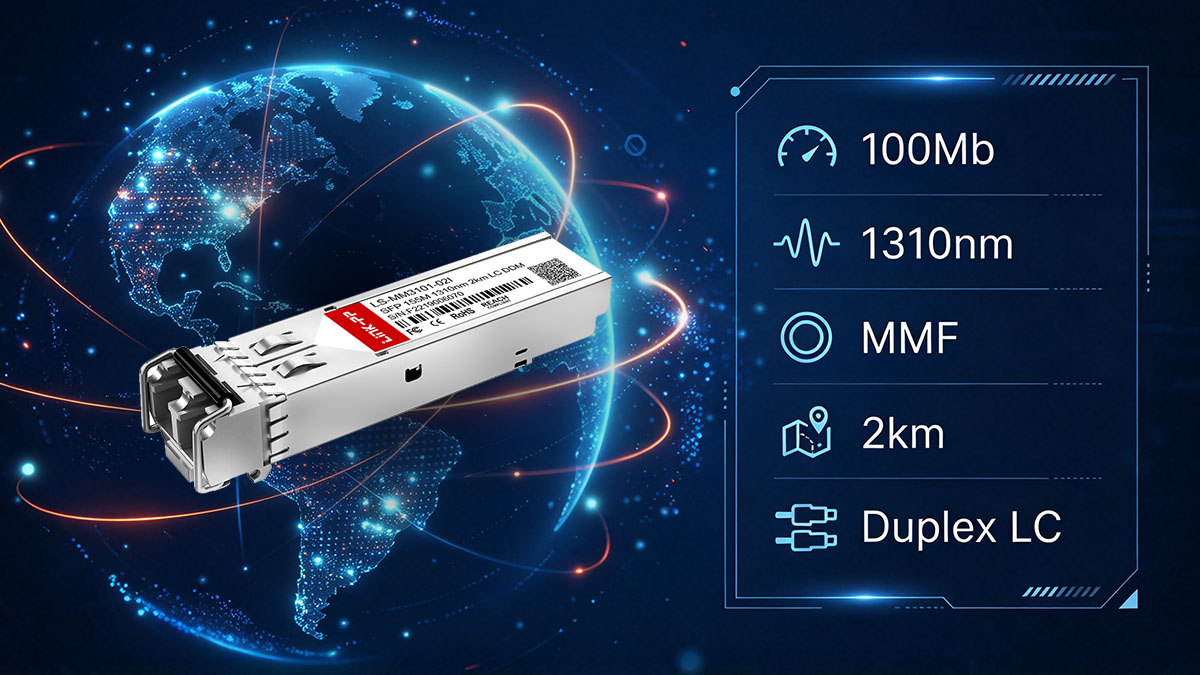
The Cisco GLC-FE-100FX is a 100BASE-FX Fast Ethernet SFP designed for multimode fiber links up to 2km. Cisco specifies a 1310nm wavelength, dual-LC connector, and MMF cabling for this module, making these parameters the primary points to verify when assessing a fiber deployment.
Optical and Ethernet Specifications
The core optical and Ethernet specifications define the transmission technology supported by GLC-FE-100FX and distinguish it from other Cisco 100Mb SFP variants. Cisco documentation identifies GLC-FE-100FX as a 100BASE-FX module for Fast Ethernet or supported dual-rate Fast/Gigabit Ethernet ports.
The main specifications are:
- Ethernet standard: 100BASE-FX
- Data rate: 100Mb
- Optical wavelength: 1310nm
- Fiber type: Multimode fiber (MMF)
- Maximum transmission distance: 2km
- Optical connector: Dual LC
- SFP form factor: Small Form-Factor Pluggable
- Fiber-loss budget: based on the documented transmit and receive optical levels
These specifications should be considered together rather than individually. For example, the 2km reach applies to the specified MMF architecture, while the 1310nm optical interface must also match the corresponding fiber link and remote transceiver.
GLC-FE-100FX Cabling Requirements
GLC-FE-100FX requires multimode fiber and a dual-LC connection, with Cisco specifying a maximum cable distance of 2km for the 100BASE-FX link. Cisco also specifies a minimum cable distance of 2m for the listed MMF and SMF SFP cabling configurations.
Before deployment, verify the following cabling conditions:
- Use multimode fiber rather than single-mode fiber.
- Use the required dual-LC optical connection.
- Keep the fiber span within the 2km specified distance.
- Check the complete optical path, including patch panels, connectors, and splices.
- Verify that the installed fiber and transceiver characteristics are appropriate for 100BASE-FX operation.
The physical fiber path is therefore an important part of the GLC-FE-100FX specification. A link that is within the nominal distance can still experience problems if excessive optical loss or poor connector conditions reduce the available optical margin.
Physical, Power, and Environmental Specifications
Physical and environmental characteristics determine whether GLC-FE-100FX is appropriate for the actual host-device environment. Cisco documentation identifies the standard GLC-FE-100FX as a commercial-temperature module, distinguishing it from ruggedized GLC-FE-100FX-RGD versions intended for industrial applications.
Important characteristics to verify include:
- SFP module form factor
- Dual-LC optical interface
- Operating temperature requirements
- Storage temperature requirements
- Power consumption
- Host-port operating requirements
- Commercial-temperature versus ruggedized deployment requirements
Cisco's platform documentation can also present different environmental classifications depending on the specific platform and product generation. For example, Cisco's Industrial Ethernet documentation lists GLC-FE-100FX separately from the industrial RGD variant and identifies different temperature classifications.
GLC-FE-100FX Key Specifications at a Glance
The following table brings together the principal specifications that are most relevant when checking GLC-FE-100FX for network planning and compatibility.
| Parameter | GLC-FE-100FX |
|---|---|
| Ethernet Standard | 100BASE-FX |
| Data Rate | 100Mb |
| Wavelength | 1310nm |
| Fiber Type | MMF |
| Maximum Transmission Distance | 2km |
| Connector | Dual LC |
| Minimum Cable Distance | 2m |
| Transmit Power | -20 to -14dBm |
| Receive Power | -31 to -14dBm |
| Dimensions (H × W × D) | 8.5 × 13.4 × 56.5mm |
| Operating Temperature | -5 to 85°C |
| Storage Temperature | -40 to 85°C |
| Power Consumption | Up to 1W |
Cisco's datasheet specifies the 1310nm wavelength, MMF medium, 2km distance, optical power ranges, dimensions, and environmental characteristics shown above. Cisco also identifies GLC-FE-100FX as distinct from the GLC-FE-100FX-RGD industrial variant, which has an industrial temperature classification and DOM support on documented industrial platforms.
📄 Cisco GLC-FE-100FX Optical Transmission Characteristics
The Cisco GLC-FE-100FX is designed for 100BASE-FX transmission over ordinary multimode fiber, with a 1310nm wavelength and a maximum link distance of 2km. Its optical performance should therefore be evaluated together with the fiber type, total path loss, connectors, and the optical characteristics of the remote interface.
1310nm Wavelength and MMF Operation
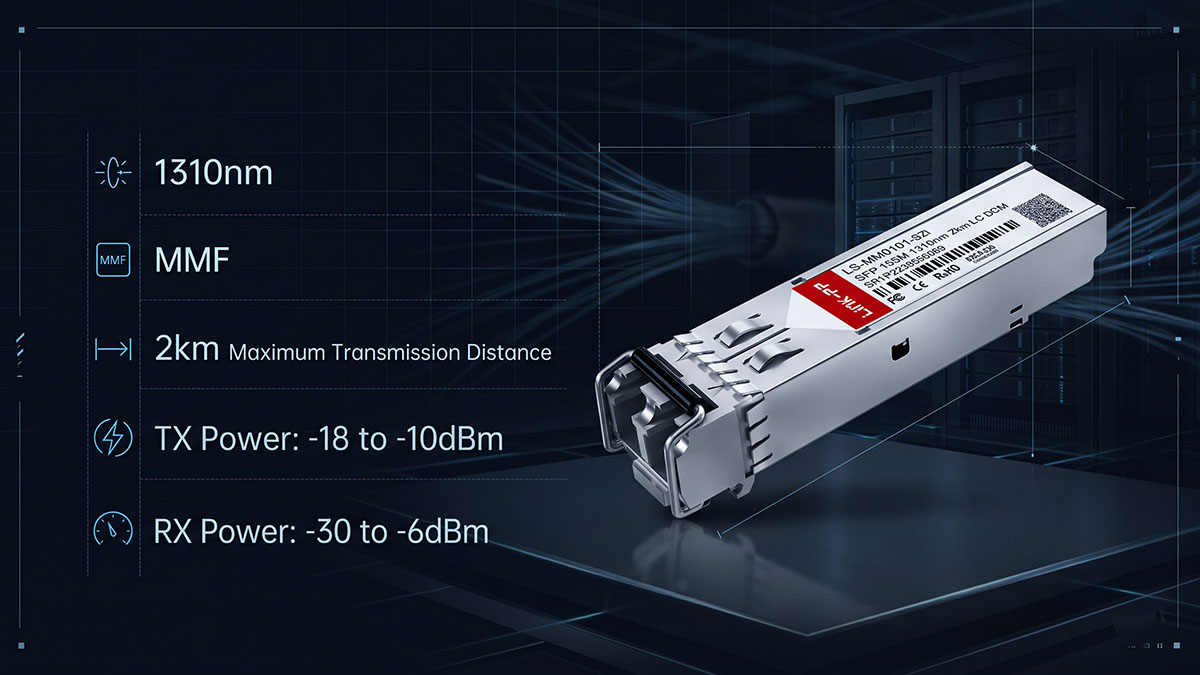
The 1310nm wavelength and multimode fiber combination defines the intended optical transmission environment for GLC-FE-100FX. Cisco lists the module as a 100BASE-FX SFP for MMF links, distinguishing it from longer-reach 100BASE-X modules designed for single-mode fiber.
The main optical characteristics are:
- Optical wavelength: 1310nm
- Fiber medium: Multimode fiber (MMF)
- Ethernet standard: 100BASE-FX
- Maximum specified cable distance: 2km
- Optical interface: Dual LC
- Minimum specified cable distance: 2m for the listed MMF/SMF SFP cabling configurations
The 1310nm wavelength should not be interpreted as an indication that GLC-FE-100FX is a single-mode module. The fiber type remains MMF, and the complete optical interface must match the requirements of the connected equipment and fiber plant.
2km Maximum Transmission Distance
The 2km specification represents the maximum cable distance Cisco documents for GLC-FE-100FX over MMF. This makes the module suitable for short- to medium-distance Fast Ethernet fiber links where the installed optical infrastructure remains within the specified transmission range.
When evaluating a 2km link, consider the complete optical path rather than cable length alone:
- Total fiber length between the two network devices
- Fiber attenuation
- Number of connectors and patch panels
- Splice losses
- Condition and cleanliness of LC connectors
- Optical characteristics of the remote transceiver
- Available optical power margin
The 2km figure should therefore be treated as a specification for the supported fiber architecture, not as a guarantee that every 2km-installed link will operate correctly. Excessive loss or poor physical connections can still cause low receive power and unstable connectivity.
Optical Power and Link Budget
The optical link budget determines whether sufficient optical power reaches the receiving transceiver after losses across the fiber path. For GLC-FE-100FX, Cisco documents transmit and receive optical levels that can be used when evaluating the available margin of a link.
Cisco's documented optical levels for the GLC-FE-100FX family are:
- Maximum transmit power: -14dBm
- Minimum transmit power: -20dBm
- Maximum receive power: -14dBm
- Minimum receive power: -31dBm
- Corresponding fiber-loss budget: approximately 11dB based on the specified transmit and receive minimum levels
These values provide a practical reference when investigating a marginal optical link. If received optical power approaches or falls below the documented minimum receive level, possible causes include excessive fiber attenuation, contaminated connectors, damaged patch cords, or unexpected losses at intermediate connection points.
📄 Cisco GLC-FE-100FX Compatibility
Cisco GLC-FE-100FX compatibility depends primarily on the exact host platform, SFP port type, supported Ethernet mode, and fiber infrastructure. Cisco specifies this module for Fast Ethernet and supported dual-rate Fast/Gigabit Ethernet ports in Cisco switches and routers, while the exact platform compatibility should be verified against the applicable Cisco compatibility documentation.
Cisco Switch and Router Port Compatibility
GLC-FE-100FX is intended for Cisco Fast Ethernet SFP ports and certain dual-rate Fast/Gigabit Ethernet ports, rather than every Cisco port that physically accepts an SFP. Cisco also publishes platform-specific support information, so compatibility should be confirmed for the exact switch or router model and software release.
Before installation, verify the following:
- Exact Cisco switch or router model
- Exact SFP port or interface module
- Whether the port supports 100BASE-FX
- Whether the port supports Fast Ethernet or dual-rate Fast/Gigabit Ethernet operation
- Applicable Cisco IOS or platform software release
- Whether GLC-FE-100FX is listed in the platform's supported optics documentation
For example, Cisco's NCS 4200 documentation lists GLC-FE-100FX as a supported optic for its 8-port 1GE SFP interface module from IOS release 3.18.0SP onward, specifically identifying it as a 100BASE-FX SFP for Fast Ethernet SFP ports.
Cisco Industrial and Rugged Compatibility
GLC-FE-100FX and GLC-FE-100FX-RGD share the 100BASE-FX, 2km, and MMF characteristics, but they are intended for different environmental requirements. Cisco identifies the standard GLC-FE-100FX as a commercial-temperature module, while the RGD variant is designed for industrial applications.
The distinction is important when evaluating industrial Cisco equipment:
- GLC-FE-100FX: standard 100BASE-FX SFP for compatible Cisco Fast Ethernet or dual-rate ports
- GLC-FE-100FX-RGD: ruggedized 100BASE-FX SFP for supported industrial Ethernet and SmartGrid equipment
- Both: 100BASE-FX, MMF, and up to 2km
- Environmental classification: differs between the standard and RGD versions
- DOM capability: can also differ by platform and module variant
Cisco's industrial switch documentation explicitly lists both variants separately, confirming that the standard and ruggedized modules should not be treated as interchangeable solely because their optical specifications are similar.
Third-Party and Media-Converter Compatibility
Optical interoperability and host-device compatibility are separate considerations. Cisco states that its 100BASE-X SFPs are optically interoperable with the respective 100BASE-X Ethernet interfaces on the same link, but the host device still needs to support the module and its interface characteristics.
When connecting GLC-FE-100FX to third-party equipment or a media converter, check:
- Whether the third-party device supports 100BASE-FX
- Whether its SFP port supports the required optical interface
- Whether the device accepts the module's SFP identification or coding
- Whether the remote transceiver uses compatible 100BASE-FX optics
- Whether both sides use appropriate MMF cabling and dual-fiber polarity
Therefore, an SFP that fits physically into a third-party cage should not automatically be considered fully compatible. The host interface, optical standard, module recognition, and fiber configuration all need to be evaluated together.
📄 How to Check GLC-FE-100FX Compatibility Before Deployment
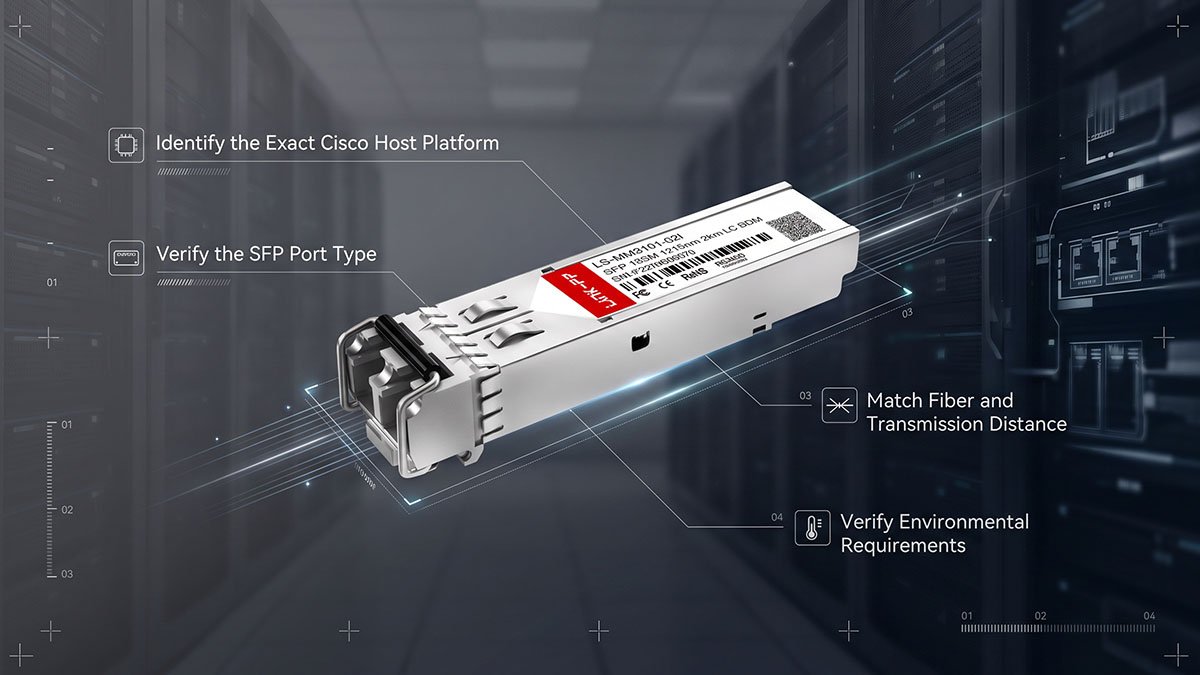
The most reliable way to check GLC-FE-100FX compatibility is to verify the exact Cisco host platform and port first, then confirm the Ethernet standard, fiber infrastructure, transmission distance, and environmental requirements. Cisco specifically identifies GLC-FE-100FX for Fast Ethernet or supported dual-rate Fast/Gigabit Ethernet ports, so the presence of an SFP cage alone does not establish compatibility.
Step 1: Identify the Exact Cisco Host Platform
The first step is to identify the precise Cisco switch, router, or interface module where GLC-FE-100FX will be installed. Cisco compatibility can vary between platforms and software releases, so checking the exact equipment model provides a more reliable result than matching the SFP form factor alone.
Record these details before checking compatibility:
- Cisco switch or router model
- Exact interface or line-card model
- SFP port type
- Installed software or IOS release, where applicable
- Intended network interface speed
- Environmental classification of the installation
Cisco platform documentation can provide specific module and software requirements. For example, Cisco documentation for the NCS 4200 series lists GLC-FE-100FX with a defined software-release requirement for supported interface modules.
Once the host platform has been identified, the next step is to confirm that its SFP interface supports the operating mode required by GLC-FE-100FX.
Step 2: Verify the SFP Port Type
The SFP port must support the Ethernet mode associated with GLC-FE-100FX. Cisco identifies GLC-FE-100FX as a 100BASE-FX SFP for Fast Ethernet ports and supported dual-rate Fast/Gigabit Ethernet ports.
Check the port against the following requirements:
- Confirm that the port accepts an SFP rather than an SFP+ or another incompatible form factor.
- Verify that 100BASE-FX operation is supported.
- Check whether the interface supports Fast Ethernet or an appropriate dual-rate Fast/Gigabit Ethernet mode.
- Confirm that the specific platform lists GLC-FE-100FX among its supported optics.
- Check the applicable Cisco software documentation when platform support depends on a particular release.
This step is particularly important because Cisco has separate SFPs for different Ethernet speeds and optical standards. For example, Cisco identifies GLC-GE-100FX for Gigabit Ethernet ports, whereas GLC-FE-100FX is associated with Fast Ethernet or supported dual-rate ports.
Step 3: Match Fiber and Transmission Distance
The fiber infrastructure must match the optical characteristics of GLC-FE-100FX. Cisco specifies the module for 100BASE-FX operation over multimode fiber with a maximum cable distance of 2km.
Before deployment, verify:
- Fiber type: multimode fiber (MMF)
- Optical wavelength: 1310nm
- Maximum specified distance: 2km
- Connector: dual LC
- Link type: 100BASE-FX
- Total optical path loss: within the module's specified budget
The complete fiber path should be considered rather than measuring only the main cable length. Patch panels, connectors, splices, and patch cords can contribute additional attenuation. Cisco specifies the GLC-FE-100FX transmit range from -20dBm to -14dBm and receive range from -31dBm to -14dBm, which provides the relevant optical limits for link-budget evaluation.
After the fiber infrastructure is confirmed, environmental suitability should be checked before the module is installed permanently.
Step 4: Verify Environmental Requirements
The final compatibility check is environmental. A module can meet the optical and interface requirements while still being inappropriate for an installation because of temperature or other operating conditions.
Compare the deployment environment with the applicable module and platform specifications:
- Operating temperature
- Storage temperature
- Equipment installation environment
- Commercial or industrial temperature classification
- Platform-specific environmental requirements
Cisco distinguishes the standard GLC-FE-100FX from the GLC-FE-100FX-RGD variant in its industrial switch documentation. For example, Cisco lists GLC-FE-100FX as a commercial-temperature 100BASE-FX SFP and the RGD version as an industrial-temperature variant.
Therefore, compatibility verification should finish with the environmental check rather than stopping after confirming that the module fits the SFP port. This four-step process helps establish whether the host platform, interface, optical path, and operating environment are all aligned with the GLC-FE-100FX requirements.
📄 Common GLC-FE-100FX Compatibility Issues and Troubleshooting
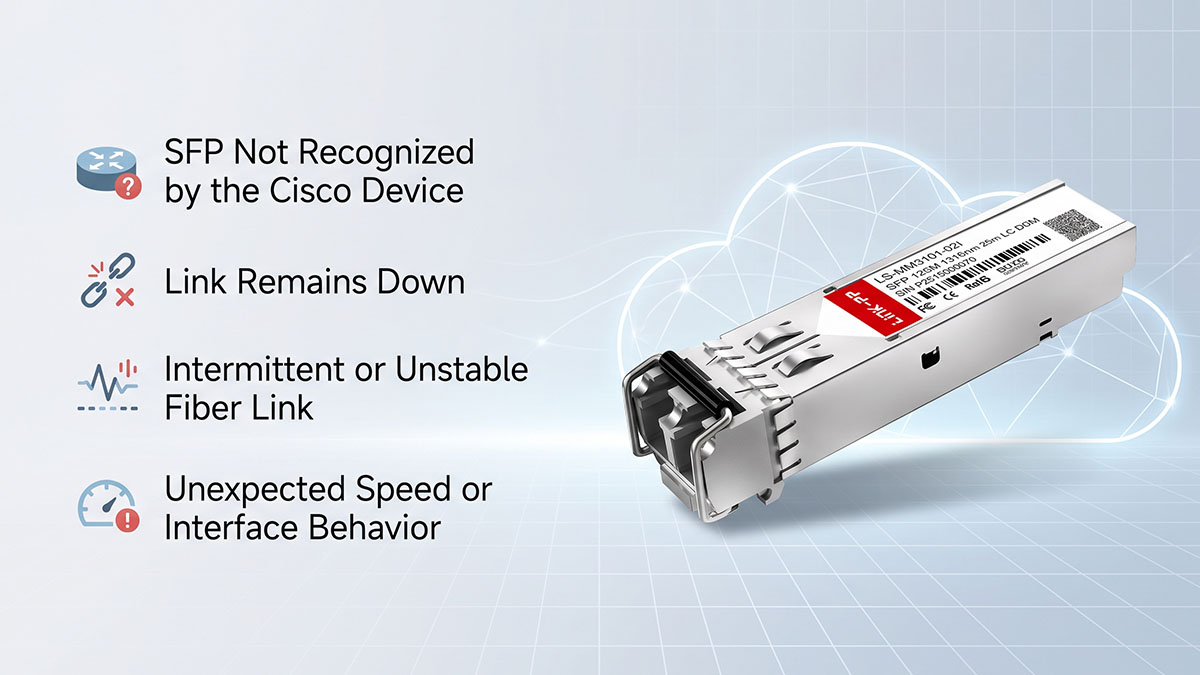
Common GLC-FE-100FX problems usually result from a mismatch between the host port, optical module, fiber infrastructure, or module identification rather than from the SFP form factor itself. Cisco specifies GLC-FE-100FX for Fast Ethernet or supported dual-rate Fast/Gigabit Ethernet ports, while the module is designed for 100BASE-FX over MMF up to 2km.
SFP Not Recognized by the Cisco Device
When a Cisco device does not recognize GLC-FE-100FX, first verify that the exact platform and port support this module. Cisco SFPs can also use a quality-ID mechanism that allows supported Cisco equipment to identify whether an installed SFP is Cisco-qualified.
Check the following items in sequence:
- Confirm the exact Cisco device and interface model.
- Verify that the SFP port supports GLC-FE-100FX.
- Check the applicable Cisco software release and supported-optics documentation.
- Confirm that the installed module is actually GLC-FE-100FX rather than a similar Cisco part number.
- Remove and reinstall the SFP to ensure that it is fully seated.
- Check the device interface status and system messages for module-recognition information.
Platform-specific documentation can impose additional software requirements. For example, Cisco lists GLC-FE-100FX as supported on particular NCS 4200 interfaces beginning with IOS release 3.18.0SP.
If the SFP is recognized but the link remains down, the next step is to separate an interface problem from an optical-path problem.
Link Remains Down
A recognized GLC-FE-100FX with no link can indicate incorrect fiber connectivity, incompatible remote optics, or a problem with the physical optical path. Cisco specifies the module for 100BASE-FX over MMF, with dual-LC connectivity and a maximum distance of 2km.
Check these physical and configuration conditions:
- Confirm both ends use compatible 100BASE-FX interfaces.
- Verify that the fiber is multimode rather than single-mode.
- Check LC connector seating and fiber polarity.
- Inspect connectors for contamination or physical damage.
- Confirm that the total fiber span does not exceed 2km.
- Check patch panels, adapters, and intermediate connections for additional loss.
- Verify that the remote interface is configured for the expected Ethernet mode.
Cisco documentation states that its 100BASE-X SFPs are optically interoperable with the corresponding industry-standard 100BASE-X interfaces, but host-device support remains a separate compatibility consideration.
Once the physical connections have been confirmed, optical power measurements can help determine whether the problem is caused by excessive attenuation.
Intermittent or Unstable Fiber Link
An intermittent link can occur when received optical power is marginal even though the fiber distance is below the 2km maximum. Cisco lists a GLC-FE-100FX transmit range of -20dBm to -14dBm and a receive range of -31dBm to -14dBm.
For an unstable connection, inspect the complete optical path:
- Clean both LC connector pairs.
- Replace damaged or questionable patch cords.
- Check fiber patching and splice points.
- Measure optical power where appropriate.
- Compare measured receive power with the documented limits.
- Look for excessive attenuation caused by connectors or other passive components.
- Verify that the remote transceiver uses compatible 100BASE-FX optics.
Cisco's published fiber-loss data provides a useful reference for determining whether the received signal is within the module's specified operating range.
If optical levels are normal but the interface continues to flap, review the host-port configuration and interface statistics to determine whether the issue extends beyond the optical layer.
Unexpected Speed or Interface Behavior
Unexpected interface behavior generally indicates that the host port and GLC-FE-100FX operating mode have not been matched correctly. GLC-FE-100FX is associated with Fast Ethernet and supported dual-rate Fast/Gigabit Ethernet ports, while Cisco uses separate part numbers for 100BASE-FX operation on Gigabit Ethernet ports.
Verify the following:
- Confirm the interface supports 100BASE-FX.
- Check the configured interface speed and duplex settings where applicable.
- Confirm that the installed optic matches the intended port type.
- Do not substitute GLC-GE-100FX simply because it has the same 100BASE-FX optical characteristics.
- Review interface counters for errors, drops, or link-state changes.
- Check the remote device for a corresponding speed or configuration mismatch.
The distinction between GLC-FE-100FX and GLC-GE-100FX is particularly important: Cisco identifies the former for Fast Ethernet or supported dual-rate ports and the latter for Gigabit Ethernet ports.
A systematic troubleshooting process should therefore move from host recognition → port compatibility → fiber connectivity → optical power → interface configuration. This sequence helps isolate whether the problem originates from the Cisco platform, the GLC-FE-100FX module, or the optical link itself.
📄 GLC-FE-100FX Datasheet Checklist for Network Planning
A GLC-FE-100FX network-planning checklist should confirm the optical specifications, host-platform support, fiber infrastructure, and environmental requirements before deployment. Cisco identifies GLC-FE-100FX as a 100BASE-FX SFP using 1310nm optics over MMF with a maximum 2km link distance, while platform-specific documentation should be used to confirm actual host support.
Optical Specification Checklist
The optical checklist determines whether the planned fiber link matches the fundamental transmission characteristics of GLC-FE-100FX. Cisco's datasheet provides the key wavelength, fiber, distance, connector, and optical power information needed for this verification.
Before deployment, verify:
- Ethernet standard: 100BASE-FX
- Data rate: 100Mb
- Wavelength: 1310nm
- Fiber type: multimode fiber (MMF)
- Maximum cable distance: 2km
- Connector: dual LC
- Minimum cable distance: 2m
- Transmit power range: -20dBm to -14dBm
- Receive power range: -31dBm to -14dBm
These values should be checked against the complete optical path rather than the transceiver alone. Fiber length, connectors, patch panels, and other passive components can all contribute to total optical loss.
Host Compatibility Checklist
Host compatibility confirms that the GLC-FE-100FX can operate correctly in the intended Cisco device and port. Cisco states that GLC-FE-100FX operates in Fast Ethernet or supported dual-rate Fast/Gigabit Ethernet ports, but platform documentation remains necessary for exact compatibility verification.
Check the following host-side details:
- Exact Cisco switch, router, or interface-module model
- SFP port type
- Supported Ethernet operating modes
- Cisco-supported optic list
- Required software or IOS release
- Applicable Cisco 100M Ethernet SFP compatibility documentation
- Whether the installation requires the standard GLC-FE-100FX or a ruggedized variant
Platform documentation can specify individual software-release requirements. For example, Cisco lists GLC-FE-100FX for particular interface modules with defined IOS release support, demonstrating why the exact platform should be checked rather than relying only on the SFP form factor.
Physical and Environmental Checklist
Physical and environmental requirements determine whether the module and fiber installation are appropriate for the deployment location. Cisco documentation distinguishes the standard GLC-FE-100FX from GLC-FE-100FX-RGD, including differences in temperature classification and DOM support on documented industrial platforms.
Before finalizing the deployment, verify:
- SFP physical form factor
- Dual-LC connector compatibility
- MMF infrastructure
- Fiber polarity and connector condition
- Operating temperature requirements
- Storage temperature requirements
- Commercial, extended, or industrial environmental requirements
- Whether DOM support is required by the application and host platform
This final check is particularly important for industrial installations. Cisco documentation lists GLC-FE-100FX and GLC-FE-100FX-RGD as separate supported optics, so similar 100BASE-FX specifications do not by themselves establish environmental interchangeability.
📄 Conclusion
Cisco GLC-FE-100FX is a 100BASE-FX Fast Ethernet SFP designed for multimode fiber links up to 2km. Its key specifications include 1310nm optical transmission, dual-LC connectivity, 100Mb operation, and compatibility with supported Fast Ethernet or dual-rate Fast/Gigabit Ethernet ports.
The main points to verify before deployment are:
- 100BASE-FX Ethernet compatibility
- MMF fiber and dual-LC connectivity
- 2km maximum transmission distance
- Optical power and total link loss
- Exact Cisco switch, router, or interface-module support
- Commercial versus industrial environmental requirements
- Compatibility with the remote optical interface
Cisco documentation also distinguishes the standard GLC-FE-100FX from the GLC-FE-100FX-RGD, which is intended for supported industrial platforms and has different environmental and DOM characteristics.
For network planning, using the GLC-FE-100FX datasheet together with the host platform documentation provides a more reliable compatibility check than relying on the SFP form factor alone. Once the optical specifications, port support, fiber infrastructure, and environmental conditions have been verified, the LINK-PP Official Store can also be considered as a reference for compatible optical networking solutions for existing Fast Ethernet deployments.