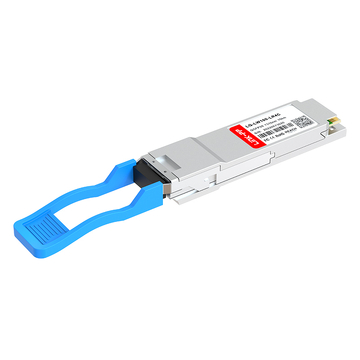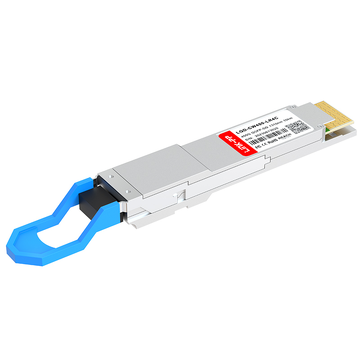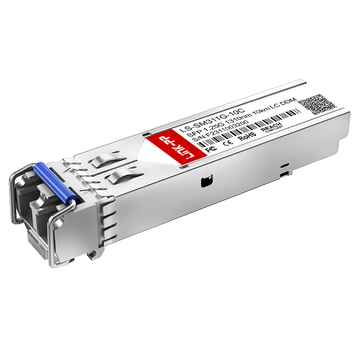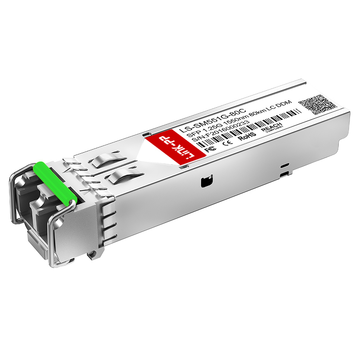
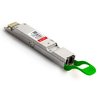
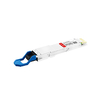
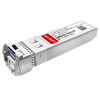
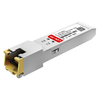
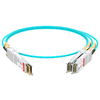
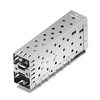
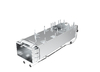
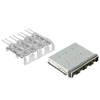

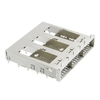






Cisco optical transceivers are widely used in enterprise networks, data centers, and service provider infrastructure. However, the cost of original Cisco optics can become a significant expense when deploying multiple switches, upgrading network capacity, or maintaining spare inventory. For organizations seeking to manage network budgets without compromising essential connectivity requirements, Cisco compatible optical transceivers offer an alternative worth evaluating.
Choosing a compatible module involves more than comparing prices. Network administrators must confirm the original Cisco part number, data rate, optical interface, fiber type, transmission distance, and compatibility with the target device. A module that matches the physical form factor may still fail to establish a reliable link if its optical specifications or host configuration differ.
This guide helps readers identify suitable Cisco compatible optical transceivers from LINK-PP by covering:
-
Why Cisco original optical transceivers can be expensive and when compatible alternatives make sense.
-
How to select compatible modules based on part number, speed, fiber type, and application.
-
Mainstream Cisco optical transceiver models and corresponding LINK-PP product references.
-
How to compare original and compatible optics, verify compatibility, and reduce deployment risks.
-
How to simplify future optical transceiver procurement through a standardized compatibility list.
By understanding these factors, network teams can make informed decisions when evaluating compatible Cisco optics for existing or planned deployments.
Why Are Cisco Original Optical Transceivers So Expensive?
Cisco original optical transceivers can represent a substantial portion of network deployment costs, particularly when a project requires dozens or hundreds of modules. Compatible alternatives may help reduce costs, but the right choice depends on technical requirements, device compatibility, and support expectations.
The Cost Challenge of Cisco Original Transceivers
Cisco original optical transceivers are designed for use within Cisco networking ecosystems. Their pricing may reflect brand positioning, support arrangements, distribution channels, and product qualification processes.
For organizations managing large network deployments, optical module costs can accumulate quickly.
Common cost challenges include:
-
Network expansion: Adding 10G, 25G, 40G, or 100G links across multiple switches can require substantial optical module investment.
-
Data center upgrades: Higher port density increases the number of transceivers needed for switch-to-switch and server-to-switch connections.
-
Spare inventory: Maintaining replacement modules for critical links adds ongoing inventory costs.
-
Mixed network environments: Different Cisco platforms may require different optical transceiver models, increasing inventory complexity.
A compatible optical transceiver can offer a more economical alternative when it meets the required optical specifications, host compatibility conditions, and deployment requirements.
When Does a Cisco Compatible Transceiver Make Sense?
Cisco compatible optical transceivers are particularly relevant when an organization needs to control network deployment costs while maintaining the required connectivity.
Common use cases include:
-
Expanding an existing Cisco network with additional optical links.
-
Deploying multiple identical transceivers across enterprise switches.
-
Building or replenishing optical module spare inventory.
-
Upgrading data center links from 10G to 25G or 100G.
-
Evaluating alternatives when original Cisco optics exceed project budgets.
However, compatible modules should not be selected based on price alone. The transceiver must meet the required data rate, optical interface, reach, and host compatibility requirements.
For critical network links, validation should include the actual device model, port configuration, software version, and available compatibility information.
What Should You Check Before Choosing an Alternative?
Before selecting a Cisco compatible optical transceiver, identify the exact requirements of the original module and the network link.
The most important checks include:
-
Cisco original part number.
-
Switch or router model and port type.
-
Data rate and supported operating mode.
-
Wavelength and optical interface.
-
Fiber type and transmission distance.
-
Connector type and polarity.
-
Operating temperature range.
-
Device compatibility and supplier warranty.
These details help distinguish compatible modules that meet the actual deployment requirements from products that only appear similar based on their model names.
How to Choose the Right Cisco Compatible Optical Transceiver
The right Cisco compatible optical transceiver is determined by the original part number, supported device configuration, data rate, optical interface, and transmission distance. Matching these factors before selecting a product helps reduce compatibility and link performance problems.
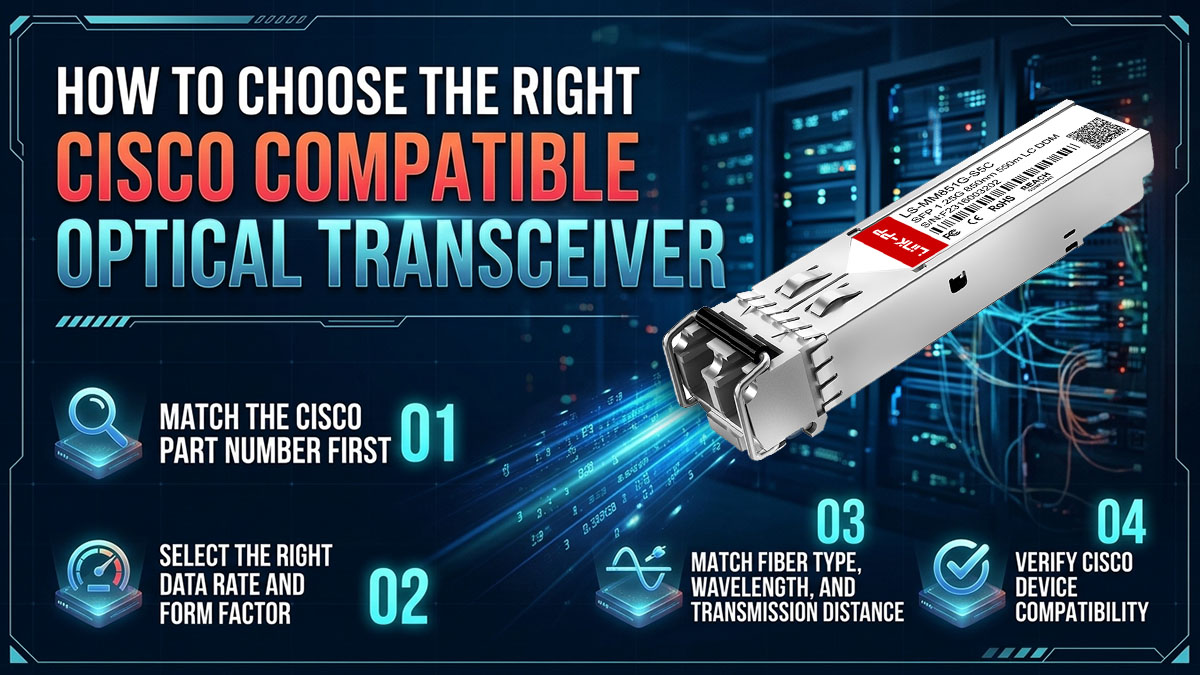
Match the Cisco Part Number First
The original Cisco part number is one of the most useful starting points for finding a compatible optical module.
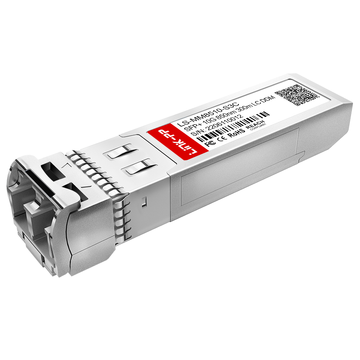
For example, searching for a Cisco SFP-10G-SR should lead to a compatible 10GBASE-SR SFP+ module, not simply any 10G optical transceiver.
When checking a Cisco part number:
-
Identify the complete model number, including suffixes.
-
Confirm the intended Ethernet or optical networking standard.
-
Compare the optical specifications with the compatible product.
-
Check the device compatibility requirements.
-
Verify whether the compatible module is available in the required host configuration.
LINK-PP provides an Optics Compatibility Tool that allows users to search compatible transceivers by OEM brand or part number and request compatibility test information.
Select the Right Data Rate and Form Factor
Cisco optical transceivers are available in multiple form factors and data rates. The physical interface and supported operating mode must match the networking device.
The following table summarizes common Cisco optical transceiver families.
|
Form Factor |
Typical Data Rate |
Common Application |
|---|---|---|
|
SFP |
1G |
Enterprise access and Gigabit Ethernet |
|
SFP+ |
10G |
Enterprise aggregation and data center links |
|
SFP28 |
25G |
High-density server and switch connections |
|
QSFP+ |
40G |
Data center uplinks |
|
QSFP28 |
100G |
High-speed data center and core networking |
|
QSFP-DD |
400G |
High-performance data center networking |
A higher data rate does not automatically mean a module is compatible with a lower-speed port. Device support, port configuration, and transceiver specifications must be checked independently.
Match Fiber Type, Wavelength, and Transmission Distance
Optical transceivers must match the fiber infrastructure and the optical interface at the opposite end of the link.
Common optical module categories include:
-
SR: Short-reach multimode fiber applications, commonly using 850nm optics.
-
LR: Longer-reach single-mode fiber applications, commonly using 1310nm optics.
-
ER/ZR: Extended-reach single-mode applications. commonly using 1550nm optics
-
BiDi: Bidirectional transmission over a single fiber using complementary wavelengths.
-
DAC/AOC: Short-distance electrical or optical interconnects between compatible equipment.
The required transmission distance depends on the optical standard, fiber grade, and link budget.
For example, 10GBASE-SR commonly operates over multimode fiber, while 10GBASE-LR is designed for single-mode fiber links. These modules are not interchangeable simply because both use SFP+ form factors.
Verify Cisco Device Compatibility
Cisco compatibility depends on the specific networking platform, port, and software configuration.
Before selecting a compatible optical transceiver:
-
Identify the exact Cisco switch or router model.
-
Confirm the port supports the intended data rate and form factor.
-
Check the original Cisco optics compatibility information.
-
Verify any software or configuration requirements.
-
Confirm the compatible module's host configuration.
Cisco provides an Optics-to-Device Compatibility Matrix for checking supported Cisco optics on Cisco networking devices. This tool is useful for confirming original Cisco optic and host relationships, but it does not certify third-party compatible modules.
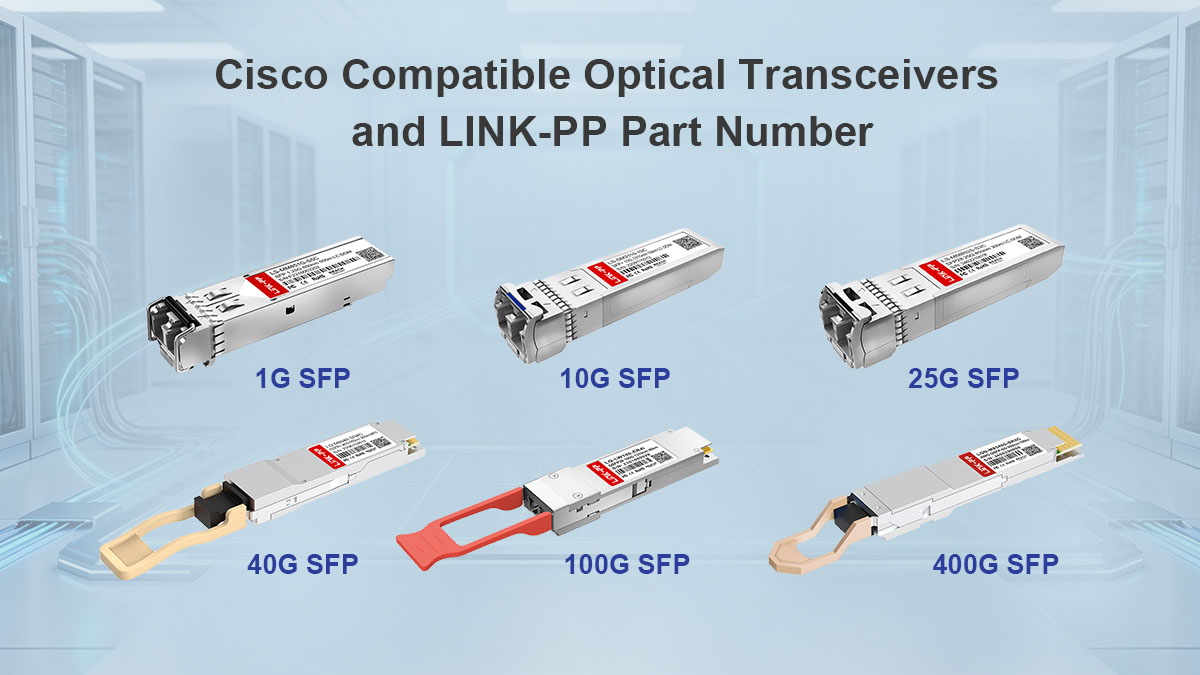
Cisco Compatible Optical Transceivers by Model and LINK-PP Part Number
LINK-PP offers compatible optical transceivers for various Cisco networking applications, including Gigabit Ethernet, 10G Ethernet, and higher-speed data center links. The following model references help readers identify relevant product families and find corresponding LINK-PP product information.
When using a Cisco original part number to search for a compatible module, verify the complete product specification and host configuration before deployment.
Cisco 1G SFP Compatible Transceivers
Cisco 1G SFP transceivers are commonly used in enterprise access switches, Gigabit Ethernet uplinks, and fiber-based network connections. The appropriate module depends on the fiber type, transmission distance, and port requirements.
Common Cisco 1G SFP models include:
-
GLC-SX-MMD
-
GLC-LH-SMD
-
GLC-T
-
GLC-BX-U
-
GLC-BX-D
The following table provides a starting point for identifying the corresponding LINK-PP product family.
|
Cisco Original Model |
Optical Interface |
LINK-PP Compatible Reference |
|---|---|---|
|
GLC-SX-MMD |
1000BASE-SX, multimode |
LS-MM851G-S5I |
|
GLC-LH-SMD |
1000BASE-LX/LH, single-mode |
LS-SM311G-10I |
|
GLC-T |
1000BASE-T, copper |
LP-SFP-MSRC |
|
GLC-BX-U |
1G BiDi, single-mode |
LS-BL31491G-10C |
|
GLC-BX-D |
1G BiDi, single-mode |
LS-BL49311G-10C |
The listed product references should be checked against the current LINK-PP product catalog to confirm the exact SKU and required host configuration. The Cisco GLC-BX-U and GLC-BX-D modules are complementary BiDi transceivers, so both ends of the link must use compatible transmit and receive wavelengths.
For additional details, see the LINK-PP Cisco compatibility tool.
Cisco 10G SFP+ Compatible Transceivers
Cisco 10G SFP+ transceivers are widely used in enterprise aggregation switches, data center networks, and high-speed server connections. They are available in multiple optical and copper configurations.
Common Cisco 10G SFP+ models include:
-
SFP-10G-SR
-
SFP-10G-LR
-
SFP-10G-ER
-
SFP-10G-ZR
-
SFP-10G-LR-X
-
SFP-H10GB-CU1M
-
SFP-H10GB-CU3M
The following table identifies selected LINK-PP compatible product references.
|
Cisco Original Model |
Optical Interface |
LINK-PP Compatible Reference |
|---|---|---|
|
SFP-10G-SR |
10GBASE-SR, 850nm, MMF |
LS-MM8510-S3C |
|
SFP-10G-LR |
10GBASE-LR, 1310nm, SMF |
LS-SM3110-10C |
|
SFP-10G-ER |
10G extended reach |
LS-SM5510-40C |
|
SFP-10G-ZR |
10G long reach |
LS-SM5510-80C |
|
SFP-10G-LRM |
10G, 1310nm, MMF |
LS-MM3110-S2C |
|
SFP-H10GB-CU1M |
10G passive DAC, 1m |
LS-DAC1110-1MN |
|
SFP-H10GB-CU3M |
10G passive DAC, 3m |
LS-DAC1110-3MN |
The SFP-10G-SR and SFP-10G-LR references have corresponding LINK-PP product listings. For other models, search by the exact Cisco part number to retrieve the relevant product and host configuration.
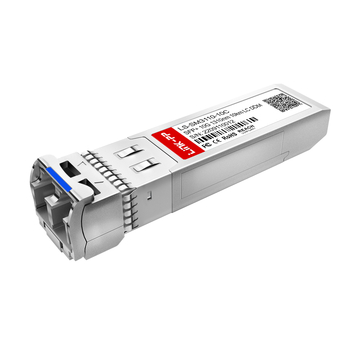
When comparing 10G optical modules, remember that SR and LR differ in wavelength and fiber type. A 10GBASE-SR module typically uses 850nm multimode optics, while 10GBASE-LR typically uses 1310nm single-mode optics.
Cisco 25G SFP28 Compatible Transceivers
Cisco 25G SFP28 transceivers are used in modern enterprise networks, high-density data centers, and server access connections.
Common Cisco 25G models include:
-
SFP-25G-SR-S
-
SFP-25G-LR-S
-
SFP-H25G-CU1M
-
SFP-H25G-CU3M
When selecting a compatible 25G module, check the following:
-
The Cisco device supports 25G operation on the target port.
-
The module's optical interface matches the fiber infrastructure.
-
The link endpoints support the intended 25G standard.
-
Any required FEC and port configuration are supported.
-
The compatible module is configured for the intended host platform.
For a LINK-PP product reference, search the exact Cisco part number in the compatibility tool and confirm the corresponding SKU and specifications.
Cisco 40G QSFP+ Compatible Transceivers
Cisco 40G QSFP+ modules are commonly used for switch uplinks, data center aggregation, and high-capacity interconnects.
Common Cisco 40G models include:
-
QSFP-40G-SR4
-
QSFP-40G-LR4
-
QSFP-40G-ER4
The main selection differences are the optical interface, fiber type, connector, and transmission distance.
|
Cisco Original Model |
Optical Interface |
Application |
|---|---|---|
|
QSFP-40G-SR4 |
40GBASE-SR4, multimode, MPO |
Short-reach data center links |
|
QSFP-40G-LR4 |
40GBASE-LR4, single-mode, LC |
Longer-reach single-mode links |
|
QSFP-40G-ER4 |
40G extended-reach optical interface |
Extended-reach single-mode links |
To identify a LINK-PP compatible product, search the exact Cisco model in the compatibility tool. Confirm the corresponding product's optical interface and device configuration rather than selecting a QSFP+ module based on form factor alone.
Cisco 100G QSFP28 Compatible Transceivers
Cisco 100G QSFP28 transceivers are widely used in data center switching, high-speed aggregation, and core networking.
Common Cisco 100G models include:
-
QSFP-100G-SR4-S
-
QSFP-100G-LR4-S
-
QSFP-100G-CWDM4-S
-
QSFP-100G-ER4-S
The following table highlights the main optical interface differences.
|
Cisco Original Model |
Optical Interface |
Application |
|---|---|---|
|
QSFP-100G-SR4-S |
100GBASE-SR4, multimode, MPO |
Short-reach data center links |
|
QSFP-100G-LR4-S |
100GBASE-LR4, single-mode, LC |
Longer-reach single-mode links |
|
QSFP-100G-CWDM4-S |
100G CWDM4, single-mode, LC |
Data center links up to standard-defined reach |
|
QSFP-100G-ER4-S |
100G extended-reach optical interface |
Extended-reach single-mode links |
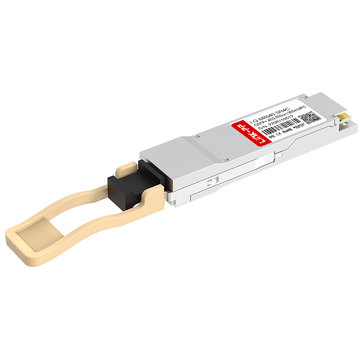
LINK-PP lists LQ-CW100-FR4C as a 100G CWDM4 compatible product reference for Cisco QSFP-100G-CWDM4-S. Verify its current datasheet, host configuration, and optical specifications before deployment.
Cisco 400G QSFP-DD Compatible Transceivers
Cisco 400G QSFP-DD transceivers are used in high-performance data center networks and large-scale switching infrastructure.
Common 400G optical interface categories include:
-
400GBASE-SR8
-
400GBASE-DR4
-
400GBASE-FR4
-
400GBASE-LR4
These transceivers differ in fiber type, optical interface, reach, and lane configuration. A suitable compatible module must match the host platform and the intended optical link.
Before selecting a LINK-PP compatible 400G module:
-
Confirm the exact Cisco original part number.
-
Check QSFP-DD support on the host platform.
-
Verify the optical standard, fiber type, and transmission distance.
-
Confirm lane mapping, FEC, and port configuration.
-
Request the corresponding LINK-PP product reference and compatibility information.
For 400G deployment, exact SKU verification is particularly important because modules with similar form factors may use different optical interfaces and lane arrangements.
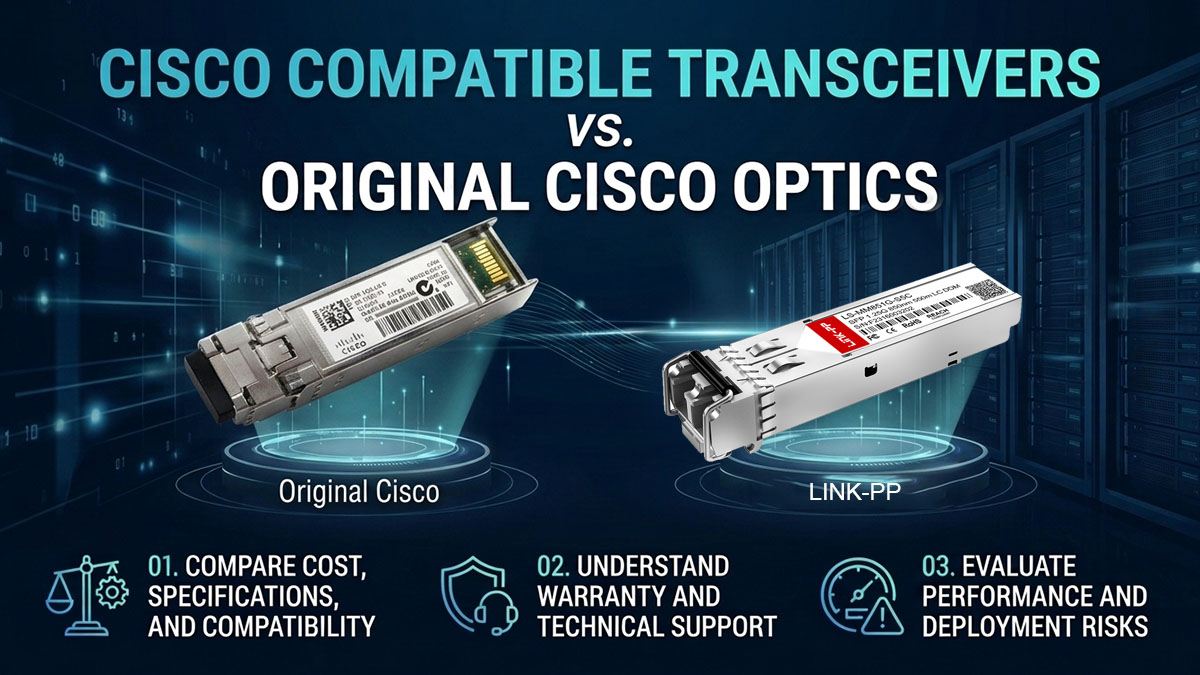
Cisco Compatible Transceivers vs. Original Cisco Optics
Cisco compatible optical transceivers can provide an alternative to original Cisco optics, but the decision should account for more than module price. Specifications, device compatibility, warranty, and technical support all influence whether a compatible product is appropriate for a particular network.
Compare Cost, Specifications, and Compatibility
The main difference between original and compatible optical transceivers is not necessarily the optical interface itself. It also includes product sourcing, device configuration, qualification, support, and warranty arrangements.
When evaluating alternatives, compare:
-
Product price and overall deployment cost.
-
Data rate and supported optical standard.
-
Wavelength and transmission distance.
-
Fiber type and connector.
-
Host compatibility.
-
Product testing and available documentation.
A compatible transceiver should meet the technical requirements of the intended link. Similar specifications alone do not guarantee compatibility with every Cisco switch or router.
Understand Warranty and Technical Support
Warranty and support terms vary between Cisco original modules and third-party compatible products.
Before selecting a compatible optical transceiver, confirm:
-
The supplier's warranty period.
-
The process for reporting and replacing defective modules.
-
Technical support availability.
-
Whether compatibility-related issues are covered.
-
Any relevant Cisco device support limitations.
Cisco's compatibility information describes Cisco-supported optics on Cisco devices. Cisco's compatibility matrix also states that Cisco does not support third-party optics. Therefore, network administrators should distinguish Cisco's original optic support from the support offered by a compatible module supplier.
Evaluate Performance and Deployment Risks
Compatible optical transceivers should be evaluated using the same essential technical criteria as original modules.
Important considerations include:
-
Whether the module meets the required optical specifications.
-
Whether the target Cisco device recognizes the module.
-
Whether the port supports the intended data rate and interface.
-
Whether both ends of the link use compatible optical interfaces.
-
Whether optical power levels remain within the receiver's operating range.
-
Whether the supplier provides relevant testing or validation information.
For critical links, testing the module in the intended device and network environment is a practical way to reduce deployment risk.
How to Verify and Deploy LINK-PP Cisco Compatible Transceivers
Selecting the correct compatible optical transceiver is only the first step. Before deploying a module in a production network, verify the host device, optical specifications, and link configuration to reduce the risk of compatibility issues.
Check the Device and Transceiver Specifications
Start by documenting the original Cisco module and the equipment where it will be installed.
The basic verification process includes:
-
Record the complete Cisco device model and port information.
-
Identify the original Cisco transceiver part number.
-
Compare the compatible module's data rate, optical interface, wavelength, and reach.
-
Confirm the fiber type and connector.
-
Check any device-specific software or configuration requirements.
This information provides a reliable basis for selecting a compatible transceiver and identifying potential mismatches before deployment.
Request Compatibility Information and Test Reports
Compatibility information can help determine whether a particular LINK-PP module is appropriate for a Cisco device.
When requesting product or test information, provide:
-
The Cisco device model.
-
The original optical transceiver part number.
-
The intended port and operating speed.
-
The network application.
-
The fiber type and link distance.
The LINK-PP Optics Compatibility Tool supports searching by OEM brand or part number and requesting compatibility test information.
A compatibility reference or test report should be reviewed in the context of the specific host and configuration. Do not assume that one test result automatically applies to every Cisco platform or software release.
Test the Optical Link Before Production Deployment
After installing the compatible optical transceiver, verify that the link operates as expected.
A practical test sequence includes:
-
Check whether the Cisco device recognizes the transceiver.
-
Confirm the port is configured for the intended speed.
-
Verify that the link comes up.
-
Check optical power readings where DOM/DDM is supported.
-
Confirm that the remote-end module and fiber connection match.
-
Monitor link stability under normal operating conditions.
These checks help identify issues such as mismatched fiber types, incorrect optical interfaces, unsupported port modes, or insufficient optical power.
For production networks, validation should include the actual equipment and cabling intended for deployment.
Troubleshoot Common Cisco Transceiver Issues
Several common issues can prevent a compatible optical transceiver from operating correctly.
Unsupported transceiver warning
Possible causes include:
-
Host configuration or software restrictions.
-
Incorrect module configuration.
-
Unsupported port or device combinations.
Check the device logs and compatibility information before replacing the module.
Module not recognized
Possible causes include:
-
Improper insertion.
-
Incorrect form factor.
-
Faulty module.
-
Host configuration limitations.
Reseat the module and confirm the exact part number and device requirements.
Link fails to establish
Possible causes include:
-
Mismatched optical interfaces.
-
Incorrect fiber polarity.
-
Wrong fiber type.
-
Incompatible transmit and receive wavelengths.
Check both ends of the link and verify that the optical specifications match.
Low optical power or unstable link
Possible causes include:
-
Excessive fiber loss.
-
Dirty connectors.
-
Incorrect link distance.
-
Optical power outside the receiver's operating range.
Inspect the fiber path, connector cleanliness, and optical power readings before changing the transceiver.
How to Simplify Future Cisco Optical Transceiver Procurement
A standardized Cisco optical transceiver compatibility list helps network teams reduce repeated research, simplify spare inventory management, and maintain consistent specifications across projects.
Build a Cisco Transceiver Compatibility List
A compatibility list should record the original Cisco model and the corresponding compatible product information.
Useful fields include:
-
Cisco device model.
-
Cisco original transceiver part number.
-
LINK-PP compatible SKU.
-
Data rate and optical interface.
-
Wavelength and transmission distance.
-
Fiber type and connector.
-
Deployment location.
-
Validation status.
Keeping these details in one place makes it easier to identify compatible modules for future network expansion and maintenance.
Standardize Compatible Transceiver Models Across Projects
Standardizing optical transceiver models where practical can simplify network operations.
Potential benefits include:
-
Reducing the number of different modules in spare inventory.
-
Simplifying technical specification checks.
-
Making replacement procedures more consistent.
-
Reducing repeated compatibility research.
-
Improving visibility into the optical modules deployed across the network.
Standardization should still account for differences in device models, optical interfaces, and link distances.
Review Compatibility Before Each New Deployment
Compatibility should be reviewed whenever the network configuration changes.
Examples include:
-
Adding a new Cisco switch or router.
-
Upgrading network software.
-
Changing a link from 10G to 25G or 100G.
-
Extending an optical link to a different distance.
-
Replacing multimode fiber with single-mode fiber.
-
Introducing a new optical interface or breakout configuration.
A regularly updated compatibility list helps prevent outdated product references from being reused in new deployments.
Find the Right LINK-PP Cisco Compatible Transceiver
The LINK-PP compatibility tool provides a practical starting point for locating compatible transceivers by original Cisco part number.
Readers can use it to:
-
Search by Cisco original part number.
-
Identify compatible product references.
-
Review product specifications.
-
Request compatibility test information.
-
Confirm the intended host configuration.
For specific Cisco models not listed in a general cross-reference table, searching the exact part number is the recommended next step.
Conclusion
Cisco compatible optical transceivers provide a practical alternative for organizations looking to reduce networking costs while maintaining the connectivity required by their Cisco infrastructure. The right selection depends on matching the original Cisco part number, device compatibility, optical specifications, and deployment requirements.
When evaluating Cisco compatible optical transceivers, keep these key points in mind:
-
Match the original Cisco part number: Identify the corresponding compatible product and confirm the required host configuration.
-
Verify optical specifications: Check data rate, wavelength, fiber type, connector, and transmission distance.
-
Confirm device compatibility: Review device-specific requirements and available compatibility information.
-
Validate before deployment: Test module recognition, link establishment, and optical performance in the intended environment.
-
Simplify future deployments: Maintain a standardized list of validated compatible modules and their specifications.
For network administrators evaluating Cisco compatible optical transceivers, LINK-PP offers a range of compatible product references across common networking applications. Visit the LINK-PP Official Store to explore Cisco compatible optical transceivers, review product specifications, and identify suitable alternatives for your network. For specific device configurations, confirm the compatible SKU and relevant testing information before deployment.